2023 HYUNDAI TUCSON brakes
[x] Cancel search: brakesPage 321 of 638

Driving your vehicle
6-36
ESC operation
ESC ON condition
When the Engine Start/Stop button is
in the ON position, ESC and the ESC
OFF indicator lights illuminate for
approximately three seconds. After both
lights go off, ESC is enabled.
When operating
When ESC is in operation, the
ESC indicator light blinks:
• When you apply your brakes under
conditions which may lock the wheels,
you may hear sounds from the brakes,
or feel a corresponding sensation in
the brake pedal. This is normal and it
means your ESC is active.
• When ESC activates, the engine may
not respond to the accelerator as it
does under routine conditions.
• If Cruise Control was in use when
ESC activates, Cruise Control
automatically disengages. Cruise
Control can be reengaged when the
road conditions allow. See “Cruise
Control (CC)” section in chapter 7 (if
equipped).
• When moving out of the mud or
driving on a slippery road, the engine
RPM (revolutions per minute) may
not increase even if you press the
accelerator pedal deeply. This is to
maintain the stability and traction of
the vehicle and does not indicate a
problem. ESC OFF condition
To cancel ESC operation:
• State 1
Press the ESC OFF button briefly. The
ESC OFF indicator light and/or message
'Traction Control disabled' will illuminate.
In this state, the traction control function
of ESC (engine management) is disabled,
but the brake control function of ESC
(braking management) still operates.
• State 2
Press and hold the ESC OFF button
continuously for more than 3 seconds.
The ESC OFF indicator light and/or
message 'Traction & Stability Control
disabled' illuminates and a warning
chime sounds. In this state, both the
traction control function of ESC (engine
management) and the brake control
function of ESC (braking management)
are disabled.
If the Engine Start/Stop button is pressed
to the OFF position when ESC is off, ESC
remains off. Upon restarting the vehicle,
ESC will automatically turn on again.
Page 323 of 638

Driving your vehicle
6-38
Vehicle Stability Management
(VSM)
Vehicle Stability Management is a
function of the Electronic Stability
Control (ESC) system. It helps the vehicle
stay stable when accelerating or braking
suddenly on wet, slippery and rough
roads where traction over the four tires
can suddenly become uneven.
WARNING
Take the following precautions when
using Vehicle Stability Management:
• ALWAYS check the speed and the
distance to the vehicle ahead. VSM
is not a substitute for safe driving
practices.
• Never drive too fast for the road
conditions. VSM will not prevent
accidents. Excessive speed in bad
weather, on slippery and uneven
roads can result in severe accidents.
VSM operation
When operating
When you apply your brakes under
conditions which may activate ESC, you
may hear sounds from the brakes, or feel
a corresponding sensation in the brake
pedal. This is normal and it means your
VSM is active.
Information
VSM does not operate when:
• Driving on a banked road such as
gradient or incline.
• Driving in reverse.
• The ESC OFF indicator light is on.
• The EPS (Electric power steering)
warning light (
) is on or blinks.
Page 324 of 638
06
6-39
VSM OFF condition
To cancel VSM operation, press the ESC
OFF button. ESC OFF (
) indicator light
will illuminate.
To turn on VSM, press the ESC OFF
button again. The ESC OFF indicator light
will go out.
WARNING
If the ESC () indicator light or EPS
() warning light stays illuminated
or blinks, your vehicle may have a
malfunction with the VSM system.
When the warning light illuminates
we recommend that the vehicle be
checked by an authorized HYUNDAI
dealer as soon as possible.
NOTICE
Driving with wheels and tires with
different sizes may cause the VSM
system to malfunction. Before replacing
tires, make sure all four tires and wheels
are the same size. Never drive the
vehicle with different sized tires and
wheels installed.
Trailer stability assist (TSA)
Trailer stability assist is operated as a
vehicle stability control system. The
Trailer stability assist system stabilizes
the vehicle and trailer when the trailer
sways or oscillates. There are various
reasons making vehicle sway and
oscillate. In most case it happens at high
speed however, if the trailer is affected
by crosswinds, buffeting, and improper
overloading, it may also be a risk of sway.
Factors of swaying such as:
- High speed
-Strong crosswinds
-Improper overloading
-Sudden controlling of steering wheel
-Uneven road
Trailer stability assist system
continuously analyzes the vehicle
and trailer instability. When the
Trailer stability assist system detects
some sway, the brakes are applied
automatically to stabilize the vehicle
on the front wheel. However, if it is
not enough to stabilize, the brakes are
applied on all wheels automatically and
engine power is properly reduced. When
the vehicle is stable from swaying, trailer
stability assist system does not operate.
Page 325 of 638
Driving your vehicle
6-40
Hill-Start Assist Control (HAC)
Hill-Start Assist Control helps prevent
the vehicle from rolling backwards
when starting a vehicle from a stop
on a hill. The system operates the
brakes automatically for approximately
2 seconds and releases when the
accelerator pedal is depressed.
WARNING
Always be ready to depress the
accelerator pedal when starting off
an incline. Hill-Start Assist Control
activates only for approximately 2
seconds.
Information
• Hill-Start Assist Control does not
operate when the gear is shifted to P
(Park) or N (Neutral).
• Hill-Start Assist Control activates even
when the ESC (Electronic Stability
Control) is off. However, it does not
activate, when ESC does not operate
normally.
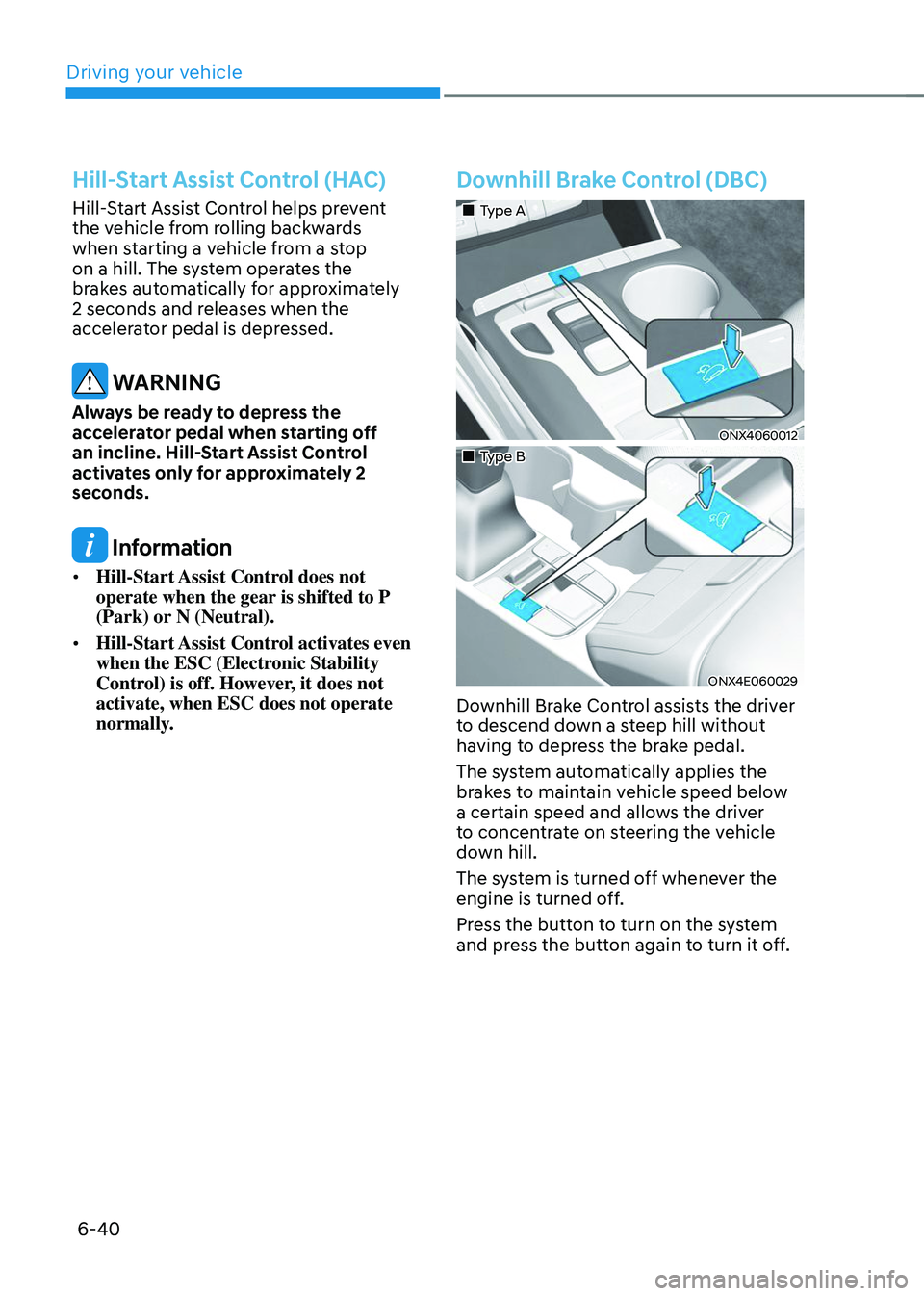
Downhill Brake Control (DBC)
„„Type A
ONX4060012
„„Type B
ONX4E060029
Downhill Brake Control assists the driver
to descend down a steep hill without
having to depress the brake pedal.
The system automatically applies the
brakes to maintain vehicle speed below
a certain speed and allows the driver
to concentrate on steering the vehicle
down hill.
The system is turned off whenever the
engine is turned off.
Press the button to turn on the system
and press the button again to turn it off.
Page 327 of 638
Driving your vehicle
6-42
OJX1069039L
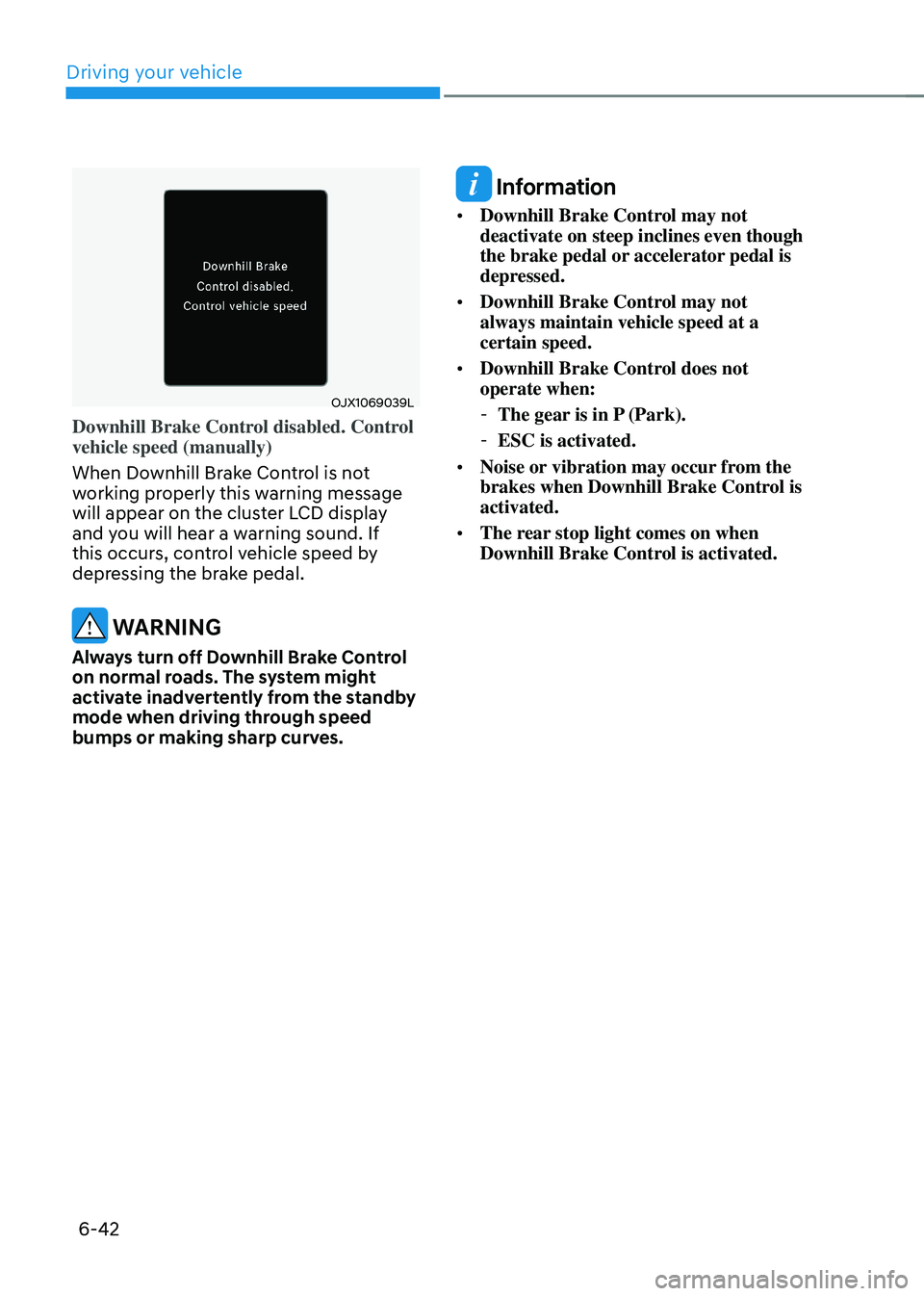
Downhill Brake Control disabled. Control
vehicle speed (manually)
When Downhill Brake Control is not
working properly this warning message
will appear on the cluster LCD display
and you will hear a warning sound. If
this occurs, control vehicle speed by
depressing the brake pedal.
WARNING
Always turn off Downhill Brake Control
on normal roads. The system might
activate inadvertently from the standby
mode when driving through speed
bumps or making sharp curves.
Information
• Downhill Brake Control may not
deactivate on steep inclines even though
the brake pedal or accelerator pedal is
depressed.
• Downhill Brake Control may not
always maintain vehicle speed at a
certain speed.
• Downhill Brake Control does not
operate when:
-The gear is in P (Park).
-ESC is activated.
• Noise or vibration may occur from the
brakes when Downhill Brake Control is
activated.
• The rear stop light comes on when
Downhill Brake Control is activated.
Page 328 of 638
06
6-43
Good braking practices
WARNING
Whenever leaving the vehicle or
parking, always come to a complete
stop and continue to depress the brake
pedal. Shift the gear to the P (Park)
position, then apply the parking brake,
and press the Engine Start/Stop button
to the OFF position.
Vehicles parked with the parking brake
not applied or not fully engaged may
roll inadvertently and may cause injury
to the driver and others. ALWAYS apply
the parking brake before exiting the
vehicle.Wet brakes can be dangerous! The
brakes may get wet if the vehicle is
driven through standing water or if it
is washed. Your vehicle will not stop as
quickly if the brakes are wet. Wet brakes
may cause the vehicle to pull to one side.
To dry the brakes, apply the brakes
lightly until the braking action returns to
normal. If the braking action does not
return to normal, stop as soon as it is safe
to do so and we recommend that you
call an authorized HYUNDAI dealer for
assistance.
DO NOT drive with your foot resting on
the brake pedal. Even light, but constant
pedal pressure can result in the brakes
overheating, brake wear, and possibly
even brake failure.
If a tire goes flat while you are driving,
apply the brakes gently and keep the
vehicle pointed straight ahead while you
slow down. When you are moving slowly
enough for it to be safe to do so, pull off
the road and stop in a safe location.
Keep your foot firmly on the brake pedal
when the vehicle is stopped to prevent
the vehicle from rolling forward.
Page 344 of 638
06
6-59
NOTICE
If you are still stuck after rocking the
vehicle a few times, have the vehicle
pulled out by a tow vehicle to avoid
engine overheating, possible damage to
the transmission, and tire damage. See
“Towing” section in chapter 8.
Smooth cornering
Avoid braking or gear changing in
corners, especially when roads are wet.
Ideally, corners should always be taken
under gentle acceleration.
Driving at night
Night driving presents more hazards than
driving in the daylight. Here are some
important tips to remember:
• Slow down and keep more distance
between you and other vehicles, as it
may be more difficult to see at night,
especially in areas where there may
not be any street lights.
• Adjust your mirrors to reduce the glare
from other drivers’ headlamps.
• Keep your headlamps clean and
properly aimed. Dirty or improperly
aimed headlamps will make it much
more difficult to see at night.
• Avoid staring directly at the
headlamps of oncoming vehicles. You
could be temporarily blinded, and it
will take several seconds for your eyes
to readjust to the darkness.
Driving in the rain
Rain and wet roads can make driving
dangerous. Here are a few things to
consider when driving in the rain or on
slick pavement:
• Slow down and allow extra following
distance. A heavy rainfall makes
it harder to see and increases the
distance needed to stop your vehicle.
• Turn OFF your Cruise Control. (if
equipped)
• Replace your windshield wiper blades
when they show signs of streaking or
missing areas on the windshield.
• Be sure your tires have enough tread.
If your tires do not have enough tread,
making a quick stop on wet pavement
can cause a skid and possibly lead to
an accident. See “Tire Tread” section
in chapter 9.
• Turn on your headlamps to make it
easier for others to see you.
• Driving too fast through large puddles
can affect your brakes. If you must go
through puddles, try to drive through
them slowly.
• If you believe your brakes may be wet,
apply them lightly while driving until
normal braking operation returns.
Hydroplaning
If the road is wet enough and you are
going fast enough, your vehicle may
have little or no contact with the road
surface and actually ride on the water.
The best advice is SLOW DOWN when
the road is wet.
The risk of hydroplaning increases as
the depth of tire tread decreases, refer
to “Tire Tread” section in chapter 9.
Page 345 of 638
Driving your vehicle
6-60
Driving in flooded areas
Avoid driving through flooded areas
unless you are sure the water is no
higher than the bottom of the wheel hub.
Drive through any water slowly. Allow
adequate stopping distance because
brake performance may be reduced.
After driving through water, dry the
brakes by gently applying them several
times while the vehicle is moving slowly.
Highway driving
Tires
Adjust the tire inflation, as specified.
Under-inflation may overheat or damage
the tires.
Do not install worn-out or damaged tires,
which may reduce traction or fail the
braking operation.
Information
Never over-inflate your tires above the
maximum inflation pressure, as specified
on your tires.
Fuel, engine coolant and engine oil
Driving at higher speeds on the highway
consumes more fuel and is less efficient
than driving at a slower, more moderate
speed. Maintain a moderate speed in
order to conserve fuel when driving on
the highway.
Be sure to check both the engine coolant
level and the engine oil before driving.
Drive belt
A loose or damaged drive belt may
overheat the engine.
Reducing the risk of a rollover
Your multi-purpose passenger vehicle is
defined as a Sports Utility Vehicle (SUV).
SUV’s have higher ground clearance
and a narrower track to make them
capable of performing in a wide variety
of off-road applications. The specific
design characteristics give them a higher
center of gravity than ordinary vehicles
making them more likely to roll over if
you make abrupt turns. Utility vehicles
have a significantly higher rollover rate
than other types of vehicles. Due to this
risk, driver and passengers are strongly
recommended to buckle their seat belts.
In a rollover crash, an unbelted person
is significantly more likely to die than a
person wearing a seat belt.
There are steps that a driver can make
to reduce the risk of a rollover. If at all
possible, avoid sharp turns or abrupt
maneuvers, do not load your vehicle
with heavy cargo on the roof, and never
modify your vehicle in any way.
WARNING
Utility vehicles have a significantly
higher rollover rate than other types of
vehicles. To prevent rollovers or loss of
control:
• Take corners at slower speeds than
you would with a passenger vehicle.
• Avoid sharp turns and abrupt
maneuvers.
• Do not modify your vehicle in any
way that you would raise the center
of gravity.
• Keep tires properly inflated.
• Do not carry heavy cargo on the roof.
WARNING
In a rollover crash, an unbelted person
is significantly more likely to die than a
person wearing a seat belt. Make sure
all passengers are wearing their seat
belts.