Page 458 of 638
07
7-95
Navigation-based Smart Cruise
Control Operation
Operating conditions
Navigation-based Smart Cruise Control
is ready to operate if all of the following
conditions are satisfied:
• Smart Cruise Control is operating
• Driving on main roads of highways (or
motorways)
Information
For more details on how to operate Smart
Cruise Control, refer to “Smart Cruise
Control (SCC)” section in chapter 7.
Navigation-based Smart Cruise
Control display and control
When Navigation-based Smart Cruise
Control operates, it will be displayed on
the cluster as follows:
• Navigation-based Smart Cruise
Control standby
OTMA070006
If the operating conditions are satisfied,
the white indicator will illuminate.
• Navigation-based Smart Cruise
Control operating
OTMA070005OTMA070007
If temporary deceleration is required in
the standby state and Navigation-based
Smart Cruise Control is operating, the
green
symbol will illuminate on the cluster.
If the Highway Set Speed Auto Change
function operates, the
symbol and set speed will illuminate in green on
the cluster, and an audible warning will
sound.
WARNING
ONX4E070003
‘Drive carefully’ warning message will
appear in the following circumstances:
-Navigation-based Smart Cruise
Control is not able to slow down your
vehicle to a safe speed
Page 470 of 638
07
7-107
Highway Driving Assist
Operation
Highway Driving Assist display and
control
You can see the status of the Highway
Driving Assist operation in the Driving
Assist mode on the cluster. Refer to “LCD
Display Modes” section in chapter 4.
Highway Driving Assist will be displayed
as below depending on the status of the
function.
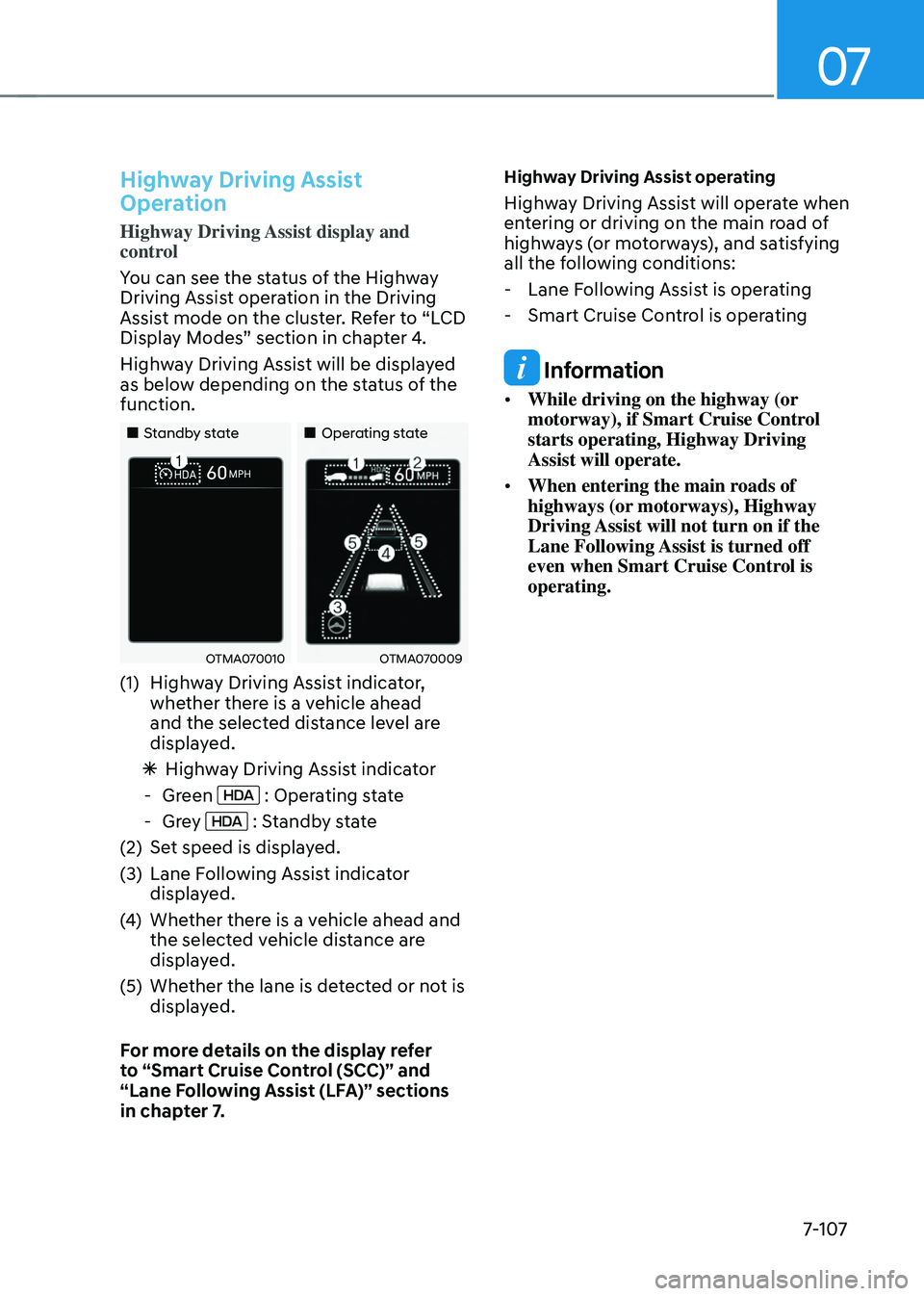
„„Standby state„„Operating state
OTMA070010OTMA070009
(1) Highway Driving Assist indicator,
whether there is a vehicle ahead
and the selected distance level are
displayed.
ÃHighway Driving Assist indicator
-Green : Operating state
-Grey : Standby state
(2) Set speed is displayed.
(3) Lane Following Assist indicator
displayed.
(4) Whether there is a vehicle ahead and
the selected vehicle distance are
displayed.
(5) Whether the lane is detected or not is
displayed.
For more details on the display refer
to “Smart Cruise Control (SCC)” and
“Lane Following Assist (LFA)” sections
in chapter 7.
Highway Driving Assist operating
Highway Driving Assist will operate when
entering or driving on the main road of
highways (or motorways), and satisfying
all the following conditions:
- Lane Following Assist is operating
-Smart Cruise Control is operating
Information
• While driving on the highway (or
motorway), if Smart Cruise Control
starts operating, Highway Driving
Assist will operate.
• When entering the main roads of
highways (or motorways), Highway
Driving Assist will not turn on if the
Lane Following Assist is turned off
even when Smart Cruise Control is
operating.
Page 476 of 638
07
7-113
Rear View Monitor Settings
Camera settings
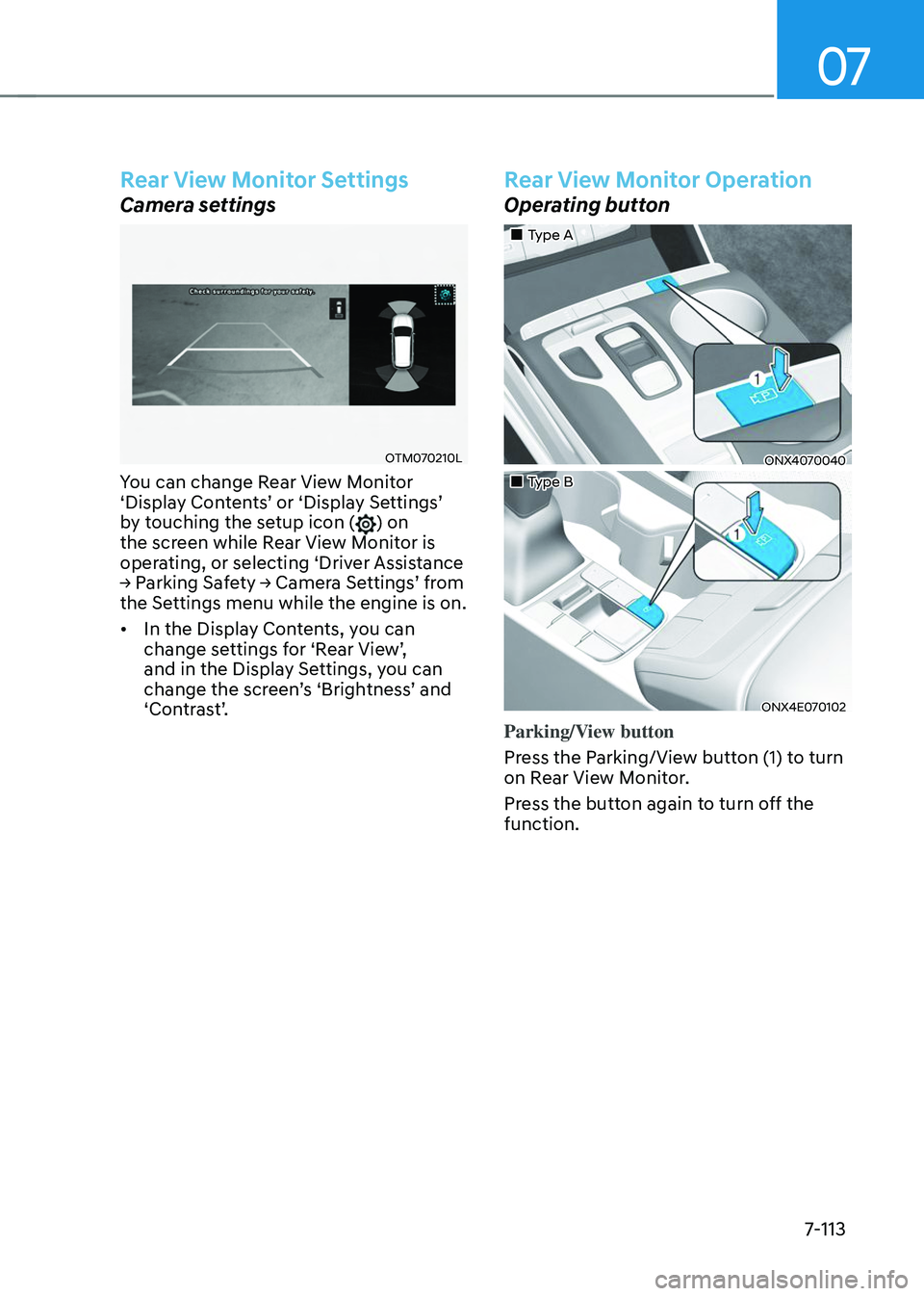
OTM070210L
You can change Rear View Monitor ‘Display Contents’ or ‘Display Settings’ by touching the setup icon () on
the screen while Rear View Monitor is
operating, or selecting ‘Driver Assistance
→ Parking Safety → Camera Settings’ from the Settings menu while the engine is on.
• In the Display Contents, you can
change settings for ‘Rear View’, and in the Display Settings, you can change the screen’s ‘Brightness’ and ‘Contrast’.
Rear View Monitor Operation
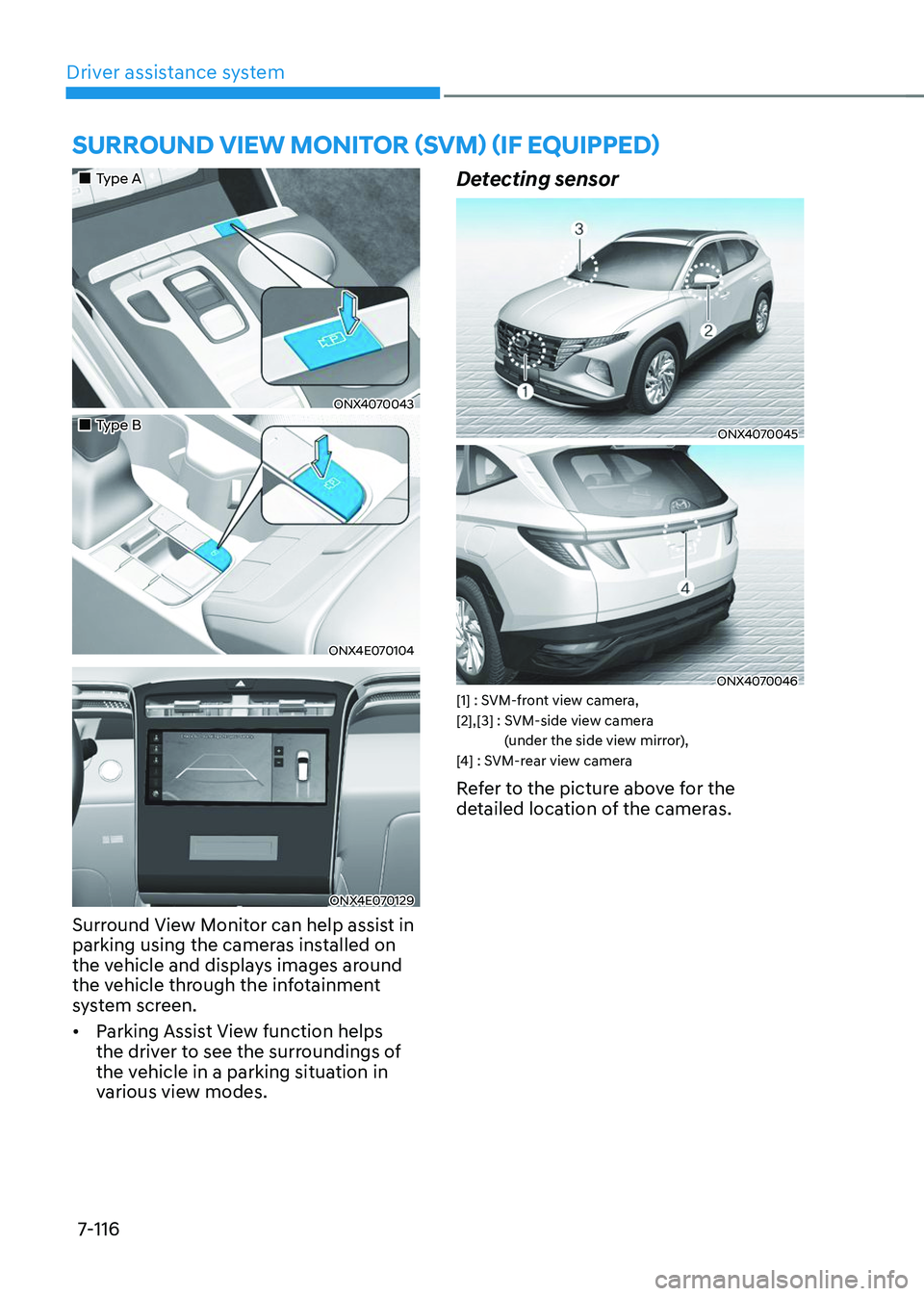
Operating button
„„Type A
ONX4070040
„„Type B
ONX4E070102
Parking/View button
Press the Parking/View button (1) to turn
on Rear View Monitor.
Press the button again to turn off the
function.
Page 477 of 638
Driver assistance system
7-114
Rear view
Operating conditions
• Shift the gear to R (Reverse), the
image will appear on the screen.
• Press the Parking/View button (1)
while the gear is in P (Park), the image
will appear on the screen.
Off conditions
• The rear view cannot be turned off
when the gear is in R (Reverse).
• Press the Parking/View button (1)
again while the gear is in P (Park) with
the rear view on the screen, the rear
view will turn off.
• Shift the gear from R (Reverse) to P
(Park), the rear view will turn off.
Extended rear view function
The rear view will maintain showing on
the screen to help you when parking.
Operating conditions
Shift the gear from R (Reverse) to N
(Neutral) or D (Drive), the rear view will
appear on the screen.
Off conditions
• When vehicle speed is above 6 mph
(10 km/h), the rear view will turn off.
• Shift the gear to P (Park), the rear view
will turn off.
• If you press the Parking/View button,
the screen is off.
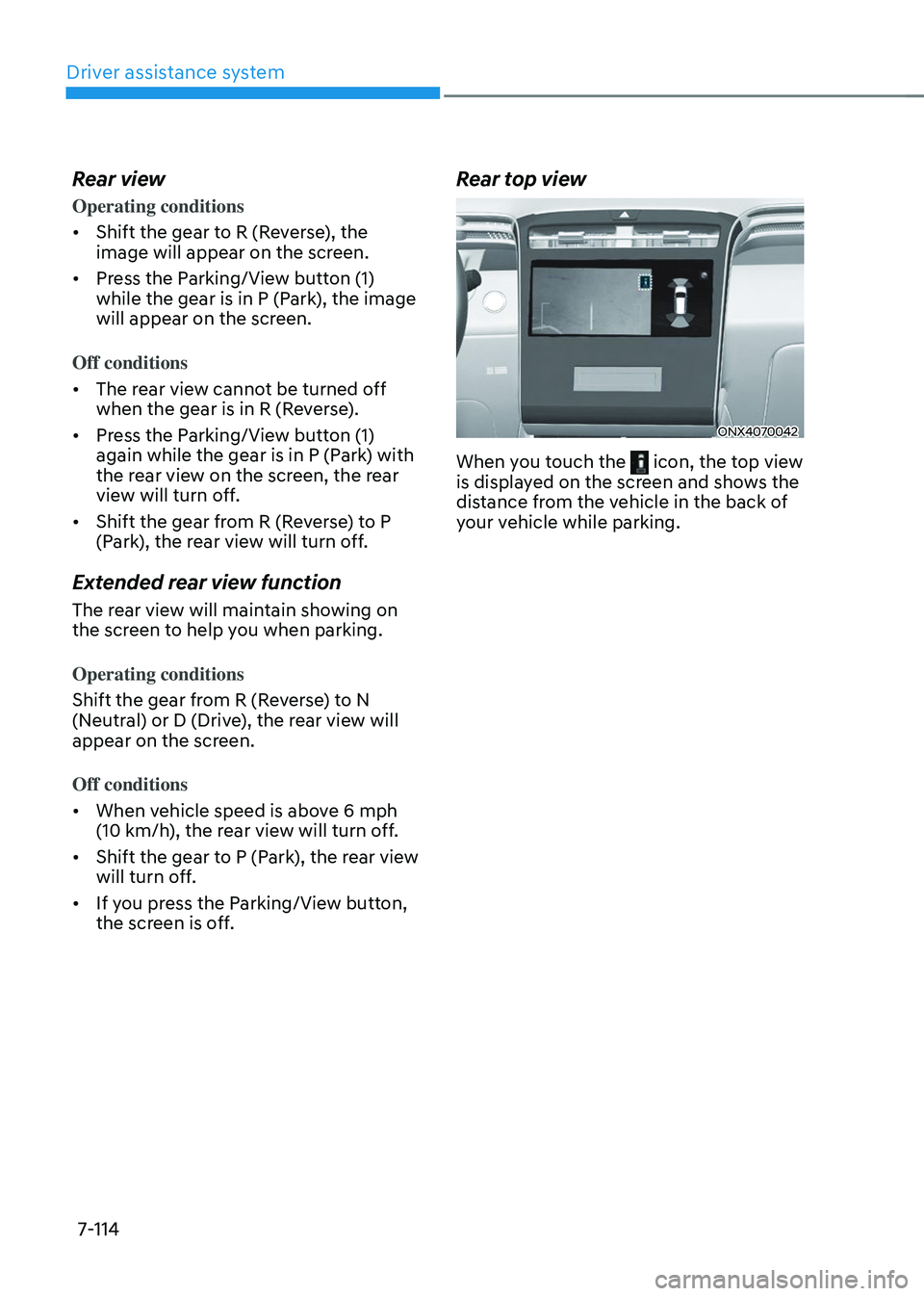
Rear top view
ONX4070042
When you touch the icon, the top view is displayed on the screen and shows the
distance from the vehicle in the back of
your vehicle while parking.
Page 478 of 638
07
7-115
Rear View Monitor Malfunction
and Limitations
Rear View Monitor malfunction
When Rear View Monitor is not working
properly, or the screen flickers, or the
camera image does not display normally,
have the vehicle inspected by an
authorized HYUNDAI dealer.
Limitations of Rear View Monitor
When the vehicle is stopped for a long
time in winter or when the vehicle is
parked in an indoor parking lot, the
exhaust fumes may temporarily blur the
image.
WARNING
• The rear view camera does not
cover the complete area behind the
vehicle. The driver should always
check the rear area directly through
the inside and side view mirror
before parking or backing up.
• The image shown on the screen may
differ from the actual distance of the
object. Make sure to directly check
the vehicle's surroundings for safety.
• Always keep the rear view camera
lens clean. If the lens is covered with
foreign material, it may adversely
affect camera performance and
Rear View Monitor may not operate
normally. However, do not use
chemical solvents such as strong
detergents containing high alkaline
or volatile organic solvents (gasoline,
acetone etc.). This may damage the
camera lens.
Page 479 of 638
Driver assistance system7-116
SURROUND VIEW MONITOR (SVM) (IF EQUIPPED)
„„Type A
ONX4070043
„„Type B
ONX4E070104
ONX4E070129
Surround View Monitor can help assist in
parking using the cameras installed on
the vehicle and displays images around
the vehicle through the infotainment
system screen.
• Parking Assist View function helps
the driver to see the surroundings of
the vehicle in a parking situation in
various view modes.
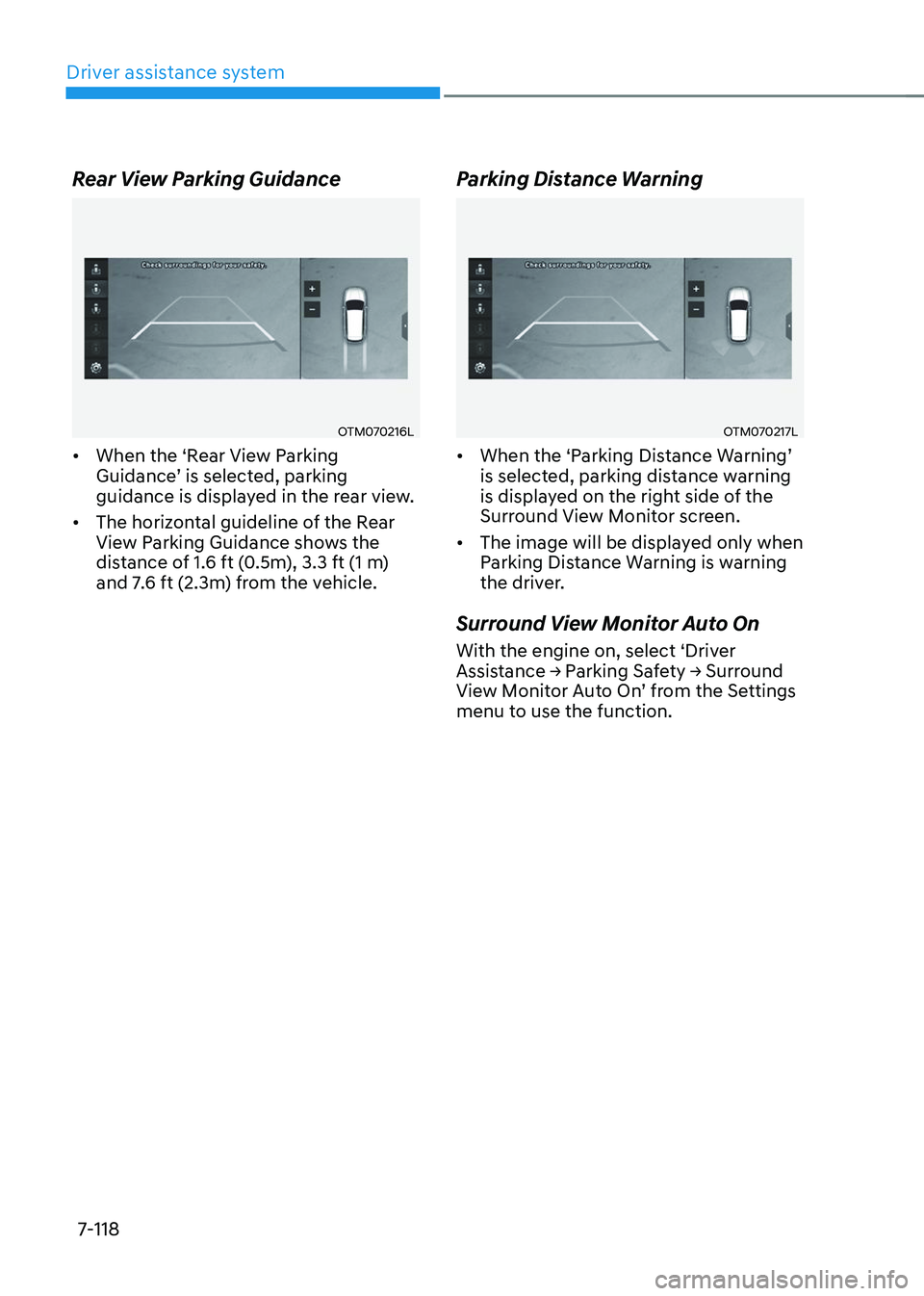
Detecting sensor
ONX4070045
ONX4070046[1] : SVM-front view camera, [2],[3] : SVM-side view camera
(under the side view mirror),
[4] : SVM-rear view camera
Refer to the picture above for the
detailed location of the cameras.
Page 480 of 638
07
7-117
Surround View Monitor Settings
Camera settings
OTM070213L
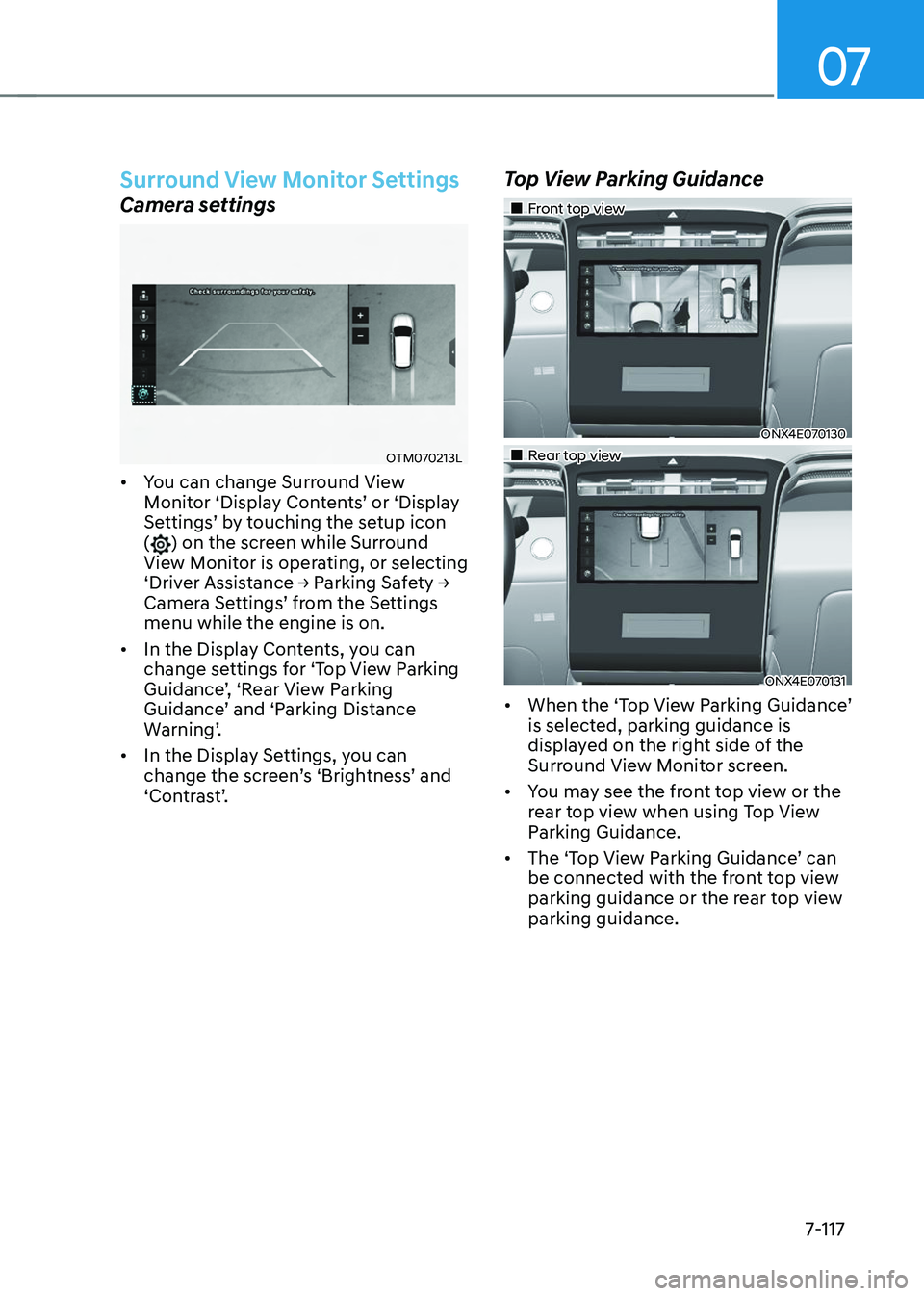
• You can change Surround View Monitor ‘Display Contents’ or ‘Display Settings’ by touching the setup icon () on the screen while Surround
View Monitor is operating, or selecting
‘Driver Assistance → Parking Safety → Camera Settings’ from the Settings menu while the engine is on.
• In the Display Contents, you can
change settings for ‘Top View Parking
Guidance’, ‘Rear View Parking Guidance’ and ‘Parking Distance Warning’.
• In the Display Settings, you can
change the screen’s ‘Brightness’ and ‘Contrast’.
Top View Parking Guidance
„„Front top view
ONX4E070130
„„Rear top view
ONX4E070131
• When the ‘Top View Parking Guidance’ is selected, parking guidance is
displayed on the right side of the
Surround View Monitor screen.
• You may see the front top view or the
rear top view when using Top View
Parking Guidance.
•
The ‘Top View Parking Guidance’ can be connected with the front top view
parking guidance or the rear top view
parking guidance.
Page 481 of 638
Driver assistance system
7-118
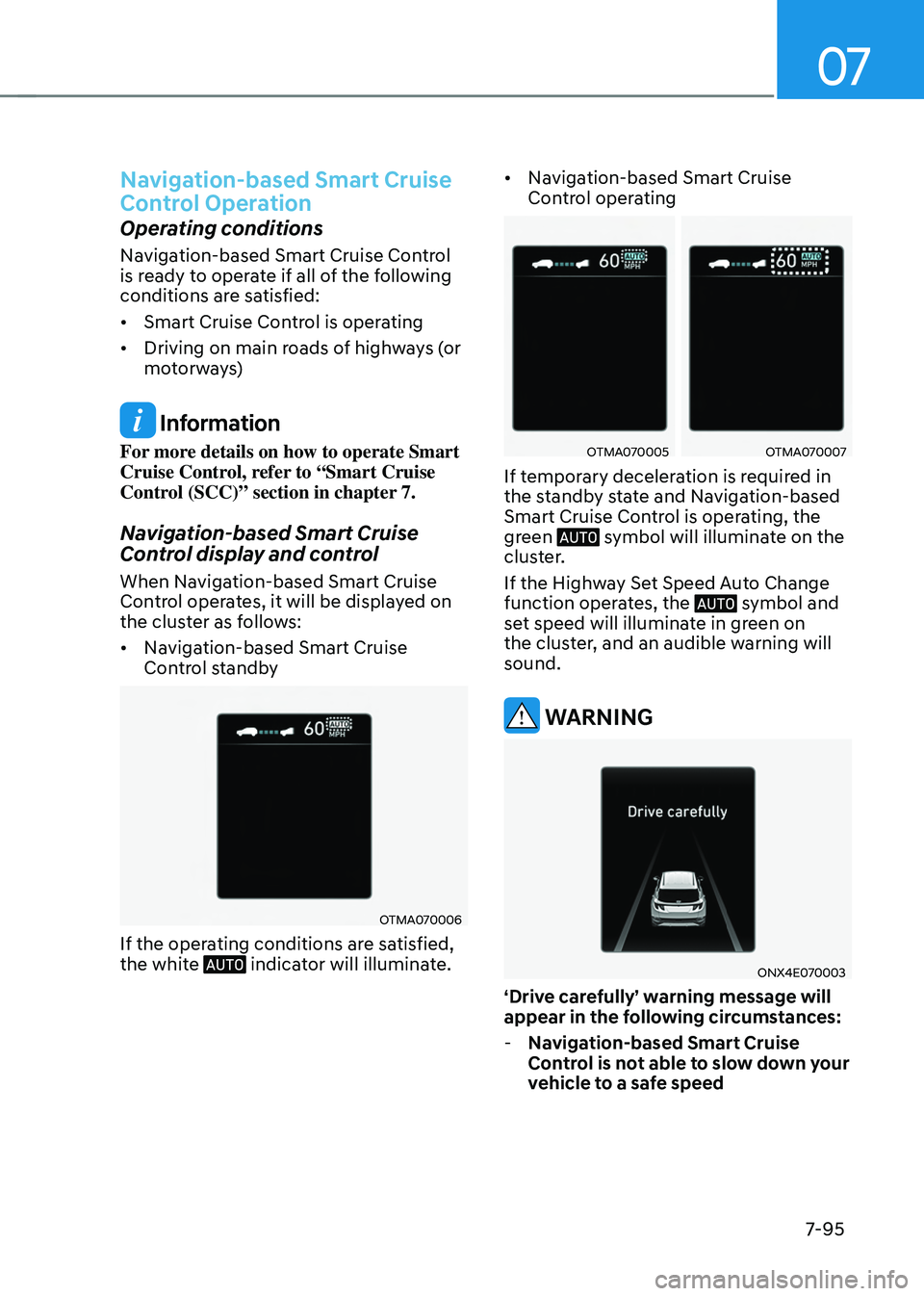
Rear View Parking Guidance
OTM070216L
• When the ‘Rear View Parking Guidance’ is selected, parking guidance is displayed in the rear view.
• The horizontal guideline of the Rear
View Parking Guidance shows the
distance of 1.6 ft (0.5m), 3.3 ft (1 m)
and 7.6 ft (2.3m) from the vehicle.
Parking Distance Warning
OTM070217L
• When the ‘Parking Distance Warning’ is selected, parking distance warning
is displayed on the right side of the
Surround View Monitor screen.
• The image will be displayed only when
Parking Distance Warning is warning
the driver.
Surround View Monitor Auto On
With the engine on, select ‘Driver Assistance → Parking Safety → Surround View Monitor Auto On’ from the Settings menu to use the function.