2023 HYUNDAI SONATA stop start
[x] Cancel search: stop startPage 325 of 555
While Driving
6-38
Using ABS
To obtain the maximum benefit from
your ABS in an emergency situation,
do not attempt to modulate your brake
pressure and do not try to pump your
brakes. Depress your brake pedal as hard as possible.
When you apply your brakes under
conditions which may lock the wheels,
you may hear sounds from the brakes,
or feel a corresponding sensation in the
brake pedal. This is normal and it means
your ABS is active.
ABS does not reduce the time or distance
it takes to stop the vehicle.
Always maintain a safe distance from the
vehicle in front of you.
ABS will not prevent a skid that results
from sudden changes in direction, such
as trying to take a corner too fast or
making a sudden lane change. Always
drive at a safe speed for the road and
weather conditions.
ABS cannot prevent a loss of stability.
Always steer moderately when braking
hard. Severe or sharp steering wheel
movement can still cause your vehicle to
veer into oncoming traffic or off the road.
On loose or uneven road surfaces,
operation of the anti-lock brake system
may result in a longer stopping distance
than for vehicles equipped with a
conventional brake system.
The ABS warning light (
) will stay on
for several seconds after the ignition
switch is in the ON position. During
that time, the ABS will go through self-
diagnosis and the light will go off if
everything is normal. If the light stays on,
you may have a problem with your ABS.
Contact an authorized HYUNDAI dealer as soon as possible.
WARNING
If the ABS warning light (
) is on and
stays on, you may have a problem with
the ABS. Your power brakes will work
normally. To reduce the risk of serious
injury or death, contact your HYUNDAI dealer as soon as possible.
CAUTION
When you drive on a road having poor
traction, such as an icy road, and apply
your brakes continuously, the ABS will
be active continuously and the ABS
warning light (
) may illuminate. Pull
your car over to a safe place and turn
the engine off.
Restart the engine. If the ABS warning
light is off, then your ABS system is normal.
Otherwise, you may have a problem
with your ABS system. Contact an
authorized HYUNDAI dealer as soon as possible.
Information
When you jump start your vehicle because
of a drained battery, the ABS warning light (
) may turn on at the same
time. This happens because of the low
battery voltage. It does not mean your ABS is malfunctioning. Have the battery
recharged before driving the vehicle.
Page 329 of 555
While Driving
6-42
WARNING
If ESC indicator light (
) or EPS
warning light () stays on or blinks,
your vehicle may have a malfunction
with the VSM system. When the
warning light illuminates, have your
vehicle checked by an authorized
HYUNDAI dealer as soon as possible.
Driving with wheels and tires with
different sizes may cause the ESC system
to malfunction. Before replacing tires,
make sure all four tires and wheels are
the same size. Never drive the vehicle
with different sized tires and wheels
installed.
Hill-Start Assist Control (HAC)
The Hill-Start Assist Control (HAC)
helps prevent the vehicle from rolling
backwards when starting a vehicle from
a stop on a hill. The system operates the
brakes automatically for approximately
2 seconds and releases the brake after 2
seconds or when the accelerator pedal is
depressed.
WARNING
Always be ready to depress the
accelerator pedal when starting off on
a incline. The HAC activates only for
approximately 2 seconds.
NOTICE
• The HAC does not operate when
the shift button is in P (Park) or N
(Neutral)
• The HAC activates even though the
ESC (Electronic Stability Control) is
off but does not activate when the ESC has malfunctioned.
Good Braking Practices
WARNING
Whenever leaving the vehicle or
parking, always come to a complete
stop and continue to depress the brake
pedal. Move the shift button into P
(Park) position, then apply the parking
brake, and place the ignition switch in
the LOCK/OFF position.
Vehicles parked with the parking brake
not applied or not fully engaged may
roll inadvertently and may cause injury
to the driver and others. ALWAYS apply
the parking brake before exiting the
vehicle.
Wet brakes can be dangerous! The
brakes may get wet if the vehicle is
driven through standing water or if it
is washed. Your vehicle will not stop as
quickly if the brakes are wet. Wet brakes
may cause the vehicle to pull to one side.
To dry the brakes, apply the brakes
lightly until the braking action returns to
normal, taking care to keep the vehicle
under control at all times. If the braking
action does not return to normal, stop
as soon as it is safe to do so and call
an authorized HYUNDAI dealer for
assistance.
DO NOT drive with your foot resting on
the brake pedal. Even light, but constant
pedal pressure can result in the brakes
overheating, brake wear, and possibly
even brake failure.
If a tire goes flat while you are driving,
apply the brakes gently and keep the
vehicle pointed straight ahead while you
slow down. When you are moving slowly
enough for it to be safe to do so, pull off
the road and stop in a safe location.
Keep your foot firmly on the brake pedal
when the vehicle is stopped to prevent
the vehicle from rolling forward.
Page 330 of 555
06
6-43
The Launch Control system controls the
vehicle to reduce wheel spin or slip on a
hard acceleration from a standing start.
Launch control operation and
release
Prerequisite for activation
The Launch Control gets ready to
be activated, when the following
prerequisites are satisfied. •
All doors, hood and trunk are closed.
• The driver’s seat belt is fastened.
• If the engine temperature is
overheated, cooling down it before
using the launch control.
• If the engine temperature is low,
warming up the engine.
• The vehicle is at a complete stop.
Then align the steering wheel straight.
• Release the parking brake by pressing
the EPB switch and if the AUTO HOLD
function is working, please turn off
the function by releasing the AUTO
HOLD button.
CAUTION
• The Launch Control system is
intended for use at a closed race
track and not intended for use on
public roads. It will not compensate
for driver’s who are inexperienced or
lack familiarity with the race track.
• The Launch performance may be
varied by fuel, environment, tire and
load condition.
• We recommend you use the function
after breaking in your vehicle and
constant use of Launch Control can
put enormous stress on the vehicle
resulting in premature wear of
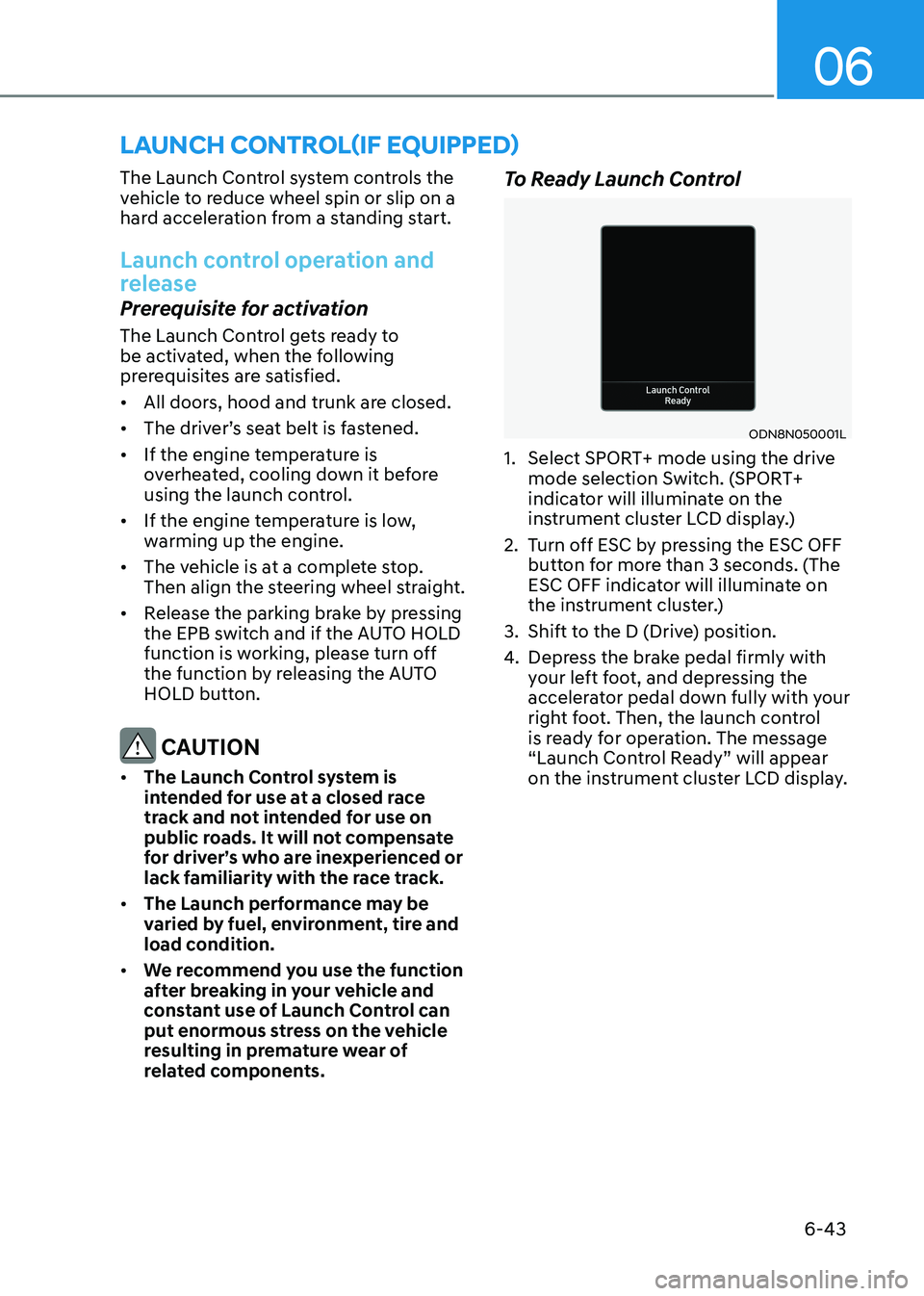
related components. To Ready Launch Control
ODN8N050001L
1. Select SPORT+ mode using the drive mode selection Switch. (SPORT+
indicator will illuminate on the
instrument cluster LCD display.)
2. Turn off ESC by pressing the ESC OFF button for more than 3 seconds. (The
ESC OFF indicator will illuminate on
the instrument cluster.)
3. Shift to the D (Drive) position.
4. Depress the brake pedal firmly with
your left foot, and depressing the
accelerator pedal down fully with your
right foot. Then, the launch control
is ready for operation. The message
“Launch Control Ready” will appear
on the instrument cluster LCD display.
launch control(if equippeD)
Page 346 of 555

06
6-59
Detecting vehicle, pedestrian and
cyclist
The sensor may be limited when: •
The system may not operate for 15
seconds after the vehicle is started or
the camera is initialized
• The radar sensor or camera is covered
with a foreign object or debris
• The camera lens is contaminated due
to tinted, filmed or coated windshield,
damaged glass, or stuck of foreign
matter (sticker, bug, etc.) on the glass
• Inclement weather such as heavy rain
or snow obscures the field of view of
the radar sensor or camera
• There is interference by
electromagnetic waves
• There is severe irregular reflection
from the radar sensor
• The radar/camera sensor recognition
is limited
• The vehicle in front is too small to be
detected (for example a motorcycle
etc.)
• The vehicle in front is an oversize
vehicle or trailer that is too big to be
detected by the camera recognition
system (for example a tractor trailer,
etc.)
• The camera’s field of view is not well
illuminated (either too dark or too
much reflection or too much backlight
that obscures the field of view)
• The vehicle in front does not have
their rear lights or their rear lights
does not turned ON or their rear lights
are located unusually
• The outside brightness changes
suddenly, for example when entering
or exiting a tunnel
• Light coming from a street light or an
oncoming vehicle is reflected on a wet
road surface such as a puddle in the
road •
The field of view in front is obstructed
by sun glare or head light of oncoming
vehicle
• The windshield glass is fogged up; a
clear view of the road is obstructed
• The vehicle in front is driving
erratically
• The vehicle is on unpaved or uneven
rough surfaces, or road with sudden
gradient changes
• The vehicle is driven near areas
containing metal substances as a
construction zone, railroad, etc.
• The vehicle drives inside a building,
such as a basement parking lot
• The camera does not recognize the
entire vehicle in front
• The camera is damaged
• The brightness outside is too low such
as when the headlamps are not on at
night or the vehicle is going through a tunnel
• The shadow is on the road by a
median strip, trees, etc.
• The vehicle drives through a tollgate
• The windshield glass is fogged up; a
clear view of the road is obstructed
• The rear part of the vehicle in front is
not normally visible (the vehicle turns
in other direction or the vehicle is
overturned.)
• The adverse road conditions cause
excessive vehicle vibrations while driving
• The sensor recognition changes
suddenly when passing over a speed bump
• The vehicle in front is moving
vertically to the driving direction
• The vehicle in front is stopped
vertically
• The vehicle in front is driving towards
your vehicle or reversing
• You are on a roundabout and the
vehicle in front circles
Page 352 of 555
06
6-65
FCA system may work when it
recognizes objects similar in shape or
property to a vehicle, pedestrian or
cyclist.
FCA system is designed to help detect
and monitor the vehicle ahead or detect
a pedestrian or cyclist in the roadway
through radar signals and camera
recognition. It is not designed to detect
bicycles, motorcycles, or smaller wheeled objects such as luggage bags,
shopping carts, or strollers.
Never try to test the operation of FCA
system. Doing so may cause severe
injury or death.
If the front bumper, front glass, radar or
camera have been replaced or repaired,
have the vehicle inspected by an
authorized HYUNDAI dealer.
Information
In some instances, FCA system may be cancelled when subjected to
electromagnetic interference.
Information
This device complies with Industry Canada RSS-210 standard. Operation is subject to the following two conditions: 1. This device may not cause harmful
interference.
2. This device must accept any
interference received, including
interference that may cause undesired operation.
Forward Collision-Avoidance
Assist - Junction Turning (if equipped)
FCA-Junction Turning function is
designed to reduce the risk of collision
by detecting and monitoring the
oncoming vehicle ahead. When the
vehicle turns to the left at a junction, the
system recognises the oncoming vehicle
ahead in advance with the front view
camera and the front radar. It produces
warning messages or haptic warning
alarms in accordance with the collision
risk levels.
System setting
FCA-Junction Turning function can be
activated from the User Settings menu
by following the procedure below.
1. Set the Engine Start/Stop button to the
ON or START position.
2. Select ‘User settings →
Driver
assistance → Forward safety’.
For more details, refer to “Forward
Collision-Avoidance Assist (FCA)” in this
chapter.
Page 373 of 555
While Driving
6-86
•
While going down or up a steep
road where the height of the lane is
different.
• Driving on a narrow road where trees
or grass or overgrown.
• Driving in rural areas where the sensor
does not detect another vehicle or
structure for an extended period of time.
• Driving on a wet road.
• Driving on a road where the guardrail
or wall is in double structure.
• A big vehicle is near such as a bus or truck.
• When the other vehicle approaches
very close.
• When the other vehicle passes at a
very fast speed.
• While changing lanes.
• If the vehicle has started at the same
time as the vehicle next to you and
has accelerated.
• When the vehicle in the next lane
moves two lanes away from you OR
when the vehicle two lanes away
moves to the next lane from you.
• A motorcycle or bicycle is near.
• A flat trailer is near.
• If there are small objects in the
detecting area such as a shopping
cart or a baby stroller. •
If there is a low height vehicle such as
a sports car.
• The brake pedal is depressed.
• ESC (Electronic Stability Control) is
activated.
• ESC (Electronic Stability Control) malfunctions.
• The tire pressure is low or a tire is damaged.
• The brake is reworked.
• The vehicle abruptly changes driving
direction.
• The vehicle makes sharp lane changes.
• The vehicle sharply stops.
• Temperature is extremely low around
the vehicle.
• The vehicle severely vibrates while
driving over a bumpy road, uneven/
bumpy road, or concrete patch.
• The vehicle drives on a slippery
surface due to snow, water puddle, or ice.
• Lane Keeping Assist does not operate
normally. (if equipped)
• For more information, refer to “Lane
Keeping Assist (LKA)” in this chapter.
Page 378 of 555
06
6-91
Function settings
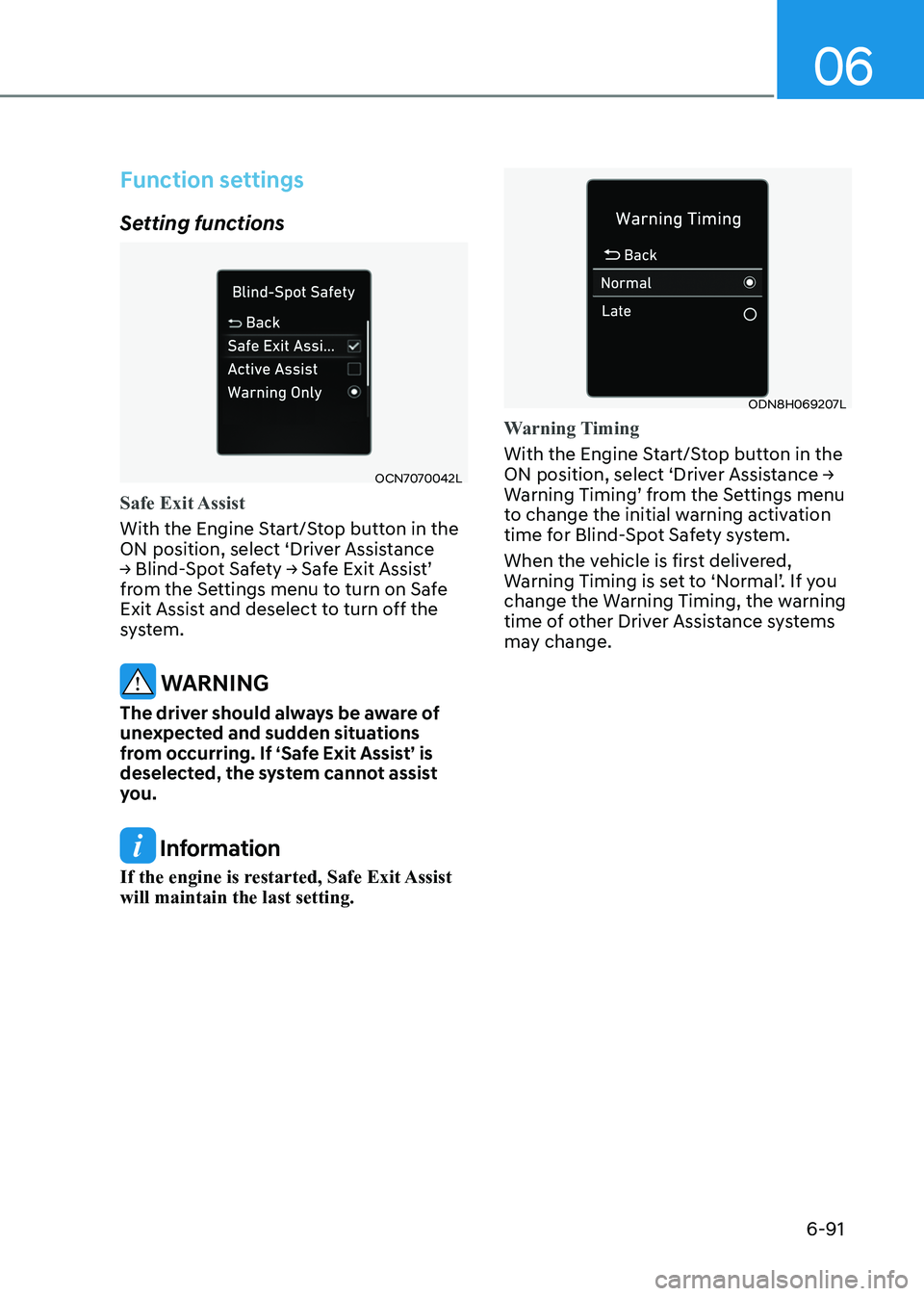
Setting functions
OCN7070042L
Safe Exit Assist
With the Engine Start/Stop button in the
ON position, select ‘Driver Assistance
→ Blind-Spot Safety → Safe Exit Assist’
from the Settings menu to turn on Safe
Exit Assist and deselect to turn off the
system.
WARNING
The driver should always be aware of
unexpected and sudden situations
from occurring. If ‘Safe Exit Assist’ is
deselected, the system cannot assist
you.
Information
If the engine is restarted, Safe Exit Assist will maintain the last setting.
ODN8H069207L
Warning Timing
With the Engine Start/Stop button in the
ON position, select ‘Driver Assistance →
Warning Timing’ from the Settings menu
to change the initial warning activation
time for Blind-Spot Safety system.
When the vehicle is first delivered,
Warning Timing is set to ‘Normal’. If you
change the Warning Timing, the warning
time of other Driver Assistance systems
may change.
Page 379 of 555
While Driving
6-92
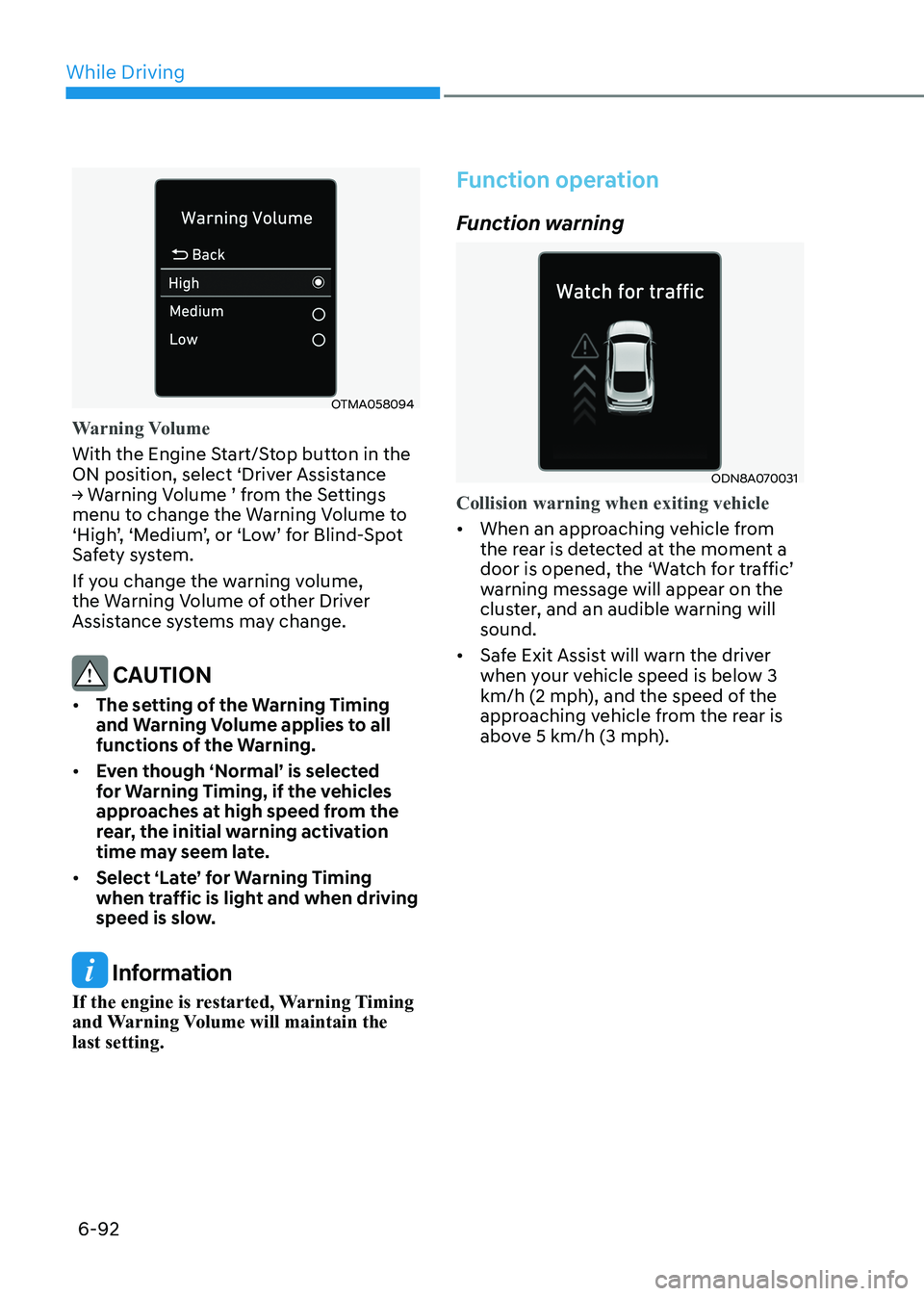
OTMA058094
Warning Volume
With the Engine Start/Stop button in the
ON position, select ‘Driver Assistance
→ Warning Volume ’ from the Settings
menu to change the Warning Volume to
‘High’, ‘Medium’, or ‘Low’ for Blind-Spot
Safety system.
If you change the warning volume,
the Warning Volume of other Driver
Assistance systems may change.
CAUTION
• The setting of the Warning Timing
and Warning Volume applies to all
functions of the Warning.
• Even though ‘Normal’ is selected
for Warning Timing, if the vehicles
approaches at high speed from the
rear, the initial warning activation
time may seem late.
• Select ‘Late’ for Warning Timing
when traffic is light and when driving
speed is slow.
Information
If the engine is restarted, Warning Timing
and Warning Volume will maintain the last setting.
Function operation
Function warning
ODN8A070031
Collision warning when exiting vehicle
• When an approaching vehicle from
the rear is detected at the moment a
door is opened, the ‘Watch for traffic’
warning message will appear on the
cluster, and an audible warning will sound.
• Safe Exit Assist will warn the driver
when your vehicle speed is below 3
km/h (2 mph), and the speed of the
approaching vehicle from the rear is
above 5 km/h (3 mph).