2023 HYUNDAI SONATA reset
[x] Cancel search: resetPage 289 of 555
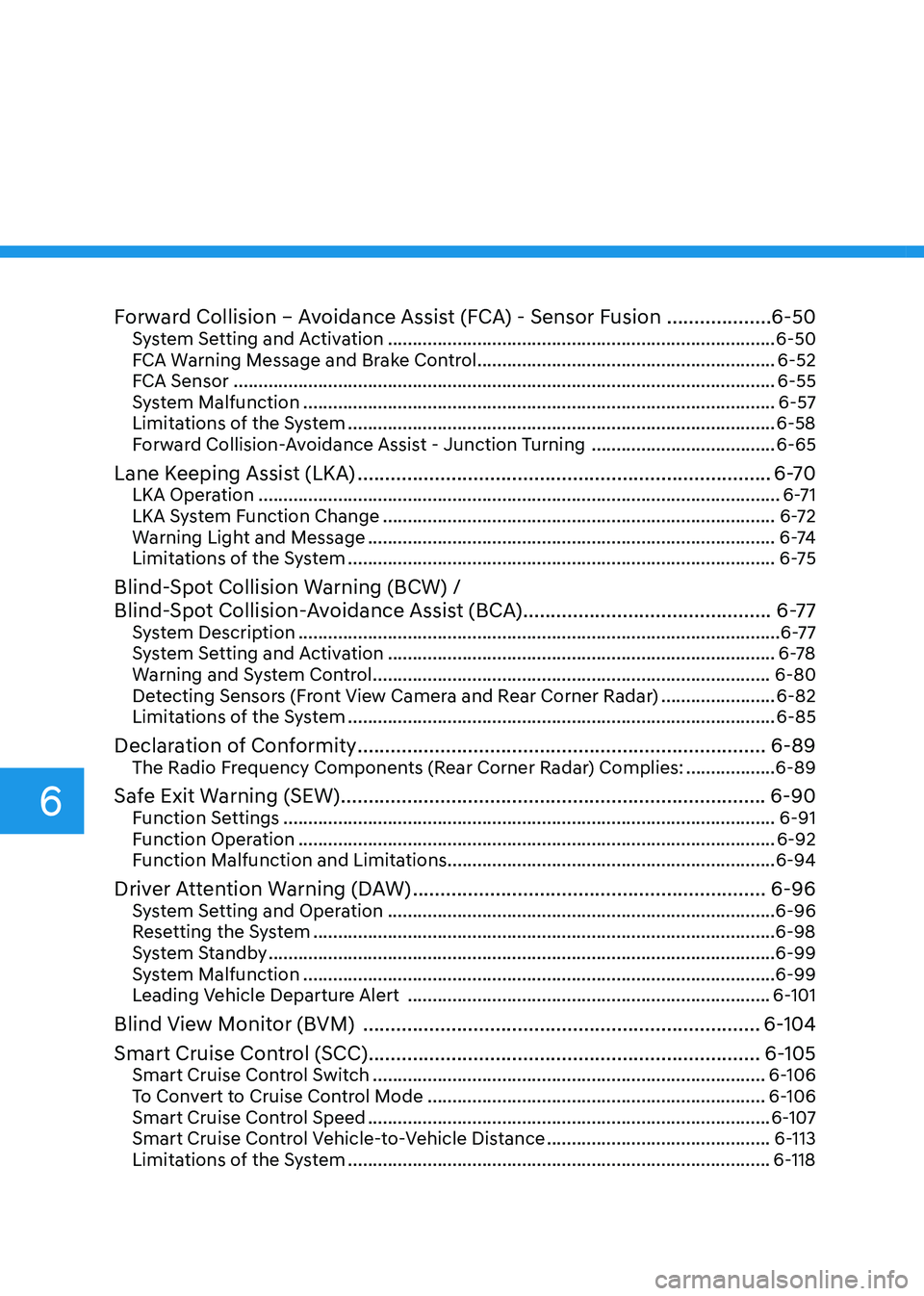
Forward Collision – Avoidance Assist (FCA) - Sensor Fusion ...................6-50
System Setting and Activation .............................................................................. 6-50
FCA Warning Message and Brake Control ............................................................6-52
FCA Sensor ............................................................................................................. 6-55
System Malfunction ............................................................................................... 6-57
Limitations of the System ...................................................................................... 6-58
Forward Collision-Avoidance Assist - Junction Turning .....................................6-65
Lane Keeping Assist (LKA) ........................................................................... 6-70
LKA Operation ......................................................................................................... 6-71
LKA System Function Change ............................................................................... 6-72
Warning Light and Message .................................................................................. 6 -74
Limitations of the System ...................................................................................... 6-75
Blind-Spot Collision Warning (BCW) /
Blind-Spot Collision-Avoidance Assist (BCA) .............................................6-77
System Description ................................................................................................. 6-77
System Setting and Activation .............................................................................. 6-78
Warning and System Control ................................................................................ 6-80
Detecting Sensors (Front View Camera and Rear Corner Radar) .......................6-82
Limitations of the System ...................................................................................... 6-85
Declaration of Conformity .......................................................................... 6-89
The Radio Frequency Components (Rear Corner Radar) Complies: ..................6-89
Safe Exit Warning (SEW) ............................................................................. 6-90
Function Settings ................................................................................................... 6-91
Function Operation ................................................................................................ 6-92
Function Malfunction and Limitations .................................................................. 6-94
Driver Attention Warning (DAW) ................................................................ 6-96
System Setting and Operation .............................................................................. 6-96
Resetting the System ............................................................................................. 6-98
System Standby ...................................................................................................... 6-99
System Malfunction ............................................................................................... 6-99
Leading Vehicle Departure Alert ......................................................................... 6-101
Blind View Monitor (BVM) ........................................................................ 6-104
Smart Cruise Control (SCC) ....................................................................... 6-105
Smart Cruise Control Switch ............................................................................... 6-106
To Convert to Cruise Control Mode .................................................................... 6-106
Smart Cruise Control Speed ................................................................................. 6-107
Smart Cruise Control Vehicle-to-Vehicle Distance .............................................6-113
Limitations of the System ..................................................................................... 6-118
6
Page 385 of 555

While Driving
6-98
Take a break
OOSH069090L
• The “Consider taking a break”
message appears on the cluster LCD
display and a warning sounds to
suggest that the driver take a break,
when the driver’s attention level is
below 1.
• Driver Attention Warning system
will not suggest a break, when the
total driving time is shorter than 10
minutes.
• System will not suggest a break, if
"Consider taking a break" message
appears within 10 minutes.
• Depending on the driver's driving style
and habits, system can be suggest to
rest even when driver is not tired.
CAUTION
If any other warning sound such as
seat belt warning chime is already
generated, Driver Attention Warning
system warning may not sound.
Resetting the System
• The last break time is set to 00:00 and
the driver’s attention level is set to 5
(very attentive) when the driver resets
Driver Attention Warning system.
• Driver Attention Warning system
resets the last break time to 00:00
and the driver’s attention level to 5 in
the following situations.
- The engine is turned OFF.
- The driver unfastens the seat belt and then opens the driver’s door.
- The vehicle is stopped for more than 10 minutes.
• Driver Attention Warning system
operates again, when the driver
restarts driving.
Page 412 of 555
06
6-125
CAUTION
Navigation-based Cruise Control
system may not function properly in the
following situations: • The navigation is not working
properly.
• The navigation is not updated.
• The real-time GPS or map
information provided has errors.
• The navigation is overloaded by
performing functions such as route
search, video playback, voice
recognition, etc. are performing
simultaneously.
• GPS signals are blocked in areas such as a tunnel.
• The driver goes off course or the
route to the destination is changed
or canceled by resetting the
navigation.
• The vehicle enters a service station
or rest area.
• A section of the highway’s shape has changed.
• Android Auto or Car Play is operating.
• The navigation cannot detect the
current vehicle position (ex: elevated
roads including overpass adjacent to
general roads or nearby roads exist
in a parallel way).
• The navigation is being updated while driving.
• The navigation is being reset while driving.
• The road is slippery due to bad
weather such as rain or snow. Information
This device complies with Industry Canada RSS-210 standard.
Operation is subject to the following three conditions: 1. This device may not cause harmful
interference, and
2. This device must accept any
interference received, including
interference that may cause undesired operation.
3. Changes or modifications not expressly
approved by the party responsible
for compliance could void the user's authority to operate the device.
Information
Radio frequency radiation exposure information: This equipment complies with RSS
radiation exposure limits set forth for an
uncontrolled environment. This equipment should be installed and operated with minimum distance of 20 cm
(8 in.) between the radiator (antenna) and
your body.
This transmitter must not be co-located or
operating in conjunction with any other
antenna or transmitter.
Page 424 of 555
06
6-137
CAUTION
Highway Driving Assist system may
not function properly in the following
situations: • The navigation is not working
properly.
• The navigation is not updated.
• The real-time GPS or map
information provided has errors.
• The navigation is overloaded by
performing functions such as route
search, video playback, voice
recognition, etc. are performing
simultaneously.
• GPS signals are blocked in areas such as a tunnel.
• The driver goes off course or the
route to the destination is changed
or canceled by resetting the
navigation.
• The vehicle enters a service station
or rest area
• Android Auto or Car Play is operating.
• The navigation cannot detect the
current vehicle position (ex: elevated
roads including overpass adjacent to
general roads or nearby roads exist
in a parallel way).
• The navigation is being updated while driving.
• The navigation is being reset while driving.
• The road is slippery due to bad
weather such as rain or snow. Information
• For information's on vehicle to vehicle
distance control and the front radar,
refer to "Smart Cruise Control (SCC)"
in this chapter.
• For information's on steering control
and distance control and the front
camera, refer to "Lane Following Assist
(LFA)" in this chapter.
Information
This device complies with Industry Canada RSS-210 standard.
Operation is subject to the following three conditions: 1. This device may not cause harmful
interference, and
2. This device must accept any
interference received, including
interference that may cause undesired operation.
3. Changes or modifications not expressly
approved by the party responsible
for compliance could void the user's authority to operate the device.
Information
Radio frequency radiation exposure information: This equipment complies with RSS
radiation exposure limits set forth for an
uncontrolled environment. This equipment should be installed and operated with minimum distance of 20 cm
(8 in.) between the radiator (antenna) and
your body.
This transmitter must not be co-located or
operating in conjunction with any other
antenna or transmitter.
Page 471 of 555
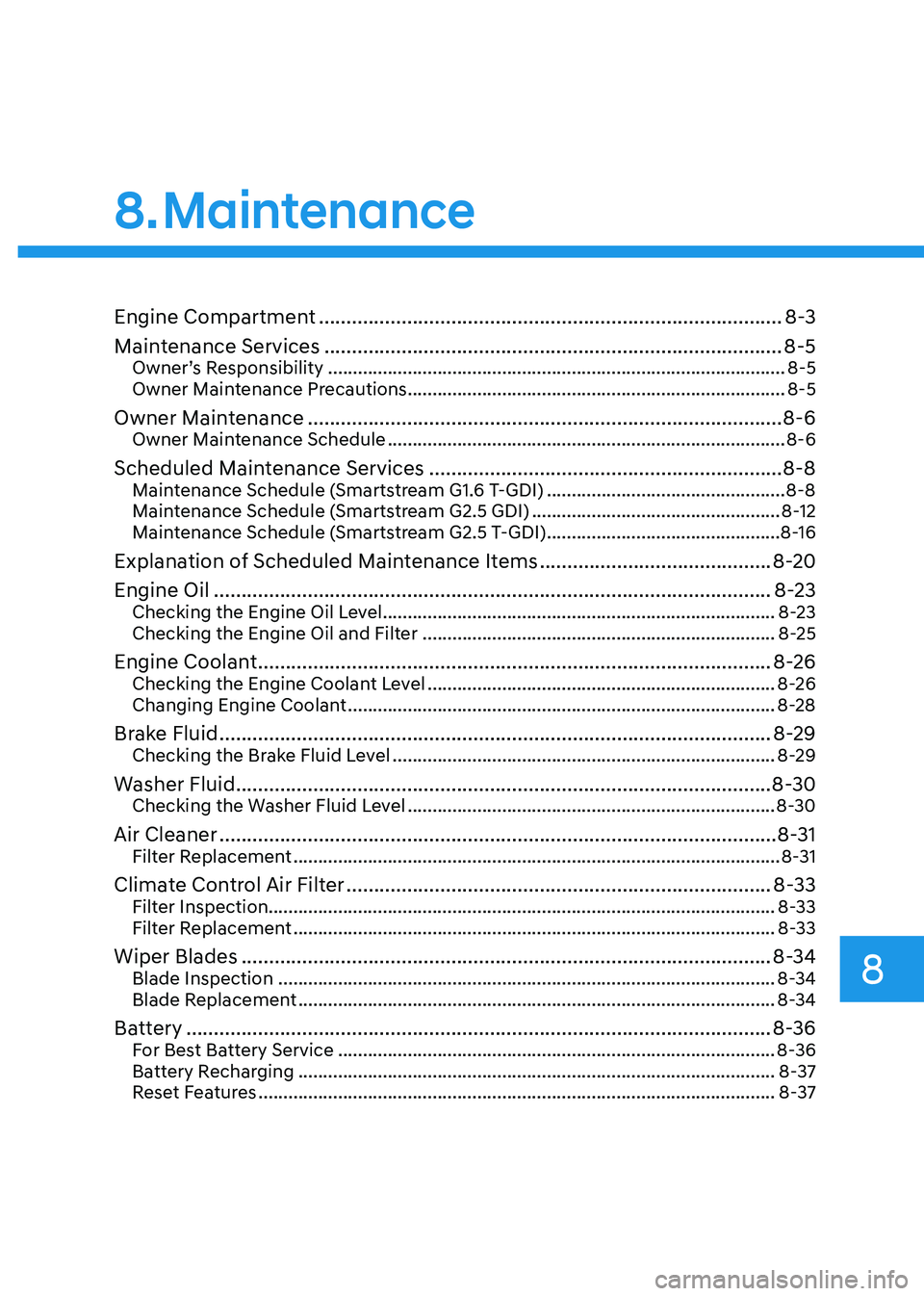
Engine Compartment .................................................................................... 8-3
Maintenance Services ................................................................................... 8-5
Owner’s Responsibility ............................................................................................ 8-5
Owner Maintenance Precautions ............................................................................ 8-5
Owner Maintenance ...................................................................................... 8-6
Owner Maintenance Schedule ................................................................................ 8-6
Scheduled Maintenance Services ................................................................ 8-8
Maintenance Schedule (Smartstream G1.6 T-GDI) ................................................8-8
Maintenance Schedule (Smartstream G2.5 GDI) ..................................................8-12
Maintenance Schedule (Smartstream G2.5 T-GDI) ...............................................8-16
Explanation of Scheduled Maintenance Items ..........................................8-20
Engine Oil ..................................................................................................... 8-23
Checking the Engine Oil Level ............................................................................... 8-23
Checking the Engine Oil and Filter ....................................................................... 8-25
Engine Coolant ............................................................................................. 8-26
Checking the Engine Coolant Level ...................................................................... 8-26
Changing Engine Coolant ...................................................................................... 8-28
Brake Fluid .................................................................................................... 8-29
Checking the Brake Fluid Level ............................................................................. 8-29
Washer Fluid ................................................................................................. 8-30
Checking the Washer Fluid Level .......................................................................... 8-30
Air Cleaner ..................................................................................................... 8-31
Filter Replacement .................................................................................................. 8-31
Climate Control Air Filter ............................................................................. 8-33
Filter Inspection...................................................................................................... 8-33
Filter Replacement ................................................................................................. 8-33
Wiper Blades ................................................................................................ 8-34
Blade Inspection .................................................................................................... 8-34
Blade Replacement ................................................................................................ 8-34
Battery .......................................................................................................... 8-36
For Best Battery Service ........................................................................................ 8-36
Battery Recharging ................................................................................................ 8-37
Reset Features ........................................................................................................ 8-37
8. Maintenance
8
Page 507 of 555
08
8-37
Battery Recharging
WARNING
Always follow these instructions when
recharging your vehicle’s battery to
avoid the risk of SERIOUS INJURY or
DEATH from explosions or acid burns: • Before performing maintenance or
recharging the battery, turn off all
accessories and place the ignition
switch to the LOCK/OFF position.
• Keep all flames, sparks, or smoking
materials away from the battery.
• Always work outdoors or in an area
with plenty of ventilation.
• Wear eye protection when checking
the battery during charging.
• The battery must be removed from
the vehicle and placed in a well
ventilated area.
• Watch the battery during charging,
and stop or reduce the charging
rate if the battery cells begin boiling
violently.
• Vehicle is equipped with the
Absorbent Glass Mat (AGM) battery.
Do not charge the AGM battery with
a general charger. It may damage
or explode the AGM battery. Only
charge the AGM battery with a
charger that has AGM battery
setting.
• The negative battery cable must
be removed first to disconnect
the battery and installed last
to reconnect with the battery.
Disconnect the battery charger in the
following order:
1. Turn off the battery charger main
switch.
2. Unhook the negative clamp from the negative battery terminal.
3. Unhook the positive clamp from the positive battery terminal.
• Always use a genuine HYUNDAI
approved battery when you replace
the battery. By jump starting
After a jump start, idle the engine
with the headlights ON for 20-30
minutes before shutting the engine
off. The vehicle may not restart if you
shut it off before the battery had a
chance to adequately recharge. See
“Jump Starting” in chapter 7 for more
information on jump starting procedures.
Information
An inappropriately disposed battery can be harmful to
the environment and human health. Dispose of the battery
according to your local law(s) or
regulations.
Reset Features
The following items may need to be reset
after the battery has been discharged or
the battery has been disconnected. See
chapter 3 or 4 for: •
Power Windows
• Trip Computer
• Climate Control System
• Clock
• Audio System
• Sunroof
Page 510 of 555
Maintenance
8-40
Tire Rotation
To equalize tread wear, HYUNDAI
recommends that the tires be rotated
according to the maintenance schedule
or sooner if irregular wear develops.
During rotation, check the tires for
correct balance.
When rotating tires, check for uneven
wear and damage. Abnormal wear is
usually caused by incorrect tire pressure,
improper wheel alignment, out-of-
balance wheels, severe braking or severe
cornering. Look for bumps or bulges in
the tread or side of the tire. Replace the
tire if you find any of these conditions.
Replace the tire if fabric or cord is visible.
After rotation, be sure to bring the front
and rear tire pressures to specification
and check lug nut tightness (proper
torque is 11~13 kgf·m [79~94 lbf·ft]).
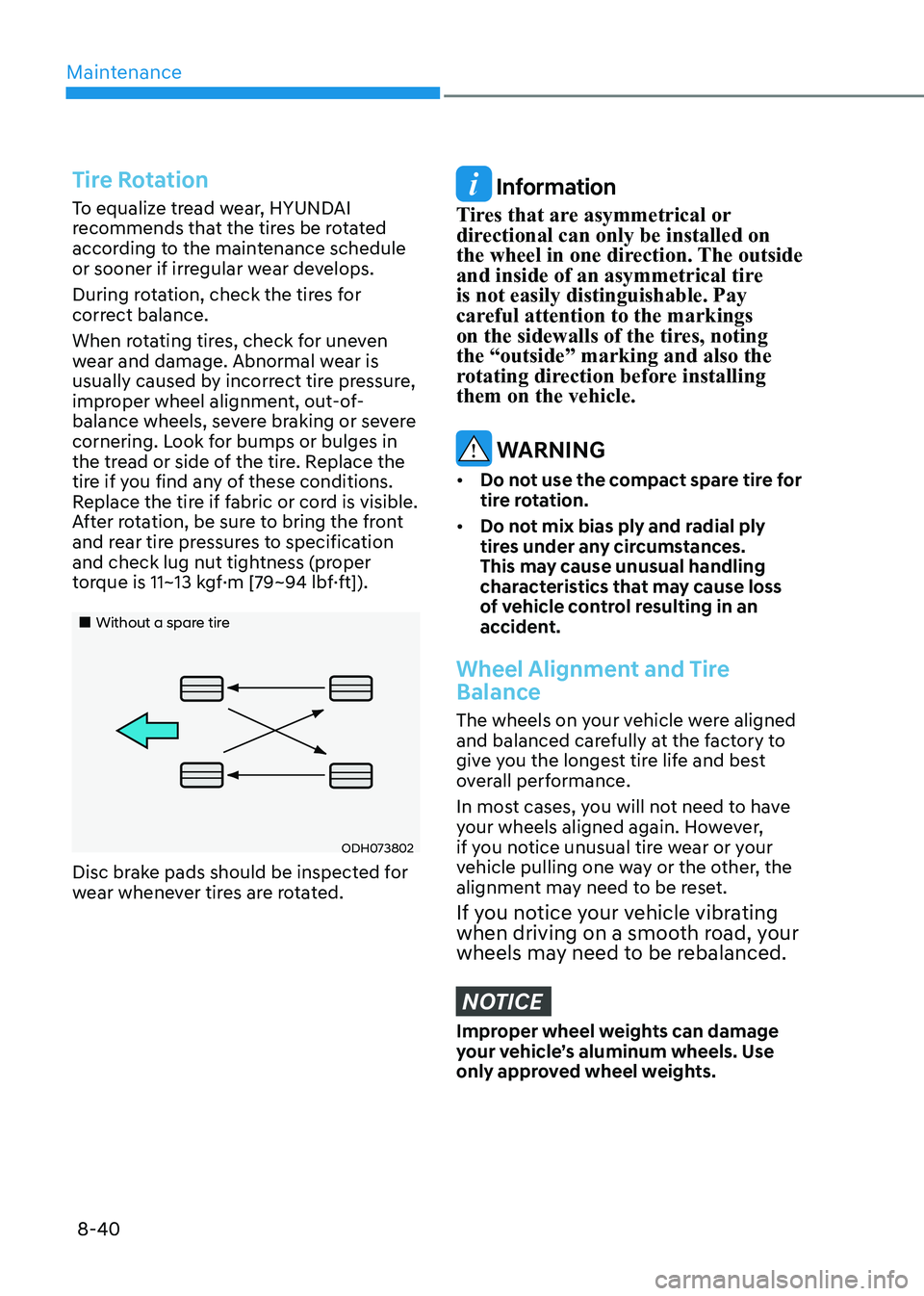
„„Without a spare tire
ODH073802
Disc brake pads should be inspected for
wear whenever tires are rotated.
Information
Tires that are asymmetrical or
directional can only be installed on
the wheel in one direction. The outside
and inside of an asymmetrical tire is not easily distinguishable. Pay
careful attention to the markings
on the sidewalls of the tires, noting the “outside” marking and also the
rotating direction before installing them on the vehicle.
WARNING
• Do not use the compact spare tire for
tire rotation.
• Do not mix bias ply and radial ply
tires under any circumstances.
This may cause unusual handling
characteristics that may cause loss
of vehicle control resulting in an
accident.
Wheel Alignment and Tire
Balance
The wheels on your vehicle were aligned
and balanced carefully at the factory to
give you the longest tire life and best
overall performance.
In most cases, you will not need to have
your wheels aligned again. However,
if you notice unusual tire wear or your
vehicle pulling one way or the other, the
alignment may need to be reset.
If you notice your vehicle vibrating
when driving on a smooth road, your
wheels may need to be rebalanced.
NOTICE
Improper wheel weights can damage
your vehicle’s aluminum wheels. Use
only approved wheel weights.
Page 545 of 555
I
I-3
B
Basic Troubleshooting Guide .............................................................................. 7-20
Battery ................................................................................................................. 8-36
Battery Recharging ........................................................................................... 8-37
For Best Battery Service .................................................................................. 8-36
Reset Features .................................................................................................. 8-37
Before Driving ....................................................................................................... 6-5
Before Entering the Vehicle ............................................................................... 6-5
Before Starting ................................................................................................... 6-5
Blind View Monitor (BVM) ............................................................................. 6-104
Blind-Spot Collision Warning (BCW) /
Blind-Spot Collision-Avoidance Assist (BCA) ...................................................6-77
Detecting Sensors (Front View Camera and Rear Corner Radar) ....................6-82
Limitations of the System ................................................................................ 6-85
System Description .......................................................................................... 6-77
System Setting and Activation ......................................................................... 6-78
Warning and System Control ........................................................................... 6-80
Brake Fluid .......................................................................................................... 8-29
Checking the Brake Fluid Level ....................................................................... 8-29
Brake System ....................................................................................................... 6-30
Anti-Lock Brake System (ABS) ...................................................................... 6-37
Auto Hold ......................................................................................................... 6-34
Disc Brakes Wear Indicator .............................................................................. 6-30
Electronic Parking Brake (EPB) ...................................................................... 6-31
Electronic Stability Control (ESC) ................................................................... 6-39
Good Braking Practices .................................................................................... 6-42
Hill-Start Assist Control (HAC) ....................................................................... 6-42
Power Brakes .................................................................................................... 6-30
Vehicle Stability Management (VSM) .............................................................6-41
Bulb Wattage ........................................................................................................ 2-11
C Child Restraint System (CRS) ............................................................................. 3-29
Children Always in the Rear ............................................................................ 3-29
Installing a Child Restraint System (CRS) .......................................................3-31
Selecting a Child Restraint System (CRS) .......................................................3-30
Climate Control Additional Features ................................................................. 5-130
Automatic Ventilation .................................................................................... 5-130
Sunroof Inside Air Recirculation ................................................................... 5-130