2023 HYUNDAI SONATA trunk release
[x] Cancel search: trunk releasePage 245 of 555

05
5-99
The Remote Moving Forward/
Backward assist will stop
temporarily when:
1. An obstacle is detected at the
direction the vehicle is heading.
2. The door or trunk is opened.
3. The moving forward/backward button on the smart key is released.
4. Multiple buttons on the smart key are
pressed at the same time.
5. The distance between the smart key and vehicle is over 4 m (13 ft.).
6. A button on the other smart key is pressed during operation.
7. Rear Cross-Traffic Collision-Avoidance
Assist system is activated while
reserving.
8. The vehicle moves 7 m (23 ft.) with the Remote Moving Forward/Backward
while the smart key is pressed.
(Maximum travel distance per move)
à The vehicle stops when the Remote
Smart Parking Assist system will stop
temporarily and the function will
resume when the above condition is
cleared.
The Remote Moving Forward/
Backward assist is cancelled while
in operation when:
1. The driver holds the steering wheel while the steering wheel is controlled.
2. The gear is shifted or the Electronic Parking Brake (EPB) is activated.
3. The hood opens.
4. The vehicle speed exceeds 5km/h (3
mph).
5. The vehicle accelerates suddenly.
6. The vehicle slips back while controlling the vehicle speed.
7. The wheel is stuck and the vehicle is
unable to move. 8. About 3 minutes and 50 seconds
have passed after the Remote Moving
Forward/Backward assist starts.
9. The gradient of the road exceeds
the range supported by the Remote
Moving Forward/Backward assist.
10. The steering, shifting gear and drive assist are difficult.
11. The suspended status lasts for over 1 minute.
12. The driver continuously presses and releases the smart key’s moving
forward/backward button over 10 times.
13. The Traction Control System (TCS) is activated while controlling the vehicle speed.
14. The smart key is damaged.
15. The accelerator/brake pedal is depressed while all the doors are closed.
16. The brake pedal is depressed while the driver’s door is open and the
smart key is outside the vehicle.
17. The vehicle travels more than 14 m (46 ft.) after the Remote Moving
Forward/Backward assist is activated.
18. The theft alarm system is activated.
à When the Remote Moving Forward/
Backward is completed, the gear in
P(Park) and Electronic Parking Brake
(EPB) are engaged automatically and
the vehicle turns off.
à The frequent beep sounds are
generated to show the deactivation
status.
Page 318 of 555

06
6-31
Electronic Parking Brake (EPB)
Applying the parking brake
ODN8069012
To apply the EPB
(Electronic Parking Brake):
1. Depress the brake pedal.
2. Pull up the EPB switch.
Make sure the parking brake
warning light comes on.
WARNING
To reduce the risk of SERIOUS INJURY
or DEATH, do not operate the EPB
while the vehicle is moving except
in an emergency situation. It could
damage the brake system and lead to
an accident. Releasing the parking brake
ODN8069013
To release the EPB (Electronic Parking Brake):
•
Place the ignition switch in the ON position.
• Depress and hold the brake pedal.
• Press the EPB switch.
Make sure the Parking Brake Warning
Light goes off.
To release EPB (Electronic Parking Brake) automatically:
• Satisfy the following conditions
1. Ensure seat belts are fastened
and the doors, hood and trunk are closed.
2. With the engine running, depress the brake pedal and shift out of P
(Park) to R (Reverse), D (Drive) or Manual shift mode.
3. Depress the accelerator pedal.
Make sure the parking brake warning
light goes off.
Page 319 of 555
While Driving
6-32
EPB (Electronic Parking Brake) may be automatically applied when: •
Requested by other systems
• The driver turns the engine off while
Auto Hold is operating.
• The vehicle is parked on the slope and
the Engine Start/Stop button is in the OFF position.
• The Engine is turned off when the
driver tries to park but the vehicle still
moves a bit.
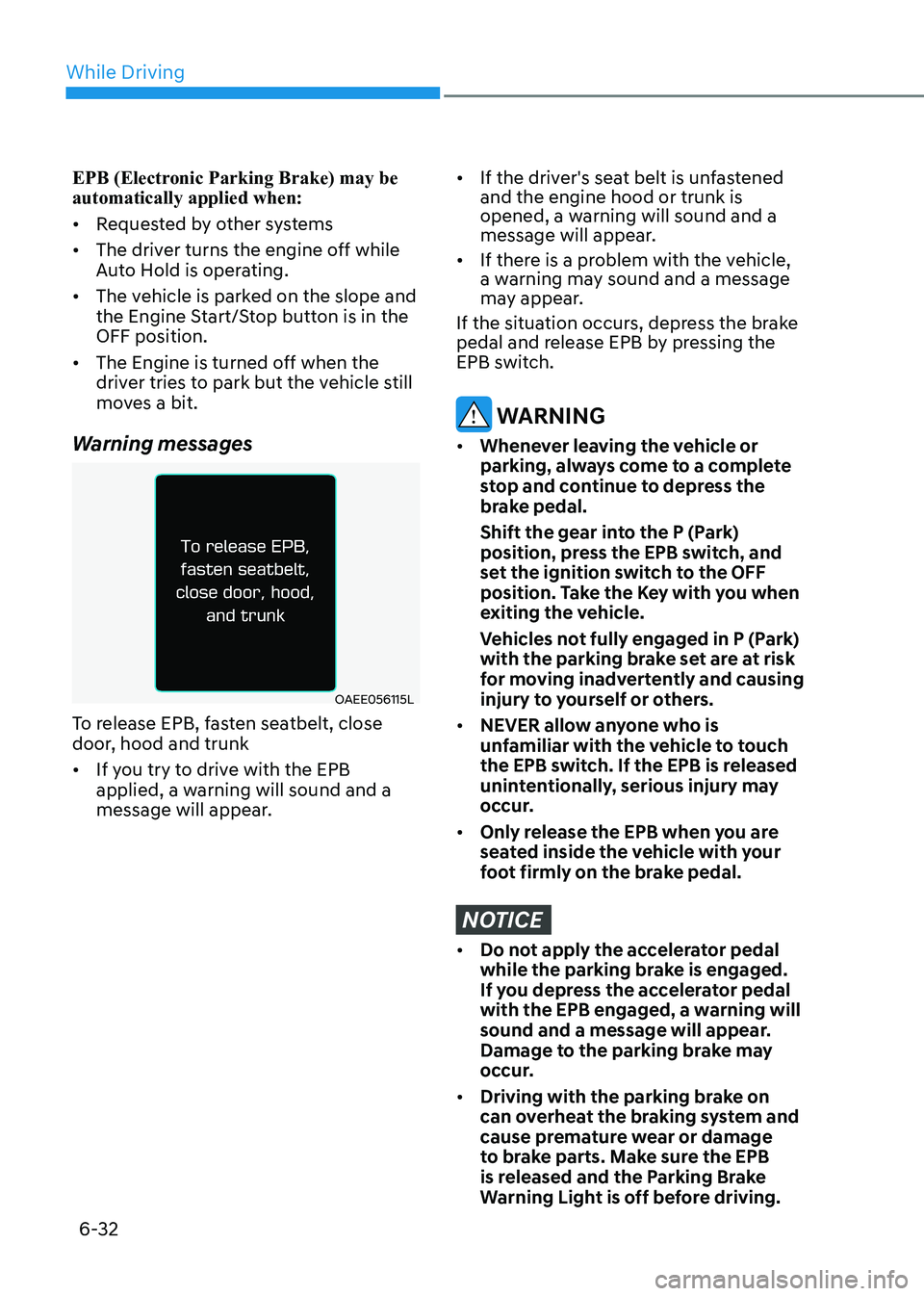
Warning messages
OAEE056115L
To release EPB, fasten seatbelt, close
door, hood and trunk • If you try to drive with the EPB
applied, a warning will sound and a
message will appear.
• If the driver's seat belt is unfastened and the engine hood or trunk is
opened, a warning will sound and a
message will appear.
• If there is a problem with the vehicle,
a warning may sound and a message
may appear.
If the situation occurs, depress the brake
pedal and release EPB by pressing the
EPB switch.
WARNING
• Whenever leaving the vehicle or
parking, always come to a complete
stop and continue to depress the
brake pedal.
Shift the gear into the P (Park) position, press the EPB switch, and
set the ignition switch to the OFF
position. Take the Key with you when
exiting the vehicle.
Vehicles not fully engaged in P (Park) with the parking brake set are at risk
for moving inadvertently and causing
injury to yourself or others.
• NEVER allow anyone who is
unfamiliar with the vehicle to touch
the EPB switch. If the EPB is released
unintentionally, serious injury may
occur.
• Only release the EPB when you are
seated inside the vehicle with your
foot firmly on the brake pedal.
NOTICE
• Do not apply the accelerator pedal
while the parking brake is engaged.
If you depress the accelerator pedal
with the EPB engaged, a warning will
sound and a message will appear.
Damage to the parking brake may
occur.
• Driving with the parking brake on
can overheat the braking system and
cause premature wear or damage
to brake parts. Make sure the EPB
is released and the Parking Brake
Warning Light is off before driving.
Page 322 of 555
06
6-35
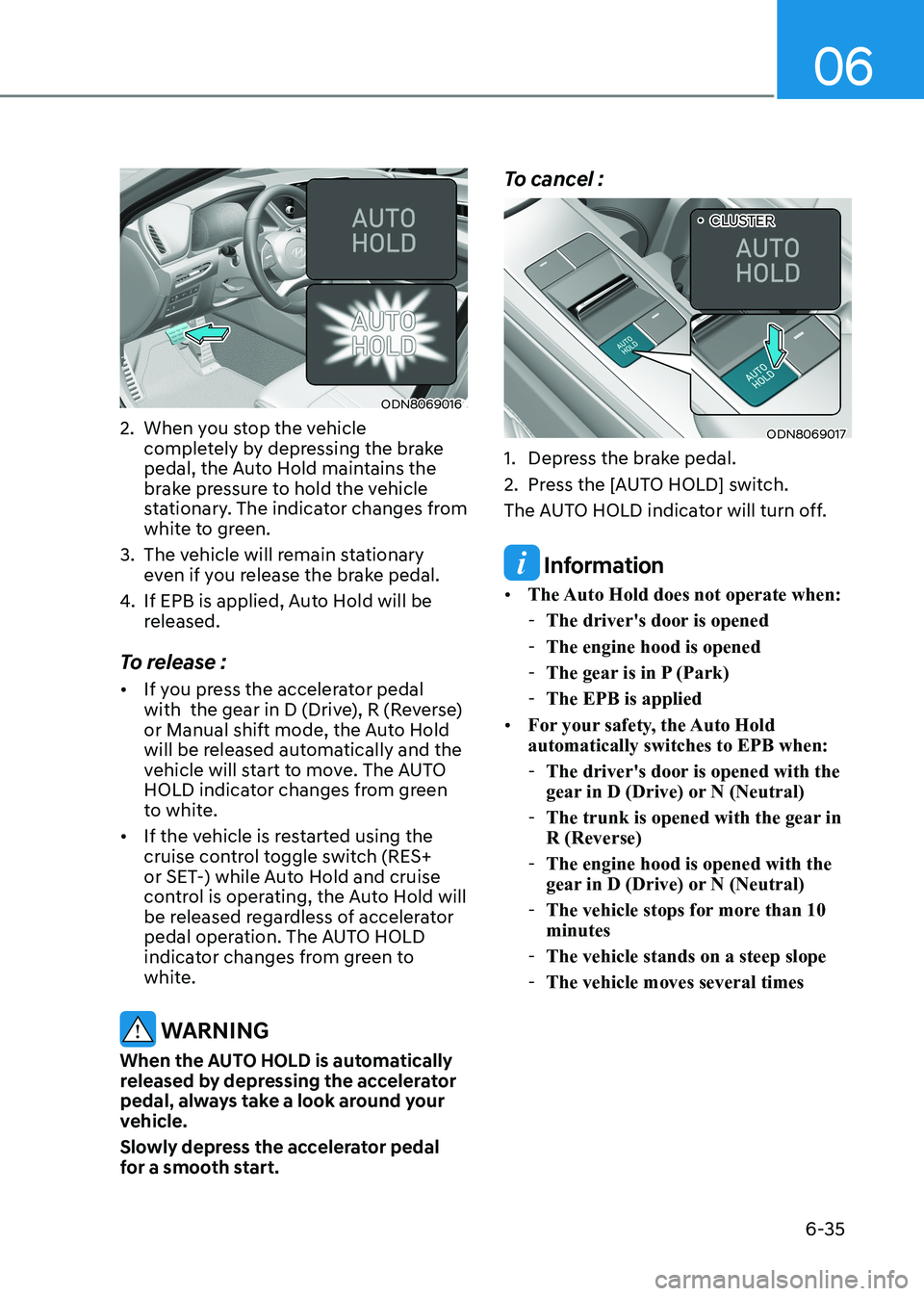
ODN8069016
2. When you stop the vehicle completely by depressing the brake
pedal, the Auto Hold maintains the
brake pressure to hold the vehicle
stationary. The indicator changes from
white to green.
3. The vehicle will remain stationary even if you release the brake pedal.
4. If EPB is applied, Auto Hold will be
released.
To release : • If you press the accelerator pedal
with the gear in D (Drive), R (Reverse)
or Manual shift mode, the Auto Hold
will be released automatically and the
vehicle will start to move. The AUTO
HOLD indicator changes from green
to white.
• If the vehicle is restarted using the
cruise control toggle switch (RES+
or SET-) while Auto Hold and cruise
control is operating, the Auto Hold will
be released regardless of accelerator
pedal operation. The AUTO HOLD
indicator changes from green to
white.
WARNING
When the AUTO HOLD is automatically
released by depressing the accelerator
pedal, always take a look around your
vehicle.
Slowly depress the accelerator pedal
for a smooth start. To cancel :
ODN8069017
1. Depress the brake pedal.
2. Press the [AUTO HOLD] switch.
The AUTO HOLD indicator will turn off.
Information
• The Auto Hold does not operate when:
- The driver's door is opened
- The engine hood is opened
- The gear is in P (Park)
- The EPB is applied
• For your safety, the Auto Hold automatically switches to EPB when:
- The driver's door is opened with the
gear in D (Drive) or N (Neutral)
- The trunk is opened with the gear in R (Reverse)
- The engine hood is opened with the
gear in D (Drive) or N (Neutral)
- The vehicle stops for more than 10 minutes
- The vehicle stands on a steep slope
- The vehicle moves several times „
•CLUSTER
Page 330 of 555
06
6-43
The Launch Control system controls the
vehicle to reduce wheel spin or slip on a
hard acceleration from a standing start.
Launch control operation and
release
Prerequisite for activation
The Launch Control gets ready to
be activated, when the following
prerequisites are satisfied. •
All doors, hood and trunk are closed.
• The driver’s seat belt is fastened.
• If the engine temperature is
overheated, cooling down it before
using the launch control.
• If the engine temperature is low,
warming up the engine.
• The vehicle is at a complete stop.
Then align the steering wheel straight.
• Release the parking brake by pressing
the EPB switch and if the AUTO HOLD
function is working, please turn off
the function by releasing the AUTO
HOLD button.
CAUTION
• The Launch Control system is
intended for use at a closed race
track and not intended for use on
public roads. It will not compensate
for driver’s who are inexperienced or
lack familiarity with the race track.
• The Launch performance may be
varied by fuel, environment, tire and
load condition.
• We recommend you use the function
after breaking in your vehicle and
constant use of Launch Control can
put enormous stress on the vehicle
resulting in premature wear of
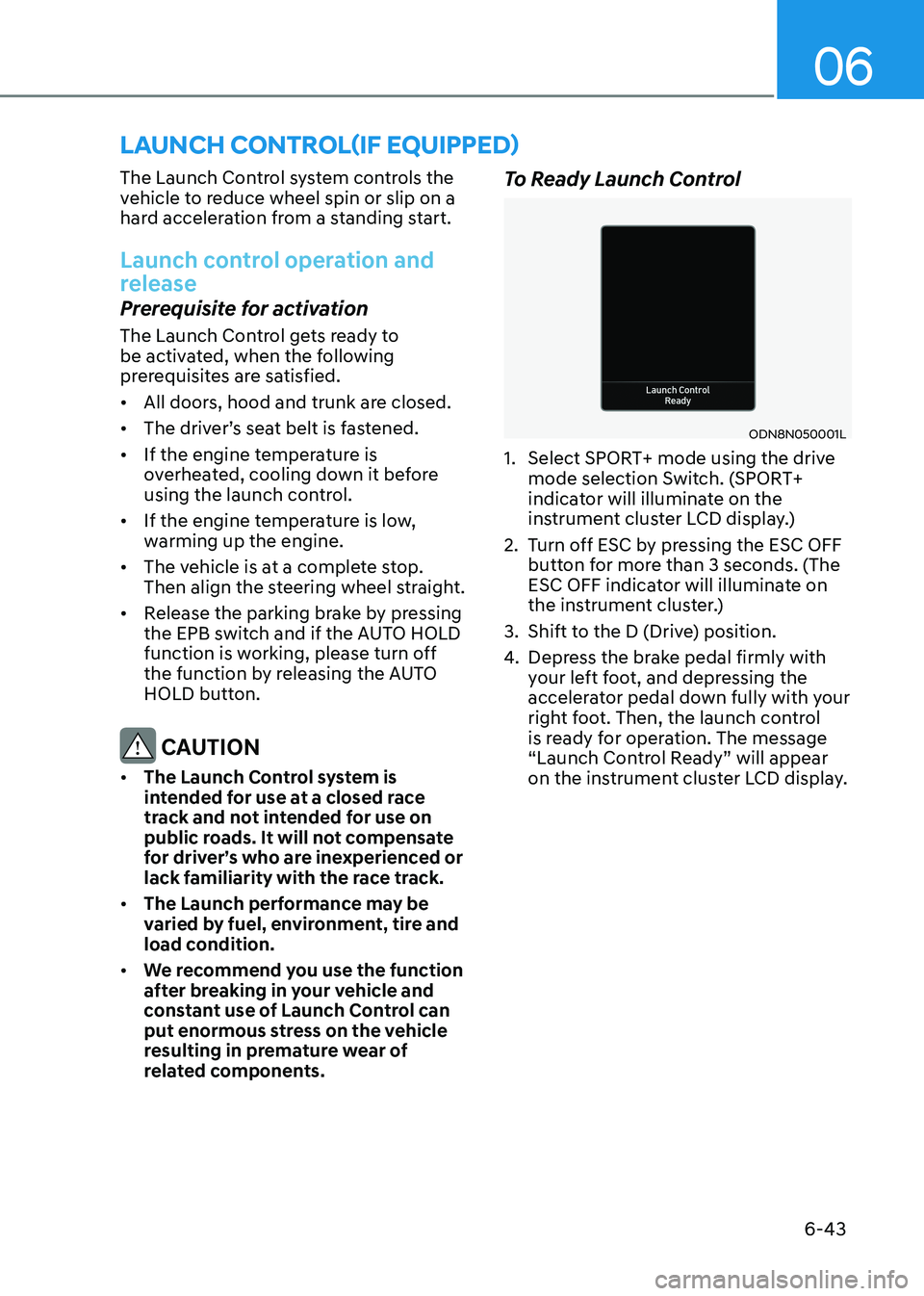
related components. To Ready Launch Control
ODN8N050001L
1. Select SPORT+ mode using the drive mode selection Switch. (SPORT+
indicator will illuminate on the
instrument cluster LCD display.)
2. Turn off ESC by pressing the ESC OFF button for more than 3 seconds. (The
ESC OFF indicator will illuminate on
the instrument cluster.)
3. Shift to the D (Drive) position.
4. Depress the brake pedal firmly with
your left foot, and depressing the
accelerator pedal down fully with your
right foot. Then, the launch control
is ready for operation. The message
“Launch Control Ready” will appear
on the instrument cluster LCD display.
launch control(if equippeD)
Page 547 of 555
I
I-5
E Emission Control System .................................................................................... 8-70
Engine Compartment ..................................................................................... 2-8/ 8-3
Engine Coolant .................................................................................................... 8-26
Changing Engine Coolant ................................................................................ 8-28
Checking the Engine Coolant Level ................................................................. 8-26
Engine Number .................................................................................................... 2-17
Engine Oil ............................................................................................................ 8-23
Checking the Engine Oil and Filter .................................................................. 8-25
Checking the Engine Oil Level ........................................................................ 8-23
Engine Specification ............................................................................................ 2-10
Explanation of Scheduled Maintenance Items ....................................................8-20
Exterior Features .................................................................................................. 5-50
Emergency Trunk Safety Release..................................................................... 5-52
Fuel Filler Door ................................................................................................ 5-56
Hood ................................................................................................................. 5-50
Trunk ................................................................................................................ 5-51
Exterior Overview ................................................................................................. 2-2
F
Forward Collision – Avoidance Assist (FCA) - Sensor Fusion ...........................6-50
FCA Sensor ...................................................................................................... 6-55
FCA Warning Message And Brake Control .....................................................6-52
Forward Collision-Avoidance Assist - Junction Turning ................................6-65
Limitations of The System ............................................................................... 6-58
System Malfunction ......................................................................................... 6-57
System Setting and Activation ......................................................................... 6-50
Forward/Reverse Parking Distance Warning (PDW) ..........................................5-86
Forward/Reverse Parking Distance Warning System Precautions ...................5-90
Non-Operational Conditions of Forward/Reverse Parking Distance
Warning System ............................................................................................. 5-89
Operation of Forward/Reverse Parking Distance Warning System .................5-87
Fuel Requirements ................................................................................................. 1-5
Fuses .................................................................................................................... 8-50
Engine Compartment Panel Fuse Replacement ...............................................8-52
Fuse/Relay Panel Description .......................................................................... 8-53
Instrument Panel Fuse Replacement ................................................................ 8-51