2023 HYUNDAI SANTA CRUZ Smart eco
[x] Cancel search: Smart ecoPage 217 of 598
05
5-81
Headlamp and position lamp
When the headlamp (lamp switch in the
headlamp or AUTO position) is on and
all doors (and tailgate) are locked and
closed, the position lamp and headlamp
will come on for 15 seconds when the
door unlock button is pressed on the
remote key or smart key.
At this time, if you press the door lock
or unlock button, the position lamp and
headlamp will turn off immediately.
Interior lamp
When the interior lamp switch is in the position and all doors (and tailgate)
are closed and locked, the room lamp
will come on for 30 seconds if any of the
below is performed.
• When the door unlock button is
pressed on the remote key or smart
key.
• When you put your hand in the
outside door handle while carrying the
smart key.
At this time, if you press the door lock
or unlock button on the smart key the
lamps will turn off immediately.
Top mounted bed lamp and Side
mounted bed lamp (if equipped)
Lamps will be activated when a button
in cabin is pressed once. (Indicator on
button will illuminate when lamps are
on.) Or when underbed storage lid is
opened.
Lamps will turn Off if any of the following
occur:
• After 10 minutes of being activated.
• When remote key or smart key lock
button is pressed twice.
• When underfloor storage lid is closed
securely.
NOTICE
Bed lamps can only be activated when
vehicle is in Park (P) or Neutral (N) with
the vehicle speed is below 3.1 mph (5
km/h).
Page 264 of 598
Convenient Features
5-128
The indicator light will blink orange for 10
seconds if there is a malfunction in the
wireless charging system.
In this case, temporarily stop the
charging process, and re-attempt to
charge your smart phone again.
The system warns you with a message on
the LCD display if the smart phone is still
on the wireless charging unit after the
vehicle is turned OFF and the front door
is opened.
For some manufacturer’s smart phones,
the system may not warn you even
though the smart phone is left on the
wireless charging unit. This is due to the
particular characteristic of the smart
phone and not a malfunction of the
wireless charging.
Information
For some manufacturers’ cellular phones,
the system may not warn you even though
the cellular phone is left on the wireless
charging unit. This is due to the particular
characteristic of the cellular phone and
not a malfunction of the wireless charging.
NOTICE
• The wireless smart phone charging
system may not support certain
smart phones, which are not verified
for the Qi specification (
).
• When placing your smart phone on
the charging pad, position the phone
in the middle of the mat for optimal
charging performance. If your smart
phone is off to the side, the charging
rate may be less and in some cases
the smart phone may experience
higher heat conduction.
• In some cases, the wireless charging
may stop temporarily when the
smart key is used, either when
starting the vehicle or locking/
unlocking the doors, etc.
• When charging certain smart
phones, the charging indicator may
not change to blue when the smart
phone is fully charged.
• The wireless charging process may
temporarily stop, when temperature
abnormally increases inside the
wireless smart phone charging
system. The wireless charging
process restarts when temperature
falls to a certain level.
• The wireless charging process may
temporarily stop when there is
any metallic item, such as a coin,
between the wireless smart phone
charging system and smart phone.
Page 282 of 598
Driving Your Vehicle
6-8
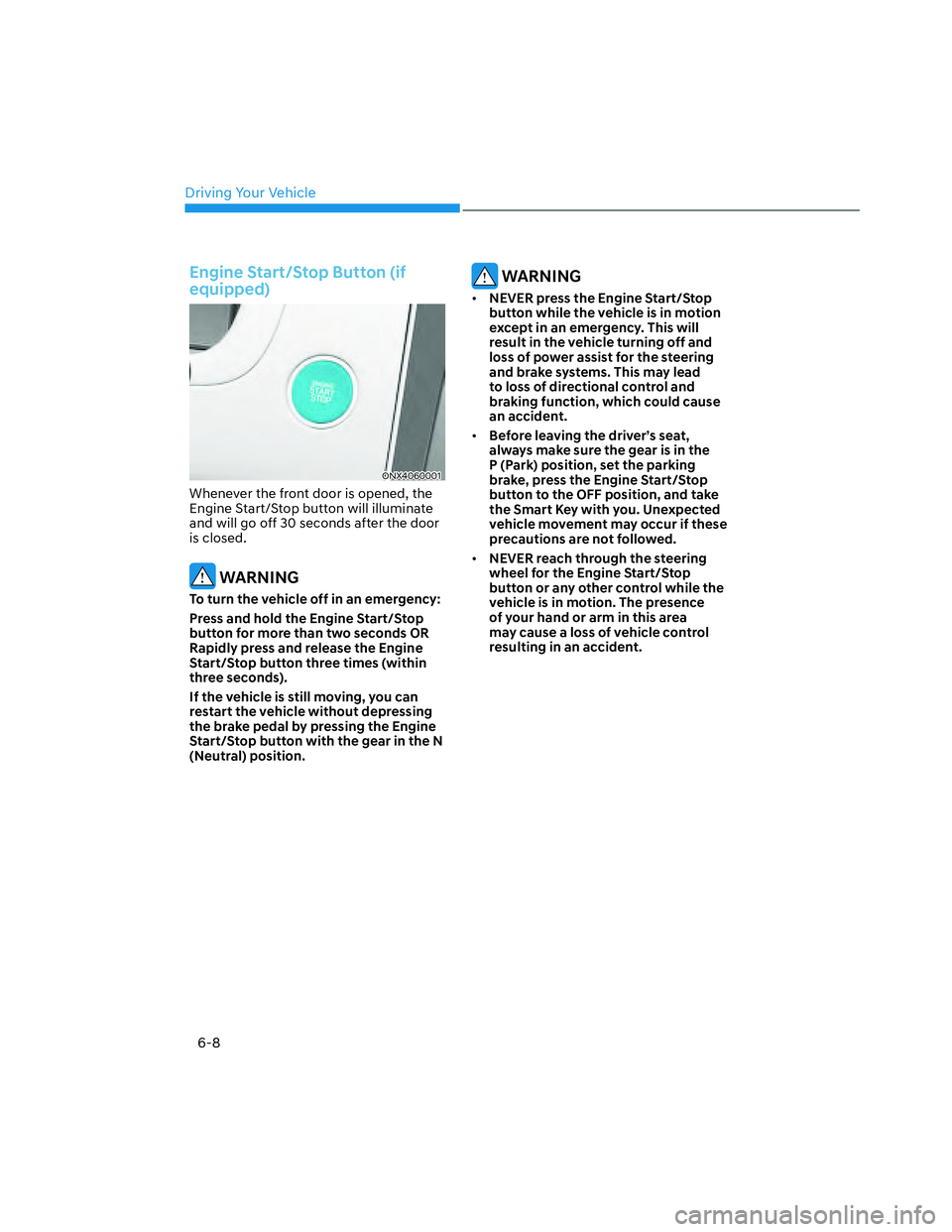
Engine Start/Stop Button (if
equipped)
ONX4060001ONX4060001
Whenever the front door is opened, the
Engine Start/Stop button will illuminate
and will go off 30 seconds after the door
is closed.
WARNING
To turn the vehicle off in an emergency:
Press and hold the Engine Start/Stop
button for more than two seconds OR
Rapidly press and release the Engine
Start/Stop button three times (within
three seconds).
If the vehicle is still moving, you can
restart the vehicle without depressing
the brake pedal by pressing the Engine
Start/Stop button with the gear in the N
(Neutral) position.
WARNING
• NEVER press the Engine Start/Stop
button while the vehicle is in motion
except in an emergency. This will
result in the vehicle turning off and
loss of power assist for the steering
and brake systems. This may lead
to loss of directional control and
braking function, which could cause
an accident.
• Before leaving the driver’s seat,
always make sure the gear is in the
P (Park) position, set the parking
brake, press the Engine Start/Stop
button to the OFF position, and take
the Smart Key with you. Unexpected
vehicle movement may occur if these
precautions are not followed.
• NEVER reach through the steering
wheel for the Engine Start/Stop
button or any other control while the
vehicle is in motion. The presence
of your hand or arm in this area
may cause a loss of vehicle control
resulting in an accident.
Page 284 of 598
Driving Your Vehicle
6-10
Starting the engine
WARNING
• Always wear appropriate shoes when
operating your vehicle. Unsuitable
shoes, such as high heels, ski boots,
sandals, flipflops, etc., may interfere
with your ability to use the brake and
accelerator pedals.
• Do not start the vehicle with the
accelerator pedal depressed.
• Keep your foot on the brake when
shifting out of P (Park). Make sure the
engine rpm is at idle before shifting.
The vehicle may move suddenly
when the brake pedal is released if
the engine RPM is high.
Information
• The vehicle will start by pressing the
Engine Start/Stop button, only when
the smart key is in the vehicle.
• Even if the smart key is in the vehicle,
and when it is far away from the driver,
the engine may not start.
• When the Engine Start/Stop button
is in the ACC or ON position, if any
door is open, the system checks for the
smart key. When the smart key is not
in the vehicle, the “
” indicator
will blink and the warning 'Key not in
vehicle' will come on. When all doors
are closed, the chime will also sound for
about 5 seconds. Keep the smart key in
the vehicle.1. Always carry the smart key with you.
2. Make sure the parking brake is
applied.
3. Make sure the shift lever is in P(Park).
4. Depress the brake pedal.
5. Press the Engine Start/Stop button.
Information
• Do not wait for the engine to warm up
while the vehicle remains stationary.
Start driving at moderate engine
speeds. (Avoid hard acceleration when
the engine is still cold.)
• Always start the vehicle with your foot
on the brake pedal. Do not depress the
accelerator while starting the vehicle.
Do not race the engine while warming
it up.
Page 285 of 598
06
6-11
NOTICE
To prevent damage to the vehicle:
• If the engine stalls while you are in
motion, do not attempt to shift the
gear to the P (Park) position.
If traffic and road conditions permit,
you may put the gear in N (Neutral)
while the vehicle is still moving and
press the Engine Start/Stop button in
an attempt to restart the engine.
• Do not push or tow your vehicle to
start the vehicle.
NOTICE
To prevent damage to the vehicle:
Do not press the Engine Start/Stop
button for more than 10 seconds except
when the stop lamp fuse is blown.
When the stop lamp fuse is blown,
you cannot normally start the engine.
Replace the fuse with a new one. If you
are not able to replace the fuse, you
can start the engine by pressing and
holding the Engine Start/Stop button
for 10 seconds with the Engine Start/
Stop button in the ACC position.
For your safety always depress the
brake pedal before starting the vehicle.
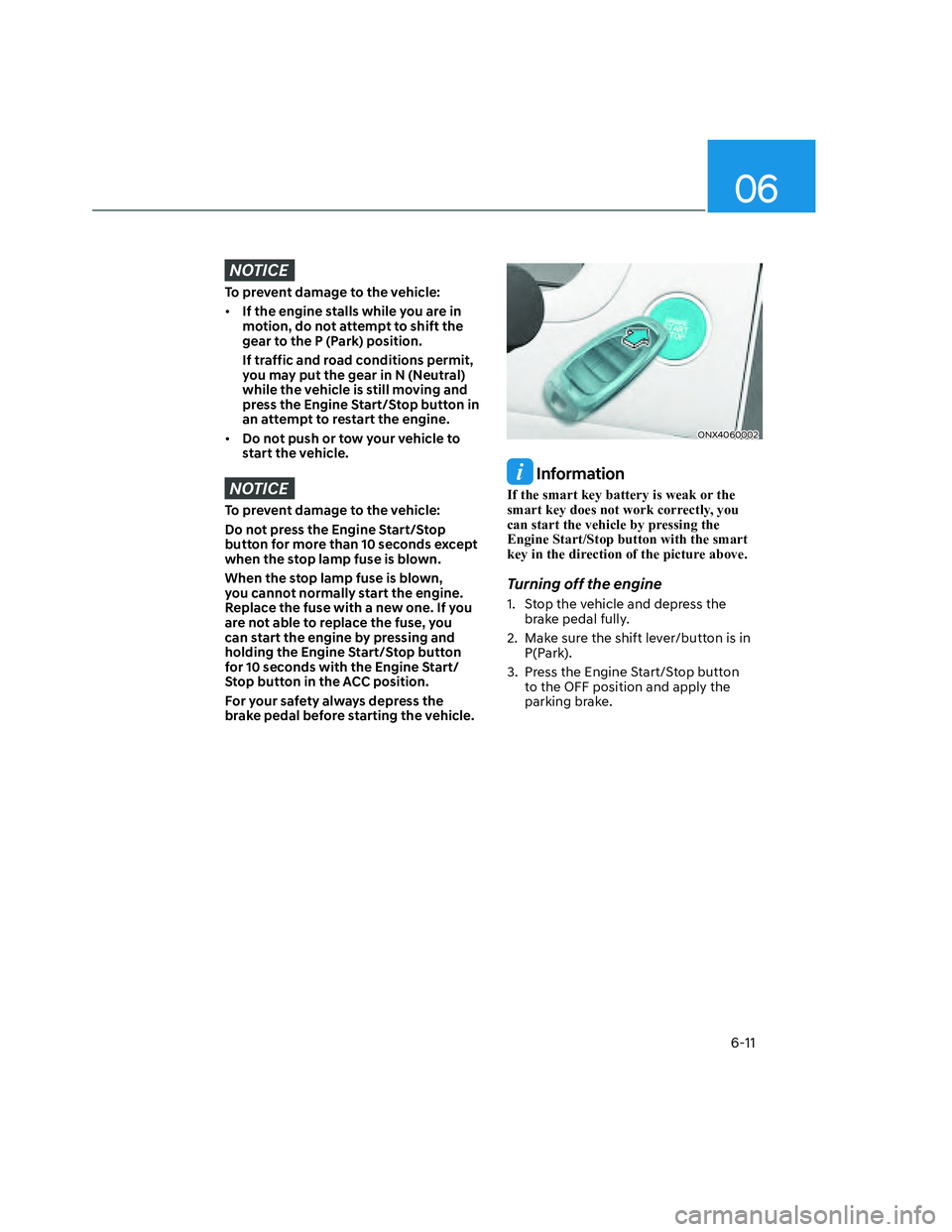
ONX4060002ONX4060002
Information
If the smart key battery is weak or the
smart key does not work correctly, you
can start the vehicle by pressing the
Engine Start/Stop button with the smart
key in the direction of the picture above.
Turning off the engine
1. Stop the vehicle and depress the
brake pedal fully.
2. Make sure the shift lever/button is in
P(Park).
3. Press the Engine Start/Stop button
to the OFF position and apply the
parking brake.
Page 286 of 598
Driving Your Vehicle
6-12
Remote Start (if equipped)
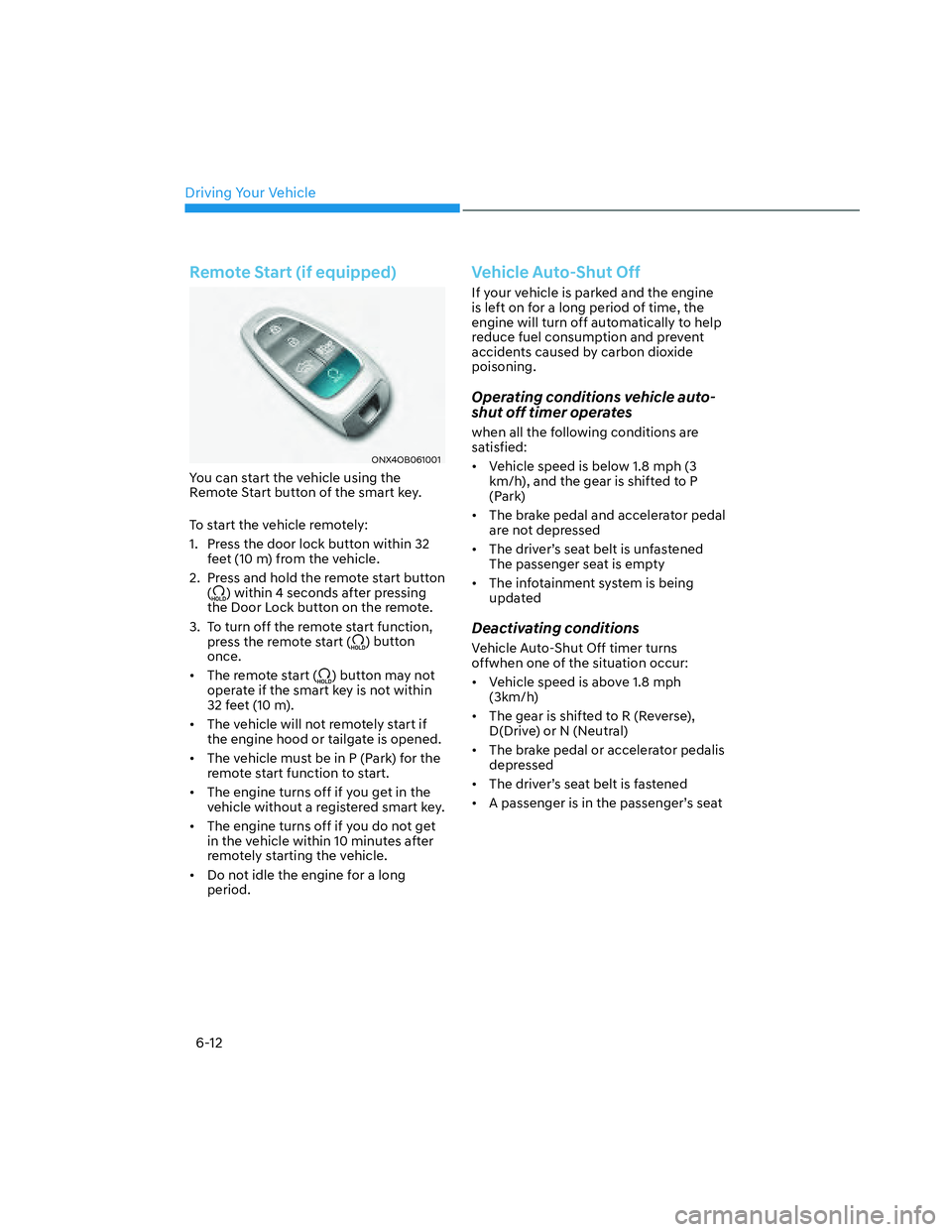
ONX4OB061001ONX4OB061001
You can start the vehicle using the
Remote Start button of the smart key.
To start the vehicle remotely:
1. Press the door lock button within 32
feet (10 m) from the vehicle.
2. Press and hold the remote start button
(
) within 4 seconds after pressing
the Door Lock button on the remote.
3. To turn off the remote start function,
press the remote start (
) button
once.
• The remote start (
) button may not
operate if the smart key is not within
32 feet (10 m).
• The vehicle will not remotely start if
the engine hood or tailgate is opened.
• The vehicle must be in P (Park) for the
remote start function to start.
• The engine turns off if you get in the
vehicle without a registered smart key.
• The engine turns off if you do not get
in the vehicle within 10 minutes after
remotely starting the vehicle.
• Do not idle the engine for a long
period.
Vehicle Auto-Shut Off
If your vehicle is parked and the engine
is left on for a long period of time, the
engine will turn off automatically to help
reduce fuel consumption and prevent
accidents caused by carbon dioxide
poisoning.
Operating conditions vehicle auto-
shut off timer operates
when all the following conditions are
satisfied:
• Vehicle speed is below 1.8 mph (3
km/h), and the gear is shifted to P
(Park)
• The brake pedal and accelerator pedal
are not depressed
• The driver’s seat belt is unfastened
The passenger seat is empty
• The infotainment system is being
updated
Deactivating conditions
Vehicle Auto-Shut Off timer turns
offwhen one of the situation occur:
• Vehicle speed is above 1.8 mph
(3km/h)
• The gear is shifted to R (Reverse),
D(Drive) or N (Neutral)
• The brake pedal or accelerator pedalis
depressed
• The driver’s seat belt is fastened
• A passenger is in the passenger’s seat
Page 290 of 598
Driving Your Vehicle
6-16
N (Neutral)
The wheels and transmission are not
engaged.
Use N (Neutral) if you need to restart a
stalled engine, or if it is necessary to stop
with the engine ON. Shift into P (Park)
if you need to leave your vehicle for any
reason.
Always depress the brake pedal when
you are shifting from N (Neutral) to
another gear.
WARNING
Make sure your foot is firmly depressing
on the brake pedal when shifting into
gear. Also, keep your foot off of the
accelerator pedal when shifting into
gear. Shifting when the engine rpm
is high can cause the vehicle to move
suddenly. You could lose control of the
vehicle and serious injury could occur.
D (Drive)
This is the normal driving position. The
transmission will automatically shift
through an 8-gear sequence, providing
the best combination of fuel economy
and power.
For extra power when passing another
vehicle or driving uphill, continue to
depress the accelerator pedal. You may
notice the transmission downshift to
the next lower gear or multiple gears
as needed for the vehicle to accelerate
sufficiently.
The DRIVE MODE switch, located on the
shift lever console, allows the driver to
switch between NORMAL mode, SPORT
mode, or SMART mode.
For more Details, refer to "Drive Mode
Integrated Control System" later in this
chapter.
Page 314 of 598
Driving Your Vehicle
6-40
ESC operation
ESC ON condition
When the ignition switch is in the
ON position, the ESC and the ESC
OFF indicator lights illuminate for
approximately three seconds. After both
lights go off, the ESC is enabled.
When operating
When ESC is in operation, the
ESC indicator light blinks:
• When you apply your brakes under
conditions which may lock the wheels,
you may hear sounds from the brakes,
or feel a corresponding sensation in
the brake pedal. This is normal and it
means your ESC is active.
• When ESC activates, the engine may
not respond to the accelerator as it
does under routine conditions.
• If Cruise Control or Smart Cruise
Control was in use when ESC
activates, Cruise Control or Smart
Cruise Control automatically
disengages. Cruise Control or Smart
Cruise Control can be reengaged
when the road conditions allow. See
"Cruise Control (CC)" or "Smart
Cruise Control (SCC)" section in
chapter 7 (if equipped).
• When moving out of the mud or
driving on a slippery road, the engine
RPM (revolutions per minute) may
not increase even if you press the
accelerator pedal deeply. This is to
maintain the stability and traction of
the vehicle and does not indicate a
problem.
ESC OFF condition
To cancel ESC operation:
• State 1
Press the ESC OFF button briefly. The
ESC OFF indicator light and/or message
'Traction Control disabled' will illuminate.
In this state, the traction control function
of ESC (engine management) is disabled,
but the brake control function of ESC
(braking management) still operates.
• State 2
Press and hold the ESC OFF button
continuously for more than 3 seconds.
The ESC OFF indicator light and/or
message 'Traction & Stability Control
disabled' illuminates and a warning
chime sounds. In this state, both the
traction control function of ESC (engine
management) and the brake control
function of ESC (braking management)
are disabled.
If the ignition switch is placed to the
LOCK/OFF position when ESC is off, ESC
remains off. Upon restarting the engine,
the ESC will automatically turn on again.