05
5-27
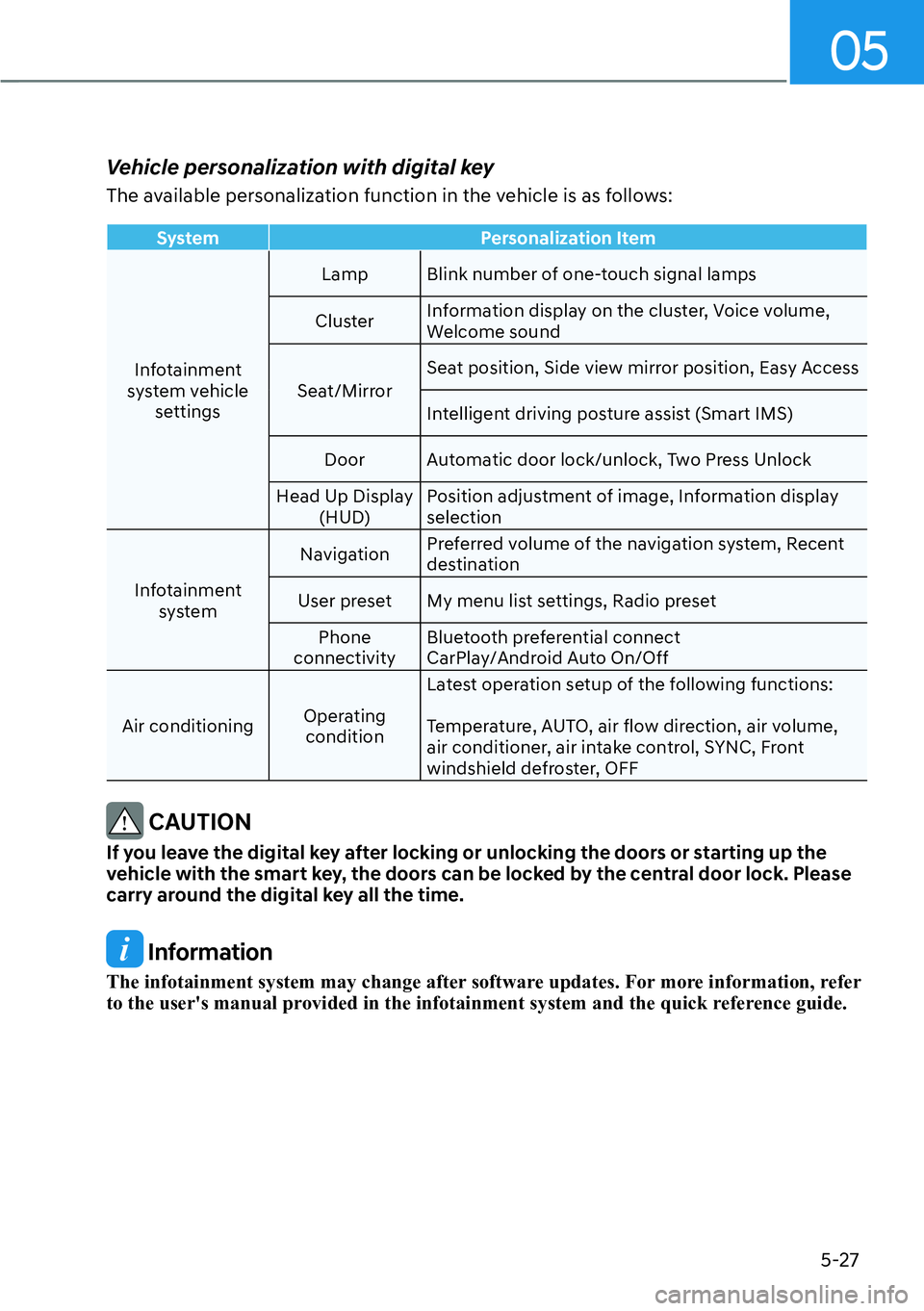
Vehicle personalization with digital key
The available personalization function in the vehicle is as follows:
SystemPersonalization Item
Infotainment
s
ystem vehicle settings Lamp Blink number of one-touch signal lamps
Cluster Information display on the cluster, Voice volume,
Welcome sound
Seat/Mirror Seat position, Side view mirror position, Easy Access
Intelligent driving posture assist (Smart IMS)
Door Automatic door lock/unlock, Two Press Unlock
Head Up Display (HUD) Position adjustment of image, Information display
selection
Infotainment system Navigation
Preferred volume of the navigation system, Recent
destination
User preset My menu list settings, Radio preset Phone
connectivity Bluetooth preferential connect
CarPlay/Android Auto On/Off
Air conditioning Operating
condition Latest operation setup of the following functions:
Temperature, AUTO, air flow direction, air volume,
air conditioner, air intake control, SYNC, Front
windshield defroster, OFF
CAUTION
If you leave the digital key after locking or unlocking the doors or starting up the
vehicle with the smart key, the doors can be locked by the central door lock. Please
carry around the digital key all the time.
Information
The infotainment system may change after software updates. For more information, refer
to the user's manual provided in the infotainment system and the quick reference guide.
05
5-171
1 VOLUME (VOL + / VOL -)
Push the lever up or down to adjust the
volume.
2 SEEK/PRESET ( / )
If the SEEK/PRESET switch is pressed up
or down and held for 0.8 second or more,
it will function in the following modes:
�[�RADIO mode
It will function as the AUTO SEEK
select butt
on. It will SEEK until you
release the button.
�[� MEDIA mode
It will function as the FF/RW button.
If the SEEK/PRESET s
witch is pressed up
or down, it will function in the following
modes:
�[� RADIO mode
It will function as the PRESET STATION
UP/DOWN butt
on.
�[� MEDIA mode
It will function as the TRACK UP/
DOWN butt
on.
3 MODE
Press the MODE button to toggle
through Radio mode.
4 MUTE ()
�[�Press the MUTE()button to mute or
activate the sound.
5 Custom ()
Press the Custom button to set
frequently used features.
Information
The infotainment system may change after
software updates. For more information,
refer to the user's manual provided in
the infotainment system and the quick
reference guide.
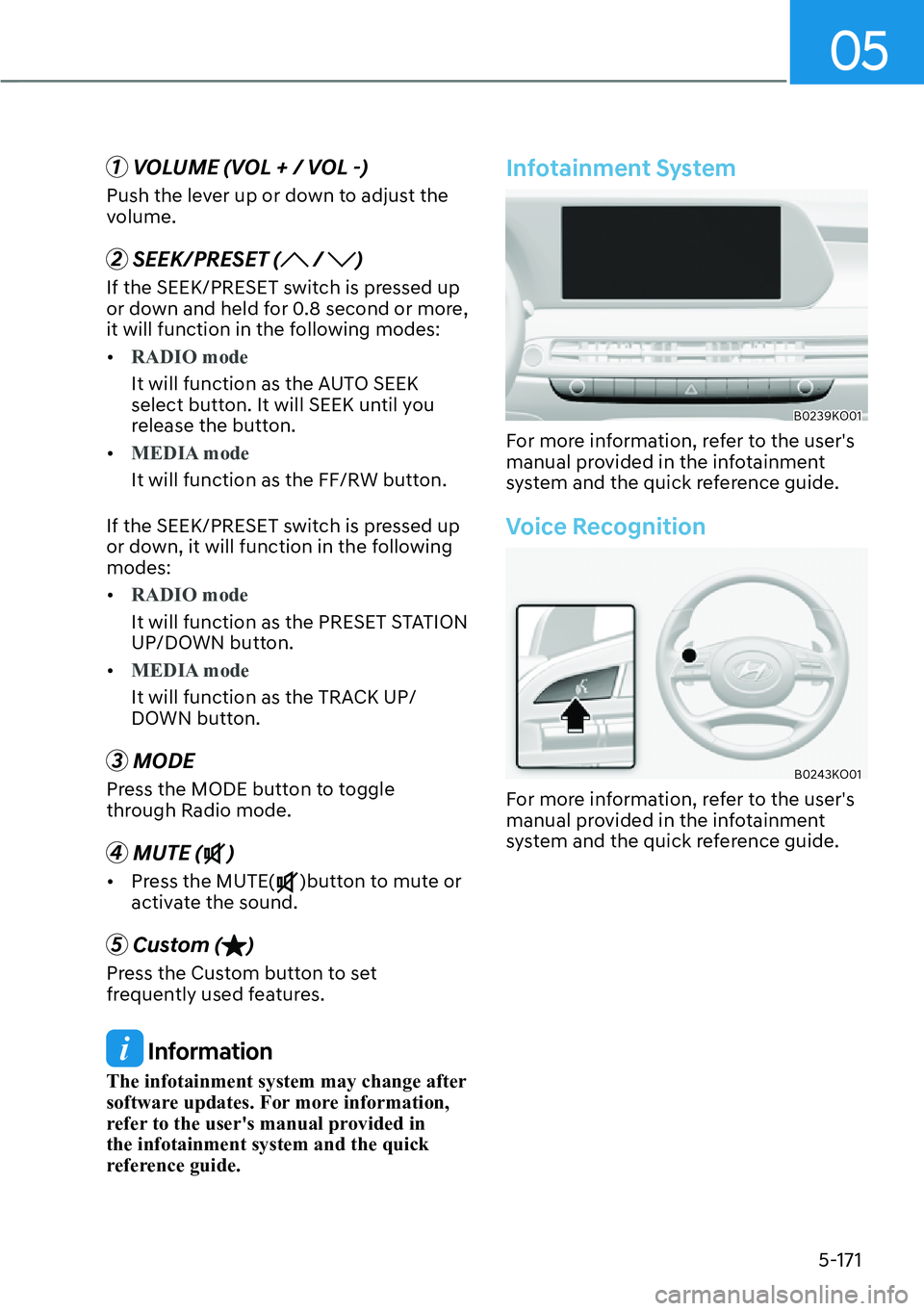
Infotainment System
B0239KO01
For more information, refer to the user's
manual provided in the infotainment
system and the quick reference guide.
Voice Recognition
B0243KO01
For more information, refer to the user's
manual provided in the infotainment
system and the quick reference guide.