Page 208 of 661
05
5-59
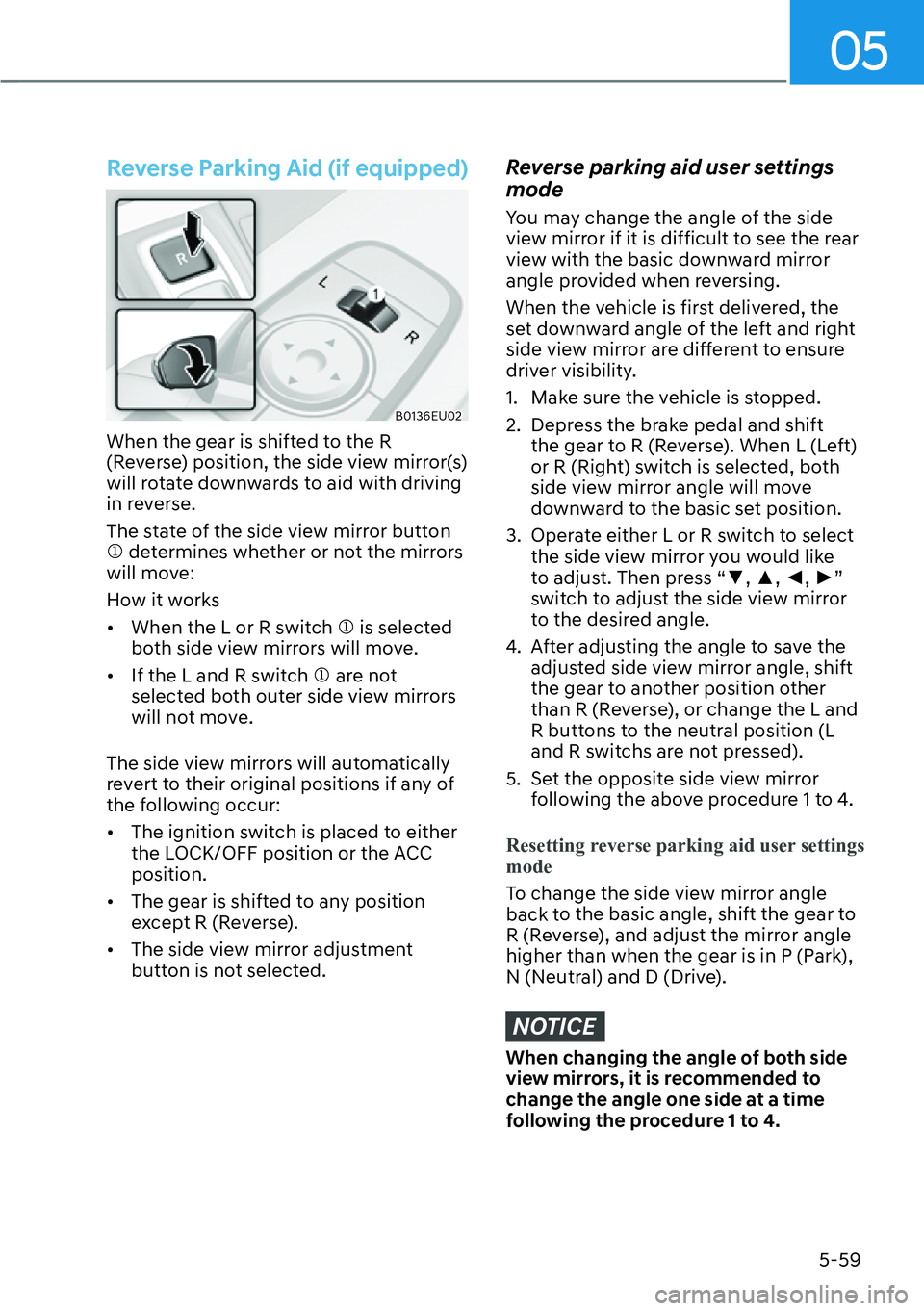
Reverse Parking Aid (if equipped)
B0136EU02
When the gear is shifted to the R
(Reverse) position, the side view mirror(s)
will rotate downwards to aid with driving
in reverse.
The state of the side view mirror button
M determines whether or not the mirrors
will move:
How it works
�[�When the L or R switch M is selected
both side view mirrors will move.
�[� If the L and R switch M are not
selected both outer side view mirrors
will not move.
The side view mirrors will automatically
revert to their original positions if any of
the following occur:
�[� The ignition switch is placed to either
the LOCK/OFF position or the ACC
position.
�[� The gear is shifted to any position
except R (Reverse).
�[� The side view mirror adjustment
button is not selected.
Reverse parking aid user settings
mode
You may change the angle of the side
view mirror if it is difficult to see the rear
view with the basic downward mirror
angle provided when reversing.
When the vehicle is first delivered, the
set downward angle of the left and right
side view mirror are different to ensure
driver visibility.
1. Make sure the vehicle is stopped.
2. Depress the brake pedal and shift
the gear to R (Reverse). When L (Left)
or R (Right) switch is selected, both
side view mirror angle will move
downward to the basic set position.
3. Operate either L or R switch to select the side view mirror you would like
to adjust. Then press “�z, �x, �{, �y”
switch to adjust the side view mirror
to the desired angle.
4. After adjusting the angle to save the adjusted side view mirror angle, shift
the gear to another position other
than R (Reverse), or change the L and
R buttons to the neutral position (L
and R switchs are not pressed).
5. Set the opposite side view mirror following the above procedure 1 to 4.
Resetting reverse parking aid user settings
mode
To change the side view mirror angle
back t
o the basic angle, shift the gear to
R (Reverse), and adjust the mirror angle
higher than when the gear is in P (Park),
N (Neutral) and D (Drive).
NOTICE
When changing the angle of both side
view mirrors, it is recommended to
change the angle one side at a time
following the procedure 1 to 4.
Page 210 of 661
05
5-61
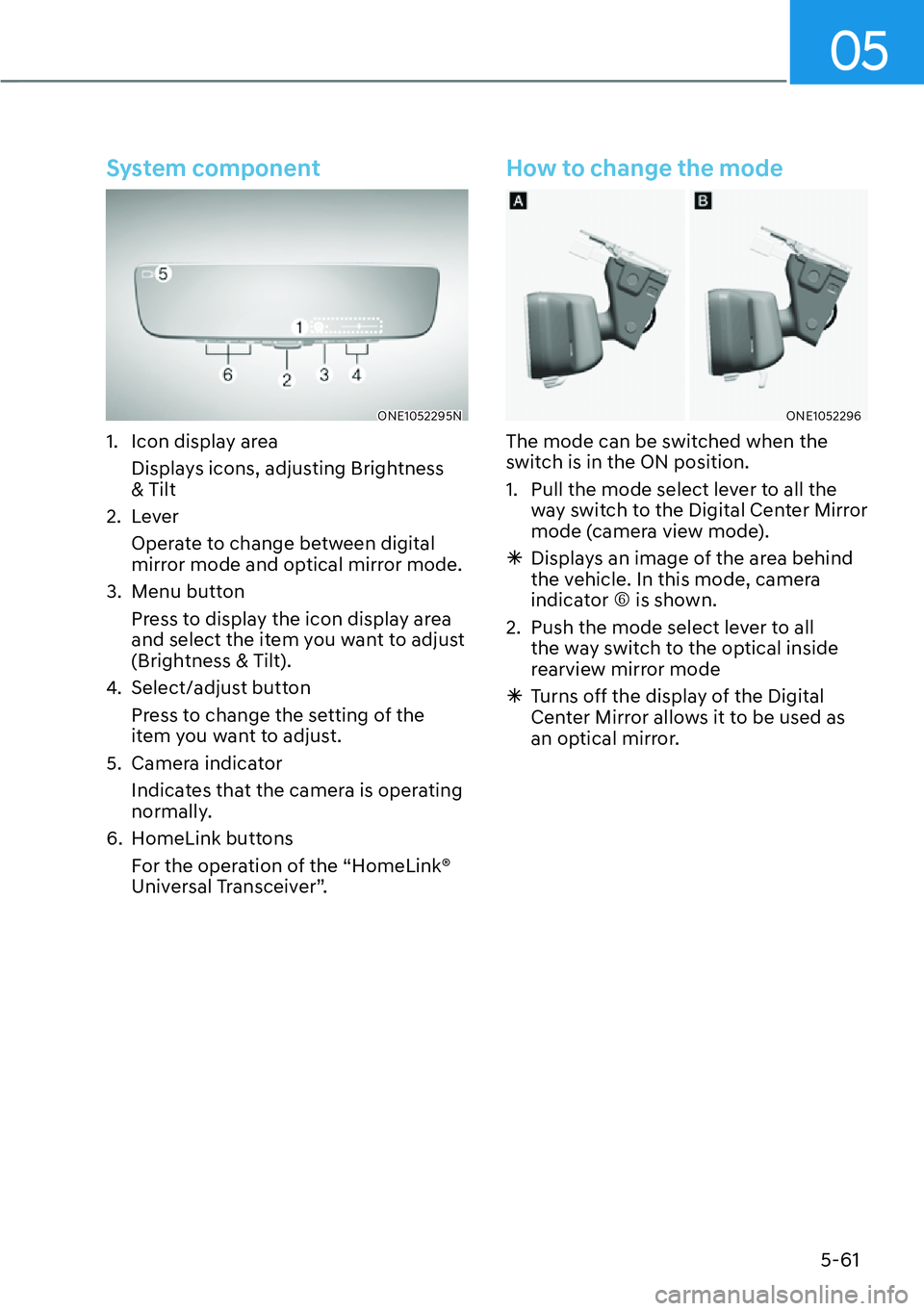
System component
ONE1052295N
1. Icon display areaDisplays icons, adjusting Brightness
& Tilt
2. Lever Operate to change between digital
mirror mode and optical mirror mode.
3. Menu button Press to display the icon display area
and select the item you want to adjust
(Brightness & Tilt).
4. Select/adjust button
Press to change the setting of the
item you want to adjust.
5. Camera indicator Indicates that the camera is operating
normally.
6. HomeLink buttons For the operation of the “HomeLink®
Universal Transceiver”.
How to change the mode
ONE1052296
The mode can be switched when the
switch is in the ON position.
1. Pull the mode select lever to all the way switch to the Digital Center Mirror
mode (camera view mode).
à Displays an image of the area behind
the vehicle. In this mode, camera
indicator R is shown.
2. Push the mode select lever to all the way switch to the optical inside
rearview mirror mode
à Turns off the display of the Digital
Center Mirror allows it to be used as
an optical mirror.
Page 213 of 661
Convenience Features5-64
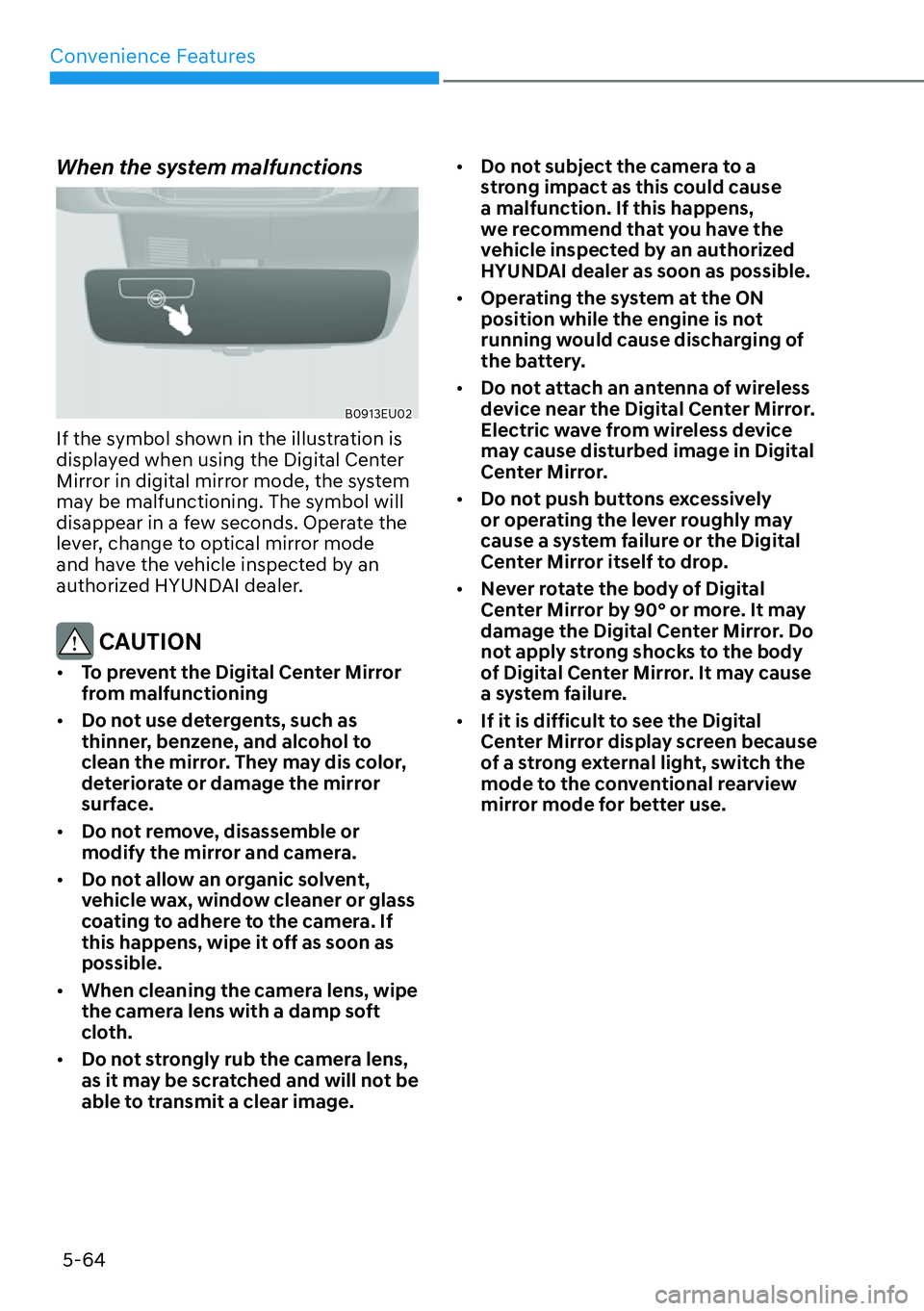
When the system malfunctions
B0913EU02
If the symbol shown in the illustration is
displayed when using the Digital Center
Mirror in digital mirror mode, the system
may be malfunctioning. The symbol will
disappear in a few seconds. Operate the
lever, change to optical mirror mode
and have the vehicle inspected by an
authorized HYUNDAI dealer.
CAUTION
�[� To prevent the Digital Center Mirror
from malfunctioning
�[� Do not use detergents, such as
thinner, benzene, and alcohol to
clean the mirror. They may dis color,
deteriorate or damage the mirror
surface.
�[� Do not remove, disassemble or
modify the mirror and camera.
�[� Do not allow an organic solvent,
vehicle wax, window cleaner or glass
coating to adhere to the camera. If
this happens, wipe it off as soon as
possible.
�[� When cleaning the camera lens, wipe
the camera lens with a damp soft
cloth.
�[� Do not strongly rub the camera lens,
as it may be scratched and will not be
able to transmit a clear image. �[�
Do not subject the camera to a
strong impact as this could cause
a malfunction. If this happens,
we recommend that you have the
vehicle inspected by an authorized
HYUNDAI dealer as soon as possible.
�[� Operating the system at the ON
position while the engine is not
running would cause discharging of
the battery.
�[� Do not attach an antenna of wireless
device near the Digital Center Mirror.
Electric wave from wireless device
may cause disturbed image in Digital
Center Mirror.
�[� Do not push buttons excessively
or operating the lever roughly may
cause a system failure or the Digital
Center Mirror itself to drop.
�[� Never rotate the body of Digital
Center Mirror by 90° or more. It may
damage the Digital Center Mirror. Do
not apply strong shocks to the body
of Digital Center Mirror. It may cause
a system failure.
�[� If it is difficult to see the Digital
Center Mirror display screen because
of a strong external light, switch the
mode to the conventional rearview
mirror mode for better use.
Page 235 of 661
Convenience Features5-86
�[� Do not modify or repair any part
of the power liftgate by yourself.
This must be done by an authorized
HYUNDAI dealer.
�[� Do not operate the power liftgate
under the following conditions.
The power liftgate may not operate
properly.
- One side of the vehicle is lifted to
inspect the vehicle or change a tire
- Parking on an uneven road such as
a slope, etc.
�[� Close the liftgate completely and
lock all doors and liftgate using the
central door lock button before using
an automatic car wash.
�[� Do not spray high pressure water
directly on the power liftgate outside
open/close button. The liftgate may
open unintentionally. Information
�[�If the liftgate is not fully closed and
vehicle speed is at or above 3 km/h (1.8
mph), a warning will sound 10 times.
Immediately park the vehicle at a safe
place, close the liftgate, and check
that the liftgate open warning on the
instrument cluster is turned off.
�[� In cold and wet climates, the outside
power liftgate open/close button may
not work properly due to freezing
conditions. If this occurs, remove the
ice before using the outside power
liftgate open/close button or use the
power liftgate open/close button on the
smart key or the instrument panel.
�[� Operating the power liftgate more
than 5 times continuously could cause
damage to the operating motor. If
this occurs, the power liftgate will not
operate to prevent the motor from
overheating. If any of the power liftgate
buttons are pressed to try to open the
liftgate, the chime will sound 3 times,
but the liftgate will remain closed.
Allow the power liftgate system to cool
for about 1 minute before operating the
system again.
Page 279 of 661
Convenience Features5-130
Manual Temperature Control
Mode
The heating and cooling system can be
controlled manually by pushing buttons
other than the AUTO button. In this case,
the system works sequentially according
to the order of buttons selected.
When pressing any button except the
AUTO button while using automatic
operation, the functions not selected will
be controlled automatically.
1. Start the engine.
2. Set the mode to the desired position. To improve the effectiveness of
heating and cooling, select the mode
according to the following:
- Heating:
- Cooling:
3. Set the temperature control to the
desired position.
4. Set the air intake control to Fresh mode.
5. Set the fan speed control to the desired speed. 6. If air conditioning is desired, turn the
air conditioning system on.
7. Press the AUTO button to convert to full automatic control of the system.
When starting the vehicle in cold
weather using manual temperature
control, operate the system in the
following method to improve heating.
- Turn off or lower the blower, right
after starting the engine.
- Allow the engine to warm up during
this time since the air flow from the
heater is still cold.
- After a few minutes of engine warm
up, turn on or set the fan to a higher
level and adjust the temperature
setting to hot.
Page 285 of 661
Convenience Features5-136
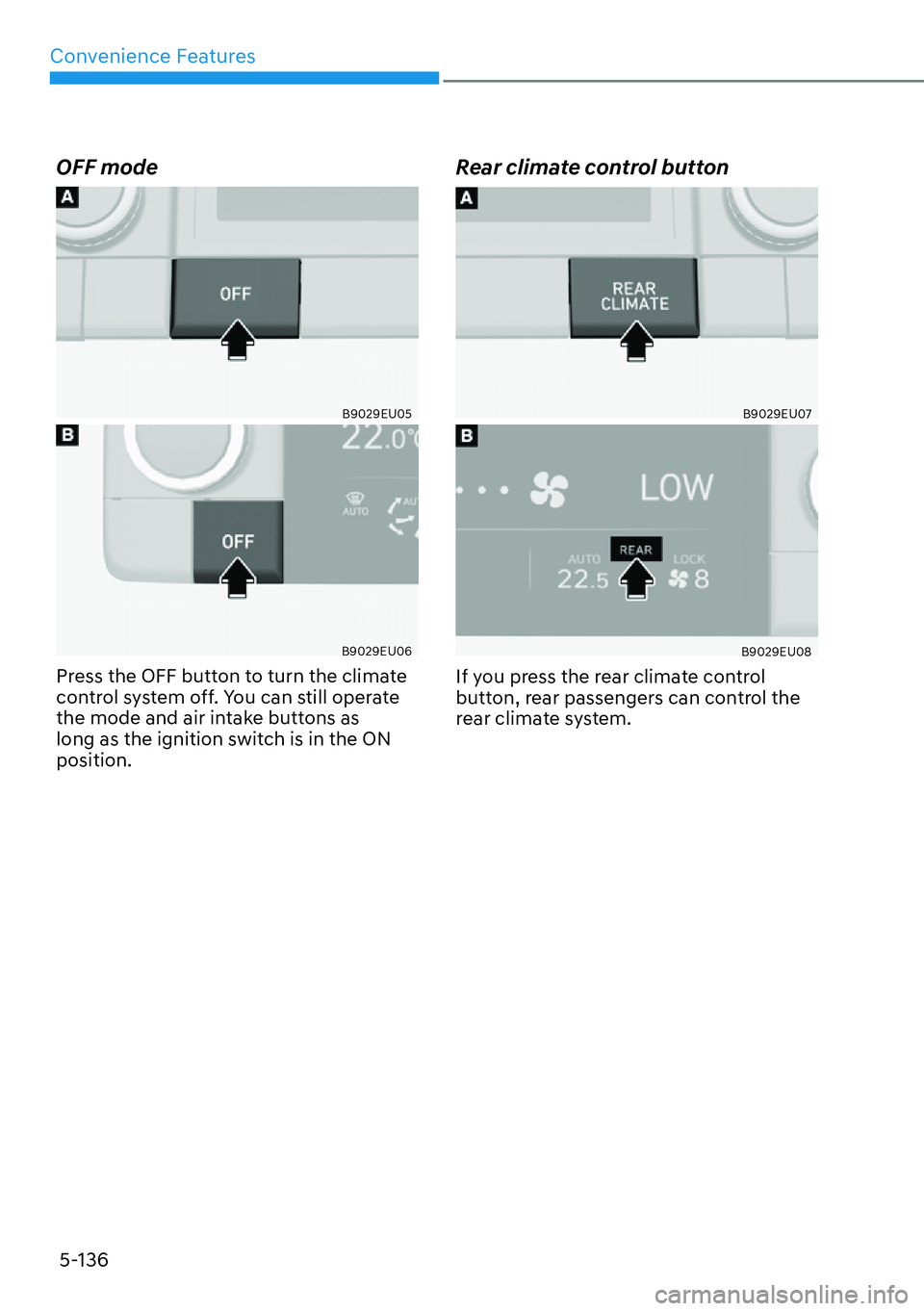
OFF mode
B9029EU05
B9029EU06
Press the OFF button to turn the climate
control system off. You can still operate
the mode and air intake buttons as
long as the ignition switch is in the ON
position.
Rear climate control button
B9029EU07
B9029EU08
If you press the rear climate control
button, rear passengers can control the
rear climate system.
Page 303 of 661
Convenience Features5-154
,17(5,25�)($785(6
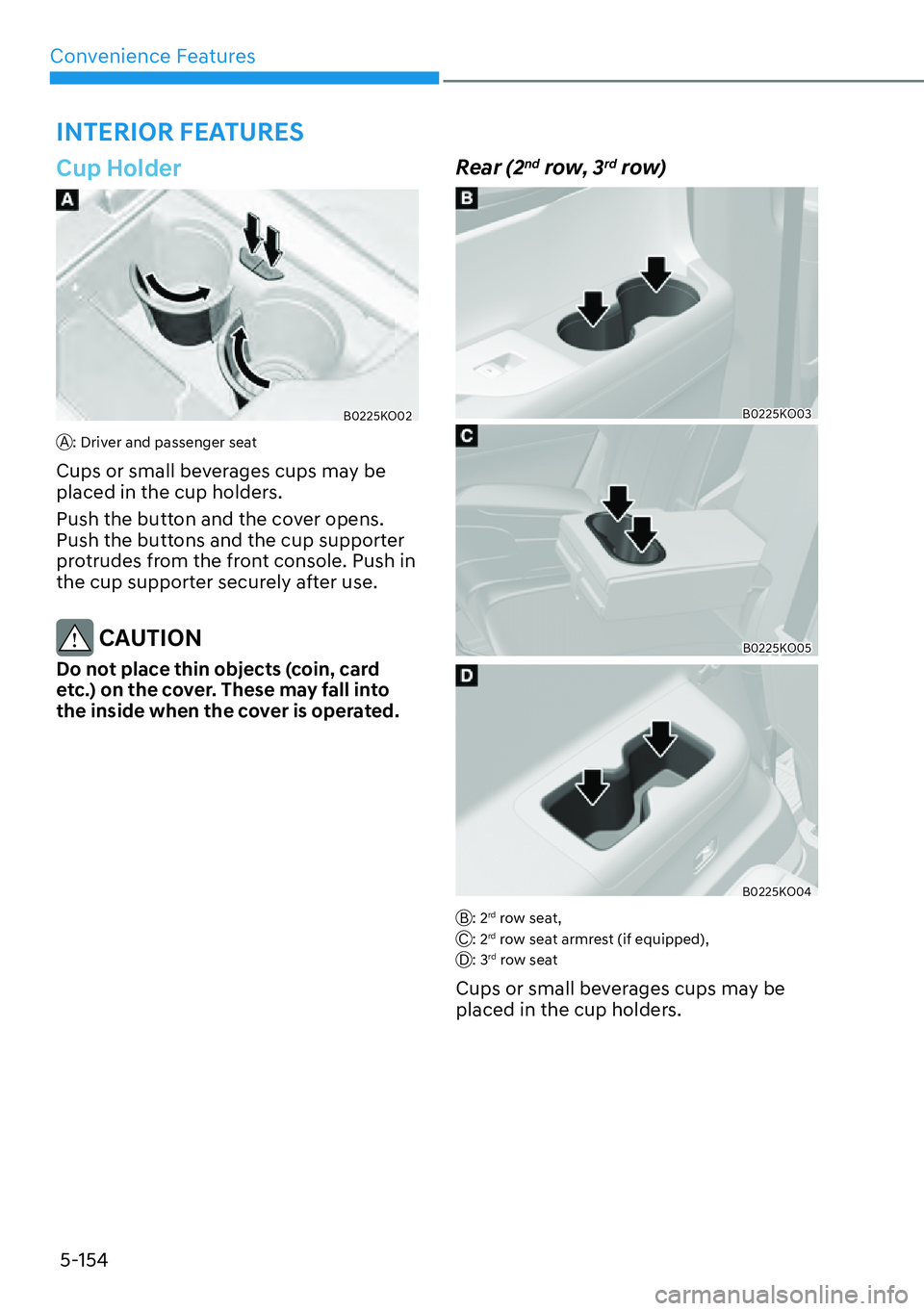
Cup Holder
B0225KO02
A: Driver and passenger seat
Cups or small beverages cups may be
placed in the cup holders.
Push the button and the cover opens.
Push the buttons and the cup supporter
protrudes from the front console. Push in
the cup supporter securely after use.
CAUTION
Do not place thin objects (coin, card
etc.) on the cover. These may fall into
the inside when the cover is operated.
Rear (2nd row, 3rd row)
B0225KO03
B0225KO05
B0225KO04
B: 2rd row seat,
C: 2rd row seat armrest (if equipped),
D: 3rd row seat
Cups or small beverages cups may be
placed in the cup holders.
Page 319 of 661
Convenience Features5-170
NOTICE
�[� If you install an aftermarket HID
head lamp, your vehicle’s audio and
electronic devices may not function
properly.
�[� Prevent chemicals such as perfume,
cosmetic oil, sun cream, hand
cleaner, and air freshener from
contacting the interior parts
because they may cause damage or
discoloration.
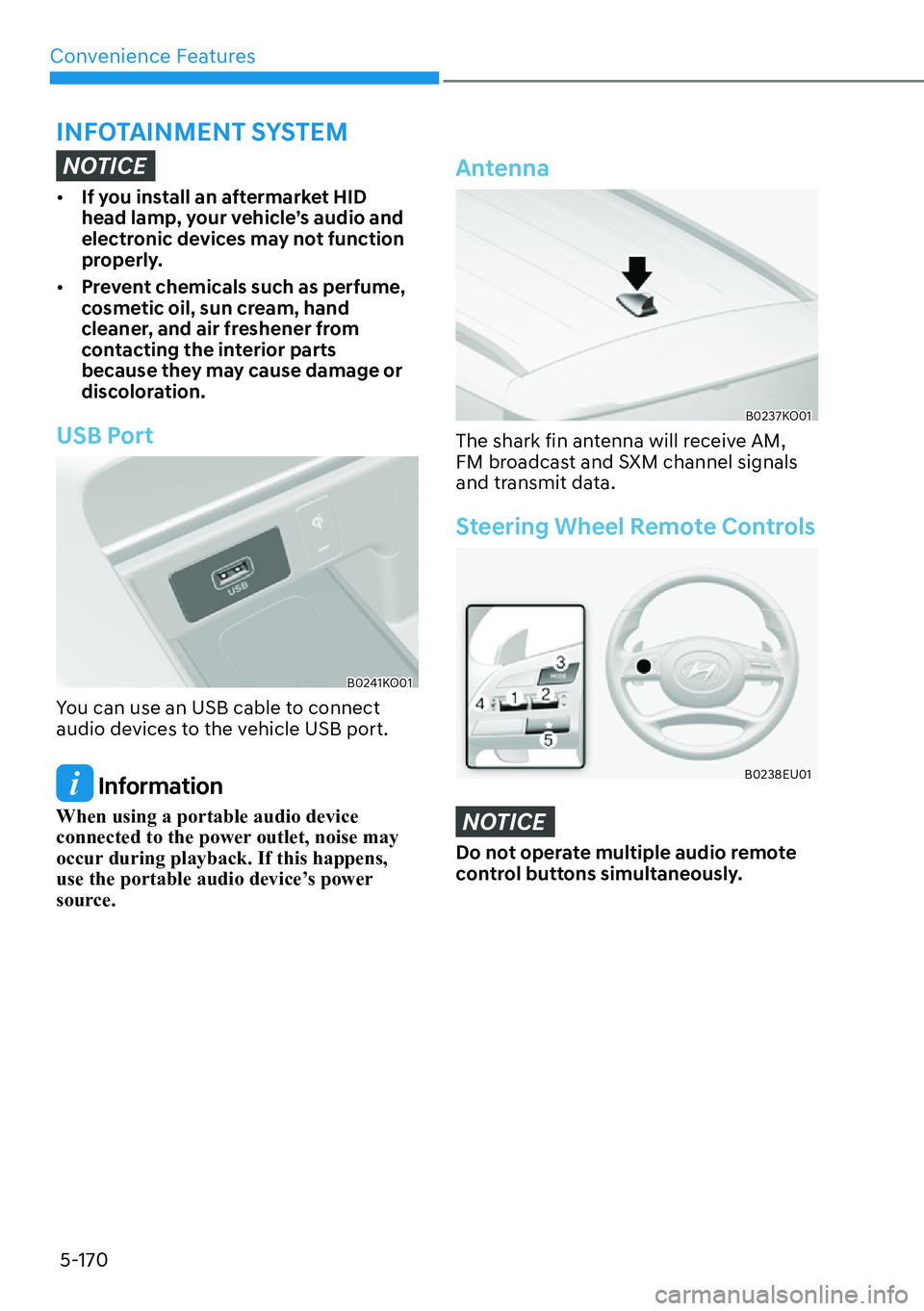
USB Port
B0241KO01
You can use an USB cable to connect
audio devices to the vehicle USB port.
Information
When using a portable audio device
connected to the power outlet, noise may
occur during playback. If this happens,
use the portable audio device’s power
source.
Antenna
B0237KO01
The shark fin antenna will receive AM,
FM broadcast and SXM channel signals
and transmit data.
Steering Wheel Remote Controls
B0238EU01
NOTICE
Do not operate multiple audio remote
control buttons simultaneously.
,1)27$,10(17�6<67(0