Page 320 of 661
05
5-171
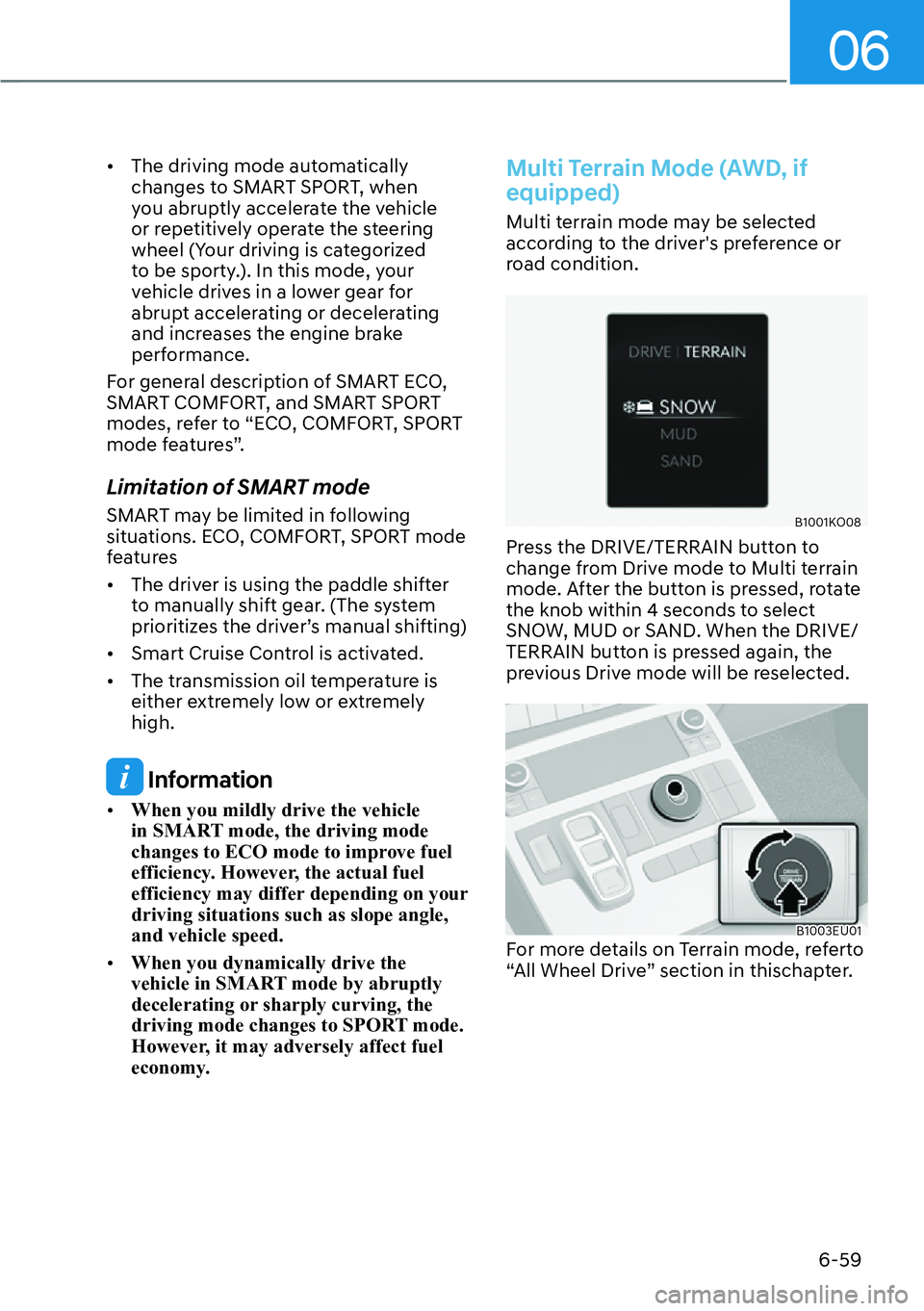
1 VOLUME (VOL + / VOL -)
Push the lever up or down to adjust the
volume.
2 SEEK/PRESET ( / )
If the SEEK/PRESET switch is pressed up
or down and held for 0.8 second or more,
it will function in the following modes:
�[�RADIO mode
It will function as the AUTO SEEK
select butt
on. It will SEEK until you
release the button.
�[� MEDIA mode
It will function as the FF/RW button.
If the SEEK/PRESET s
witch is pressed up
or down, it will function in the following
modes:
�[� RADIO mode
It will function as the PRESET STATION
UP/DOWN butt
on.
�[� MEDIA mode
It will function as the TRACK UP/
DOWN butt
on.
3 MODE
Press the MODE button to toggle
through Radio mode.
4 MUTE ()
�[�Press the MUTE()button to mute or
activate the sound.
5 Custom ()
Press the Custom button to set
frequently used features.
Information
The infotainment system may change after
software updates. For more information,
refer to the user's manual provided in
the infotainment system and the quick
reference guide.
Infotainment System
B0239KO01
For more information, refer to the user's
manual provided in the infotainment
system and the quick reference guide.
Voice Recognition
B0243KO01
For more information, refer to the user's
manual provided in the infotainment
system and the quick reference guide.
Page 375 of 661
Driving Your Vehicle6-54
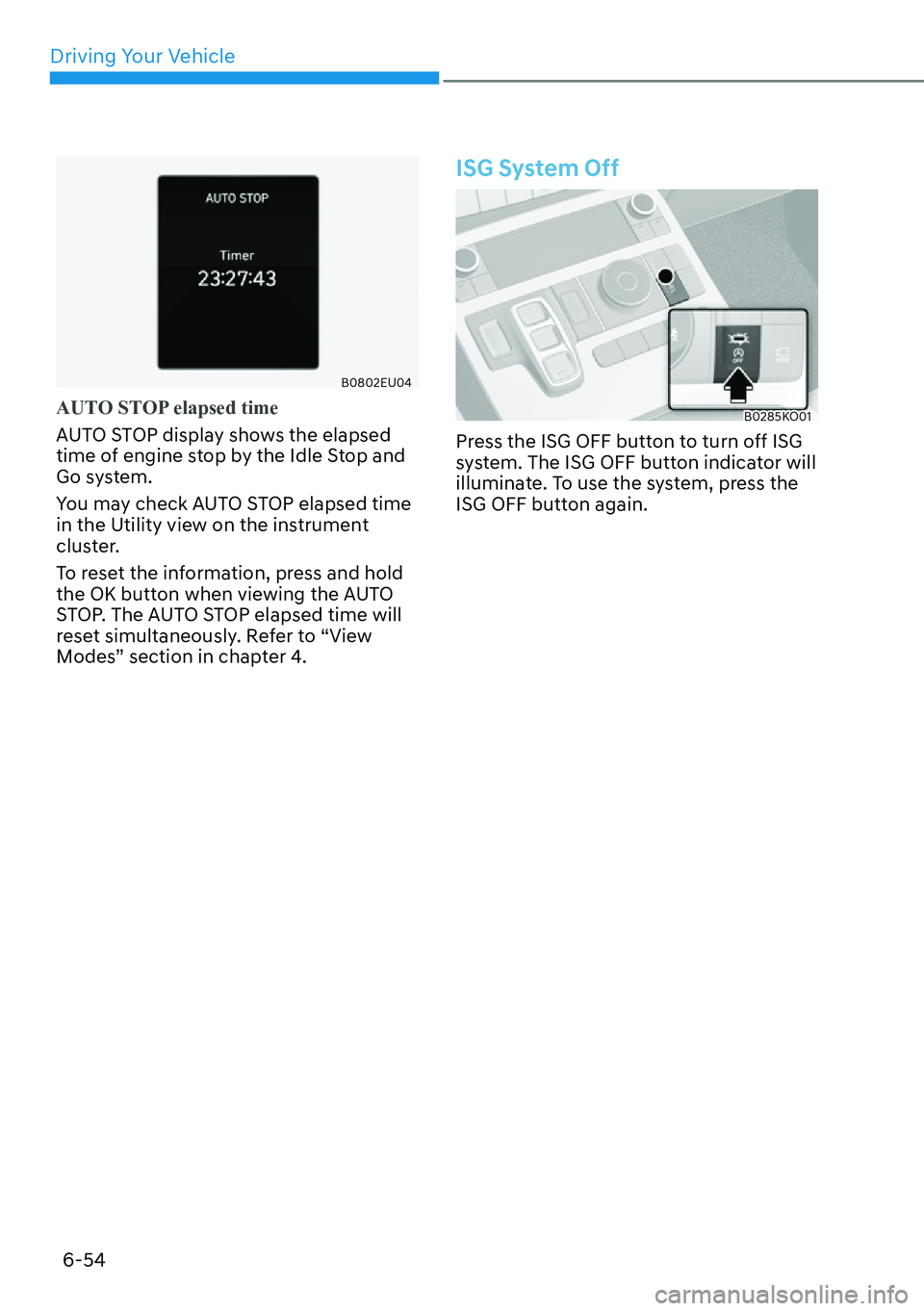
B0802EU04
AUTO STOP elapsed time
AUTO STOP display shows the elapsed
time o
f engine stop by the Idle Stop and
Go system.
You may check AUTO STOP elapsed time
in the Utility view on the instrument
cluster.
To reset the information, press and hold
the OK button when viewing the AUTO
STOP. The AUTO STOP elapsed time will
reset simultaneously. Refer to “View
Modes” section in chapter 4.
ISG System Off
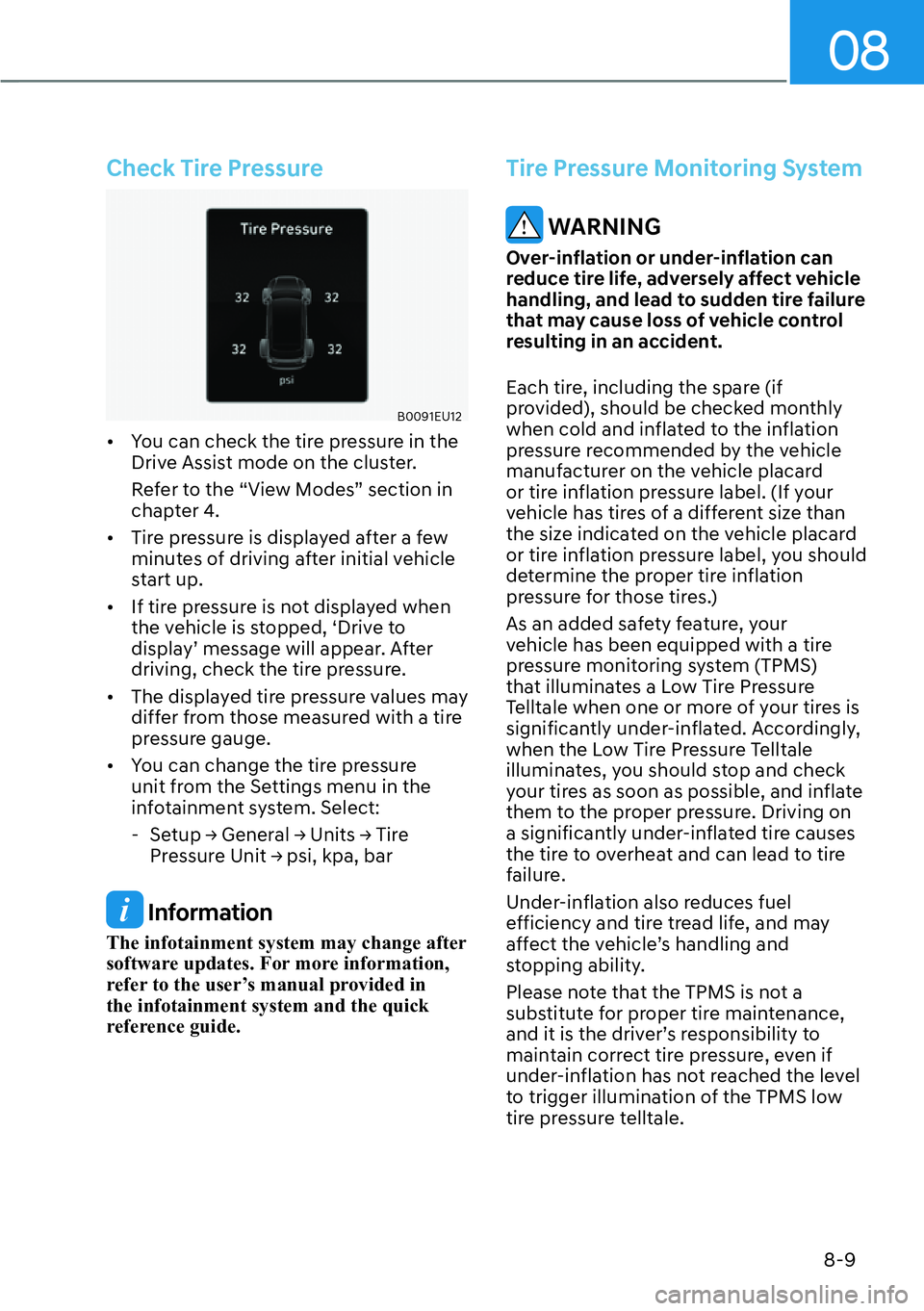
B0285KO01
Press the ISG OFF button to turn off ISG
system. The ISG OFF button indicator will
illuminate. To use the system, press the
ISG OFF button again.
Page 380 of 661
06
6-59
�[�The driving mode automatically
changes to SMART SPORT, when
you abruptly accelerate the vehicle
or repetitively operate the steering
wheel (Your driving is categorized
to be sporty.). In this mode, your
vehicle drives in a lower gear for
abrupt accelerating or decelerating
and increases the engine brake
performance.
For general description of SMART ECO,
SMART COMFORT, and SMART SPORT
modes, refer to “ECO, COMFORT, SPORT
mode features”.
Limitation of SMART mode
SMART may be limited in following
situations. ECO, COMFORT, SPORT mode
features
�[� The driver is using the paddle shifter
to manually shift gear. (The system
prioritizes the driver’s manual shifting)
�[� Smart Cruise Control is activated.
�[� The transmission oil temperature is
either extremely low or extremely
high.
Information
�[�When you mildly drive the vehicle
in SMART mode, the driving mode
changes to ECO mode to improve fuel
efficiency. However, the actual fuel
efficiency may differ depending on your
driving situations such as slope angle,
and vehicle speed.
�[� When you dynamically drive the
vehicle in SMART mode by abruptly
decelerating or sharply curving, the
driving mode changes to SPORT mode.
However, it may adversely affect fuel
economy.
Multi Terrain Mode (AWD, if
equipped)
Multi terrain mode may be selected
according to the driver's preference or
road condition.
B1001KO08
Press the DRIVE/TERRAIN button to
change from Drive mode to Multi terrain
mode. After the button is pressed, rotate
the knob within 4 seconds to select
SNOW, MUD or SAND. When the DRIVE/
TERRAIN button is pressed again, the
previous Drive mode will be reselected.
B1003EU01For more details on Terrain mode, referto
“All Wheel Drive” section in thischapter.
Page 476 of 661
Driver Assistance System7-74
Turning off Smart Cruise Control
B0328KO01
Press the Driving Assist () button to
turn Smart Cruise Control off.
Information
If your vehicle is equipped with Manual Speed
Limit Assist, press and hold the Driving Assist
(
) button to turn off Smart Cruise Control.
However Manual Speed Limit Assist will turn on.
CAUTION
Do not use the switches and buttons
at the same time. Smart Cruise Control
may not operate properly.
Display and Control
Basic function
You can see the status of the Smart
Cruise Con
trol operation in the Driving
Assist view on the cluster. Refer to “View
Modes” section in chapter 4.
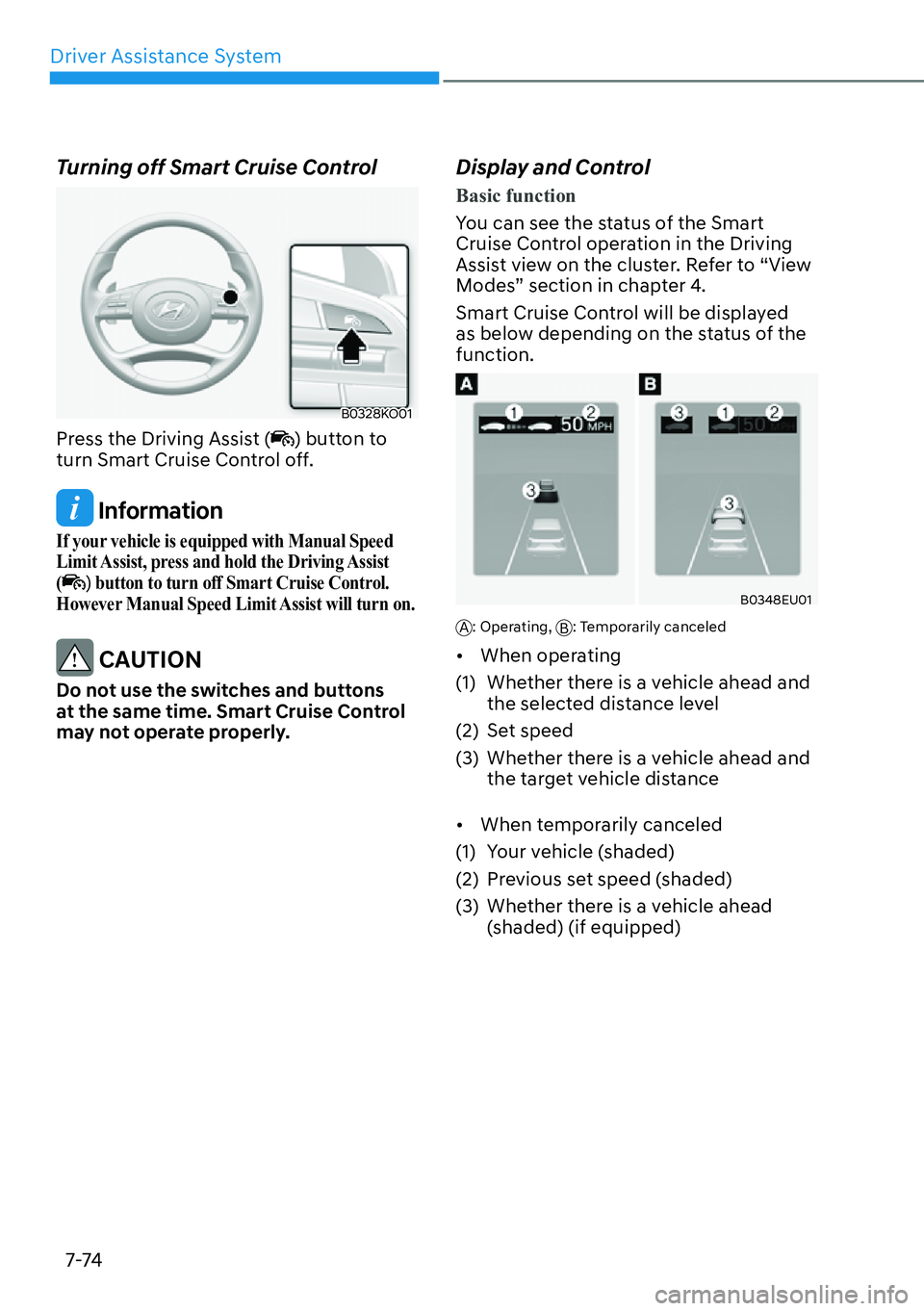
Smart Cruise Control will be displayed
as below depending on the status of the
function.
B0348EU01
A: Operating, B: Temporarily canceled
�[�When operating
(1) Whether there is a vehicle ahead and the selected distance level
(2) Set speed
(3) Whether there is a vehicle ahead and the target vehicle distance
�[� When temporarily canceled
(1) Your vehicle (shaded)
(2) Previous set speed (shaded)
(3) Whether there is a vehicle ahead (shaded) (if equipped)
Page 502 of 661
Driver Assistance System7-100
Highway Driving Assist
Operation
Basic function
Displaying operating status
You can see the status of the Highway
Driving Assis
t operation in the Driving
Assist view on the cluster. Refer to “View
Modes” section in chapter 4.
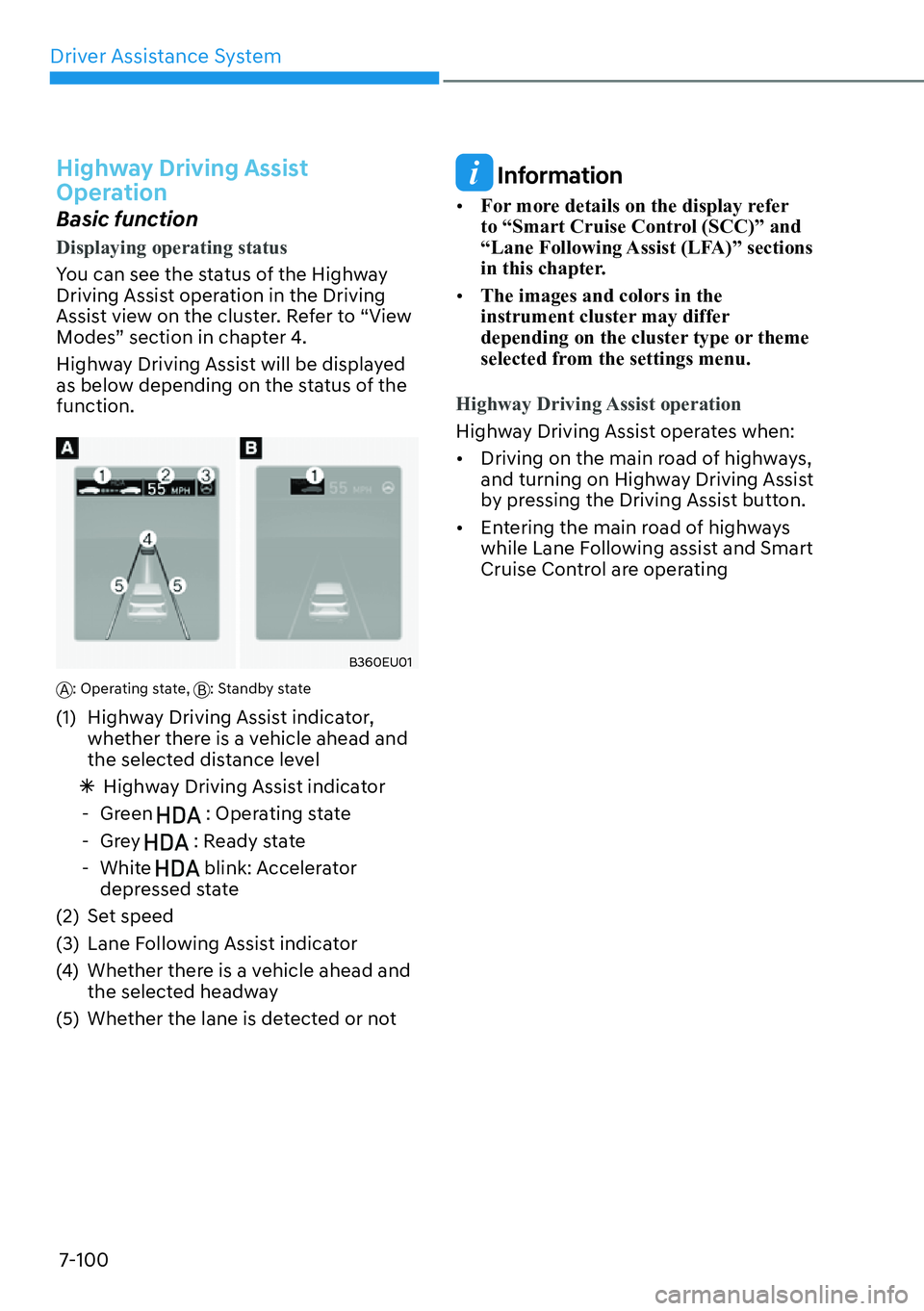
Highway Driving Assist will be displayed
as below depending on the status of the
function.
B360EU01
A: Operating state, B: Standby state
(1) Highway Driving Assist indicator,
whether there is a vehicle ahead and
the selected distance level
à Highway Driving Assist indicator
- Green
: Operating state
-Grey
: Ready state
- White blink: Accelerator
depressed state
(2) Set speed
(3) Lane Following Assist indicator
(4) Whether there is a vehicle ahead and the selected headway
(5) Whether the lane is detected or not
Information
�[� For more details on the display refer
to “Smart Cruise Control (SCC)” and
“Lane Following Assist (LFA)” sections
in this chapter.
�[� The images and colors in the
instrument cluster may differ
depending on the cluster type or theme
selected from the settings menu.
Highway Driving Assist operation
Highway Driving Assist operates when:
�[� Driving on the main r
oad of highways,
and turning on Highway Driving Assist
by pressing the Driving Assist button.
�[� Entering the main road of highways
while Lane Following assist and Smart
Cruise Control are operating
Page 505 of 661
07
7-103
Information
�[�Driving Speed Limit helps you drive
below 40 mph (60 km/h). At this time,
the vehicle decelerates due to the
vehicle ahead. After the vehicle has
decelerated, it cannot automatically
accelerate.
�[� Driving Speed Limit will cancel in the
following circumstances:
- When the driver grabs the steering
wheel again
- When the driver turns on Lane
Following Assist by pressing the Lane
Driving Assist button
- When +, -,
switch or button is
operated,, or the accelerator pedal or
the brake pedal is depressed
Highway Lane Change Assist (if
equipped)
Displaying operating status
You can see the status of the Highway
Lane Change Assis
t function operation in
the Driving Assist view on the cluster. Refer
to “View Modes” section in chapter 4.
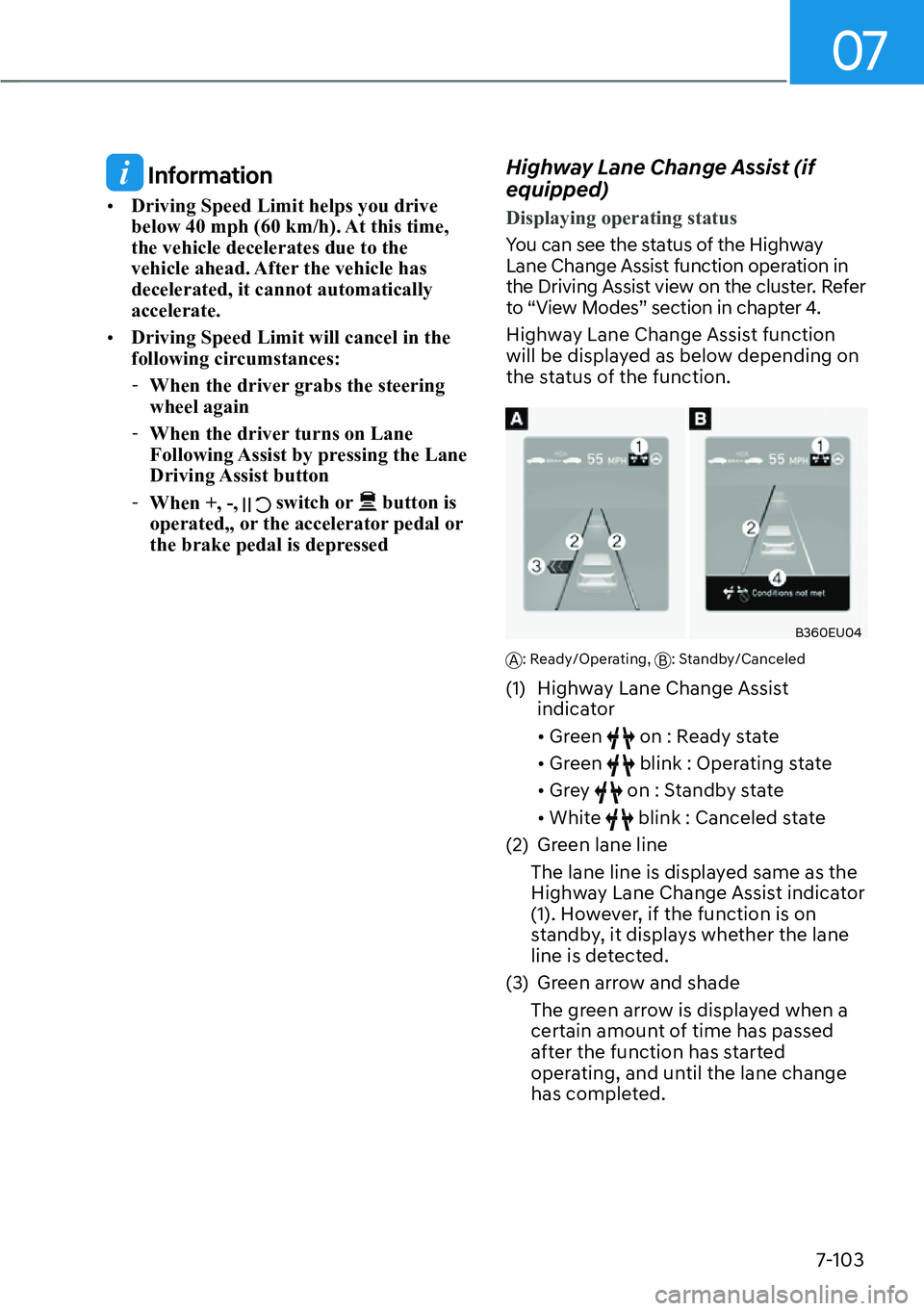
Highway Lane Change Assist function
will be displayed as below depending on
the status of the function.
B360EU04
A: Ready/Operating, B: Standby/Canceled
(1) Highway Lane Change Assist
indicator
�[�Green
on : Ready state
�[� Green
blink : Operating state
�[� Grey
on : Standby state
�[� White
blink : Canceled state
(2) Green lane line
The lane line is displayed same as the
Highway Lane Change Assist indicator
(1). However, if the function is on
standby, it displays whether the lane
line is detected.
(3) Green arrow and shade The green arrow is displayed when a
certain amount of time has passed
after the function has started
operating, and until the lane change
has completed.
Page 571 of 661
08
8-9
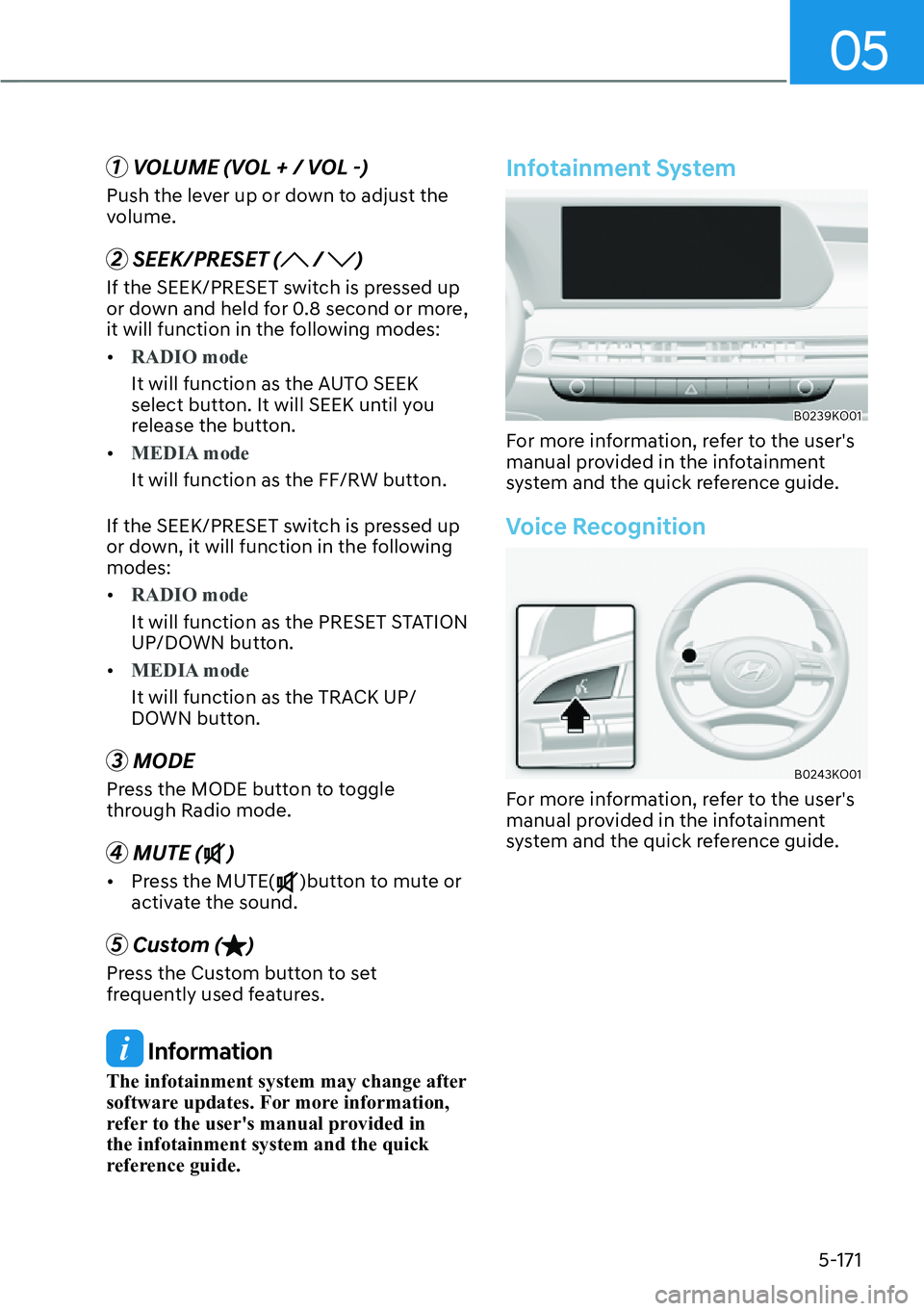
Check Tire Pressure
B0091EU12
�[�You can check the tire pressure in the
Drive Assist mode on the cluster.
Refer to the “View Modes” section in
chapter 4.
�[� Tire pressure is displayed after a few
minutes of driving after initial vehicle
start up.
�[� If tire pressure is not displayed when
the vehicle is stopped, ‘Drive to
display’ message will appear. After
driving, check the tire pressure.
�[� The displayed tire pressure values may
differ from those measured with a tire
pressure gauge.
�[� You can change the tire pressure
unit from the Settings menu in the
infotainment system. Select:
- 6HWXS��