2023 HYUNDAI KONA EV 12V battery
[x] Cancel search: 12V batteryPage 12 of 548
01
1 -7
main ComponenTs oF eleCTriC VeHiCle
Main Components of Electric
Vehicle
• On-Board Charger (OBC) : A device
that charges the high voltage battery
by converting AC power from a
charging station to DC power. Inverter
: A device that transforms direct
current (DC) from the high voltage
battery into alternating current (AC)
to supply power to the electric motor
and transforms AC back into DC when
available to charge the high voltage
battery.
• LDC : An LDC is a Low Voltage DC-to-
DC converter that transforms power
from the high voltage battery to the
low voltage battery (12V) in order
to supply electrical power to the
vehicle to operate the lights, wipers,
multimedia, etc.
• Electric Motor : A device that
converts electrical energy from the
high voltage battery into mechanical
energy which is then transferred as
rotational torque to the wheels in
order to drive the vehicle.
• Reduction gear : Delivers rotational
force of the motor to the tires at
appropriate speeds and torque.
• EV Battery (Lithium-ion) : On board
high voltage storage device with a
capacity up to 64 kWh
à OBC : On-Board Charger
à LDC : Low Voltage DC-DC Converter
WARNING
• Do not intentionally remove
or disassemble high voltage
components and high voltage
battery connectors and wires. Also,
be careful not to damage high
voltage components and the high
voltage battery. It may cause serious
injury and significantly impact the
performance and durability of the
vehicle.
• When inspection and maintenance
is required for high voltage
components and the high voltage
battery, we recommend that you
contact an authorized HYUNDAI
dealer.
High Voltage Battery
(lithium-ion polymer)
• The charge amount of the high
voltage battery may gradually
decrease when the vehicle is not
being driven.
• The battery capacity of the high
voltage battery may decrease when
the vehicle is stored in high/low
temperatures.
• Electric range may vary depending
on the driving conditions, even if the
charge amount is the same. The high
voltage battery may expend more
energy when driving at high speed or
uphill. These actions may reduce the
vehicle electric range.
• The high voltage battery is used when
using the air-conditioner / heater. This
may reduce the vehicle range. Make
sure to set moderate temperatures
when using the air-conditioner/heater.
• Natural degradation may occur with
the high voltage battery depending
on the number of years the vehicle
is used. This may reduce the vehicle
range.
Page 19 of 548
Foreword / Electric Vehicle System Overview
1-14
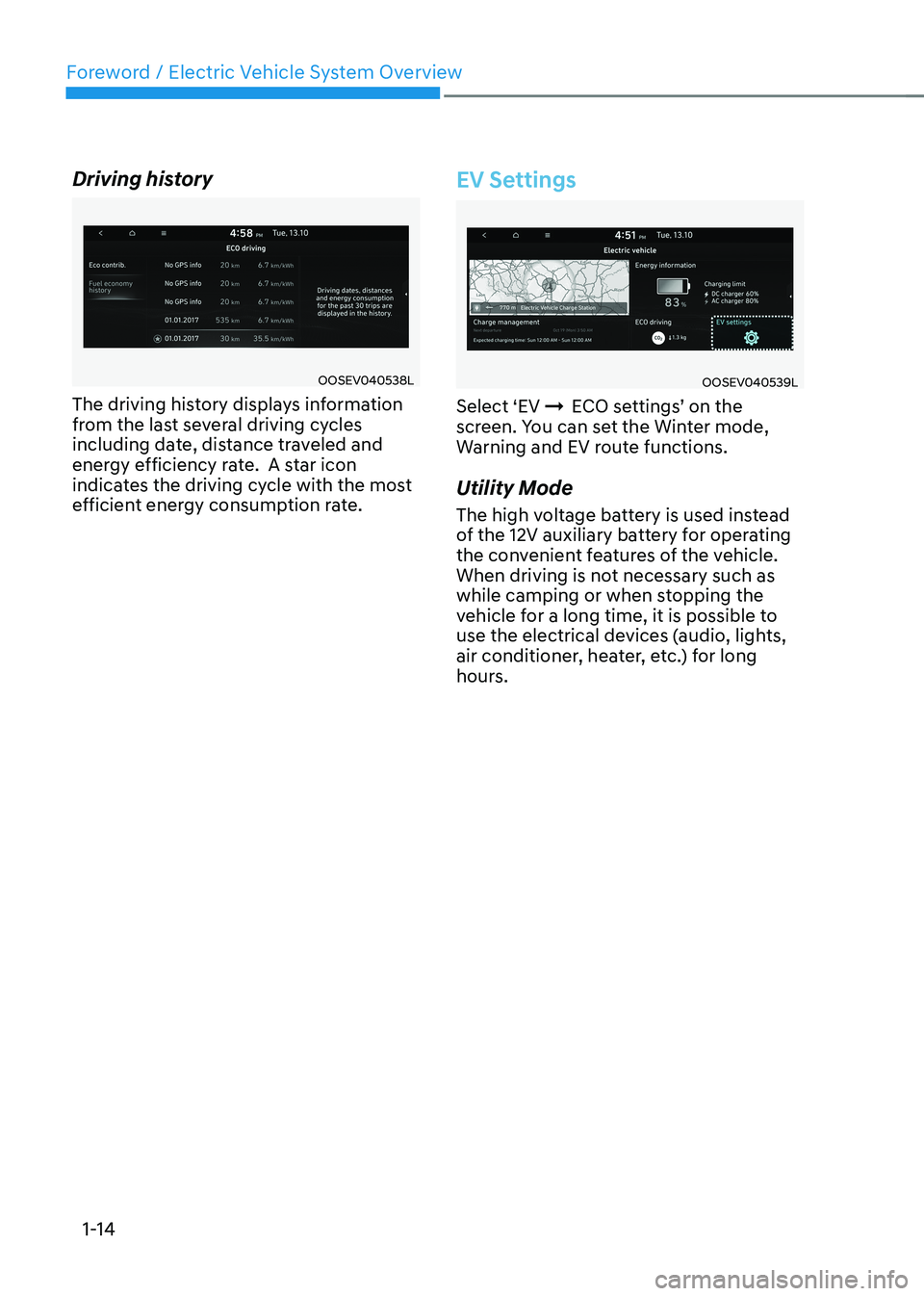
Driving history
OOSEV040538L
The driving history displays information
from the last several driving cycles
including date, distance traveled and
energy efficiency rate. A star icon
indicates the driving cycle with the most
efficient energy consumption rate.
EV Settings
OOSEV040539L
Select ‘EV ÞECO settings’ on the
screen. You can set the Winter mode,
Warning and EV route functions.
Utility Mode
The high voltage battery is used instead
of the 12V auxiliary battery for operating
the convenient features of the vehicle.
When driving is not necessary such as
while camping or when stopping the
vehicle for a long time, it is possible to
use the electrical devices (audio, lights,
air conditioner, heater, etc.) for long
hours.
Page 25 of 548
Foreword / Electric Vehicle System Overview
1-20
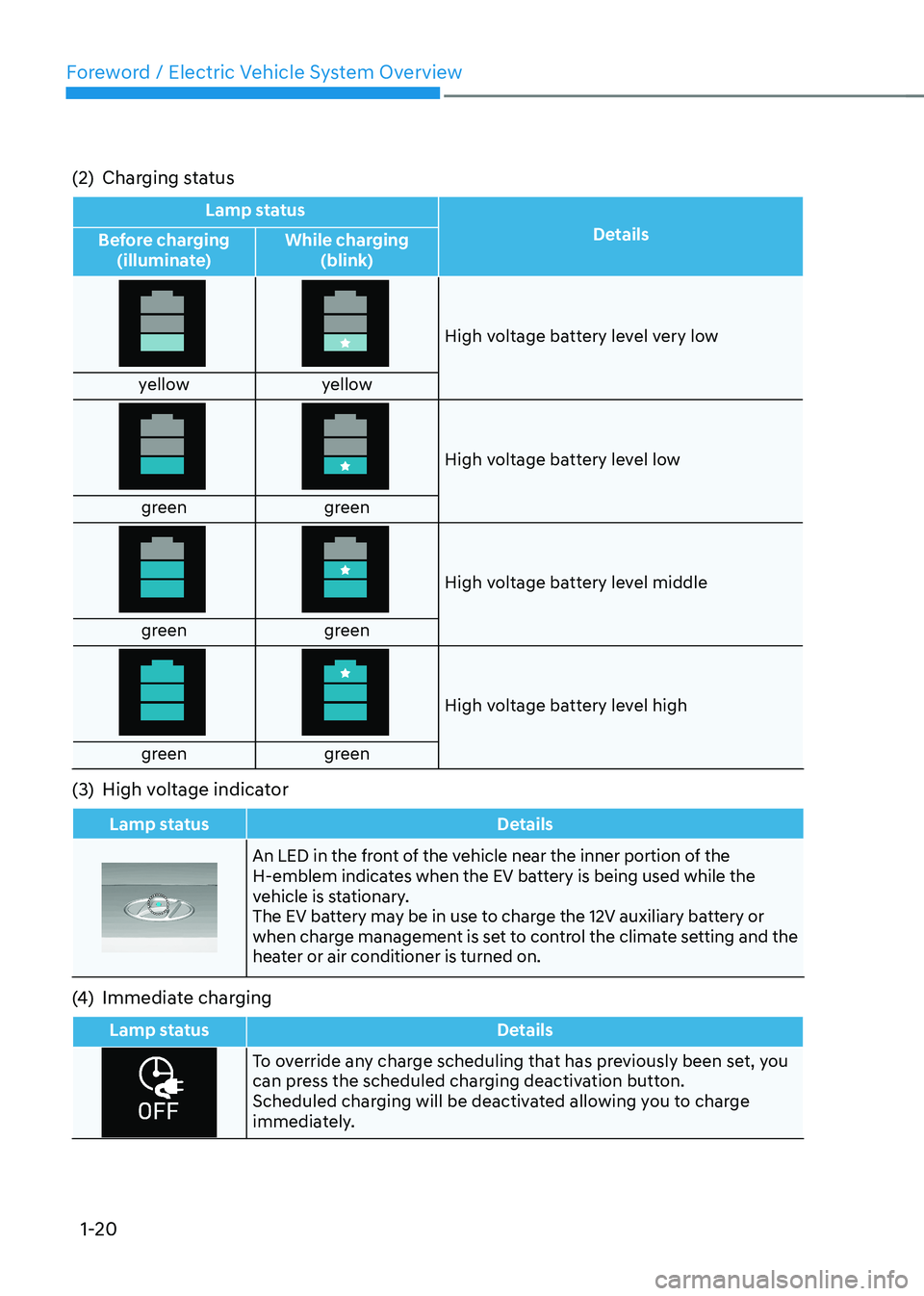
(2) Charging status
Lamp status
Details
Before charging
(illuminate) While charging
(blink)
High voltage battery level very low
yellow yellow
High voltage battery level low
green green
High voltage battery level middle
green green
High voltage battery level high
green green
(3) High voltage indicator
Lamp status Details
An LED in the front of the vehicle near the inner portion of the
H-emblem indicates when the EV battery is being used while the
vehicle is stationary.
The EV battery may be in use to charge the 12V auxiliary battery or
when charge management is set to control the climate setting and the
heater or air conditioner is turned on.
(4) Immediate charging
Lamp status Details
To override any charge scheduling that has previously been set, you
can press the scheduled charging deactivation button.
Scheduled charging will be deactivated allowing you to charge
immediately.
Page 62 of 548
01
1-57
Aux. Battery Saver+
The Aux. Battery Saver+ is a function that
monitors the charging status of the 12 V
auxiliary battery.
If the auxiliary battery level is low, the
main high voltage battery charges the
auxiliary battery.
Information
The Aux. Battery Saver+ function will
be ON when the vehicle is delivered. If the function is not needed, you may turn it off in the Users Settings mode on the
cluster. For more information, refer to the following page.
Mode • Cycle Mode :
When the Start/Stop button is in
the OFF position with all doors,
hood and tailgate closed, the Aux.
Battery Saver+ periodically activates
according to the auxiliary battery
status.
• Automatic Mode :
When the Start/Stop button is in
the ON position with the charging
connector plugged in, the function
activates according to the auxiliary
battery status to prevent over
discharge of the auxiliary battery.
Information
• The Aux. Battery Saver+ activates
for a maximum of 20 minutes. If the Aux Battery Saver+ function activates
for more than 10 times consecutively in automatic mode, the function will
be disabled. (Note: There may be
a problem with the 12V auxiliary
battery.) If the vehicle is driven normally and
12V battery is able to charge normally,
the Aux. Battery Saver+ function will be enabled again.
• The Aux. Battery Saver+ function
cannot prevent battery discharge if the auxiliary battery is damaged, worn out,
used as a power supply or unauthorized
electronic devices are used.
• If the Aux. Battery Saver+ function was activated, the high voltage battery level
may have decreased.
WARNING
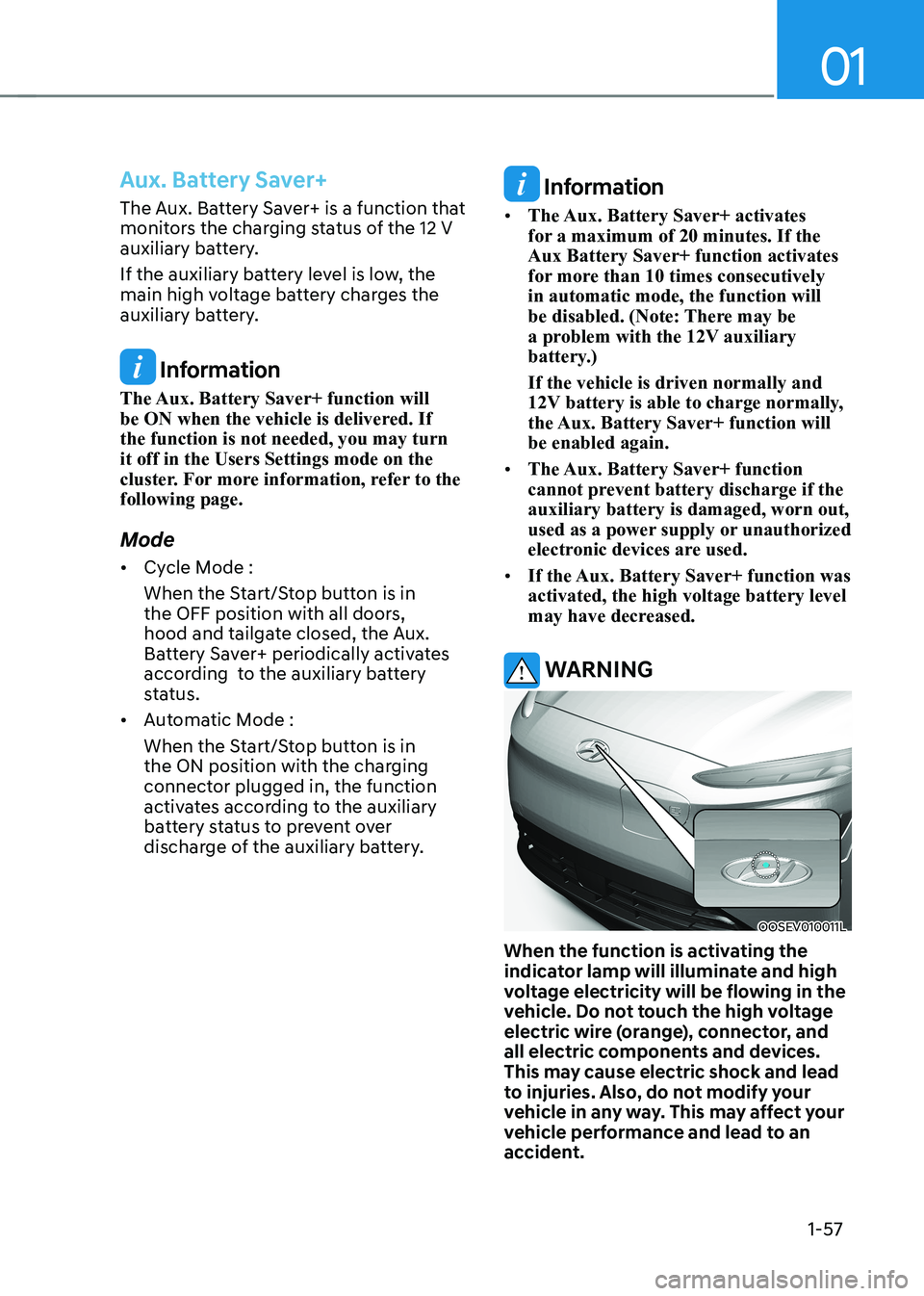
OOSEV010011L
When the function is activating the
indicator lamp will illuminate and high
voltage electricity will be flowing in the
vehicle. Do not touch the high voltage
electric wire (orange), connector, and
all electric components and devices.
This may cause electric shock and lead
to injuries. Also, do not modify your
vehicle in any way. This may affect your
vehicle performance and lead to an
accident.
Page 161 of 548
Instrument cluster
4-18
Check BRAKE SWITCH fuse
This warning message is displayed if the
brake switch fuse is disconnected.
You need to replace the fuse with a new
one before starting the vehicle.
If that is not possible, you can start
the vehicle by pressing the START/
STOP button for 10 seconds in the ACC position.
Shift to P to start vehicle
This warning message is displayed if you
try to start the vehicle without shifting to
the P (Park) position.
Low washer fluid (if equipped)
This warning message is displayed if
the washer fluid level in the reservoir is
nearly empty.
Have the washer fluid reservoir refilled.
12V battery discharging due to
additional electrical devices
This warning message is displayed if the
12V battery discharge is detected due to
use of unauthorized electrical/electronic
devices. Some vehicle functions will not
be able to use and the 12V battery may
discharge. If the message continues
to appear even though the external
electrical/electronic device is removed,
we recommend that the vehicle be
inspected by an authorized HYUNDAI
dealer.
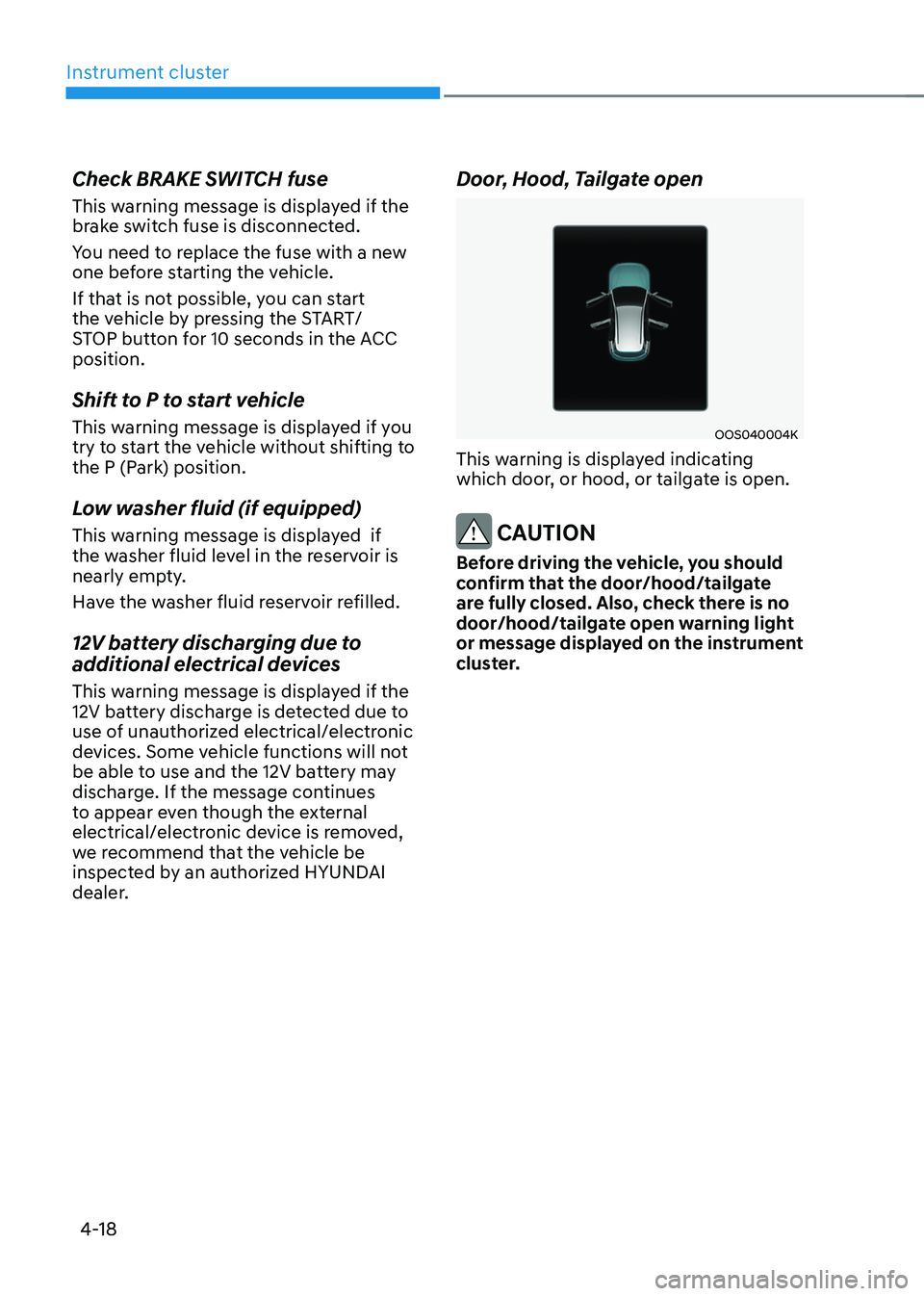
Door, Hood, Tailgate open
OOS040004K
This warning is displayed indicating
which door, or hood, or tailgate is open.
CAUTION
Before driving the vehicle, you should
confirm that the door/hood/tailgate
are fully closed. Also, check there is no
door/hood/tailgate open warning light
or message displayed on the instrument
cluster.
Page 270 of 548
Convenient features
5-86
NOTICE
To prevent damage to the Power
Outlets : • Use the power outlet only when the
vehicle is in the ready (
) mode
and remove the accessory plug after
use. Using the accessory plug for
prolonged periods of time with the
vehicle off could cause the battery to
discharge.
• Only use 12V electric accessories
which are less than 180 W(Watt) in
electric capacity.
• Adjust the air-conditioner or heater
to the lowest operating level when
using the power outlet.
• Close the cover when not in use.
• Some electronic devices can
cause electronic interference
when plugged into a vehicle’s
power outlet. These devices may
cause excessive audio static and
malfunctions in other electronic
systems or devices used in your
vehicle.
• Push the plug in as far as it will go. If
good contact is not made, the plug
may overheat and the fuse may open.
• Plug in battery equipped electrical/
electronic devices with reverse
current protection. The current
from the battery may flow into the
vehicle’s electrical/electronic system
and cause system malfunction.
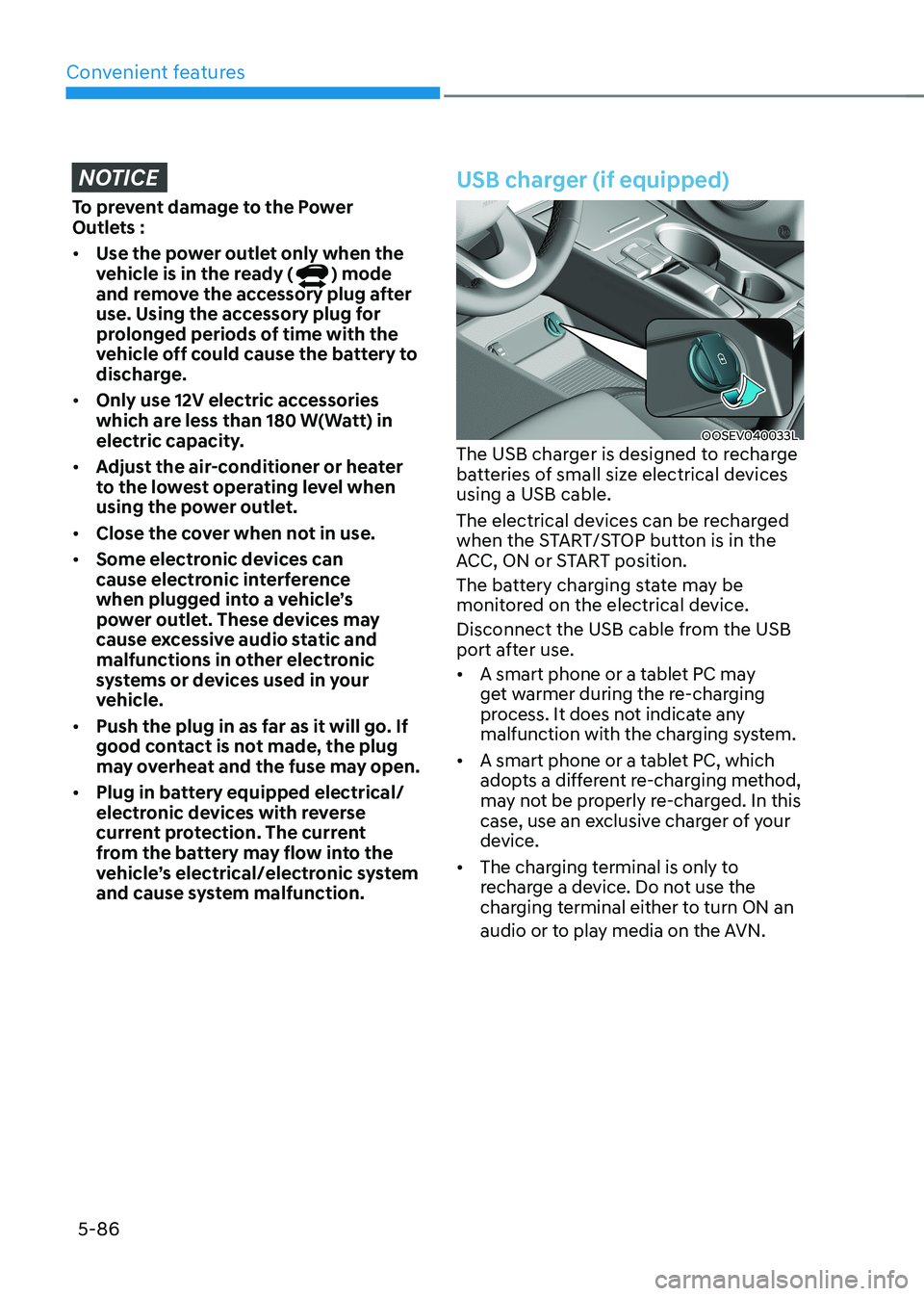
USB charger (if equipped)
OOSEV040033L
The USB charger is designed to recharge
batteries of small size electrical devices using a USB cable.
The electrical devices can be recharged
when the START/STOP button is in the
ACC, ON or START position.
The battery charging state may be
monitored on the electrical device.
Disconnect the USB cable from the USB
port after use. • A smart phone or a tablet PC may
get warmer during the re-charging
process. It does not indicate any
malfunction with the charging system.
• A smart phone or a tablet PC, which
adopts a different re-charging method,
may not be properly re-charged. In this
case, use an exclusive charger of your
device.
• The charging terminal is only to
recharge a device. Do not use the
charging terminal either to turn ON an
audio or to play media on the AVN.
Page 456 of 548
8
Hazard warning flasher.....................................................................................8-2
In case of an emergency while driving ............................................................8-2
If the vehicle stalls while driving ................................................................................. 8-2
If the vehicle stalls at a crossroad or crossing ...........................................................8-2
If you have a flat tire while driving ............................................................................. 8-3
If the vehicle will not start ................................................................................ 8-3
Confirm the EV battery is not low on the charge gauge ...........................................8-3
Jump Starting (12V Battery) ............................................................................. 8-4
Tire Pressure Monitoring System (TPMS) ........................................................8-6
Check tire pressure ..................................................................................................... 8-6
Tire pressure monitoring system ................................................................................. 8 -7
Low tire pressure telltale ............................................................................................ 8-8
Low tire pressure position telltale and tire pressure telltale ....................................8-8
TPMS (Tire Pressure Monitoring System) malfunction indicator .............................8-9
Changing a tire with TPMS ......................................................................................... 8-9
If you have a flat tire (with Tire Mobility Kit) ...................................................8-11
Introduction ................................................................................................................. 8-11
Components of the Tire Mobility Kit ......................................................................... 8-12
Using the Tire Mobility Kit When a tire is flat ...........................................................8-13
How to adjust tire pressure ....................................................................................... 8-16
Notes on the safe use of the Tire Mobility Kit ...........................................................8-17
Towing .............................................................................................................. 8-18
Towing service ............................................................................................................ 8-18
Removable towing hook ........................................................................................... 8-19
Emergency towing .................................................................................................... 8-20
8. Emergency situations
Page 458 of 548
08
8-3
If you have a flat tire while driving
If a tire goes flat while you are driving: • Take your foot off the accelerator
pedal and let the vehicle slow down
while driving straight ahead. Do not
apply the brakes immediately or
attempt to pull off the road as this
may cause loss of vehicle control
resulting in an accident. When the
vehicle has slowed to such a speed
that it is safe to do so, brake carefully
and pull off the road. Drive off the
road as far as possible and park on
firm, level ground. If you are on a
divided highway, do not park in the
median area between the two traffic lanes.
• When the vehicle is stopped, press the
hazard warning flasher button, shift to
P (Park), apply the parking brake, and
place the START/STOP button in the OFF position.
• Have all passengers get out of the
vehicle. Be sure they all get out on the
side of the vehicle that is away from
traffic.
• When changing a flat tire, follow the
instructions provided later in this
chapter.
if tHe veHicle will not
s ta rt
Confirm the EV battery is not low
on the charge gauge
• Be sure the gear is in P (Park). The
vehicle starts only when the gear is in
P (Park).
• Check the 12-volt battery connections
to be sure they are clean and tight.
• Turn on the interior light. If the light
dims or goes out when you operate
the starter, the 12V battery is drained.
Do not push or pull the vehicle to start it.
This could cause damage to your vehicle.
See instructions for “Jump Starting”
provided in this chapter.