Page 366 of 533
5-101
Driving your vehicle
5
Information
• During normal cruise control opera-
tion, when the SET switch is activat-
ed or reactivated after applying the
brakes, the cruise control will acti-
vate after approximately 3 seconds.
This delay is normal.
• Before activating the cruise control
function, the system will check to
verify that the brake switch is oper-
ating normally. Depress the brake
pedal at least once after turning ON
the ignition or starting the vehicle.
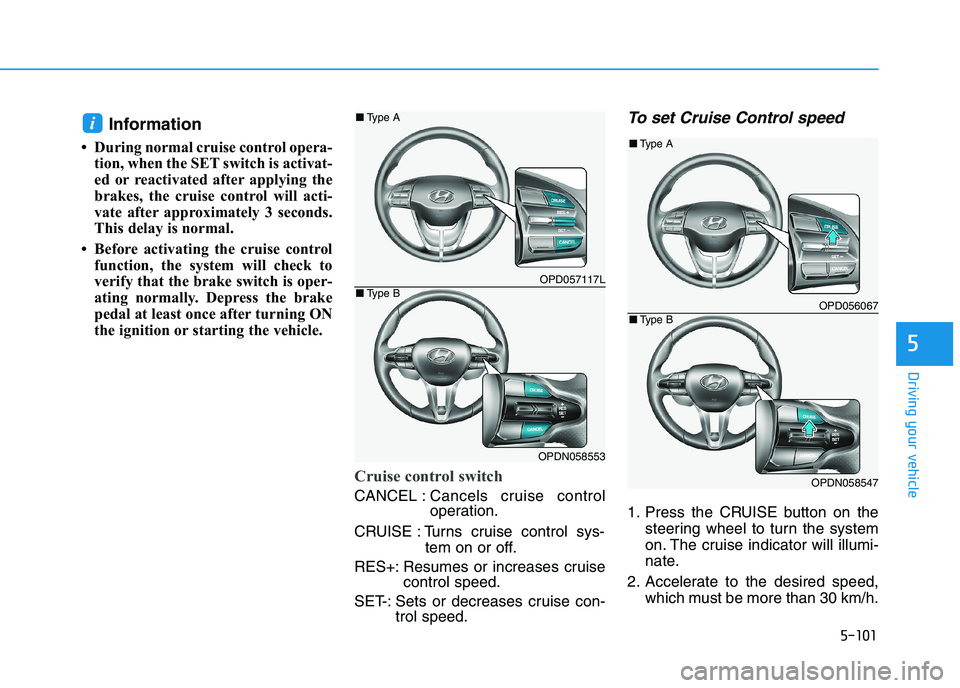
Cruise control switch
CANCEL :Cancels cruise control
operation.
CRUISE : Turns cruise control sys-
tem on or off.
RES+: Resumes or increases cruise
control speed.
SET-: Sets or decreases cruise con-
trol speed.
To set Cruise Control speed
1. Press the CRUISE button on the
steering wheel to turn the system
on. The cruise indicator will illumi-
nate.
2. Accelerate to the desired speed,
which must be more than 30 km/h.
i
OPD057117L
OPDN058553
■Type A
■Type BOPD056067
OPDN058547
■Type A
■Type B
Page 369 of 533
5-104
Driving your vehicle
To temporarily accelerate with
the Cruise Control ON
Depress the accelerator pedal. When
you take your foot off the accelerator,
the vehicle will return to the previ-
ously set speed.
If you push the toggle switch down
(SET-) at the increased speed, the
Cruise Control will maintain the
increased speed.
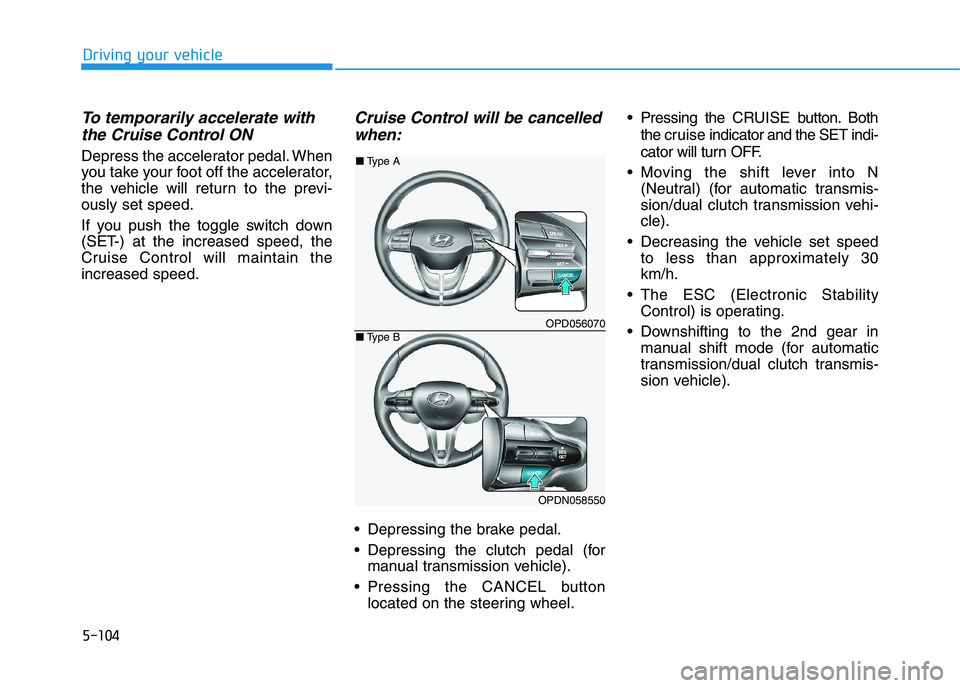
Cruise Control will be cancelled
when:
Depressing the brake pedal.
Depressing the clutch pedal (for
manual transmission vehicle).
Pressing the CANCEL button
located on the steering wheel. Pressing the CRUISE button.Both
the cruiseindicator and the SET indi-
cator will turn OFF.
Moving the shift lever into N
(Neutral) (for automatic transmis-
sion/dual clutch transmission vehi-
cle).
Decreasing the vehicle set speed
to less than approximately 30
km/h.
The ESC (Electronic Stability
Control) is operating.
Downshifting to the 2nd gear in
manual shift mode (for automatic
transmission/dual clutch transmis-
sion vehicle).
OPD056070
OPDN058550
■Type A
■Type B
Page 370 of 533
5-105
Driving your vehicle
5
Information
Each of the above actions will cancel
Cruise Control operation (the SET
indicator light in the instrument clus-
ter will go off), but only pressing the
CRUISE button will turn the system
off. If you wish to resume Cruise
Control operation, push the toggle
switch up (RES+) located on your
steering wheel. You will return to your
previously preset speed, unless the
system was turned off using the
CRUISE button.
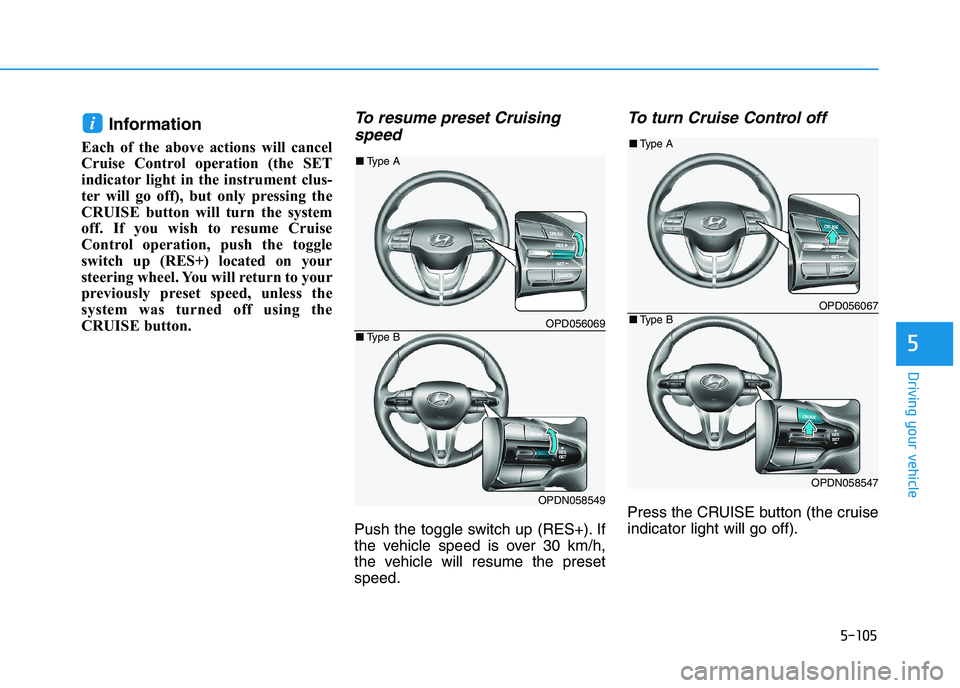
To resume preset Cruising
speed
Push the toggle switch up (RES+). If
the vehicle speed is over 30 km/h,
the vehicle will resume the preset
speed.
To turn Cruise Control off
Press the CRUISE button (the cruise
indicator light will go off).
i
OPD056069
OPDN058549
■Type A
■Type B
OPD056067
OPDN058547
■Type A
■Type B
Page 372 of 533
5-107
Driving your vehicle
5
Smart Cruise Control Speed
To set Smart Cruise Control
speed
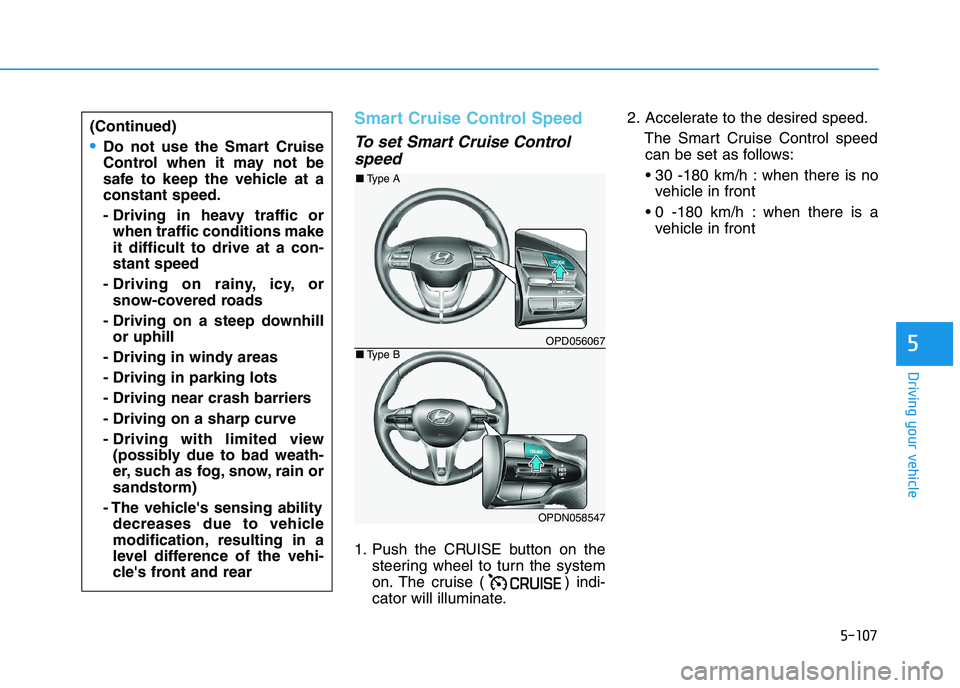
1. Push the CRUISE button on the
steering wheel to turn the system
on. The cruise ( ) indi-
cator will illuminate.2. Accelerate to the desired speed.
The Smart Cruise Control speed
can be set as follows:
when there is no
vehicle in front
when there is a
vehicle in front
(Continued)
Do not use the Smart Cruise
Control when it may not be
safe to keep the vehicle at a
constant speed.
- Driving in heavy traffic or
when traffic conditions make
it difficult to drive at a con-
stant speed
- Driving on rainy, icy, or
snow-covered roads
- Driving on a steep downhill
or uphill
- Driving in windy areas
- Driving in parking lots
- Driving near crash barriers
- Driving on a sharp curve
- Driving with limited view
(possibly due to bad weath-
er, such as fog, snow, rain or
sandstorm)
- The vehicle's sensing ability
decreases due to vehicle
modification, resulting in a
level difference of the vehi-
cle's front and rear
OPD056067
OPDN058547
■Type A
■Type B
Page 375 of 533

5-110
Driving your vehicle
Smart Cruise Control set speed
will be temporarily cancelled
when:
Cancelled manually
Depressing the brake pedal.
Pressing the CANCEL button
located on the steering wheel.The Smart Cruise Control turns off
temporarily when the Set Speed and
Vehicle-to-Vehicle Distance indicator
on the LCD display turns off.
The cruise ( ) indicator is
illuminated continuously.
Cancelled automatically
The driver's door is opened.
The vehicle is shifted to N (Neutral),
R (Reverse) or P (Park).
The EPB (Electronic Parking Brake)
is applied.
The vehicle speed is over 190 km/h.
The vehicle stops on a steep incline.
The ESC (Electronic Stability
Control), TCS (Traction Control
System) or ABS is operating.
The ESC is turned off. The sensor or the cover is dirty or
blocked with foreign matter.
The vehicle is stopped for a certain
period of time.
The vehicle stops and goes repeat-
edly for a long period of time.
The accelerator pedal is continuous-
ly depressed for a long period of
time.
The engine performance is abnor-
mal.
The driver starts driving by pushing
the toggle switch up (RES+)/down
(SET-) or depressing the accelera-
tor pedal, after the vehicle is
stopped by the Smart Cruise
Control System with no other vehi-
cle ahead.
The driver starts driving by pushing
the toggle switch up (RES+)/down
(SET-) or depressing the accelera-
tor pedal, after stopping the vehicle
with a vehicle stopped far away in
front.
OPD056070
OPDN058550
■Type A
■Type B
Page 379 of 533
5-114
Driving your vehicle
(Continued)
Even if the warning chime is
not activated, always pay
attention to the driving condi-
tions to prevent dangerous
situations from occurring.
Playing the vehicle audio sys-
tem at high volume may offset
the system warning sounds.
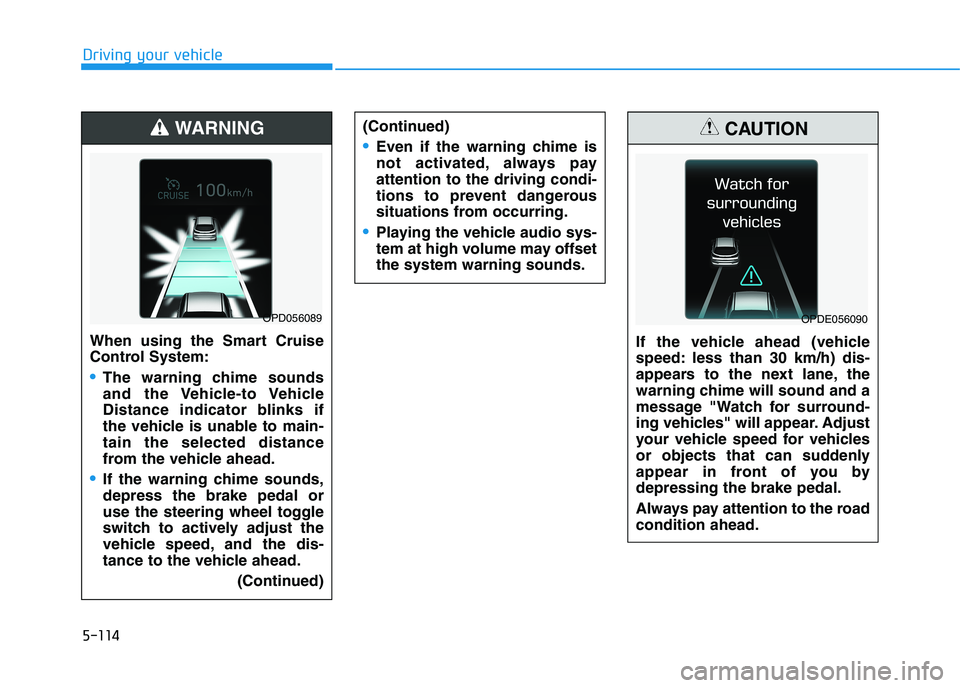
If the vehicle ahead (vehicle
speed: less than 30 km/h) dis-
appears to the next lane, the
warning chime will sound and a
message "Watch for surround-
ing vehicles" will appear. Adjust
your vehicle speed for vehicles
or objects that can suddenly
appear in front of you by
depressing the brake pedal.
Always pay attention to the road
condition ahead.
CAUTION
OPDE056090
When using the Smart Cruise
Control System:
The warning chime sounds
and the Vehicle-to Vehicle
Distance indicator blinks if
the vehicle is unable to main-
tain the selected distance
from the vehicle ahead.
If the warning chime sounds,
depress the brake pedal or
use the steering wheel toggle
switch to actively adjust the
vehicle speed, and the dis-
tance to the vehicle ahead.
(Continued)
WARNING
OPD056089
Page 382 of 533
5-117
Driving your vehicle
5
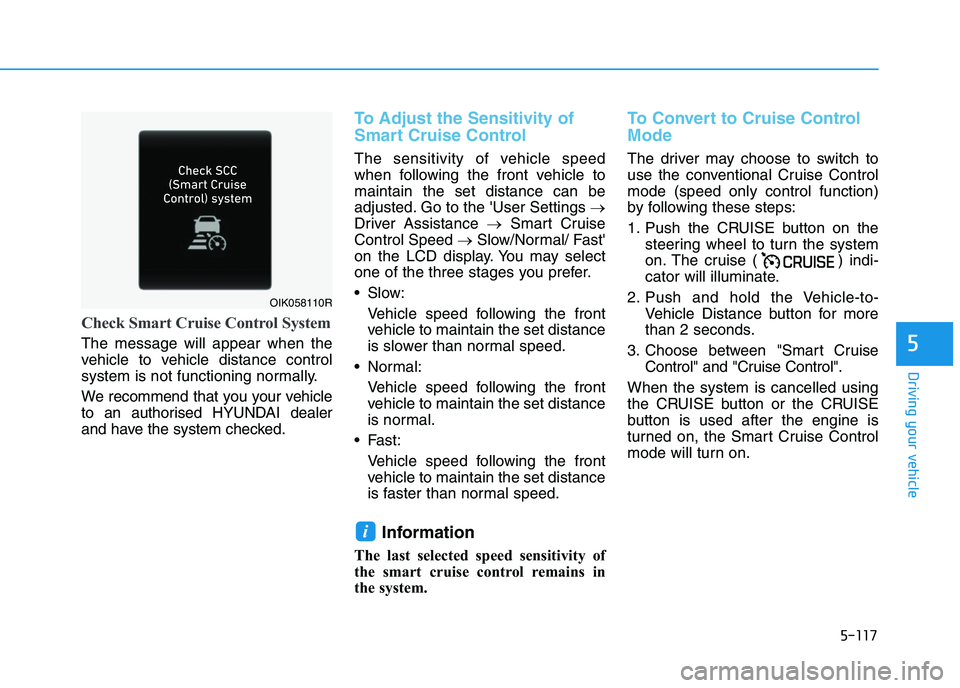
Check Smart Cruise Control System
The message will appear when the
vehicle to vehicle distance control
system is not functioning normally.
We recommend that you your vehicle
to an authorised HYUNDAI dealer
and have the system checked.
To Adjust the Sensitivity of
Smart Cruise Control
The sensitivity of vehicle speed
when following the front vehicle to
maintain the set distance can be
adjusted. Go to the 'User Settings →
Driver Assistance →Smart Cruise
Control Speed →Slow/Normal/ Fast'
on the LCD display. You may select
one of the three stages you prefer.
Slow:
Vehicle speed following the front
vehicle to maintain the set distance
is slower than normal speed.
Normal:
Vehicle speed following the front
vehicle to maintain the set distance
is normal.
Fast:
Vehicle speed following the front
vehicle to maintain the set distance
is faster than normal speed.
Information
The last selected speed sensitivity of
the smart cruise control remains in
the system.
To Convert to Cruise Control
Mode
The driver may choose to switch to
use the conventional Cruise Control
mode (speed only control function)
by following these steps:
1. Push the CRUISE button on the
steering wheel to turn the system
on. The cruise ( ) indi-
cator will illuminate.
2. Push and hold the Vehicle-to-
Vehicle Distance button for more
than 2 seconds.
3. Choose between "Smart Cruise
Control" and "Cruise Control".
When the system is cancelled using
the CRUISE button or the CRUISE
button is used after the engine is
turned on, the Smart Cruise Control
mode will turn on.
i
OIK058110R
Page 385 of 533
5-120
Driving your vehicle
Detecting vehicles
Some vehicles in your lane cannot
be recognised by the sensor:
- Narrow vehicles such as motorcy-
cles or bicycles
- Vehicles offset to one side
- Slow-moving vehicles or sudden-
decelerating vehicles
- Stopped vehicles
- Vehicles with small rear profile
such as trailers with no loadsA vehicle ahead cannot be recog-
nised correctly by the sensor if any of
following occurs:
- When the vehicle is pointing
upwards due to overloading in the
luggage compartment
- Whilst the steering wheel is operat-
ing
- When driving to one side of the
lane
- When driving on narrow lanes or
on curves
Apply the brake or accelerator pedal
if necessary. Your vehicle may accelerate when
a vehicle ahead of you disappears.
When you are warned that the
vehicle ahead of you is not detect-
ed, drive with caution.
OAE056108/H
OAE056104/H