Page 235 of 814
uuOperating the Switches Around the Steering Wheel uDriving Position Memory System*
234
Controls
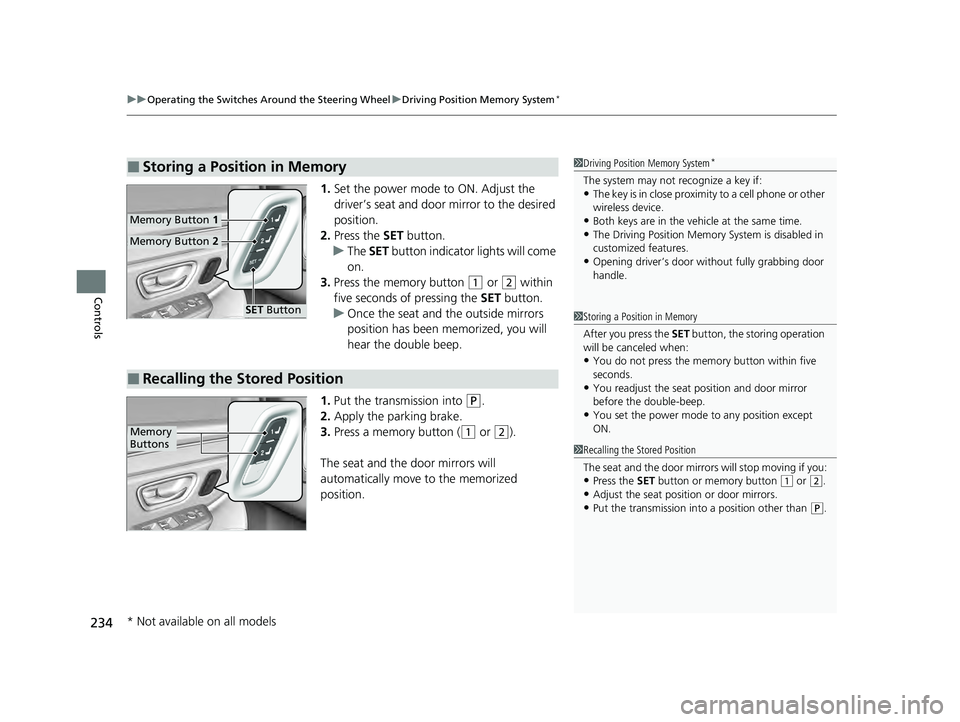
1. Set the power mode to ON. Adjust the
driver’s seat and door mirror to the desired
position.
2. Press the SET button.
u The SET button indicator lights will come
on.
3. Press the memory button
(1 or (2 within
five seconds of pressing the SET button.
u Once the seat and the outside mirrors
position has been memorized, you will
hear the double beep.
1. Put the transmission into
(P.
2. Apply the parking brake.
3. Press a memory button (
(1 or (2).
The seat and the door mirrors will
automatically move to the memorized
position.
■Storing a Position in Memory1 Driving Position Memory System*
The system may not recognize a key if:•The key is in close proximity to a cell phone or other
wireless device.
•Both keys are in the vehicle at the same time.•The Driving Position Memory System is disabled in
customized features.
•Opening driver’s door wi thout fully grabbing door
handle.
Memory Button 1
Memory Button 2
SET Button
■Recalling the Stored Position
1Storing a Position in Memory
After you press the SET button, the storing operation
will be canceled when:
•You do not press the memory button within five
seconds.
•You readjust the seat position and door mirror
before the double-beep.
•You set the power mode to any position except
ON.
1Recalling the Stored Position
The seat and the door mirrors will stop moving if you:
•Press the SET button or memory button (1 or (2.
•Adjust the seat position or door mirrors.•Put the transmission into a position other than (P.
Memory
Buttons
* Not available on all models
23 PILOT-31T906000_03.book 234 ページ 2022年10月31日 月曜日 午前10時26分
Page 237 of 814

236
Controls
Mirrors
Interior Rearview Mirror
Adjust the angle of the rearview mirror when you are sitting in the correct driving
position.
Flip the tab to switch the position.
The night position will help reduce the glare
from headlights behind you when driving
after dark.
When you are driving after dark, the
automatic dimming rearview mirror and
power door mirror
* reduces the glare from
headlights behind you. Press the AUTO button
to turn this function on and off. When
activated, the AUTO indicator comes on.
■Rearview Mirror with Day and Night Positions*
1 Mirrors
Keep the inside and out side mirrors clean and
adjusted for best visibility.
Adjust the mirrors before you start driving. 2 Front Seats P. 239
Tab
Daytime
Position Night
Position
■Automatic Dimming Rearview Mirror* and Power Door Mirrors*1Automatic Dimming Rearview Mirror* and Power Door Mirrors*
The auto dimming function cancels when the
transmission is in (R.
Sensor
Auto Button
* Not available on all models
23 PILOT-31T906000_03.book 236 ページ 2022年10月31日 月曜日 午前10時26分
Page 261 of 814
260
Controls
Interior Convenience Items
Interior Lights
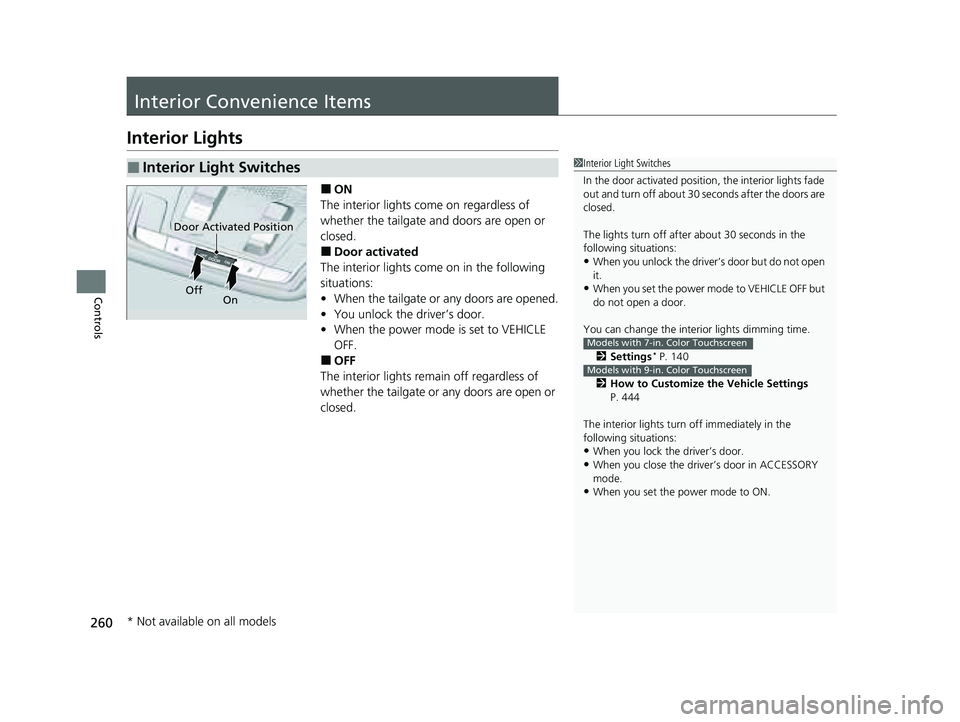
■ON
The interior lights come on regardless of
whether the tailgate and doors are open or
closed.
■Door activated
The interior lights come on in the following
situations:
• When the tailgate or any doors are opened.
• You unlock the driver’s door.
• When the power mode is set to VEHICLE
OFF.
■OFF
The interior lights remain off regardless of
whether the tailgate or any doors are open or
closed.
■Interior Light Switches1 Interior Light Switches
In the door activated position, the interior lights fade
out and turn off about 30 seconds after the doors are
closed.
The lights turn off afte r about 30 seconds in the
following situations:
•When you unlock the driver’s door but do not open
it.
•When you set the power mode to VEHICLE OFF but
do not open a door.
You can change the interi or lights dimming time.
2 Settings
* P. 140
2 How to Customize the Vehicle Settings
P. 444
The interior lights turn off immediately in the
following situations:
•When you lock the driver’s door.
•When you close the driver’s door in ACCESSORY
mode.
•When you set the power mode to ON.
Models with 7-in. Color Touchscreen
Models with 9-in. Color Touchscreen
Door Activated Position
Off On
* Not available on all models
23 PILOT-31T906000_03.book 260 ページ 2022年10月31日 月曜日 午前10時26分
Page 262 of 814
Continued261
uuInterior Convenience Items uInterior Lights
Controls
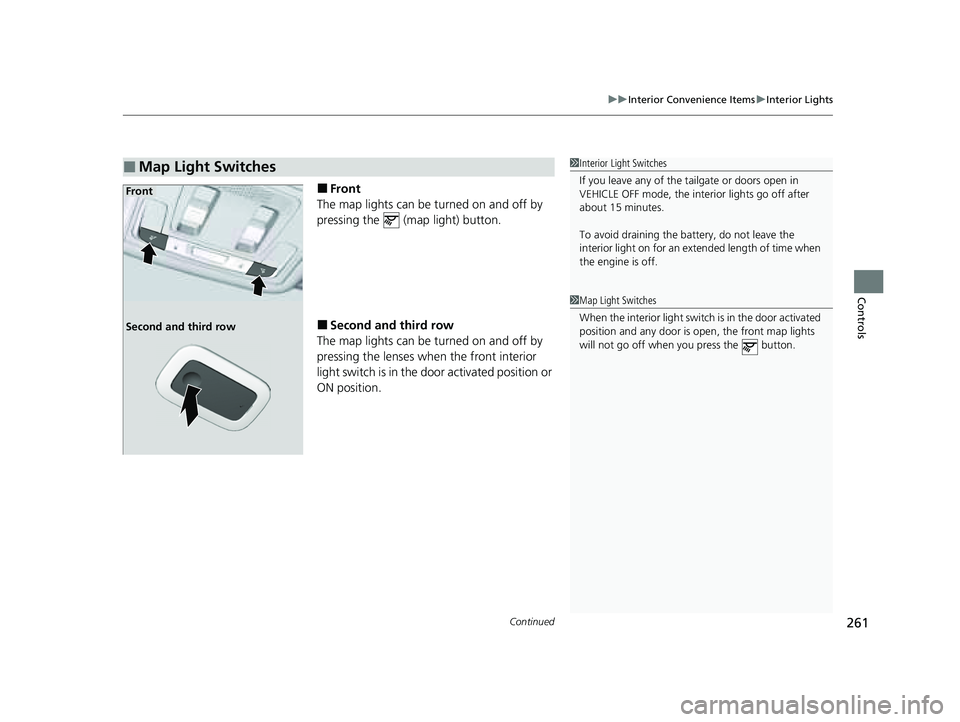
■Front
The map lights can be turned on and off by
pressing the (map light) button.
■Second and third row
The map lights can be turned on and off by
pressing the lenses when the front interior
light switch is in the door activated position or
ON position.
■Map Light Switches1 Interior Light Switches
If you leave any of the tailgate or doors open in
VEHICLE OFF mode, the inte rior lights go off after
about 15 minutes.
To avoid draining the ba ttery, do not leave the
interior light on for an extended length of time when
the engine is off.
Front
Second and third row
1 Map Light Switches
When the interior light swit ch is in the door activated
position and any door is ope n, the front map lights
will not go off when you press the button.
23 PILOT-31T906000_03.book 261 ページ 2022年10月31日 月曜日 午前10時26分
Page 263 of 814
uuInterior Convenience Items uInterior Lights
262
Controls
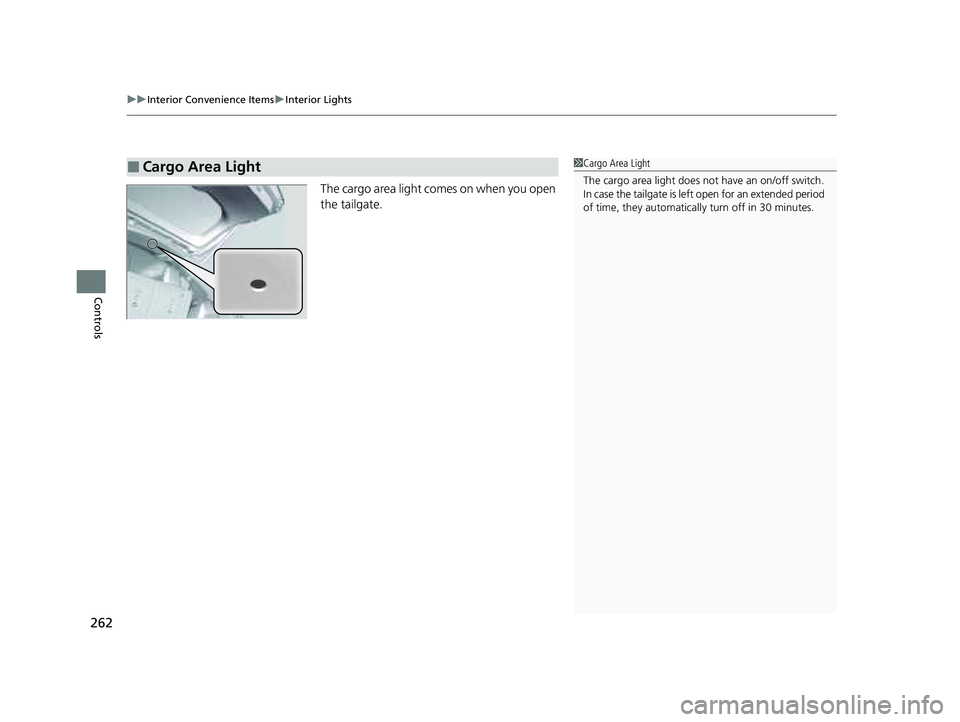
The cargo area light comes on when you open
the tailgate.
■Cargo Area Light1Cargo Area Light
The cargo area light does not have an on/off switch.
In case the tailgate is left open for an extended period
of time, they automaticall y turn off in 30 minutes.
23 PILOT-31T906000_03.book 262 ページ 2022年10月31日 月曜日 午前10時26分
Page 350 of 814
349
uuAudio System Basic Operation uVoice Control Operation
Continued
Features
Voice Control Operation
Your vehicle has a voice control syst em that allows hands-free operation.
The voice control system uses the ( Talk) button on the steering wheel and a
microphone near the map lights on the ceiling.
To achieve optimum voice recognition when using the voice control system:
• Make sure the correct screen is displa yed for the voice command that you are
using.
The system recognizes only certain commands.
Available voice commands:
2 Voice Portal Screen P. 350
•Close the windows and panoramic roof*.
• Adjust the dashboard and side vents so air does not blow onto the microphone
on the ceiling.
• Speak clearly in a natural speaking vo ice without pausing between words.
• Reduce any background noise if possible. The system may misinterpret your
command if more than one person is speaking at the same time.
■Voice Recognition
1Voice Control Operation
When you press the button, a helpful prompt asks
what you would like to do. Press and release the
button again to bypass this prompt and give a
command.
1 Voice Recognition
The voice control system can only be used from the
driver’s seat because the microphone unit removes
noises from the front passenger’s side.
* Not available on all models
23 PILOT-31T906000_03.book 349 ページ 2022年10月31日 月曜日 午前10時26分
Page 452 of 814

451
uuCustomized Features u
Continued
Features
■Driving Position Setup
*1:Default Setting
■Keyless Access Setup
*1:Default Setting
Customizable Features Description Selectable Settings
Memory Position LinkTurns the driving position memory system on and off.ON*1/OFF
Seat Position Movement At
Entry/Exit Causes the driver’s seat to move ba
ck to make it easier to enter or
exit the vehicle. ON
*1/
OFF
Customizable Features Description Selectable Settings
Door Unlock ModeChanges which doors unlock when you grab the driver’s door
handle.Driver Door Only*1/All
Doors
Keyless Access Light Flash Causes some exterior lights to
flash when you unlock/lock the
doors. ON
*1/
OFF
Keyless Access BeepCauses the beeper to sound when you unlock/lock the doors.ON*1/OFF
Remote Start System ON/
OFF Turns the remote engine start feature on and off.
ON
*1/OFF
Lockout ProtectionChanges the settings for the lo ckout protection function.ON*1/OFF
23 PILOT-31T906000_03.book 451 ページ 2022年10月31日 月曜日 午前10時26分
Page 453 of 814
452
uuCustomized Features u
Features
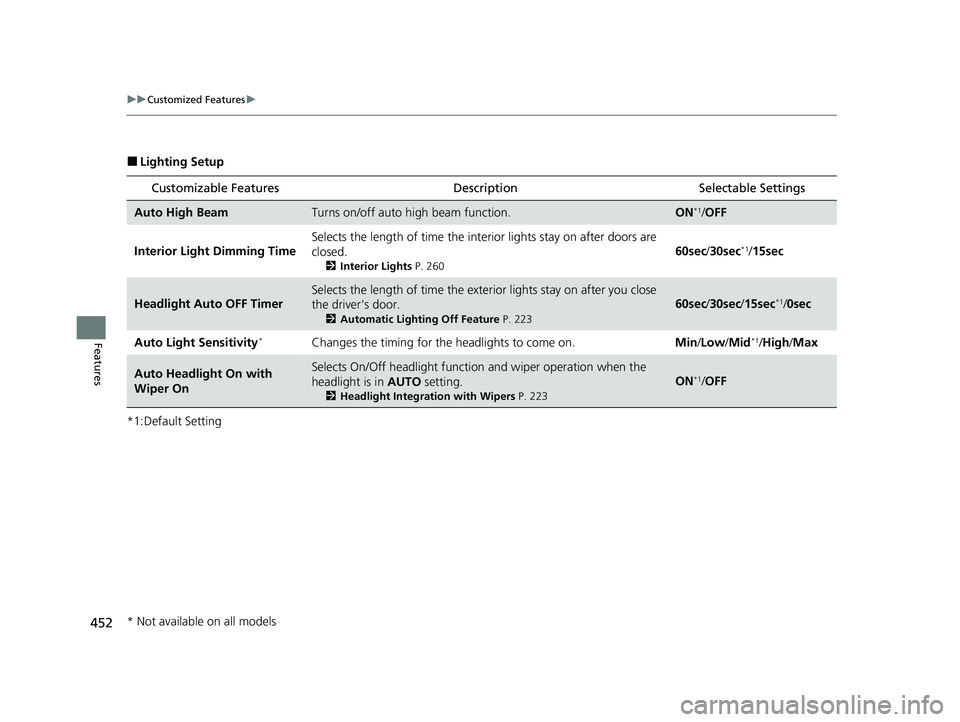
■Lighting Setup
*1:Default Setting
Customizable Features Description Selectable Settings
Auto High BeamTurns on/off auto high beam function.ON*1/OFF
Interior Light Dimming Time Selects the length of time the inte
rior lights stay on after doors are
closed.
2 Interior Lights P. 260
60sec/30sec*1/15sec
Headlight Auto OFF Timer
Selects the length of time the exterior lights stay on after you close
the driver's door.
2 Automatic Lighting Off Feature P. 223
60sec/30sec /15sec*1/0sec
Auto Light Sensitivity
*Changes the timing for the headlights to come on. Min/Low /Mid*1/ High /Max
Auto Headlight On with
Wiper OnSelects On/Off headlight function and wiper operation when the
headlight is in AUTO setting.
2Headlight Integration with Wipers P. 223
ON*1/OFF
* Not available on all models
23 PILOT-31T906000_03.book 452 ページ 2022年10月31日 月曜日 午前10時26分