Page 355 of 814
uuAudio System Basic Operation uPlaying AM/FM Radio
354
Features
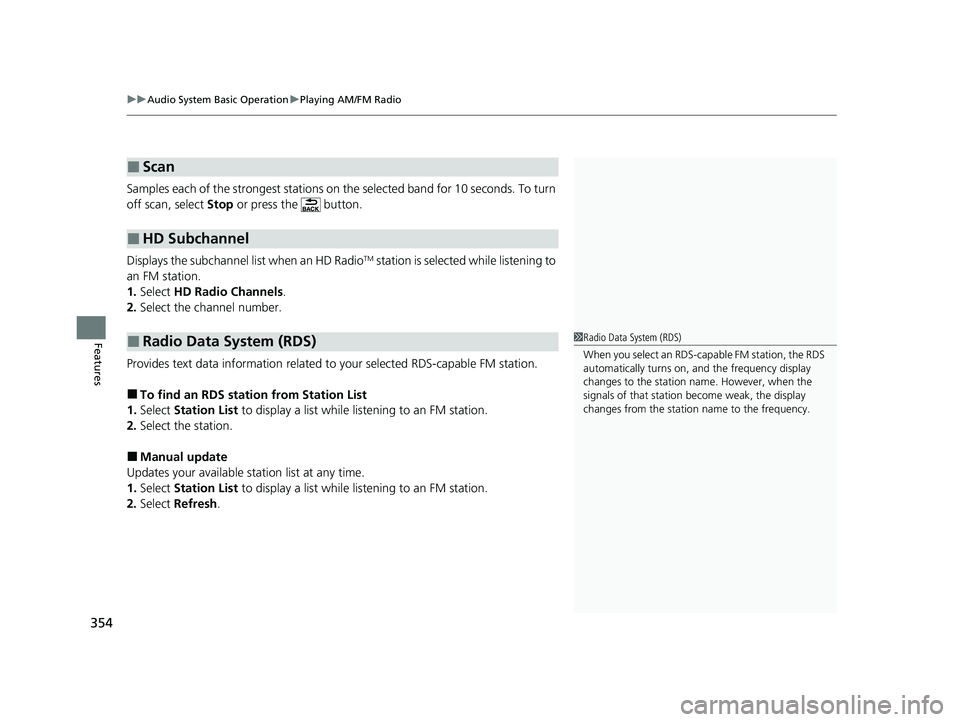
Samples each of the strongest stations on th e selected band for 10 seconds. To turn
off scan, select Stop or press the button.
Displays the subchannel list when an HD Radio
TM station is selected while listening to
an FM station.
1. Select HD Radio Channels .
2. Select the channel number.
Provides text data information related to your selected RDS-capable FM station.
■To find an RDS station from Station List
1. Select Station List to display a list while listening to an FM station.
2. Select the station.
■Manual update
Updates your available station list at any time.
1. Select Station List to display a list while listening to an FM station.
2. Select Refresh .
■Scan
■HD Subchannel
■Radio Data System (RDS)1Radio Data System (RDS)
When you select an RDS-capable FM station, the RDS
automatically turns on, and the frequency display
changes to the station name. However, when the
signals of that station become weak, the display
changes from the statio n name to the frequency.
23 PILOT-31T906000_03.book 354 ページ 2022年10月31日 月曜日 午前10時26分
Page 356 of 814
355
uuAudio System Basic Operation uPlaying AM/FM Radio
Features
Change the AM/FM settings.
1. Select Settings .
2. Select an option.
• HD Radio: Automatically choose a digital or an analog channel, or listen to
analog only.
• Artwork: Turns the artwork display on and off.
■AM/FM Settings
23 PILOT-31T906000_03.book 355 ページ 2022年10月31日 月曜日 午前10時26分
Page 357 of 814
356
uuAudio System Basic Operation uPlaying SiriusXM ® Radio
Features
Playing SiriusXM ® Radio
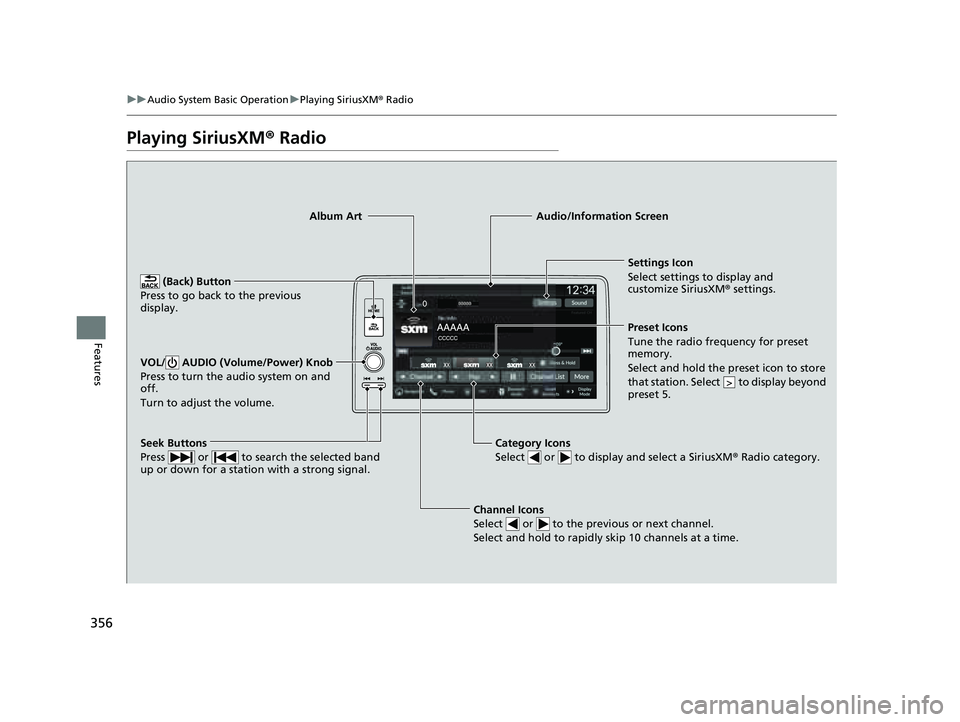
Channel Icons
Select or to the previous or next channel.
Select and hold to rapidly skip 10 channels at a time.
Settings Icon
Select settings to display and
customize SiriusXM ® settings.
Category Icons
Select or to display and select a SiriusXM ® Radio category.
Audio/Information Screen
Preset Icons
Tune the radio frequency for prese t
memory.
Select and hold the preset icon to store
that station. Select to display beyond
preset 5.
>
Seek Buttons
Press or to search the selected band
up or down for a station with a strong signal.
Album Art
(Back) Button
Press to go back to the previous
display.
VOL/ AUDIO (Volume/Power) Knob
Press to turn the audio system on and
off.
Turn to adjust the volume.
23 PILOT-31T906000_03.book 356 ページ 2022年10月31日 月曜日 午前10時26分
Page 358 of 814

Continued357
uuAudio System Basic Operation uPlaying SiriusXM ® Radio
Features
1. Select Settings .
2. Select Tune Mode .
3. Select Channel or Category .
■To Change the Tune Mode1Playing SiriusXM ® Radio
In the channel mode, all available channels are
selectable. In the categor y mode, you can select a
channel within a ca tegory (Jazz, Rock, Classical, etc.).
There may be instances when SiriusXM ® Radio does
not broadcast all the data fi elds (artist name, title,
etc.). This does not indicate a problem with your
audio system.
SiriusXM ® Radio stations load in ascending order,
which can take about a minute. Once they have
loaded you will be able to scroll up or down to make
your selections.
Switching the Audio Mode
Roll the left selector wheel or select Audio Source
on the screen.
2 Audio Remote Controls P. 296
Tune Start:
When you change to a preset channel, a song being
played on that channel restarts from the beginning
with this function. This can be turned on or off by the
following procedure:
1. Select Settings .
2. Select Tune Start .
3. Select ON or OFF .
To change a category, select Category icons, or
select More and then select Category List.
23 PILOT-31T906000_03.book 357 ページ 2022年10月31日 月曜日 午前10時26分
Page 359 of 814
uuAudio System Basic Operation uPlaying SiriusXM ® Radio
358
Features
To store a channel:
1. Tune to the selected channel.
2. Select and hold the preset ic on to store that channel.
u Select Press & Hold to set a new preset station.
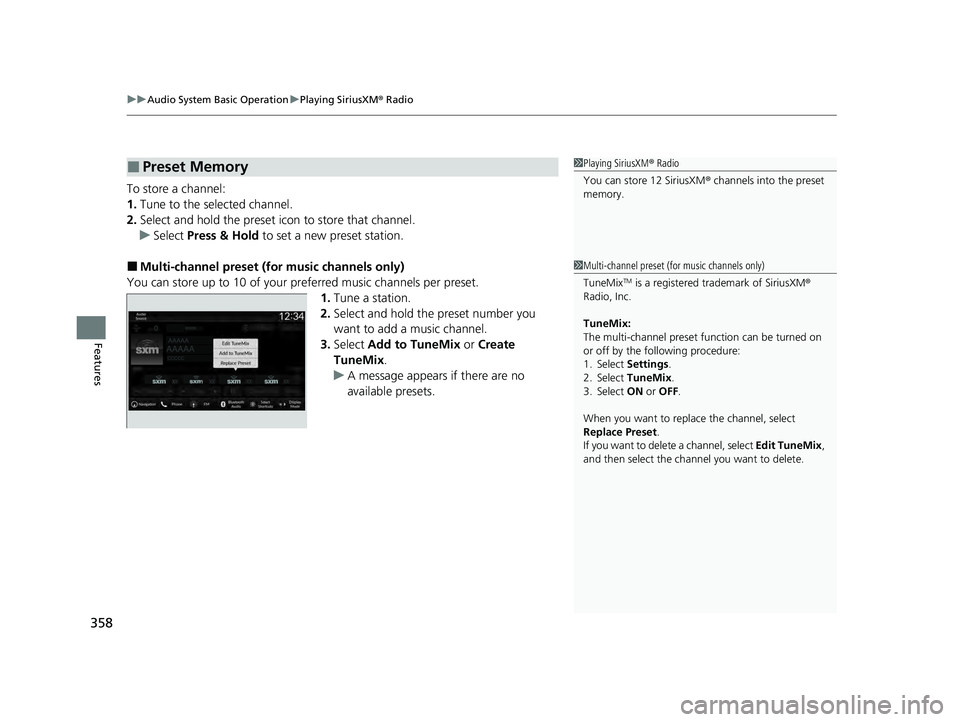
■Multi-channel preset (for music channels only)
You can store up to 10 of your pref erred music channels per preset.
1. Tune a station.
2. Select and hold the preset number you
want to add a music channel.
3. Select Add to TuneMix or Create
TuneMix .
u A message appears if there are no
available presets.
■Preset Memory1Playing SiriusXM ® Radio
You can store 12 SiriusXM ® channels into the preset
memory.
1 Multi-channel preset (for music channels only)
TuneMix
TM is a registered trademark of SiriusXM ®
Radio, Inc.
TuneMix:
The multi-channel preset function can be turned on
or off by the following procedure:
1. Select Settings .
2. Select TuneMix.
3. Select ON or OFF .
When you want to replac e the channel, select
Replace Preset .
If you want to delete a channel, select Edit TuneMix,
and then select the channel you want to delete.
23 PILOT-31T906000_03.book 358 ページ 2022年10月31日 月曜日 午前10時26分
Page 360 of 814
Continued359
uuAudio System Basic Operation uPlaying SiriusXM ® Radio
Features
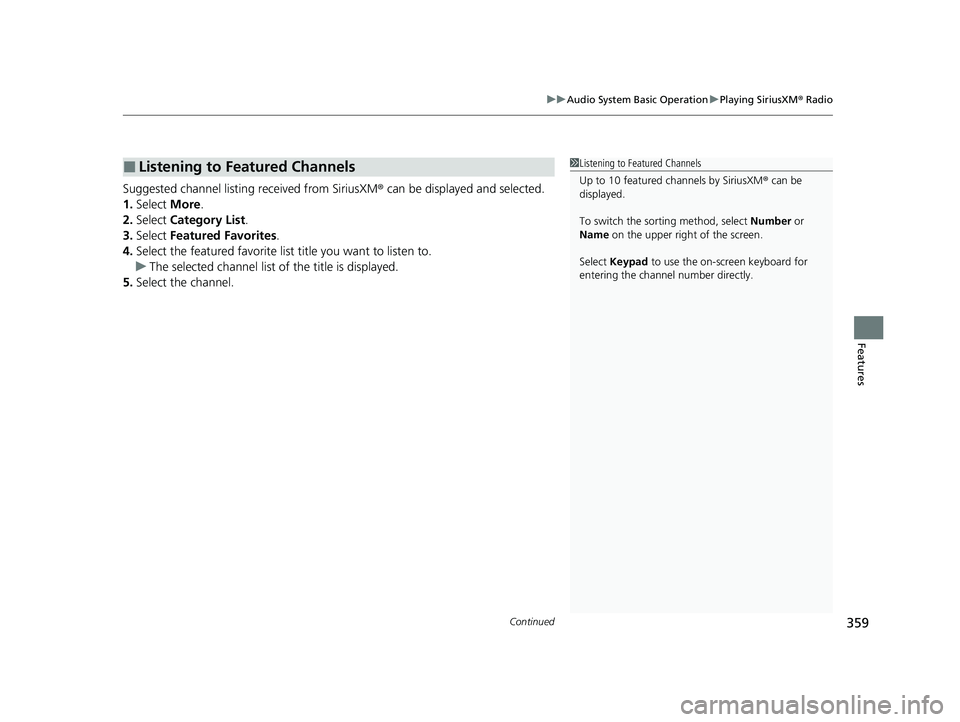
Suggested channel listing received from SiriusXM ® can be displayed and selected.
1. Select More.
2. Select Category List .
3. Select Featured Favorites .
4. Select the featured favorite list title you want to listen to.
u The selected channel list of the title is displayed.
5. Select the channel.
■Listening to Featured Channels1Listening to Featured Channels
Up to 10 featured channels by SiriusXM ® can be
displayed.
To switch the sorting method, select Number or
Name on the upper right of the screen.
Select Keypad to use the on-screen keyboard for
entering the channel number directly.
23 PILOT-31T906000_03.book 359 ページ 2022年10月31日 月曜日 午前10時26分
Page 361 of 814
uuAudio System Basic Operation uPlaying SiriusXM ® Radio
360
Features
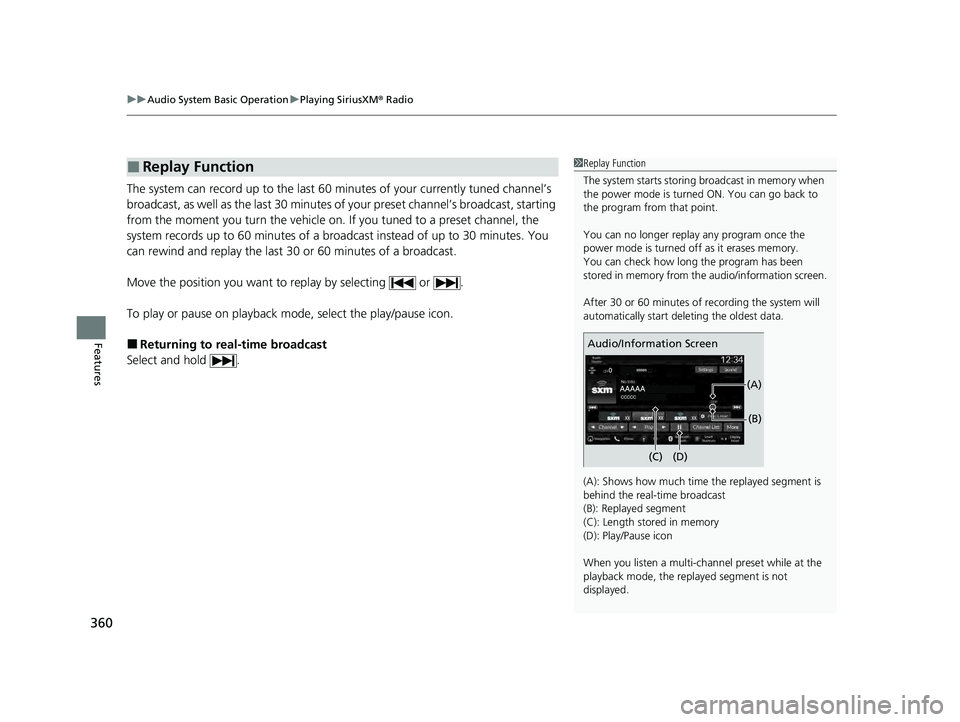
The system can record up to the last 60 minutes of your currently tuned channel’s
broadcast, as well as the last 30 minutes of your preset channel’s broadcast, starting
from the moment you turn the vehicle on. If you tuned to a preset channel, the
system records up to 60 minutes of a broadcast instead of up to 30 minutes. You
can rewind and replay the last 30 or 60 minutes of a broadcast.
Move the position you want to replay by selecting or .
To play or pause on playback m ode, select the play/pause icon.
■Returning to real-time broadcast
Select and hold .
■Replay Function1 Replay Function
The system starts storing broadcast in memory when
the power mode is turned ON. You can go back to
the program from that point.
You can no longer repl ay any program once the
power mode is turned off as it erases memory.
You can check how long the program has been
stored in memory from th e audio/information screen.
After 30 or 60 minutes of recording the system will
automatically start deleting the oldest data.
(A): Shows how much time the replayed segment is
behind the real-time broadcast
(B): Replayed segment
(C): Length stored in memory
(D): Play/Pause icon
When you listen a multi-channel preset while at the
playback mode, the repl ayed segment is not
displayed.
Audio/Information Screen
(C) (B)
(A)
(D)
23 PILOT-31T906000_03.book 360 ページ 2022年10月31日 月曜日 午前10時26分
Page 362 of 814
Continued361
uuAudio System Basic Operation uPlaying SiriusXM ® Radio
Features
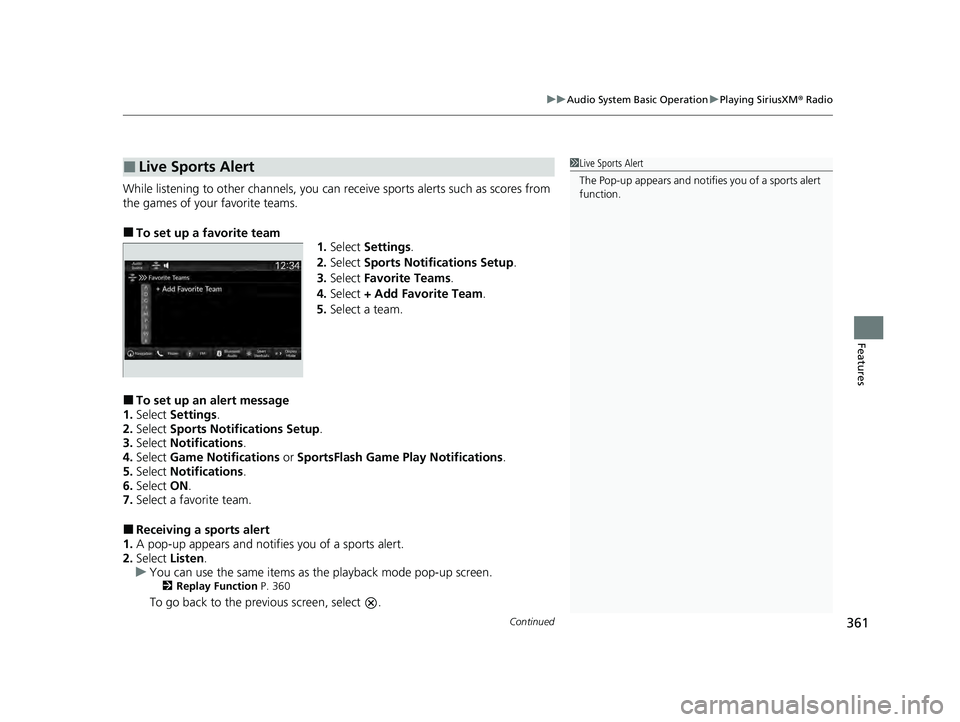
While listening to other channels, you can re ceive sports alerts such as scores from
the games of your favorite teams.
■To set up a favorite team 1.Select Settings .
2. Select Sports Notifications Setup .
3. Select Favorite Teams .
4. Select + Add Favorite Team .
5. Select a team.
■To set up an alert message
1. Select Settings .
2. Select Sports Notifications Setup .
3. Select Notifications .
4. Select Game Notifications or SportsFlash Game Pl ay Notifications.
5. Select Notifications .
6. Select ON.
7. Select a favorite team.
■Receiving a sports alert
1. A pop-up appears and notifies you of a sports alert.
2. Select Listen.
u You can use the same items as the playback mode pop-up screen.
2 Replay Function P. 360
To go back to the previous screen, select .
■Live Sports Alert1Live Sports Alert
The Pop-up appears and notifies you of a sports alert
function.
23 PILOT-31T906000_03.book 361 ページ 2022年10月31日 月曜日 午前10時26分