2023 HONDA HRV mirror
[x] Cancel search: mirrorPage 447 of 664
445
uuWhen Driving uBlind Spot Information System*
Continued
Driving
Blind Spot Information System*
When the system detects vehicles approaching from behind in adjacent lanes, the
appropriate indicator comes on, providin g assistance when you change lanes.
The system activates when your vehicle is moving forward at about 20 mph (32 km/h)
or above.
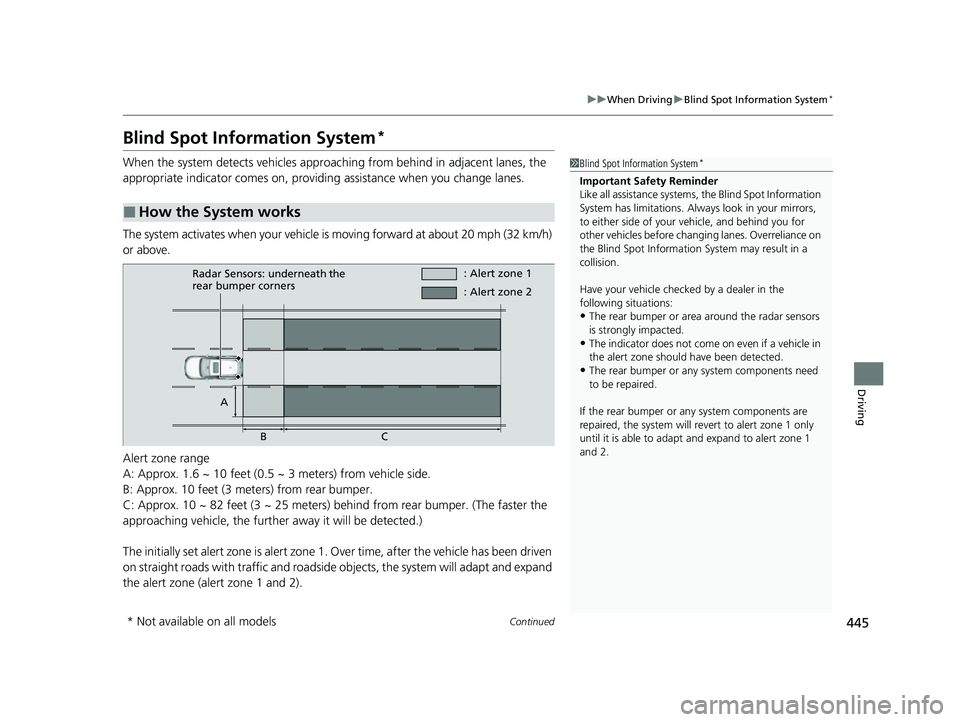
Alert zone range
A: Approx. 1.6 ~ 10 feet (0.5 ~ 3 meters) from vehicle side.
B: Approx. 10 feet (3 meters) from rear bumper.
C: Approx. 10 ~ 82 feet (3 ~ 25 meters) behind from rear bumper. (The faster the
approaching vehicle, the further away it will be detected.)
The initially set alert zone is alert zone 1. Over time, after the vehicle has been driven
on straight roads with traffic and roadside objects, the system will adapt and expand
the alert zone (alert zone 1 and 2).
■How the System works
1 Blind Spot Information System*
Important Safety Reminder
Like all assistance systems, the Blind Spot Information
System has limitations. Always look in your mirrors,
to either side of your vehicle, and behind you for
other vehicles before changing lanes. Overreliance on
the Blind Spot Information System may result in a
collision.
Have your vehicle checked by a dealer in the
following situations:
•The rear bumper or area around the radar sensors
is strongly impacted.
•The indicator does not come on even if a vehicle in
the alert zone should have been detected.
•The rear bumper or any system components need
to be repaired.
If the rear bumper or any system components are
repaired, the system will re vert to alert zone 1 only
until it is able to adapt and expand to alert zone 1
and 2.
Radar Sensors: underneath the
rear bumper corners : Alert zone 1
A BC : Alert zone 2
* Not available on all models
23 HR-V-313V06000_01.book 445 ページ 2022年4月4日 月曜日 午前10時49分
Page 448 of 664
uuWhen Driving uBlind Spot Information System*
446
Driving
■When the system detects a vehicle
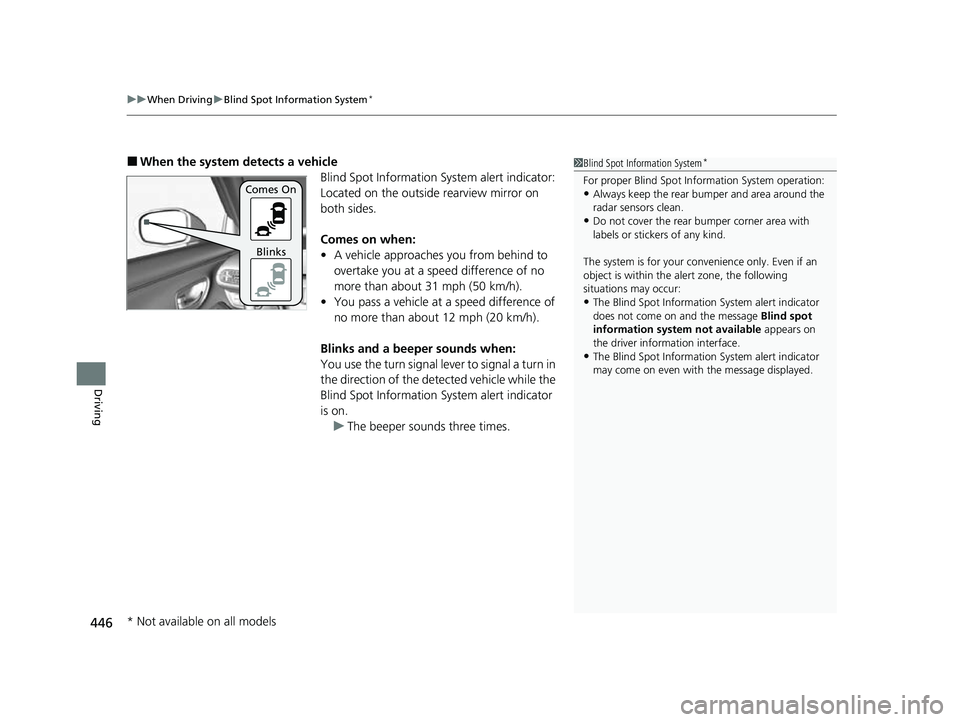
Blind Spot Information System alert indicator:
Located on the outside rearview mirror on
both sides.
Comes on when:
• A vehicle approaches you from behind to
overtake you at a speed difference of no
more than about 31 mph (50 km/h).
• You pass a vehicle at a speed difference of
no more than about 12 mph (20 km/h).
Blinks and a beeper sounds when:
You use the turn signal lever to signal a turn in
the direction of the detected vehicle while the
Blind Spot Information System alert indicator
is on. u The beeper sounds three times.1Blind Spot Information System*
For proper Blind Spot Info rmation System operation:•Always keep the rear bumper and area around the
radar sensors clean.
•Do not cover the rear bumper corner area with
labels or sticke rs of any kind.
The system is for your convenience only. Even if an
object is within the alert zone, the following
situations may occur:
•The Blind Spot Informati on System alert indicator
does not come on and the message Blind spot
information system not available appears on
the driver information interface.
•The Blind Spot Informati on System alert indicator
may come on even with the message displayed.
Comes On
Blinks
* Not available on all models
23 HR-V-313V06000_01.book 446 ページ 2022年4月4日 月曜日 午前10時49分
Page 451 of 664
449Continued
Driving
Honda Sensing®
Honda Sensing® is a driver support system which employs the use of two distinctly
different kinds of sensors: the sonar sens ors located in the front and rear bumpers,
and the front grille, and a front wide view camera mounted to the interior side of
the windshield, behind the rearview mirror.
Honda Sensing ® is a driver support system which employs the use of a front wide
view camera mounted to the interior side of the windshield, behind the rearview
mirror.
Models with Low Speed Braking Control
Models without Low Speed Braking Control
23 HR-V-313V06000_01.book 449 ページ 2022年4月4日 月曜日 午前10時49分
Page 456 of 664
uuHonda Sensing ®u Collision Mitigation Braking SystemTM (CMBSTM)
454
Driving
■How the system works
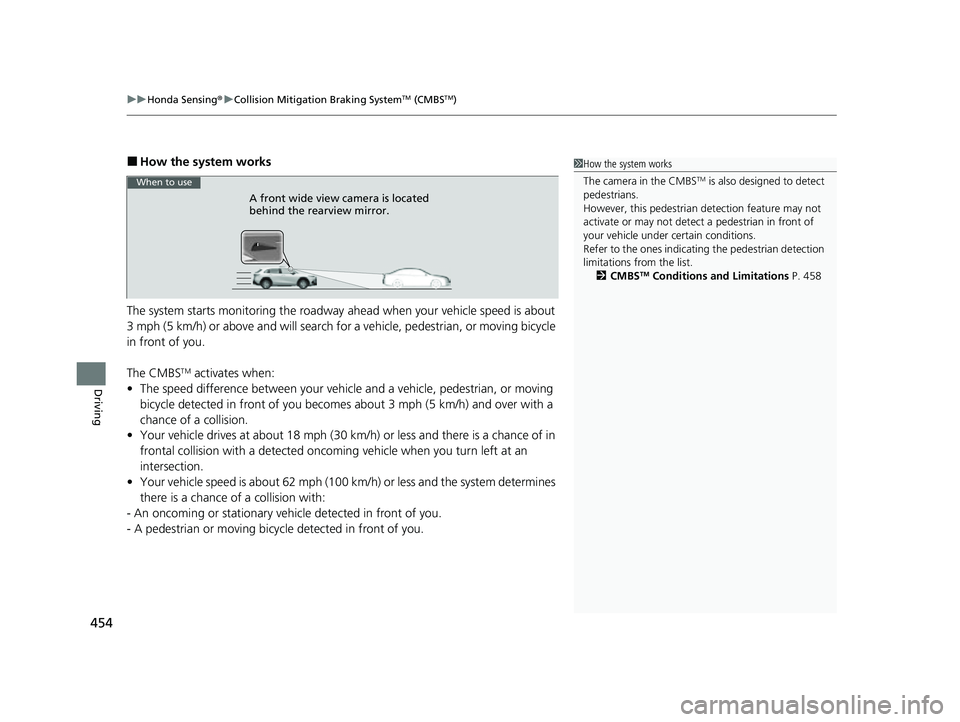
The system starts monitoring the roadway ahead when your vehicle speed is about
3 mph (5 km/h) or above and will search fo r a vehicle, pedestrian, or moving bicycle
in front of you.
The CMBS
TM activates when:
• The speed difference between your vehicle and a vehicle, pedestrian, or moving
bicycle detected in front of you becomes about 3 mph (5 km/h) and over with a
chance of a collision.
• Your vehicle drives at about 18 mph (30 km /h) or less and there is a chance of in
frontal collision with a de tected oncoming vehicle wh en you turn left at an
intersection.
• Your vehicle speed is about 62 mph (100 km/h) or less and the system determines
there is a chance of a collision with:
- An oncoming or stationary vehicle detected in front of you.
- A pedestrian or moving bicycle detected in front of you.
1 How the system works
The camera in the CMBS
TM is also designed to detect
pedestrians.
However, this pedestrian detection feature may not
activate or may not detect a pedestrian in front of
your vehicle under certain conditions.
Refer to the ones indicating the pedestrian detection
limitations from the list. 2 CMBS
TM Conditions and Limitations P. 458
A front wide view camera is located
behind the rearview mirror.
When to use
23 HR-V-313V06000_01.book 454 ページ 2022年4月4日 月曜日 午前10時49分
Page 473 of 664

471
uuHonda Sensing ®u Adaptive Cruise Control (ACC) with Low Speed Follow
Continued
Driving
Adaptive Cruise Control (ACC) with Low Speed Follow
Helps maintain a constant vehicle speed and a set following-interval behind a vehicle
detected ahead of yours and, if the detect ed vehicle comes to a stop, can decelerate
and stop your ve hicle, without you having to keep your foot on the brake or the
accelerator.
When ACC with Low Speed Follo w slows your vehicle by applying the brakes, your
vehicle’s brake lights will illuminate.
• Vehicle speed for ACC wi th Low Speed Follow: A vehicle is detected ahead
within ACC with Low Speed Follow range – ACC with Low Speed Follow
operates at speeds up to 90 mph (145 km/h).
No vehicle is detected within ACC with Low Speed Follow range – ACC
with Low Speed Follow operates at th e speed of 25 mph (40 km/h) or above.
• Shift position for ACC with Low Speed Follow: In
(D or (S.
1Adaptive Cruise Control (ACC) with Low Speed Follow
3WARNING
Improper use of ACC with Low Speed
Follow can lead to a crash.
Use ACC with Low Speed Follow only
when driving on expressways or freeways
and in good road and weather conditions.
3WARNING
ACC with Low Speed Follow has limited
braking capability and may not stop your
vehicle in time to avoid a collision with a
vehicle that quickly stops in front of you.
Always be prepared to apply the brake
pedal if the conditions require.
When to use
A front wide view camera is
located behind the rearview
mirror.
23 HR-V-313V06000_01.book 471 ページ 2022年4月4日 月曜日 午前10時49分
Page 499 of 664
497
uuHonda Sensing ®u Lane Keeping Assist System (LKAS)
Continued
Driving
■The LKAS may be automa tically suspended when:
• The system fails to detect lane lines.
• The steering wheel is turned quickly.
• You fail to steer the vehicle.
• Driving through a sharp curve.
• Driving at a speed in excess of approximately 94 mph (150 km/h).
Once these conditions no longer exist, the LKAS automatically resumes.
■The LKAS may be automatically canceled when:
In the following cases, traffic lane lines may disappear on the gauge, the beeper may
sound, and the LKAS may automatically be canceled:
• The camera temperature gets extremely high.
• The camera behind the rearview mirror, or the area around the camera, including
the windshield, gets dirty.
• The ABS or VSA ® system engages.
23 HR-V-313V06000_01.book 497 ページ 2022年4月4日 月曜日 午前10時49分
Page 508 of 664
uuHonda Sensing ®u Traffic Jam Assist*
506
Driving
Press the LKAS button to cancel Traffic Jam Assist.
■Traffic Jam Assist may be au tomatically suspended when:
The system is automatically temporarily ca nceled under the following circumstances.
• The system fails to detect lane lines.
• The steering wheel is turned sharply.
• You fail to steer the vehicle.
• You are driving through a sharp curve.
• The brake pedal is depressed.
Once these conditions no longer exist, Traffic Jam Assist automatically resumes.
■Traffic Jam Assist may be automatically canceled when:
The traffic lane lines will disappear from the screen, the beeper may sound, and
Traffic Jam Assist will be canceled under the following circumstances:
• The temperature of the camera is too high.
• The camera behind the rearview mirror, or the area around the camera, including
the windshield, is dirty.
■Canceling Traffic Jam Assist
1Traffic Jam Assist may be au tomatically suspended when:
You are traveling over 45 mph (72 km/h).
u When the speed of the vehicle reaches 45 mph
(72 km/h), Traffic Jam Assi st is deactivated and
LKAS is activated instead. Once the speed of the
vehicle drops to under 40 mph (64 km/h), Traffic
Jam Assist is reactivated.
23 HR-V-313V06000_01.book 506 ページ 2022年4月4日 月曜日 午前10時49分
Page 513 of 664
511
uuHonda Sensing ®u Road Departure Mitigation System
Continued
Driving
Road Departure Mi tigation System
Alerts and helps assist you when the system detects a possibility of your vehicle
crossing over detected lane markings, or approaching the outer edge of the
pavement (into grass or gravel bord er) or a detected oncoming vehicle.
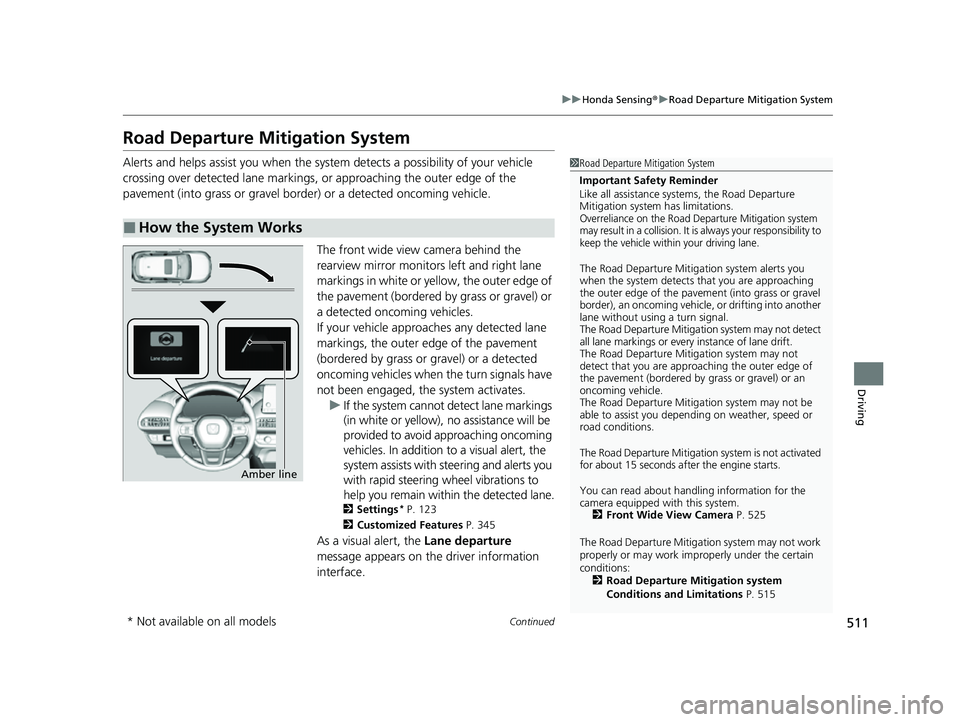
The front wide view camera behind the
rearview mirror monitors left and right lane
markings in white or yellow, the outer edge of
the pavement (bordered by grass or gravel) or
a detected oncoming vehicles.
If your vehicle approach es any detected lane
markings, the outer edge of the pavement
(bordered by grass or gravel) or a detected
oncoming vehicles when the turn signals have
not been engaged, the system activates. u If the system cannot de tect lane markings
(in white or yellow), no assistance will be
provided to avoid approaching oncoming
vehicles. In addition to a visual alert, the
system assists with steering and alerts you
with rapid steering wheel vibrations to
help you remain within the detected lane.
2 Settings* P. 123
2 Customized Features P. 345
As a visual alert, the Lane departure
message appears on the driver information
interface.
■How the System Works
1 Road Departure Mitigation System
Important Safety Reminder
Like all assistance systems, the Road Departure
Mitigation system has limitations.
Overreliance on the Road Departure Mitigation system
may result in a collision. It is always your responsibility to
keep the vehicle within your driving lane.
The Road Departure Mitiga tion system alerts you
when the system detects that you are approaching
the outer edge of the paveme nt (into grass or gravel
border), an oncoming vehicle, or drifting into another
lane without using a turn signal.
The Road Departure Mitigation system may not detect
all lane markings or ever y instance of lane drift.
The Road Departure Miti gation system may not
detect that you are approa ching the outer edge of
the pavement (bordered by grass or gravel) or an
oncoming vehicle.
The Road Departure Mitiga tion system may not be
able to assist you depend ing on weather, speed or
road conditions.
The Road Departure Mitigation system is not activated
for about 15 seconds af ter the engine starts.
You can read about handling information for the
camera equipped with this system. 2 Front Wide View Camera P. 525
The Road Departure Mitigati on system may not work
properly or may work im properly under the certain
conditions: 2 Road Departure Mitigation system
Conditions and Limitations P. 515
Amber line
* Not available on all models
23 HR-V-313V06000_01.book 511 ページ 2022年4月4日 月曜日 午前10時49分