Page 547 of 719
546
uuHonda Sensing ®u Traffic Jam Assist
Driving
When the vehicle enters the warning area, Traffic Jam Assist alerts you with an
audible alert as well as a warning display.
■Lane Departure Warning Function
LKAS indicator (green) Amber line
Warning Area
Warning Ar
ea
Page 549 of 719
uuHonda Sensing ®u Traffic Jam Assist
548
Driving
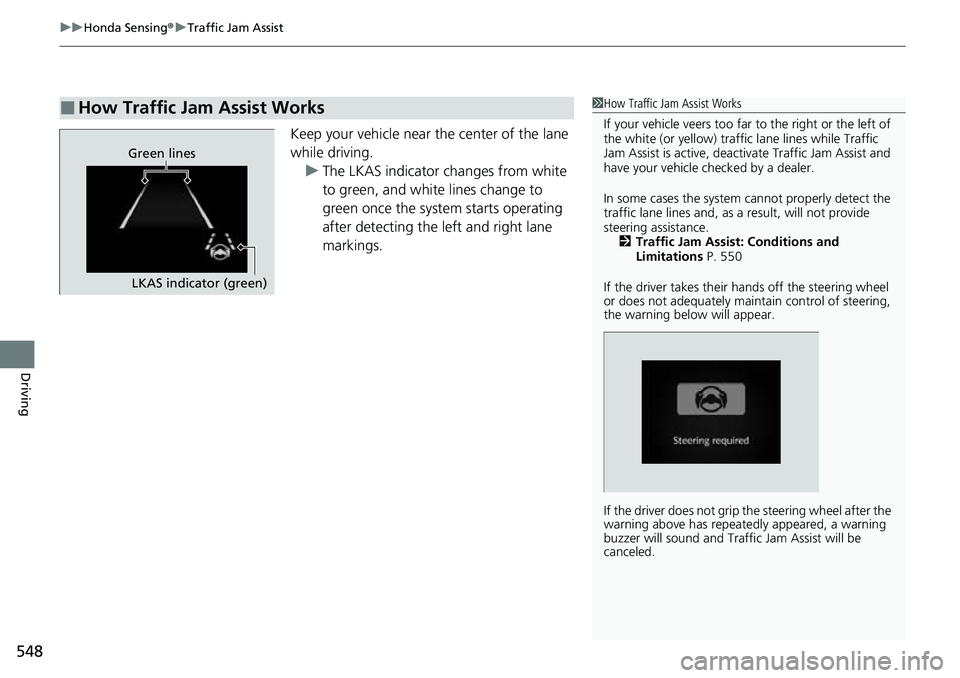
Keep your vehicle near the center of the lane
while driving.
u The LKAS indicator changes from white
to green, and white lines change to
green once the system starts operating
after detecting the left and right lane
markings.
■How Traffic Jam Assist Works1How Traffic Jam Assist Works
If your vehicle veers too far to the right or the left of
the white (or yellow) traffic lane lines while Traffic
Jam Assist is active, deactivate Traffic Jam Assist and
have your vehicle ch ecked by a dealer.
In some cases the system cannot properly detect the
traffic lane lines and, as a result, will not provide
steering assistance. 2 Traffic Jam Assist: Conditions and
Limitations P. 550
If the driver takes their hands off the steering wheel
or does not adequately main tain control of steering,
the warning below will appear.
If the driver does not grip the steering wheel after the
warning above has repeatedly appeared, a warning
buzzer will sound and Traffi c Jam Assist will be
canceled.
Green lines
LKAS indicator (green)
Page 558 of 719
Continued557
uuHonda Sensing ®u Road Departure Mitigation System
Driving
You can turn the system on and off using the driver information interface.
2 Switching the Display P. 117
2 Safety Support P. 130
The Road Departure Mitigation system is in the previously selected on or off setting
each time you turn the power system on.
*1 : Models with 7-in. Color Touchscreen
*2 : Models with 9-in. Color Touchscreen
■Road Departure Mitigation system On and Off1Road Departure Mitigation system On and Off
When you have selected Warning only
*1/Warning
Only*2, the system does not operate the steering
wheel. 2 Settings
* P. 135
2 Customized Features P. 376
The Vehicle Stability Assist
TM (VSA ®) system, brake
system (Amber), Adaptive Cruise Control (ACC) with
Low Speed Follow, low tire pressure/TPMS
* and
safety support indicators may come on in amber
along with a message in the gauge when you set the
power mode to ON after reconnecting the battery.
Drive a short distance at more than 12 mph (20 km/h).
Each indicator should go off. If any do not, have your
vehicle checked by a dealer.
* Not available on all models
Page 564 of 719
Continued563
uuHonda Sensing ®u Traffic Sign Recognition System
Driving
1Traffic Sign Recognition System
To help reduce the likel ihood that high interior
temperatures will cause the camera’s sensing system
to shut off, when parking, find a shady area or face
the front of the vehicle away from the sun. If you use
a reflective sun shade, do not allow it to cover the
camera housing.
Covering the camera can concentrate heat on it.
If your vehicle exceeds the detected speed limit, an
icon representing the speed limit sign for the current
area will blink in the display. 2 Settings
* P. 135
2 Customized Features P. 376
The system’s ability to accurately notify the driver of
the speed limit is depend ent on certain conditions
such as the units displayed on the traffic sign as well
as the speed and direction of travel of the vehicle. In
some cases, the system may display false warnings or
other inaccurate information. 2 Traffic Sign Recognition System Conditions
and Limitations P. 564
The unit for speed limits (mph or km/h) varies from
country to country. Just after entering a country
whose unit differs to the one of the country from
which you came, Traffic Sign Recognition System
may not work correctly. 2 No Content P. 132
2 Settings
* P. 135
2 Customized Features P. 376
* Not available on all models
Page 578 of 719
Continued577
uuBraking uBrake System
Driving
Keeps the brake applied after releasing the brake pedal until the accelerator pedal is
pressed. You can use this system while th e vehicle is temporarily stopped, like at
traffic lights and in heavy traffic.
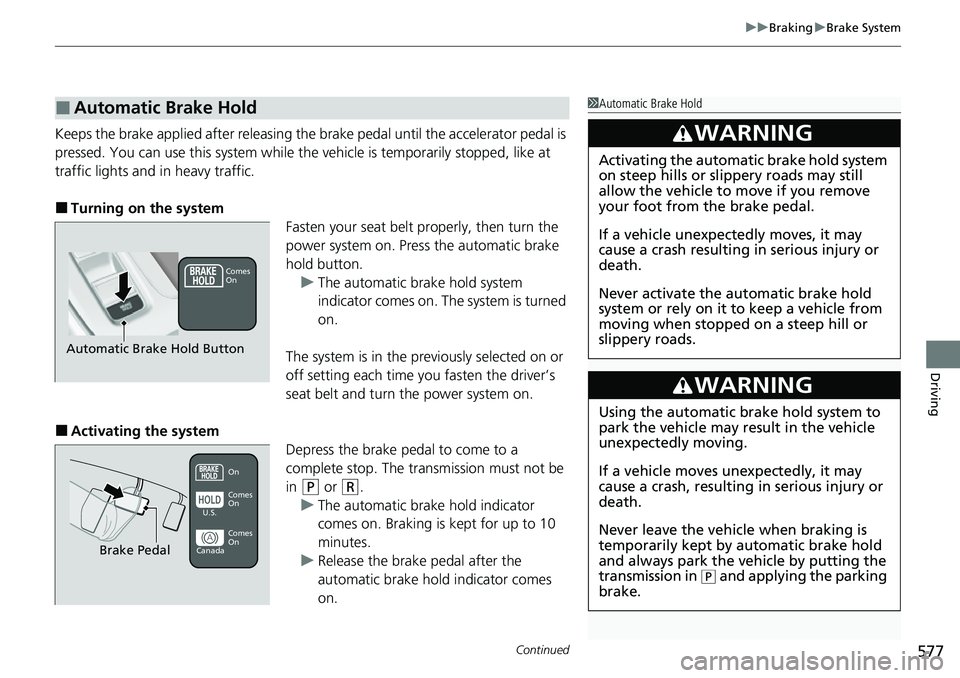
■Turning on the system Fasten your seat belt properly, then turn the
power system on. Press the automatic brake
hold button.u The automatic brake hold system
indicator comes on. The system is turned
on.
The system is in the prev iously selected on or
off setting each time you fasten the driver’s
seat belt and turn the power system on.
■Activating the system Depress the brake pedal to come to a
complete stop. The transmission must not be
in
(P or (R.
u The automatic brake hold indicator
comes on. Braking is kept for up to 10
minutes.
u Release the brake pedal after the
automatic brake hold indicator comes
on.
■Automatic Brake Hold1Automatic Brake Hold
3WARNING
Activating the automatic brake hold system
on steep hills or slippery roads may still
allow the vehicle to move if you remove
your foot from the brake pedal.
If a vehicle unexpectedly moves, it may
cause a crash resulting in serious injury or
death.
Never activate the automatic brake hold
system or rely on it to keep a vehicle from
moving when stopped on a steep hill or
slippery roads.
3WARNING
Using the automatic brake hold system to
park the vehicle may result in the vehicle
unexpectedly moving.
If a vehicle moves unexpectedly, it may
cause a crash, resulting in serious injury or
death.
Never leave the vehicle when braking is
temporarily kept by automatic brake hold
and always park the vehicle by putting the
transmission in
( P and applying the parking
brake.
Comes
On
Automatic Brake Hold Button
On
Brake Pedal
Comes
On Comes
On
U.S.
Canada
Page 579 of 719

uuBraking uBrake System
578
Driving
■Canceling the system
Depress the accelerator pedal while the
transmission is in a position other than
(P or
(N. The system is canceled and the vehicle
starts to move. u The automatic brake hold indicator goes
off. The system continues to be on.
■The system automatically cancels when:
• You engage the parking brake.
• You depress the brake pedal a nd put the transmission into
(P or (R.
■The system automatically cancels and the parking brake is applied when:
• Braking is kept for more than 10 minutes.
• The driver’s seat belt is unfastened.
• The power system is turned off.
• There is a problem with au tomatic brake hold system.
1Automatic Brake Hold
While the system is activated, you can turn the power
system off or park the vehicle through the same
procedure as you normally do.
2 When Stopped P. 582
You may hear an operating noi se if the vehicle moves
while the automatic brake hold system is in
operation.
3WARNING
When using the automatic brake hold,
keep your foot on the brake pedal until the
automatic brake hold indicator comes on.
If the vehicle unexpectedly moves, it may
cause a crash resulting in serious injury or
death.
Release your foot from the brake pedal
after the automatic brake hold indicator
comes on.On
Accelerator Pedal
Goes
Off
Page 583 of 719
582
Driving
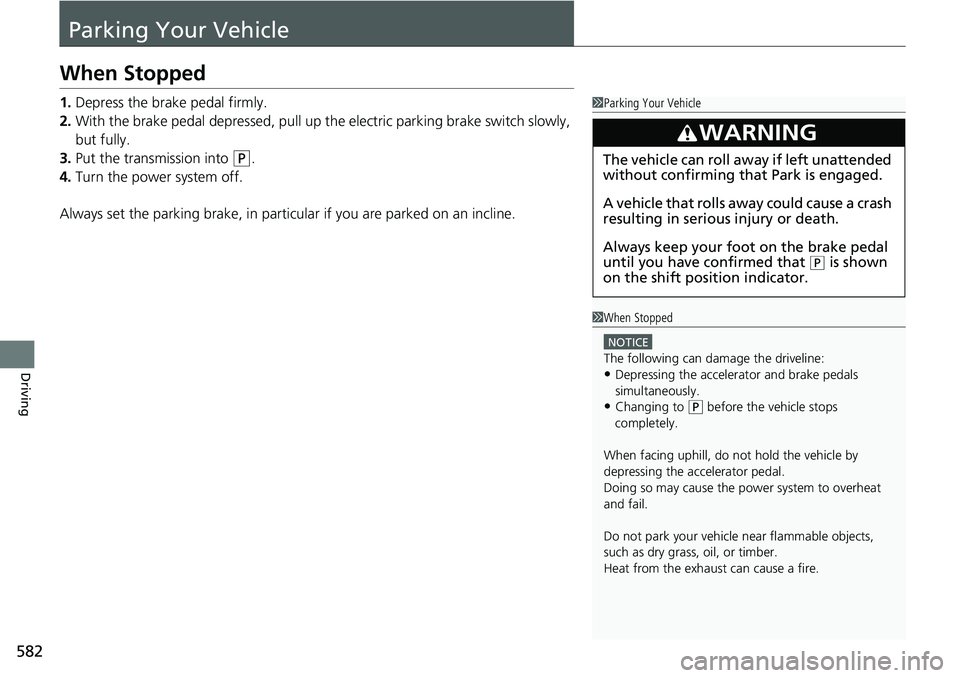
Parking Your Vehicle
When Stopped
1.Depress the brake pedal firmly.
2. With the brake pedal depressed, pull up th e electric parking brake switch slowly,
but fully.
3. Put the transmission into
(P.
4. Turn the power system off.
Always set the parking brake, in particular if you are parked on an incline.
1 Parking Your Vehicle
3WARNING
The vehicle can roll aw ay if left unattended
without confirming that Park is engaged.
A vehicle that rolls away could cause a crash
resulting in seriou s injury or death.
Always keep your foot on the brake pedal
until you have confirmed that
( P is shown
on the shift posi tion indicator.
1When Stopped
NOTICE
The following can damage the driveline:
•Depressing the accelera tor and brake pedals
simultaneously.
•Changing to ( P before the vehicle stops
completely.
When facing uphill, do not hold the vehicle by
depressing the accelerator pedal.
Doing so may cause the power system to overheat
and fail.
Do not park your vehicle near flammable objects,
such as dry grass, oil, or timber.
Heat from the exhaust can cause a fire.
Page 591 of 719

uuParking Your Vehicle uCross Traffic Monitor
590
Driving
The system activates when:
• The power mode is in ON.
• The Cross Traffic Monitor is turned on.
2 Cross Traffic Monitor On and Off P. 592
•The transmission is in (R.
• Your vehicle is moving at 3 mph (5 km/h) or
lower.
When a vehicle is detected approaching from a rear corner, Cross Traffic Monitor
alerts you with a buzzer and a displayed warning.
The system will not detect a vehicle that approaches from directly behind your
vehicle, nor will it provide alerts about a detected vehicle when it moves directly
behind your vehicle.
The system does not provide alerts for a vehicle that is moving away from your
vehicle, and it may alert for pedestri ans, bicycles, or stationary objects.
■How the System Works1Cross Traffic Monitor
Cross Traffic Monitor may not detect or may delay
alerting an approach ing vehicle, or may alert without
an approaching vehicle under the following
conditions:
•An obstacle, such as a nother vehicle and a wall,
near your vehicle’s rear bumper, is blocking the
radar sensor’s scope.
•Your vehicle is moving at the speed of about 3 mph
(5 km/h) or higher.
•A vehicle is approaching at the speed other than
between about 6 mph (10 km/h) and 16 mph (25
km/h).
•The system picks up external interference such as
other radar sensors from an other vehicle or strong
radio wave transmitted fr om a facility nearby.
•Either corner of the rear bumper is covered with
snow, ice, mud or dirt.
•When there is bad weather.
•Your vehicle is on an incline.
•Your vehicle is tilted due to a heavy load in the rear.•Your vehicle is reversing towards a wall, a pole, a
vehicle, and so on.
The rear bumper or the sens ors have been improperly
repaired or the rear bum per has been deformed.
Have your vehicle checked by a dealer.
For proper operation, always keep the rear bumper
corner area clean.
Do not cover the rear bumper corner area with labels
or stickers of any kind.
Radar sensors:
Underneath the rear bumper
corners
