Page 484 of 719
483
uuWhen Driving uTire Pressure Monitoring System (TPMS)
Continued
Driving
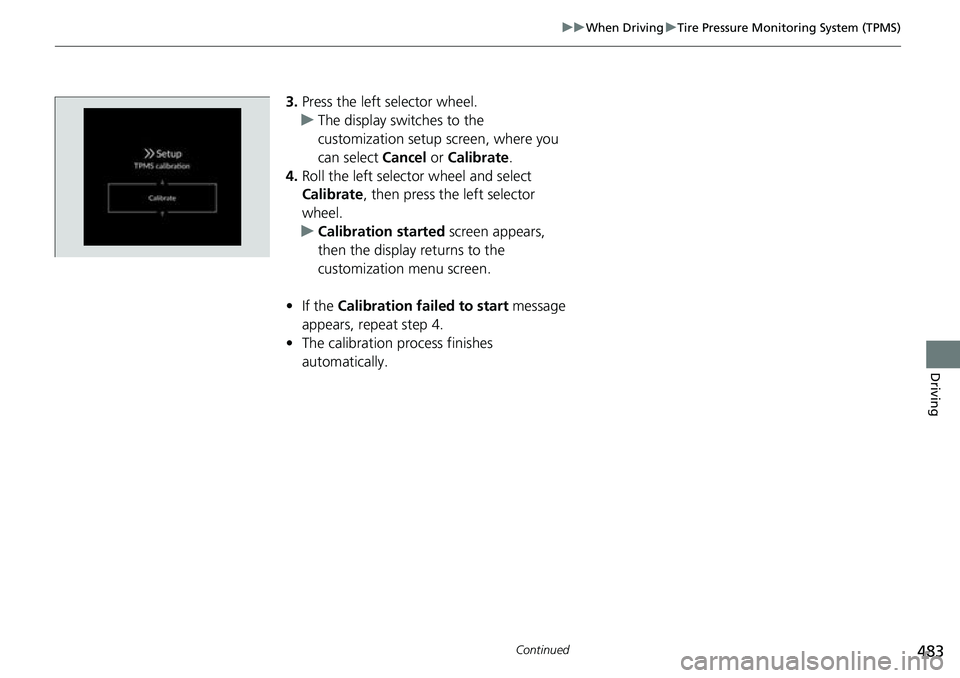
3. Press the left selector wheel.
u The display swit ches to the
customization setup screen, where you
can select Cancel or Calibrate .
4. Roll the left selector wheel and select
Calibrate , then press the left selector
wheel.
u Calibration started screen appears,
then the display returns to the
customization menu screen.
• If the Calibration failed to start message
appears, repeat step 4.
• The calibration process finishes
automatically.
Page 485 of 719
484
uuWhen Driving uTire Pressure Monitoring System (TPMS)
Driving
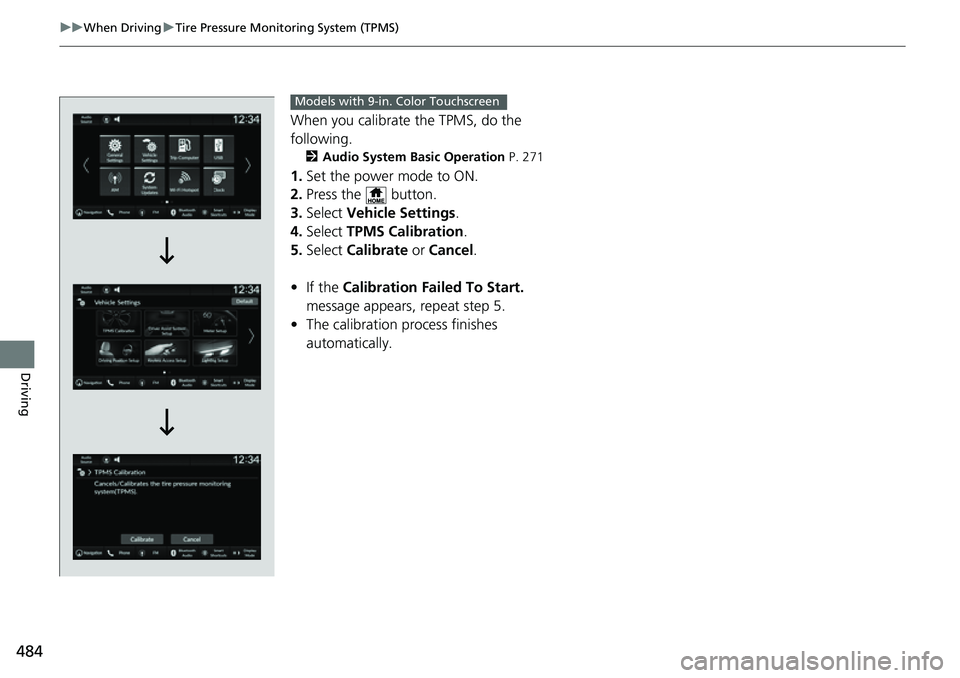
When you calibrate the TPMS, do the
following.
2 Audio System Basic Operation P. 271
1.Set the power mode to ON.
2. Press the button.
3. Select Vehicle Settings .
4. Select TPMS Calibration .
5. Select Calibrate or Cancel .
• If the Calibration Failed To Start.
message appears, repeat step 5.
• The calibration pr ocess finishes
automatically.
Models with 9-in. Color Touchscreen
Page 487 of 719
486
uuWhen Driving uTire Pressure Monitoring System (TPMS) - Required Federal Explanation
Driving
Please note that the TPMS is not a substitute for proper tire
maintenance, and it is the driver 's responsibility to maintain
correct tire pressure, even if un der-inflation has not reached the
level to trigger illumina tion of the TPMS low ti re pressure telltale.
Your vehicle has also been eq uipped with a TPMS malfunction
indicator to indicate when the sy stem is not operating properly.
The TPMS malfunction indicator is combined with the low tire
pressure telltale. When the system detects a malfunction, the
telltale will flash fo r approximately one minute and then remain
continuously illuminated. This sequence will continue upon
subsequent vehicle start-ups as long as the malfunction exists.
When the malfunction indicator is illuminated, the system may
not be able to detect or signal low tire pressure as intended.
TPMS malfunctions may occur for a variety of reasons, including
the installation of replacement or alternate tires or wheels on the
vehicle that prevent the TPMS from functioning properly.
Always check the TPMS malfunction telltale after replacing one or
more tires or wheels on your vehicle to ensure that the
replacement or alternate tires and wheels allow the TPMS to
continue to function properly.
Page 497 of 719

uuHonda Sensing ®u Collision Mitigation Braking SystemTM (CMBSTM)
496
Driving
■How the system works
The CMBS
TM will be canceled when your vehi cle stops or the system determines
there no longer is the potential for a collision.
The CMBS
TM may also be canceled when a driver operates the steering wheel and
the brake or accelerator pedal to avoid a collision.
1 How the system works
The camera in the CMBS
TM is also designed to detect
pedestrians.
However, this pedestrian detection feature may not
activate or may not detect a pedestrian in front of
your vehicle under certain conditions.
Refer to the ones indicating the pedestrian detection
limitations from the list. 2 CMBS
TM Conditions and Limitations P. 500
The radar sensor is behind
the Honda emblem on the
front grille.
A front sensor camera
is located behind the
rearview mirror.
The system starts monitoring the roadway ah ead when your vehicle speed is about
3 mph (5 km/h) or above and will search for a vehicle, pedestrian, or moving bicycle
in front of you.
When to use
The CMBSTM activates when:●The speed difference between your vehicle and a vehicle, pedestrian, or moving
bicycle detected in front of you becomes about 3 mph (5 km/h) and over with a
chance of a collision.
●Your vehicle drives at about 18 mph (30 km/h) or less and there is a chance of in
frontal collision with a detected oncoming vehicle when you turn left at an
intersection.
●Your vehicle speed is about 62 mph (100 km/h) or less and the system determines
there is a chance of a collision with:
- An oncoming or stationary vehicle detected in front of you.
- A pedestrian or moving bicycle detected in front of you.
Page 509 of 719

uuHonda Sensing ®u Low Speed Braking Control*
508
Driving
■Assistive braking
Assistive braking provides a visual and audible alert when the vehicle is moving
between approximately 1 and 6 mph (2 and 10 km/h) and there is the possibility of
a collision with a detected wall or other obstacles, as well as providing assistance
with braking.
If the only rear sensors are turned off using the parking sensor system, the assistive
braking will not work when reversing.
2 Parking sensor system on and off P. 585
■How the System Works1Low Speed Braking Control*
For directions on the prop er handling of the sonar
sensors, please refer to the following page.
2 Sonar Sensors
* P. 571
The vehicle will release the brake and start moving a
few seconds after the system is activated. To keep the
vehicle stopped, keep the brake pedal depressed or
put the transmission into
( P.
In order to prevent the sy stem from activating when
not needed, always turn it off during vehicle
maintenance, when loading on ships, trucks, and so
on, or when using a chas sis dynamometer or free
rollers for inspection or when washing the car in
conveyor type car wash machine.
If you put any accessories on or around the rear
sensors, the Low Speed Br aking Control System may
activate if it detects these accessories as an obstacle.
In this case, turn off the rear sensor. 2 Customized Features P. 376Audible Alert
Beep Beep
The vehicle
applies brake Driver
depresses
brake pedal
Remove
brake after
maintaining
stationary
positionStop
* Not available on all models
Page 517 of 719
516
uuHonda Sensing ®u Adaptive Cruise Control (ACC) with Low Speed Follow
Driving
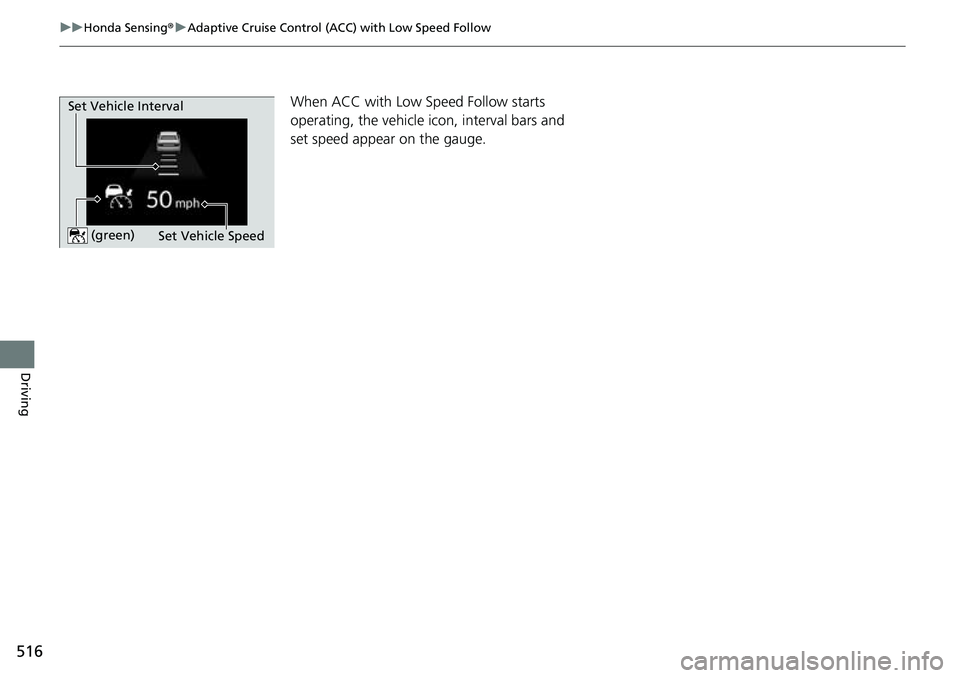
When ACC with Low Speed Follow starts
operating, the vehicle ic on, interval bars and
set speed appear on the gauge.
Set Vehicle Speed
Set Vehicle Interval (green)
Page 519 of 719
uuHonda Sensing ®u Adaptive Cruise Control (ACC) with Low Speed Follow
518
Driving
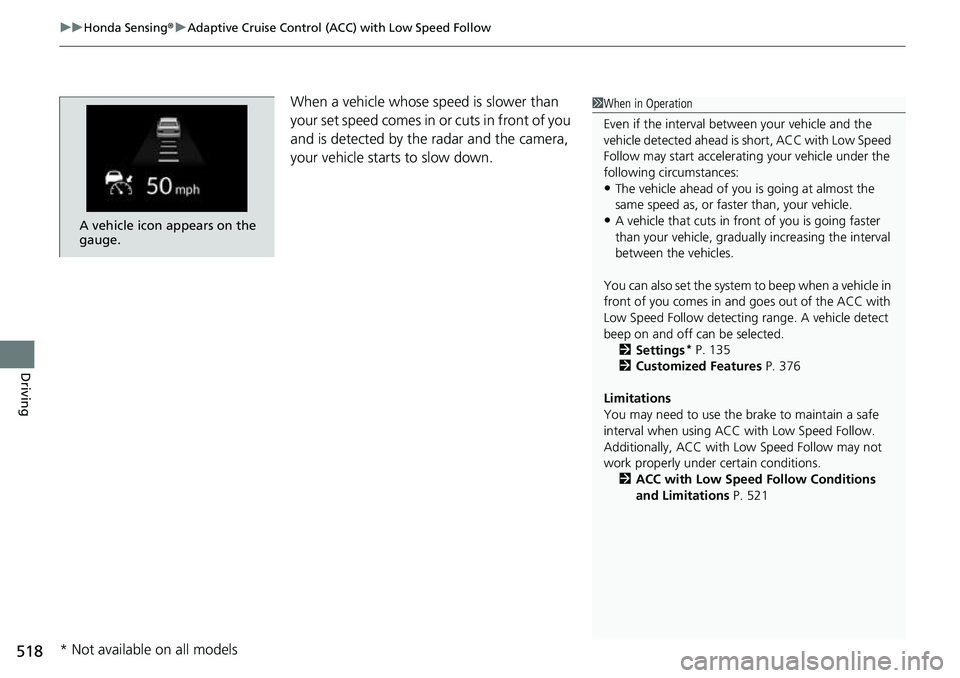
When a vehicle whose sp eed is slower than
your set speed comes in or cuts in front of you
and is detected by the radar and the camera,
your vehicle starts to slow down.
A vehicle icon appears on the
gauge.
1 When in Operation
Even if the interval betw een your vehicle and the
vehicle detected ahead is short, ACC with Low Speed
Follow may start accelerati ng your vehicle under the
following circumstances:
•The vehicle ahead of you is going at almost the
same speed as, or faster than, your vehicle.
•A vehicle that cuts in front of you is going faster
than your vehicle, gradua lly increasing the interval
between the vehicles.
You can also set the system to beep when a vehicle in
front of you comes in and goes out of the ACC with
Low Speed Follow detecting range. A vehicle detect
beep on and off can be selected. 2 Settings
* P. 135
2 Customized Features P. 376
Limitations
You may need to use the brake to maintain a safe
interval when using ACC with Low Speed Follow.
Additionally, ACC with Lo w Speed Follow may not
work properly under certain conditions.
2 ACC with Low Speed Follow Conditions
and Limitations P. 521
* Not available on all models
Page 521 of 719

uuHonda Sensing ®u Adaptive Cruise Control (ACC) with Low Speed Follow
520
Driving
■A vehicle detected ahead is within ACC with Low Speed Follow range and
slows to a stop Your vehicle also stops, automatically. The
Stopped message appears on the gauge.
When the vehicle ahead of you starts again, if
you press the RES/+/SET/– switch up or
down, or depress the accelerator pedal, ACC
with Low Speed Follow will operate again
within the prior set speed.
If no vehicle is ahead of you before you
resume driving, depress the accelerator pedal
and ACC with Low Speed Follow will operate
again within the prior set speed.1 When in Operation
3WARNING
Exiting a vehicle that has been stopped
while the ACC with Low Speed Follow
system is operating can result in the vehicle
moving without operator control.
A vehicle that moves without operator
control can cause a crash, resulting in
serious injury or death.
Never exit a vehicle when the vehicle is
stopped by ACC with Low Speed Follow.
(green)
(green)