2023 HONDA CIVIC steering wheel
[x] Cancel search: steering wheelPage 62 of 840
60
uuAirbags uTypes of Airbags
Safe Driving
Types of Airbags
Your vehicle is equipped with four types of airbags:
• Front airbags: Airbags in front of the driver's and front passenger's seats.
• Knee airbags: Airbags under the steering column and under the glove box.
• Side airbags: Airbags in the driver's and front passenger's outer seat-backs and
next to the outer rear seating positions.
• Side curtain airbags: Airbags above the side windows.
Each is discussed in the following pages.
Front Airbags (SRS)
The front SRS airbags inflate in a moderate-to -severe frontal collision to help protect
the head and chest of the driver and/or front passenger.
SRS (Supplemental Restraint System) indicates that the airbags are designed to
supplement seat belts, not replace them. Seat belts are the occupant's primary
restraint system.
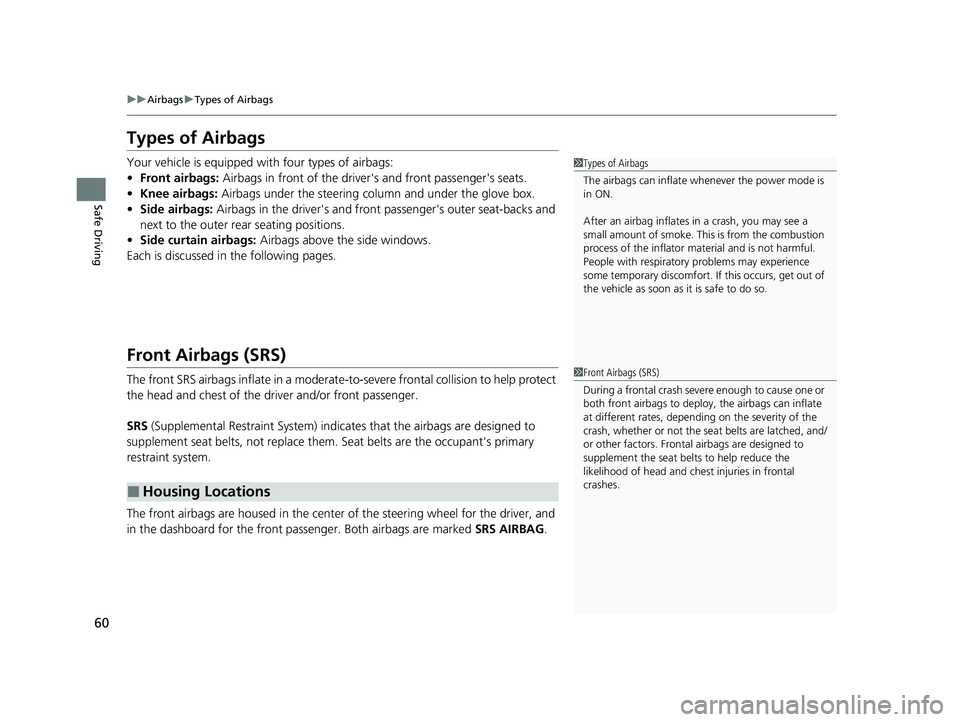
The front airbags are housed in the center of the steering wheel for the driver, and
in the dashboard for the front pass enger. Both airbags are marked SRS AIRBAG.
■Housing Locations
1Types of Airbags
The airbags can inflate whenever the power mode is
in ON.
After an airbag inflates in a crash, you may see a
small amount of smoke. This is from the combustion
process of the infl ator material and is not harmful.
People with respiratory pr oblems may experience
some temporary discomfort. If this occurs, get out of
the vehicle as soon as it is safe to do so.
1 Front Airbags (SRS)
During a frontal crash severe enough to cause one or
both front airbags to deploy, the airbags can inflate
at different rates, dependi ng on the severity of the
crash, whether or not the se at belts are latched, and/
or other factors. Frontal airbags are designed to
supplement the seat belts to help reduce the
likelihood of head and chest injuries in frontal
crashes.
23 CIVIC HATCHBACK TYPE R-31T406100_03.book 60 ページ 2022年6月23日 木曜日 午後9時28分
Page 65 of 840
Continued63
uuAirbags uFront Airbags (SRS)
Safe DrivingThe airbags have advanced features to help reduce the likelihood of airbag related
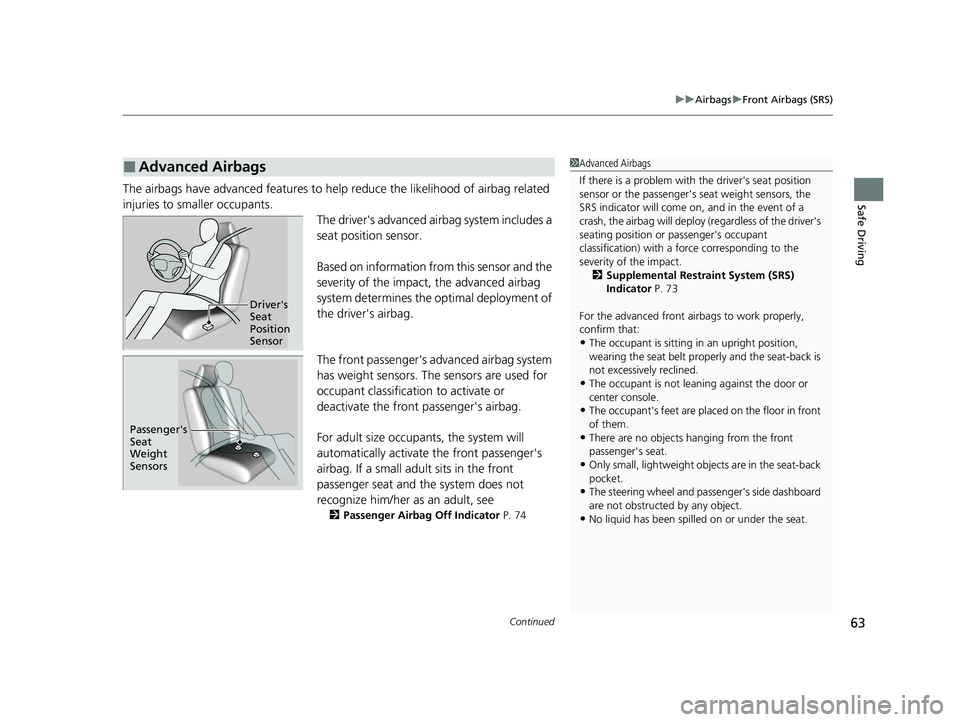
injuries to smaller occupants. The driver's advanced airbag system includes a
seat position sensor.
Based on information from this sensor and the
severity of the impact, the advanced airbag
system determines the optimal deployment of
the driver's airbag.
The front passenger's ad vanced airbag system
has weight sensors. The sensors are used for
occupant classification to activate or
deactivate the front passenger's airbag.
For adult size occupant s, the system will
automatically activate the front passenger's
airbag. If a small adult sits in the front
passenger seat and the system does not
recognize him/her as an adult, see
2 Passenger Airbag Off Indicator P. 74
■Advanced Airbags1Advanced Airbags
If there is a problem with the driver's seat position
sensor or the passenger's s eat weight sensors, the
SRS indicator will come on, and in the event of a
crash, the airbag will deploy (regardless of the driver's
seating position or passenger's occupant
classification) with a force corresponding to the
severity of the impact. 2 Supplemental Restraint System (SRS)
Indicator P. 73
For the advanced front airbags to work properly,
confirm that:
•The occupant is sitting in an upright position,
wearing the seat belt prope rly and the seat-back is
not excessively reclined.
•The occupant is not leaning against the door or
center console.
•The occupant's feet are plac ed on the floor in front
of them.
•There are no objects ha nging from the front
passenger's seat.
•Only small, lightweight objects are in the seat-back
pocket.
•The steering wheel and passenger's side dashboard
are not obstructed by any object.
•No liquid has been spille d on or under the seat.
Driver's
Seat
Position
Sensor
Passenger's
Seat
Weight
Sensors
23 CIVIC HATCHBACK TYPE R-31T406100_03.book 63 ページ 2022年6月23日 木曜日 午後9時28分
Page 133 of 840
Continued131
uuGauges and Driver Information Interface uDriver Information Interface (A-type Meter)
Instrument Panel
The Driver Attention Monitor an alyzes steering inputs to determine if the vehicle is
being driven in a manner consistent with drowsy or inattentive driving. If it
determines that the vehicle is being driven in such a manner, it will display the
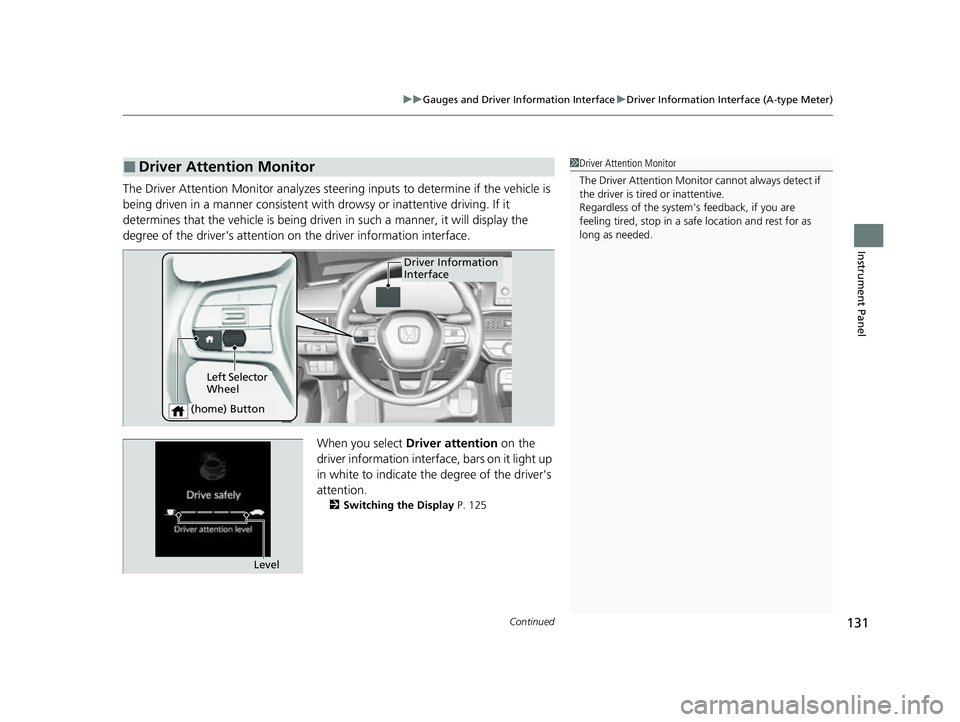
degree of the driver's attention on the driver information interface.
When you select Driver attention on the
driver information interface, bars on it light up
in white to indicate the degree of the driver's
attention.
2 Switching the Display P. 125
■Driver Attention Monitor1Driver Attention Monitor
The Driver Attenti on Monitor cannot always detect if
the driver is tired or inattentive.
Regardless of the system's feedback, if you are
feeling tired, stop in a safe location and rest for as
long as needed.
Driver Information
Interface
Left Selector
Wheel
(home) Button
Level
23 CIVIC HATCHBACK TYPE R-31T406100_03.book 131 ページ 2022年6月23日 木曜日 午後9時28分
Page 134 of 840
132
uuGauges and Driver Information Interface uDriver Information Interface (A-type Meter)
Instrument Panel
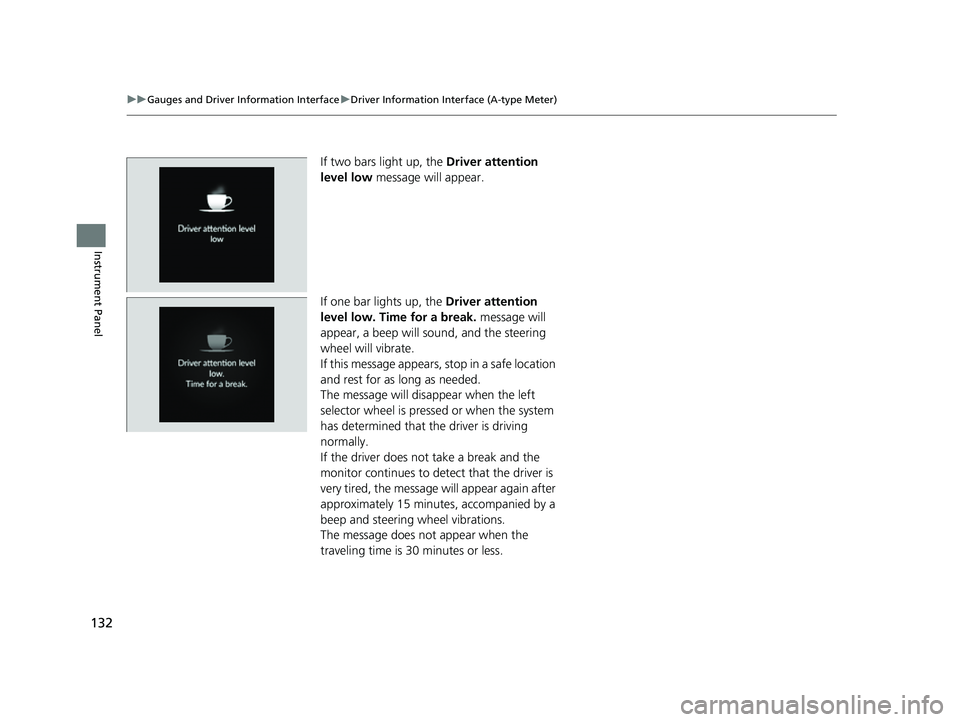
If two bars light up, the Driver attention
level low message will appear.
If one bar lights up, the Driver attention
level low. Time for a break. message will
appear, a beep will sound, and the steering
wheel will vibrate.
If this message appears, stop in a safe location
and rest for as long as needed.
The message will disappear when the left
selector wheel is pressed or when the system
has determined that the driver is driving
normally.
If the driver does not take a break and the
monitor continues to dete ct that the driver is
very tired, the message will appear again after
approximately 15 minutes, accompanied by a
beep and steering wheel vibrations.
The message does not appear when the
traveling time is 30 minutes or less.
23 CIVIC HATCHBACK TYPE R-31T406100_03.book 132 ページ 2022年6月23日 木曜日 午後9時28分
Page 163 of 840
Continued161
uuGauges and Driver Information Interface uDriver Information Interface Right Side Area (B-type-Meter)
Instrument Panel
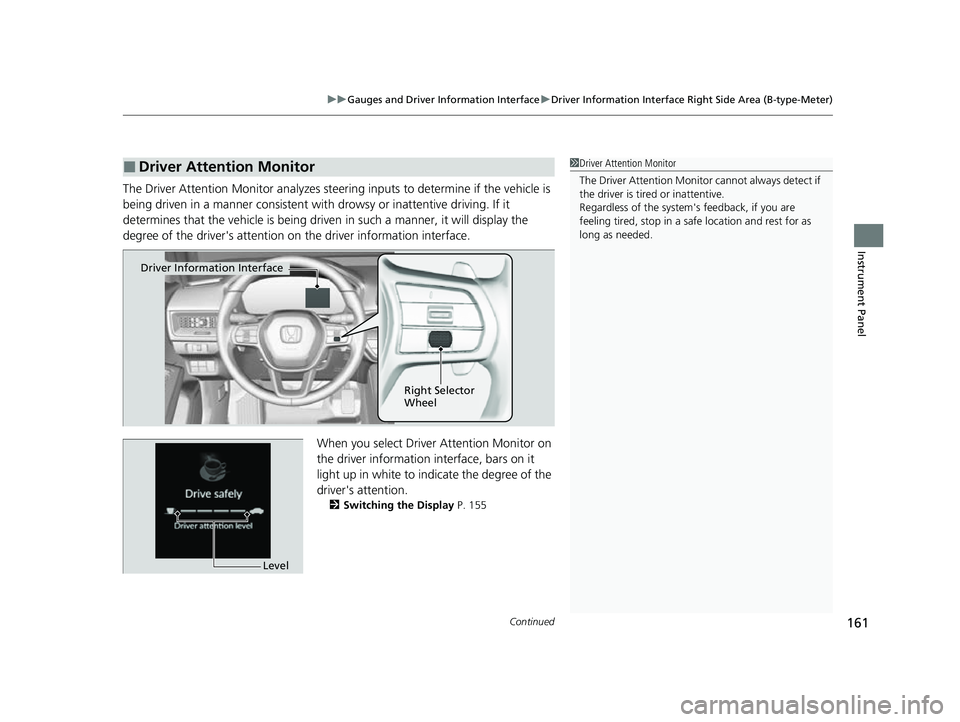
The Driver Attention Monitor an alyzes steering inputs to determine if the vehicle is
being driven in a manner consistent with drowsy or inattentive driving. If it
determines that the vehicle is being driven in such a manner, it will display the
degree of the driver's attention on the driver information interface.
When you select Driver Attention Monitor on
the driver information in terface, bars on it
light up in white to indicate the degree of the
driver's attention.
2 Switching the Display P. 155
■Driver Attention Monitor1Driver Attention Monitor
The Driver Attenti on Monitor cannot always detect if
the driver is tired or inattentive.
Regardless of the system's feedback, if you are
feeling tired, stop in a safe location and rest for as
long as needed.
Driver Information Interface
Right Selector
Wheel
Level
23 CIVIC HATCHBACK TYPE R-31T406100_03.book 161 ページ 2022年6月23日 木曜日 午後9時28分
Page 164 of 840
162
uuGauges and Driver Information Interface uDriver Information Interface Right Side Area (B-type-Meter)
Instrument Panel
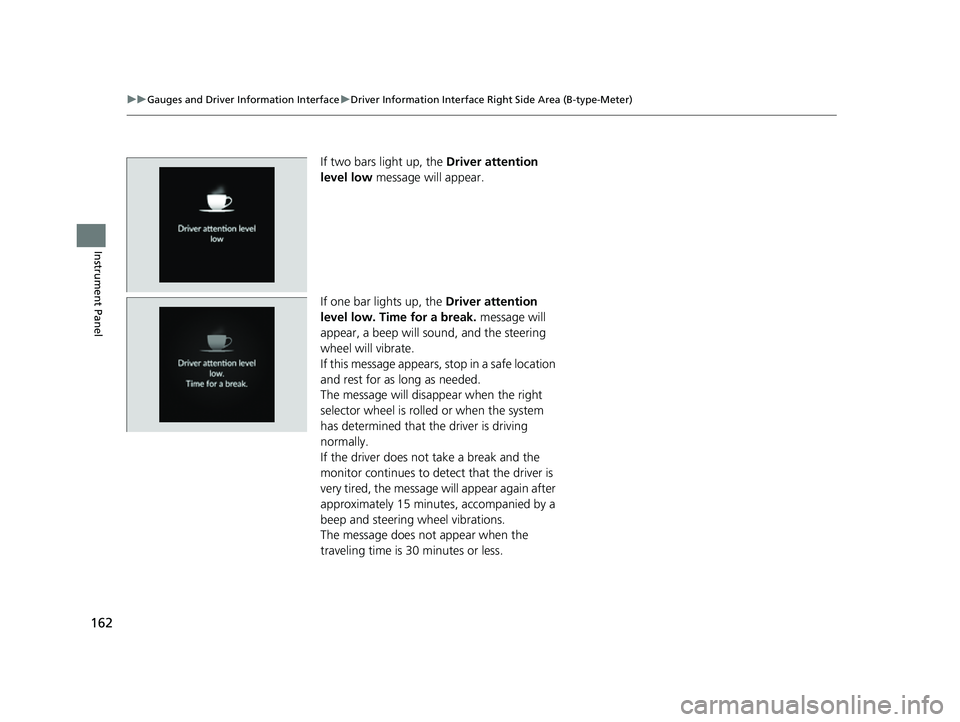
If two bars light up, the Driver attention
level low message will appear.
If one bar lights up, the Driver attention
level low. Time for a break. message will
appear, a beep will sound, and the steering
wheel will vibrate.
If this message appears, stop in a safe location
and rest for as long as needed.
The message will disa ppear when the right
selector wheel is rolled or when the system
has determined that the driver is driving
normally.
If the driver does not take a break and the
monitor continues to dete ct that the driver is
very tired, the message will appear again after
approximately 15 minutes, accompanied by a
beep and steering wheel vibrations.
The message does not appear when the
traveling time is 30 minutes or less.
23 CIVIC HATCHBACK TYPE R-31T406100_03.book 162 ページ 2022年6月23日 木曜日 午後9時28分
Page 175 of 840

173
Controls
This chapter explains how to operate the various controls necessary for driving.
Clock.................................................. 174
Locking and Unlocking the Doors Key .................................................. 176
Low Keyless Remote Signal Strength .... 178
Locking/Unlocking the Doors from the Outside .......................................... 179
Locking/Unlocking the Doors from the Inside ............................................. 188
Childproof Door Locks ..................... 190
Auto Door Locking/Unlocking .......... 191
Hatch ................................................. 192
Security System ................................ 195 Windows
........................................... 198
Moonroof
*........................................ 201
Operating the Switches Around the Steering Wheel ENGINE START/STOP Button............. 202
Turn Signals ..................................... 205
Light Switches.................................. 206
Fog Lights
*...................................... 209
Daytime Running Lights ................... 209
Auto High-Beam .............................. 210
Wipers and Washers ........................ 213 Rear Defogger/Heated Door Mirror
*
Button ........................................... 216
Brightness Control ........................... 217
Adjusting the Steering Wheel .......... 219
Mirrors Interior Rearview Mirror ................... 220
Power Door Mirrors ......................... 221
Seats .................................................. 222
Interior Convenience Items .............. 231
Climate Control System ................... 249
* Not available on all models
23 CIVIC HATCHBACK TYPE R-31T406100_03.book 173 ページ 2022年6月23日 木曜日 午後9時28分
Page 204 of 840

202
Controls
Operating the Switches Around the Steering Wheel
ENGINE START/STOP Button
*1:Manual transmission models
■Changing the Power Mode1ENGINE START/STOP Button
ENGINE START/STOP Button Operating Range
You can start the engine when the keyless remote is
inside the vehicle.
The engine may also start if the keyless remote is
close to the door or window, ev en if it is outside the
vehicle.
ON mode:
The ENGINE START/STOP button is on (in red), if the
engine is running.
If the battery of the keyless remote is getting low, the
engine may not start when you push the ENGINE
START/STOP button. If the engi ne does not start,
refer to the following link. 2 If the Keyless Remote Battery is Weak
P. 783
Operating Range
Continuously Variable Transmission Manual Transmission
VEHICLE OFF (LOCK)
The button is off.
The steering wheel is locked
*1.
The power to all electrical
components is turned off.
Press the button without the
transmission in
( P.
Press the button with the
transmission in
( P. Press the button.
Without pressing
the clutch pedal
Without pressing
the brake pedal ACCESSORY
The button blinks (in red).
Operate the audio system and
other accessories in this position.
ON
The button blinks (in red).
All electrical components can be
used.
Put the transmission into (P.
23 CIVIC HATCHBACK TYPE R-31T406100_03.book 202 ページ 2022年6月23日 木曜日 午後9時28分