2023 GMC CANYON warning light
[x] Cancel search: warning lightPage 108 of 371

GMC Canyon/Canyon Denali Owner Manual (GMNA-Localizing-U.S./Canada/
Mexico-16510661) - 2023 - CRC - 11/30/22
Instruments and Controls 107
lane status information. In addition to driver
assistance graphics, pedestrian advisory and
trailer sway indicators are displayed.
English Shown, Metric Similar
Navigation View : This displays the speed
view along with indicators for vehicle ahead,
Lane Departure Warning/Lane Keep Assist,
trailer sway, and pedestrian advisory.
Turn-by-Turn Navigation information is
shown during active route. The compass
heading is displayed when navigation
routing is not active.
Navigation turn-by-turn Alerts shown in the
instrument cluster may also be displayed in
any HUD view.
Care of the HUD
Clean the inside of the windshield to remove
any dirt or film that could reduce the
sharpness or clarity of the HUD image. Clean the HUD lens with a soft cloth
sprayed with glass cleaner. Wipe the lens
gently, then dry it.
HUD Troubleshooting
Check that:
.Nothing is covering the HUD lens.
.The HUD brightness setting is not too
dim or too bright.
.The HUD is adjusted to the proper height.
.Polarized sunglasses are not worn.
.The windshield and HUD lens are clean.
If the HUD image is not correct, contact
your dealer.
The windshield is part of the HUD system.
See Windshield Replacement 0272.
Vehicle Messages
Messages displayed on the DIC indicate the
status of the vehicle or some action that
may be needed to correct a condition.
Multiple messages may appear one after
another.
The messages that do not require
immediate action can be acknowledged and
cleared by pressing the thumbwheel. The messages that require immediate action
cannot be cleared until that action is
performed.
All messages should be taken seriously;
clearing the message does not correct the
problem.
If a SERVICE message appears, see your
dealer.
Follow the instructions given in the
messages. The system displays messages
regarding the following topics:
.Service Messages
.Fluid Levels
.Vehicle Security
.Brakes
.Ride Control Systems
.Driver Assistance Systems
.Cruise Control
.Lighting and Bulb Replacement
.Wiper/Washer Systems
.Doors and Windows
.Seat Belts
.Airbag Systems
.Engine and Transmission
.Tire Pressure
.Battery
Page 110 of 371
GMC Canyon/Canyon Denali Owner Manual (GMNA-Localizing-U.S./Canada/
Mexico-16510661) - 2023 - CRC - 12/6/22
Lighting 109
Lighting
Exterior Lighting
Exterior Lamp Controls . . . . . . . . . . . . . . . . 109
Exterior Lamps Off Reminder . . . . . . . . . . 110
Headlamp High/Low-Beam Changer . . . . 110
Flash-to-Pass . . . . . . . . . . . . . . . . . . . . . . . . . . . 110
Daytime Running Lamps (DRL) . . . . . . . . . 110
Automatic Headlamp System . . . . . . . . . . . 111
Hazard Warning Flashers . . . . . . . . . . . . . . . 111
Turn and Lane-Change Signals . . . . . . . . . . 112
Fog Lamps . . . . . . . . . . . . . . . . . . . . . . . . . . . . . 112
Off-Road Lamps (AT4X Only) . . . . . . . . . . . 112
Exterior Cargo Lamps . . . . . . . . . . . . . . . . . . 113
Interior Lighting
Instrument Panel IlluminationControl . . . . . . . . . . . . . . . . . . . . . . . . . . . . . . . 113
Dome Lamps . . . . . . . . . . . . . . . . . . . . . . . . . . . 113
Reading Lamps . . . . . . . . . . . . . . . . . . . . . . . . . 114
Lighting Features
Entry Lighting . . . . . . . . . . . . . . . . . . . . . . . . . . 114
Exit Lighting . . . . . . . . . . . . . . . . . . . . . . . . . . . 114
Battery Load Management . . . . . . . . . . . . . 114
Battery Power Protection . . . . . . . . . . . . . . 115
Exterior Lighting Battery Saver . . . . . . . . . 115
Exterior Lighting
Exterior Lamp Controls
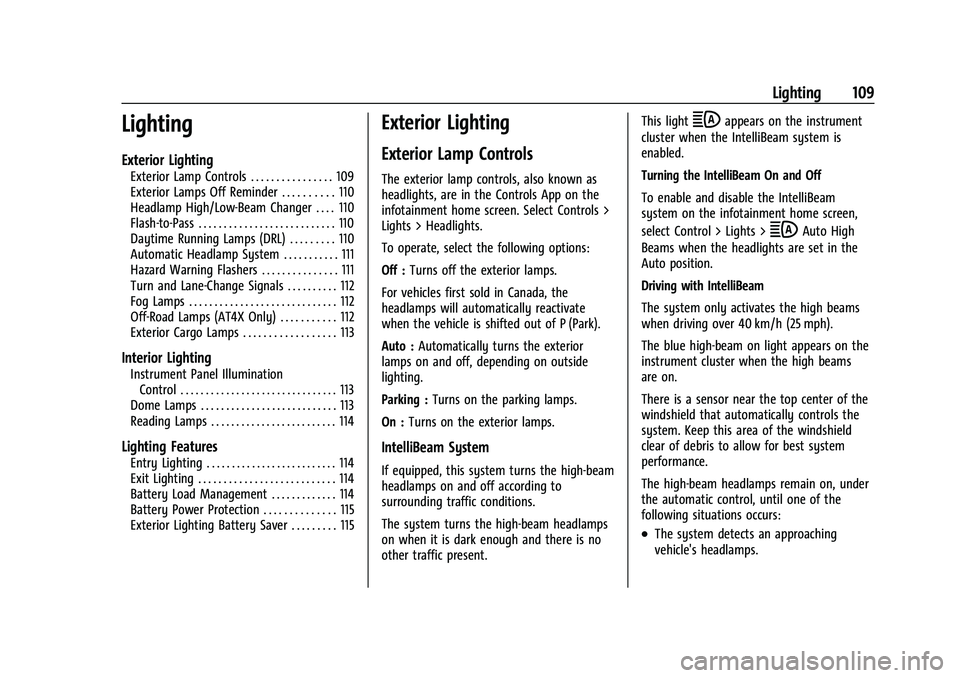
The exterior lamp controls, also known as
headlights, are in the Controls App on the
infotainment home screen. Select Controls >
Lights > Headlights.
To operate, select the following options:
Off : Turns off the exterior lamps.
For vehicles first sold in Canada, the
headlamps will automatically reactivate
when the vehicle is shifted out of P (Park).
Auto : Automatically turns the exterior
lamps on and off, depending on outside
lighting.
Parking : Turns on the parking lamps.
On : Turns on the exterior lamps.
IntelliBeam System
If equipped, this system turns the high-beam
headlamps on and off according to
surrounding traffic conditions.
The system turns the high-beam headlamps
on when it is dark enough and there is no
other traffic present. This light
bappears on the instrument
cluster when the IntelliBeam system is
enabled.
Turning the IntelliBeam On and Off
To enable and disable the IntelliBeam
system on the infotainment home screen,
select Control > Lights >
bAuto High
Beams when the headlights are set in the
Auto position.
Driving with IntelliBeam
The system only activates the high beams
when driving over 40 km/h (25 mph).
The blue high-beam on light appears on the
instrument cluster when the high beams
are on.
There is a sensor near the top center of the
windshield that automatically controls the
system. Keep this area of the windshield
clear of debris to allow for best system
performance.
The high-beam headlamps remain on, under
the automatic control, until one of the
following situations occurs:
.The system detects an approaching
vehicle's headlamps.
Page 112 of 371

GMC Canyon/Canyon Denali Owner Manual (GMNA-Localizing-U.S./Canada/
Mexico-16510661) - 2023 - CRC - 12/6/22
Lighting 111
The taillamps, instrument panel lights, and
other lamps will not turn on when this
feature is activated.
The DRL turn off when the exterior lamp
controls are set to Off, Parking, or On,
or the vehicle is off.
For vehicles first sold in Canada, the DRL can
only be turned off when the vehicle is
parked.
Automatic Headlamp System
When the exterior lamp control is set to
Auto and it is dark enough outside, the
headlamps come on automatically. See
Exterior Lamp Controls0109.
There is a light sensor on top of the
instrument panel. Do not cover the sensor,
otherwise the headlamps will come on when
they are not needed. The system may also turn on the headlamps
when driving through a parking garage or
tunnel.
If the vehicle is started in a dark garage, the
automatic headlamp system comes on
immediately. If it is light outside when the
vehicle leaves the garage, there is a slight
delay before the automatic headlamp
system changes to the Daytime Running
Lamps (DRL). During that delay, the
instrument cluster may not be as bright as
usual. Make sure the instrument panel
brightness control is in the full bright
position. See
Instrument Panel Illumination
Control 0113.
When it is bright enough outside, the
headlamps will turn off or may change
to DRL.
The automatic headlamp system turns off
when the exterior lamp control is set to On
or the vehicle is off.
Lights On with Wipers
If the windshield wipers are activated in
daylight with the vehicle on and the exterior
lamp control is set to Auto, the headlamps,
parking lamps, and other exterior lamps
come on. The transition time for the lamps
coming on varies based on wiper speed. When the wipers are not operating, these
lamps turn off. Set the exterior lamp control
to On or Off to disable this feature.
Hazard Warning Flashers
|:
Press to make the front and rear turn
signal lamps flash on and off. Press again to
turn the flashers off.
When the hazard warning flashers are on,
the vehicle's turn signals will not work.
Page 140 of 371

GMC Canyon/Canyon Denali Owner Manual (GMNA-Localizing-U.S./Canada/
Mexico-16510661) - 2023 - CRC - 11/29/22
Infotainment System 139
or the DIC will display a message
indicating that Teen Driver is active and
the action is not available.
.Super Cruise, if equipped, is not available.
.Enhanced Low Fuel Warning
(if equipped)–When the vehicle is low
on fuel, the low fuel light on the
instrument cluster flashes and the DIC
low fuel warning cannot be dismissed.
.Do not tow a trailer if equipped with
Automatic Emergency Braking.
Report Card
The vehicle owner must secure the driver’s
consent to record certain vehicle data when
the vehicle is driven with a registered Teen
Driver key. There is one Report Card per
vehicle. Data is only recorded when a
registered Teen Driver key is used to
operate the vehicle.
The Report Card data is collected from the
time Teen Driver is activated or the last
time the Report Card was reset. The
following items may be recorded:
.Distance Driven –the total distance
driven.
.Maximum Speed –the maximum vehicle
speed detected.
.Overspeed Warnings –the number of
times the speed warning setting was
exceeded.
.Wide Open Throttle –the number of
times the accelerator pedal was pressed
nearly all the way down.
.Forward Collision Alerts (if equipped) –
the number of times the driver was
notified when approaching a vehicle
ahead too quickly and at potential risk for
a crash.
.Forward Automatic Braking, also called
Automatic Emergency Braking (if
equipped) –the number of times the
vehicle detected that a forward collision
was imminent and applied the brakes.
.Reverse Automatic Braking (if equipped) –
the number of times the vehicle detected
that a rearward collision was imminent
and applied the brakes.
.Traction Control –the number of times
the Traction Control System activated to
reduce wheel spin or loss of traction.
.Stability Control –the number of events
which required the use of electronic
stability control.
.Antilock Braking System Active –The
number of Antilock Brake System
activations.
.Tailgating Alerts (if equipped)– the
number of times the driver was alerted
for following a vehicle ahead too closely.
Report Card Data
Cumulative Data is saved for all trips until
the Report Card is reset or until the
maximum count is exceeded. If the
maximum count is exceeded for a Report
Card line item, that item will no longer be
updated in the Report Card until it is reset.
Each item will report a maximum of
1,000 counts. The distance driven will report
a maximum of 64 374 km (40,000 mi).
To delete Report Card data, do one of the
following:
.From the Report Card display, touch
Reset.
.Touch Clear PIN and All Teen Driver Keys
from the Teen Driver menu. This will also
unregister any Teen Driver keys and
delete the PIN.
Forgotten PIN
See your dealer to reset the PIN.
Page 156 of 371

GMC Canyon/Canyon Denali Owner Manual (GMNA-Localizing-U.S./Canada/
Mexico-16510661) - 2023 - CRC - 11/29/22
Driving and Operating 155
.D (Drive) can be used when driving on
steep hills. If the transmission shifts too
often, move the shift lever to L (Manual
Mode) and choose an appropriate low
gear for current driving conditions. See
Manual Mode0177.
.When possible, drive straight up or down
the hill.
.Slow down when approaching the top of
the hill.
{Warning
Driving to the top of a hill at high speed
can cause a crash. There could be a
drop-off, embankment, cliff, or even
another vehicle. You could be seriously
injured or killed. As you near the top of a
hill, slow down and stay alert.
.Never go downhill forward or backward
with the transmission in N (Neutral). The
brakes could overheat and you could lose
control.
{Warning
If the vehicle has the two-speed
automatic or electronic transfer case,
shifting the transfer case to N (Neutral)
can cause your vehicle to roll even if the
transmission is in P (Park). This is because
the N (Neutral) position on the transfer
case overrides the transmission. You or
someone else could be injured. If leaving
the vehicle, set the parking brake and
shift the transmission to P (Park). Shift
the transfer case to any position but
N (Neutral).
.When driving down a hill, keep the
vehicle headed straight down. Use a low
gear because the engine will work with
the brakes to slow the vehicle and help
keep the vehicle under control.
{Warning
Heavy braking when going down a hill
can cause your brakes to overheat and
fade. This could cause loss of control and
you or others could be injured or killed.
(Continued)
Warning (Continued)
Apply the brakes lightly when descending
a hill and use a low gear to keep vehicle
speed under control.
.Avoid turns that take the vehicle across
the incline of the hill. Driving across an
incline puts more weight on the downhill
wheels, which could cause a downhill
slide or a rollover.
.Loose gravel, muddy spots, or even wet
grass can cause the tires to slip sideways,
downhill. If the vehicle slips sideways, it
can hit something and potentially
roll over.
.Hidden obstacles can make the steepness
of the incline more severe. If a rock is
driven across with the uphill wheels, or if
the downhill wheels drop into a rut or
depression, the vehicle can tilt even more.
.If driving across an incline is not
avoidable and the vehicle starts to slide,
turn downhill. This should help straighten
out the vehicle and prevent side slipping.
If the vehicle stalls on a hill: 1. Apply the brakes to stop the vehicle, and then apply the parking brake.
Page 159 of 371

GMC Canyon/Canyon Denali Owner Manual (GMNA-Localizing-U.S./Canada/
Mexico-16510661) - 2023 - CRC - 11/29/22
158 Driving and Operating
Off-Road App
Overview
The vehicle is equipped with an Off-Road
App to assist in monitoring the motion and
status of your vehicle, which can be
beneficial in off-road environments. See
Off-Road Driving0153.
The Off-Road App displays data such as the
vehicle’s compass bearing, altitude, axle
locker status, pitch/roll angle, and more,
depending on how your vehicle is equipped.
Some gauges track of the maximum values
you have achieved, and you can reset the
values to start over.
{Warning
Taking your eyes off the road for too
long or too often while using any
infotainment feature can cause a crash.
You or others could be injured or killed.
Do not give extended attention to
infotainment tasks while driving. Limit
your glances at the vehicle displays and
focus your attention on driving. Use voice
commands whenever possible.
Getting Started
To open the app, select the OFF ROAD icon
from the infotainment home screen. The
available off-road tools are displayed
horizontally across the screen. Scroll left or
right to view more tools. Additionally, the
tools are grouped by labels Baja, Terrain,
and Overlanding at the top of the screen.
These labels are shortcuts to the tools that
may be helpful in those respective driving
conditions, although all tools are actively
collecting data at all times. Baja and Terrain
are also selectable as a driving mode. See
Driver Mode Control 0187.
.Baja –High-speed driving on low traction
surfaces
.Terrain –For rough terrain at low speeds
.Overlanding –For exploring without using
roads
Certain tools save minimum and maximum
values for the data they are collecting,
which you can reset as needed. Touch the
Reset symbol
jon the screen to reset the
values. Depending on how the vehicle is equipped,
the off-road tools in the app may include:
Altimeter :
Displays current elevation.
Maintains lowest and highest values, which
can be reset as needed.
Axle locker status : Identifies each axle as
locked or unlocked. A tire will be highlighted
if slip due to low traction is detected. See
Locking Front Axle 0192 and
Locking Rear Axle 0191.
Camera app shortcut : Launches the Camera
App for exterior camera views. See Surround
Vision System 0209.
Compass : Displays direction of travel. If the
vehicle navigation system is actively routing
to a destination, an indicator on the
compass shows the bearing to the
destination. See Compass075.
G-Force : Displays longitudinal and lateral
acceleration and max G-force.
Pitch and roll : Shows real-time vehicle pitch
and roll in a 3D gauge.
Steering angle : Displays degrees of steering
rotation for the front wheels.
Tire pressure : Displays real-time tire
pressure plus indicator for under-inflation.
See Tire Pressure Monitor System 0291.
Page 160 of 371

GMC Canyon/Canyon Denali Owner Manual (GMNA-Localizing-U.S./Canada/
Mexico-16510661) - 2023 - CRC - 11/29/22
Driving and Operating 159
Transfer case status :Displays the setting of
the four-wheel drive (4WD) transfer case.
See Four-Wheel Drive 0179.
Driving on Wet Roads
Rain and wet roads can reduce vehicle
traction and affect your ability to stop and
accelerate. Always drive slower in these
types of driving conditions and avoid driving
through large puddles and deep-standing or
flowing water.
{Warning
Wet brakes can cause crashes. They
might not work as well in a quick stop
and could cause pulling to one side. You
could lose control of the vehicle.
After driving through a large puddle of
water or a car/vehicle wash, lightly apply
the brake pedal until the brakes work
normally.
Flowing or rushing water creates strong
forces. Driving through flowing water
could cause the vehicle to be carried
away. If this happens, you and other
vehicle occupants could drown. Do not
(Continued)
Warning (Continued)
ignore police warnings and be very
cautious about trying to drive through
flowing water.
Hydroplaning
Hydroplaning is dangerous. Water can build
up under the vehicle's tires so they actually
ride on the water. This can happen if the
road is wet enough and you are going fast
enough. When the vehicle is hydroplaning, it
has little or no contact with the road.
There is no hard and fast rule about
hydroplaning. The best advice is to slow
down when the road is wet.
Other Rainy Weather Tips
Besides slowing down, other wet weather
driving tips include:
.Allow extra following distance.
.Pass with caution.
.Keep windshield wiping equipment in
good shape.
.Keep the windshield washer fluid reservoir
filled.
.Have good tires with proper tread depth.
SeeTires 0284.
.Turn off cruise control.
Hill and Mountain Roads
Driving on steep hills or through mountains
is different than driving on flat or rolling
terrain. Tips include:
.Keep the vehicle serviced and in good
shape.
.Check all fluid levels and brakes, tires, and
cooling system.
.Shift to a lower gear when going down
steep or long hills.
{Warning
Using the brakes to slow the vehicle on a
long downhill slope can cause brake
overheating, can reduce brake
performance, and could result in a loss of
braking. Shift the transmission to a lower
gear to let the engine assist the brakes
on a steep downhill slope.
Page 162 of 371

GMC Canyon/Canyon Denali Owner Manual (GMNA-Localizing-U.S./Canada/
Mexico-16510661) - 2023 - CRC - 11/29/22
Driving and Operating 161
Warning (Continued)
If the vehicle is stuck in snow:
.Clear snow from the base of the
vehicle, especially any blocking the
exhaust pipe.
.Open a window about 5 cm (2 in) on
the vehicle side that is away from the
wind, to bring in fresh air.
.Fully open the air outlets on or under
the instrument panel.
.Adjust the climate control system to
circulate the air inside the vehicle and
set the fan speed to the highest
setting. See“Climate Control Systems.”
For more information about CO, see
Engine Exhaust 0174.
To save fuel, run the engine for short
periods to warm the vehicle and then shut
the engine off and partially close the
window. Moving about to keep warm also
helps.
If it takes time for help to arrive, when
running the engine, push the accelerator
pedal slightly so the engine runs faster than
the idle speed. This keeps the battery charged to restart the vehicle and to signal
for help with the headlamps. Do this as
little as possible, to save fuel.
If the Vehicle Is Stuck
Slowly and cautiously spin the wheels to
free the vehicle when stuck in sand, mud,
ice, or snow. See
“Rocking the Vehicle to Get
It Out” later in this section.
If equipped, the front and rear axles may be
locked to improve traction. See Locking Front
Axle 0192 and
Locking Rear Axle 0191.
The Traction Control System (TCS) can often
help to free a stuck vehicle. See Traction
Control/Electronic Stability Control 0185.
If TCS cannot free the vehicle, see “Rocking
the Vehicle to Get it Out” following.
{Warning
If the vehicle's tires spin at high speed,
they can explode, and you or others
could be injured. The vehicle can
overheat, causing an engine compartment
fire or other damage. Spin the wheels as
little as possible and avoid going above
56 km/h (35 mph). For information about using tire chains on
the vehicle, see
Tire Chains0302.
Rocking the Vehicle to Get It Out
Turn the steering wheel left and right to
clear the area around the front wheels. For
four-wheel-drive vehicles, shift into
Four-Wheel Drive High. Turn the TCS off.
Shift back and forth between R (Reverse) and
a forward gear, spinning the wheels as little
as possible. To prevent transmission wear,
wait until the wheels stop spinning before
shifting gears. Slowly spinning the wheels in
the forward and reverse directions causes a
rocking motion that could free the vehicle.
If that does not get the vehicle out after a
few tries, it might need to be towed out.
See Transporting a Disabled Vehicle 0314.
Recovery hooks can be used, if the vehicle
has them.
Recovery Hooks
{Warning
Never pull on recovery hooks from the
side. The hooks could break and you and
others could be injured. When using
recovery hooks, always pull the vehicle
from the front.