2023 FORD SUPER DUTY warning
[x] Cancel search: warningPage 513 of 738
CHANGING A FLAT TIRE
If you get a flat tire when driving, do notapply the brake heavily. Instead, graduallydecrease your speed. Hold the steeringwheel firmly and slowly move to a safeplace on the side of the road.
Have a flat serviced by an authorizeddealer to prevent damage to the systemsensors. See Tire Pressure MonitoringSystem Precautions (page 502).Replacethe spare tire with a road tire as soon aspossible. During repairing or replacing theflat tire, have the authorized dealer inspectthe system sensor for damage.
Note:The use of tire sealant may damageyour tire pressure monitoring system andshould only be used in roadsideemergencies.
Note:The tire pressure monitoring systemindicator light illuminates when the sparetire is in use. To restore the full function ofthe monitoring system, all road wheelsequipped with tire pressure monitoringsensors must be mounted on this vehicle.
Dissimilar Spare Wheel and TireAssembly Information
WARNING: Failure to follow theseguidelines could result in an increasedrisk of loss of vehicle control, injury ordeath.
If you have a dissimilar spare wheel andtire, then it is intended for temporary useonly. This means that if you need to use it,you should replace it as soon as possiblewith a road wheel and tire assembly thatis the same size and type as the road tiresand wheels that were originally providedby Ford. If the dissimilar spare tire or wheelis damaged, it should be replaced ratherthan repaired.
A dissimilar spare wheel and tire assemblyis defined as a spare wheel and tireassembly that is different in brand, size orappearance from the road tires andwheels.
Full-size dissimilar spare
When driving with the full-size dissimilarspare wheel and tire assembly, do not:
•Exceed 70 mph (113 km/h).
•Use more than one dissimilar sparewheel and tire assembly at a time.
•Use snow chains on the end of thevehicle with the dissimilar spare wheeland tire assembly.
•Engage any four-wheel drive mode.See Four-Wheel Drive Limitations(page 239).
When driving with the full-size dissimilarspare wheel and tire assembly, 4WDfunctionality may be limited. You mayexperience the following:
•Additional noise from the transfer caseor other drive components.
•Difficulty shifting out of a mechanicallylocked 4WD mode.
When driving with the full-size dissimilarspare wheel and tire assembly, it isrecommended that you do not:
•Engage 4WD High or 4WD Low, ifequipped, other than to get your vehicleunstuck. .
The usage of a full-size dissimilar sparewheel and tire assembly can lead toimpairment of the following:
•Handling, stability and brakingperformance.
•Comfort and noise.
•Ground clearance and parking at curbs.
•Winter weather driving capability.
•Wet weather driving capability.
•Four-wheel drive capability.
509
2023 Super Duty (TFH) Canada/United States of America, enUSA, Edition date: 202211, DOMChanging a Road Wheel (If Equipped)
Page 514 of 738
When driving with the full-size dissimilarspare wheel and tire assembly additionalcaution should be given to:
•Towing a trailer.
•Driving vehicles equipped with acamper body.
•Driving vehicles with a load on thecargo rack.
Drive cautiously when using a full-sizedissimilar spare wheel and tire assemblyand seek service as soon as possible.
Location of the Spare Tire andTools
See the following table for their locations:
LocationItem
Under the vehicle, just forward of the rearbumper.Spare tire - pick-up trucks only
Fastened to the floor pan behind the rear-most seat on the passenger side.Jack
Regular Cab: Fastened to floor behind thedriver seat.Jack handle, lug wrench, lug wrench exten-sion - only provided on dual rear wheelvehicles.Super Cab and Crew Cab: Fastened to thefloor under the rear seat on the driver's side.
Tire Change Procedure
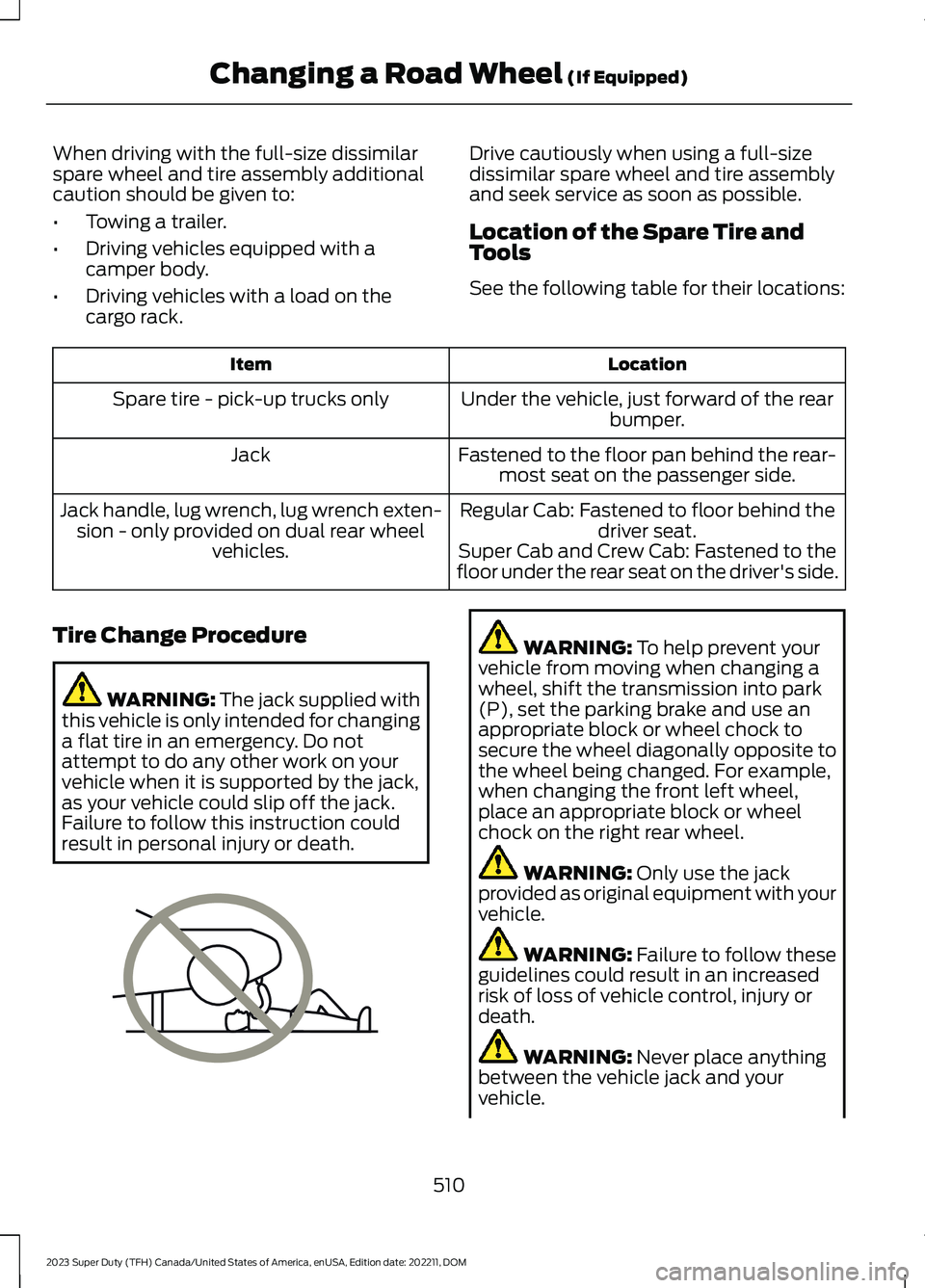
WARNING: The jack supplied withthis vehicle is only intended for changinga flat tire in an emergency. Do notattempt to do any other work on yourvehicle when it is supported by the jack,as your vehicle could slip off the jack.Failure to follow this instruction couldresult in personal injury or death.
WARNING: To help prevent yourvehicle from moving when changing awheel, shift the transmission into park(P), set the parking brake and use anappropriate block or wheel chock tosecure the wheel diagonally opposite tothe wheel being changed. For example,when changing the front left wheel,place an appropriate block or wheelchock on the right rear wheel.
WARNING: Only use the jackprovided as original equipment with yourvehicle.
WARNING: Failure to follow theseguidelines could result in an increasedrisk of loss of vehicle control, injury ordeath.
WARNING: Never place anythingbetween the vehicle jack and yourvehicle.
510
2023 Super Duty (TFH) Canada/United States of America, enUSA, Edition date: 202211, DOMChanging a Road Wheel (If Equipped)E166722
Page 515 of 738
WARNING: Never place anythingbetween the vehicle jack and the ground.
WARNING: Do not attempt tochange a tire on the side of the vehicleclose to moving traffic. Pull far enoughoff the road to not obstruct the flow oftraffic and avoid the danger of being hitwhen operating the jack or changing thewheel.
WARNING: The jack supplied withthis vehicle is only intended for changinga flat tire in an emergency. Do notattempt to do any other work on yourvehicle when it is supported by the jack,as your vehicle could slip off the jack.Failure to follow this instruction couldresult in personal injury or death.
WARNING: Only use the sparewheel carrier to stow wheels providedwith your vehicle.
Note:Do not use impact tools or powertools operating at over 200 RPM on thespare wheel carrier winch, which may causeit to malfunction and result in the wheel andtire not being securely stowed.
Note:Passengers should not remain in thevehicle when the vehicle is being jacked.
1.Park the vehicle on a level firm groundand activate the hazard flashers.
2.Apply the parking brake, place thetransmission in park (P), switch theengine off.
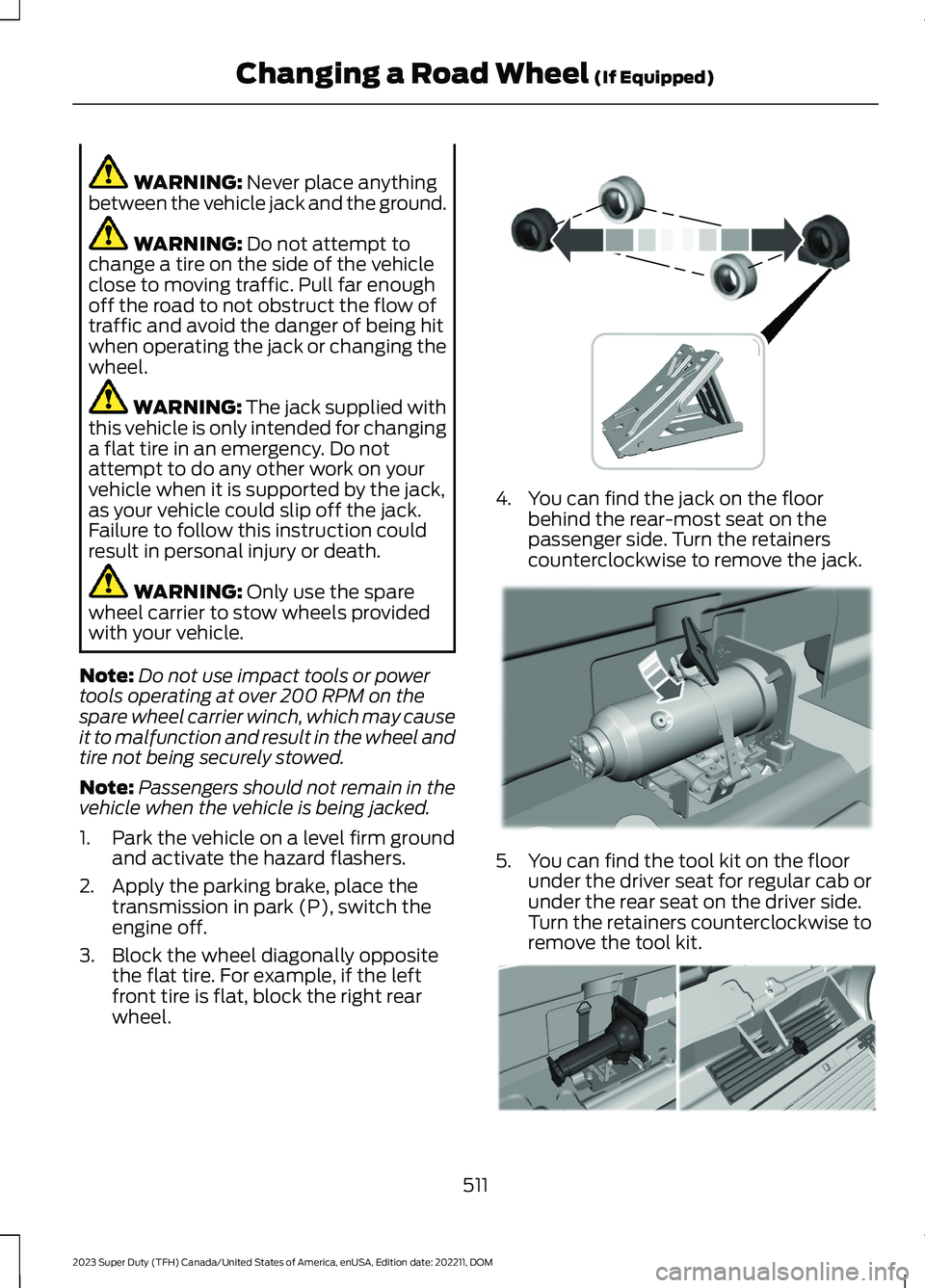
3.Block the wheel diagonally oppositethe flat tire. For example, if the leftfront tire is flat, block the right rearwheel.
4.You can find the jack on the floorbehind the rear-most seat on thepassenger side. Turn the retainerscounterclockwise to remove the jack.
5.You can find the tool kit on the floorunder the driver seat for regular cab orunder the rear seat on the driver side.Turn the retainers counterclockwise toremove the tool kit.
511
2023 Super Duty (TFH) Canada/United States of America, enUSA, Edition date: 202211, DOMChanging a Road Wheel (If Equipped) E388040 E309424 E309795
Page 523 of 738
3.Reinsert the lug wrench extension(s)through the rear bumper and guidetube and turn the lug wrench clockwiseuntil the tire is raised to its stowedposition underneath the vehicle. Thewrench will become harder to turn andthe spare tire winch will ratchet or slipwhen the tire is raised to maximumtightness. You will hear a clicking soundfrom the winch indicating that the tireis properly stowed, tighten until aminimum of three clicks are heard.Check that the tire lies flat against theframe and is secure.
4.Carefully place all tools back in the toolkit bag.
5.Reinstall the tool kit bag and tightenthe wing nut.
6.Properly reinstall the jack into thebracket and tighten the wing nut.
WHEEL NUTS
WARNING: When you install awheel, always remove any corrosion, dirtor foreign materials present on themounting surfaces of the wheel or thesurface of the wheel hub, brake drum orbrake disc that contacts the wheel. Makesure to secure any fasteners that attachthe rotor to the hub so they do notinterfere with the mounting surfaces ofthe wheel. Installing wheels withoutcorrect metal-to-metal contact at thewheel mounting surfaces can cause thewheel nuts to loosen and the wheel tocome off while your vehicle is in motion,resulting in loss of vehicle control,personal injury or death.
lb.ft (Nm)1Bolt Size
150 lb.ft (204 Nm)M14 x 1.5
1 Torque specifications are for nut and boltthreads free of dirt and rust. Use only ourrecommended replacement wheel nutsand or wheel bolts.
Retighten the wheel nuts to the specifiedtorque within 100 mi (160 km) after anywheel disturbance, such as tire rotation,changing a flat tire or wheel removal.
On vehicles equipped with dual rearwheels, retighten the wheel lug nuts to thespecified torque at 100 mi (160 km), andagain at 500 mi (800 km) of new vehicleoperation and after any wheel disturbance,such as tire rotation, changing a flat tire,or wheel removal.
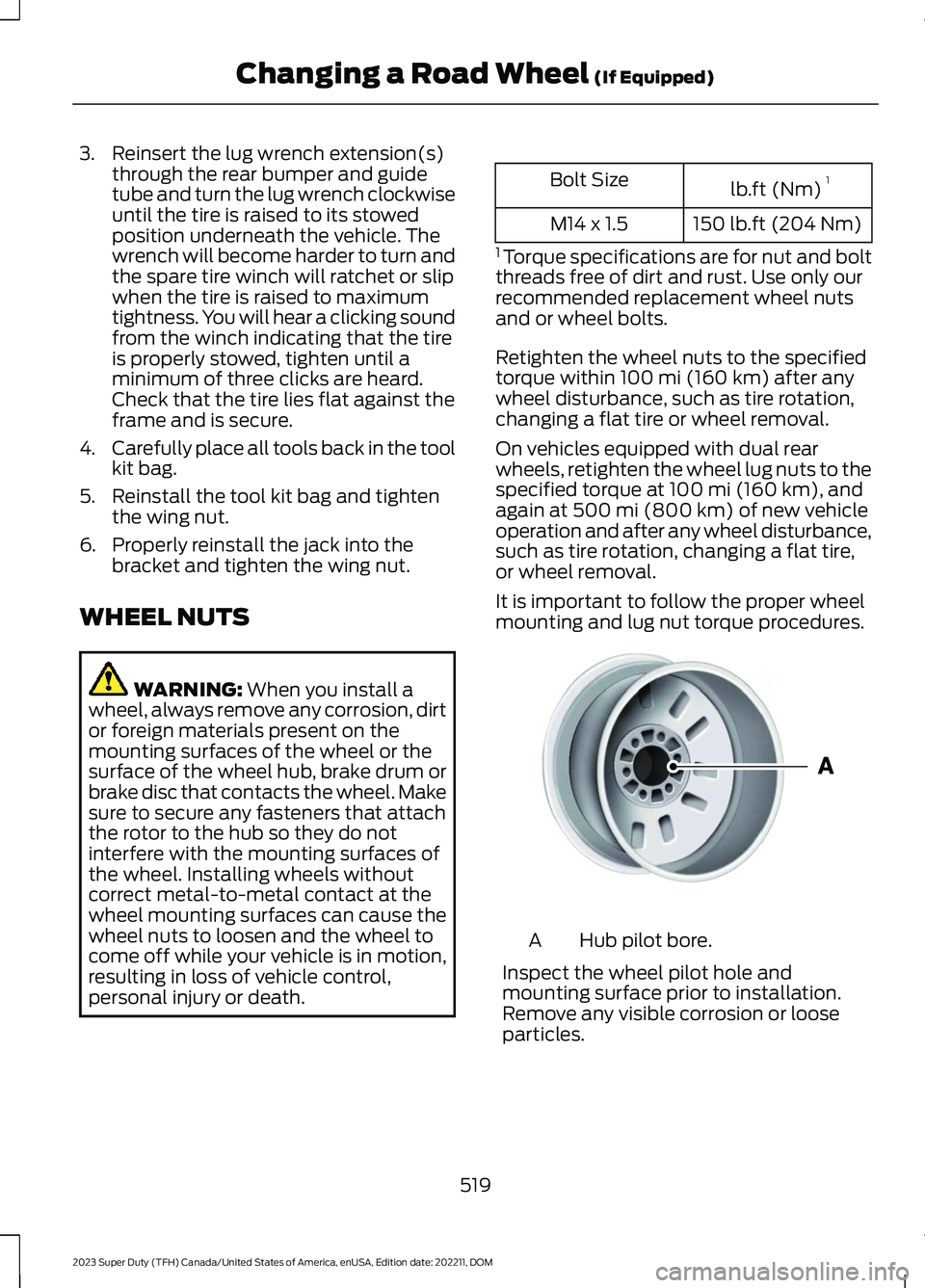
It is important to follow the proper wheelmounting and lug nut torque procedures.
Hub pilot bore.A
Inspect the wheel pilot hole andmounting surface prior to installation.Remove any visible corrosion or looseparticles.
519
2023 Super Duty (TFH) Canada/United States of America, enUSA, Edition date: 202211, DOMChanging a Road Wheel (If Equipped)E145950
Page 540 of 738
AIR CONDITIONING SYSTEM
CAPACITY AND
SPECIFICATION
WARNING: The air conditioningrefrigerant system contains refrigerantunder high pressure. Only qualifiedpersonnel should service the airconditioning refrigerant system. Opening
the air conditioning refrigerant systemcan cause personal injury.
Use refrigerant and oil that meets thedefined specifications.
If you do not use refrigerant and oil thatmeets the defined specifications, it couldresult in:
•Component damage that your vehiclewarranty does not cover.
•Reduced vehicle performance.
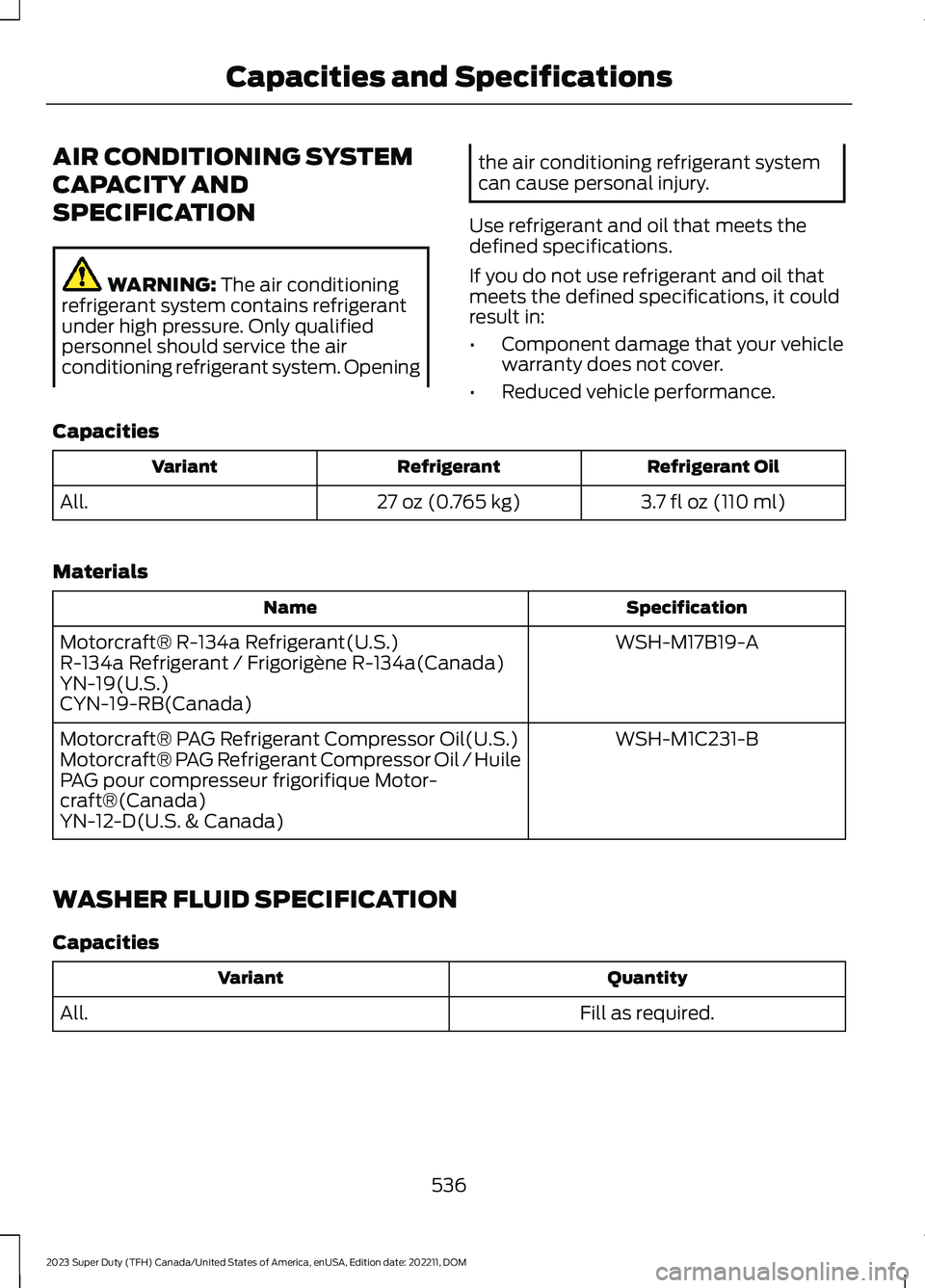
Capacities
Refrigerant OilRefrigerantVariant
3.7 fl oz (110 ml)27 oz (0.765 kg)All.
Materials
SpecificationName
WSH-M17B19-AMotorcraft® R-134a Refrigerant(U.S.)R-134a Refrigerant / Frigorigène R-134a(Canada)YN-19(U.S.)CYN-19-RB(Canada)
WSH-M1C231-BMotorcraft® PAG Refrigerant Compressor Oil(U.S.)Motorcraft® PAG Refrigerant Compressor Oil / HuilePAG pour compresseur frigorifique Motor-craft®(Canada)YN-12-D(U.S. & Canada)
WASHER FLUID SPECIFICATION
Capacities
QuantityVariant
Fill as required.All.
536
2023 Super Duty (TFH) Canada/United States of America, enUSA, Edition date: 202211, DOMCapacities and Specifications
Page 557 of 738
AUDIO SYSTEM
PRECAUTIONS
WARNING: Driving while distractedcan result in loss of vehicle control, crashand injury. We strongly recommend thatyou use extreme caution when using anydevice that may take your focus off theroad. Your primary responsibility is thesafe operation of your vehicle. Werecommend against the use of anyhand-held device while driving andencourage the use of voice-operatedsystems when possible. Make sure youare aware of all applicable local lawsthat may affect the use of electronicdevices while driving.
Listening to loud audio for long periods oftime could damage your hearing.
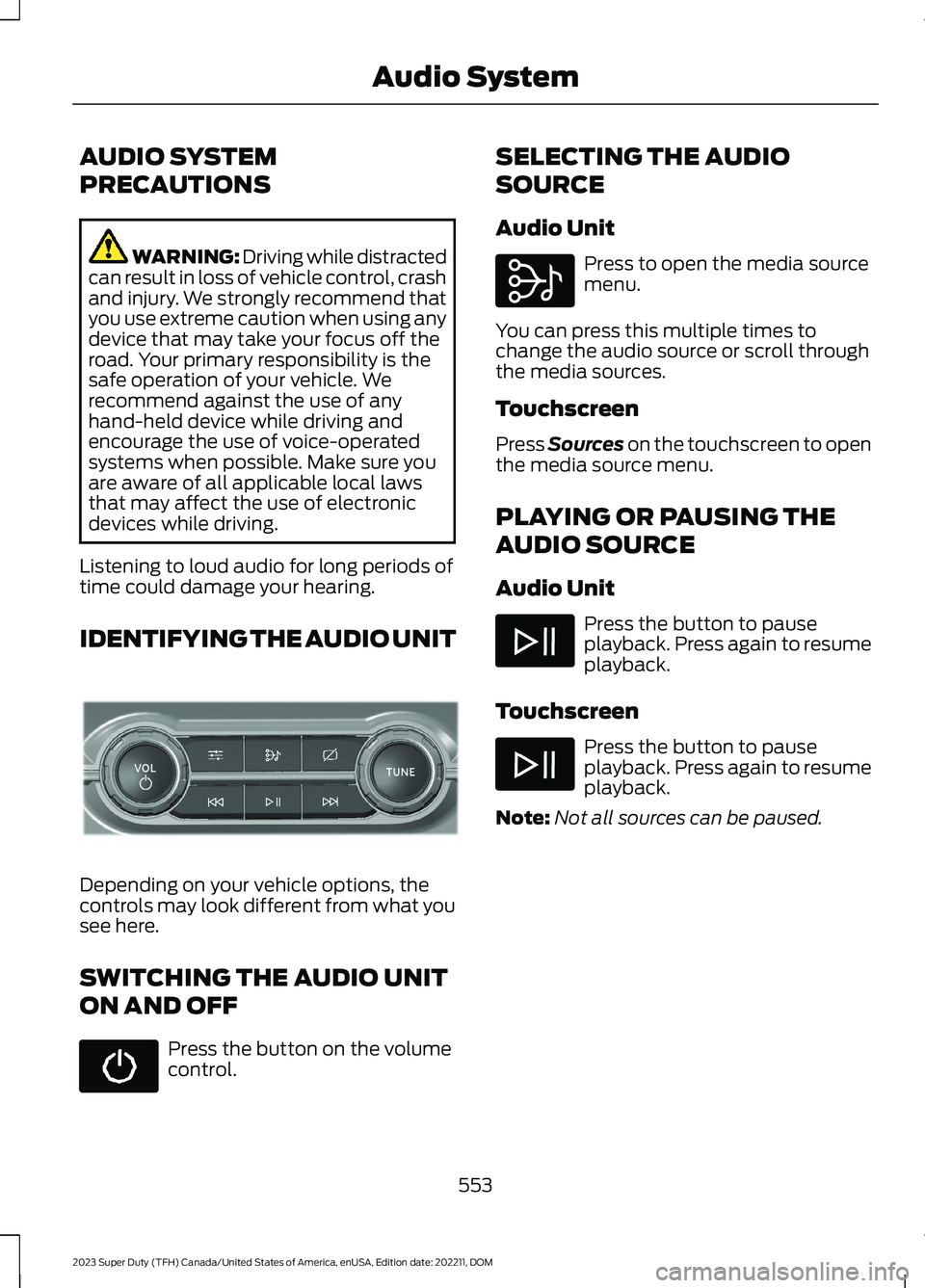
IDENTIFYING THE AUDIO UNIT
Depending on your vehicle options, thecontrols may look different from what yousee here.
SWITCHING THE AUDIO UNIT
ON AND OFF
Press the button on the volumecontrol.
SELECTING THE AUDIO
SOURCE
Audio Unit
Press to open the media sourcemenu.
You can press this multiple times tochange the audio source or scroll throughthe media sources.
Touchscreen
Press Sources on the touchscreen to openthe media source menu.
PLAYING OR PAUSING THE
AUDIO SOURCE
Audio Unit
Press the button to pauseplayback. Press again to resumeplayback.
Touchscreen
Press the button to pauseplayback. Press again to resumeplayback.
Note:Not all sources can be paused.
553
2023 Super Duty (TFH) Canada/United States of America, enUSA, Edition date: 202211, DOMAudio SystemE308144 E308143
Page 567 of 738
CENTER DISPLAY
PRECAUTIONS
WARNING: Driving while distractedcan result in loss of vehicle control, crashand injury. We strongly recommend thatyou use extreme caution when using anydevice that may take your focus off theroad. Your primary responsibility is thesafe operation of your vehicle. Werecommend against the use of anyhand-held device while driving andencourage the use of voice-operatedsystems when possible. Make sure youare aware of all applicable local lawsthat may affect the use of electronicdevices while driving.
CENTER DISPLAY
LIMITATIONS
Speed-restricted Features
For your safety, features that are notcritical while driving are not available whenthe vehicle is moving at or above 5 mph(8 km/h).
STATUS BAR
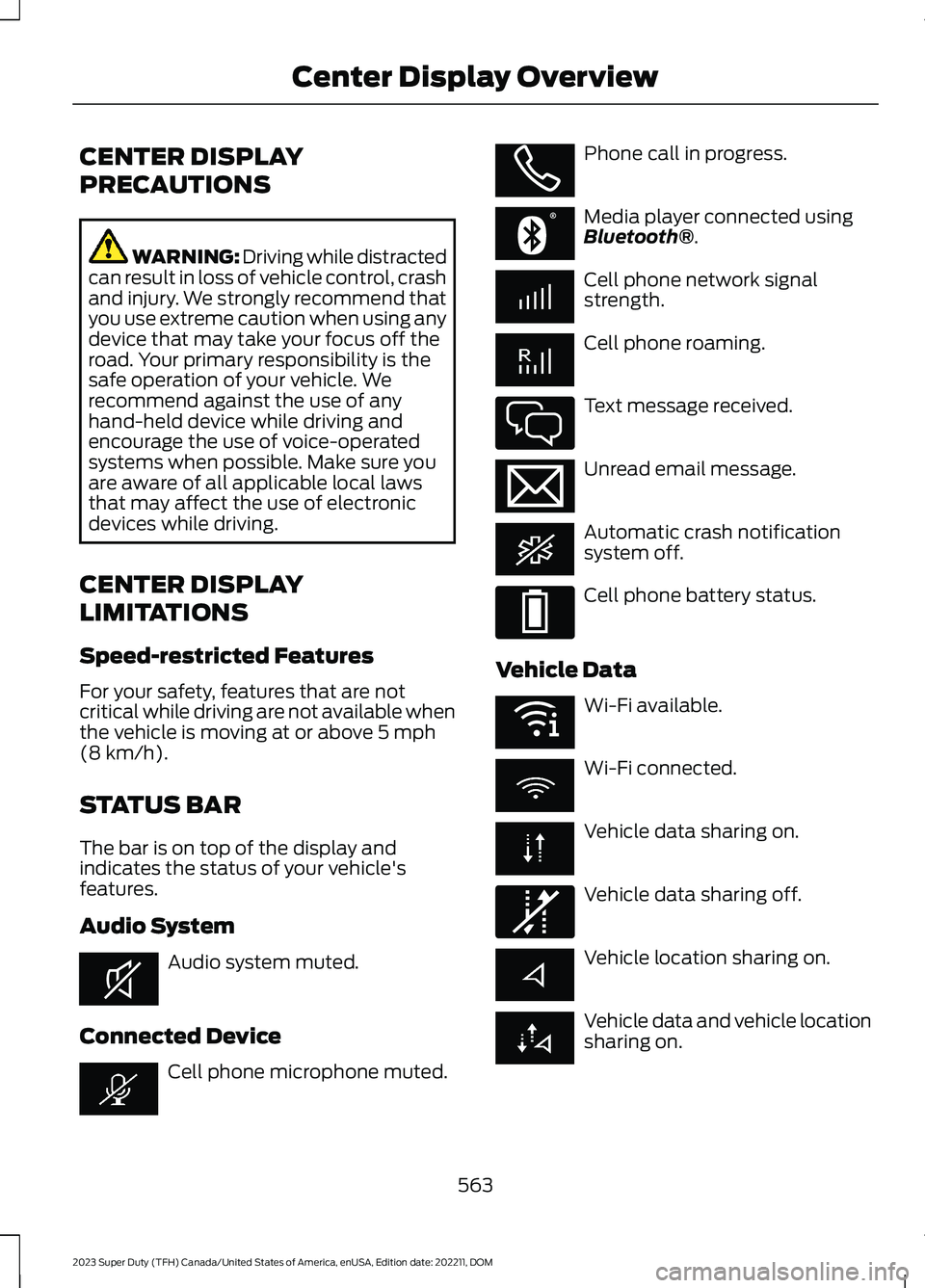
The bar is on top of the display andindicates the status of your vehicle'sfeatures.
Audio System
Audio system muted.
Connected Device
Cell phone microphone muted.
Phone call in progress.
Media player connected usingBluetooth®.
Cell phone network signalstrength.
Cell phone roaming.
Text message received.
Unread email message.
Automatic crash notificationsystem off.
Cell phone battery status.
Vehicle Data
Wi-Fi available.
Wi-Fi connected.
Vehicle data sharing on.
Vehicle data sharing off.
Vehicle location sharing on.
Vehicle data and vehicle locationsharing on.
563
2023 Super Duty (TFH) Canada/United States of America, enUSA, Edition date: 202211, DOMCenter Display OverviewE353221 E353213 E353208 E335295 E353216 E335293 E353219 E335292
Page 573 of 738
PHONE PRECAUTIONS
WARNING: Driving while distractedcan result in loss of vehicle control, crashand injury. We strongly recommend thatyou use extreme caution when using anydevice that may take your focus off theroad. Your primary responsibility is thesafe operation of your vehicle. Werecommend against the use of anyhand-held device while driving andencourage the use of voice-operatedsystems when possible. Make sure youare aware of all applicable local lawsthat may affect the use of electronicdevices while driving.
CONNECTING YOUR PHONE
Go to the settings menu on your device andswitch Bluetooth® on.
Press the phone option on thefeature bar.
1.Press Add Phone.
Note:A prompt alerts you to search for yourvehicle on your cell phone.
2.Select your vehicle on your cell phone.
Note:A number appears on your cell phoneand on the touchscreen.
3.Confirm the number on your cell phonematches the number on thetouchscreen.
Note:The touchscreen indicates that youhave successfully paired your cell phone.
4.Approve phonebook download requeston your cell phone.
PHONE MENU
This menu becomes available after pairinga phone.
Recent Call List
Display and select an entry from a list ofprevious calls.
Contacts
Display a smart search form to look up yourcontacts. Use the List button toalphabetically sort your contacts.
Favorites
Display the list of favorite contacts thatare set up on your phone.
Messaging
Displays the list of text messages to read,listen to, or respond to.
Email
Displays the list of emails to read, listen to,or respond to.
Phone List
Display the list of paired or connecteddevices that you can select.
Note:Up to 12 devices can be stored.
Do Not Disturb
Reject incoming calls and switch ring tonesand alerts off.
Phone Keypad
Directly dial a number.
569
2023 Super Duty (TFH) Canada/United States of America, enUSA, Edition date: 202211, DOMPhone