2023 FORD SUPER DUTY wheel
[x] Cancel search: wheelPage 113 of 738
ADJUSTING THE STEERING
WHEEL - VEHICLES WITH:
MANUAL ADJUSTABLE
STEERING COLUMN
WARNING: Do not adjust thesteering wheel when your vehicle ismoving.
Note: Make sure that you are sitting in thecorrect position. See Sitting in the CorrectPosition (page 161).
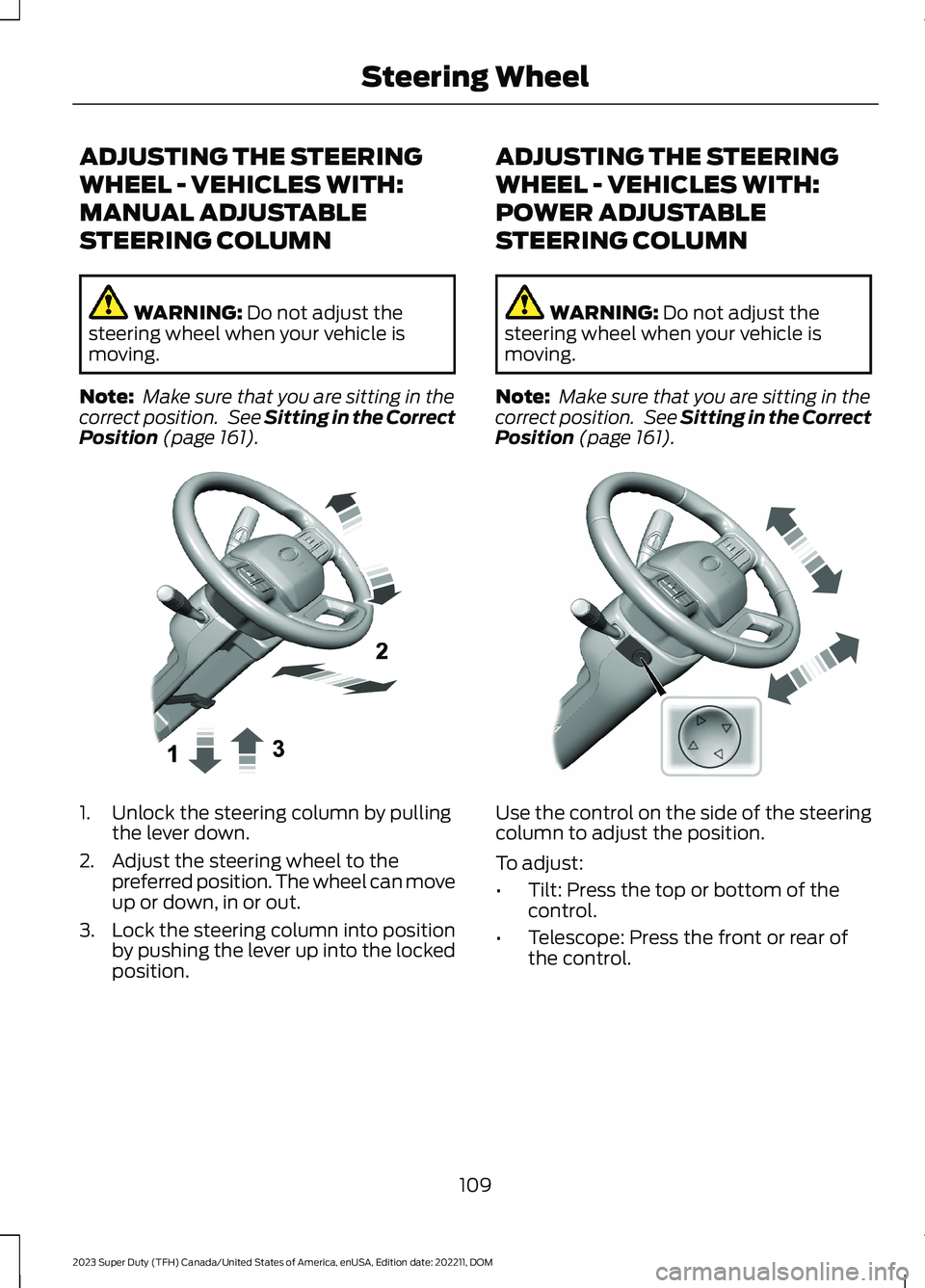
1.Unlock the steering column by pullingthe lever down.
2.Adjust the steering wheel to thepreferred position. The wheel can moveup or down, in or out.
3.Lock the steering column into positionby pushing the lever up into the lockedposition.
ADJUSTING THE STEERING
WHEEL - VEHICLES WITH:
POWER ADJUSTABLE
STEERING COLUMN
WARNING: Do not adjust thesteering wheel when your vehicle ismoving.
Note: Make sure that you are sitting in thecorrect position. See Sitting in the CorrectPosition (page 161).
Use the control on the side of the steeringcolumn to adjust the position.
To adjust:
•Tilt: Press the top or bottom of thecontrol.
•Telescope: Press the front or rear ofthe control.
109
2023 Super Duty (TFH) Canada/United States of America, enUSA, Edition date: 202211, DOMSteering WheelE383968 E383969
Page 114 of 738
End of Travel Position
The steering column sets a stoppingposition just short of the end of the columnposition to prevent damage to the steeringcolumn. A new stopping position sets ifthe steering column encounters an objectwhen tilting or telescoping.
To reset the steering column to its normalstopping position:
1.Confirm there is nothing obstructingthe motion of the steering column.
2.Press and hold the steering columncontrol until the steering column stopsmoving.
3.Press the steering column controlagain.
Note:The steering column may begin tomove again.
4.When the steering column stops,continue holding the control for a fewseconds.
5.Repeat for each direction as necessary.
A new stopping position sets. The nexttime you tilt or telescope the steeringcolumn, it stops just short of the end of thecolumn position.
Memory Feature (If Equipped)
You can save and recall the steeringcolumn position with the memoryfunction. See Memory Function (page177).
Pressing the adjustment control during amemory recall cancels the operation.
Easy Entry and Exit Feature
The column moves up when you switchthe ignition off. Switch the ignition on toreturn the system to its previous settings.You can switch this feature on or off in theinstrument cluster display.
Note: If you press any adjustment ormemory button when in easy exit mode, thesystem cancels the operation.
Note:Depending on your vehicle, thecolumn may move up and in.
RESETTING THE STOPPING
POSITION - VEHICLES WITH:
POWER ADJUSTABLE
STEERING COLUMN
Note:The steering wheel stops when itdetects an obstruction. This sets a newstopping position.
To reset the steering column to its normalstopping position:
1.Confirm there is nothing obstructingthe motion of the steering column.
2.Press and hold the steering columncontrol until the steering column stopsmoving.
3.Press the steering column controlagain.
Note:The steering column may start tomove again.
4.When the steering column stops,continue holding the control for a fewseconds.
5.Repeat for each direction, as necessary.
HORN
Press on the center of thesteering wheel near the horn iconto activate the horn.
110
2023 Super Duty (TFH) Canada/United States of America, enUSA, Edition date: 202211, DOMSteering WheelE270945
Page 115 of 738

SWITCHING THE HEATED
STEERING WHEEL ON AND OFF
(IF EQUIPPED)
To activate the heated steeringwheel, press the button on theclimate control unit.
On some vehicles, an indicator on thebutton illuminates when the heatedsteering wheel is on.
Note:A sensor regulates the temperatureof the steering wheel.
STEERING WHEEL VIDEOS
Adjusting the Steering Wheel Video Link
111
2023 Super Duty (TFH) Canada/United States of America, enUSA, Edition date: 202211, DOMSteering WheelE256621
Page 117 of 738

WIPERS
WIPER PRECAUTIONS
Do not operate the wipers on a drywindshield. This could scratch the glass ordamage the wiper blades. Use thewindshield washers before wiping a drywindshield.
Fully defrost the windshield before youswitch the windshield wipers on.
Switch the windshield wipers off beforeentering a car wash.
SWITCHING WINDSHIELD WIPERSON AND OFF
High-speed wipe.A
Low-speed wipe.B
Intermittent wipe.C
Off.D
Use the rotary control.
AUTOWIPERS (IF EQUIPPED)
WHAT ARE AUTOWIPERS
Autowipers turns on and controls thespeed and frequency of the windshieldwipers.
AUTOWIPERS SETTINGS
1.Using the instrument cluster controlson the steering wheel, select Settings.
2.Select Vehicle.
3.Select Wipers.
4.Switch Rain Sensing on or off.
Note:When you switch the feature off, thewipers do not operate based on the rainsensor. When you switch on the windshieldwipers to the intermittent wipe position withthe feature off, the wipers use the wipespeed set by the rotary control.
ADJUSTING THE SENSITIVITY OFTHE RAIN SENSOR
Low sensitivity.A
High sensitivity.B
Use the rotary control to set the rain sensorsensitivity.
113
2023 Super Duty (TFH) Canada/United States of America, enUSA, Edition date: 202211, DOMWipers and WashersE382879 E270969 E383614
Page 123 of 738
Set the lever to the middle position toswitch the turn signal lamps off.
Note:Tap the lever up or down to make theturn signal lamps flash three times.
Turn Signal Lamp Indicator
It flashes when you switch theturn signal lamps on.
Note:An increase in the rate of flashingwarns of a failed turn signal lamp.
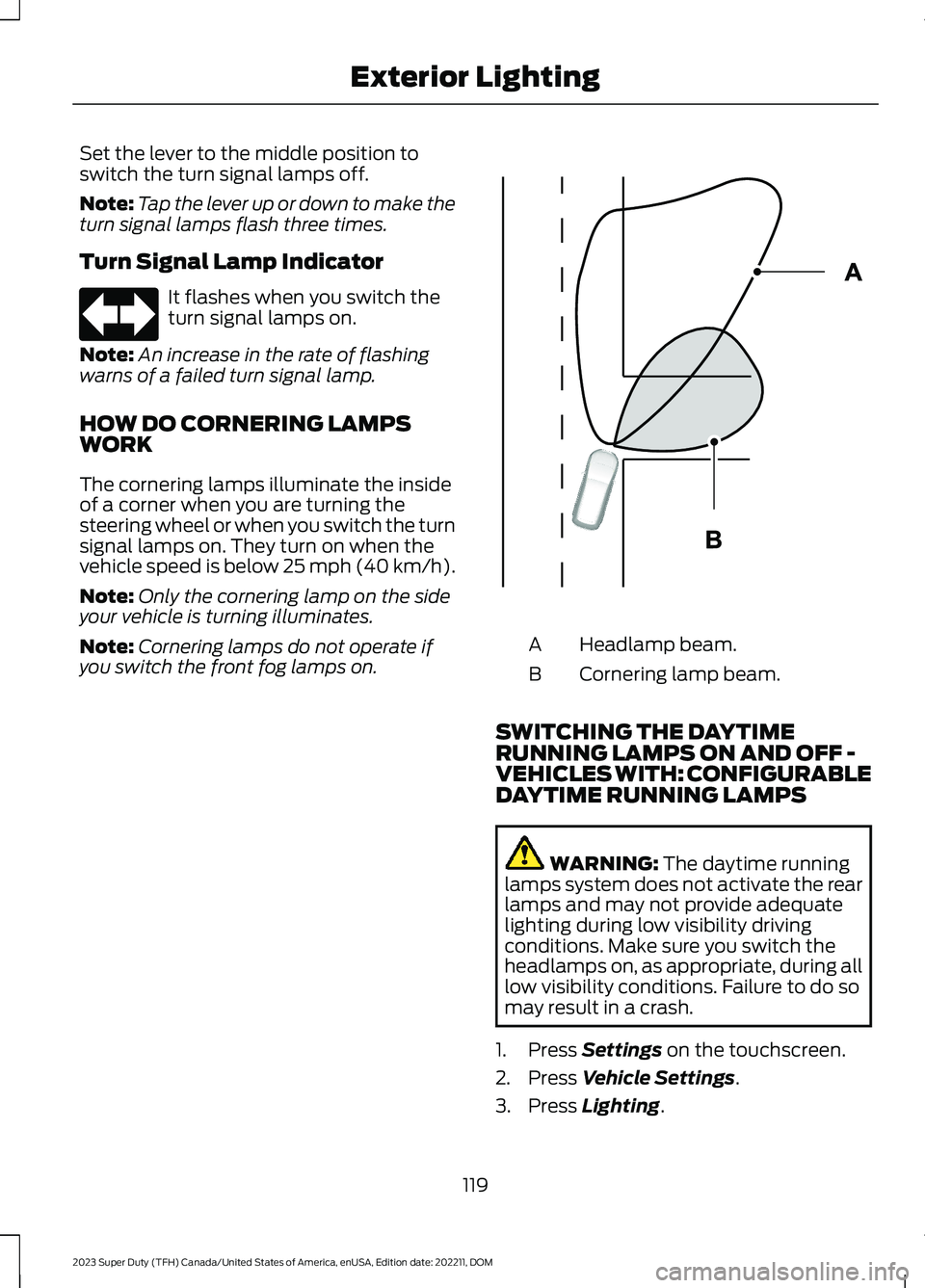
HOW DO CORNERING LAMPSWORK
The cornering lamps illuminate the insideof a corner when you are turning thesteering wheel or when you switch the turnsignal lamps on. They turn on when thevehicle speed is below 25 mph (40 km/h).
Note:Only the cornering lamp on the sideyour vehicle is turning illuminates.
Note:Cornering lamps do not operate ifyou switch the front fog lamps on.Headlamp beam.A
Cornering lamp beam.B
SWITCHING THE DAYTIMERUNNING LAMPS ON AND OFF -VEHICLES WITH: CONFIGURABLEDAYTIME RUNNING LAMPS
WARNING: The daytime runninglamps system does not activate the rearlamps and may not provide adequatelighting during low visibility drivingconditions. Make sure you switch theheadlamps on, as appropriate, during alllow visibility conditions. Failure to do somay result in a crash.
1.Press Settings on the touchscreen.
2.Press Vehicle Settings.
3.Press Lighting.
119
2023 Super Duty (TFH) Canada/United States of America, enUSA, Edition date: 202211, DOMExterior LightingE67018 E327599
Page 127 of 738
WARNING: The system may notswitch the high beams off if the lights ofoncoming vehicles are hidden byobstacles, for example guard rails.
WARNING: You may need tooverride the system when approachingother road users.
WARNING: In situations with poorvisibility, such as fog, heavy rain or otherinclement weather, you may need tooverride or completely switch off thesystem.
AUTOMATIC HIGH BEAMCONTROL REQUIREMENTS
The system turns the high beams on if allof the following occur:
•You switch the system on.
•You set the lighting control to theautolamps position.
•The ambient light level is low enoughthat you require high beams.
•There is no traffic in front of yourvehicle.
•The vehicle speed is greater thanapproximately 25 mph (40 km/h).
AUTOMATIC HIGH BEAMCONTROL LIMITATIONS
The system turns the high beams off if anyof the following occur:
•You switch the system off.
•You set the lighting control to anyposition except autolamps.
•The ambient light level is high enoughthat you do not require high beams.
•The system detects an approachingvehicle's headlamps or a leadingvehicle's tail lamps.
•The system detects severe rain, snowor fog.
•The system detects street lighting.
•The camera has reduced visibility.
•The vehicle speed falls belowapproximately 19 mph (30 km/h).
SWITCHING AUTOMATIC HIGHBEAM CONTROL ON AND OFF
1.Using the instrument cluster controlson the steering wheel, select Settings.
2.Select Vehicle.
3.Select Lighting.
4.Switch Auto High Beam on or off.
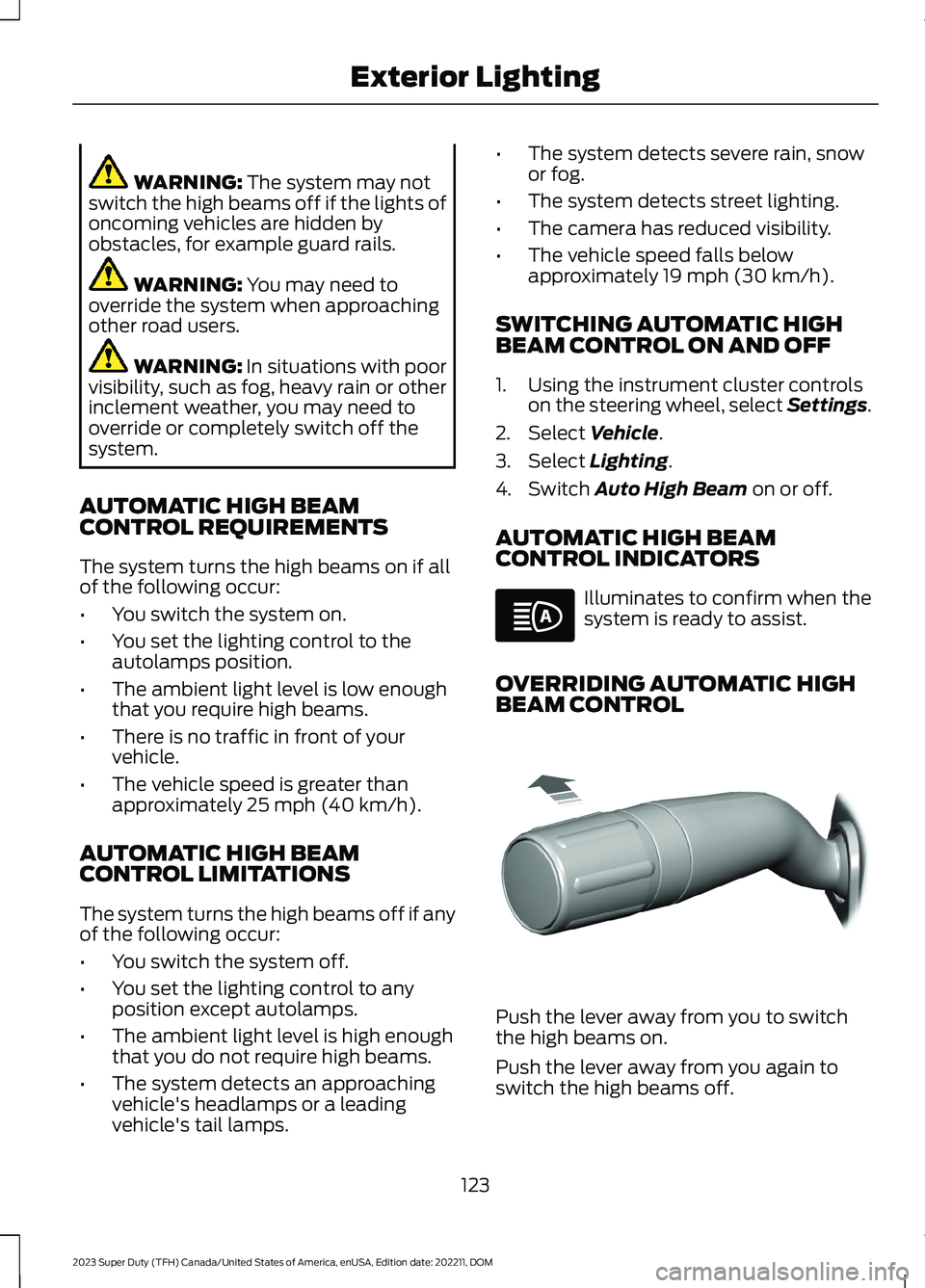
AUTOMATIC HIGH BEAMCONTROL INDICATORS
Illuminates to confirm when thesystem is ready to assist.
OVERRIDING AUTOMATIC HIGHBEAM CONTROL
Push the lever away from you to switchthe high beams on.
Push the lever away from you again toswitch the high beams off.
123
2023 Super Duty (TFH) Canada/United States of America, enUSA, Edition date: 202211, DOMExterior LightingE146105 E308790
Page 133 of 738
SWITCHING GLOBAL OPENING ONAND OFF
1.Using the information display controlson the steering wheel, select Settings.
2.Select Vehicle.
3.Select Windows.
4.Switch Remote Open on or off.
WINDOW BOUNCE-BACK
WHAT IS WINDOW BOUNCE-BACK
The window stops and reverses if it detectsan obstruction when closing.
OVERRIDING WINDOW BOUNCE-BACK
WARNING: If you overridebounce-back, the window does notreverse if it detects an obstacle. Takecare when closing the windows to avoidpersonal injury or damage to yourvehicle.
1.Close the window until it reaches thepoint of resistance and let it reverse.
2.Lift and hold the window control switchwithin two seconds to overridebounce-back and close the window.Bounce-back is now disabled and youcan close the window manually.
Note:The window goes past the point ofresistance and you can fully close it.
Note:If the window does not close, haveyour vehicle checked as soon as possible.
LOCKING THE REAR WINDOW
CONTROLS
Press the window control switchto lock or unlock the rear windowcontrols. It illuminates when youlock the rear window controls.
OPENING AND CLOSING THE
SLIDING WINDOWS (IF EQUIPPED)
WARNING: When closing thepower windows, verify they are free ofobstruction and make sure that childrenand pets are not in the proximity of thewindow openings.
WARNING: Do not leave childrenunattended in your vehicle and do notlet them play with the power windows.Failure to follow this instruction couldresult in personal injury.
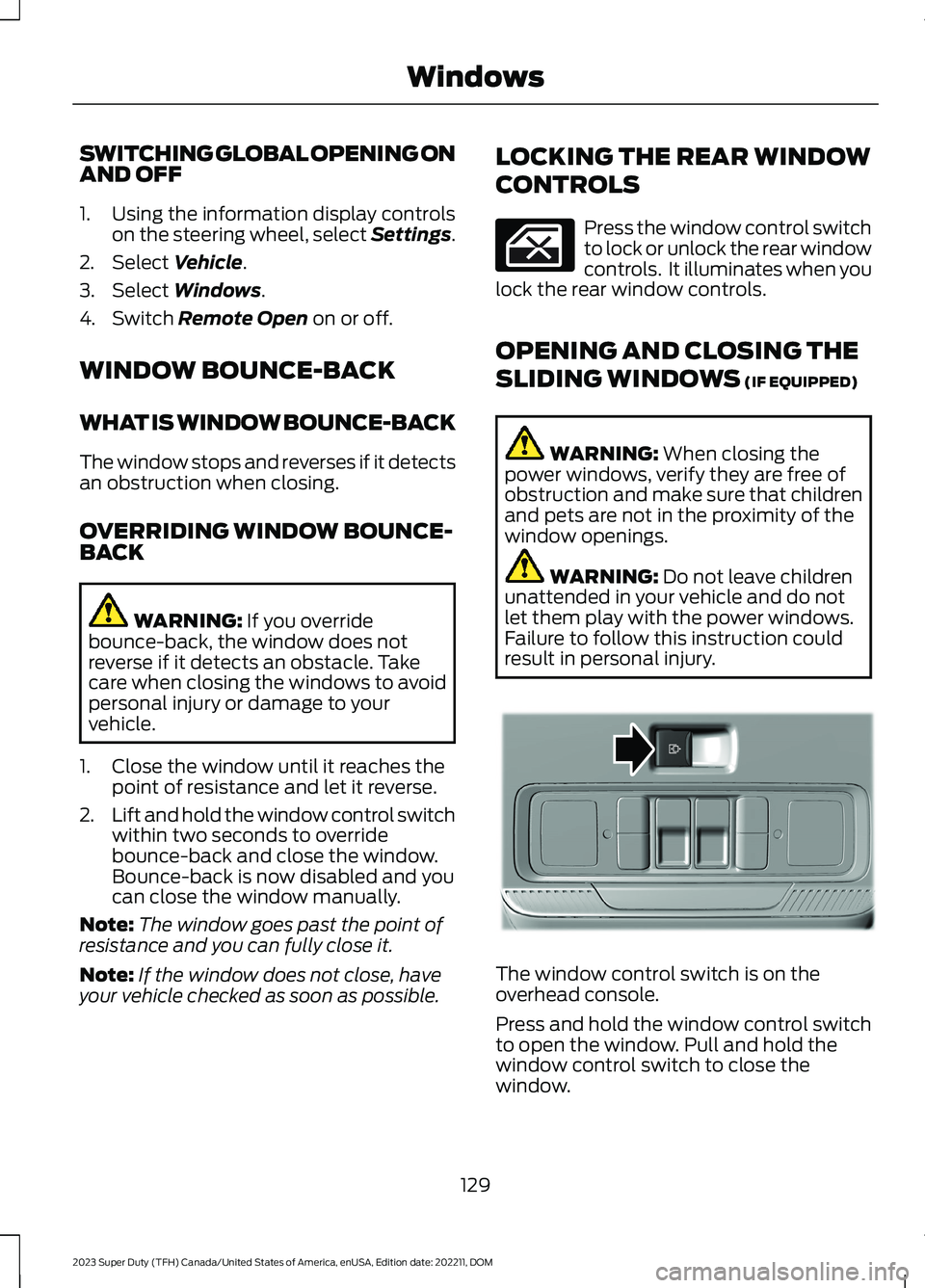
The window control switch is on theoverhead console.
Press and hold the window control switchto open the window. Pull and hold thewindow control switch to close thewindow.
129
2023 Super Duty (TFH) Canada/United States of America, enUSA, Edition date: 202211, DOMWindows E311430
Page 144 of 738
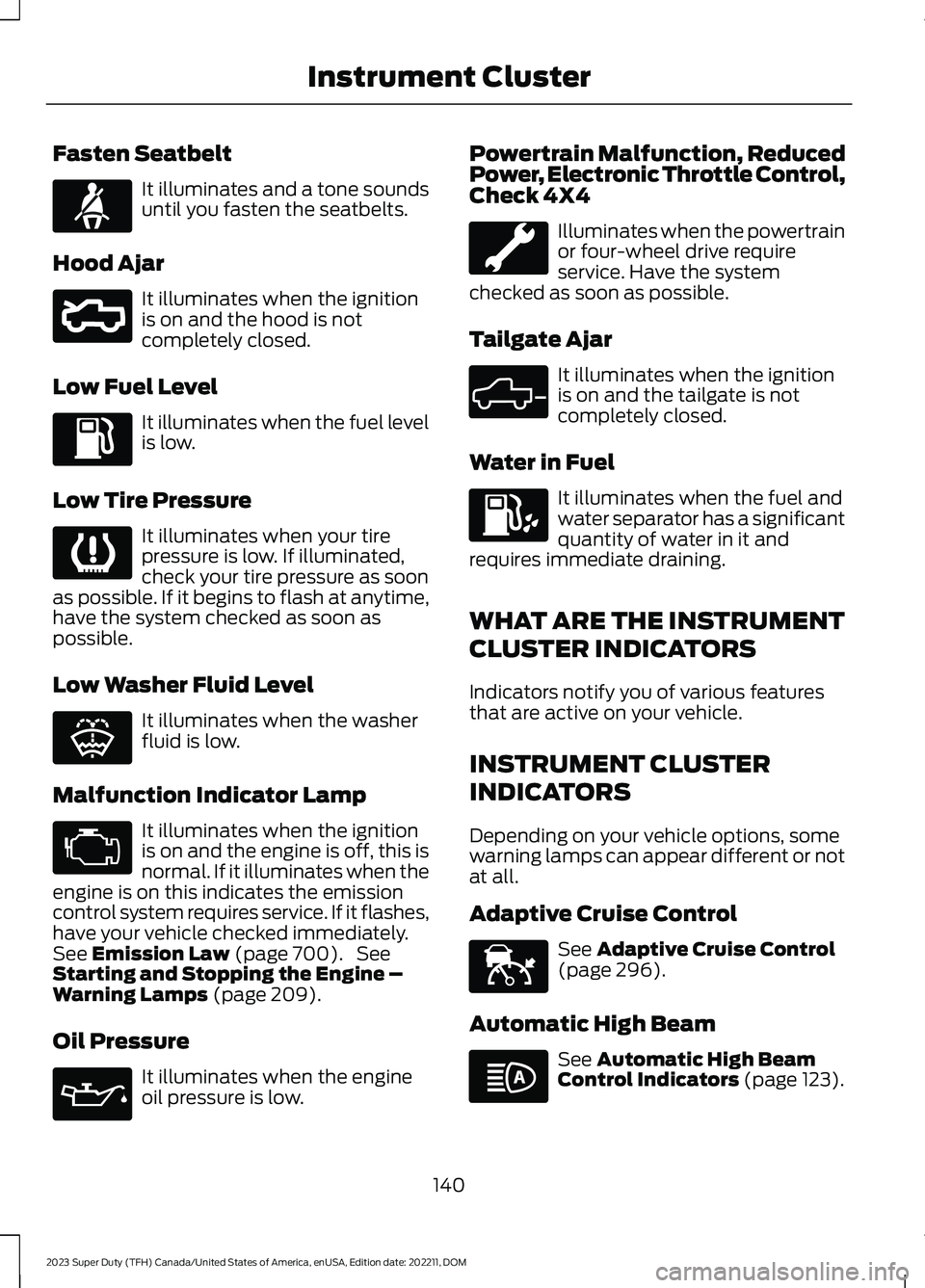
Fasten Seatbelt
It illuminates and a tone soundsuntil you fasten the seatbelts.
Hood Ajar
It illuminates when the ignitionis on and the hood is notcompletely closed.
Low Fuel Level
It illuminates when the fuel levelis low.
Low Tire Pressure
It illuminates when your tirepressure is low. If illuminated,check your tire pressure as soonas possible. If it begins to flash at anytime,have the system checked as soon aspossible.
Low Washer Fluid Level
It illuminates when the washerfluid is low.
Malfunction Indicator Lamp
It illuminates when the ignitionis on and the engine is off, this isnormal. If it illuminates when theengine is on this indicates the emissioncontrol system requires service. If it flashes,have your vehicle checked immediately.See Emission Law (page 700). SeeStarting and Stopping the Engine –Warning Lamps (page 209).
Oil Pressure
It illuminates when the engineoil pressure is low.
Powertrain Malfunction, ReducedPower, Electronic Throttle Control,Check 4X4
Illuminates when the powertrainor four-wheel drive requireservice. Have the systemchecked as soon as possible.
Tailgate Ajar
It illuminates when the ignitionis on and the tailgate is notcompletely closed.
Water in Fuel
It illuminates when the fuel andwater separator has a significantquantity of water in it andrequires immediate draining.
WHAT ARE THE INSTRUMENT
CLUSTER INDICATORS
Indicators notify you of various featuresthat are active on your vehicle.
INSTRUMENT CLUSTER
INDICATORS
Depending on your vehicle options, somewarning lamps can appear different or notat all.
Adaptive Cruise Control
See Adaptive Cruise Control(page 296).
Automatic High Beam
See Automatic High BeamControl Indicators (page 123).
140
2023 Super Duty (TFH) Canada/United States of America, enUSA, Edition date: 202211, DOMInstrument ClusterE71880 E296055 E139232 E132353 E67028 E67022 E324523 E144524 E146105