2023 FORD SUPER DUTY cruise
[x] Cancel search: cruisePage 302 of 738

Note:You cannot see the sensor. It isbehind a fascia panel.
Note:Keep the front of your vehicle free ofdirt, metal badges or objects. Vehicle frontprotectors, aftermarket lights, additionalpaint or plastic coatings could also degradesensor performance.
A message displays if something obstructsthe camera or the sensor. When somethingblocks the sensor, the system cannotdetect a vehicle ahead and does notfunction. See Adaptive Cruise Control– Information Messages (page 309).
The radar sensor has a limited field of view.It may not detect vehicles at all or detecta vehicle later than expected in somesituations. The lead vehicle image doesnot illuminate if the system does notdetect a vehicle in front of you.
Detection Issues Can Occur:
When driving on a different linethan the vehicle in front.A
With vehicles that edge into yourlane. The system can only detectthese vehicles once they movefully into your lane.
B
There may be issues with thedetection of vehicles in frontwhen driving into and coming outof a bend or curve in the road.
C
In these cases, the system may brake lateor unexpectedly.
If something hits the front end of yourvehicle or damage occurs, theradar-sensing zone may change. This couldcause missed or false vehicle detection.
298
2023 Super Duty (TFH) Canada/United States of America, enUSA, Edition date: 202211, DOMAdaptive Cruise Control (If Equipped)E71621
Page 303 of 738

Optimal system performance requires aclear view of the road by the windshieldcamera.
Optimal performance may not occur if:
•The camera is blocked.
•There is poor visibility or lightingconditions.
•There are bad weather conditions.
SWITCHING ADAPTIVE
CRUISE CONTROL ON AND OFF
The cruise controls are on the steeringwheel.
Switching Adaptive Cruise ControlOn
Press the button to activate thesystem. When the systemactivates, the set speed is equalto whichever is greater, the current vehiclespeed, or 15 mph when in imperial units or20 km/h when in metric units. If the speedis too low, or other conditions are notcorrect for adaptive cruise controlactivation, the system enters standbymode. When you are below 15 mph whenin imperial units or 20 km/h when in metricunits, adaptive cruise control does notactivate unless you are following anothervehicle.
The indicator, current gap setting and setspeed appear in the instrument clusterdisplay.
Switching Adaptive Cruise ControlOff
Press the button when thesystem is in standby mode orswitch the ignition off.
Note:When you switch the system off, theset speed clears.
ADAPTIVE CRUISE CONTROL
AUTOMATIC CANCELLATION
The system may cancel if:
•The tires lose traction.
•You apply the parking brake.
The system may cancel and set the parkingbrake if:
•You unbuckle the seatbelt and openthe driver door after adaptive cruisecontrol stops your vehicle.
•Adaptive cruise control holds yourvehicle at a stop continuously for morethan three minutes.
The system may deactivate or preventactivating when requested if:
•The vehicle has a blocked sensor.
•The brake temperature is too high.
•There is a failure in the system or arelated system.
SETTING THE ADAPTIVE
CRUISE CONTROL SPEED
Drive to the speed you prefer.
Press the SET+ or SET- buttonsto set the current speed.
Take your foot off the accelerator pedal.
The indicator, current gap setting and setspeed appear in the instrument clusterdisplay.
A vehicle image illuminates if there is avehicle detected in front of you.
299
2023 Super Duty (TFH) Canada/United States of America, enUSA, Edition date: 202211, DOMAdaptive Cruise Control (If Equipped)E144529 E144529 E246884 E246885
Page 304 of 738
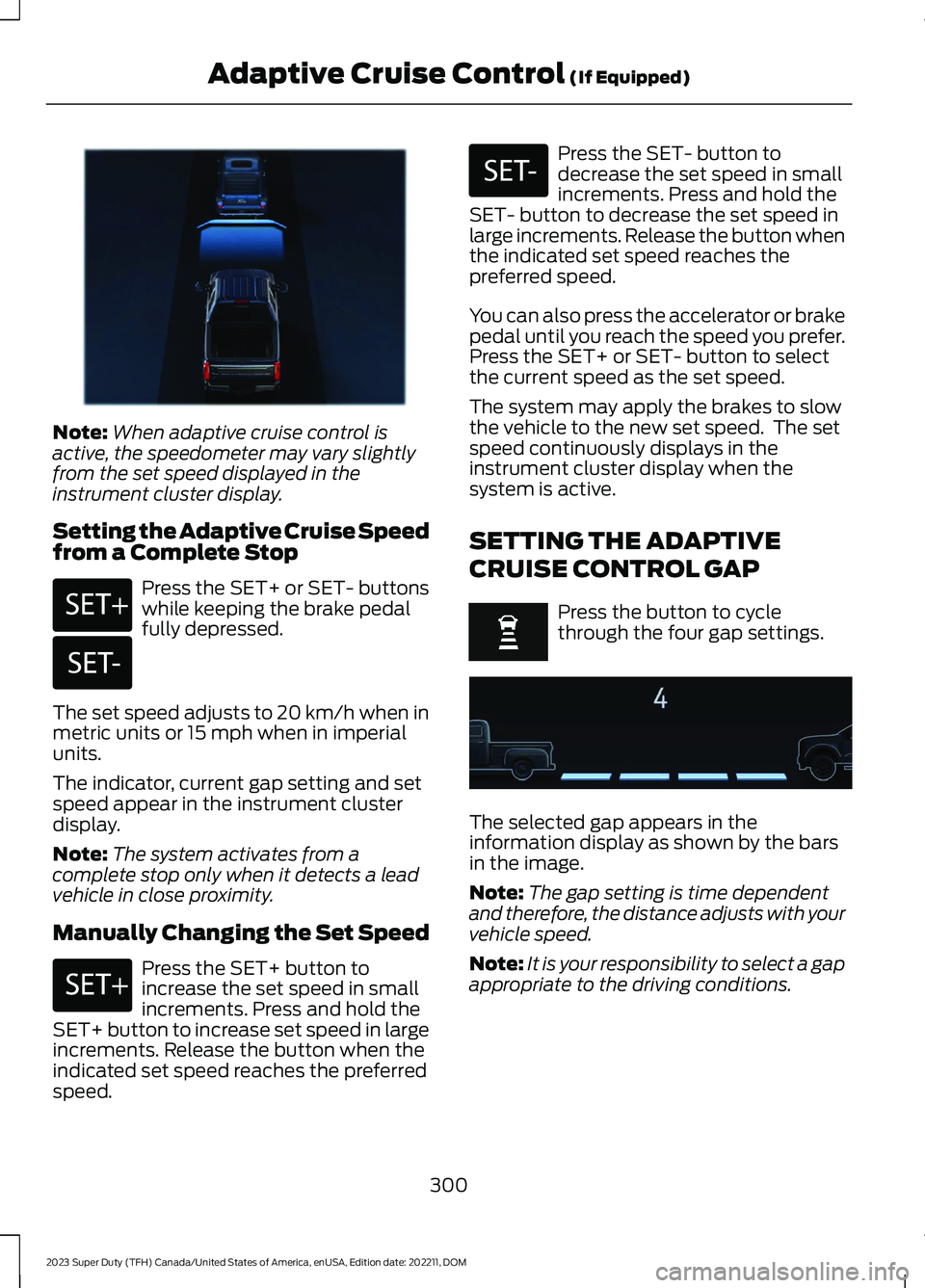
Note:When adaptive cruise control isactive, the speedometer may vary slightlyfrom the set speed displayed in theinstrument cluster display.
Setting the Adaptive Cruise Speedfrom a Complete Stop
Press the SET+ or SET- buttonswhile keeping the brake pedalfully depressed.
The set speed adjusts to 20 km/h when inmetric units or 15 mph when in imperialunits.
The indicator, current gap setting and setspeed appear in the instrument clusterdisplay.
Note:The system activates from acomplete stop only when it detects a leadvehicle in close proximity.
Manually Changing the Set Speed
Press the SET+ button toincrease the set speed in smallincrements. Press and hold theSET+ button to increase set speed in largeincrements. Release the button when theindicated set speed reaches the preferredspeed.
Press the SET- button todecrease the set speed in smallincrements. Press and hold theSET- button to decrease the set speed inlarge increments. Release the button whenthe indicated set speed reaches thepreferred speed.
You can also press the accelerator or brakepedal until you reach the speed you prefer.Press the SET+ or SET- button to selectthe current speed as the set speed.
The system may apply the brakes to slowthe vehicle to the new set speed. The setspeed continuously displays in theinstrument cluster display when thesystem is active.
SETTING THE ADAPTIVE
CRUISE CONTROL GAP
Press the button to cyclethrough the four gap settings.
The selected gap appears in theinformation display as shown by the barsin the image.
Note:The gap setting is time dependentand therefore, the distance adjusts with yourvehicle speed.
Note:It is your responsibility to select a gapappropriate to the driving conditions.
300
2023 Super Duty (TFH) Canada/United States of America, enUSA, Edition date: 202211, DOMAdaptive Cruise Control (If Equipped)E380799 E246884 E246885 E246884 E246885 E375589
Page 305 of 738
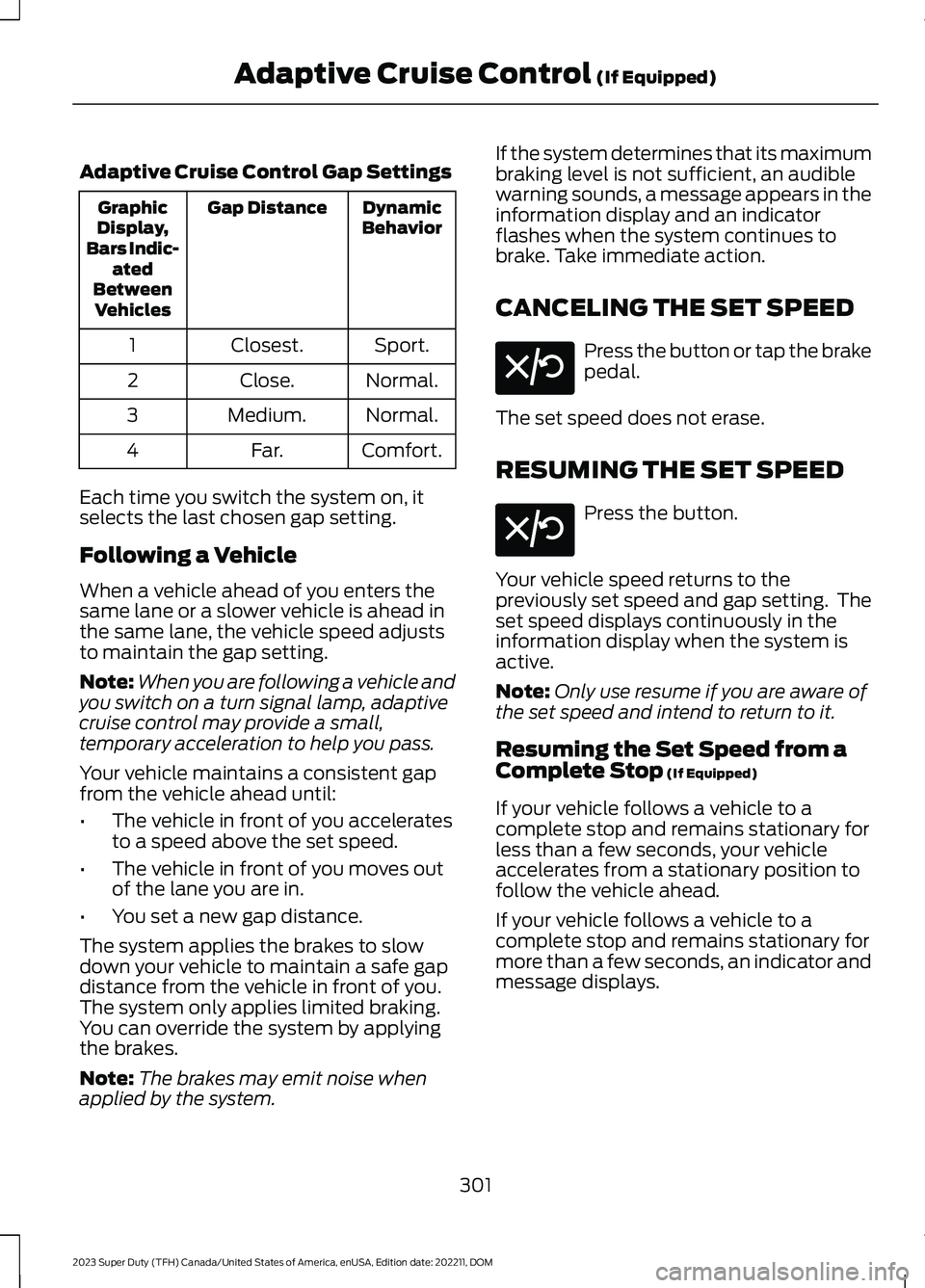
Adaptive Cruise Control Gap Settings
DynamicBehaviorGap DistanceGraphicDisplay,Bars Indic-atedBetweenVehicles
Sport.Closest.1
Normal.Close.2
Normal.Medium.3
Comfort.Far.4
Each time you switch the system on, itselects the last chosen gap setting.
Following a Vehicle
When a vehicle ahead of you enters thesame lane or a slower vehicle is ahead inthe same lane, the vehicle speed adjuststo maintain the gap setting.
Note:When you are following a vehicle andyou switch on a turn signal lamp, adaptivecruise control may provide a small,temporary acceleration to help you pass.
Your vehicle maintains a consistent gapfrom the vehicle ahead until:
•The vehicle in front of you acceleratesto a speed above the set speed.
•The vehicle in front of you moves outof the lane you are in.
•You set a new gap distance.
The system applies the brakes to slowdown your vehicle to maintain a safe gapdistance from the vehicle in front of you.The system only applies limited braking.You can override the system by applyingthe brakes.
Note:The brakes may emit noise whenapplied by the system.
If the system determines that its maximumbraking level is not sufficient, an audiblewarning sounds, a message appears in theinformation display and an indicatorflashes when the system continues tobrake. Take immediate action.
CANCELING THE SET SPEED
Press the button or tap the brakepedal.
The set speed does not erase.
RESUMING THE SET SPEED
Press the button.
Your vehicle speed returns to thepreviously set speed and gap setting. Theset speed displays continuously in theinformation display when the system isactive.
Note:Only use resume if you are aware ofthe set speed and intend to return to it.
Resuming the Set Speed from aComplete Stop (If Equipped)
If your vehicle follows a vehicle to acomplete stop and remains stationary forless than a few seconds, your vehicleaccelerates from a stationary position tofollow the vehicle ahead.
If your vehicle follows a vehicle to acomplete stop and remains stationary formore than a few seconds, an indicator andmessage displays.
301
2023 Super Duty (TFH) Canada/United States of America, enUSA, Edition date: 202211, DOMAdaptive Cruise Control (If Equipped)E308130 E308130
Page 306 of 738
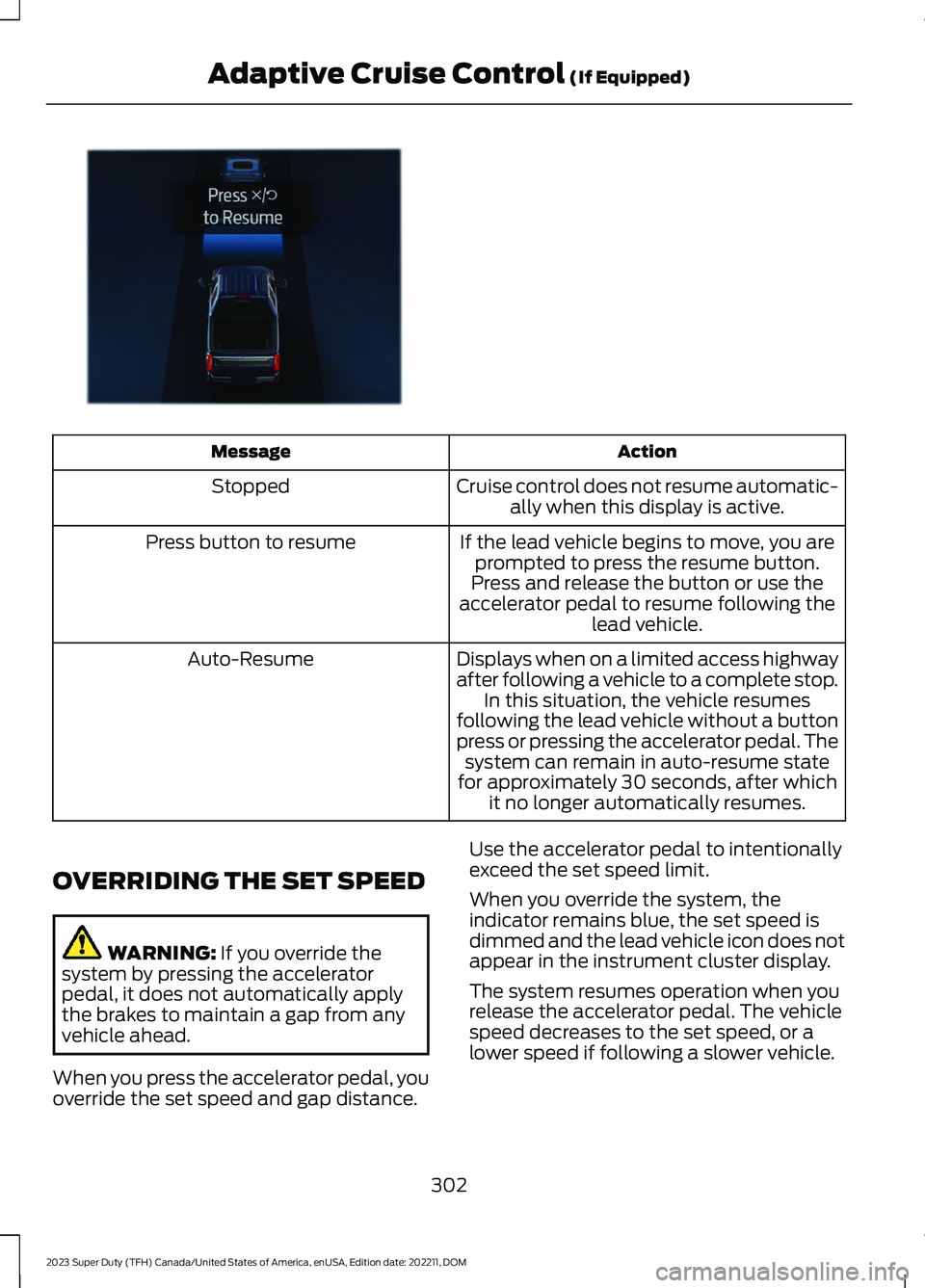
ActionMessage
Cruise control does not resume automatic-ally when this display is active.Stopped
If the lead vehicle begins to move, you areprompted to press the resume button.Press button to resume
Press and release the button or use theaccelerator pedal to resume following thelead vehicle.
Displays when on a limited access highwayafter following a vehicle to a complete stop.In this situation, the vehicle resumesfollowing the lead vehicle without a buttonpress or pressing the accelerator pedal. Thesystem can remain in auto-resume statefor approximately 30 seconds, after whichit no longer automatically resumes.
Auto-Resume
OVERRIDING THE SET SPEED
WARNING: If you override thesystem by pressing the acceleratorpedal, it does not automatically applythe brakes to maintain a gap from anyvehicle ahead.
When you press the accelerator pedal, youoverride the set speed and gap distance.
Use the accelerator pedal to intentionallyexceed the set speed limit.
When you override the system, theindicator remains blue, the set speed isdimmed and the lead vehicle icon does notappear in the instrument cluster display.
The system resumes operation when yourelease the accelerator pedal. The vehiclespeed decreases to the set speed, or alower speed if following a slower vehicle.
302
2023 Super Duty (TFH) Canada/United States of America, enUSA, Edition date: 202211, DOMAdaptive Cruise Control (If Equipped)E380823
Page 307 of 738

ADAPTIVE CRUISE CONTROL
INDICATORS
Illuminates when you switchadaptive cruise control on. Thecolor of the indicator changes toindicate the system status.
White indicates the system is on butinactive.
Blue indicates that you set the speed andthe system is active.
SWITCHING FROM ADAPTIVE
CRUISE CONTROL TO CRUISE
CONTROL
WARNING: Normal cruise controlwill not brake when your vehicle isapproaching slower vehicles. Always beaware of which mode you have selectedand apply the brakes when necessary.
1.Press Features on the touchscreen.
2.Press Driver Assistance.
3.Press Cruise Control.
4.Press Normal Cruise Control.
The cruise control indicatorreplaces the adaptive cruisecontrol indicator if you selectnormal cruise control. The gap settingdoes not display, and the system does notrespond to lead vehicles. Automaticbraking remains active to maintain setspeed. The system remembers the lastsetting when you start your vehicle.
LANE CENTERING
HOW DOES LANE CENTERINGWORK
Adaptive cruise control with lane centeringuses the vehicle's front radar sensor andfront windshield camera sensor, togetherwith the steering sensor to operate.
Using these sensors, the system appliescontinuous steering assistance towardsdriving in the middle of the lane you chooseon highway roads.
Note:The gap setting for adaptive cruisecontrol with lane centering, operates in thesame way as normal adaptive cruise control.
LANE CENTERING PRECAUTIONS
WARNING: Do not use the systemwhen towing a trailer or when the vehicleis loaded to near or over maximumpayload. Failure to follow this instructioncould result in the loss of control of yourvehicle, personal injury or death.
WARNING: Do not use the systemif any changes or modifications to thesteering, suspension system or wheelsand tires have been made. Any changesor modifications to the steering,suspension system or wheels and tirescould affect the functionality andperformance of the system. Failure tofollow this instruction could result in theloss of control of your vehicle, personalinjury or death.
Adaptive cruise control precautions applyto lane centering unless stated otherwiseor contradicted by a lane centeringprecaution. See Adaptive Cruise ControlPrecautions (page 296).
303
2023 Super Duty (TFH) Canada/United States of America, enUSA, Edition date: 202211, DOMAdaptive Cruise Control (If Equipped)E144529 E332905
Page 308 of 738

LANE CENTERINGREQUIREMENTS
You must keep your hands on the steeringwheel at all times.
Lane centering only activates when all ofthe following occur:
•Adaptive cruise control with lanecentering is enabled in your informationand entertainment screen. SeeSwitching Lane Centering On andOff (page 304).
•You have adaptive cruise control withstop and go enabled and set.
•The steering sensor detects your handson the steering wheel.
•The system detects both lane markingswhen driving on a straight road.
•Your vehicle is initially centered in thelane between two visible line markings.
Note:If the system does not detect validlane line markings, the system will remainin standby until valid line markings areavailable.
Note:If the system does not detect yourhands on the steering wheel, apply a slightforce to the steering wheel.
LANE CENTERING LIMITATIONS
Adaptive cruise control limitations applyto lane centering unless stated otherwiseor contradicted by a lane centeringlimitation. See Adaptive Cruise ControlLimitations (page 297).
Lane centering may not correctly operatein any of the following conditions:
•The lane width is too narrow or wide.
•The curve in the road is too small.
•The system does not detect theminimum required lane markings orwhen lanes merge or split.
•When the required steering effort tomaintain lane center exceeds the lanecentering system limit.
•When driving in areas that are underconstruction or when road work is inprogress.
•If the front windshield camera and/orthe front radar are blocked.
•When using a spare tire.
•Inclement weather conditionsincluding, but not limited to, high wind,heavy rain, and fog.
•Driving into direct sunlight.
•When modification to the steeringsystem has been made, includingalterations to the steering wheel.
•When towing a trailer.
•When the vehicle is loaded to near ormaximum payload. See LoadCarrying (page 351).
See Lane Centering Precautions (page303).
Note:System operation may also be limitedunder snow, heavy rain, or road sprayconditions.
Note:The system steering assistance islimited and may not have sufficient effortfor all driving situations and/or conditions,such as driving through tight curves ordriving through curves at high speeds.
SWITCHING LANE CENTERING ONAND OFF
Keep your hands on the steering wheel atall times.
The controls are on the steering wheel.
Press the button.
304
2023 Super Duty (TFH) Canada/United States of America, enUSA, Edition date: 202211, DOMAdaptive Cruise Control (If Equipped)E308131
Page 309 of 738
The indicator appears in the instrumentcluster display. When the system is on, thecolor of the indicator changes to indicatethe system status.
You can override the system at any timeby steering your vehicle.
Note:The correct requirements must bemet before you can switch the system on.See Lane Centering Requirements (page304).
Enabling and Disabling LaneCentering
1.Press Features on the touchscreen.
2.Press Driver Assistance.
3.Press Cruise Control.
4.Press Lane Centering Assist.
LANE CENTERING ALERTS
You must keep your hands on the steeringwheel at all times.
When the system is active and detects nosteering activity for a period of time, thesystem alerts you to put your hands on thesteering wheel. If you do not reactappropriately to the warnings the adaptivecruise control with lane centering systemcancels and slows your vehicle down toidle speeds while maintaining steeringcontrol. See Lane Centering AutomaticCancellation (page 305).
The system also alerts you if your vehiclecrosses lane line markings withoutdetected steering activity.
Note:The system could detect a light gripor light touch on the steering wheel ashands-off driving.
LANE CENTERING AUTOMATICCANCELLATION
When an external condition cancels thesystem, and your hands are on the steeringwheel, a tone sounds and a messageappears in the instrument cluster display.
When an external condition cancels thesystem, and your hands are not on thesteering wheel, the system immediatelyalerts you to take control of the vehicle. Ifthis alert is ignored, the system slows thevehicle while maintaining steeringassistance when lane markings areavailable. When no lane markings areavailable, the vehicle comes to a stop.
If your vehicle starts to slowdown after system cancellation,you must take full control of thevehicle. To re-enable adaptive cruisecontrol with lane centering aftercancellation, press and release the resumebutton.
Automatic cancellation can also occur if:
•The lane becomes too wide or narrow.
•The system cannot detect valid lanemarkings.
•Lane markings cross over one another.
•The curve of the road is too sharp.
Note:If your vehicle slows down due to yourinactivity twice within a key cycle, thesystem disables. To reset the system, whenthe vehicle is stationary, return the gearselector to park (P) and turn the vehicle off.Then, restart the vehicle with your foot onthe brake pedal.
LANE CENTERING MANUALCANCELLATION
When you perform the following actions,adaptive cruise control with lane centeringwill cancel:
305
2023 Super Duty (TFH) Canada/United States of America, enUSA, Edition date: 202211, DOMAdaptive Cruise Control (If Equipped)E308130