2023 FORD RANGER tow
[x] Cancel search: towPage 166 of 470

Sport Mode (S)
Switch on sport mode by shifting thetransmission selector lever to sport (S). Insport (S), the transmission selects theoptimum gear for best performance. Thisgear selection is typically lower than thatof drive (D), and the shifts are faster.
Tow Mode
To switch on tow mode, pressthe button on the center consoleuntil tow mode is active. Theindicator light illuminates in the instrumentcluster when the system becomes active.
The tow mode feature:
•Moves upshifts to higher engine speedsto reduce the frequency oftransmission shifting.
•Provides engine braking in all forwardgears, which slows your vehicle andassists you in controlling your vehiclewhen descending a slope.
•Depending on driving conditions andload conditions, may downshift thetransmission, slow your vehicle andcontrol your vehicle speed whendescending a hill, without pressing theaccelerator pedal. The amount ofdownshift braking provided variesbased upon the amount you press thebrake pedal.
The tow mode feature improvestransmission operation when towing atrailer or a heavy load. All transmissiongear ranges are available when using towmode.
To switch off the tow mode feature andreturn to normal driving mode, press thebutton on the center console twice. Theindicator light turns off when the systemturns off. Tow mode also turns off whenyou power down your vehicle.
SelectShift™ AutomaticTransmission
This feature gives you the ability to changegears up or down as desired.
If the engine speed does not exceed themaximum allowable limit, the vehicleallows the downshifts. SelectShiftautomatically downshifts at low enginespeeds to prevent engine stalls.
Note:Engine damage could occur if youmaintain excessive engine revving withoutshifting.
SelectShift does not automatically upshift,even if the engine is approaching the RPMlimit.
For 10 speed transmissions - with thetransmission selector lever in sport (S)position:
•Press the (+) button on thetransmission selector lever to upshift.
•Press the (-) button on thetransmission selector lever todownshift.
To exit this mode, return the transmissionselector lever to drive (D).
When your vehicle is stationary, you canonly select the 1st and 2nd gears. Manualshifting is sequential. Therefore, youcannot skip gears.
162
2023 Ranger (TFG) Canada/United States of America, Vehicles Built From: 10-10-2022, enUSA, Edition date: 202208, First-PrintingTransmissionE246592 E269656
Page 168 of 470

3.Locate the lower white lever (3) on theside of the transmission selector lever.
4.Using the screwdriver, move the lowerwhite lever (3) toward the front of thetransmission selector lever.
5.When holding the lower white lever (3)in the forward position, move thetransmission selector lever out of thepark (P) position and into another gear.
Automatic Transmission AdaptiveLearning
This feature may increase durability andprovide consistent shift feel over the lifeof your vehicle. A new vehicle ortransmission may have firm shifts, softshifts or both. This operation is normal anddoes not affect function or durability of thetransmission. Over time, the adaptivelearning process fully updates transmissionoperation.
If Your Vehicle Gets Stuck in Mudor Snow
Note:Do not rock your vehicle if the engineis not at normal operating temperature ordamage to the transmission could occur.
Note:Do not rock your vehicle for morethan a minute or damage to thetransmission and tires could occur, or theengine could overheat.
If your vehicle gets stuck in mud or snow,you can rock it out by shifting betweenforward and reverse gears, stoppingbetween shifts in a steady pattern. Presslightly on the accelerator in each gear.
164
2023 Ranger (TFG) Canada/United States of America, Vehicles Built From: 10-10-2022, enUSA, Edition date: 202208, First-PrintingTransmissionE269653
Page 179 of 470
GENERAL INFORMATION
Note: Occasional brake noise is normal. Ifa metal-to-metal, continuous grinding orcontinuous squeal sound is present, thebrake linings may be worn-out and anauthorized dealer should check them. If thevehicle has continuous vibration or shudderin the steering wheel while braking, anauthorized dealer should check your vehicle.
Note: Brake dust may accumulate on thewheels, even under normal drivingconditions. Some dust is inevitable as thebrakes wear and does not contribute tobrake noise. See Cleaning the Wheels(page 289).
Wet brakes result in reduced brakingefficiency. Gently press the brake pedal afew times when driving from a car wash orstanding water to dry the brakes.
Brake Over Accelerator
In the event the accelerator pedalbecomes stuck or entrapped, apply steadyand firm pressure to the brake pedal toslow the vehicle and reduce engine power.If you experience this condition, apply thebrakes and bring your vehicle to a safestop. Switch the engine off, move thetransmission to park (P) and apply theparking brake. Inspect the acceleratorpedal and the area around it for any itemsor debris that may be obstructing itsmovement. If none are found and thecondition persists, have your vehicle towedto the nearest authorized dealer.
Emergency Brake Assist
Emergency brake assist detects when youbrake heavily by measuring the rate atwhich you press the brake pedal. Itprovides maximum braking efficiency aslong as you press the pedal. Emergencybrake assist can reduce stopping distancesin critical situations.
Anti-lock Brake System
This system helps you maintain steeringcontrol during emergency stops by keepingthe brakes from locking.
This lamp momentarilyilluminates when you switch theignition on. If the light does notilluminate during start up, remains on orflashes, the anti-lock braking system maybe disabled. Have the system checked byan authorized dealer. If the anti-lock brakesystem is disabled, normal braking is stilleffective.
See Warning Lamps and Indicators(page 92).
Note:Indicators vary depending on region.
This lamp also illuminatesmomentarily when you switchthe ignition on to confirm thelamp is functional. If it does notilluminate when you switch theignition on, or begins to flash atany time, have the system checked by anauthorized dealer. If the brake warninglamp illuminates with the parking brakereleased, have the system checkedimmediately.
HINTS ON DRIVING WITH
ANTI-LOCK BRAKES
The anti-lock brake system does noteliminate the risks when:
•You drive too closely to the vehicle infront of you.
•Your vehicle is hydroplaning.
•You take corners too fast.
•The road surface is poor.
175
2023 Ranger (TFG) Canada/United States of America, Vehicles Built From: 10-10-2022, enUSA, Edition date: 202208, First-PrintingBrakesE67020 E270480 E67024
Page 180 of 470

Note: If the system activates, the brakepedal could pulse and may travel further.Maintain pressure on the brake pedal. Youmay also hear a noise from the system. Thisis normal.
PARKING BRAKE
WARNING: Always fully apply theparking brake and make sure you shiftinto park (P). Switch the ignition off andremove the key whenever you leave yourvehicle.
To apply the parking brake:
1.Firmly press the brake pedal.
2.Pull the parking brake lever upward toits fullest extent.
Note:Do not press the release button whenpulling the parking brake lever upward.
Note:If you park your vehicle on a hill andfacing uphill, shift into park (P) and turn thesteering wheel away from the curb.
Note:If you park your vehicle on a hill andfacing downhill, shift into park (P) and turnthe steering wheel toward the curb.
To release the parking brake:
1.Firmly press the brake pedal.
2.Slightly pull the parking brake leverupward.
3.Press the release button and push theparking brake lever downward.
HILL START ASSIST
WARNING: The system does notreplace the parking brake. When youleave your vehicle, always apply theparking brake.
WARNING: You must remain inyour vehicle when the system turns on.At all times, you are responsible forcontrolling your vehicle, supervising thesystem and intervening, if required.Failure to take care may result in the lossof control of your vehicle, seriouspersonal injury or death.
WARNING: The system will turnoff if a malfunction is apparent or if yourev the engine excessively. Failure to takecare may result in the loss of control ofyour vehicle, serious personal injury ordeath.
The system makes it easier to pull awaywhen your vehicle is on a slope without theneed to use the parking brake.
When the system is active, your vehicleremains stationary on the slope for two tothree seconds after you release the brakepedal. This allows time to move your footfrom the brake to the accelerator pedal.The system releases the brakesautomatically once the engine hasdeveloped sufficient torque to prevent yourvehicle from rolling down the slope. Thisis an advantage when pulling away on aslope, for example from a car park ramp,traffic lights or when reversing uphill intoa parking space.
The system activates on any slope thatcauses your vehicle to roll.
Note:There is no warning light to indicatethe system is either on or off.
Using Hill Start Assist
1.Press the brake pedal to bring yourvehicle to a complete standstill. Keepthe brake pedal pressed and shift intofirst gear when facing uphill or reverse(R) when facing downhill.
176
2023 Ranger (TFG) Canada/United States of America, Vehicles Built From: 10-10-2022, enUSA, Edition date: 202208, First-PrintingBrakes
Page 191 of 470

REAR PARKING AID (IF EQUIPPED)
The rear sensors are only active when thetransmission is in reverse (R). As yourvehicle moves closer to the obstacle, therate of the audible warning increases.When the obstacle is less than 12 in(30 cm) away, the warning soundscontinuously. If the system detects astationary or receding object farther than12 in (30 cm) from the corners of thebumper, the tone sounds for only threeseconds. Once the system detects anobject approaching, the warning soundsagain.
Coverage area of up to 6 ft (1.8 m) fromthe rear bumper. There may be decreasedcoverage area at the outer corners of thebumper.
The system detects certain objects whilethe transmission is in reverse (R):
•Your vehicle is moving toward astationary object at a speed of 3 mph(5 km/h) or less.
•Your vehicle is not moving, but amoving object is approaching the rearof your vehicle at a speed of 3 mph(5 km/h) or less.
•Your vehicle is moving at a speed ofless than 3 mph (5 km/h) and a movingobject is approaching the rear of yourvehicle at a speed of less than 3 mph(5 km/h).
The system provides audio warnings onlywhen your vehicle is moving or when yourvehicle is stationary and the detectedobstacle is less than 12 in (30 cm) awayfrom the bumper.
Obstacle Distance Indicator (If
Equipped)
The system provides obstacle distanceindication through the information display.The distance indicator displays when thetransmission is in reverse (R).
The indicator displays:
•As the distance to the obstacledecreases the indicator blocksilluminate and move towards thevehicle icon.
•If there is no obstacle detected, thedistance indicator blocks are greyedout.
FRONT PARKING AID (IF EQUIPPED)
The front sensors are active when thetransmission is in any position other thanpark (P) and your vehicle is traveling at lowspeed.
187
2023 Ranger (TFG) Canada/United States of America, Vehicles Built From: 10-10-2022, enUSA, Edition date: 202208, First-PrintingParking AidsE130178
Page 192 of 470
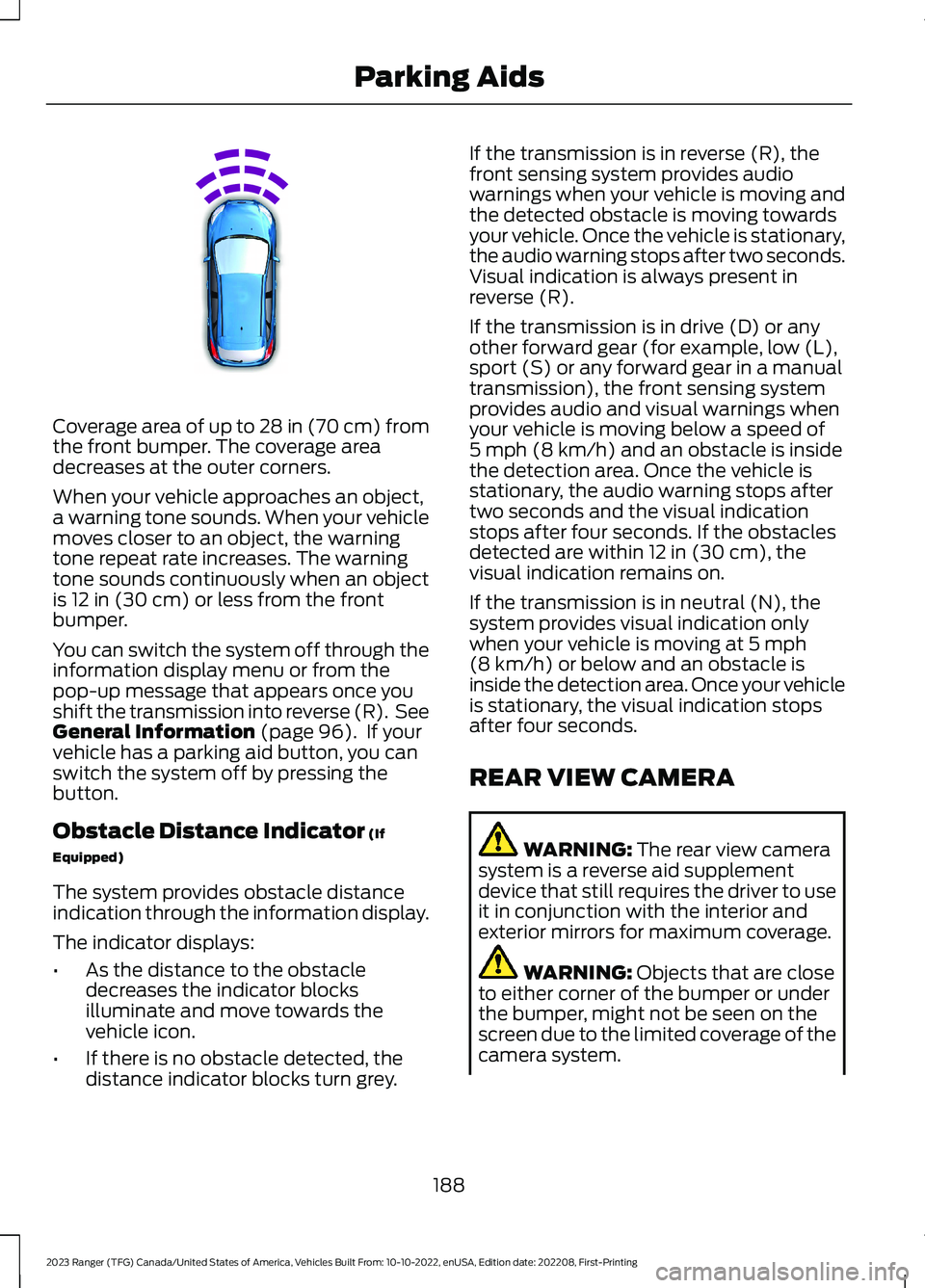
Coverage area of up to 28 in (70 cm) fromthe front bumper. The coverage areadecreases at the outer corners.
When your vehicle approaches an object,a warning tone sounds. When your vehiclemoves closer to an object, the warningtone repeat rate increases. The warningtone sounds continuously when an objectis 12 in (30 cm) or less from the frontbumper.
You can switch the system off through theinformation display menu or from thepop-up message that appears once youshift the transmission into reverse (R). SeeGeneral Information (page 96). If yourvehicle has a parking aid button, you canswitch the system off by pressing thebutton.
Obstacle Distance Indicator (If
Equipped)
The system provides obstacle distanceindication through the information display.
The indicator displays:
•As the distance to the obstacledecreases the indicator blocksilluminate and move towards thevehicle icon.
•If there is no obstacle detected, thedistance indicator blocks turn grey.
If the transmission is in reverse (R), thefront sensing system provides audiowarnings when your vehicle is moving andthe detected obstacle is moving towardsyour vehicle. Once the vehicle is stationary,the audio warning stops after two seconds.Visual indication is always present inreverse (R).
If the transmission is in drive (D) or anyother forward gear (for example, low (L),sport (S) or any forward gear in a manualtransmission), the front sensing systemprovides audio and visual warnings whenyour vehicle is moving below a speed of5 mph (8 km/h) and an obstacle is insidethe detection area. Once the vehicle isstationary, the audio warning stops aftertwo seconds and the visual indicationstops after four seconds. If the obstaclesdetected are within 12 in (30 cm), thevisual indication remains on.
If the transmission is in neutral (N), thesystem provides visual indication onlywhen your vehicle is moving at 5 mph(8 km/h) or below and an obstacle isinside the detection area. Once your vehicleis stationary, the visual indication stopsafter four seconds.
REAR VIEW CAMERA
WARNING: The rear view camerasystem is a reverse aid supplementdevice that still requires the driver to useit in conjunction with the interior andexterior mirrors for maximum coverage.
WARNING: Objects that are closeto either corner of the bumper or underthe bumper, might not be seen on thescreen due to the limited coverage of thecamera system.
188
2023 Ranger (TFG) Canada/United States of America, Vehicles Built From: 10-10-2022, enUSA, Edition date: 202208, First-PrintingParking AidsE187330
Page 193 of 470
WARNING: Reverse your vehicleslowly. Failure to follow this instructioncould result in the loss of control of yourvehicle, personal injury or death.
WARNING: Use caution whenturning camera features on or off whenthe transmission is not in park (P). Makesure your vehicle is not moving.
The rear view camera system provides avideo image of the area behind yourvehicle.
During operation, lines appear in thedisplay which represent your vehicle’s pathand proximity to objects behind yourvehicle.
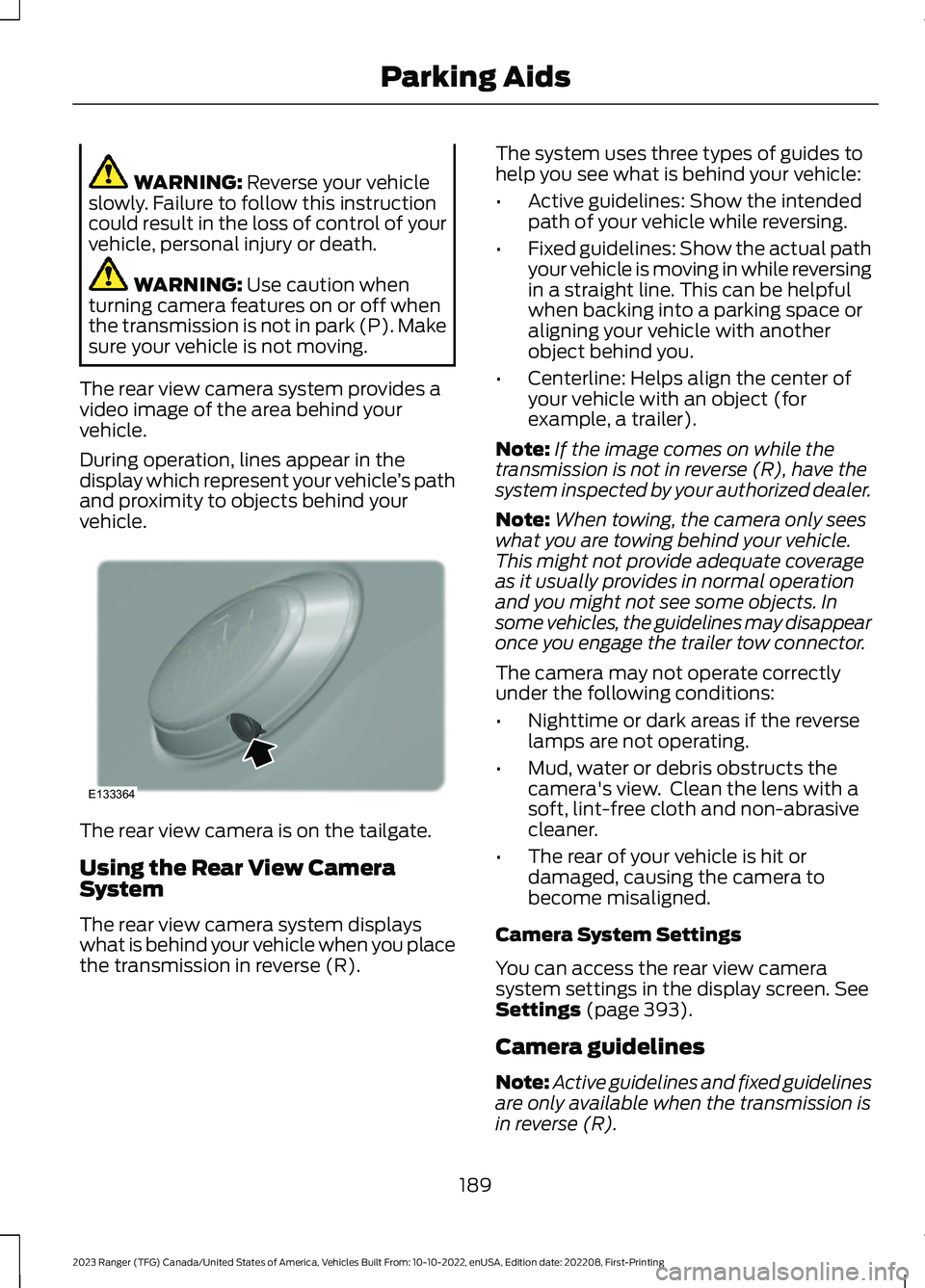
The rear view camera is on the tailgate.
Using the Rear View CameraSystem
The rear view camera system displayswhat is behind your vehicle when you placethe transmission in reverse (R).
The system uses three types of guides tohelp you see what is behind your vehicle:
•Active guidelines: Show the intendedpath of your vehicle while reversing.
•Fixed guidelines: Show the actual pathyour vehicle is moving in while reversingin a straight line. This can be helpfulwhen backing into a parking space oraligning your vehicle with anotherobject behind you.
•Centerline: Helps align the center ofyour vehicle with an object (forexample, a trailer).
Note:If the image comes on while thetransmission is not in reverse (R), have thesystem inspected by your authorized dealer.
Note:When towing, the camera only seeswhat you are towing behind your vehicle.This might not provide adequate coverageas it usually provides in normal operationand you might not see some objects. Insome vehicles, the guidelines may disappearonce you engage the trailer tow connector.
The camera may not operate correctlyunder the following conditions:
•Nighttime or dark areas if the reverselamps are not operating.
•Mud, water or debris obstructs thecamera's view. Clean the lens with asoft, lint-free cloth and non-abrasivecleaner.
•The rear of your vehicle is hit ordamaged, causing the camera tobecome misaligned.
Camera System Settings
You can access the rear view camerasystem settings in the display screen. SeeSettings (page 393).
Camera guidelines
Note:Active guidelines and fixed guidelinesare only available when the transmission isin reverse (R).
189
2023 Ranger (TFG) Canada/United States of America, Vehicles Built From: 10-10-2022, enUSA, Edition date: 202208, First-PrintingParking AidsE133364
Page 194 of 470

Note:The centerline is only available ifactive or fixed guidelines are on.
Active guidelinesA
CenterlineB
Fixed guideline: Green zoneC
Fixed guideline: Yellow zoneD
Fixed guideline: Red zoneE
Rear bumperF
Active guidelines only show with fixedguidelines. To use active guidelines, turnthe steering wheel to point the guidelinestoward an intended path. If the steeringwheel position changes while reversing,your vehicle might deviate from the originalintended path.
The fixed and active guidelines fade in andout depending on the steering wheelposition. The active guidelines do not showwhen the steering wheel position isstraight.
Always use caution while reversing.Objects in the red zone are closest to yourvehicle and objects in the green zone arefarther away. Objects are getting closer toyour vehicle as they move from the greenzone to the yellow or red zones. Use theside view mirrors and rear view mirror toget better coverage on both sides and rearof your vehicle.
Obstacle Distance Indicator (If
Equipped)
The system provides an image of yourvehicle and the sensor zones. The zoneswill highlight green, yellow and red whenthe parking aid sensors detect an object inthe coverage area.
190
2023 Ranger (TFG) Canada/United States of America, Vehicles Built From: 10-10-2022, enUSA, Edition date: 202208, First-PrintingParking AidsABCDFEE142436 E317379