2023 FORD MAVERICK ESP
[x] Cancel search: ESPPage 202 of 556
HOW DOES AUTO HOLD WORK
Auto hold applies the brakes to hold yourvehicle after you bring the vehicle to a stop.This can help when waiting on a hill or intraffic.
SWITCHING AUTO HOLD ON
AND OFF
WARNING: The system does notreplace the parking brake. When youleave your vehicle, always apply theparking brake.
WARNING: You must remain inyour vehicle when the system turns on.At all times you are responsible forcontrolling your vehicle, supervising thesystem, and intervening if required.Failure to follow this instruction couldresult in the loss of control of yourvehicle, personal injury or death.
Press the button on the center console toturn the system On and Off.
Note:You can only switch the system onafter you close the driver door.
Note:The system remembers the lastsetting when you start your vehicle.
Note:When using an automatic car wash,make sure to switch auto hold off, or shiftto neutral (N) with the brake pedal appliedto ensure auto hold is not active.
USING AUTO HOLD
1.Bring your vehicle to a complete stop.The auto hold active indicatorilluminates in the information display.
2.Release the brake pedal. The systemholds your vehicle at a standstill. Theauto hold active indicator remainsilluminated in the information display.
3.Apply the accelerator and drive off ina normal manner. The system releasesthe brakes and the auto hold activeindicator switches off.
Note:The system only activates if youapply enough brake pressure on the brakepedal to bring the vehicle to a standstill.
Note:Under certain conditions, the systemcould apply the electric parking brake. Thebrake system warning lamp illuminates. Theelectric parking brake releases when youpress the accelerator pedal. SeeAutomatically Releasing the ElectricParking Brake (page 195).
Note: While Auto Hold is applying thebrakes, if you shift into reverse (R) or neutral(N) with your foot on the brake pedal, AutoHold will release the brake. However, whileAuto Hold is applying the brakes, if you shiftinto reverse (R) without your foot on thebrake pedal, Auto Hold will continue toapply the brakes. In this case, the driverpressing the brake pedal will cause AutoHold to release the brake.
There could be actions that can cause theauto hold system not to work when thefollowing occur:
•When you use active park assist.
•Your vehicle is in stay in neutral mode.
•The driver door is open.
•You shift into reverse (R) or neutral (N)before the system is active.
AUTO HOLD INDICATORS
Illuminates when the system isactive.
198
2023 Maverick (CFE) Canada/United States of America, enUSA, Edition date: 202208, First-PrintingAuto HoldE323448
Page 208 of 556
WHAT IS TRAIL CONTROL
WARNING: The system does notcontrol speed in low traction conditionsor extremely steep slopes. The systemis designed to be an aid and does notrelieve you of your responsibility to drivewith due care and attention. Failure tofollow this instruction could result inpersonal injury.
Trail control lets you focus on steeringduring low-speed and off-road use bycontrolling your vehicle's acceleration andbraking to maintain the speed that you set.
You may hear a noise from the anti-lockbrake system pump motor when you usethe system. This is normal.
TRAIL CONTROL LIMITATIONS
Trail control is unavailable when any of thefollowing occur:
•Your vehicle speed is greater than20 mph (32 km/h) in four-wheel driveor four-wheel drive lock.
•Your vehicle speed is greater than5 mph (8 km/h) in reverse (R).
•The transmission is in park (P).
•The driver side door is open or yourseatbelt is off when the driver side dooris removed.
•Cruise control is on.
•Pro trailer backup assist is on.
SWITCHING TRAIL CONTROL
ON AND OFF
Press the Trail Control on thetouchscreen.
The system switches off if you press thebutton again or exceed 42 mph (68 km/h).
SETTING THE TRAIL CONTROL
SPEED
Note:The buttons are located on thesteering wheel.
Drive to your preferred speed.
Press button to increase the setcurrent speed.
Press button to decrease the setcurrent speed.
Note:The indicator changes color.
You can adjust the set speed in small orlarge increments. Press the toggle buttonupward or downward once to adjust theset speed in small increments. Press andhold the toggle button upward ordownward to adjust the set speed in largeincrements.
You can also adjust the set speed bybraking.
Note:Pressing the brake pedal does notswitch off the system.
CANCELING THE SET SPEED
Press the button.
TRAIL CONTROL INDICATORS
204
2023 Maverick (CFE) Canada/United States of America, enUSA, Edition date: 202208, First-PrintingTrail Control (If Equipped)E272858 E246884 E246885 E350925 E272858
Page 210 of 556
WHAT IS HILL DESCENT
CONTROL
Hill descent control allows the driver to setand maintain vehicle speed whiledescending steep slopes in various surfaceconditions.
HOW DOES HILL DESCENT
CONTROL WORK
Hill descent control can maintain vehiclespeeds on downhill slopes between2–20 mph (3–32 km/h). Above 20 mph(32 km/h), the system remains on but thedescent speed cannot be set ormaintained.
Note:The system does not function below2 mph (3 km/h).
The system requires a cool down intervalafter a period of sustained use. Hill descentcontrol provides a warning in the messagecenter when the system is about todisengage for cooling. At this time,manually apply the brakes as needed tomaintain descent speed.
Note:The amount of time that the systemcan remain active before cooling varies withconditions.
HILL DESCENT CONTROL
PRECAUTIONS
WARNING: The system does notcontrol speed in low traction conditionsor extremely steep slopes. The systemis designed to be an aid and does notrelieve you of your responsibility to drivewith due care and attention. Failure tofollow this instruction could result inpersonal injury.
WARNING: Hill descent controlcannot control descent in all surfaceconditions and circumstances, such asice or extremely steep grades. Hilldescent control is a driver assist systemand cannot substitute for good judgmentby the driver. Failure to do so may resultin loss of vehicle control, crash or seriousinjury.
WARNING: The system does notreplace the parking brake. When youleave your vehicle, always apply theparking brake and shift the transmissioninto park (P) for automatic transmissionor first gear for manual transmission.
SWITCHING HILL DESCENT
CONTROL ON AND OFF
Press the button on the centerconsole. The indicatorilluminates when the system isactive.
SETTING THE HILL DESCENT
SPEED
To increase or decrease the descent speed,press the accelerator or brake pedal. Onceyou reach the preferred speed remove yourfeet from the pedals.
HILL DESCENT CONTROL
INDICATOR
Illuminates when you switch hilldescent control on.
206
2023 Maverick (CFE) Canada/United States of America, enUSA, Edition date: 202208, First-PrintingHill Descent Control (If Equipped)E163171 E163171
Page 222 of 556
CANCELING THE SET SPEED
Press the button, or tap thebrake pedal to cancel the setspeed.
Note:The system remembers the setspeed.
Note:The system cancels if the vehiclespeed drops below 10 mph (16 km/h) underthe set speed when driving uphill.
RESUMING THE SET SPEED
Press the button.
CRUISE CONTROL
INDICATORS
Illuminates when you switch thesystem on.
218
2023 Maverick (CFE) Canada/United States of America, enUSA, Edition date: 202208, First-PrintingCruise Control (If Equipped)E280804 E71340
Page 223 of 556

HOW DOES ADAPTIVE CRUISE
CONTROL WITH STOP AND GO
WORK
Adaptive cruise control with stop and gouses radar and camera sensors to maintaina set gap between your vehicle and thevehicle in front of you while following it toa complete stop. Stop and go can also beset to follow a vehicle directly in front ofyou and adjust the set speed, while you areat a complete stop.
ADAPTIVE CRUISE CONTROL
PRECAUTIONS
WARNING: You are responsible forcontrolling your vehicle at all times. Thesystem is designed to be an aid and doesnot relieve you of your responsibility todrive with due care and attention. Failureto follow this instruction could result inthe loss of control of your vehicle,personal injury or death.
WARNING: Do not use adaptivecruise control on winding roads, in heavytraffic or when the road surface isslippery. This could result in loss ofvehicle control, serious injury or death.
WARNING: Pay close attention tochanging road conditions such asentering or leaving a highway, on roadswith intersections or roundabouts, roadswithout visible lanes of travel, roads thatare unpaved, or steep slopes. Failure tofollow this instruction could result in theloss of control of your vehicle, personalinjury or death.
WARNING: The system is not acrash warning or avoidance system.
WARNING: Do not use the systemwhen towing a trailer that hasaftermarket electronic trailer brakecontrols. Failure to follow this instructioncould result in the loss of control of yourvehicle, personal injury or death.
WARNING: Do not use tire sizesother than those recommended becausethis can affect the normal operation ofthe system. Failure to do so may resultin a loss of vehicle control, which couldresult in serious injury.
WARNING: Do not use the systemwith a snow plow blade installed.
WARNING: Do not use the systemin poor visibility, for example fog, heavyrain, spray or snow.
When Following a Vehicle
WARNING: When following avehicle that is braking, your vehicle doesnot always decelerate quickly enough toavoid a crash without driver intervention.Apply the brakes when necessary. Failureto follow this instruction could result inpersonal injury or death.
Hilly Condition Usage
Select a lower gear when the system isactive in situations such as prolongeddownhill driving on steep slopes, forexample in mountainous areas.
219
2023 Maverick (CFE) Canada/United States of America, enUSA, Edition date: 202208, First-PrintingAdaptive Cruise Control (If Equipped)
Page 224 of 556

ADAPTIVE CRUISE CONTROL
LIMITATIONS
Sensor Limitations
WARNING: On rare occasions,detection issues can occur due to theroad infrastructures, for example bridges,tunnels and safety barriers. In thesecases, the system may brake late orunexpectedly. At all times, you areresponsible for controlling your vehicle,supervising the system and intervening,if required.
WARNING: If the systemmalfunctions, have your vehicle checkedas soon as possible.
WARNING: Large contrasts inoutside lighting can limit sensorperformance.
WARNING: The system only warnsof vehicles detected by the radar sensor.In some cases there may be no warningor a delayed warning. Apply the brakeswhen necessary. Failure to follow thisinstruction could result in personal injuryor death.
WARNING: The system may notdetect stationary or slow movingvehicles below 6 mph (10 km/h).
WARNING: The system does notdetect pedestrians or objects in the road.
WARNING: The system does notdetect oncoming vehicles in the samelane.
WARNING: The system may notoperate properly if the sensor is blocked.Keep the windshield free fromobstruction.
WARNING: The sensor mayincorrectly track lane markings as otherstructures or objects. This can result ina false or missed warning.
Camera.1.
Radar sensor.2.
The camera is mounted on the windshieldbehind the interior mirror.
The radar sensor is in the lower grille.
Note:You cannot see the sensor. It isbehind a fascia panel.
Note:Keep the front of your vehicle free ofdirt, metal badges or objects. Vehicle frontprotectors, aftermarket lights, additionalpaint or plastic coatings could also degradesensor performance.
A message displays if something obstructsthe camera or the sensor. When somethingblocks the sensor, the system cannotdetect a vehicle ahead and does notfunction. See Adaptive Cruise Control– Information Messages (page 228).
220
2023 Maverick (CFE) Canada/United States of America, enUSA, Edition date: 202208, First-PrintingAdaptive Cruise Control (If Equipped)12E355015
Page 226 of 556

ADAPTIVE CRUISE CONTROL
AUTOMATIC CANCELLATION
The system may cancel if:
•The tires lose traction.
•You apply the parking brake.
The system may cancel and set the parkingbrake if:
•You unbuckle the seatbelt and openthe driver door after adaptive cruisecontrol stops your vehicle.
•Adaptive cruise control holds yourvehicle at a stop continuously for morethan three minutes.
The system may deactivate or preventactivating when requested if:
•The vehicle has a blocked sensor.
•The brake temperature is too high.
•There is a failure in the system or arelated system.
SETTING THE ADAPTIVE
CRUISE CONTROL SPEED
Drive to the speed you prefer.
Press the toggle button upwardor downward to set the currentspeed.
Take your foot off the accelerator pedal.
The indicator, current gap setting and setspeed appear in the instrument clusterdisplay.
A vehicle image illuminates if there is avehicle detected in front of you.
Note:When the system is active, thespeedometer may vary slightly from the setspeed displayed in the instrument clusterdisplay.
Setting the Adaptive Cruise Speedfrom a Complete Stop
Press the toggle button upwardor downward while keeping thebrake pedal fully pressed.
The set speed adjusts to 30 km/h when inmetric units or 20 mph when in imperialunits.
The indicator, current gap setting and setspeed appear in the instrument clusterdisplay.
Note:To activate adaptive cruise controlfrom a complete stop, stop your vehiclebehind another vehicle.
Note:Your vehicle must be stopped behindanother vehicle to activate adaptive cruisecontrol from a complete stop.
Manually Changing the Set Speed
Press and release the togglebutton upward to increase theset speed in small increments.
222
2023 Maverick (CFE) Canada/United States of America, enUSA, Edition date: 202208, First-PrintingAdaptive Cruise Control (If Equipped)E246884 E246885 E376685 E246884 E246885 E246884
Page 227 of 556
Press and hold the toggle button upwardto increase the set speed in largeincrements. Release the button once theset speed is equal to the speed you prefer.
Press and release the togglebutton downward to decreasethe set speed in smallincrements.
Press and hold the toggle buttondownward to decrease the set speed inlarge increments. Release the button oncethe set speed is equal to the speed youprefer.
You can also press the accelerator or brakepedal until you reach the speed you prefer.Press the toggle button upward ordownward to select the current speed asthe set speed.
The system may apply the brakes to slowthe vehicle to the new set speed. The setspeed continuously displays in theinformation display when the system isactive.
SETTING THE ADAPTIVE
CRUISE CONTROL GAP
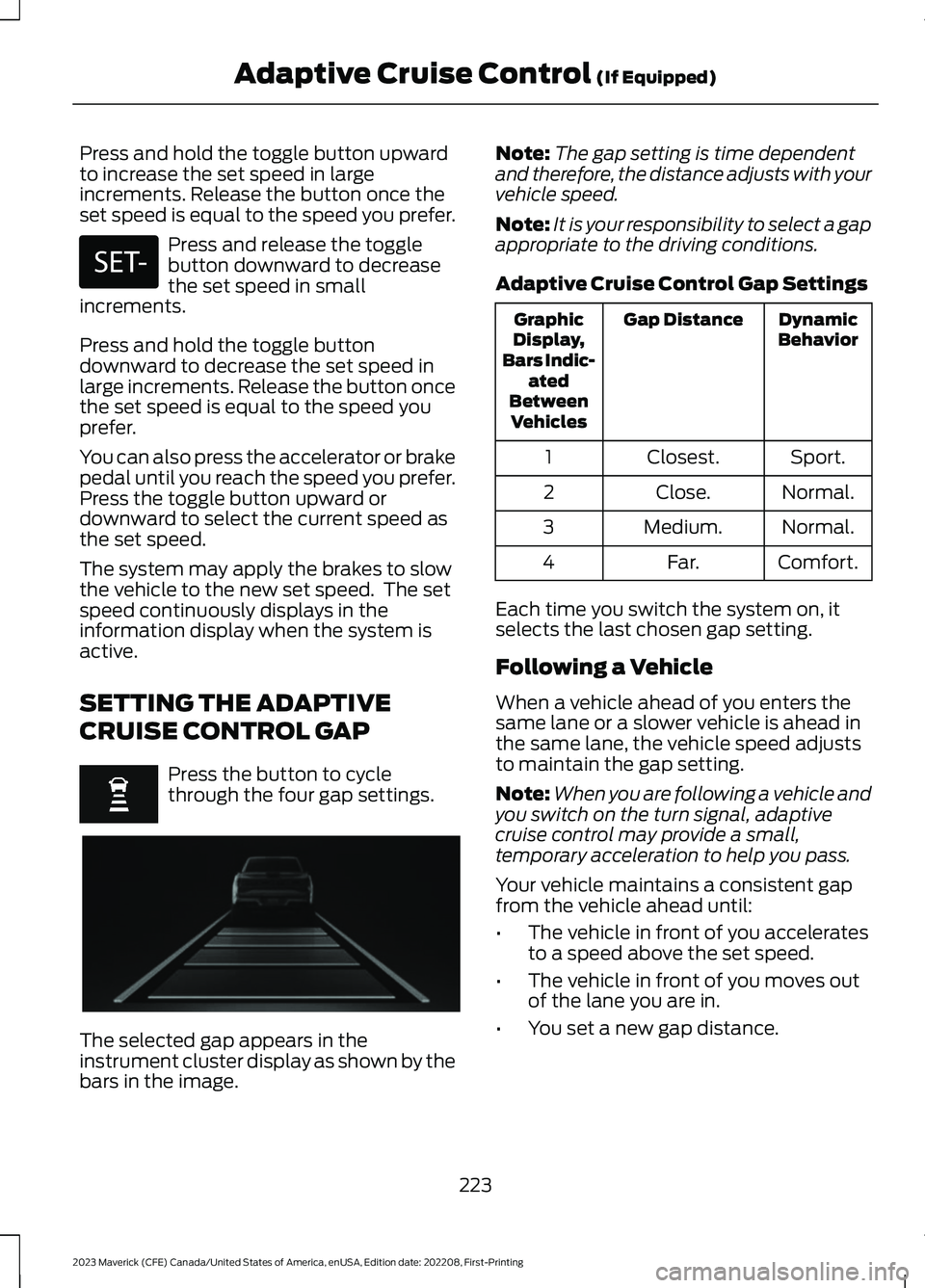
Press the button to cyclethrough the four gap settings.
The selected gap appears in theinstrument cluster display as shown by thebars in the image.
Note:The gap setting is time dependentand therefore, the distance adjusts with yourvehicle speed.
Note:It is your responsibility to select a gapappropriate to the driving conditions.
Adaptive Cruise Control Gap Settings
DynamicBehaviorGap DistanceGraphicDisplay,Bars Indic-atedBetweenVehicles
Sport.Closest.1
Normal.Close.2
Normal.Medium.3
Comfort.Far.4
Each time you switch the system on, itselects the last chosen gap setting.
Following a Vehicle
When a vehicle ahead of you enters thesame lane or a slower vehicle is ahead inthe same lane, the vehicle speed adjuststo maintain the gap setting.
Note:When you are following a vehicle andyou switch on the turn signal, adaptivecruise control may provide a small,temporary acceleration to help you pass.
Your vehicle maintains a consistent gapfrom the vehicle ahead until:
•The vehicle in front of you acceleratesto a speed above the set speed.
•The vehicle in front of you moves outof the lane you are in.
•You set a new gap distance.
223
2023 Maverick (CFE) Canada/United States of America, enUSA, Edition date: 202208, First-PrintingAdaptive Cruise Control (If Equipped)E246885 E356418