2023 FORD EXPEDITION warning light
[x] Cancel search: warning lightPage 313 of 658

WHAT IS THE LANE KEEPING
SYSTEM
The lane keeping system alerts you byproviding temporary steering assistanceor steering wheel vibration when it detectsan unintended lane departure.
HOW DOES THE LANE
KEEPING SYSTEM WORK
The lane keeping system uses a forwardlooking camera mounted on the windshieldto monitor vehicle movement within thetravel lane.
When the camera detects a drift out of thetravel lane, the lane keeping system alertsthe driver by vibrating the steering wheel,or aids the driver by providing a smallsteering input to move the vehicle backinto the travel lane.
The driver can select one of three modes:
•Alert (If Equipped)
•Aid
•Alert + Aid
LANE KEEPING SYSTEM
PRECAUTIONS
WARNING: You are responsible forcontrolling your vehicle at all times. Thesystem is designed to be an aid and doesnot relieve you of your responsibility todrive with due care and attention. Failureto follow this instruction could result inthe loss of control of your vehicle,personal injury or death.
WARNING: The system will notoperate if the sensor cannot track theroad lane markings.
WARNING: The sensor mayincorrectly track lane markings as otherstructures or objects. This can result ina false or missed warning.
WARNING: In cold and severeweather conditions the system may notfunction. Rain, snow and spray can alllimit sensor performance.
WARNING: The system may notoperate properly if the sensor is blocked.Keep the windshield free fromobstruction.
WARNING: If damage occurs in theimmediate area surrounding the sensor,have your vehicle checked as soon aspossible.
WARNING: The system may notcorrectly operate if your vehicle is fittedwith a suspension kit not approved byus.
WARNING: Large contrasts inoutside lighting can limit sensorperformance.
LANE KEEPING SYSTEM
LIMITATIONS
The lane keeping system only operateswhen the vehicle speed is greater than40 mph (64 km/h).
The system works when the camera candetect at least one lane marking.
Note:When you select Aid or Alert and Aidmode and the system detects no steeringactivity for a short period of time, the systemalerts you to put your hands on the steeringwheel. The system may detect a light gripor touch on the steering wheel as hands-offdriving.
309
2023 Expedition (TB8) Canada/United States of America, enUSA, Edition date: 202207, DOMLane Keeping System
Page 322 of 658

LANE KEEPING SYSTEM – FREQUENTLY ASKED QUESTIONS
Why is the feature not available (lane markings are gray) when I can see the lane markingson the road?
Your vehicle speed is less than 40 mph (65 km/h).
The sun is shining directly into the camera lens.
A quick intentional lane change has occurred.
Your vehicle stays too close to the lane markings for an extended interval of time.
Driving at high speeds in curves.
The last alert warning or aid intervention occurred a short time ago.
Ambiguous lane markings, for example, in construction zones.
Rapid transition from light to dark, or from dark to light.
Sudden offset in lane markings.
ABS or AdvanceTrac™ is active.
There is a camera blockage due to dirt, grime, fog, frost or water on the windshield.
You are driving too close to the vehicle in front of you.
Transitioning between no lane markings to lane markings, or vice versa.
There is standing water on the road.
Faint lane markings, for example, partial yellow lane markings on concrete roads.
Lane width is too narrow or too wide.
You have not calibrated the camera after a windshield replacement.
Driving on tight or on uneven roads.
318
2023 Expedition (TB8) Canada/United States of America, enUSA, Edition date: 202207, DOMLane Keeping System
Page 327 of 658
Note:The system only supportsconventional trailers.
2.Do you want to set up blind spot withtrailer screen? If no, the system turnsoff. If yes, the menu goes to the nextscreen.
3.Is the width less than 9 ft (2.7 m) andlength less than 33 ft (10.1 m)? If no,the system turns off. If yes, the menugoes to the next screen.
4.Trailer width measurement. Measurethe width at the front of the trailer. It isnot measured at the widest point ofthe trailer. The maximum width at thefront of the trailer the system cansupport is 8.5 ft (2.6 m).
Note:You do not need to enter an exacttrailer width measurement. You only needto confirm that the width of the trailer is lessthan 9 ft (2.7 m).
5.Trailer length measurement. The trailerlength is the distance between thetrailer hitch ball and the rear of thetrailer. The maximum length that thesystem can support is 33 ft (10.1 m).
6.Enter the length of trailer. The defaultsetting is 18 ft (5.5 m). Toggling up ordown using the menu buttonsincreases or decreases themeasurement by 1 ft (0.3 m). Select alength that is equal to or within 1 ft(0.3 m) of the actual measured length.For example, if the actual measurelength is 23 ft (7 m), toggle the lengthin the menu to 24 ft (7.2 m). Thesystem setup saves when you enter thelength of the trailer.
Note:If the trailer is a bike rack or cargorack with electrical lighting, enter a lengthof around 3 ft (1 m). Cross traffic alertremains on for trailers with a length of 3 ft(1 m) or less.
Note:The system requires propermeasurement and measure entry to functionproperly.
SELECTING A TRAILER
When you connect a trailer to your vehicle,the trailer set up menu appears in thetouchscreen. This menu allows you to setup a new trailer or choose from apreviously set up trailer. A warningmessage appears and the system turns offif you do not choose or add a new trailer.
Note:The warning message may notappear until your vehicle reaches 22 mph(35 km/h).
BLIND SPOT INFORMATION
SYSTEM INDICATORS
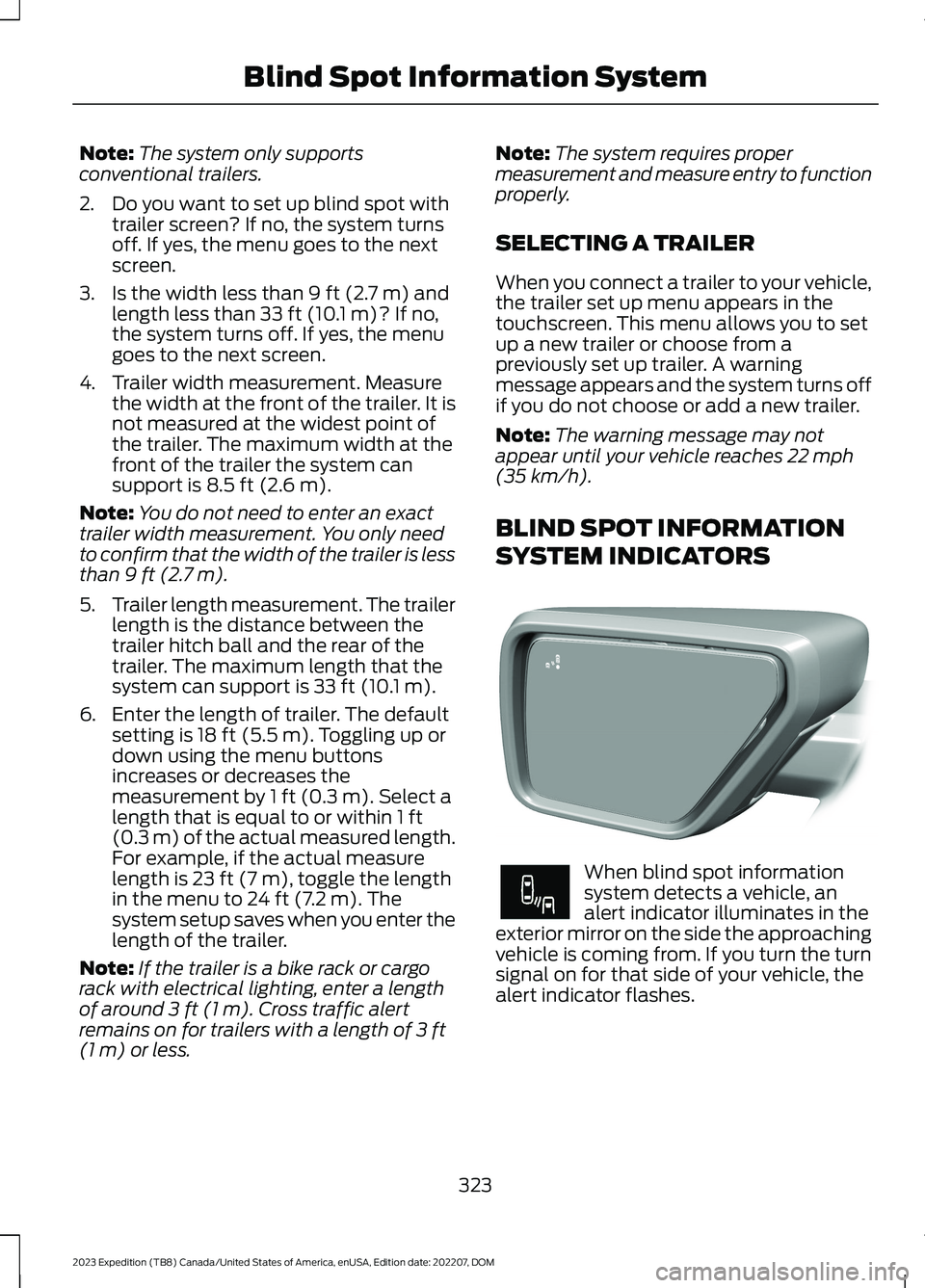
When blind spot informationsystem detects a vehicle, analert indicator illuminates in theexterior mirror on the side the approachingvehicle is coming from. If you turn the turnsignal on for that side of your vehicle, thealert indicator flashes.
323
2023 Expedition (TB8) Canada/United States of America, enUSA, Edition date: 202207, DOMBlind Spot Information SystemE309137 E249861E249861
Page 332 of 658
WHAT IS PRE-COLLISION
ASSIST
Pre-collision assist detects and warns ofapproaching hazards in the roadway. Thesystem provides multiple levels ofassistance to help avoid a collision if yourvehicle is rapidly approaching anotherstationary vehicle, a vehicle traveling in thesame direction as yours, or a pedestrian orcyclist within your driving path.
HOW DOES PRE-COLLISION
ASSIST WORK
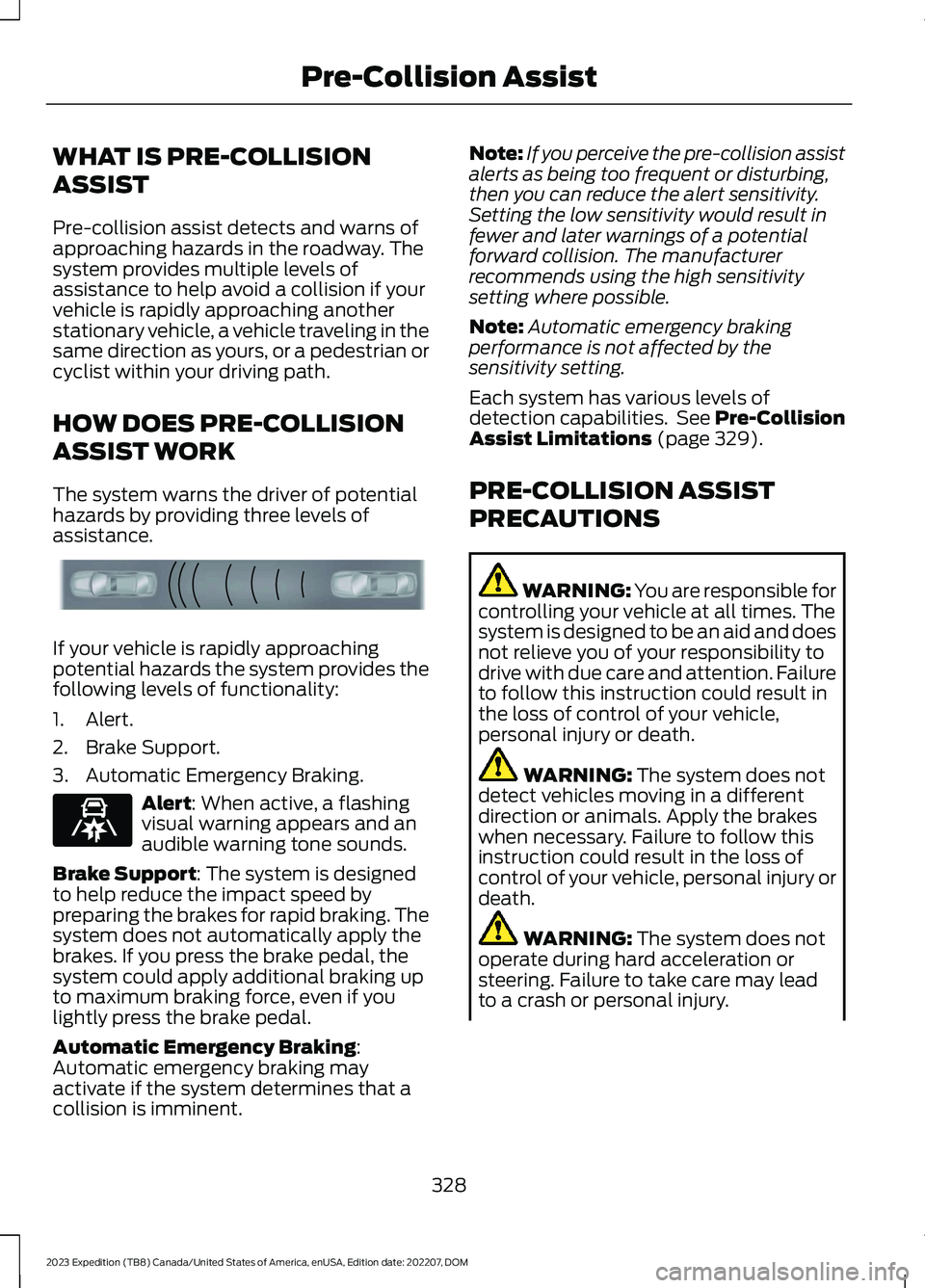
The system warns the driver of potentialhazards by providing three levels ofassistance.
If your vehicle is rapidly approachingpotential hazards the system provides thefollowing levels of functionality:
1.Alert.
2.Brake Support.
3.Automatic Emergency Braking.
Alert: When active, a flashingvisual warning appears and anaudible warning tone sounds.
Brake Support: The system is designedto help reduce the impact speed bypreparing the brakes for rapid braking. Thesystem does not automatically apply thebrakes. If you press the brake pedal, thesystem could apply additional braking upto maximum braking force, even if youlightly press the brake pedal.
Automatic Emergency Braking:Automatic emergency braking mayactivate if the system determines that acollision is imminent.
Note:If you perceive the pre-collision assistalerts as being too frequent or disturbing,then you can reduce the alert sensitivity.Setting the low sensitivity would result infewer and later warnings of a potentialforward collision. The manufacturerrecommends using the high sensitivitysetting where possible.
Note:Automatic emergency brakingperformance is not affected by thesensitivity setting.
Each system has various levels ofdetection capabilities. See Pre-CollisionAssist Limitations (page 329).
PRE-COLLISION ASSIST
PRECAUTIONS
WARNING: You are responsible forcontrolling your vehicle at all times. Thesystem is designed to be an aid and doesnot relieve you of your responsibility todrive with due care and attention. Failureto follow this instruction could result inthe loss of control of your vehicle,personal injury or death.
WARNING: The system does notdetect vehicles moving in a differentdirection or animals. Apply the brakeswhen necessary. Failure to follow thisinstruction could result in the loss ofcontrol of your vehicle, personal injury ordeath.
WARNING: The system does notoperate during hard acceleration orsteering. Failure to take care may leadto a crash or personal injury.
328
2023 Expedition (TB8) Canada/United States of America, enUSA, Edition date: 202207, DOMPre-Collision AssistE156130 E329466
Page 333 of 658

WARNING: The system mayoperate with reduced function duringcold and inclement weather conditions.Snow, ice, rain, spray and fog canadversely affect the system. Keep thefront camera and radar free of snow andice. Failure to follow this instruction mayresult in the loss of control of yourvehicle, serious personal injury or death.
WARNING: Take additional care ifyour vehicle is heavily loaded or you aretowing a trailer. These conditions couldresult in reduced performance of thissystem. Failure to follow this instructioncould result in the loss of control of yourvehicle, personal injury or death.
WARNING: The system cannothelp prevent all crashes. Do not rely onthis system to replace driver judgmentand the need to maintain a safe distanceand speed.
WARNING: System performancecould be reduced in situations where thevehicle camera has limited detectioncapability. These situations include butare not limited to direct or low sunlight,vehicles at night without tail lights,unconventional vehicle types,pedestrians or cyclists with complexbackgrounds, running pedestrians or fastmoving cyclists, partly obscuredpedestrians or cyclists, pedestrians orcyclists that the system cannotdistinguish from a group. Failure to takecare may result in the loss of control ofyour vehicle, personal injury or death.
PRE-COLLISION ASSIST
LIMITATIONS
Pre-collision assist depends on thedetection ability of its camera and sensors.Any obstructions or damage to these areascan limit detection or prevent the systemfrom functioning. See Locating thePre-Collision Assist Sensors (page 331).
The system is active at 3 mph (5 km/h)and above.
Note:The pre-collision assist systemautomatically disables when you selectfour-wheel drive low or manually disableAdvanceTrac™.
Note:Brake support and automaticemergency braking are active at speeds upto 80 mph (130 km/h). If your vehicle has aradar sensor included with adaptive cruisecontrol, then brake support and automaticemergency braking are active up to themaximum speed of your vehicle.
Pedestrian Detection Limitations
Pedestrian detection is active at speedsup to 50 mph (80 km/h).
Pedestrian detection operates optimallywhen detected hazards are clearlyidentifiable. System performance mayreduce in situations where pedestrians arerunning, partly obscured, have a complexbackground, or cannot be distinguishedfrom a group.
Cyclist Detection Limitations
Cyclist detection is active at speeds up to50 mph (80 km/h).
Cyclist detection functions optimally whendetected hazards are clearly identifiable.System performance may reduce insituations where cyclists are fast-moving,partly obscured, have a complexbackground, or cannot be distinguishedfrom a group.
329
2023 Expedition (TB8) Canada/United States of America, enUSA, Edition date: 202207, DOMPre-Collision Assist
Page 359 of 658
HOOKING UP A TRAILER USING AWEIGHT-DISTRIBUTING HITCH
WARNING: Do not adjust the springbars so that your vehicle's rear bumperis higher than before attaching the trailer.Doing so will defeat the function of theweight-distributing hitch, which maycause unpredictable handling, and couldresult in serious personal injury.
A weight-distributing hitch helps distributetongue load to all towing vehicle and trailerwheels. For more information, visit the linksin the following table.
WebsiteMarket
https://www.fleet.ford.com/towing-guides/
United States ofAmerica
https://www.fleet.ford.ca/towing-guides/
Canada
CONNECTING A TRAILER
Recognizing a Trailer
1.Attach the trailer and wiring connectorto your vehicle.
2.Switch on your vehicle.
3.Set up a profile for the trailer using thetouchscreen.
Note:If your vehicle does not recognize thetrailer, press and hold the brake pedal for afew seconds.
Note:Trailer profiles store trailer types,dimensions, preferences, trailer specificmileage and fuel economy.
Note:Disabling the trailer detectionnotification makes the default trailer profileactive when a connection is detected.
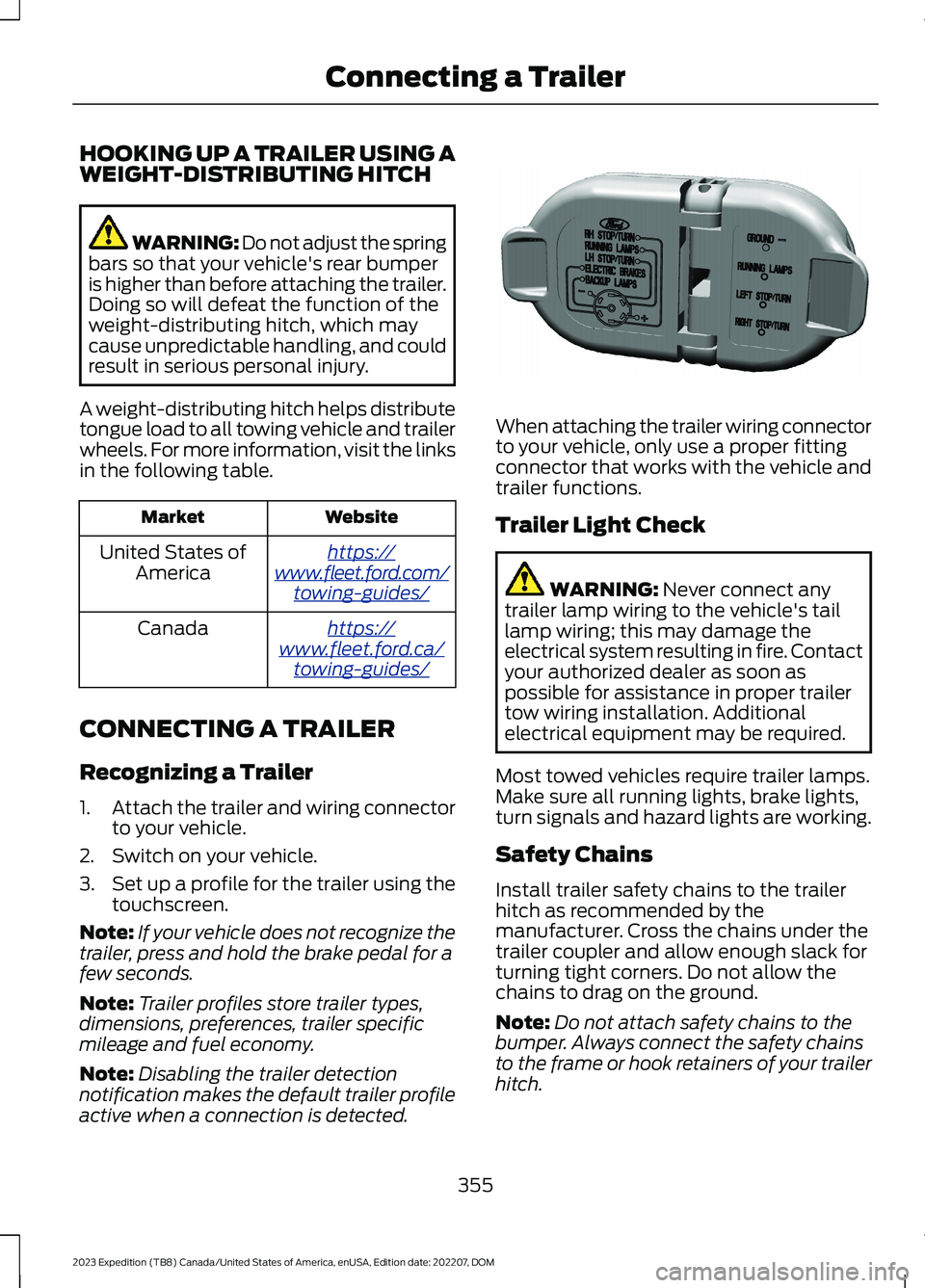
When attaching the trailer wiring connectorto your vehicle, only use a proper fittingconnector that works with the vehicle andtrailer functions.
Trailer Light Check
WARNING: Never connect anytrailer lamp wiring to the vehicle's taillamp wiring; this may damage theelectrical system resulting in fire. Contactyour authorized dealer as soon aspossible for assistance in proper trailertow wiring installation. Additionalelectrical equipment may be required.
Most towed vehicles require trailer lamps.Make sure all running lights, brake lights,turn signals and hazard lights are working.
Safety Chains
Install trailer safety chains to the trailerhitch as recommended by themanufacturer. Cross the chains under thetrailer coupler and allow enough slack forturning tight corners. Do not allow thechains to drag on the ground.
Note:Do not attach safety chains to thebumper. Always connect the safety chainsto the frame or hook retainers of your trailerhitch.
355
2023 Expedition (TB8) Canada/United States of America, enUSA, Edition date: 202207, DOMConnecting a TrailerE163167
Page 394 of 658
DRIVING IN SPECIAL
CONDITIONS
DRIVING THROUGH MUD ANDWATER
Mud
Be cautious of sudden changes in vehiclespeed or direction when you are driving inmud. Even all-wheel drive and four-wheeldrive vehicles can lose traction in mud. Ifyour vehicle slides, steer in the direction ofthe slide until you regain control of yourvehicle. After driving through mud, cleanoff residue stuck to rotating driveshaftsand tires. Excess residue can cause animbalance that could damage drivecomponents.
Note:If your vehicle gets stuck in mud, itcould be rocked out by shifting betweenforward and reverse gears, stoppingbetween shifts in a steady pattern. Presslightly on the accelerator in each gear.
Note:Do not rock your vehicle if the engineis not at normal operating temperature, asdamage to the transmission could occur.
Note:Do not rock your vehicle for morethan a minute, as damage to thetransmission and tires could occur or theengine could overheat.
Water
If you must drive though deep water, driveslowly. The water could limit traction orbrake capability. See Driving ThroughShallow Water (page 391).
When driving though water, determine thedepth and avoid water higher than thecenter of the wheel.
Once through water, always try the brakes.Wet brakes do not stop your vehicle asquickly as dry brakes. Apply light pressureto the brake pedal while slowly moving thevehicle to dry the brakes.
Note:Driving through deep water couldcause damage to the transmission. If thefront or rear axle is submerged in water,have the axle lubricant and power transferunit lubricant checked and changed ifnecessary.
DRIVING ON HILLY OR SLOPINGTERRAIN
WARNING: Extreme care shouldbe used when steering the vehicle inreverse down a slope so as not to causethe vehicle to swerve out of control.
Although natural obstacles could make itnecessary to travel diagonally up or downa hill or steep incline, you should try to drivestraight up or straight down.
Note:Avoid turning on steep slopes or hills.A danger lies in losing traction, slippingsideways and possible vehicle roll over.Whenever driving on a hill, determinebeforehand the route you can use. Do notdrive over the crest of a hill without seeingwhat conditions are on the other side. Donot drive in reverse over a hill without theaid of an observer.
Apply just enough power to the wheels toclimb the hill. Too much power causes thetires to slip, spin or lose traction, and youcould lose control of your vehicle. Whendescending a steep hill, do not descendthe hill in neutral. Avoid sudden hardbraking to keep the front wheels rolling andto maintain your vehicle's steering.
Note:Your vehicle has anti-lock brakes,apply the brakes steadily. Do not pump thebrakes.
390
2023 Expedition (TB8) Canada/United States of America, enUSA, Edition date: 202207, DOMDriving Hints
Page 395 of 658
Note:If your vehicle gets stuck driving onhilly or sloping terrain, it could be rocked outby shifting between forward and reversegears, stopping between shifts in a steadypattern. Press lightly on the accelerator ineach gear.
Note:Do not rock your vehicle if the engineis not at normal operating temperature, asdamage to the transmission could occur.
Note:Do not rock your vehicle for morethan a minute, as damage to thetransmission and tires could occur or theengine could overheat.
DRIVING IN SAND
When driving over sand, try to keep all fourwheels on the most solid area of the trail.Steadily drive through the terrain. Applythe accelerator slowly and avoid excessivewheel slip. Do not drive your vehicle indeep sand for an extended period of time.This could overheat the system. Amessage appears in the instrument clusterdisplay.
Note:If your vehicle gets stuck driving onhilly or sloping terrain, it could be rocked outby shifting between forward and reversegears, stopping between shifts in a steadypattern. Press lightly on the accelerator ineach gear.
Note:Do not rock your vehicle if the engineis not at normal operating temperature, asdamage to the transmission could occur.
Note:Do not rock your vehicle for morethan a minute, as damage to thetransmission and tires could occur or theengine could overheat
DRIVING THROUGH SHALLOW
WATER
WARNING: Do not attempt tocross a deep or flowing body of water.Failure to follow this instruction couldresult in the loss of control of yourvehicle, personal injury or death.
Note:Driving through standing water cancause vehicle damage.
Note:Engine damage can occur if waterenters the air filter.
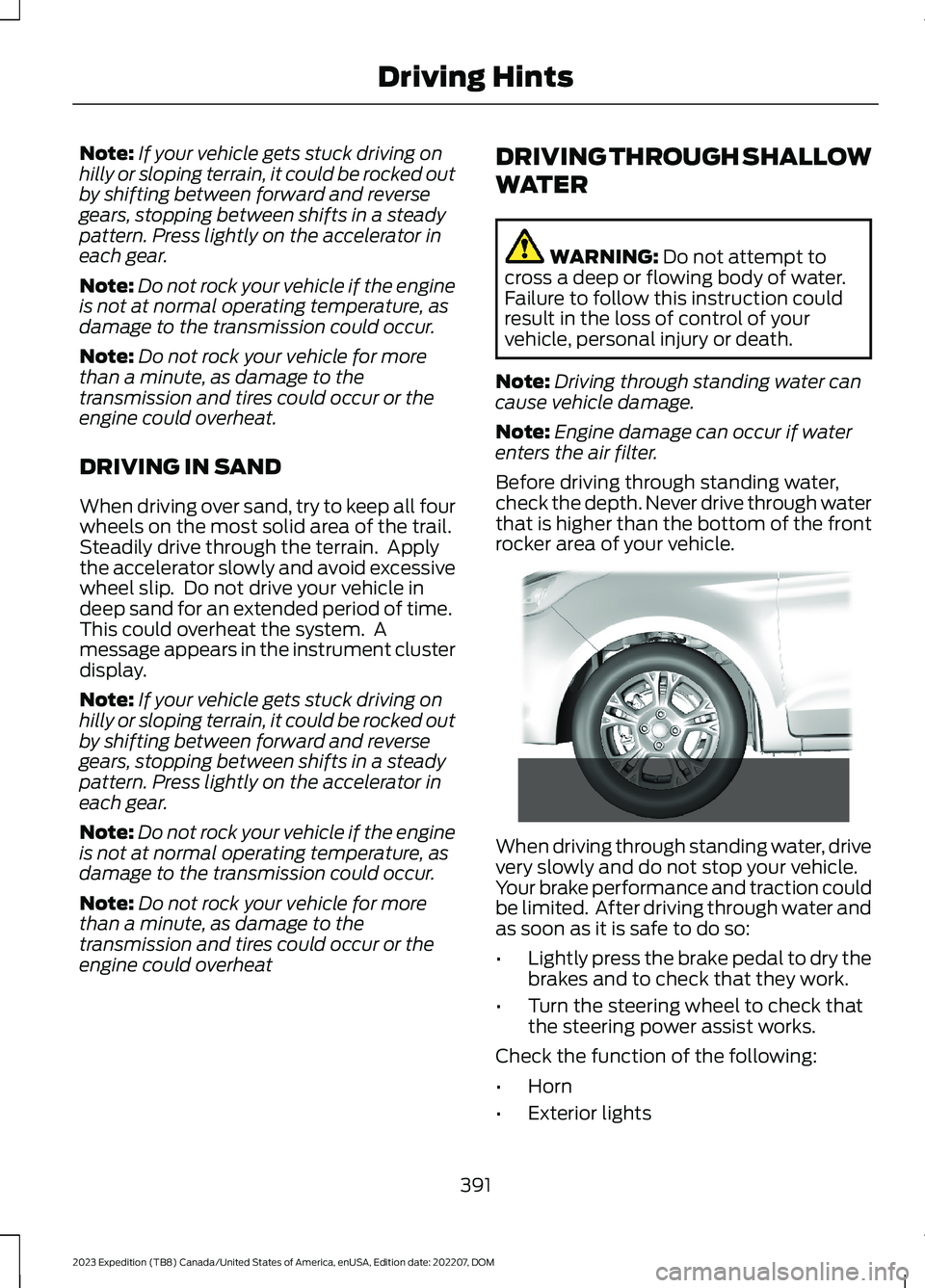
Before driving through standing water,check the depth. Never drive through waterthat is higher than the bottom of the frontrocker area of your vehicle.
When driving through standing water, drivevery slowly and do not stop your vehicle.Your brake performance and traction couldbe limited. After driving through water andas soon as it is safe to do so:
•Lightly press the brake pedal to dry thebrakes and to check that they work.
•Turn the steering wheel to check thatthe steering power assist works.
Check the function of the following:
•Horn
•Exterior lights
391
2023 Expedition (TB8) Canada/United States of America, enUSA, Edition date: 202207, DOMDriving Hints E266447