2023 FORD EXPEDITION towing
[x] Cancel search: towingPage 293 of 658

SWITCHING FROM ADAPTIVE
CRUISE CONTROL TO CRUISE
CONTROL - VEHICLES WITH:
12 INCH SCREEN
WARNING: Normal cruise controlwill not brake when your vehicle isapproaching slower vehicles. Always beaware of which mode you have selectedand apply the brakes when necessary.
1.Press Features on the touchscreen.
2.Press Driver Assistance.
3.Press Cruise Control.
4.Press Normal Cruise Control.
The cruise control indicatorreplaces the adaptive cruisecontrol indicator if you selectnormal cruise control. The gap settingdoes not display, and the system does notrespond to lead vehicles. Automaticbraking remains active to maintain setspeed. The system remembers the lastsetting when you start your vehicle.
SWITCHING FROM ADAPTIVE
CRUISE CONTROL TO CRUISE
CONTROL - VEHICLES WITH:
15 INCH SCREEN
WARNING: Normal cruise controlwill not brake when your vehicle isapproaching slower vehicles. Always beaware of which mode you have selectedand apply the brakes when necessary.
1.Access the vehicle drawer on thetouchscreen.
2.Press SETTINGS.
3.Press Driver Assistance.
4.Press Cruise Control.
5.Press Normal Cruise Control.
The cruise control indicatorreplaces the adaptive cruisecontrol indicator if you selectnormal cruise control. The gap settingdoes not display, and the system does notrespond to lead vehicles. Automaticemergency braking remains active tomaintain set speed. The systemremembers the last setting when you startyour vehicle.
LANE CENTERING
HOW DOES LANE CENTERINGWORK
Adaptive cruise control with lane centeringuses the vehicle's front radar sensor andfront windshield camera sensor, togetherwith the steering sensor to operate.
Using these sensors, the system appliescontinuous steering assistance towardsdriving in the middle of the lane you chooseon highway roads.
Note:The gap setting for adaptive cruisecontrol with lane centering, operates in thesame way as normal adaptive cruise control.
LANE CENTERING PRECAUTIONS
WARNING: Do not use the systemwhen towing a trailer. Failure to followthis instruction could result in the loss ofcontrol of your vehicle, personal injury ordeath.
289
2023 Expedition (TB8) Canada/United States of America, enUSA, Edition date: 202207, DOMAdaptive Cruise Control (If Equipped)E332905 E332905
Page 294 of 658

WARNING: Do not use the systemif any changes or modifications to thesteering wheel have been made. Anychanges or modifications to the steeringwheel could affect the functionality orperformance of the system. Failure tofollow this instruction could result in theloss of control of your vehicle, personalinjury or death.
Adaptive cruise control precautions applyto lane centering unless stated otherwiseor contradicted by a lane centeringprecaution. See Adaptive Cruise ControlPrecautions (page 279).
LANE CENTERINGREQUIREMENTS
You must keep your hands on the steeringwheel at all times.
Lane centering only activates when all ofthe following occur:
•Adaptive cruise control with lanecentering is enabled in your informationand entertainment screen. SeeSwitching the Lane Keeping SystemOn and Off (page 310).
•You have adaptive cruise control withstop and go enabled and set.
•The steering sensor detects your handson the steering wheel.
•The system detects both lane markingswhen driving on a straight road.
•Your vehicle is initially centered in thelane between two visible line markings.
Note:If the system does not detect validlane line markings, the system will remainin standby until valid line markings areavailable.
LANE CENTERING LIMITATIONS
Adaptive cruise control limitations applyto lane centering unless stated otherwiseor contradicted by a lane centeringlimitation. See Adaptive Cruise ControlLimitations (page 280).
Lane centering may not correctly operatein any of the following conditions:
•The lane width is too narrow or wide.
•The curve in the road is too small.
•The system does not detect theminimum required lane markings orwhen lanes merge or split.
•When the required steering effort tomaintain lane center exceeds the lanecentering system limit.
•When driving in areas that are underconstruction or when road work is inprogress.
•If the front windshield camera and/orthe front radar are blocked.
•When using a spare tire.
•Inclement weather conditionsincluding, but not limited to, high wind,heavy rain, and fog.
•Driving into direct sunlight.
•When modification to the steeringsystem has been made, includingalterations to the steering wheel.
•When towing a trailer.
See Lane Keeping System Precautions(page 309).
Note:The system steering assistance islimited and may not have sufficient effortfor all driving situations and/or conditions,such as driving through tight curves ordriving through curves at high speeds.
Note:In exceptional conditions, the systemmay deviate from the lane center.
290
2023 Expedition (TB8) Canada/United States of America, enUSA, Edition date: 202207, DOMAdaptive Cruise Control (If Equipped)
Page 301 of 658
WHAT IS BLUECRUISE
BlueCruise keeps your vehicle centered inthe lane and offers a hands-free drivingmode in certain situations when usingadaptive cruise control.
HOW DOES BLUECRUISE
WORK
BlueCruise uses cameras to monitor yourvehicle position within a lane and appliessteering support to keep your vehiclecentered in the lane.
Using the cameras and locationinformation, BlueCruise allows you toremove your hands from the steering wheeland offers a hands-free driving mode incertain areas.
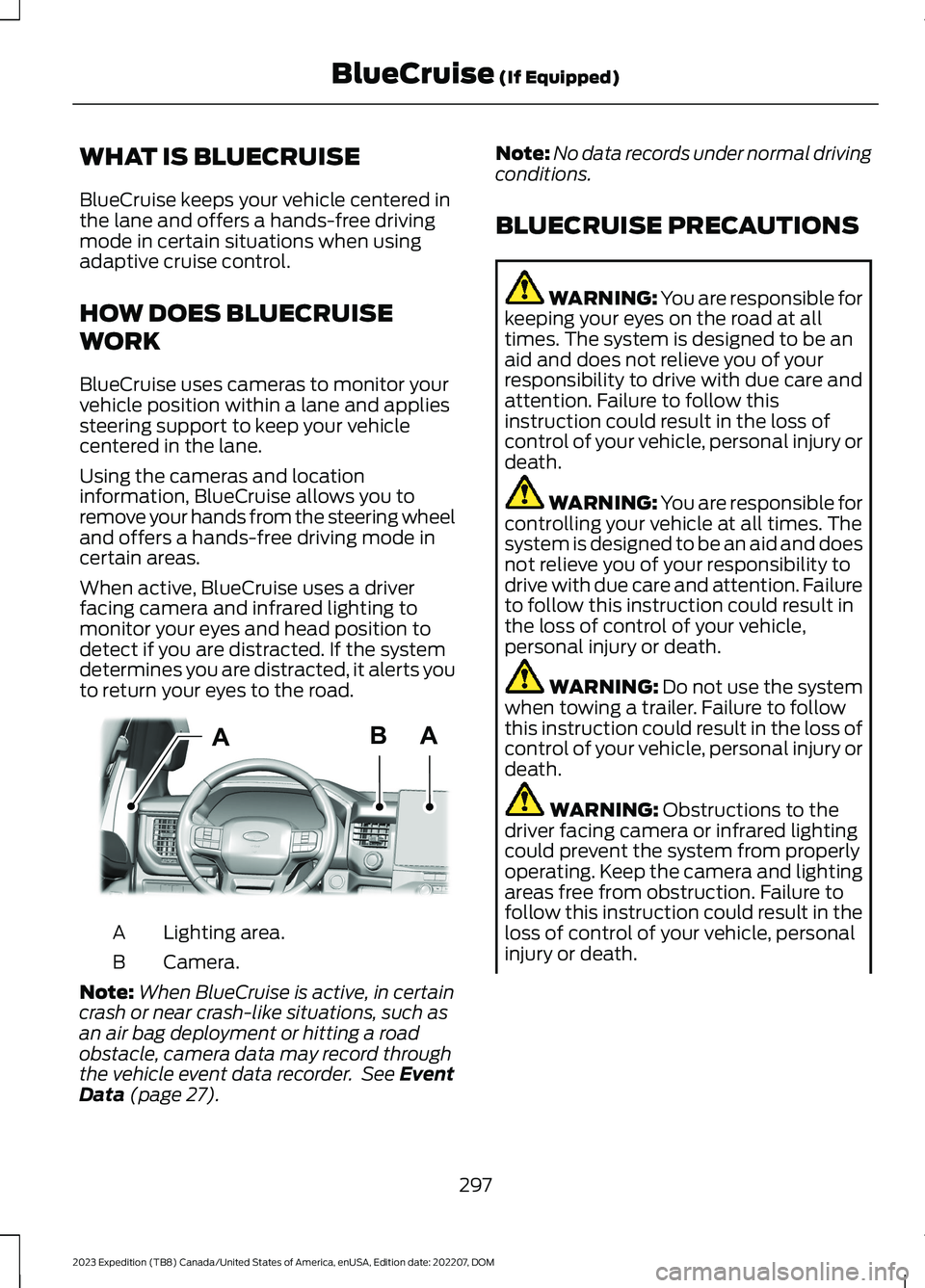
When active, BlueCruise uses a driverfacing camera and infrared lighting tomonitor your eyes and head position todetect if you are distracted. If the systemdetermines you are distracted, it alerts youto return your eyes to the road.
Lighting area.A
Camera.B
Note:When BlueCruise is active, in certaincrash or near crash-like situations, such asan air bag deployment or hitting a roadobstacle, camera data may record throughthe vehicle event data recorder. See EventData (page 27).
Note:No data records under normal drivingconditions.
BLUECRUISE PRECAUTIONS
WARNING: You are responsible forkeeping your eyes on the road at alltimes. The system is designed to be anaid and does not relieve you of yourresponsibility to drive with due care andattention. Failure to follow thisinstruction could result in the loss ofcontrol of your vehicle, personal injury ordeath.
WARNING: You are responsible forcontrolling your vehicle at all times. Thesystem is designed to be an aid and doesnot relieve you of your responsibility todrive with due care and attention. Failureto follow this instruction could result inthe loss of control of your vehicle,personal injury or death.
WARNING: Do not use the systemwhen towing a trailer. Failure to followthis instruction could result in the loss ofcontrol of your vehicle, personal injury ordeath.
WARNING: Obstructions to thedriver facing camera or infrared lightingcould prevent the system from properlyoperating. Keep the camera and lightingareas free from obstruction. Failure tofollow this instruction could result in theloss of control of your vehicle, personalinjury or death.
297
2023 Expedition (TB8) Canada/United States of America, enUSA, Edition date: 202207, DOMBlueCruise (If Equipped)ABAE351060
Page 310 of 658
SPORT - 4X2
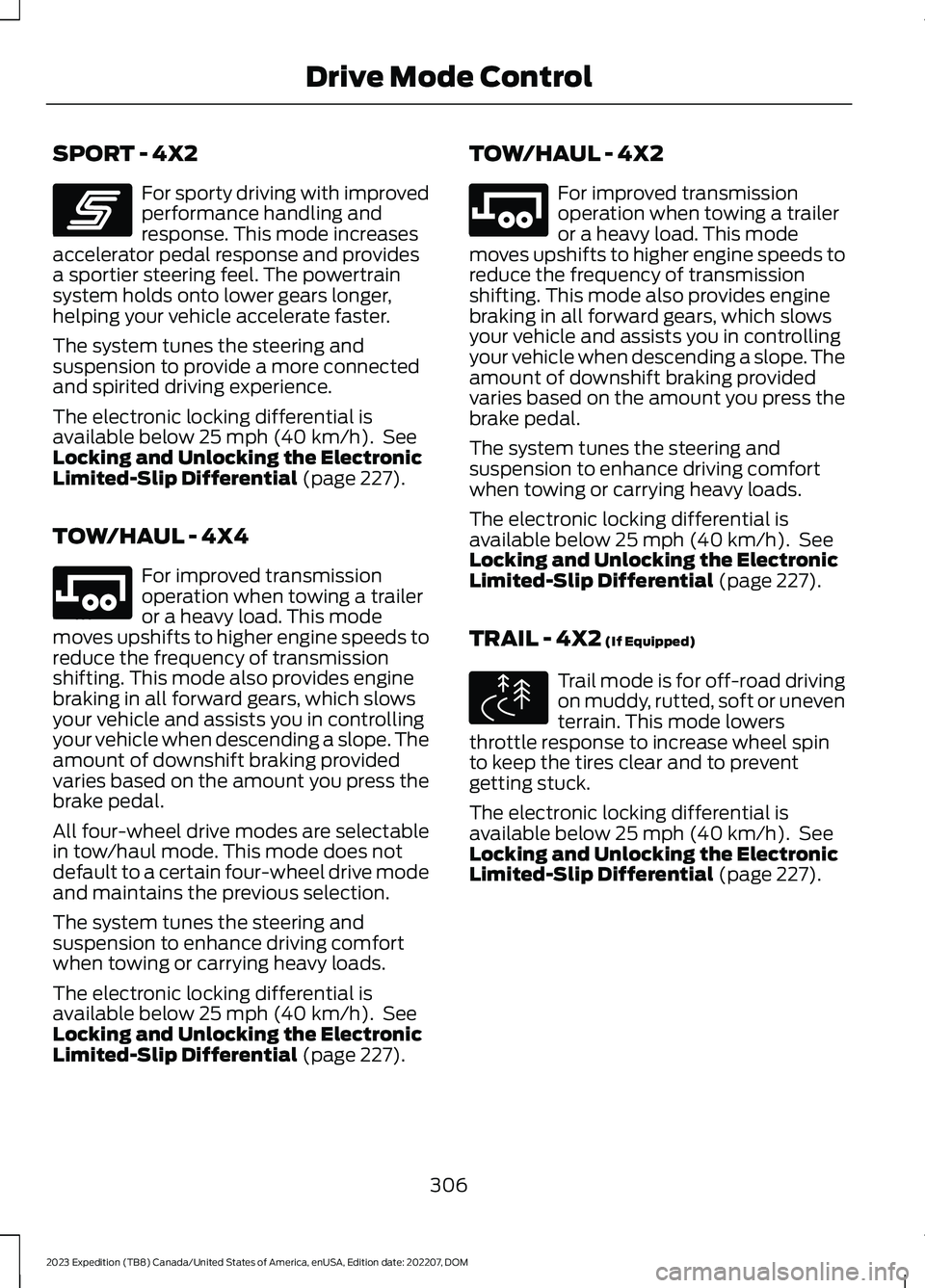
For sporty driving with improvedperformance handling andresponse. This mode increasesaccelerator pedal response and providesa sportier steering feel. The powertrainsystem holds onto lower gears longer,helping your vehicle accelerate faster.
The system tunes the steering andsuspension to provide a more connectedand spirited driving experience.
The electronic locking differential isavailable below 25 mph (40 km/h). SeeLocking and Unlocking the ElectronicLimited-Slip Differential (page 227).
TOW/HAUL - 4X4
For improved transmissionoperation when towing a traileror a heavy load. This modemoves upshifts to higher engine speeds toreduce the frequency of transmissionshifting. This mode also provides enginebraking in all forward gears, which slowsyour vehicle and assists you in controllingyour vehicle when descending a slope. Theamount of downshift braking providedvaries based on the amount you press thebrake pedal.
All four-wheel drive modes are selectablein tow/haul mode. This mode does notdefault to a certain four-wheel drive modeand maintains the previous selection.
The system tunes the steering andsuspension to enhance driving comfortwhen towing or carrying heavy loads.
The electronic locking differential isavailable below 25 mph (40 km/h). SeeLocking and Unlocking the ElectronicLimited-Slip Differential (page 227).
TOW/HAUL - 4X2
For improved transmissionoperation when towing a traileror a heavy load. This modemoves upshifts to higher engine speeds toreduce the frequency of transmissionshifting. This mode also provides enginebraking in all forward gears, which slowsyour vehicle and assists you in controllingyour vehicle when descending a slope. Theamount of downshift braking providedvaries based on the amount you press thebrake pedal.
The system tunes the steering andsuspension to enhance driving comfortwhen towing or carrying heavy loads.
The electronic locking differential isavailable below 25 mph (40 km/h). SeeLocking and Unlocking the ElectronicLimited-Slip Differential (page 227).
TRAIL - 4X2 (If Equipped)
Trail mode is for off-road drivingon muddy, rutted, soft or uneventerrain. This mode lowersthrottle response to increase wheel spinto keep the tires clear and to preventgetting stuck.
The electronic locking differential isavailable below 25 mph (40 km/h). SeeLocking and Unlocking the ElectronicLimited-Slip Differential (page 227).
306
2023 Expedition (TB8) Canada/United States of America, enUSA, Edition date: 202207, DOMDrive Mode ControlE246593 E246592 E246592 E295419
Page 330 of 658

Cross Traffic Alert Limitationswith a Trailer Attached
The system remains on when you attacha trailer in vehicles with blind spotinformation system with trailer tow underthe following conditions:
•You connect a trailer.
•The trailer is a bike rack or cargo rackwith a maximum length of 3 ft (1 m).
•You set the trailer length to 3 ft (1 m)in the instrument cluster display.
Note:The system may not correctly operatewhen towing a trailer. For vehicles with atrailer tow module and tow bar approvedby the manufacturer, the system turns offwhen you attach a trailer. For vehicles withan aftermarket trailer tow module or towbar, we recommend that you switch thesystem off when you attach a trailer.
SWITCHING CROSS TRAFFIC
ALERT ON AND OFF -
VEHICLES WITH: 12 INCH
SCREEN
To switch cross traffic alert on or off usethe touchscreen.
1.Press Features on the touchscreen.
2.Press Driver Assistance.
3.Switch Cross Traffic Alert on or off.
Note:The system switches on every timeyou switch the ignition on. To permanentlyswitch the system off, contact an authorizeddealer.
SWITCHING CROSS TRAFFIC
ALERT ON AND OFF -
VEHICLES WITH: 15 INCH
SCREEN
To switch cross traffic alert on or off usethe touchscreen:
1.Access the vehicle drawer.
2.Press SETTINGS.
3.Press Driver Assistance.
4.Switch Cross Traffic Alert on or off.
When you switch the system on or off, thealert indicators flash twice.
Note:The system turns on every time youstart your vehicle. To permanently switchthe system off, contact an authorizeddealer.
LOCATING THE CROSS
TRAFFIC ALERT SENSORS
The sensors are behind the rear fascia onboth sides of your vehicle.
Note:Keep the sensors free from snow, iceand large accumulations of dirt.
Note:Do not cover the sensors with bumperstickers, repair compound or other objects.
Note:Blocked sensors may affect systemaccuracy.
326
2023 Expedition (TB8) Canada/United States of America, enUSA, Edition date: 202207, DOMCross Traffic AlertE205199
Page 333 of 658

WARNING: The system mayoperate with reduced function duringcold and inclement weather conditions.Snow, ice, rain, spray and fog canadversely affect the system. Keep thefront camera and radar free of snow andice. Failure to follow this instruction mayresult in the loss of control of yourvehicle, serious personal injury or death.
WARNING: Take additional care ifyour vehicle is heavily loaded or you aretowing a trailer. These conditions couldresult in reduced performance of thissystem. Failure to follow this instructioncould result in the loss of control of yourvehicle, personal injury or death.
WARNING: The system cannothelp prevent all crashes. Do not rely onthis system to replace driver judgmentand the need to maintain a safe distanceand speed.
WARNING: System performancecould be reduced in situations where thevehicle camera has limited detectioncapability. These situations include butare not limited to direct or low sunlight,vehicles at night without tail lights,unconventional vehicle types,pedestrians or cyclists with complexbackgrounds, running pedestrians or fastmoving cyclists, partly obscuredpedestrians or cyclists, pedestrians orcyclists that the system cannotdistinguish from a group. Failure to takecare may result in the loss of control ofyour vehicle, personal injury or death.
PRE-COLLISION ASSIST
LIMITATIONS
Pre-collision assist depends on thedetection ability of its camera and sensors.Any obstructions or damage to these areascan limit detection or prevent the systemfrom functioning. See Locating thePre-Collision Assist Sensors (page 331).
The system is active at 3 mph (5 km/h)and above.
Note:The pre-collision assist systemautomatically disables when you selectfour-wheel drive low or manually disableAdvanceTrac™.
Note:Brake support and automaticemergency braking are active at speeds upto 80 mph (130 km/h). If your vehicle has aradar sensor included with adaptive cruisecontrol, then brake support and automaticemergency braking are active up to themaximum speed of your vehicle.
Pedestrian Detection Limitations
Pedestrian detection is active at speedsup to 50 mph (80 km/h).
Pedestrian detection operates optimallywhen detected hazards are clearlyidentifiable. System performance mayreduce in situations where pedestrians arerunning, partly obscured, have a complexbackground, or cannot be distinguishedfrom a group.
Cyclist Detection Limitations
Cyclist detection is active at speeds up to50 mph (80 km/h).
Cyclist detection functions optimally whendetected hazards are clearly identifiable.System performance may reduce insituations where cyclists are fast-moving,partly obscured, have a complexbackground, or cannot be distinguishedfrom a group.
329
2023 Expedition (TB8) Canada/United States of America, enUSA, Edition date: 202207, DOMPre-Collision Assist
Page 350 of 658
handle differently than unloadedvehicles. Take extra precautions,such as slower speeds andincreased stopping distance,when driving a heavily loadedvehicle.
The gross combined weight mustnever exceed the Gross CombinedWeight Rating.
LOCATING THE SAFETY
COMPLIANCE CERTIFICATION
LABELS
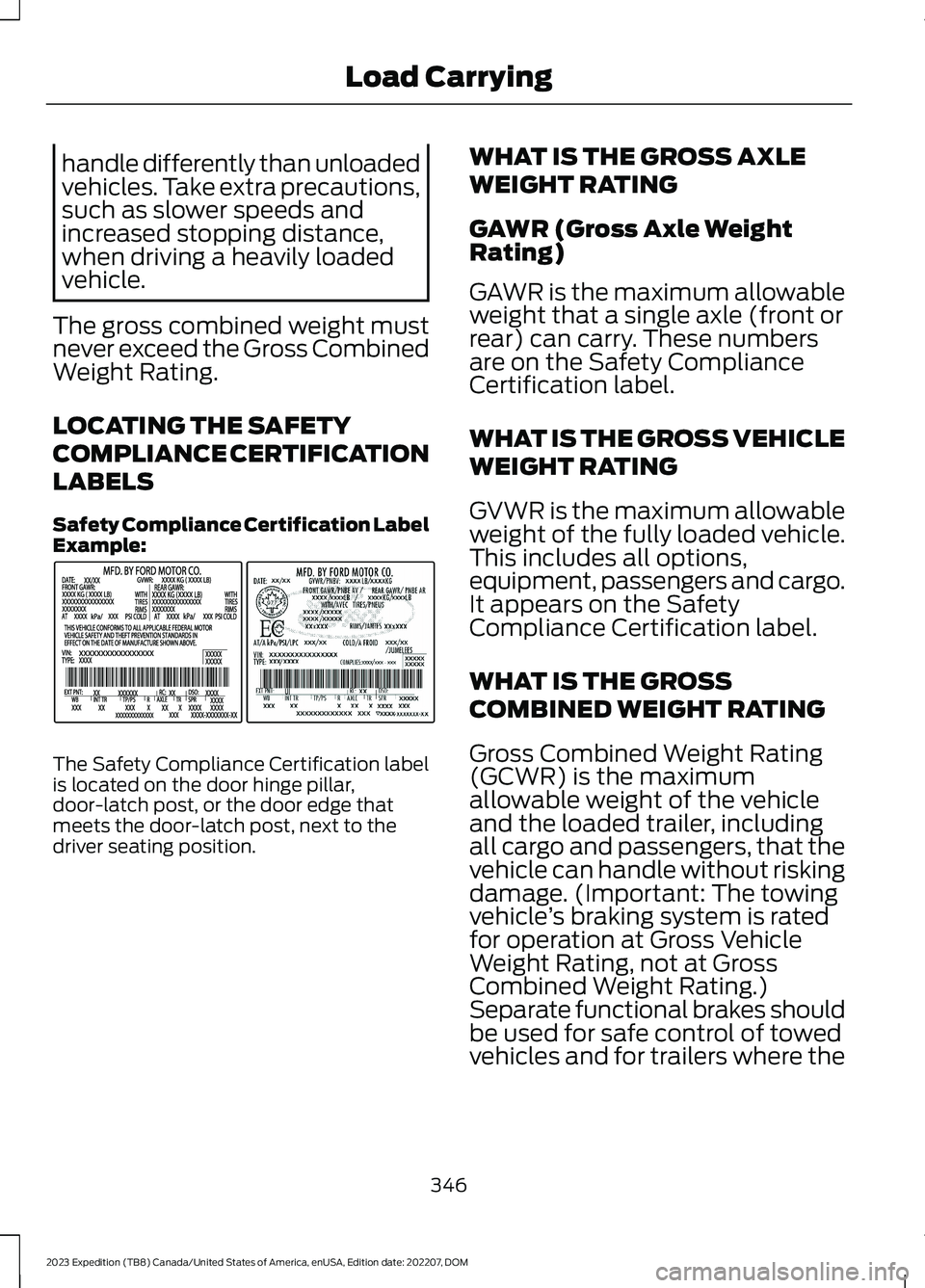
Safety Compliance Certification LabelExample:
The Safety Compliance Certification labelis located on the door hinge pillar,door-latch post, or the door edge thatmeets the door-latch post, next to thedriver seating position.
WHAT IS THE GROSS AXLE
WEIGHT RATING
GAWR (Gross Axle WeightRating)
GAWR is the maximum allowableweight that a single axle (front orrear) can carry. These numbersare on the Safety ComplianceCertification label.
WHAT IS THE GROSS VEHICLE
WEIGHT RATING
GVWR is the maximum allowableweight of the fully loaded vehicle.This includes all options,equipment, passengers and cargo.It appears on the SafetyCompliance Certification label.
WHAT IS THE GROSS
COMBINED WEIGHT RATING
Gross Combined Weight Rating(GCWR) is the maximumallowable weight of the vehicleand the loaded trailer, includingall cargo and passengers, that thevehicle can handle without riskingdamage. (Important: The towingvehicle’s braking system is ratedfor operation at Gross VehicleWeight Rating, not at GrossCombined Weight Rating.)Separate functional brakes shouldbe used for safe control of towedvehicles and for trailers where the
346
2023 Expedition (TB8) Canada/United States of America, enUSA, Edition date: 202207, DOMLoad CarryingE198828
Page 351 of 658
Gross Combined Weight of thetowing vehicle plus the trailerexceed the Gross Vehicle WeightRating of the towing vehicle. SeeRecommended TowingWeights (page 361).
CALCULATING PAYLOAD
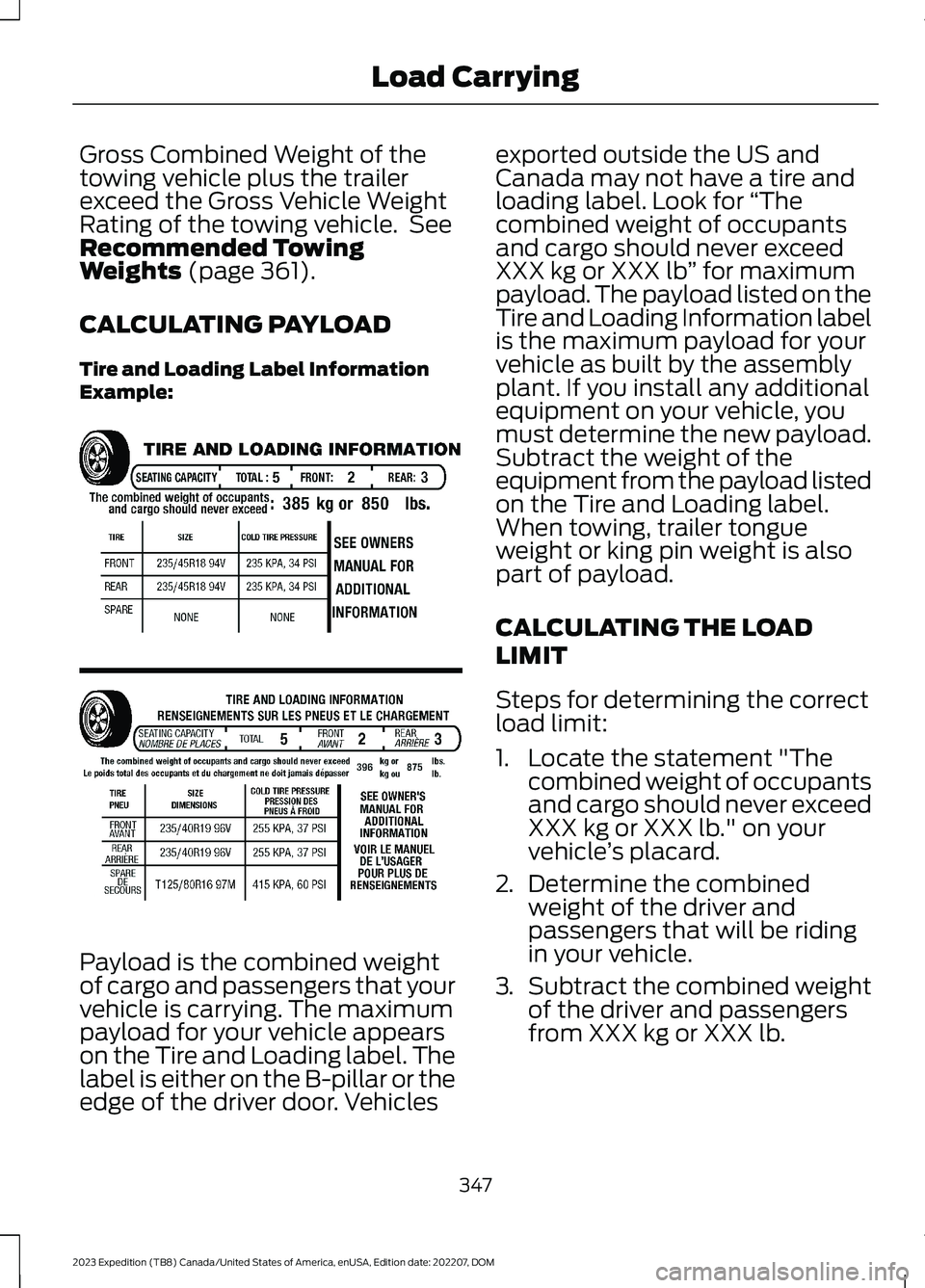
Tire and Loading Label InformationExample:
Payload is the combined weightof cargo and passengers that yourvehicle is carrying. The maximumpayload for your vehicle appearson the Tire and Loading label. Thelabel is either on the B-pillar or theedge of the driver door. Vehicles
exported outside the US andCanada may not have a tire andloading label. Look for “Thecombined weight of occupantsand cargo should never exceedXXX kg or XXX lb” for maximumpayload. The payload listed on theTire and Loading Information labelis the maximum payload for yourvehicle as built by the assemblyplant. If you install any additionalequipment on your vehicle, youmust determine the new payload.Subtract the weight of theequipment from the payload listedon the Tire and Loading label.When towing, trailer tongueweight or king pin weight is alsopart of payload.
CALCULATING THE LOAD
LIMIT
Steps for determining the correctload limit:
1.Locate the statement "Thecombined weight of occupantsand cargo should never exceedXXX kg or XXX lb." on yourvehicle’s placard.
2.Determine the combinedweight of the driver andpassengers that will be ridingin your vehicle.
3.Subtract the combined weightof the driver and passengersfrom XXX kg or XXX lb.
347
2023 Expedition (TB8) Canada/United States of America, enUSA, Edition date: 202207, DOMLoad CarryingE198719