2023 FORD EXPEDITION child restraint
[x] Cancel search: child restraintPage 64 of 658
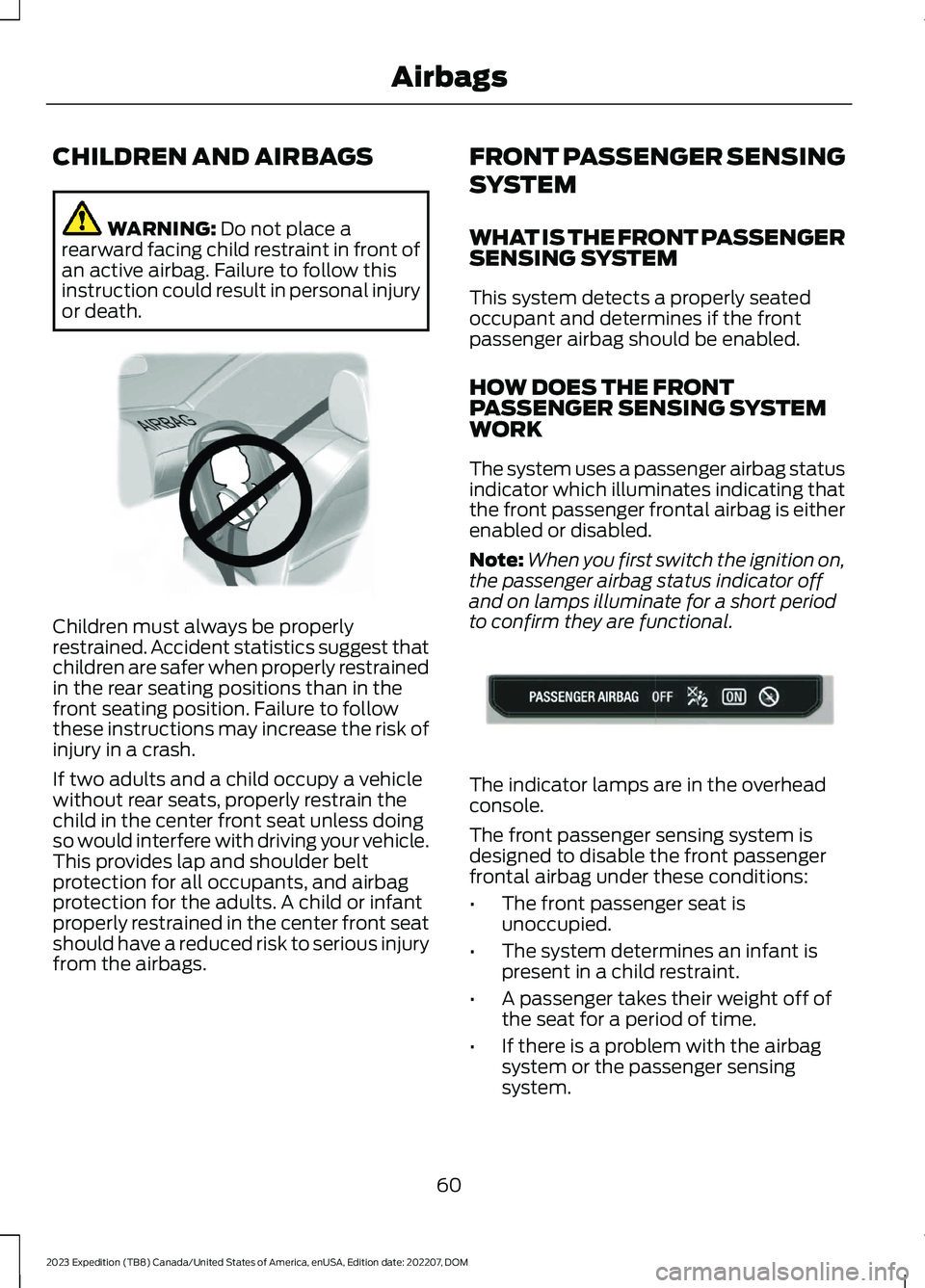
CHILDREN AND AIRBAGS
WARNING: Do not place arearward facing child restraint in front ofan active airbag. Failure to follow thisinstruction could result in personal injuryor death.
Children must always be properlyrestrained. Accident statistics suggest thatchildren are safer when properly restrainedin the rear seating positions than in thefront seating position. Failure to followthese instructions may increase the risk ofinjury in a crash.
If two adults and a child occupy a vehiclewithout rear seats, properly restrain thechild in the center front seat unless doingso would interfere with driving your vehicle.This provides lap and shoulder beltprotection for all occupants, and airbagprotection for the adults. A child or infantproperly restrained in the center front seatshould have a reduced risk to serious injuryfrom the airbags.
FRONT PASSENGER SENSING
SYSTEM
WHAT IS THE FRONT PASSENGERSENSING SYSTEM
This system detects a properly seatedoccupant and determines if the frontpassenger airbag should be enabled.
HOW DOES THE FRONTPASSENGER SENSING SYSTEMWORK
The system uses a passenger airbag statusindicator which illuminates indicating thatthe front passenger frontal airbag is eitherenabled or disabled.
Note:When you first switch the ignition on,the passenger airbag status indicator offand on lamps illuminate for a short periodto confirm they are functional.
The indicator lamps are in the overheadconsole.
The front passenger sensing system isdesigned to disable the front passengerfrontal airbag under these conditions:
•The front passenger seat isunoccupied.
•The system determines an infant ispresent in a child restraint.
•A passenger takes their weight off ofthe seat for a period of time.
•If there is a problem with the airbagsystem or the passenger sensingsystem.
60
2023 Expedition (TB8) Canada/United States of America, enUSA, Edition date: 202207, DOMAirbagsE142846 E181984
Page 65 of 658

Note:Even with this technology, parentsare strongly encouraged to always properlyrestrain children in the rear seat.
•When the front passenger sensingsystem disables the front passengerfrontal airbag, the passenger airbagstatus indicator illuminates the offlamp.
•If you have installed the child restraintand the passenger airbag statusindicator illuminates the on lamp,switch your vehicle off, remove thechild restraint from your vehicle andreinstall the restraint following thechild restraint manufacturer'sinstructions.
The front passenger sensing system workswith sensors that are part of the frontpassenger seat and seatbelt. The sensorsare designed to detect the presence of aproperly seated occupant and determineif the front passenger frontal airbag shouldbe enabled.
•When the front passenger sensingsystem enables the front passengerfrontal airbag, the passenger airbagstatus indicator illuminates the onlamp.
If a person of adult size is sitting in the frontpassenger seat, but the passenger airbagstatus indicator off lamp is illuminated, itis possible that the person is not sittingproperly in the seat. If this happens:
•Switch your vehicle off and ask theperson to place the seat backrest in anupright position.
•Have the person sit upright in the seat,centered on the seat cushion, with theperson's legs comfortably extended.
•Restart your vehicle and have theperson remain in this position for abouttwo minutes. This allows the systemto detect that person and enable thepassenger frontal airbag.
•If the indicator off lamp remainsilluminated even after this, you shouldadvise the person to ride in the rearseat.
After all occupants have adjusted theirseats and put on seatbelts, it is veryimportant that they continue to sit upright,leaning against the seat backrest, andcentered on the seat cushion, with theirfeet comfortably extended on the floor.
Sitting improperly can increase the chanceof injury in a crash event. For example, ifan occupant slouches, lies down, turnssideways, sits forward, leans forward orsideways, or puts one or both feet up, thechance of injury during a crash greatlyincreases.
If you think that the state of the passengerairbag status indicator lamp is incorrect,check for the following:
•Objects lodged underneath the seat.
•Objects between the seat cushion andthe center console.
•Objects hanging off the seat backrest.
•Objects stowed in the seat backrestmap pocket.
•Objects placed on the occupant's lap.
•Cargo interference with the seat
•Other passengers pushing or pulling onthe seat.
•Rear passenger feet and knees restingor pushing on the seat.
61
2023 Expedition (TB8) Canada/United States of America, enUSA, Edition date: 202207, DOMAirbags
Page 174 of 658
The head restraints consist of:
•A trimmed energy absorbing foam andstructure.
•A fold button, if equipped.
ADJUSTING THE HEADRESTRAINT
For the second row center head restraint,pull the head restraint up to raise it.
To lower the head restraint:
1.Press and hold the adjust and releasebutton.
2.Push the head restraint down.
To fold the second row outermost andthird row head restraints:
1.Press the fold button.
2.Pull the head restraint up to place itback to the upright position.
REMOVING THE HEAD RESTRAINT
For the second row outermost headrestraints:
1.Pull the head restraint up until itreaches its highest position.
2.Press and hold the guide sleeve unlockand remove button.
3.Pull the head restraint up.
For the second row center head restraint:
1.Pull the head restraint up until itreaches its highest position.
2.Press and hold guide sleeve adjust andrelease button and the guide sleeveunlock and remove button.
3.Pull the head restraint up.
INSTALLING THE HEADRESTRAINT
Align the steel stems into the guide sleevesand push the head restraint down until itlocks.
For the second row outermost headrestraints, make sure the fold button isfacing the outermost side of the seat.
MOVING THE SEAT BACKWARDAND FORWARD
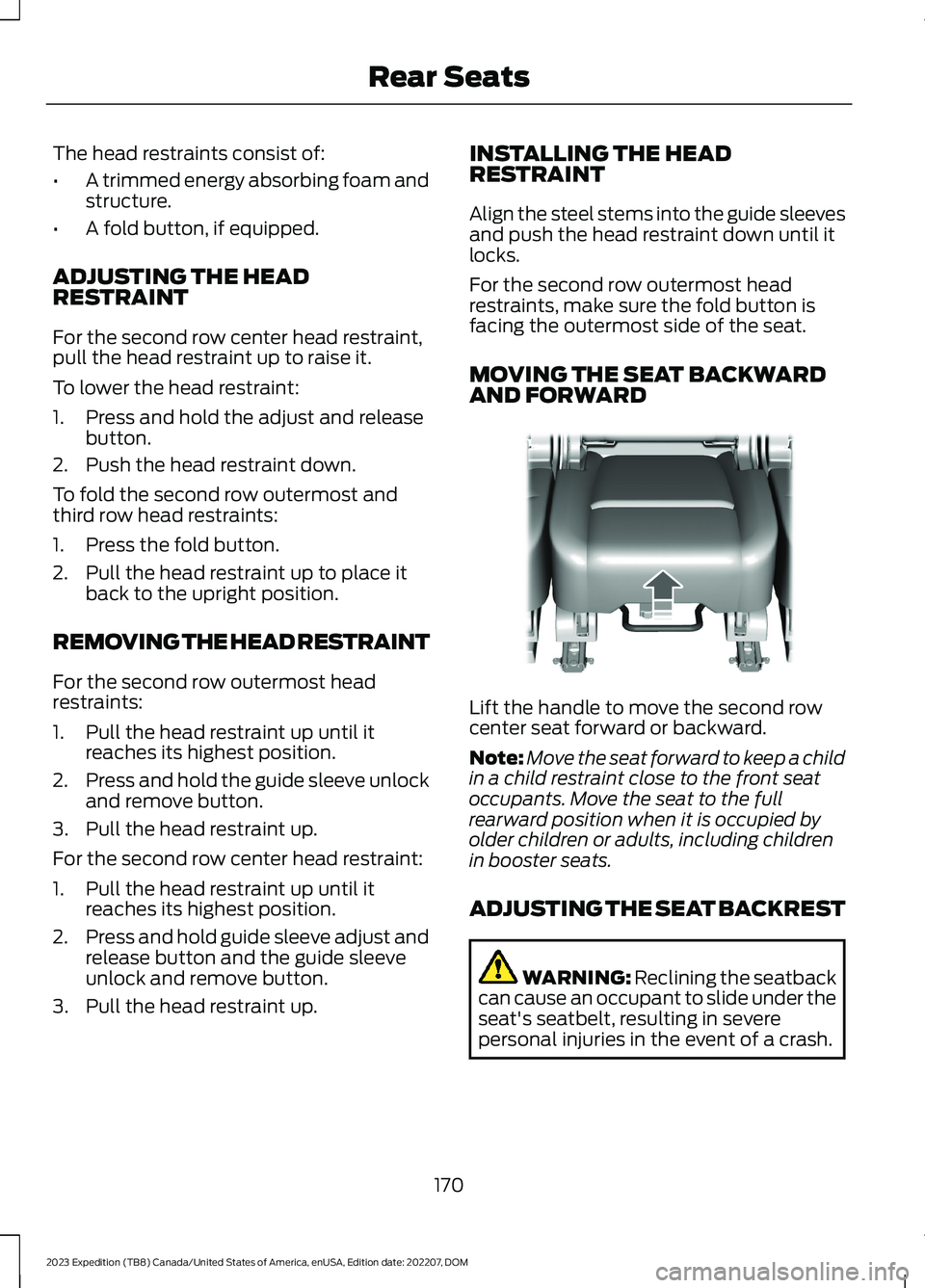
Lift the handle to move the second rowcenter seat forward or backward.
Note:Move the seat forward to keep a childin a child restraint close to the front seatoccupants. Move the seat to the fullrearward position when it is occupied byolder children or adults, including childrenin booster seats.
ADJUSTING THE SEAT BACKREST
WARNING: Reclining the seatbackcan cause an occupant to slide under theseat's seatbelt, resulting in severepersonal injuries in the event of a crash.
170
2023 Expedition (TB8) Canada/United States of America, enUSA, Edition date: 202207, DOMRear SeatsE247034
Page 177 of 658
To return the seat to the seating position,slide the seat rearward while pulling downon the seat backrest until the latch fullyengages.
To move the seat further back, pull thelever under the front of the seat and slideit backward.
Note: You must move the seat to the fullforward position before you move itrearward. Otherwise, the seat may not slideproperly rearward.
Note:You can slide the outermost seatsforward when using a child restraint.
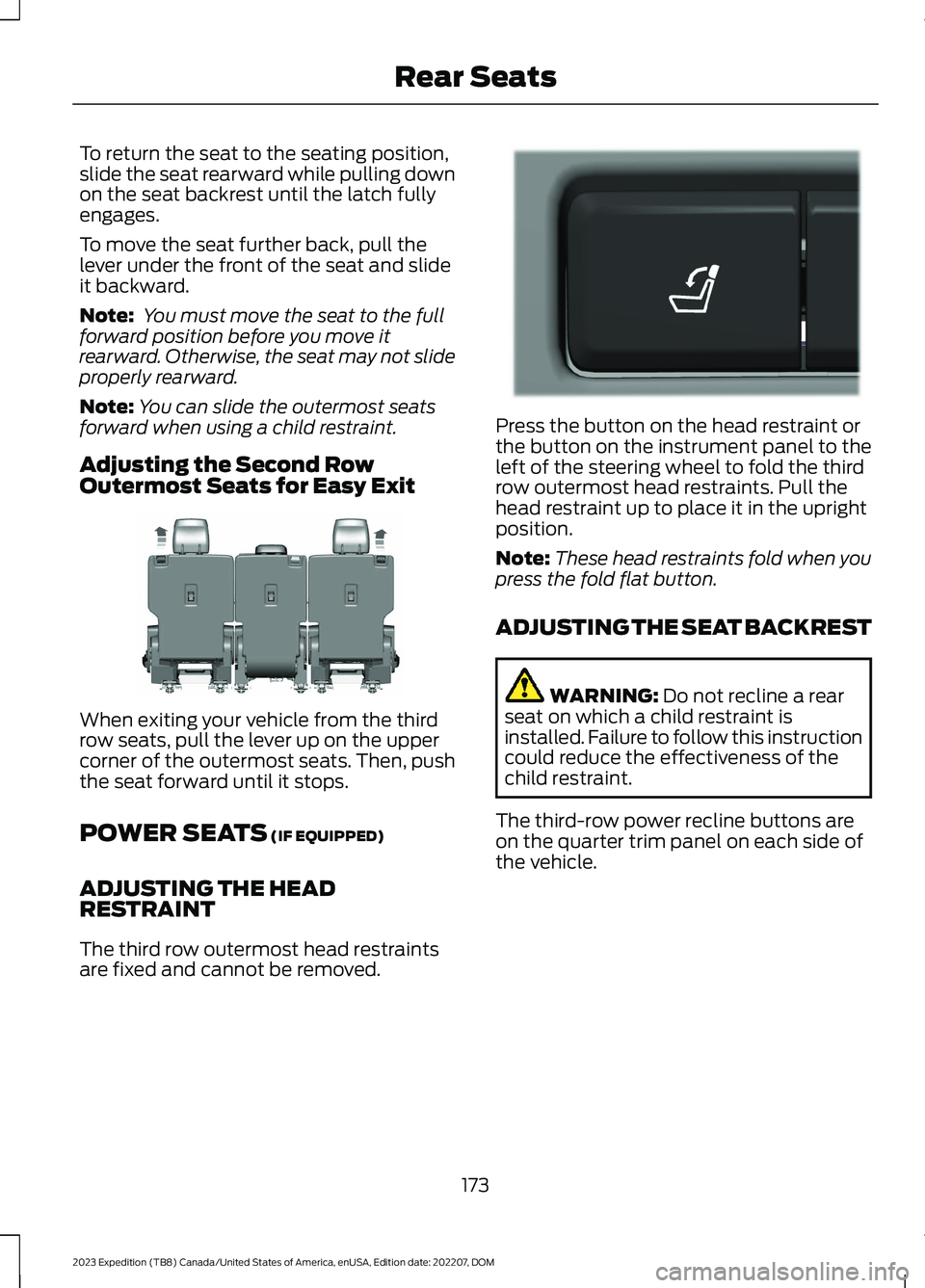
Adjusting the Second RowOutermost Seats for Easy Exit
When exiting your vehicle from the thirdrow seats, pull the lever up on the uppercorner of the outermost seats. Then, pushthe seat forward until it stops.
POWER SEATS (IF EQUIPPED)
ADJUSTING THE HEADRESTRAINT
The third row outermost head restraintsare fixed and cannot be removed.
Press the button on the head restraint orthe button on the instrument panel to theleft of the steering wheel to fold the thirdrow outermost head restraints. Pull thehead restraint up to place it in the uprightposition.
Note:These head restraints fold when youpress the fold flat button.
ADJUSTING THE SEAT BACKREST
WARNING: Do not recline a rearseat on which a child restraint isinstalled. Failure to follow this instructioncould reduce the effectiveness of thechild restraint.
The third-row power recline buttons areon the quarter trim panel on each side ofthe vehicle.
173
2023 Expedition (TB8) Canada/United States of America, enUSA, Edition date: 202207, DOMRear SeatsE246708 E272543
Page 637 of 658

Changing the Vehicle Wi-Fi HotspotName or Password - Vehicles With: 15Inch Screen................................................480Charging a Device.........................................185Charging a Wireless Device......................190Checking MyKey System Status................77Checking the Brake Fluid..........................229Checking the Coolant.................................415Checking the Seatbelts...............................54Checking the Tire Pressures....................448Checking the Wiper Blades.........................111Children and Airbags....................................60Child Restraint Anchor Points...................38Locating the Child Restraint Lower AnchorPoints...................................................................38Locating the Child Restraint Top TetherAnchor Points...................................................39What Are the Child Restraint AnchorPoints...................................................................38Child Restraints...............................................39Child Restraint Position Information............39Child Restraints Recommendation................41Child Safety.......................................................37Child Restraint Anchor Points.........................38Child Restraints.....................................................39Installing Child Restraints..................................41Child Safety Locks..........................................47Child Safety Precautions.............................37Cleaning Products.......................................429Cleaning the Exterior..................................430Cleaning Camera Lenses andSensors..............................................................431Cleaning Chrome, Aluminium or StainlessSteel..................................................................430Cleaning Headlamps and RearLamps...............................................................430Cleaning Stripes or Graphics..........................431Cleaning the Engine Compartment.............431Cleaning the Exterior Precautions..............430Cleaning the Underbody..................................431Cleaning Wheels................................................430Cleaning Windows and WiperBlades...............................................................430Cleaning the Interior....................................431Cleaning Carpets and Floor Mats................433Cleaning Displays and Screens....................432Cleaning Moonroof Tracks.............................433Cleaning Plastic..................................................432
Cleaning Seatbelts............................................433Cleaning Seats and the Headliner...............432Cleaning the Instrument Panel.....................431Clearing All MyKeys........................................77Climate Control.............................................148Auto Mode............................................................150Climate Control Hints..................................151Closing the Liftgate.......................................93Closing the Hands-Free Liftgate....................94Closing the Liftgate From Inside YourVehicle.................................................................93Closing the Liftgate From Outside YourVehicle.................................................................93Closing the Liftgate Using the RemoteControl................................................................94Cold Weather Precautions.......................389Connected Navigation...............................526Connected Vehicle......................................475Connected Vehicle –Troubleshooting............................................476Connecting the Vehicle to a MobileNetwork............................................................475Connected Vehicle Data..............................28Connected Vehicle Limitations...............475Connected Vehicle Requirements.........475Connected Vehicle –Troubleshooting........................................476Connected Vehicle – Frequently AskedQuestions.........................................................476Connecting a Bluetooth® Device..........520Connecting a Trailer....................................355Connecting a Trailer –Troubleshooting.............................................357Hitches...................................................................354Connecting a Trailer Precautions..........354Connecting a Trailer –Troubleshooting........................................357Connecting a Trailer – InformationMessages..........................................................357Connecting the Vehicle to a MobileNetwork........................................................475Connecting FordPass to the Modem..........475Enabling and Disabling the Modem...........475What Is the Modem..........................................475Connecting the Vehicle to a Wi-FiNetwork - Vehicles With: 12 InchScreen...........................................................476
633
2023 Expedition (TB8) Canada/United States of America, enUSA, Edition date: 202207, DOMIndex
Page 643 of 658
Installing and Removing the LuggageCompartment Cargo Net......................350Installing Child Restraints............................41Combining the Seatbelt and Lower Anchorsfor Attaching Child Restraints....................45Installing a Child Restraint in a CenterSeat......................................................................44Using Lower Anchors and Tethers forChildren...............................................................43Using Seatbelts......................................................41Using Tether Straps.............................................45Instrument Cluster Display.......................140Trip Computer - Vehicles With: 8 InchScreen/12 Inch Screen..................................141Instrument Cluster Display Main Menu -Vehicles With: 12 Inch Screen.................141Instrument Cluster Display Main Menu -Vehicles With: 8 Inch Screen................140Instrument Cluster Indicators..................138Instrument Cluster.......................................134Fuel Gauge............................................................135Instrument Cluster Overview - VehiclesWith: 12 Inch Screen..................................135Instrument Cluster Overview - VehiclesWith: 8 Inch Screen...................................134Instrument Cluster WarningLamps............................................................136Instrument Panel - Vehicles With: 12 InchScreen..............................................................32Instrument Panel - Vehicles With: 15 InchScreen..............................................................33Integrated Trailer Brake Controller........365Integrated Trailer Brake Controller –Troubleshooting............................................367Integrated Trailer Brake ControllerPrecautions.................................................365Integrated Trailer Brake Controller –Troubleshooting........................................367Integrated Trailer Brake Controller –Frequently Asked Questions....................368Integrated Trailer Brake Controller –Information Messages.................................367Intelligent Adaptive Cruise Control.......292Adjusting the Set Speed Tolerance............293How Does Intelligent Adaptive CruiseControl Work...................................................292Intelligent Adaptive Cruise ControlAlerts.................................................................294
Intelligent Adaptive Cruise ControlIndicators.........................................................294Intelligent Adaptive Cruise ControlLimitations......................................................293Intelligent Adaptive Cruise ControlPrecautions.....................................................293Intelligent Adaptive Cruise ControlRequirements.................................................293Switching Intelligent Mode On andOff.......................................................................293Interior Air Quality........................................160Interior Bulbs..................................................427Interior Bulb Specification Chart..................427Interior Lamp Function...............................125Switching the Interior Lamp Function Onand Off...............................................................125What Is the Interior Lamp Function.............125Interior Lighting..............................................125Ambient Lighting................................................126Interior Lamp Function.....................................125Interior Lighting – Troubleshooting.............126Interior Lighting – Troubleshooting.......126Interior Lighting – Frequently AskedQuestions.........................................................126Interior Mirror..................................................129Auto-Dimming Interior Mirror.........................129Interior Mirror Precautions........................129Introduction.......................................................21
J
Jump Starting the Vehicle........................394Jump Starting Precautions............................394Jump Starting the Vehicle..............................395Preparing the Vehicle.......................................395
K
Keyless Entry...................................................85Keyless Entry – Troubleshooting...................86Keyless Entry Keypad....................................87Keyless Entry Keypad –Troubleshooting..............................................89Keyless Entry Keypad Limitations............87Keyless Entry Keypad Master AccessCode.................................................................87Keyless Entry Keypad Personal AccessCodes..............................................................88
639
2023 Expedition (TB8) Canada/United States of America, enUSA, Edition date: 202207, DOMIndex