2023 FORD EDGE instrument cluster
[x] Cancel search: instrument clusterPage 264 of 504

Note:Do not rock your vehicle for morethan a minute, as damage to thetransmission and tires could occur or theengine could overheat.
Water
If you must drive though deep water, driveslowly. The water could limit traction orbrake capability. See Driving ThroughShallow Water (page 261).
When driving though water, determine thedepth and avoid water higher than thecenter of the wheel.
Once through water, always try the brakes.Wet brakes do not stop your vehicle asquickly as dry brakes. Apply light pressureto the brake pedal while slowly moving thevehicle to dry the brakes.
Note:Driving through deep water couldcause damage to the transmission. If thefront or rear axle is submerged in water,have the axle lubricant and power transferunit lubricant checked and changed ifnecessary.
DRIVING ON HILLY OR SLOPINGTERRAIN
WARNING: Extreme care shouldbe used when steering the vehicle inreverse down a slope so as not to causethe vehicle to swerve out of control.
Although natural obstacles could make itnecessary to travel diagonally up or downa hill or steep incline, you should try to drivestraight up or straight down.
Note:Avoid turning on steep slopes or hills.A danger lies in losing traction, slippingsideways and possible vehicle roll over.Whenever driving on a hill, determinebeforehand the route you can use. Do notdrive over the crest of a hill without seeingwhat conditions are on the other side. Donot drive in reverse over a hill without theaid of an observer.
Apply just enough power to the wheels toclimb the hill. Too much power causes thetires to slip, spin or lose traction, and youcould lose control of your vehicle. Whendescending a steep hill, do not descendthe hill in neutral. Avoid sudden hardbraking to keep the front wheels rolling andto maintain your vehicle's steering.
Note:Your vehicle has anti-lock brakes,apply the brakes steadily. Do not pump thebrakes.
Note:If your vehicle gets stuck driving onhilly or sloping terrain, it could be rocked outby shifting between forward and reversegears, stopping between shifts in a steadypattern. Press lightly on the accelerator ineach gear.
Note:Do not rock your vehicle if the engineis not at normal operating temperature, asdamage to the transmission could occur.
Note:Do not rock your vehicle for morethan a minute, as damage to thetransmission and tires could occur or theengine could overheat.
DRIVING IN SAND
When driving over sand, try to keep all fourwheels on the most solid area of the trail.Steadily drive through the terrain. Applythe accelerator slowly and avoid excessivewheel slip. Do not drive your vehicle indeep sand for an extended period of time.This could overheat the system. Amessage appears in the instrument clusterdisplay.
260
2023 Edge (CDQ) Canada/United States of America, enUSA, Edition date: 202207, DOMDriving Hints
Page 284 of 504

Protected ComponentFuseRatingFuse orRelayNumber
Not used.–10
Not used.–11
Climate control module.7.5 A12Enhanced central gateway module.
Instrument cluster.7.5 A13Steering column control module.
Not used (spare).15 A14
SYNC module.15 A15
Not used.–16
Headlamp control module.7.5 A17
Not used (spare).7.5 A18
Not used (spare).5 A19
Push button ignition switch.5 A20
In-vehicle temperature and humidity sensor.5 A21
Not used (spare).5 A22
Driver door window and mirror.30 A23Driver door module.Driver door lock indicator.Driver lock switch illumination.
Moonroof.30 A24
Amplifier.20 A25
Front passenger door window and mirror.30 A26Front passenger door module.Front passenger lock indicator.Front passenger switch illumination.
Not used (spare).30 A27
Not used (spare).30 A28
Enhanced central gateway power - OBD connector.15 A29
Not used (spare).5 A30
280
2023 Edge (CDQ) Canada/United States of America, enUSA, Edition date: 202207, DOMFuses
Page 290 of 504

WARNING: Do not add engine oilwhen the engine is hot. Failure to followthis instruction could result in personalinjury.
Do not use supplemental engine oiladditives because they are unnecessaryand could lead to engine damage that thevehicle warranty may not cover.
1.Clean the area surrounding the engineoil filler cap before you remove it.
2.Remove the engine oil filler cap.
3.Add engine oil that meets ourspecifications. See Capacities andSpecifications (page 341).
4.Reinstall the engine oil filler cap. Turnit clockwise until you feel a strongresistance.
Note: Do not add oil further than themaximum mark. Oil levels above themaximum mark may cause engine damage.
Note:Immediately soak up any oil spillagewith an absorbent cloth.
RESETTING THE INTELLIGENT OILLIFE MONITOR
Intelligent Oil-Life Monitor - Reset with 4.2”LCD Screen
Use the information display controls onthe steering wheel to reset the oil changeindicator.
From the main menu scroll to:
Action and descriptionMessage
Press the right arrow button,then from this menu scrollto the following message.
Settings
Press the right arrow button,then from this menu scrollto the following message.
Vehicle
Press the right arrow button,then from this menu scrollto the following message.
Oil Life
Press and hold the OKbutton until the instrumentcluster displays thefollowing message.
Hold OK toReset
Reset Successful
When the oil change indic-ator resets the instrumentcluster displays 100%.
Remaining Life
{00}%
If the instrument clusterdisplays one of the followingmessages, repeat theprocess.
Not Reset
Reset Cancelled
ENGINE OIL CAPACITY ANDSPECIFICATION
For filling information, please refer to theCapacities and Specifications section ofyour owner's manual. See Engine OilCapacity and Specification (page 345).
286
2023 Edge (CDQ) Canada/United States of America, enUSA, Edition date: 202207, DOMMaintenance
Page 308 of 504

CLEANING THE INTERIOR
CLEANING THE INSTRUMENTPANEL
WARNING: Do not use chemicalsolvents or strong detergents whencleaning the steering wheel orinstrument panel to avoid contaminationof the airbag system.
We recommend that you only clean theinstrument panel and cluster lens with adamp soft cloth. Dry the area with a clean,soft cloth.
For additional information and assistance,we recommend that you contact anauthorized dealer.
Note:Avoid cleaners or polishes thatincrease the gloss of the upper portion ofthe instrument panel. The dull finish in thisarea helps protect you from undesirablewindshield reflection.
CLEANING PLASTIC
We recommend that you only use a mildsoap and water solution on a soft cloth.Dry the area with a clean, soft cloth.
CLEANING DISPLAYS ANDSCREENS
We recommend that you only use amicrofiber cloth in a circular motion toclean off the fingerprint or dust.
If dirt or fingerprints are still on the screen,apply a small amount of alcohol to thecloth and try to clean it again.
Note:Do not pour or spray alcohol onto thetouchscreen.
Note: Do not use detergent or any type ofsolvent to clean the touchscreen.
CLEANING FABRIC
WARNING: On vehicles equippedwith seat-mounted airbags, do not usechemical solvents or strong detergents.Such products could contaminate theside airbag system and affectperformance of the side airbag in a crash.
We recommend that you only clean fabricin the following way:
1.Remove dust and loose dirt with avacuum cleaner.
2.Wipe the surface with a soft, dampcloth and a mild soap and watersolution. Dry the area with a clean, softcloth.
3.For additional information andassistance, we recommend that youcontact an authorized dealer.
For heavy stains, spot clean the area. If aring forms on the fabric, clean the entirearea immediately, but do not oversaturateor the ring could set.
CLEANING LEATHER
WARNING: On vehicles equippedwith seat-mounted airbags, do not usechemical solvents or strong detergents.Such products could contaminate theside airbag system and affectperformance of the side airbag in a crash.
We recommend that you only clean theleather surfaces in the following way:
1.Remove dust and loose dirt with avacuum cleaner.
2.Wipe the surface with a soft, dampcloth and a mild soap and watersolution. Dry the area with a clean, softcloth.
304
2023 Edge (CDQ) Canada/United States of America, enUSA, Edition date: 202207, DOMVehicle Care
Page 392 of 504

GENERAL MAINTENANCE
INFORMATION
Why Maintain Your Vehicle?
Carefully following the maintenanceschedule helps protect against major repairexpenses resulting from neglect orinadequate maintenance and may help toincrease the value of your vehicle whenyou sell or trade it. Keep all receipts forcompleted maintenance with your vehicle.
It is important that you have your vehicleserviced at the proper times. Theseintervals serve two purposes: first is tomaintain the reliability of your vehicle andthe second is to keep the cost of owningyour vehicle down.
It is your responsibility to have allscheduled maintenance performed and tomake sure that the materials used meetthe specifications identified in this owner'smanual. See Capacities andSpecifications (page 341).
Failure to perform scheduled maintenanceand regularly inspect your vehicle mayresult in vehicle damage not covered bythe vehicle Warranty.
Why Maintain Your Vehicle at YourDealership?
Our Genuine Replacement Parts
Dealerships stock our parts and ourauthorized branded remanufacturedreplacement parts. These parts meet orexceed our specifications. Parts installedat your dealership carry a nationwide24-month or unlimited mile (kilometer)parts and labor limited warranty.
If you do not use our authorized parts, theymay not meet our specifications and couldaffect emissions compliance.
Protecting Your Investment
Maintenance is an investment that paysdividends in the form of improvedreliability, durability and resale value. Tomaintain the proper performance of yourvehicle and its emission control systems,make sure you have scheduledmaintenance performed at the designatedintervals.
Your vehicle comes with the IntelligentOil-Life Monitor system, a messageappears in the instrument cluster displayat the proper oil change interval. Thisinterval may be up to one year or 10,000 mi(16,000 km), hybrid vehicles could exceed10,000 mi (16,000 km).
When the oil change message appears inthe instrument cluster display, it is time foran oil change. Make sure you perform theoil change within two weeks or 500 mi(800 km) of the message appearing. Makesure to reset the Intelligent Oil-Life Monitorafter each oil change. See Resetting theIntelligent Oil Life Monitor (page 286).
If your instrument cluster display resetsprematurely or becomes inoperative, youshould perform the oil change interval atsix months or 5,000 mi (8,000 km) fromyour last oil change. Never exceed one yearor 10,000 mi (16,000 km) between oilchange intervals.
You can drive your vehicle in such a waythat may lead to higher oil consumptionincluding extended time at high enginespeeds, high loads, engine braking, hardcornering maneuvers, track and off-roadusage. Under these conditions, oilconsumption of approximately 1 quart per500 miles (1 liter per 800 km) is possible.Check the engine oil level at every refuelingand adjust to maintain proper levels toavoid engine damage.
388
2023 Edge (CDQ) Canada/United States of America, enUSA, Edition date: 202207, DOMScheduled Maintenance
Page 393 of 504

You can also drive your vehicle in such away that dilutes and increases the level ofoil by frequent short trips that do not allowthe engine to get to operating temperature,extended idling and low speed driving forlong periods of time.
It is important to rely upon your dealershipto properly diagnose and repair yourvehicle.
We strongly recommend only using ourgenuine or our authorized re-manufacturedreplacement parts engineered for yourvehicle.
Additives and Chemicals
We do not recommend using chemicals oradditives not approved by us as part ofyour vehicle’s normal maintenance. Pleaseconsult your warranty information.
Oils, Fluids and Flushing
In many cases, fluid discoloration is anormal operating characteristic and, byitself, does not necessarily indicate aconcern or that the fluid needs to bechanged. Have discolored fluids that alsoshow signs of overheating or foreignmaterial contamination checkedimmediately.
Make sure to change the vehicle’s oils andfluids at the specified intervals or inconjunction with a repair. Flushing is aviable way to change fluid for many vehiclesub-systems during scheduledmaintenance. It is critical that systems areflushed only with new fluid that is the sameas that required to fill and operate thesystem or using our approved flushingchemical.
Owner Checks and Services
Make sure you perform the following basicmaintenance checks and inspections.
Check Every Month
The air filter restriction gauge.1
The engine oil level.
Function of all interior and the exterior lights.
The tires including the spare for wear and proper pressure.
The windshield washer fluid level.
The fuel and water separator. Drain if necessary or if indicated by the instrument cluster
display.1
The holes and slots in the tail pipe to make sure they are functional and clear of debris.1
1 Diesel vehicles only.
389
2023 Edge (CDQ) Canada/United States of America, enUSA, Edition date: 202207, DOMScheduled Maintenance
Page 489 of 504
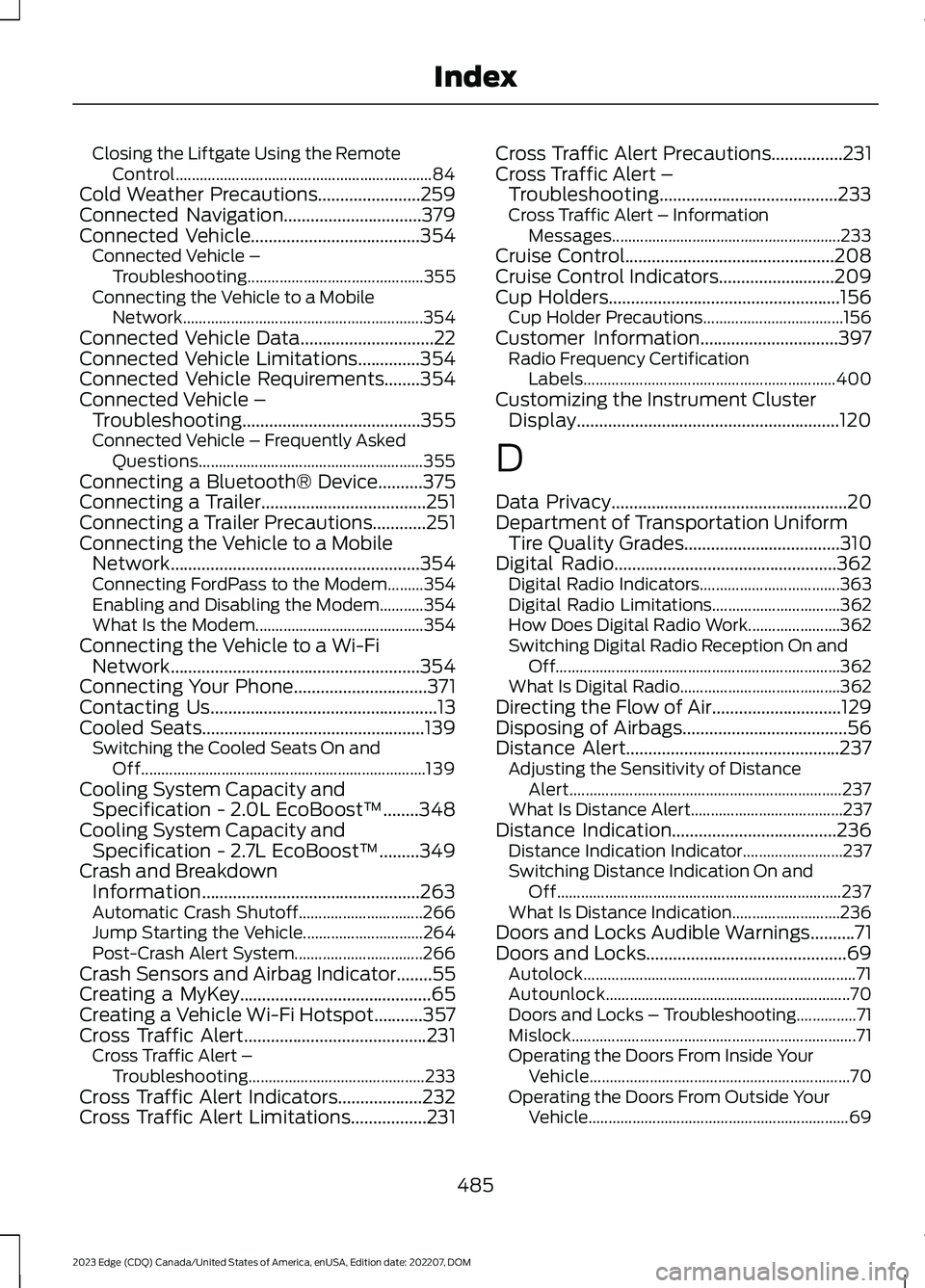
Closing the Liftgate Using the RemoteControl................................................................84Cold Weather Precautions.......................259Connected Navigation...............................379Connected Vehicle......................................354Connected Vehicle –Troubleshooting............................................355Connecting the Vehicle to a MobileNetwork............................................................354Connected Vehicle Data..............................22Connected Vehicle Limitations..............354Connected Vehicle Requirements........354Connected Vehicle –Troubleshooting........................................355Connected Vehicle – Frequently AskedQuestions........................................................355Connecting a Bluetooth® Device..........375Connecting a Trailer.....................................251Connecting a Trailer Precautions............251Connecting the Vehicle to a MobileNetwork........................................................354Connecting FordPass to the Modem.........354Enabling and Disabling the Modem...........354What Is the Modem..........................................354Connecting the Vehicle to a Wi-FiNetwork........................................................354Connecting Your Phone..............................371Contacting Us...................................................13Cooled Seats..................................................139Switching the Cooled Seats On andOff.......................................................................139Cooling System Capacity andSpecification - 2.0L EcoBoost™........348Cooling System Capacity andSpecification - 2.7L EcoBoost™.........349Crash and BreakdownInformation.................................................263Automatic Crash Shutoff...............................266Jump Starting the Vehicle..............................264Post-Crash Alert System................................266Crash Sensors and Airbag Indicator........55Creating a MyKey...........................................65Creating a Vehicle Wi-Fi Hotspot...........357Cross Traffic Alert.........................................231Cross Traffic Alert –Troubleshooting............................................233Cross Traffic Alert Indicators...................232Cross Traffic Alert Limitations.................231
Cross Traffic Alert Precautions................231Cross Traffic Alert –Troubleshooting........................................233Cross Traffic Alert – InformationMessages.........................................................233Cruise Control...............................................208Cruise Control Indicators..........................209Cup Holders....................................................156Cup Holder Precautions...................................156Customer Information...............................397Radio Frequency CertificationLabels...............................................................400Customizing the Instrument ClusterDisplay...........................................................120
D
Data Privacy.....................................................20Department of Transportation UniformTire Quality Grades...................................310Digital Radio..................................................362Digital Radio Indicators...................................363Digital Radio Limitations................................362How Does Digital Radio Work.......................362Switching Digital Radio Reception On andOff.......................................................................362What Is Digital Radio........................................362Directing the Flow of Air.............................129Disposing of Airbags.....................................56Distance Alert................................................237Adjusting the Sensitivity of DistanceAlert....................................................................237What Is Distance Alert......................................237Distance Indication.....................................236Distance Indication Indicator.........................237Switching Distance Indication On andOff.......................................................................237What Is Distance Indication...........................236Doors and Locks Audible Warnings..........71Doors and Locks.............................................69Autolock....................................................................71Autounlock.............................................................70Doors and Locks – Troubleshooting...............71Mislock.......................................................................71Operating the Doors From Inside YourVehicle.................................................................70Operating the Doors From Outside YourVehicle.................................................................69
485
2023 Edge (CDQ) Canada/United States of America, enUSA, Edition date: 202207, DOMIndex
Page 493 of 504

Installing a Child Restraint in a CenterSeat......................................................................35Using Lower Anchors and Tethers forChildren...............................................................34Using Seatbelts.....................................................32Using Tether Straps.............................................36Instrument Cluster Display.........................117Personalized Settings.......................................120Trip Computer.......................................................118Instrument Cluster Display MainMenu................................................................117Instrument Cluster Indicators...................116Instrument Cluster........................................113Fuel Gauge.............................................................113Instrument Cluster Overview....................113Instrument Cluster Warning Lamps.......114Instrument Panel............................................25Interior Air Quality..........................................131Interior Bulbs................................................300Interior Bulb Specification Chart................300Interior Lamp Function...............................105Switching the Interior Lamp Function Onand Off..............................................................105What Is the Interior Lamp Function............105Interior Lighting.............................................105Ambient Lighting................................................106Interior Lamp Function.....................................105Interior Lighting – Troubleshooting.............106Interior Lighting –Troubleshooting........................................106Interior Lighting – Frequently AskedQuestions.........................................................106Interior Mirror.................................................109Auto-Dimming Interior Mirror........................109Interior Mirror Precautions........................109Introduction.......................................................15
J
Jump Starting the Vehicle........................264Jump Starting Precautions............................264Jump Starting the Vehicle..............................265Preparing the Vehicle.......................................265
K
Keyless Entry....................................................73Keyless Entry – Troubleshooting....................74
Keyless Entry Keypad....................................75Keyless Entry Keypad –Troubleshooting...............................................77Keyless Entry Keypad Limitations............75Keyless Entry Keypad Master AccessCode.................................................................75Keyless Entry Keypad Personal AccessCodes...............................................................76Keyless Entry Keypad –Troubleshooting...........................................77Keyless Entry Keypad – Frequently AskedQuestions............................................................77Keyless Entry Limitations............................73Keyless Entry Settings..................................73Keyless Entry – Troubleshooting..............74Keyless Entry – Frequently AskedQuestions...........................................................74Keys and Remote Controls.........................59Keys and Remote Controls –Troubleshooting...............................................63Keys and Remote Controls –Troubleshooting..........................................63Keys and Remote Controls – InformationMessages............................................................63
L
Lane Centering..............................................216How Does Lane Centering Work...................216Lane Centering Alerts.......................................218Lane Centering AutomaticCancellation.....................................................218Lane Centering Indicators...............................219Lane Centering Limitations.............................217Lane Centering Manual Cancellation.........218Lane Centering Precautions............................217Lane Centering Requirements........................217Switching Lane Centering On and Off........218Lane Keeping System Indicators...........224Lane Keeping System..................................221Aid Mode...............................................................223Alert and Aid Mode............................................223Alert Mode............................................................223Lane Keeping System –Troubleshooting............................................225Lane Keeping System Limitations..........221Lane Keeping System Precautions........221Lane Keeping System Settings...............222
489
2023 Edge (CDQ) Canada/United States of America, enUSA, Edition date: 202207, DOMIndex