2023 FORD BRONCO SPORT lock
[x] Cancel search: lockPage 186 of 516
AUTOMATIC TRANSMISSION
WARNING: Do not apply the brakepedal and accelerator pedalsimultaneously. Applying both pedalssimultaneously for more than a fewseconds limits vehicle performance,which may result in difficulty maintainingspeed in traffic and could lead to seriousinjury.
WARNING: When your vehicle isstationary, keep the brake pedal fullypressed when shifting gears. Failure tofollow this instruction could result inpersonal injury, death or propertydamage.
WARNING: Apply the parkingbrake, shift into park (P), switch theignition off and remove the key beforeyou leave your vehicle. Failure to followthis instruction could result in personalinjury or death.
Understanding the Shift Positionsof Your Automatic Transmission
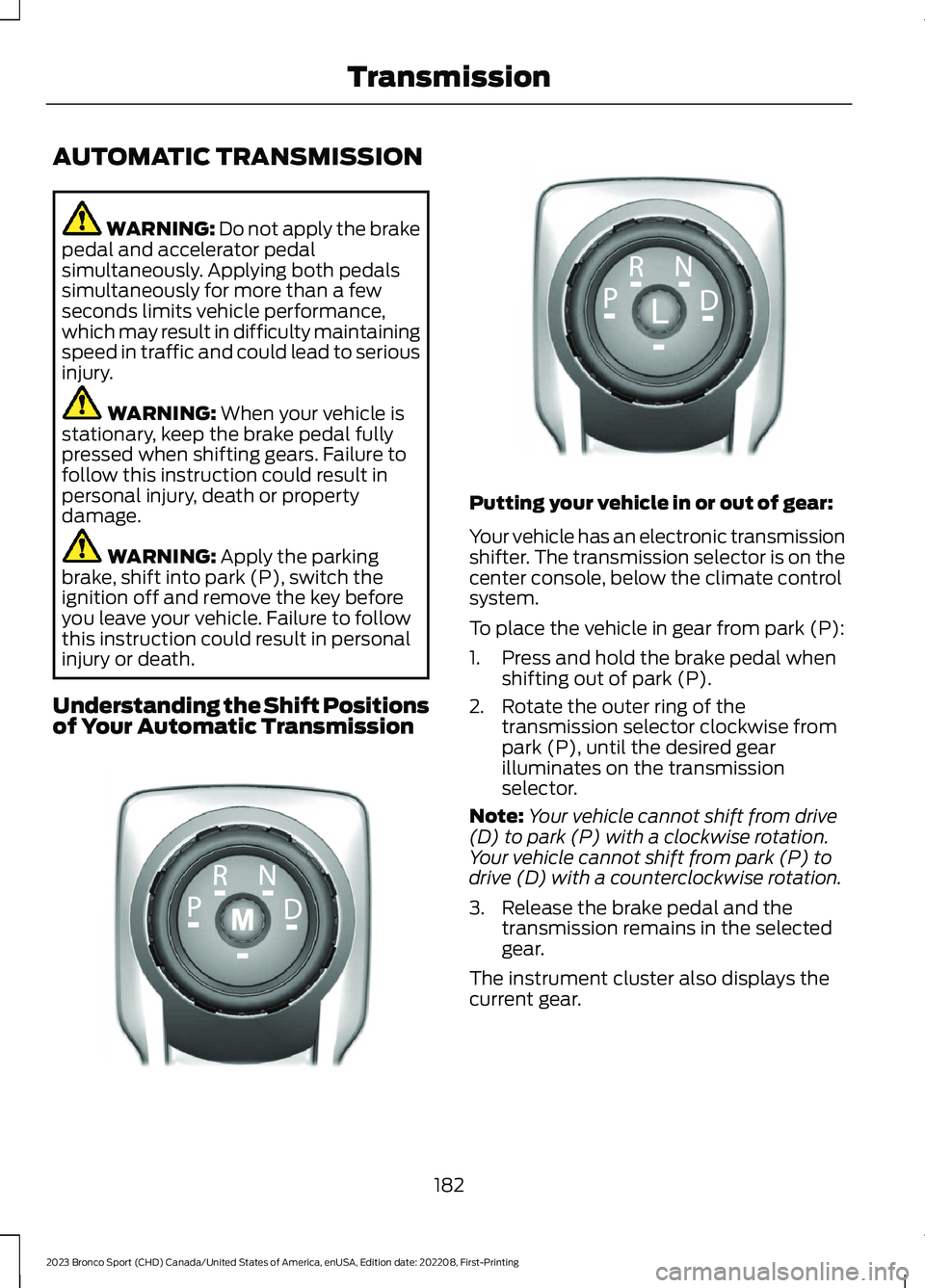
Putting your vehicle in or out of gear:
Your vehicle has an electronic transmissionshifter. The transmission selector is on thecenter console, below the climate controlsystem.
To place the vehicle in gear from park (P):
1.Press and hold the brake pedal whenshifting out of park (P).
2.Rotate the outer ring of thetransmission selector clockwise frompark (P), until the desired gearilluminates on the transmissionselector.
Note:Your vehicle cannot shift from drive(D) to park (P) with a clockwise rotation.Your vehicle cannot shift from park (P) todrive (D) with a counterclockwise rotation.
3.Release the brake pedal and thetransmission remains in the selectedgear.
The instrument cluster also displays thecurrent gear.
182
2023 Bronco Sport (CHD) Canada/United States of America, enUSA, Edition date: 202208, First-PrintingTransmissionE322797 LE349178
Page 190 of 516
WARNING: If the parking brake isfully released, but the brake warninglamp remains illuminated, the brakesmay not be working properly. Have yourvehicle checked as soon as possible.
WARNING: Do not drive yourvehicle until you verify that thestoplamps are working.
Use the manual park release to move yourtransmission from the park (P) position inthe event of an electrical malfunction oremergency.
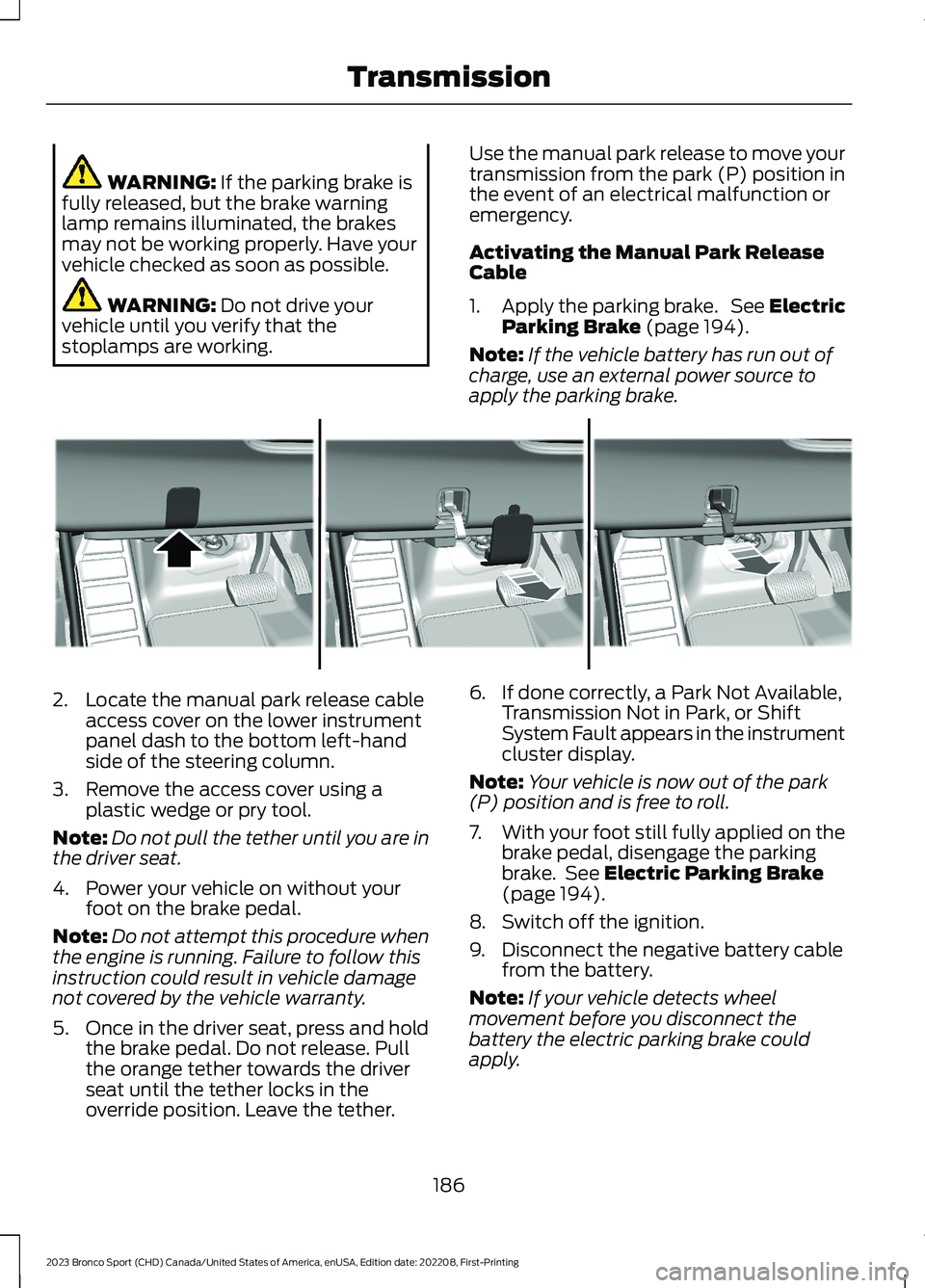
Activating the Manual Park ReleaseCable
1.Apply the parking brake. See ElectricParking Brake (page 194).
Note:If the vehicle battery has run out ofcharge, use an external power source toapply the parking brake.
2.Locate the manual park release cableaccess cover on the lower instrumentpanel dash to the bottom left-handside of the steering column.
3.Remove the access cover using aplastic wedge or pry tool.
Note:Do not pull the tether until you are inthe driver seat.
4.Power your vehicle on without yourfoot on the brake pedal.
Note:Do not attempt this procedure whenthe engine is running. Failure to follow thisinstruction could result in vehicle damagenot covered by the vehicle warranty.
5.Once in the driver seat, press and holdthe brake pedal. Do not release. Pullthe orange tether towards the driverseat until the tether locks in theoverride position. Leave the tether.
6.If done correctly, a Park Not Available,Transmission Not in Park, or ShiftSystem Fault appears in the instrumentcluster display.
Note:Your vehicle is now out of the park(P) position and is free to roll.
7.With your foot still fully applied on thebrake pedal, disengage the parkingbrake. See Electric Parking Brake(page 194).
8.Switch off the ignition.
9.Disconnect the negative battery cablefrom the battery.
Note:If your vehicle detects wheelmovement before you disconnect thebattery the electric parking brake couldapply.
186
2023 Bronco Sport (CHD) Canada/United States of America, enUSA, Edition date: 202208, First-PrintingTransmissionE307867
Page 193 of 516
PRINCIPLE OF OPERATION
This system is a proactive system. It hasthe ability to anticipate wheel slip andtransfer torque to the rear wheels beforeslip occurs. Even when wheel slip is notpresent, the system is continuouslyadjusting to the torque distribution, in anattempt to improve straight line andcornering behavior, both on and off road.
The system automatically turns on everytime you switch the ignition on.
If any component requires maintenance,a message appears in the instrumentcluster display.
USING FOUR-WHEEL DRIVE
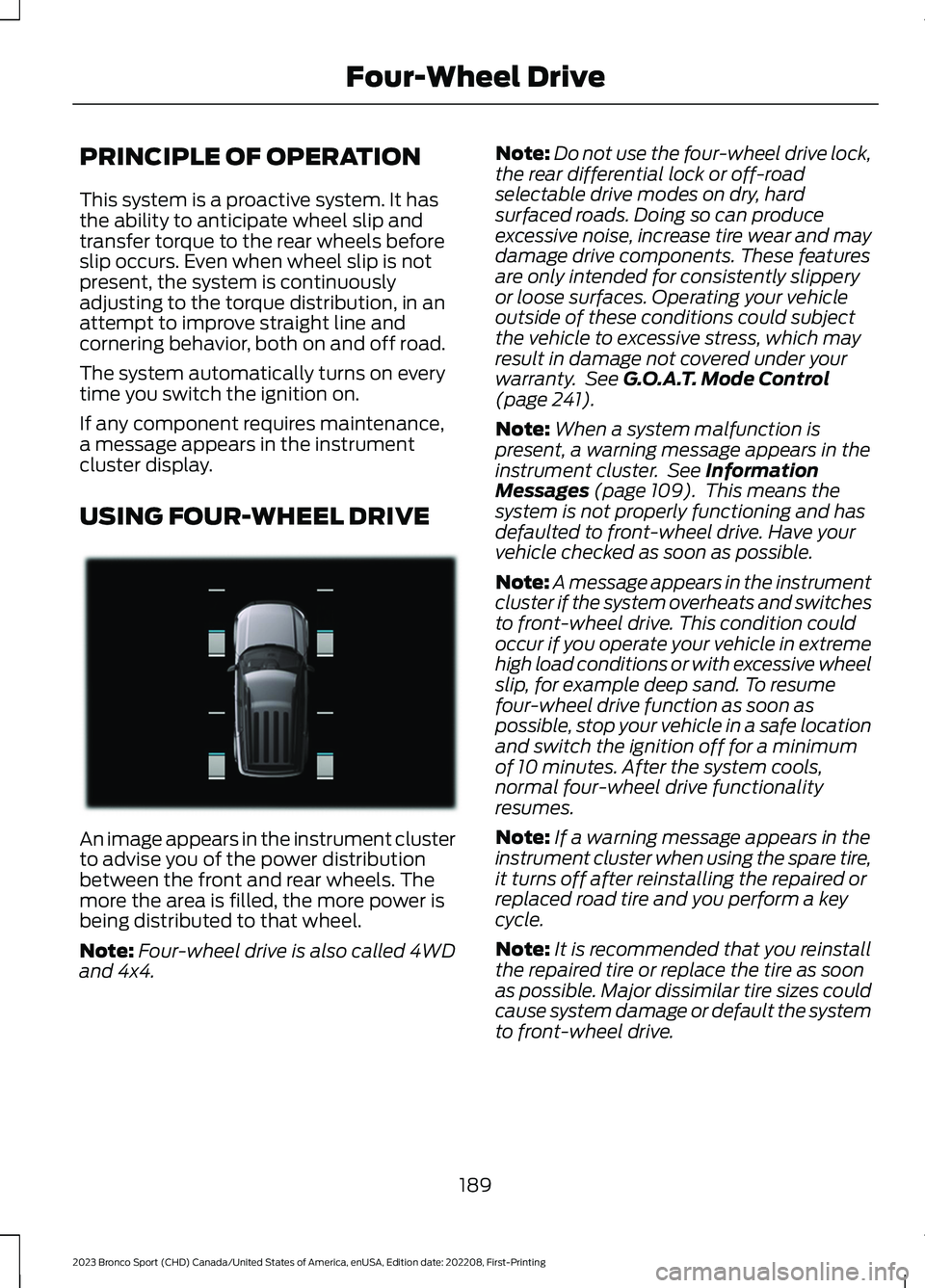
An image appears in the instrument clusterto advise you of the power distributionbetween the front and rear wheels. Themore the area is filled, the more power isbeing distributed to that wheel.
Note:Four-wheel drive is also called 4WDand 4x4.
Note:Do not use the four-wheel drive lock,the rear differential lock or off-roadselectable drive modes on dry, hardsurfaced roads. Doing so can produceexcessive noise, increase tire wear and maydamage drive components. These featuresare only intended for consistently slipperyor loose surfaces. Operating your vehicleoutside of these conditions could subjectthe vehicle to excessive stress, which mayresult in damage not covered under yourwarranty. See G.O.A.T. Mode Control(page 241).
Note:When a system malfunction ispresent, a warning message appears in theinstrument cluster. See InformationMessages (page 109). This means thesystem is not properly functioning and hasdefaulted to front-wheel drive. Have yourvehicle checked as soon as possible.
Note:A message appears in the instrumentcluster if the system overheats and switchesto front-wheel drive. This condition couldoccur if you operate your vehicle in extremehigh load conditions or with excessive wheelslip, for example deep sand. To resumefour-wheel drive function as soon aspossible, stop your vehicle in a safe locationand switch the ignition off for a minimumof 10 minutes. After the system cools,normal four-wheel drive functionalityresumes.
Note:If a warning message appears in theinstrument cluster when using the spare tire,it turns off after reinstalling the repaired orreplaced road tire and you perform a keycycle.
Note:It is recommended that you reinstallthe repaired tire or replace the tire as soonas possible. Major dissimilar tire sizes couldcause system damage or default the systemto front-wheel drive.
189
2023 Bronco Sport (CHD) Canada/United States of America, enUSA, Edition date: 202208, First-PrintingFour-Wheel DriveE331897
Page 195 of 516
Four-Wheel Drive Lock (If Equipped)
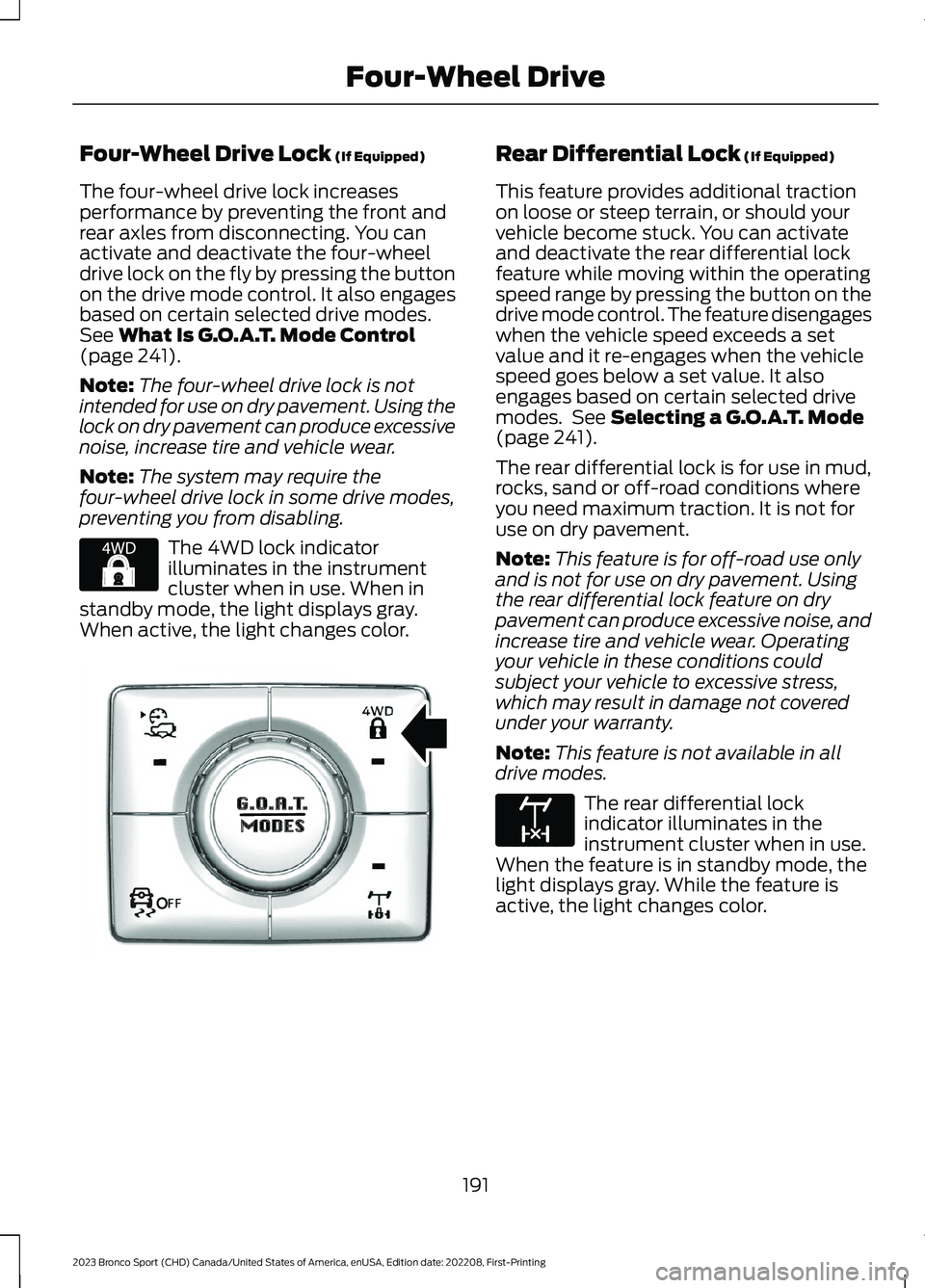
The four-wheel drive lock increasesperformance by preventing the front andrear axles from disconnecting. You canactivate and deactivate the four-wheeldrive lock on the fly by pressing the buttonon the drive mode control. It also engagesbased on certain selected drive modes.See What Is G.O.A.T. Mode Control(page 241).
Note:The four-wheel drive lock is notintended for use on dry pavement. Using thelock on dry pavement can produce excessivenoise, increase tire and vehicle wear.
Note:The system may require thefour-wheel drive lock in some drive modes,preventing you from disabling.
The 4WD lock indicatorilluminates in the instrumentcluster when in use. When instandby mode, the light displays gray.When active, the light changes color.
Rear Differential Lock (If Equipped)
This feature provides additional tractionon loose or steep terrain, or should yourvehicle become stuck. You can activateand deactivate the rear differential lockfeature while moving within the operatingspeed range by pressing the button on thedrive mode control. The feature disengageswhen the vehicle speed exceeds a setvalue and it re-engages when the vehiclespeed goes below a set value. It alsoengages based on certain selected drivemodes. See Selecting a G.O.A.T. Mode(page 241).
The rear differential lock is for use in mud,rocks, sand or off-road conditions whereyou need maximum traction. It is not foruse on dry pavement.
Note:This feature is for off-road use onlyand is not for use on dry pavement. Usingthe rear differential lock feature on drypavement can produce excessive noise, andincrease tire and vehicle wear. Operatingyour vehicle in these conditions couldsubject your vehicle to excessive stress,which may result in damage not coveredunder your warranty.
Note:This feature is not available in alldrive modes.
The rear differential lockindicator illuminates in theinstrument cluster when in use.When the feature is in standby mode, thelight displays gray. While the feature isactive, the light changes color.
191
2023 Bronco Sport (CHD) Canada/United States of America, enUSA, Edition date: 202208, First-PrintingFour-Wheel DriveE327288 OOE351064 E163170
Page 197 of 516
GENERAL INFORMATION
Note: Occasional brake noise is normal. Ifa metal-to-metal, continuous grinding orcontinuous squeal sound is present, thebrake linings could be worn-out and haveyour vehicle checked. If the vehicle hascontinuous vibration or shudder in thesteering wheel while braking, have yourvehicle checked.
Note: Brake dust may accumulate on thewheels, even under normal drivingconditions. Some dust is inevitable as thebrakes wear and does not contribute tobrake noise. Wet brakes result in reducedbraking efficiency. Gently press the brakepedal a few times when driving from a carwash or standing water to dry the brakes.
See Cleaning the Wheels (page 308).
Brake Over Accelerator
In the event the accelerator pedalbecomes stuck or entrapped, apply steadyand firm pressure to the brake pedal toslow the vehicle and reduce engine power.If you experience this condition, apply thebrakes and bring your vehicle to a safestop. Switch the engine off, move thetransmission to park (P) and apply theparking brake. Inspect the acceleratorpedal and the area around it for any itemsor debris that may be obstructing itsmovement. If none are found and thecondition persists, have your vehicle towedto have your vehicle checked.
Emergency Brake Assist
Emergency brake assist detects when youbrake heavily by measuring the rate atwhich you press the brake pedal. Itprovides maximum braking efficiency aslong as you press the pedal. Emergencybrake assist can reduce stopping distancesin critical situations.
Anti-Lock Brake System
This system helps you maintain steeringcontrol during emergency stops by keepingthe brakes from locking.
If the light does not momentarilyilluminate, continues to flash orremains on when you switch theignition on, the anti-lock brake systemcould be disabled. Have the systemchecked. If the anti-lock brake system isdisabled, normal braking is still effective.
Brake Lamps
See Warning Lamps and Indicators(page 99).
If the light does not momentarilyilluminate, continues to flash orremains on when you switch theignition on or apply the parkingbrake, have the system checked.If the brake warning lampilluminates with the parking brake released,have the system checked immediately.
Note:Indicators vary depending on region.
HINTS ON DRIVING WITH
ANTI-LOCK BRAKES
The anti-lock brake system does noteliminate the risks when:
•You drive too closely to the vehicle infront of you.
•Your vehicle is hydroplaning.
•You take corners too fast.
•The road surface is poor.
Note: If the system activates, the brakepedal could pulse and may travel further.Maintain pressure on the brake pedal. Youmay also hear a noise from the system. Thisis normal.
193
2023 Bronco Sport (CHD) Canada/United States of America, enUSA, Edition date: 202208, First-PrintingBrakesE67020 E270480 E67024
Page 205 of 516
WHAT IS TRAIL CONTROL
WARNING: The system does notcontrol speed in low traction conditionsor extremely steep slopes. The systemis designed to be an aid and does notrelieve you of your responsibility to drivewith due care and attention. Failure tofollow this instruction could result inpersonal injury.
WARNING: The system does notreplace the parking brake. When youleave your vehicle, always apply theparking brake.
Trail control lets you focus on steeringduring low-speed and off-road use bycontrolling your vehicle's acceleration andbraking.
You can use trail control under thefollowing speeds:
•20 mph (32 km/h) in four-wheel driveor four-wheel drive lock.
•5 mph (8 km/h) in reverse (R).
You may hear a noise from the anti-lockbrake system pump motor when you usethe system. This is normal.
SWITCHING TRAIL CONTROL
ON AND OFF
Press the button on the console.
The system switches off if you press thebutton again or exceed 42 mph (68 km/h).
SETTING THE TRAIL CONTROL
SPEED
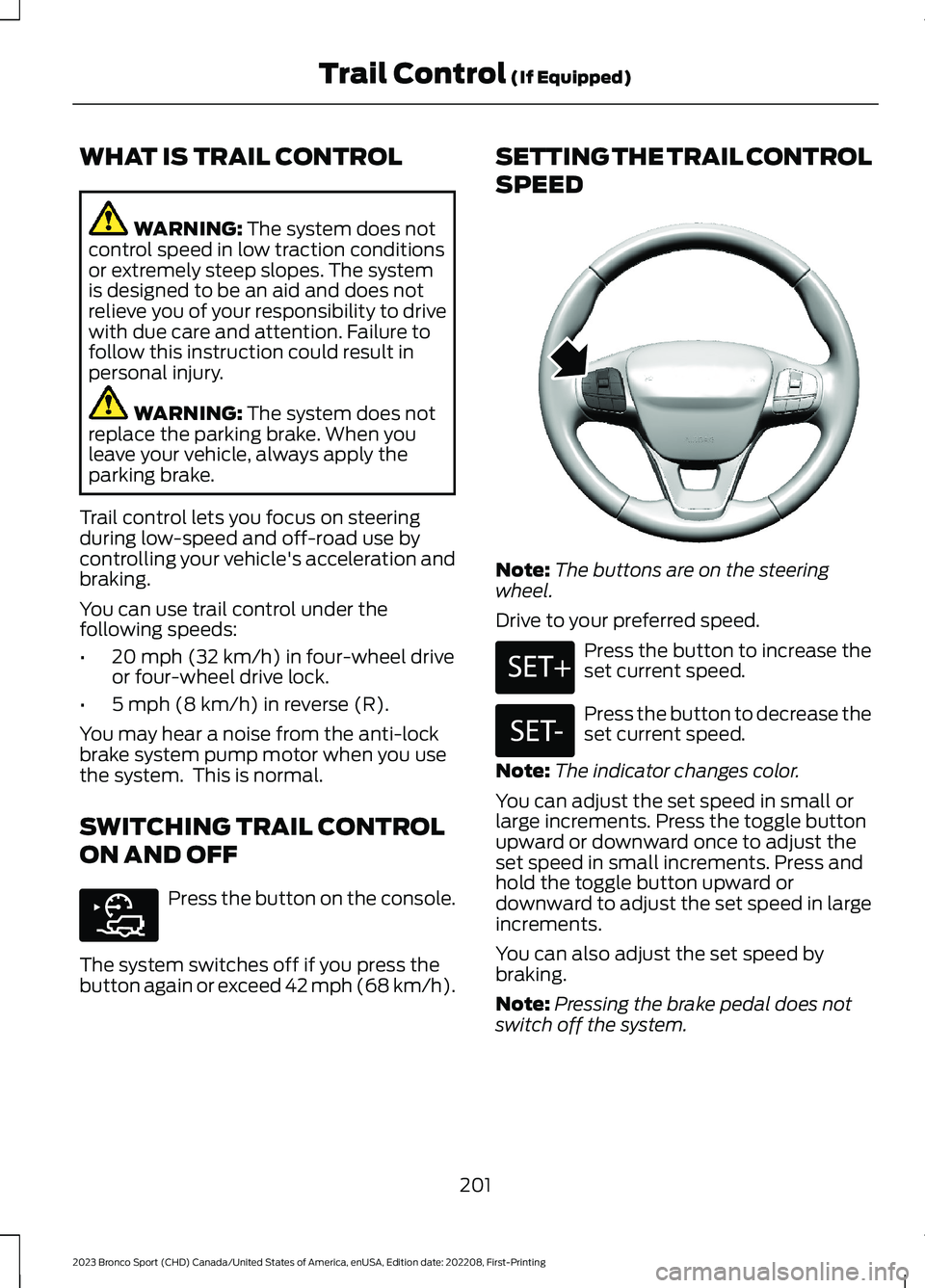
Note:The buttons are on the steeringwheel.
Drive to your preferred speed.
Press the button to increase theset current speed.
Press the button to decrease theset current speed.
Note:The indicator changes color.
You can adjust the set speed in small orlarge increments. Press the toggle buttonupward or downward once to adjust theset speed in small increments. Press andhold the toggle button upward ordownward to adjust the set speed in largeincrements.
You can also adjust the set speed bybraking.
Note:Pressing the brake pedal does notswitch off the system.
201
2023 Bronco Sport (CHD) Canada/United States of America, enUSA, Edition date: 202208, First-PrintingTrail Control (If Equipped)E318506 E318924 E246884 E246885
Page 207 of 516
PRINCIPLE OF OPERATION
WARNING: To help avoid personalinjury, always use caution when inreverse (R) and when using the sensingsystem.
WARNING: The system may notdetect objects with surfaces that absorbreflection. Always drive with due careand attention. Failure to take care mayresult in a crash.
WARNING: Traffic control systems,fluorescent lamps, inclement weather,air brakes, external motors and fans mayaffect the correct operation of thesensing system. This may cause reducedperformance or false alerts.
WARNING: The system may notdetect small or moving objects,particularly those close to the ground.
WARNING: If damage occurs in theimmediate area surrounding the sensor,have your vehicle checked as soon aspossible.
WARNING: The parking aid systemcan only assist you to detect objectswhen your vehicle is moving at parkingspeeds. To help avoid personal injury youmust take care when using the parkingaid system.
WARNING: In cold and severeweather conditions the system may notfunction. Rain, snow and spray can alllimit sensor performance.
WARNING: The system may notfunction if the sensor is blocked.
Note:If your vehicle has MyKey™, thesensing system cannot be switched offwhen a MyKey™ is present. See Principleof Operation (page 203).
Note:Do not clean the sensors with sharpobjects.
Note:If your vehicle sustains damage tothe bumper or fascia and you leave itmisaligned or bent, the sensing zone couldbe altered causing inaccurate measurementof obstacles or false alerts.
Note:Add-on devices such as large trailerhitches, bike or surfboard racks, license platebrackets, or bumper covers installed aroundthe bumper or facia can block the normaldetection zone of the system causing falsealerts. Remove the add-on devices toprevent false alerts.
Note:When you connect a trailer to yourvehicle, the rear parking aid could detect thetrailer and therefore provide an alert. Disablethe rear parking aid when you connect atrailer to prevent the alert.
The sensing system warns you of obstacleswithin a certain range of your vehicle. Thesystem turns on when you switch theignition on.
You can switch the system offby shifting into reverse (R) andpressing the button on the rearview camera display screen.
If a fault is present in the system, a warningmessage appears in the informationdisplay. See Information Messages(page 109).
203
2023 Bronco Sport (CHD) Canada/United States of America, enUSA, Edition date: 202208, First-PrintingParking Aids (If Equipped)E139213
Page 209 of 516
If your vehicle remains stationary for twoseconds the audible warning turns off. Ifyour vehicle moves backward the tonesounds again.
Note:If the detected object is 12 in (30 cm)or less from the rear bumper, the audiblewarning does not turn off.
Object Distance Indicator (If Equipped)
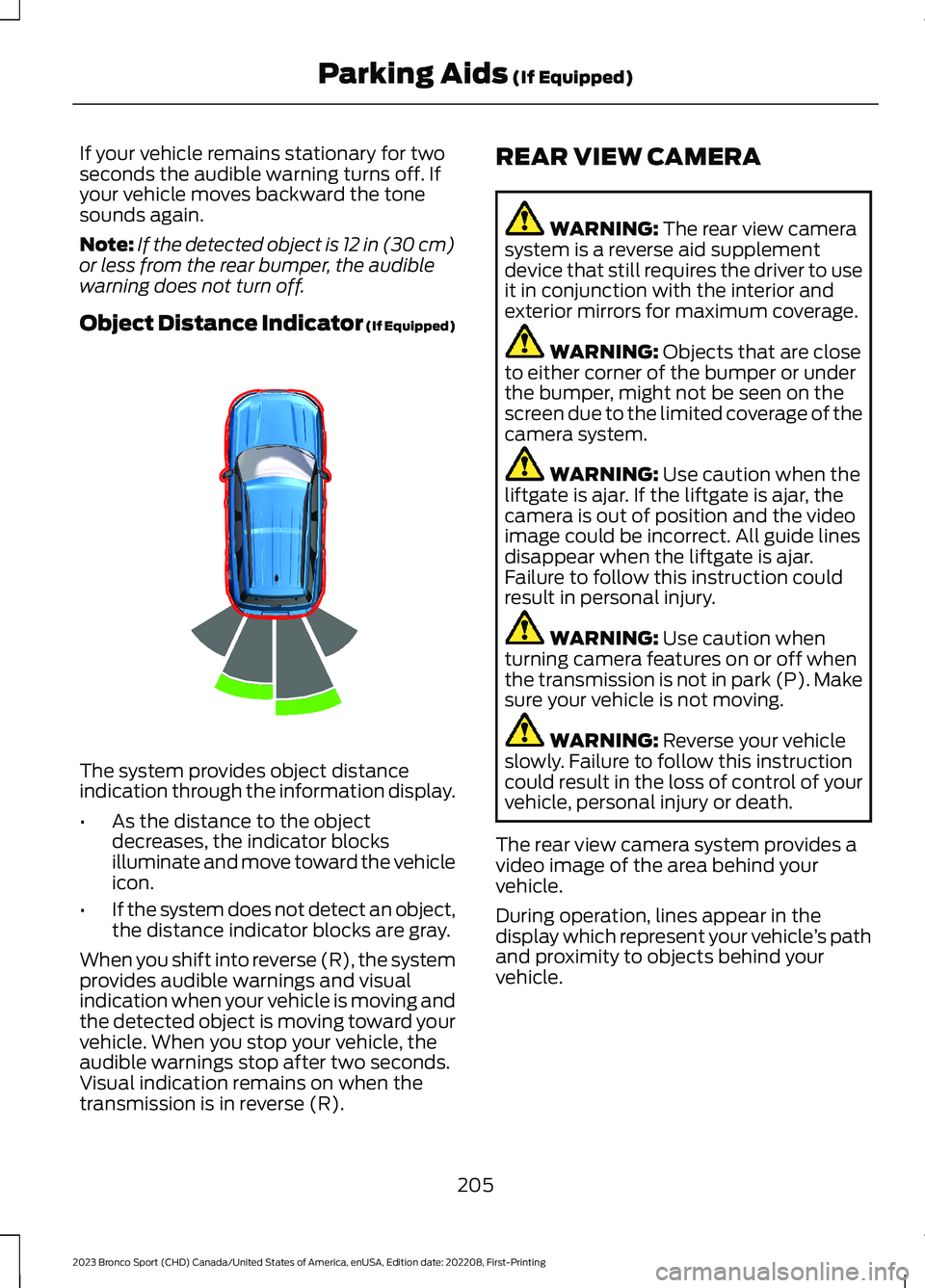
The system provides object distanceindication through the information display.
•As the distance to the objectdecreases, the indicator blocksilluminate and move toward the vehicleicon.
•If the system does not detect an object,the distance indicator blocks are gray.
When you shift into reverse (R), the systemprovides audible warnings and visualindication when your vehicle is moving andthe detected object is moving toward yourvehicle. When you stop your vehicle, theaudible warnings stop after two seconds.Visual indication remains on when thetransmission is in reverse (R).
REAR VIEW CAMERA
WARNING: The rear view camerasystem is a reverse aid supplementdevice that still requires the driver to useit in conjunction with the interior andexterior mirrors for maximum coverage.
WARNING: Objects that are closeto either corner of the bumper or underthe bumper, might not be seen on thescreen due to the limited coverage of thecamera system.
WARNING: Use caution when theliftgate is ajar. If the liftgate is ajar, thecamera is out of position and the videoimage could be incorrect. All guide linesdisappear when the liftgate is ajar.Failure to follow this instruction couldresult in personal injury.
WARNING: Use caution whenturning camera features on or off whenthe transmission is not in park (P). Makesure your vehicle is not moving.
WARNING: Reverse your vehicleslowly. Failure to follow this instructioncould result in the loss of control of yourvehicle, personal injury or death.
The rear view camera system provides avideo image of the area behind yourvehicle.
During operation, lines appear in thedisplay which represent your vehicle’s pathand proximity to objects behind yourvehicle.
205
2023 Bronco Sport (CHD) Canada/United States of America, enUSA, Edition date: 202208, First-PrintingParking Aids (If Equipped)E322352