2023 FORD BRONCO SPORT light
[x] Cancel search: lightPage 212 of 516
Camera System Settings
The rear view camera system settings canbe accessed through the display screen.See General Information (page 104).
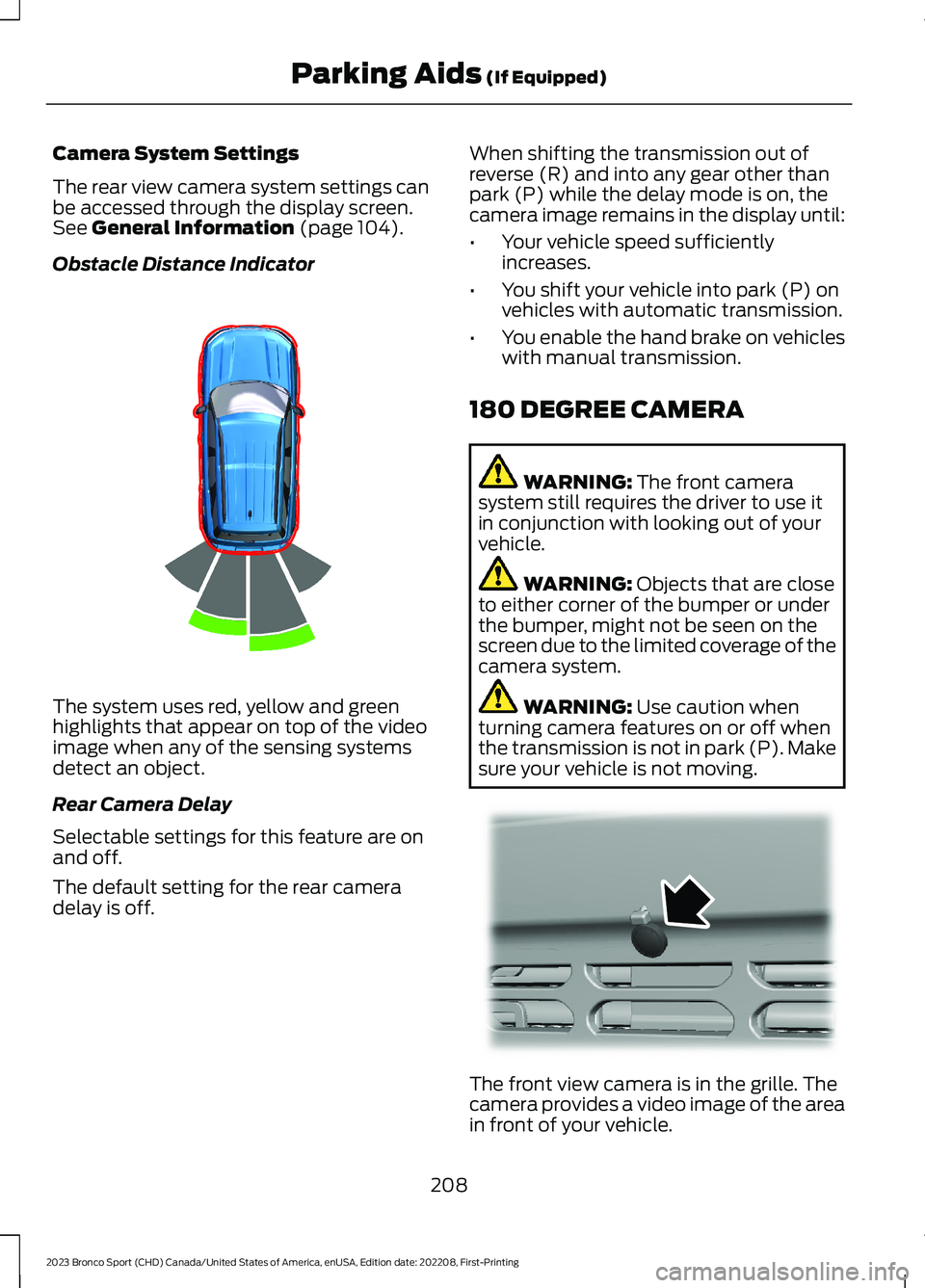
Obstacle Distance Indicator
The system uses red, yellow and greenhighlights that appear on top of the videoimage when any of the sensing systemsdetect an object.
Rear Camera Delay
Selectable settings for this feature are onand off.
The default setting for the rear cameradelay is off.
When shifting the transmission out ofreverse (R) and into any gear other thanpark (P) while the delay mode is on, thecamera image remains in the display until:
•Your vehicle speed sufficientlyincreases.
•You shift your vehicle into park (P) onvehicles with automatic transmission.
•You enable the hand brake on vehicleswith manual transmission.
180 DEGREE CAMERA
WARNING: The front camerasystem still requires the driver to use itin conjunction with looking out of yourvehicle.
WARNING: Objects that are closeto either corner of the bumper or underthe bumper, might not be seen on thescreen due to the limited coverage of thecamera system.
WARNING: Use caution whenturning camera features on or off whenthe transmission is not in park (P). Makesure your vehicle is not moving.
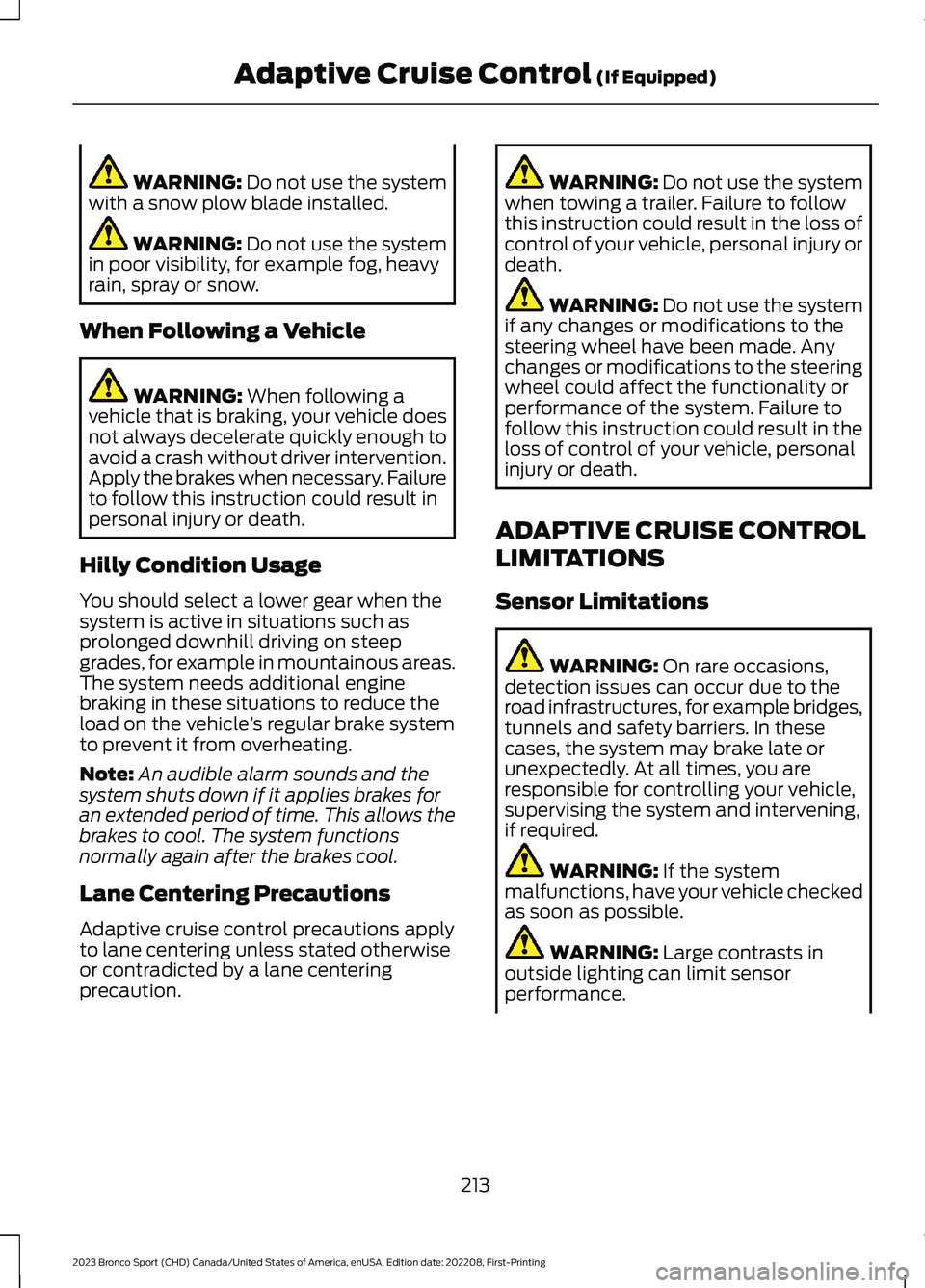
The front view camera is in the grille. Thecamera provides a video image of the areain front of your vehicle.
208
2023 Bronco Sport (CHD) Canada/United States of America, enUSA, Edition date: 202208, First-PrintingParking Aids (If Equipped)E322352 E321541
Page 217 of 516
WARNING: Do not use the systemwith a snow plow blade installed.
WARNING: Do not use the systemin poor visibility, for example fog, heavyrain, spray or snow.
When Following a Vehicle
WARNING: When following avehicle that is braking, your vehicle doesnot always decelerate quickly enough toavoid a crash without driver intervention.Apply the brakes when necessary. Failureto follow this instruction could result inpersonal injury or death.
Hilly Condition Usage
You should select a lower gear when thesystem is active in situations such asprolonged downhill driving on steepgrades, for example in mountainous areas.The system needs additional enginebraking in these situations to reduce theload on the vehicle’s regular brake systemto prevent it from overheating.
Note:An audible alarm sounds and thesystem shuts down if it applies brakes foran extended period of time. This allows thebrakes to cool. The system functionsnormally again after the brakes cool.
Lane Centering Precautions
Adaptive cruise control precautions applyto lane centering unless stated otherwiseor contradicted by a lane centeringprecaution.
WARNING: Do not use the systemwhen towing a trailer. Failure to followthis instruction could result in the loss ofcontrol of your vehicle, personal injury ordeath.
WARNING: Do not use the systemif any changes or modifications to thesteering wheel have been made. Anychanges or modifications to the steeringwheel could affect the functionality orperformance of the system. Failure tofollow this instruction could result in theloss of control of your vehicle, personalinjury or death.
ADAPTIVE CRUISE CONTROL
LIMITATIONS
Sensor Limitations
WARNING: On rare occasions,detection issues can occur due to theroad infrastructures, for example bridges,tunnels and safety barriers. In thesecases, the system may brake late orunexpectedly. At all times, you areresponsible for controlling your vehicle,supervising the system and intervening,if required.
WARNING: If the systemmalfunctions, have your vehicle checkedas soon as possible.
WARNING: Large contrasts inoutside lighting can limit sensorperformance.
213
2023 Bronco Sport (CHD) Canada/United States of America, enUSA, Edition date: 202208, First-PrintingAdaptive Cruise Control (If Equipped)
Page 218 of 516
WARNING: The system only warnsof vehicles detected by the radar andcamera sensors. In some cases theremay be no warning or a delayed warning.Apply the brakes when necessary. Failureto follow this instruction could result inpersonal injury or death.
WARNING: The system may notdetect stationary or slow movingvehicles below 6 mph (10 km/h).
WARNING: The system does notdetect pedestrians or objects in the road.
WARNING: The system does notdetect oncoming vehicles in the samelane.
WARNING: The system may notoperate properly if the sensor is blocked.Keep the windshield free fromobstruction.
WARNING: The sensor mayincorrectly track lane markings as otherstructures or objects. This can result ina false or missed warning.
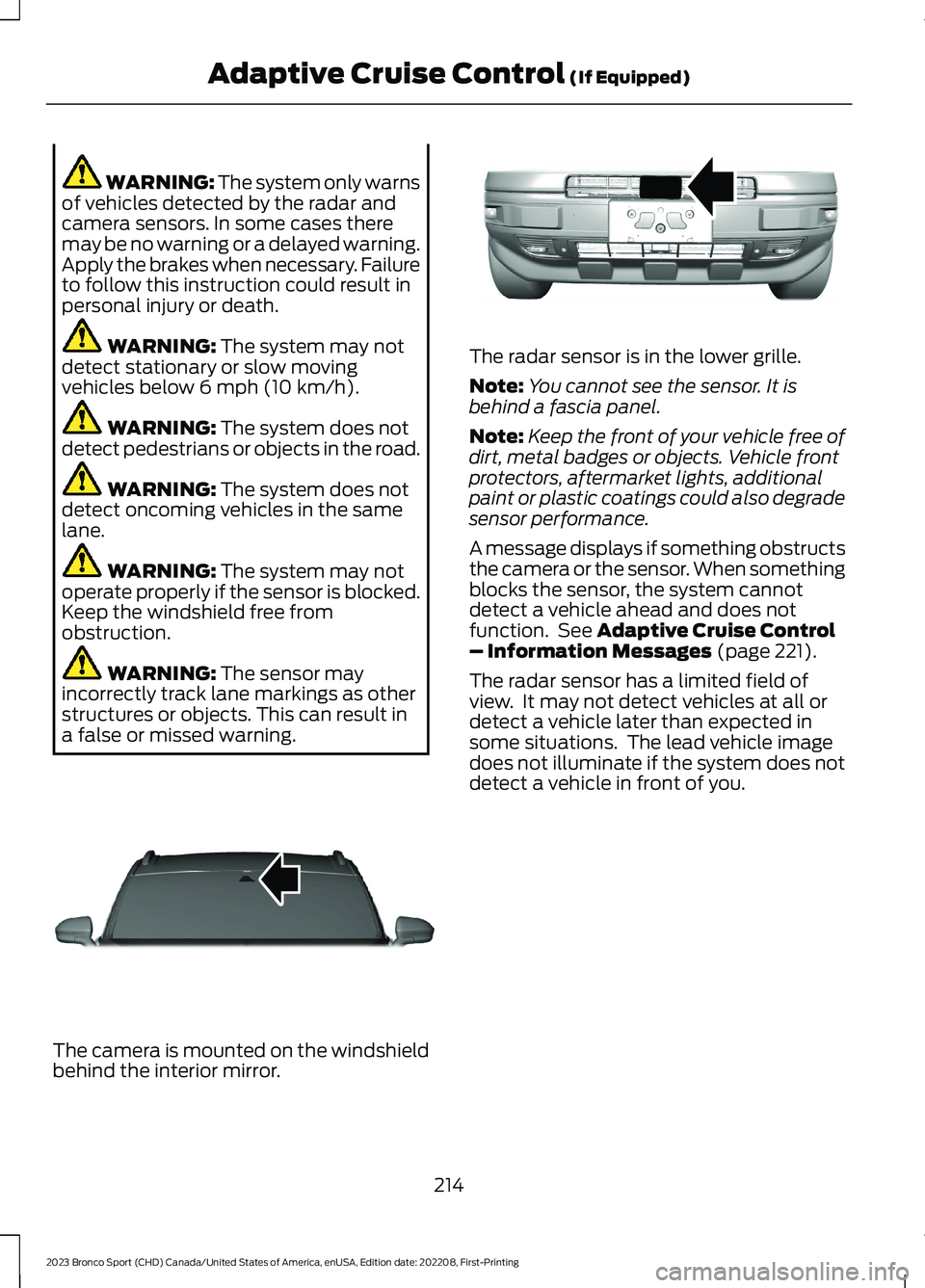
The camera is mounted on the windshieldbehind the interior mirror.
The radar sensor is in the lower grille.
Note:You cannot see the sensor. It isbehind a fascia panel.
Note:Keep the front of your vehicle free ofdirt, metal badges or objects. Vehicle frontprotectors, aftermarket lights, additionalpaint or plastic coatings could also degradesensor performance.
A message displays if something obstructsthe camera or the sensor. When somethingblocks the sensor, the system cannotdetect a vehicle ahead and does notfunction. See Adaptive Cruise Control– Information Messages (page 221).
The radar sensor has a limited field ofview. It may not detect vehicles at all ordetect a vehicle later than expected insome situations. The lead vehicle imagedoes not illuminate if the system does notdetect a vehicle in front of you.
214
2023 Bronco Sport (CHD) Canada/United States of America, enUSA, Edition date: 202208, First-PrintingAdaptive Cruise Control (If Equipped)E307893 E321483
Page 219 of 516
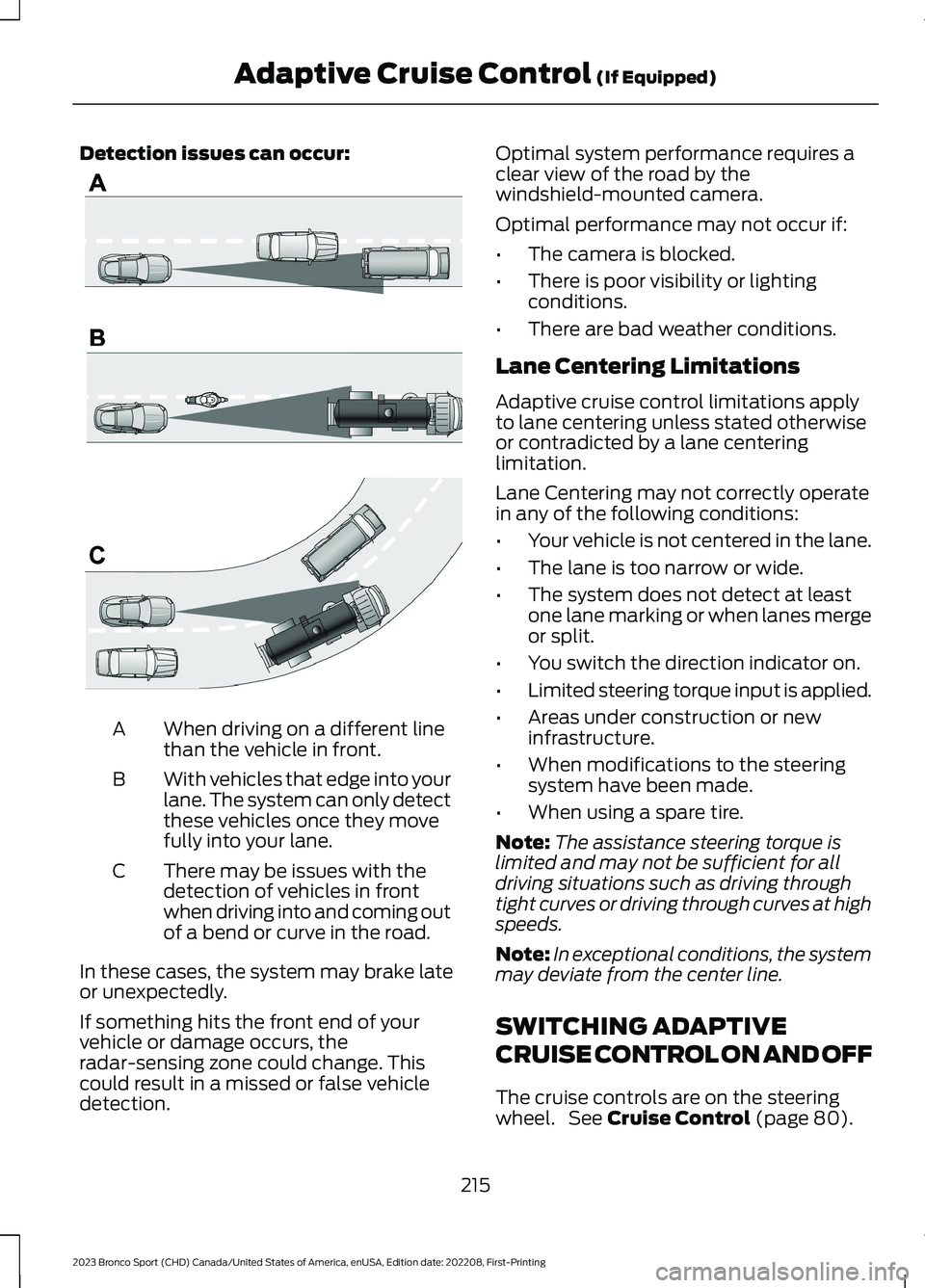
Detection issues can occur:
When driving on a different linethan the vehicle in front.A
With vehicles that edge into yourlane. The system can only detectthese vehicles once they movefully into your lane.
B
There may be issues with thedetection of vehicles in frontwhen driving into and coming outof a bend or curve in the road.
C
In these cases, the system may brake lateor unexpectedly.
If something hits the front end of yourvehicle or damage occurs, theradar-sensing zone could change. Thiscould result in a missed or false vehicledetection.
Optimal system performance requires aclear view of the road by thewindshield-mounted camera.
Optimal performance may not occur if:
•The camera is blocked.
•There is poor visibility or lightingconditions.
•There are bad weather conditions.
Lane Centering Limitations
Adaptive cruise control limitations applyto lane centering unless stated otherwiseor contradicted by a lane centeringlimitation.
Lane Centering may not correctly operatein any of the following conditions:
•Your vehicle is not centered in the lane.
•The lane is too narrow or wide.
•The system does not detect at leastone lane marking or when lanes mergeor split.
•You switch the direction indicator on.
•Limited steering torque input is applied.
•Areas under construction or newinfrastructure.
•When modifications to the steeringsystem have been made.
•When using a spare tire.
Note:The assistance steering torque islimited and may not be sufficient for alldriving situations such as driving throughtight curves or driving through curves at highspeeds.
Note:In exceptional conditions, the systemmay deviate from the center line.
SWITCHING ADAPTIVE
CRUISE CONTROL ON AND OFF
The cruise controls are on the steeringwheel. See Cruise Control (page 80).
215
2023 Bronco Sport (CHD) Canada/United States of America, enUSA, Edition date: 202208, First-PrintingAdaptive Cruise Control (If Equipped)E71621
Page 220 of 516
Switching Adaptive Cruise ControlOn
Press the button to set thesystem in standby mode.
The indicator, current gap setting and setspeed appear in the information display.
Switching Adaptive Cruise ControlOff
Press the button when thesystem is in standby mode, orswitch the ignition off.
Note:You erase the set speed when youswitch the system off.
Automatic Cancellation orDeactivation
The system may cancel if:
•The tires lose traction.
•You apply the parking brake.
The system may cancel and set the parkingbrake if:
•You unbuckle the seatbelt and openthe driver door after you stop yourvehicle.
•Your vehicle is at a stop continuouslyfor more than three minutes.
The system may deactivate or preventactivating when requested if:
•The vehicle has a blocked sensor.
•The brake temperature is too high.
•There is a failure in the system or arelated system.
SETTING THE ADAPTIVE
CRUISE CONTROL SPEED
Drive to the speed you prefer.
Press the toggle button upwardor downward to set the currentspeed.
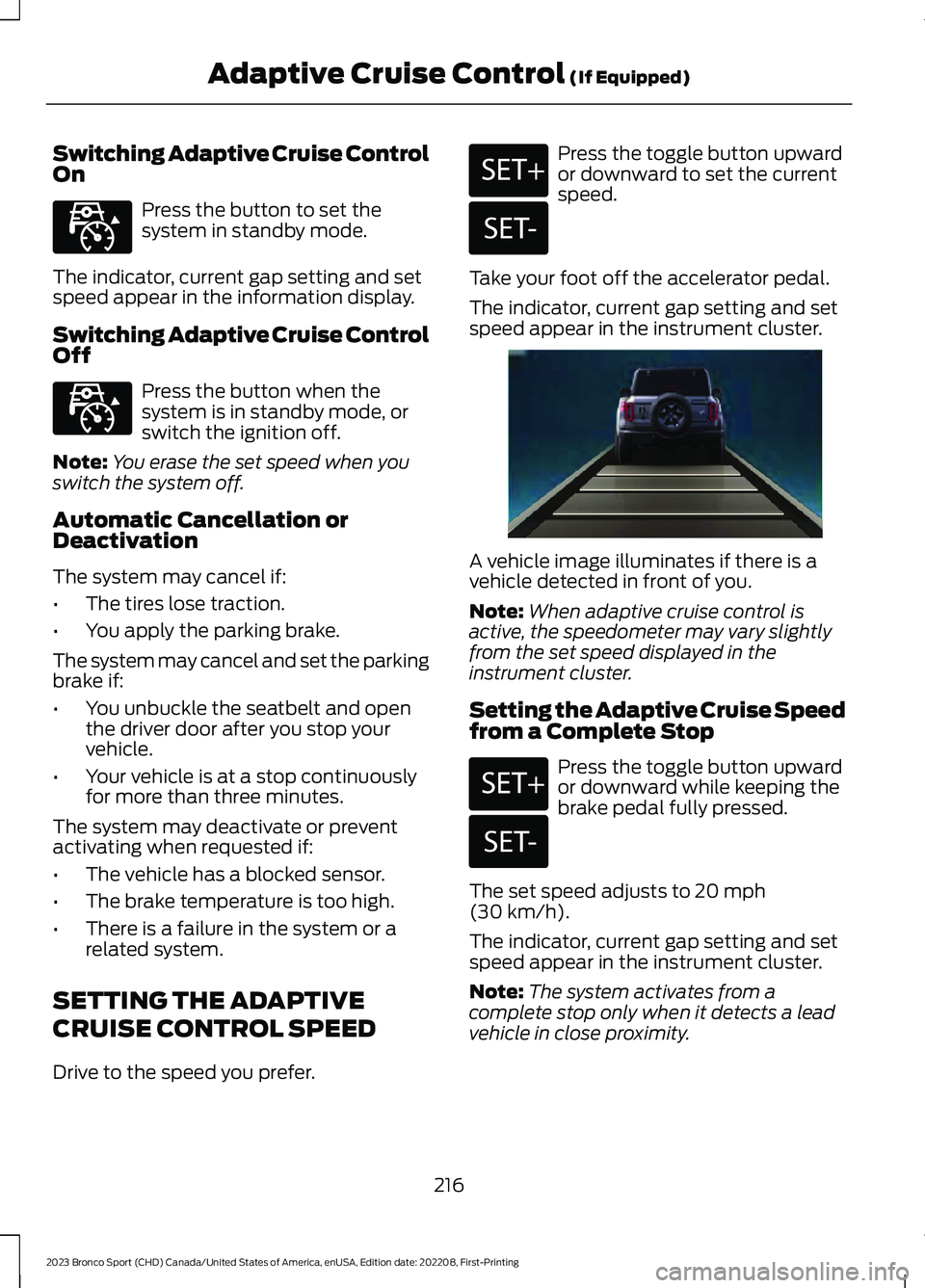
Take your foot off the accelerator pedal.
The indicator, current gap setting and setspeed appear in the instrument cluster.
A vehicle image illuminates if there is avehicle detected in front of you.
Note:When adaptive cruise control isactive, the speedometer may vary slightlyfrom the set speed displayed in theinstrument cluster.
Setting the Adaptive Cruise Speedfrom a Complete Stop
Press the toggle button upwardor downward while keeping thebrake pedal fully pressed.
The set speed adjusts to 20 mph(30 km/h).
The indicator, current gap setting and setspeed appear in the instrument cluster.
Note:The system activates from acomplete stop only when it detects a leadvehicle in close proximity.
216
2023 Bronco Sport (CHD) Canada/United States of America, enUSA, Edition date: 202208, First-PrintingAdaptive Cruise Control (If Equipped)E323440 E323440 E246884 E246885 E338558 E246884 E246885
Page 224 of 516
Activating Lane Centering
The system only activates when all of thefollowing occur:
•You have adaptive cruise control withstop-and-go on.
•The vehicle is centered in the lane.
•Your hands are on the steering wheelat all times.
•The system detects both lanemarkings.
Note:If it does not detect valid lanemarkings, the system stays inactive untilvalid markings are available.
You can override the system at any timeby steering your vehicle.
When the system is active and thedirection indicator is switched on, thesystem immediately cancels. The systemremains in standby mode as long as thedirection indicator is engaged. The systemautomatically re-activates once the vehicleis centered in a lane and the directionindicator is switched off.
If you drive off-center within the lane, thesystem sets and maintains that preferredlane position. The system providescontinuous assistance steering torqueinput toward the preferred position.
Note:The system can only set preferredlane positions within the lane.
Note:If the system cancels, the preferredposition erases. On the next activation, thesystem provides continuous assistancesteering torque input toward the lane center.
System Alerts and AutomaticCancellation
You must keep your hands on the steeringwheel at all times.
When the system is active and detects nosteering activity for a certain period of time,the system alerts you to put your hands onthe steering wheel. If you do not react tothe warnings the system cancels and slowsyour vehicle down to idle speeds whilemaintaining steering control.
The system also alerts you if your vehiclecrosses lane markings without detectedsteering activity.
Note:The system may detect a light gripor touch on the steering wheel as hands-offdriving.
When the system cancels due to anexternal condition, for example, no lanemarkings are available and your hands arenot on the steering wheel, the systemimmediately alerts you to take control ofthe vehicle. If you ignore this alert, thesystem slows the vehicle while maintainingsteering control.
If your vehicle starts to slowdown, you must contribute tothe steering control and pressand release the button to regain fullsystem performance.
Automatic cancellation can also occur if:
•The lane becomes too wide or toonarrow.
•The system cannot detect valid lanemarkings.
•Lane markings are crossed.
Note:The system disables until the nextkey cycle if your vehicle slows down due todriver inactivity twice within a key cycle.
220
2023 Bronco Sport (CHD) Canada/United States of America, enUSA, Edition date: 202208, First-PrintingAdaptive Cruise Control (If Equipped)
Page 229 of 516
The warning system uses two stages. Atfirst the system issues a temporary warningthat you need to take a rest. This messageonly appears for a short time. If the systemdetects further reduction in drivingalertness, another warning could be issuedwhich remains in the information displayfor a longer time. Press OK on the steeringwheel control to clear the warning. Whenactive the system runs in the backgroundand only issues a warning if required.
Resetting the System
You can reset the system by either:
•Switching the ignition off and on.
•Stopping the vehicle and then openingand closing the driver door.
LANE KEEPING SYSTEM
WARNING: You are responsible forcontrolling your vehicle at all times. Thesystem is designed to be an aid and doesnot relieve you of your responsibility todrive with due care and attention. Failureto follow this instruction could result inthe loss of control of your vehicle,personal injury or death.
WARNING: Always drive with duecare and attention when using andoperating the controls and features onyour vehicle.
WARNING: In cold and severeweather conditions the system may notfunction. Rain, snow and spray can alllimit sensor performance.
WARNING: Large contrasts inoutside lighting can limit sensorperformance.
WARNING: The system will notoperate if the sensor cannot track theroad lane markings.
WARNING: The sensor mayincorrectly track lane markings as otherstructures or objects. This can result ina false or missed warning.
WARNING: The system may notoperate properly if the sensor is blocked.Keep the windshield free fromobstruction.
WARNING: If damage occurs in theimmediate area surrounding the sensor,have your vehicle checked as soon aspossible.
WARNING: The system may notcorrectly operate if your vehicle is fittedwith a suspension kit not approved byus.
Note:The system works above 40 mph(64 km/h).
Note:The system works as long as thecamera can detect one lane marking or roadedge.
Note:When you select aid or alert + aidmode and the system detects no steeringactivity for a short period, the system alertsyou to put your hands on the steering wheel.The system may detect a light grip ortouch on the steering wheel as hands offdriving.
Note:The system may not function if thecamera is blocked, or if the windshield isdamaged or dirty.
225
2023 Bronco Sport (CHD) Canada/United States of America, enUSA, Edition date: 202208, First-PrintingDriving Aids
Page 232 of 516
See Troubleshooting for additionalinformation.
White: Indicates that the system isavailable or ready to provide a warning orintervention on the indicated side.
Note:If your vehicle has lane centeringassist and the system is active, the wallsappear green instead of white.
Yellow: Indicates that the system isproviding or has just provided a lanekeeping aid intervention.
Red: Indicates that the system is providingor has just provided a lane keeping alertwarning.
The system can be temporarily suppressedat any time by the following:
•Quick braking.
•Fast acceleration.
•Using the direction indicator.
•Evasive steering maneuver.
•Driving too close to the lane markings.
Troubleshooting
Why is the feature not available, line markings are gray, when I can see the lane markingson the road?
Your vehicle speed is outside the operational range of the feature.
The sun is shining directly into the camera lens.
A quick intentional lane change has occurred.
Your vehicle stays too close to the lane markings.
Driving at high speeds in curves.
The last alert warning or aid intervention occurred a short time ago.
Ambiguous lane markings, for example in construction zones.
Rapid transition from light to dark, or from dark to light.
Sudden offset in lane markings.
ABS or AdvanceTrac™ is active.
There is a camera blockage due to dirt, grime, fog, frost or water on the windshield.
You are driving too close to the vehicle in front of you.
Transitioning between no lane markings to lane markings or vice versa.
There is standing water on the road.
Faint lane markings, for example partial yellow lane markings on concrete roads.
228
2023 Bronco Sport (CHD) Canada/United States of America, enUSA, Edition date: 202208, First-PrintingDriving Aids