2023 FORD BRONCO SPORT parking brake
[x] Cancel search: parking brakePage 201 of 516
Note:The system remembers the lastsetting when you start your vehicle.
Make sure you switch the system off beforetowing with your vehicle or before using anautomatic car wash.
Using Auto Hold
1.Use the brakes to bring your vehicle toa complete stop. The auto hold activeindicator illuminates in the informationdisplay.
2.Release the brake pedal. The systemholds your vehicle at a standstill. Theauto hold active indicator remainsilluminated in the information display.
Note:The system only activates if youapply enough brake pressure. If your vehicleis on a steep slope, you need to press thebrake pedal harder before the systemactivates.
Note:Under certain conditions, the systemcould apply the electric parking brake. Thebrake system warning lamp illuminates. Theelectric parking brake releases when youpress the accelerator pedal. See ElectricParking Brake (page 194).
Note:If auto-start-stop turns off theengine, auto hold remains active.
Note:The system deactivates if you shiftinto reverse (R) and press the brake pedal.
3.Pull away in the normal manner. Thesystem releases the brakes and theauto hold active indicator turns off.
Auto Hold Indicator
The auto hold indicatorilluminates in the informationdisplay when the system is onand is either active orunavailable.
Illuminates when the system is active. Yourvehicle remains stationary after yourelease the brake pedal.
Illuminates when the system is on butunavailable to hold your vehicle at astandstill.
The system could be unavailable when anyof the following occur:
•During an active park assist maneuver.
•Your vehicle is in stay in neutral mode.
•The driver door is open.
•You do not fasten your seatbelt.
•You shift into reverse (R) before thesystem is active.
197
2023 Bronco Sport (CHD) Canada/United States of America, enUSA, Edition date: 202208, First-PrintingBrakes
Page 205 of 516
WHAT IS TRAIL CONTROL
WARNING: The system does notcontrol speed in low traction conditionsor extremely steep slopes. The systemis designed to be an aid and does notrelieve you of your responsibility to drivewith due care and attention. Failure tofollow this instruction could result inpersonal injury.
WARNING: The system does notreplace the parking brake. When youleave your vehicle, always apply theparking brake.
Trail control lets you focus on steeringduring low-speed and off-road use bycontrolling your vehicle's acceleration andbraking.
You can use trail control under thefollowing speeds:
•20 mph (32 km/h) in four-wheel driveor four-wheel drive lock.
•5 mph (8 km/h) in reverse (R).
You may hear a noise from the anti-lockbrake system pump motor when you usethe system. This is normal.
SWITCHING TRAIL CONTROL
ON AND OFF
Press the button on the console.
The system switches off if you press thebutton again or exceed 42 mph (68 km/h).
SETTING THE TRAIL CONTROL
SPEED
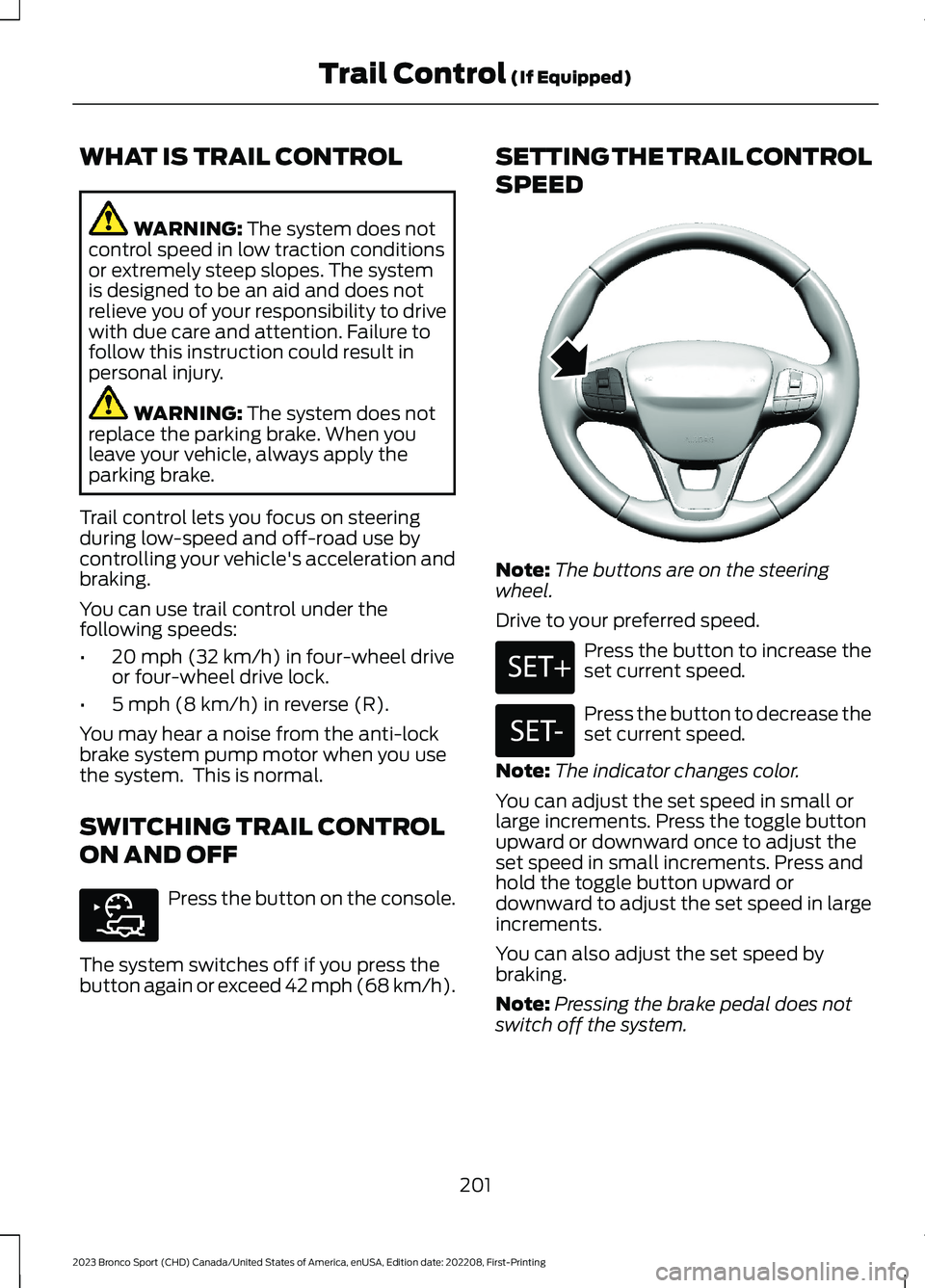
Note:The buttons are on the steeringwheel.
Drive to your preferred speed.
Press the button to increase theset current speed.
Press the button to decrease theset current speed.
Note:The indicator changes color.
You can adjust the set speed in small orlarge increments. Press the toggle buttonupward or downward once to adjust theset speed in small increments. Press andhold the toggle button upward ordownward to adjust the set speed in largeincrements.
You can also adjust the set speed bybraking.
Note:Pressing the brake pedal does notswitch off the system.
201
2023 Bronco Sport (CHD) Canada/United States of America, enUSA, Edition date: 202208, First-PrintingTrail Control (If Equipped)E318506 E318924 E246884 E246885
Page 207 of 516
PRINCIPLE OF OPERATION
WARNING: To help avoid personalinjury, always use caution when inreverse (R) and when using the sensingsystem.
WARNING: The system may notdetect objects with surfaces that absorbreflection. Always drive with due careand attention. Failure to take care mayresult in a crash.
WARNING: Traffic control systems,fluorescent lamps, inclement weather,air brakes, external motors and fans mayaffect the correct operation of thesensing system. This may cause reducedperformance or false alerts.
WARNING: The system may notdetect small or moving objects,particularly those close to the ground.
WARNING: If damage occurs in theimmediate area surrounding the sensor,have your vehicle checked as soon aspossible.
WARNING: The parking aid systemcan only assist you to detect objectswhen your vehicle is moving at parkingspeeds. To help avoid personal injury youmust take care when using the parkingaid system.
WARNING: In cold and severeweather conditions the system may notfunction. Rain, snow and spray can alllimit sensor performance.
WARNING: The system may notfunction if the sensor is blocked.
Note:If your vehicle has MyKey™, thesensing system cannot be switched offwhen a MyKey™ is present. See Principleof Operation (page 203).
Note:Do not clean the sensors with sharpobjects.
Note:If your vehicle sustains damage tothe bumper or fascia and you leave itmisaligned or bent, the sensing zone couldbe altered causing inaccurate measurementof obstacles or false alerts.
Note:Add-on devices such as large trailerhitches, bike or surfboard racks, license platebrackets, or bumper covers installed aroundthe bumper or facia can block the normaldetection zone of the system causing falsealerts. Remove the add-on devices toprevent false alerts.
Note:When you connect a trailer to yourvehicle, the rear parking aid could detect thetrailer and therefore provide an alert. Disablethe rear parking aid when you connect atrailer to prevent the alert.
The sensing system warns you of obstacleswithin a certain range of your vehicle. Thesystem turns on when you switch theignition on.
You can switch the system offby shifting into reverse (R) andpressing the button on the rearview camera display screen.
If a fault is present in the system, a warningmessage appears in the informationdisplay. See Information Messages(page 109).
203
2023 Bronco Sport (CHD) Canada/United States of America, enUSA, Edition date: 202208, First-PrintingParking Aids (If Equipped)E139213
Page 212 of 516
Camera System Settings
The rear view camera system settings canbe accessed through the display screen.See General Information (page 104).
Obstacle Distance Indicator
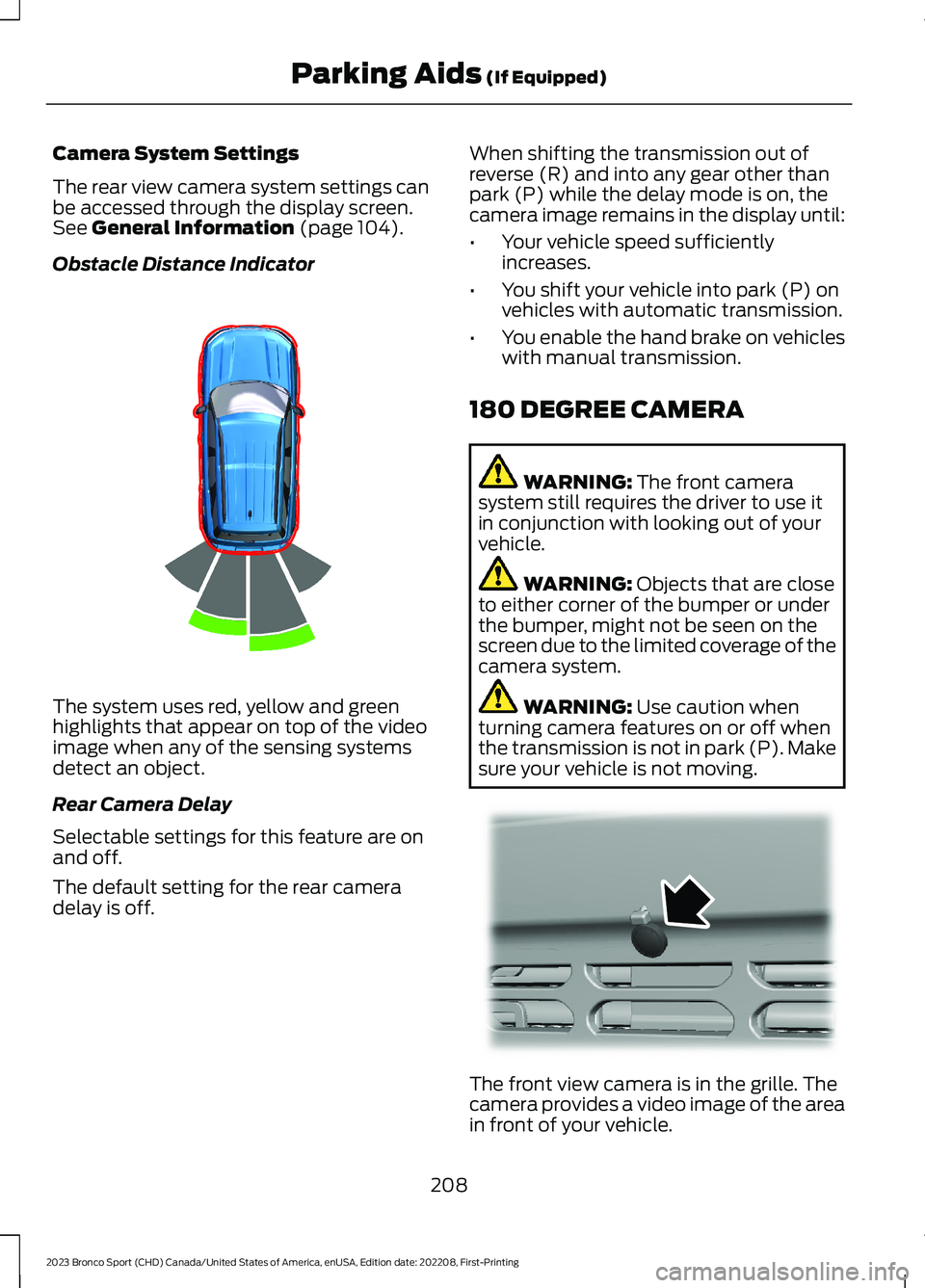
The system uses red, yellow and greenhighlights that appear on top of the videoimage when any of the sensing systemsdetect an object.
Rear Camera Delay
Selectable settings for this feature are onand off.
The default setting for the rear cameradelay is off.
When shifting the transmission out ofreverse (R) and into any gear other thanpark (P) while the delay mode is on, thecamera image remains in the display until:
•Your vehicle speed sufficientlyincreases.
•You shift your vehicle into park (P) onvehicles with automatic transmission.
•You enable the hand brake on vehicleswith manual transmission.
180 DEGREE CAMERA
WARNING: The front camerasystem still requires the driver to use itin conjunction with looking out of yourvehicle.
WARNING: Objects that are closeto either corner of the bumper or underthe bumper, might not be seen on thescreen due to the limited coverage of thecamera system.
WARNING: Use caution whenturning camera features on or off whenthe transmission is not in park (P). Makesure your vehicle is not moving.
The front view camera is in the grille. Thecamera provides a video image of the areain front of your vehicle.
208
2023 Bronco Sport (CHD) Canada/United States of America, enUSA, Edition date: 202208, First-PrintingParking Aids (If Equipped)E322352 E321541
Page 220 of 516
Switching Adaptive Cruise ControlOn
Press the button to set thesystem in standby mode.
The indicator, current gap setting and setspeed appear in the information display.
Switching Adaptive Cruise ControlOff
Press the button when thesystem is in standby mode, orswitch the ignition off.
Note:You erase the set speed when youswitch the system off.
Automatic Cancellation orDeactivation
The system may cancel if:
•The tires lose traction.
•You apply the parking brake.
The system may cancel and set the parkingbrake if:
•You unbuckle the seatbelt and openthe driver door after you stop yourvehicle.
•Your vehicle is at a stop continuouslyfor more than three minutes.
The system may deactivate or preventactivating when requested if:
•The vehicle has a blocked sensor.
•The brake temperature is too high.
•There is a failure in the system or arelated system.
SETTING THE ADAPTIVE
CRUISE CONTROL SPEED
Drive to the speed you prefer.
Press the toggle button upwardor downward to set the currentspeed.
Take your foot off the accelerator pedal.
The indicator, current gap setting and setspeed appear in the instrument cluster.
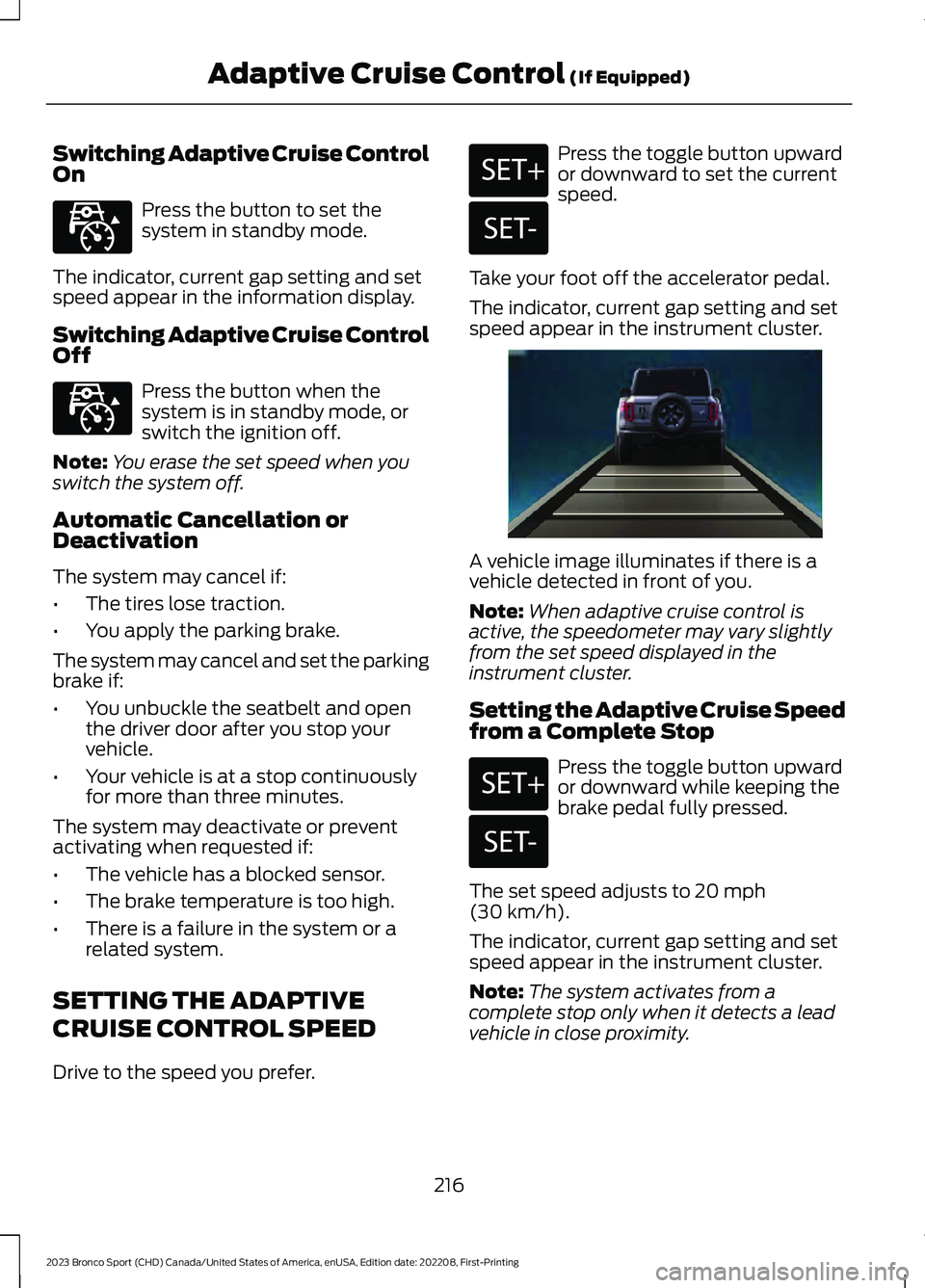
A vehicle image illuminates if there is avehicle detected in front of you.
Note:When adaptive cruise control isactive, the speedometer may vary slightlyfrom the set speed displayed in theinstrument cluster.
Setting the Adaptive Cruise Speedfrom a Complete Stop
Press the toggle button upwardor downward while keeping thebrake pedal fully pressed.
The set speed adjusts to 20 mph(30 km/h).
The indicator, current gap setting and setspeed appear in the instrument cluster.
Note:The system activates from acomplete stop only when it detects a leadvehicle in close proximity.
216
2023 Bronco Sport (CHD) Canada/United States of America, enUSA, Edition date: 202208, First-PrintingAdaptive Cruise Control (If Equipped)E323440 E323440 E246884 E246885 E338558 E246884 E246885
Page 262 of 516
•Shift to a lower gear when driving downa long or steep hill. Do not apply thebrakes continuously, as they mayoverheat and become less effective.
•If your transmission is equipped with aGrade Assist or Tow/Haul feature, usethis feature when towing. This providesengine braking and helps eliminateexcessive transmission shifting foroptimum fuel economy andtransmission cooling.
•Allow more distance for stopping witha trailer attached. Anticipate stops andbrake gradually.
•Avoid parking on a grade. However, ifyou must park on a grade:
1.Turn the steering wheel to point yourvehicle tires away from traffic flow.
2.Set your vehicle parking brake.
3.Place the automatic transmission inpark (P).
4.Place wheel chocks in front and backof the trailer wheels. Chocks are notincluded with your vehicle.
Launching or Retrieving a Boat orPersonal Watercraft (PWC)
Note:Disconnect the wiring to the trailerbefore backing the trailer into the water.
Note:Reconnect the wiring to the trailerafter removing the trailer from the water.
When backing down a ramp during boatlaunching or retrieval:
•Do not allow the static water level torise above the bottom edge of the rearbumper.
•Do not allow waves to break higherthan 6 in (15 cm) above the bottomedge of the rear bumper.
Exceeding these limits may allow water toenter vehicle components:
•Causing internal damage to thecomponents.
•Affecting driveability, emissions, andreliability.
Replace the rear axle lubricant anytimethe rear axle has been submerged in water.Water may have contaminated the rearaxle lubricant, which is not normallychecked or changed unless a leak issuspected or other axle repair is required.
TOWING THE VEHICLE ON
FOUR WHEELS
Emergency Towing
If you need to tow your vehicle, contact aprofessional towing service or, if you are amember of a roadside assistance program,your roadside assistance service provider.
Recreational Towing - Front-WheelDrive Vehicles (If Equipped)
You cannot recreational tow your vehiclewith all wheels on the ground becausevehicle or transmission damage couldoccur. Place the front wheels on atwo-wheel tow dolly. If you are using a towdolly, follow the instructions specified bythe equipment provider.
Recreational Towing - Rear-WheelDrive Vehicles (If Equipped)
You cannot recreational tow your vehiclewith all wheels on the ground becausevehicle or transmission damage couldoccur. We recommend towing your vehiclewith all four wheels off the ground, suchas when using a car-hauling trailer.Otherwise, you cannot recreational towyour vehicle.
258
2023 Bronco Sport (CHD) Canada/United States of America, enUSA, Edition date: 202208, First-PrintingTowing
Page 283 of 516
Protected ComponentRatingItem
Right-hand enhanced head-lamps.25 A26
Not used.—27
Not used.—28
Not used.—29
Not used.—30
Electronic power assiststeering.5 A31
Body control module.30 A32
Front parking aid camera.10 A33Rear view camera.Blind spot informationsystem.Gear shift actuator.
Not used.—34
Heated steering wheel.15 A35
Not used.—36
Horn.20 A37
Blower motor.40 A38
Not used.—39
Brake on-off switch.10 A40
Amplifier.20 A41
Driver power seat.30 A42
Anti-lock brake systemvalves.40 A43
Trailer tow module.40 A44
Passenger power seat.30 A45
Not used.—46
Heated seats.20 A47
Not used.—48
279
2023 Bronco Sport (CHD) Canada/United States of America, enUSA, Edition date: 202208, First-PrintingFuses
Page 289 of 516
GENERAL INFORMATION
Have your vehicle serviced regularly to helpmaintain its roadworthiness and resalevalue. There is a large network ofauthorized dealers that are there to helpyou with their professional servicingexpertise. We believe that their speciallytrained technicians are best qualified toservice your vehicle properly and expertly.They are supported by a wide range ofhighly specialized tools developedspecifically for servicing your vehicle.
If your vehicle requires professional service,an authorized dealer can provide thenecessary parts and service. Check yourwarranty information to find out whichparts and services are covered.
Use only recommended fuels, lubricants,fluids and service parts conforming tospecifications. Motorcraft® parts aredesigned and built to provide the bestperformance in your vehicle.
Precautions
•Do not work on a hot engine.
•Make sure that nothing gets caught inmoving parts.
•Do not work on a vehicle with theengine running in an enclosed space,unless you are sure you have enoughventilation.
•Keep all open flames and other burningmaterial (such as cigarettes) awayfrom the battery and all fuel relatedparts.
Working with the Engine Off
1.Set the parking brake and shift thetransmission to park (P).
2.Switch off the engine.
3.Block the wheels.
Working with the Engine On
WARNING: To reduce the risk ofvehicle damage and personal burninjuries, do not start your engine with theair cleaner removed and do not removeit while the engine is running.
1.Set the parking brake and shift thetransmission to park (P).
2.Block the wheels.
OPENING AND CLOSING THE
HOOD
Opening the Hood
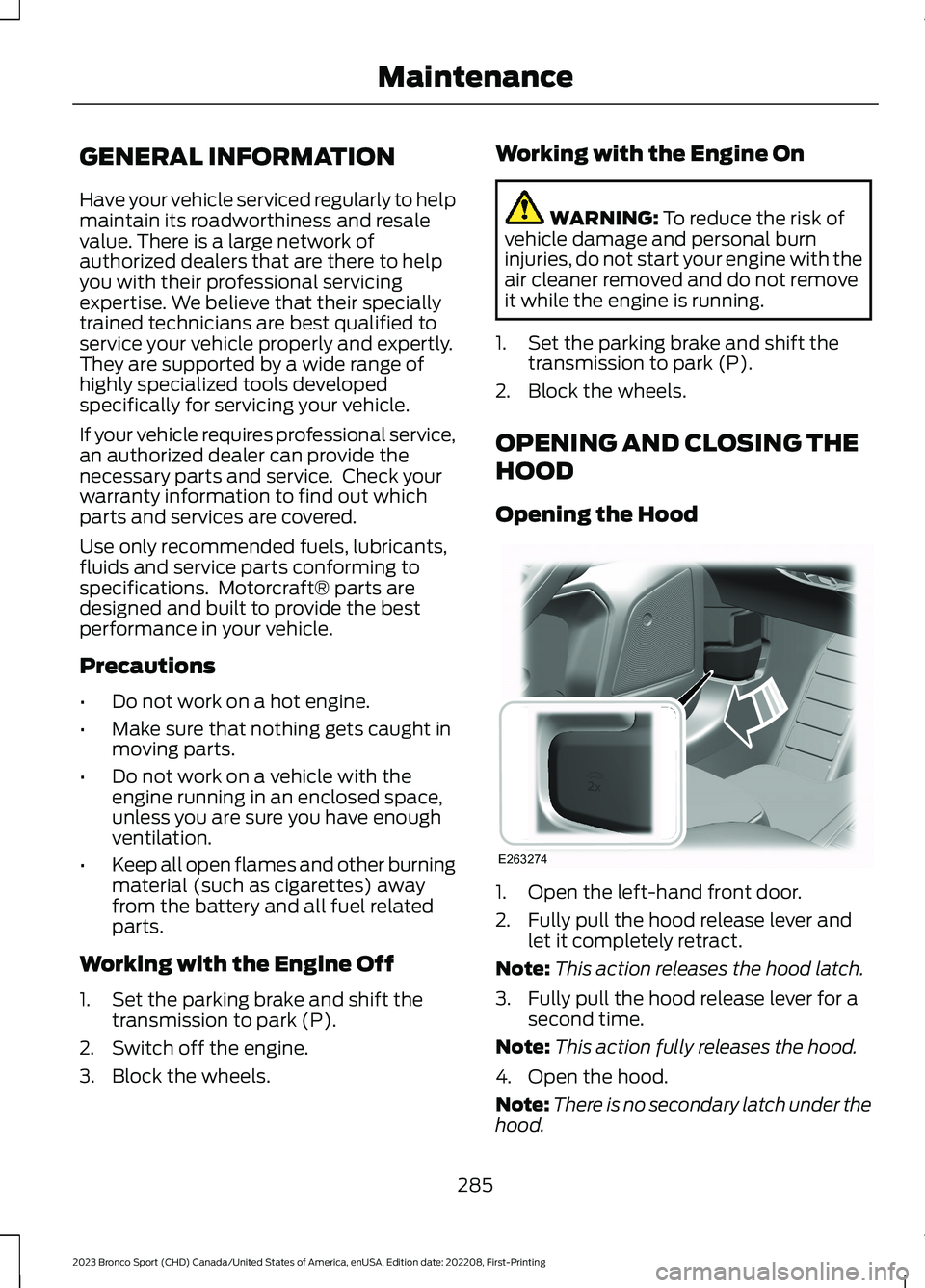
1.Open the left-hand front door.
2.Fully pull the hood release lever andlet it completely retract.
Note:This action releases the hood latch.
3.Fully pull the hood release lever for asecond time.
Note:This action fully releases the hood.
4.Open the hood.
Note:There is no secondary latch under thehood.
285
2023 Bronco Sport (CHD) Canada/United States of America, enUSA, Edition date: 202208, First-PrintingMaintenanceE263274