2023 DODGE HORNET interior lights
[x] Cancel search: interior lightsPage 73 of 288

GETTING TO KNOW YOUR INSTRUMENT PANEL71
The battery was recently replaced and was not charged
completely.
The battery was discharged by an electrical load left on
when the vehicle was parked.
The battery was used for an extended period with the
engine not running to supply radio, lights, chargers,
+12 Volts portable appliances like vacuum cleaners,
game consoles and similar devices.
What to do when an electrical load reduction action
message is present (“Battery Saver On” or
“Battery Saver Mode”)
During a trip:
Reduce power to unnecessary loads if possible:
Turn off redundant lights (interior or exterior)
Check what may be plugged into power outlets
+12 Volts, 150W, USB ports
Check HVAC settings (blower, temperature)
Check the audio settings (volume)
After a trip:
Check if any aftermarket equipment was installed
(additional lights, upfitter electrical accessories,
audio systems, alarms) and review specifications if any
(load and Ignition Off Draw currents).
Evaluate the latest driving cycles (distance, driving
time and parking time).
The vehicle should have service performed if the
message is still present during consecutive trips and
the evaluation of the vehicle and driving pattern did not
help to identify the cause.WARNING LIGHTS AND MESSAGES
The warning/indicator lights will illuminate in the
instrument panel together with a dedicated message and/
or acoustic signal when applicable. These indications are
indicative and precautionary and as such must not be
considered as exhaustive and/or alternative to the
information contained in the Owner’s Manual, which you
are advised to read carefully in all cases. Always refer to
the information in this chapter in the event of a failure
indication. All active telltales will display first if applicable.
The system check menu may appear different based upon
equipment options and current vehicle status. Some
telltales are optional and may not appear.
RED WARNING LIGHTS
Air Bag Warning Light
This warning light will illuminate to indicate a
fault with the air bag, and will turn on for four to
eight seconds as a bulb check when the
ignition is placed in the ON/RUN position. This
light will illuminate with a single chime when a fault with
the air bag has been detected, it will stay on until the fault
is cleared. If the light is either not on during startup, stays
on, or turns on while driving, have the system inspected at
an authorized dealer as soon as possible.
Brake Warning Light
This warning light monitors various brake
functions, including brake fluid level and
parking brake application. If the brake light
turns on it may indicate that the parking brake
is applied, that the brake fluid level is low, or that there is
a problem with the Anti-Lock Brake System reservoir. If the light remains on when the parking brake has been
disengaged, and the fluid level is at the full mark on the
master cylinder reservoir, it indicates a possible brake
hydraulic system malfunction or that a problem with the
Brake Booster has been detected by the Anti-Lock Brake
System (ABS) / Electronic Stability Control (ESC) system.
In this case, the light will remain on until the condition has
been corrected. If the problem is related to the brake
booster, the ABS pump will run when applying the brake,
and a brake pedal pulsation may be felt during each stop.
The dual brake system provides a reserve braking capacity
in the event of a failure to a portion of the hydraulic
system. A leak in either half of the dual brake system is
indicated by the Brake Warning Light, which will turn on
when the brake fluid level in the master cylinder has
dropped below a specified level.
The light will remain on until the cause is corrected.
NOTE:The light may flash momentarily during sharp cornering
maneuvers, which change fluid level conditions. The
vehicle should have service performed, and the brake
fluid level checked.
If brake failure is indicated, immediate repair is necessary.
WARNING!
Driving a vehicle with the red brake light on is
dangerous. Part of the brake system may have failed.
It will take longer to stop the vehicle. You could have a
collision. Have the vehicle checked immediately.
3
23_GG_OM_EN_USC_t.book Page 71
Page 143 of 288

MULTIMEDIA141
Lights
When the Lights button is pressed on the touchscreen, the system displays the options related to the vehicle’s exterior and interior lights.
NOTE:
When the “Daytime Running Lights” feature is selected, the daytime running lights can be turned on or off. This feature is only allowed by law in the country of the vehicle purchase.
Depending on the vehicle’s options, feature settings may vary.
Setting Name Description
Auto Dim High Beam This setting will turn the Auto DimHigh Beam on or off.
Headlight Sensitivity This setting will allow you to set the sensitivity of the headlights depending on the amount
of visible light. The greater the sensitivity set, the less the external light variation required
to turn on the lights (e.g. with a setting on level 3 at sunset, the headlights turn on earlier
than in levels 1 and 2). The available levels are “Level 1: Minimum Sensitivity”,
“Level 2: Medium Sensitivity”, and “Level 3: Maximum Sensitivity”.
Headlight Off Delay This setting will allow you to set the amount of time it takes for the headlights to shut off
after the vehicle is turned off. The available settings are “0 sec”, “30 sec”, “60 sec”, and
“90 sec”.
Headlight Illumination On Approach This setting will allow you to set the amount of time it takes for the headlights to shut off
after the vehicle is unlocked. The available settings are “0 sec”, “30 sec”, “60 sec”, and
“90 sec”.
Greeting Lights This setting will turn the Greeting Lights on or off.
Daytime Running Lights This setting will allow you to turn the Daytime Running Lights on or off.
Headlight Dip This setting will lower the headlights when driving on the opposite side of the road.
The available options are “On” and “Off”.
Flash Lights With Lock This setting will allow you to turn the flashing of the lights when the Lock button is pushed
on the key fob on or off.
Interior Ambient Lighting This setting will allow you to adjust the brightness of the interior ambient lights.
The available options are “Level 1” through “Level 6”.
Steering Directed Headlights This setting will turn the Steering Directed Headlights on or off.
5
23_GG_OM_EN_USC_t.book Page 141
Page 186 of 288

184SAFETY
If A Deployment Occurs
The front air bags are designed to deflate immediately
after deployment.
NOTE:Front and/or side air bags will not deploy in all collisions.
This does not mean something is wrong with the air bag
system.
If you do have a collision which deploys the air bags, any
or all of the following may occur:
The air bag material may sometimes cause abrasions
and/or skin reddening to the occupants as the air bags
deploy and unfold. The abrasions are similar to friction
rope burns or those you might get sliding along a carpet
or gymnasium floor. They are not caused by contact
with chemicals. They are not permanent and normally
heal quickly. However, if you haven’t healed signifi -
cantly within a few days, or if you have any blistering,
see your doctor immediately.
As the air bags deflate, you may see some smoke-like
particles. The particles are a normal by-product of the
process that generates the non-toxic gas used for air
bag inflation. These airborne particles may irritate the
skin, eyes, nose, or throat. If you have skin or eye irrita -
tion, rinse the area with cool water. For nose or throat
irritation, move to fresh air. If the irritation continues,
see your doctor. If these particles settle on your
clothing, follow the garment manufacturer’s instruc -
tions for cleaning.
Do not drive your vehicle after the air bags have deployed.
If you are involved in another collision, the air bags will not
be in place to protect you.
NOTE:
Air bag covers may not be obvious in the interior trim,
but they will open during air bag deployment.
After any collision, the vehicle should be taken to an
authorized dealer immediately.
Enhanced Accident Response System
In the event of an impact, if the communication network
remains intact, and the power remains intact, depending
on the nature of the event, the Occupant Restraint
Controller (ORC) will determine whether to have the
Enhanced Accident Response System perform the
provided functions:
Cut off fuel to the engine (if equipped)
Cut off battery power to the electric motor (if equipped)
Flash hazard lights as long as the battery has power
Turn on the interior lights, which remain on as long as
the battery has power or for 15 minutes from the inter -
vention of the Enhanced Accident Response System
Unlock the power door locks Your vehicle may also be designed to perform any of these
other functions in response to the Enhanced Accident
Response System:
Turn off the Fuel Filter Heater, Turn off the HVAC Blower
Motor, Close the HVAC Circulation Door
Cut off battery power to the:
Engine
Electric Motor (if equipped)
Electric power steering
Brake booster
Electric park brake
Automatic transmission gear selector
Horn
Front wiperNOTE:After an accident, remember to cycle the ignition to the
STOP (OFF/LOCK) position and remove the key from the
ignition switch to avoid draining the battery. Carefully
check the vehicle for fuel leaks in the engine compartment
and on the ground near the engine compartment and fuel
tank before resetting the system and starting the engine.
If there are no fuel leaks or damage to the vehicle elec -
trical devices (e.g. headlights) after an accident, reset the
system by following the procedure provided. If you have
any doubt, contact an authorized dealer.
WARNING!
Deployed air bags and seat belt pretensioners cannot
protect you in another collision. Have the air bags, seat
belt pretensioners, and the seat belt retractor
assemblies replaced by an authorized dealer
immediately. Also, have the Occupant Restraint
Controller System serviced as well.
23_GG_OM_EN_USC_t.book Page 184
Page 225 of 288

223
SERVICING AND MAINTENANCE
SCHEDULED SERVICING
Your vehicle is equipped with an automatic oil change
indicator system. The oil change indicator system will
remind you that it is time to take your vehicle in for
scheduled maintenance.
Based on engine operation conditions, the oil change
indicator message will illuminate in the instrument cluster.
This means that service is required for your vehicle.
Operating conditions such as frequent short-trips, trailer
towing, and extremely hot or cold ambient temperatures
will influence when the “Change Oil” or “Oil Change
Required” message is displayed. Have your vehicle
serviced as soon as possible, within the next 500 miles
(805 km).An authorized dealer will reset the oil change indicator
message after completing the scheduled oil change. If a
scheduled oil change is performed by someone other than
an authorized dealer, the message can be reset by
referring to the steps described under Instrument Cluster
Display
Úpage 66.
NOTE:Under no circumstances should oil change intervals
exceed 10,000 miles (16,000 km), one year or 350 hours
of engine run time, whichever comes first. The 350 hours
of engine run or idle time is generally only a concern for
fleet customers.
Once A Month Or Before A Long Trip:
Check engine oil level.
Check windshield washer fluid level.
Check the tire inflation pressures and look for unusual
wear or damage. Rotate tires at the first sign of irreg -
ular wear, even if it occurs before the oil indicator
system turns on.
Check the fluid levels of the coolant reservoir, and
brake master cylinder reservoir, and fill as needed.
Check function of all interior and exterior lights.
8
23_GG_OM_EN_USC_t.book Page 223
Page 248 of 288

246SERVICING AND MAINTENANCE
BULB REPLACEMENT
Replacement Bulbs, Names, And Part
Numbers
In the instance a bulb needs to be replaced, this section
includes bulb description and replacement part numbers.
Interior Bulbs
The Interior lights are LED, for replacement of any
LED lamps, see an authorized dealer.
Exterior Bulbs
The exterior lights are LED, for replacement of any
LED lamps, see an authorized dealer.
TIRES
TIRE SAFETY INFORMATION
Tire safety information will cover aspects of the following
information: Tire Markings, Tire Identification Numbers,
Tire Terminology and Definitions, Tire Pressures, and
Tire Loading.
Tire Markings
Tire Markings
NOTE:
P (Passenger) — Metric tire sizing is based on US design
standards. P-Metric tires have the letter “P” molded
into the sidewall preceding the size designation.
Example: P215/65R15 95H.
European — Metric tire sizing is based on European
design standards. Tires designed to this standard have
the tire size molded into the sidewall beginning with the
section width. The letter "P" is absent from this tire size
designation. Example: 215/65R15 96H.
LT (Light Truck) — Metric tire sizing is based on US
design standards. The size designation for LT-Metric
tires is the same as for P-Metric tires except for the
letters “LT” that are molded into the sidewall preceding
the size designation. Example: LT235/85R16.
Temporary spare tires are designed for temporary
emergency use only. Temporary high pressure compact
spare tires have the letter “T” or “S” molded into the
sidewall preceding the size designation.
Example: T145/80D18 103M.
High flotation tire sizing is based on US design stan -
dards and it begins with the tire diameter molded into
the sidewall. Example: 31x10.5 R15 LT.
1 — US DOT Safety Standards
Code (TIN)
2 — Size Designation
3 — Service Description
4 — Maximum Load
5 — Maximum Pressure
6 — Treadwear, Traction and
Temperature Grades
23_GG_OM_EN_USC_t.book Page 246
Page 265 of 288

SERVICING AND MAINTENANCE263
Cleaning Headlights
Your vehicle is equipped with plastic headlights and fog
lights that are lighter and less susceptible to stone
breakage than glass headlights.
Plastic is not as scratch resistant as glass and therefore
different lens cleaning procedures must be followed.
To minimize the possibility of scratching the lenses and
reducing light output, avoid wiping with a dry cloth. To
remove road dirt, wash with a mild soap solution followed
by rinsing.
Do not use abrasive cleaning components, solvents, steel
wool or other aggressive material to clean the lenses.
PRESERVING THE BODYWORK
Washing
Wash your vehicle regularly. Always wash your vehicle
in the shade using Mopar® Car Wash, or a mild car
wash soap, and rinse the panels completely with water.
If insects, tar, or other similar deposits have accumu -
lated on your vehicle, use Mopar® Super Kleen Bug
and Tar Remover to remove.
Use a high quality cleaner wax, such as Mopar®
Cleaner Wax to remove road film, stains and to protect
your paint finish. Use precautions to not scratch the
paint.
Avoid using abrasive compounds and power buffing
that may diminish the gloss or thin out the paint finish.
Special Care
If you drive on salted or dusty roads or if you drive near
the ocean, hose off the undercarriage at least once a
month.
It is important that the drain holes in the lower edges of
the doors, rocker panels, and trunk be kept clear and
open.
If you detect any stone chips or scratches in the paint,
touch them up immediately.
If your vehicle is damaged due to a collision or similar
cause that destroys the paint and protective coating,
have your vehicle repaired as soon as possible.
If you carry special cargo such as chemicals, fertilizers,
de-icer salt, etc., be sure that such materials are well
packaged and sealed.
If a lot of driving is done on gravel roads, consider mud
or stone shields behind each wheel.
Use Mopar® Touch Up Paint on scratches as soon as
possible. An authorized dealer has touch up paint to
match the color of your vehicle.
INTERIORS
SEATS AND FABRIC PARTS
Use Mopar® Total Clean to clean fabric upholstery and
carpeting.
Stain Repel Fabric Cleaning Procedure —
If Equipped
Stain Repel seats may be cleaned in the following manner:
Remove as much of the stain as possible by blotting
with a clean, dry towel.
Blot any remaining stain with a clean, damp towel.
For tough stains, apply Mopar® Total Clean, or a mild
soap solution to a clean, damp cloth and remove stain.
Use a fresh, damp towel to remove soap residue.
For grease stains, apply Mopar® Multi-Purpose
Cleaner to a clean, damp cloth and remove stain. Use
a fresh, damp towel to remove soap residue.
Do not use any harsh solvents or any other form of
protectants on Stain Repel products.
CAUTION!
Do not use abrasive or strong cleaning materials
such as steel wool or scouring powder that will
scratch metal and painted surfaces.
Use of power washers exceeding 1,200 psi
(8,274 kPa) can result in damage or removal of
paint and decals.
WARNING!
Do not use volatile solvents for cleaning purposes.
Many are potentially flammable, and if used in closed
areas they may cause respiratory harm.
8
23_GG_OM_EN_USC_t.book Page 263
Page 280 of 288

278
Brake System ...................................................... 236, 265
Anti-Lock (ABS)........................................................ 265 Fluid Check..................................................... 236
, 269
Master Cylinder ....................................................... 236
Parking ....................................................................... 82
Warning Light ............................................................. 71
Brake/Transmission Interlock........................................86
Brightness, Interior Lights ....................................... 42
, 43
Bulb Replacement ....................................................... 246
Bulbs, Light................................................................... 201
CCamera, Rear ............................................................... 116
Capacities, Fuel............................................................ 268
Caps, Filler Fuel .......................................................................... 119
Oil (Engine) .............................................................. 226
Radiator (Coolant Pressure)................................... 234
Car Washes .................................................................. 263
Carbon Monoxide Warning .......................................... 202
Cargo Tie-Downs ............................................................. 64
Cellular Phone .............................................................. 153
Certification Label ........................................................ 120
Chains, Tire................................................................... 259
Change Oil Indicator ....................................................... 68
Changing A Flat Tire ..................................................... 206
Chart, Tire Sizing .......................................................... 247
Check Engine Light (Malfunction Indicator Light) .........79
Checking Your Vehicle For Safety ............................... 199
Checks, Safety.............................................................. 199
Child Restraint.............................................................. 188 Child Restraints
Booster Seats .......................................................... 191
Child Seat Installation ............................................. 198How To Stow An unused ALR Seat Belt .................195Infant And Child Restraints ..................................... 190
Lower Anchors And Tethers For Children............... 192
Older Children And Child Restraints....................... 190
Seating Positions ..................................................... 191
Child Safety Locks .......................................................... 25
Clean Air Gasoline ........................................................ 266
Cleaning Wheels .....................................................................262
Windshield Wiper Blades ........................................ 230
Climate Control ............................................................... 46 Automatic ................................................................... 46
Cold Weather Operation ................................................. 81
Compact Spare Tire ...................................................... 258
Connector Universal Consumer Interface (UCI) ......................... 51
Console............................................................................ 51 Floor ........................................................................... 51
Contract, Service .......................................................... 272
Cooling Pressure Cap (Radiator Cap) ..........................234
Cooling System ............................................................. 233 Adding Coolant (Antifreeze) ....................................234
Coolant Level ................................................. 233
, 235
Cooling Capacity ...................................................... 268
Disposal Of Used Coolant ....................................... 234 Drain, Flush, And Refill............................................233
Inspection ................................................................ 235 Points To Remember .............................................. 235
Pressure Cap ........................................................... 234
Radiator Cap............................................................ 234
Selection Of Coolant (Antifreeze) ........ 233
, 268, 269
Cornering Lights ............................................................. 41
Corrosion Protection .................................................... 262
Cruise Light ..................................................................... 77 Customer Assistance ................................................... 270
Cybersecurity ................................................................ 129
DDaytime Running Lights ................................................. 40Defroster, Windshield .................................................. 200
Dipsticks Oil (Engine) .............................................................. 227
Disabled Vehicle Towing .............................................. 220
Disposal Antifreeze (Engine Coolant) .................................... 234
Door Ajar .................................................................. 72
, 73
Door Ajar Light ......................................................... 72, 73
Door Locks ...................................................................... 22 Dead Lock Device ..................................................... 25
Passive Entry ............................................................. 23
Driving Through Flowing, Rising, Or Shallow Standing Water ............................... 128
23_GG_OM_EN_USC_t.book Page 278
Page 282 of 288
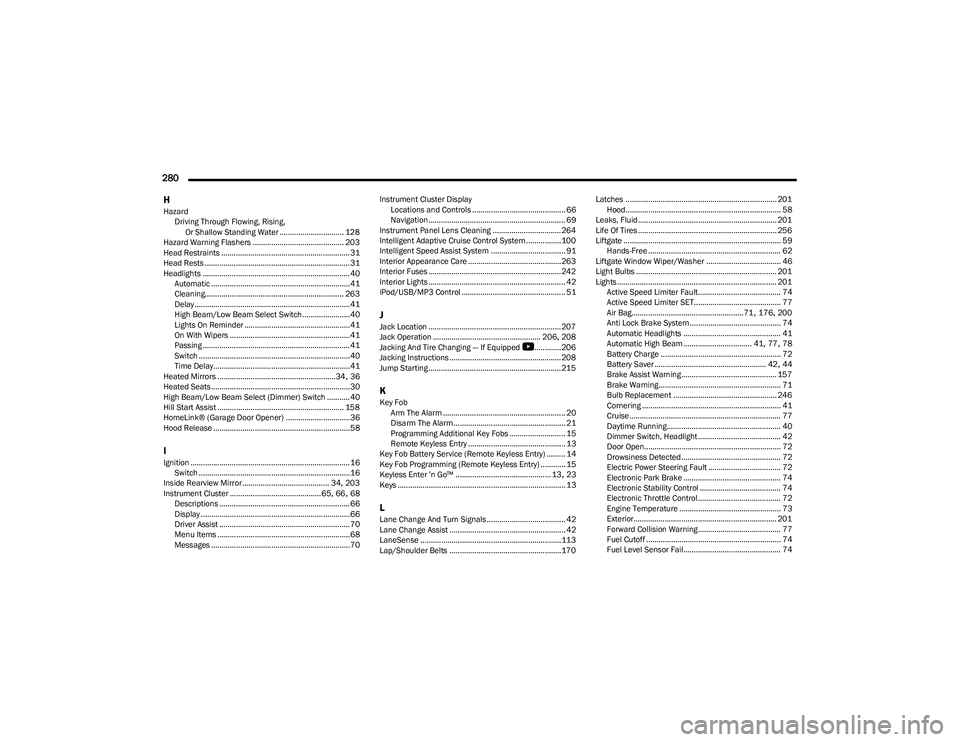
280 H
Hazard Driving Through Flowing, Rising, Or Shallow Standing Water ............................... 128
Hazard Warning Flashers ............................................ 203
Head Restraints .............................................................. 31
Head Rests ...................................................................... 31
Headlights ....................................................................... 40 Automatic ...................................................................41
Cleaning................................................................... 263
Delay ...........................................................................41
High Beam/Low Beam Select Switch .......................40
Lights On Reminder ...................................................41
On With Wipers ..........................................................41
Passing ....................................................................... 41
Switch .........................................................................40
Time Delay..................................................................41
Heated Mirrors .........................................................34
, 36
Heated Seats...................................................................30
High Beam/Low Beam Select (Dimmer) Switch ...........40
Hill Start Assist ............................................................. 158
HomeLink® (Garage Door Opener) ...............................36
Hood Release ..................................................................58
IIgnition .............................................................................16 Switch .........................................................................16
Inside Rearview Mirror.......................................... 34
, 203
Instrument Cluster ............................................ 65, 66, 68
Descriptions ............................................................... 66
Display ........................................................................66
Driver Assist ............................................................... 70
Menu Items ................................................................68
Messages ...................................................................70 Instrument Cluster Display
Locations and Controls ............................................. 66
Navigation .................................................................. 69
Instrument Panel Lens Cleaning ................................. 264
Intelligent Adaptive Cruise Control System.................100
Intelligent Speed Assist System .................................... 91
Interior Appearance Care ............................................. 263
Interior Fuses ................................................................ 242
Interior Lights .................................................................. 42
iPod/USB/MP3 Control .................................................. 51
JJack Location ................................................................ 207
Jack Operation .................................................... 206, 208
Jacking And Tire Changing — If Equipped
b
............. 206
Jacking Instructions ...................................................... 208
Jump Starting ................................................................ 215
KKey Fob Arm The Alarm ........................................................... 20
Disarm The Alarm ...................................................... 21
Programming Additional Key Fobs ........................... 15
Remote Keyless Entry ............................................... 13
Key Fob Battery Service (Remote Keyless Entry) ......... 14
Key Fob Programming (Remote Keyless Entry) ............ 15
Keyless Enter 'n Go™ .............................................. 13
, 23
Keys ................................................................................. 13
LLane Change And Turn Signals...................................... 42 Lane Change Assist ........................................................ 42
LaneSense ....................................................................113
Lap/Shoulder Belts ...................................................... 170 Latches ......................................................................... 201
Hood........................................................................... 58
Leaks, Fluid................................................................... 201
Life Of Tires ................................................................... 256
Liftgate ............................................................................ 59 Hands-Free ................................................................ 62
Liftgate Window Wiper/Washer .................................... 46
Light Bulbs .................................................................... 201
Lights ............................................................................. 201 Active Speed Limiter Fault........................................ 74
Active Speed Limiter SET.......................................... 77
Air Bag...................................................... 71
, 176, 200
Anti Lock Brake System ............................................ 74
Automatic Headlights ............................................... 41
Automatic High Beam ................................. 41
, 77, 78
Battery Charge .......................................................... 72
Battery Saver ...................................................... 42
, 44
Brake Assist Warning.............................................. 157
Brake Warning........................................................... 71
Bulb Replacement .................................................. 246
Cornering ................................................................... 41
Cruise ......................................................................... 77
Daytime Running....................................................... 40
Dimmer Switch, Headlight ........................................ 42
Door Open.................................................................. 72
Drowsiness Detected ................................................ 72
Electric Power Steering Fault ................................... 72
Electronic Park Brake ............................................... 74
Electronic Stability Control ....................................... 74
Electronic Throttle Control ........................................ 72
Engine Temperature ................................................. 73
Exterior..................................................................... 201 Forward Collision Warning........................................ 77
Fuel Cutoff ................................................................. 74
Fuel Level Sensor Fail............................................... 74
23_GG_OM_EN_USC_t.book Page 280