2023 CHRYSLER PACIFICA Heat
[x] Cancel search: HeatPage 70 of 328
68GETTING TO KNOW YOUR VEHICLE
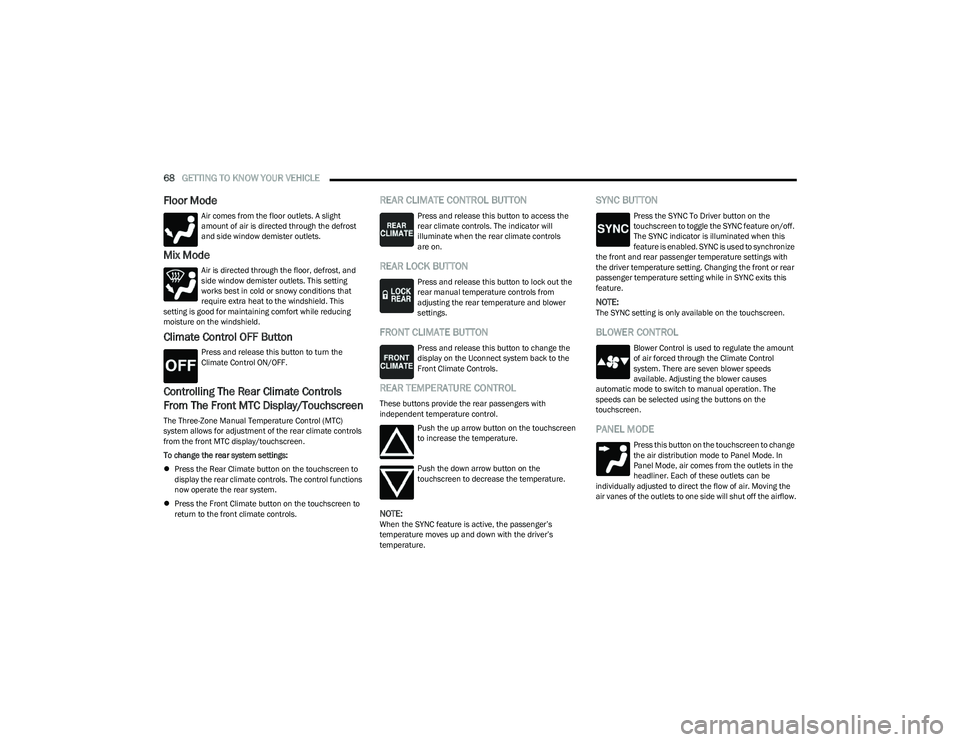
Floor Mode
Air comes from the floor outlets. A slight
amount of air is directed through the defrost
and side window demister outlets.
Mix Mode
Air is directed through the floor, defrost, and
side window demister outlets. This setting
works best in cold or snowy conditions that
require extra heat to the windshield. This
setting is good for maintaining comfort while reducing
moisture on the windshield.
Climate Control OFF Button
Press and release this button to turn the
Climate Control ON/OFF.
Controlling The Rear Climate Controls
From The Front MTC Display/Touchscreen
The Three-Zone Manual Temperature Control (MTC)
system allows for adjustment of the rear climate controls
from the front MTC display/touchscreen.
To change the rear system settings:
Press the Rear Climate button on the touchscreen to
display the rear climate controls. The control functions
now operate the rear system.
Press the Front Climate button on the touchscreen to
return to the front climate controls.
REAR CLIMATE CONTROL BUTTON
Press and release this button to access the
rear climate controls. The indicator will
illuminate when the rear climate controls
are on.
REAR LOCK BUTTON
Press and release this button to lock out the
rear manual temperature controls from
adjusting the rear temperature and blower
settings.
FRONT CLIMATE BUTTON
Press and release this button to change the
display on the Uconnect system back to the
Front Climate Controls.
REAR TEMPERATURE CONTROL
These buttons provide the rear passengers with
independent temperature control.
Push the up arrow button on the touchscreen
to increase the temperature.
Push the down arrow button on the
touchscreen to decrease the temperature.
NOTE:When the SYNC feature is active, the passenger’s
temperature moves up and down with the driver’s
temperature.
SYNC BUTTON
Press the SYNC To Driver button on the
touchscreen to toggle the SYNC feature on/off.
The SYNC indicator is illuminated when this
feature is enabled. SYNC is used to synchronize
the front and rear passenger temperature settings with
the driver temperature setting. Changing the front or rear
passenger temperature setting while in SYNC exits this
feature.
NOTE:The SYNC setting is only available on the touchscreen.
BLOWER CONTROL
Blower Control is used to regulate the amount
of air forced through the Climate Control
system. There are seven blower speeds
available. Adjusting the blower causes
automatic mode to switch to manual operation. The
speeds can be selected using the buttons on the
touchscreen.
PANEL MODE
Press this button on the touchscreen to change
the air distribution mode to Panel Mode. In
Panel Mode, air comes from the outlets in the
headliner. Each of these outlets can be
individually adjusted to direct the flow of air. Moving the
air vanes of the outlets to one side will shut off the airflow.
23_RUP_OM_EN_USC_t.book Page 68
Page 71 of 328
GETTING TO KNOW YOUR VEHICLE69
BI-LEVEL MODE
Press this button on the touchscreen to change
the air distribution mode to Bi-Level Mode. In
Bi-Level Mode, air comes from the headliner
and floor outlets.
NOTE:Bi-Level Mode is designed under comfort conditions to
provide cooler air out of the panel outlets and warmer air
from the floor outlets.
FLOOR MODE
Press this button on the touchscreen to change
the air distribution mode to Floor Mode. In Floor
Mode, air comes from the floor outlets.
REAR PASSENGER CLIMATE CONTROL OFF
BUTTON
Press and release this button to turn the Rear
Climate Controls off.
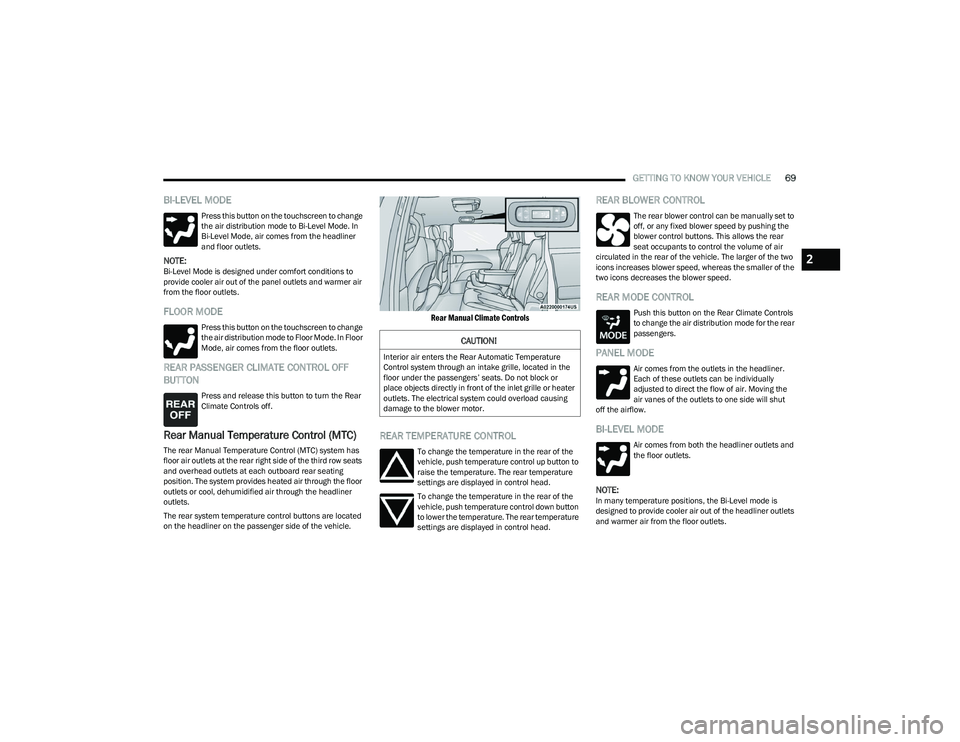
Rear Manual Temperature Control (MTC)
The rear Manual Temperature Control (MTC) system has
floor air outlets at the rear right side of the third row seats
and overhead outlets at each outboard rear seating
position. The system provides heated air through the floor
outlets or cool, dehumidified air through the headliner
outlets.
The rear system temperature control buttons are located
on the headliner on the passenger side of the vehicle.
Rear Manual Climate Controls
REAR TEMPERATURE CONTROL
To change the temperature in the rear of the
vehicle, push temperature control up button to
raise the temperature. The rear temperature
settings are displayed in control head.
To change the temperature in the rear of the
vehicle, push temperature control down button
to lower the temperature. The rear temperature
settings are displayed in control head.
REAR BLOWER CONTROL
The rear blower control can be manually set to
off, or any fixed blower speed by pushing the
blower control buttons. This allows the rear
seat occupants to control the volume of air
circulated in the rear of the vehicle. The larger of the two
icons increases blower speed, whereas the smaller of the
two icons decreases the blower speed.
REAR MODE CONTROL
Push this button on the Rear Climate Controls
to change the air distribution mode for the rear
passengers.
PANEL MODE
Air comes from the outlets in the headliner.
Each of these outlets can be individually
adjusted to direct the flow of air. Moving the
air vanes of the outlets to one side will shut
off the airflow.
BI-LEVEL MODE
Air comes from both the headliner outlets and
the floor outlets.
NOTE:In many temperature positions, the Bi-Level mode is
designed to provide cooler air out of the headliner outlets
and warmer air from the floor outlets.
CAUTION!
Interior air enters the Rear Automatic Temperature
Control system through an intake grille, located in the
floor under the passengers’ seats. Do not block or
place objects directly in front of the inlet grille or heater
outlets. The electrical system could overload causing
damage to the blower motor.
2
23_RUP_OM_EN_USC_t.book Page 69
Page 72 of 328

70GETTING TO KNOW YOUR VEHICLE
FLOOR MODE
Air comes from the floor outlets.
REAR CLIMATE CONTROL/BLOWER OFF
To manually set the rear blower controls to off,
press the Rear Climate Control/Blower Off
button.
AUTOMATIC TEMPERATURE CONTROL
(ATC) — I
F EQUIPPED
Automatic Operation
1. Push the AUTO button on the faceplate, or the AUTO
button on the touchscreen on the Automatic
Temperature Control (ATC) Panel.
2. Next, adjust the temperature you would like the system to maintain by adjusting the driver and
passenger temperature control buttons. Once the
desired temperature is displayed, the system will
achieve and automatically maintain that comfort
level.
3. When the system is set up for your comfort level, it is not necessary to change the settings. You will
experience the greatest efficiency by simply allowing
the system to function automatically.
NOTE:
It is not necessary to move the temperature settings for
cold or hot vehicles. The system automatically adjusts
the temperature, mode, and blower speed to provide
comfort as quickly as possible.
The temperature can be displayed in U.S. or Metric
units by selecting the U.S./Metric customer-program -
mable feature within the Uconnect system
Úpage 157.
To provide you with maximum comfort in the Automatic
mode during cold start-ups, the blower fan will remain on
low until the engine warms up. The blower will increase in
speed and transition into Auto mode.
Manual Operation Override
This system offers a full complement of manual override
features. The AUTO symbol in the front Automatic
Temperature Control (ATC) display will be turned off when
the system is being used in the manual mode.
CLIMATE VOICE COMMANDS
Adjust vehicle temperatures hands-free and keep
everyone comfortable while you keep moving ahead
(If vehicle is equipped with climate control).
Push the VR button on the steering wheel. After the beep,
say one of the following commands:
“Set driver temperature to 70 degrees ”
“Set passenger temperature to 70 degrees ”
Did you know : Voice Command for Climate may only be
used to adjust the interior temperature of your vehicle.
Voice Command will not work to adjust the heated seats
or steering wheel if equipped.
OPERATING TIPS
Refer to the chart at the end of this section for suggested
control settings for various weather conditions.
Summer Operation
The engine cooling system must be protected with a
high-quality antifreeze coolant to provide proper corrosion
protection and to protect against engine overheating. OAT
coolant (conforming to MS.90032) is recommended.
Winter Operation
To ensure the best possible heater and defroster
performance, make sure the engine cooling system is
functioning properly and the proper amount, type, and
concentration of coolant is used. Use of the Air
Recirculation mode during Winter months is not
recommended, because it may cause window fogging.
Vacation/Storage
For information on maintaining the Climate Control system
when the vehicle is being stored for an extended period of
time, see
Úpage 299.
Window Fogging
Vehicle windows tend to fog on the inside in mild, rainy,
and/or humid weather. To clear the windows, select
Defrost or Mix mode and increase the front blower speed.
Do not use the Recirculation mode without A/C for long
periods, as fogging may occur.
23_RUP_OM_EN_USC_t.book Page 70
Page 75 of 328
GETTING TO KNOW YOUR VEHICLE73
NOTE:
Push the lock rod inward for the locked position.
Pull outward on the lock rod for the unlocked posi -
tion.
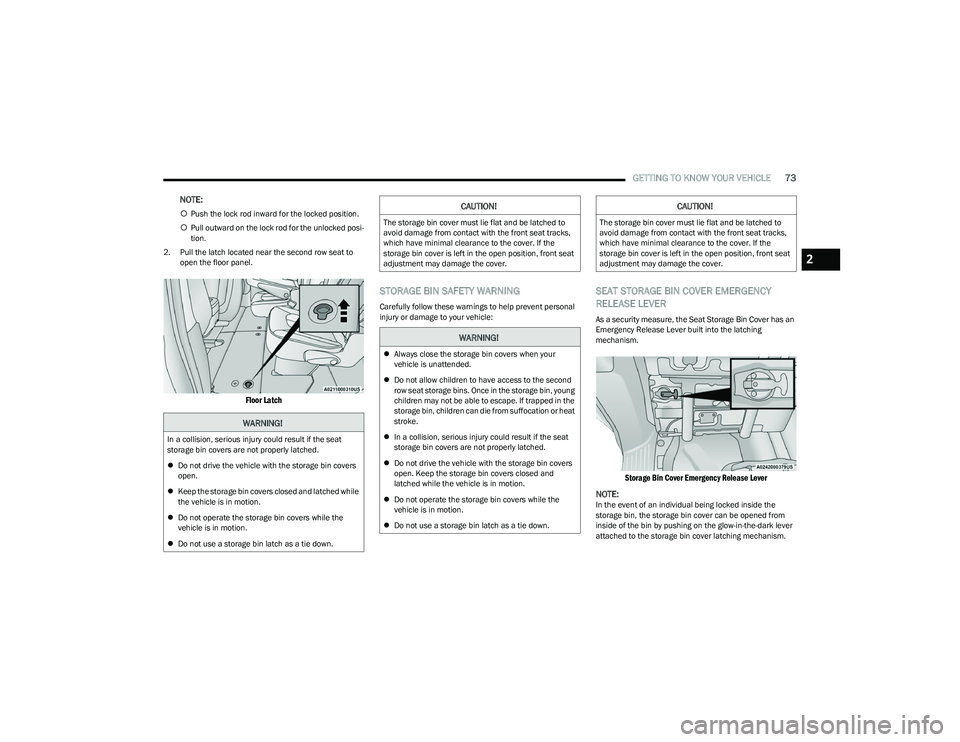
2. Pull the latch located near the second row seat to open the floor panel.
Floor Latch
STORAGE BIN SAFETY WARNING
Carefully follow these warnings to help prevent personal
injury or damage to your vehicle:
SEAT STORAGE BIN COVER EMERGENCY
RELEASE LEVER
As a security measure, the Seat Storage Bin Cover has an
Emergency Release Lever built into the latching
mechanism.
Storage Bin Cover Emergency Release Lever
NOTE:
In the event of an individual being locked inside the
storage bin, the storage bin cover can be opened from
inside of the bin by pushing on the glow-in-the-dark lever
attached to the storage bin cover latching mechanism.
WARNING!
In a collision, serious injury could result if the seat
storage bin covers are not properly latched.
Do not drive the vehicle with the storage bin covers
open.
Keep the storage bin covers closed and latched while
the vehicle is in motion.
Do not operate the storage bin covers while the
vehicle is in motion.
Do not use a storage bin latch as a tie down.
CAUTION!
The storage bin cover must lie flat and be latched to
avoid damage from contact with the front seat tracks,
which have minimal clearance to the cover. If the
storage bin cover is left in the open position, front seat
adjustment may damage the cover.
WARNING!
Always close the storage bin covers when your
vehicle is unattended.
Do not allow children to have access to the second
row seat storage bins. Once in the storage bin, young
children may not be able to escape. If trapped in the
storage bin, children can die from suffocation or heat
stroke.
In a collision, serious injury could result if the seat
storage bin covers are not properly latched.
Do not drive the vehicle with the storage bin covers
open. Keep the storage bin covers closed and
latched while the vehicle is in motion.
Do not operate the storage bin covers while the
vehicle is in motion.
Do not use a storage bin latch as a tie down.
CAUTION!
The storage bin cover must lie flat and be latched to
avoid damage from contact with the front seat tracks,
which have minimal clearance to the cover. If the
storage bin cover is left in the open position, front seat
adjustment may damage the cover.
2
23_RUP_OM_EN_USC_t.book Page 73
Page 76 of 328
74GETTING TO KNOW YOUR VEHICLE
LIGHTED CUPHOLDERS — IF EQUIPPED
On some vehicles, the front cupholders are equipped with
a light ring that illuminates the cupholders for the front
passengers. The light ring is controlled by the Dimmer
Controls
Úpage 58.
SUN SCREENS — IF EQUIPPED
Sun screens are available for second and third row seating
windows. The screens store in the sill trim panels, and the
tops of the windows are equipped with hooks that the sun
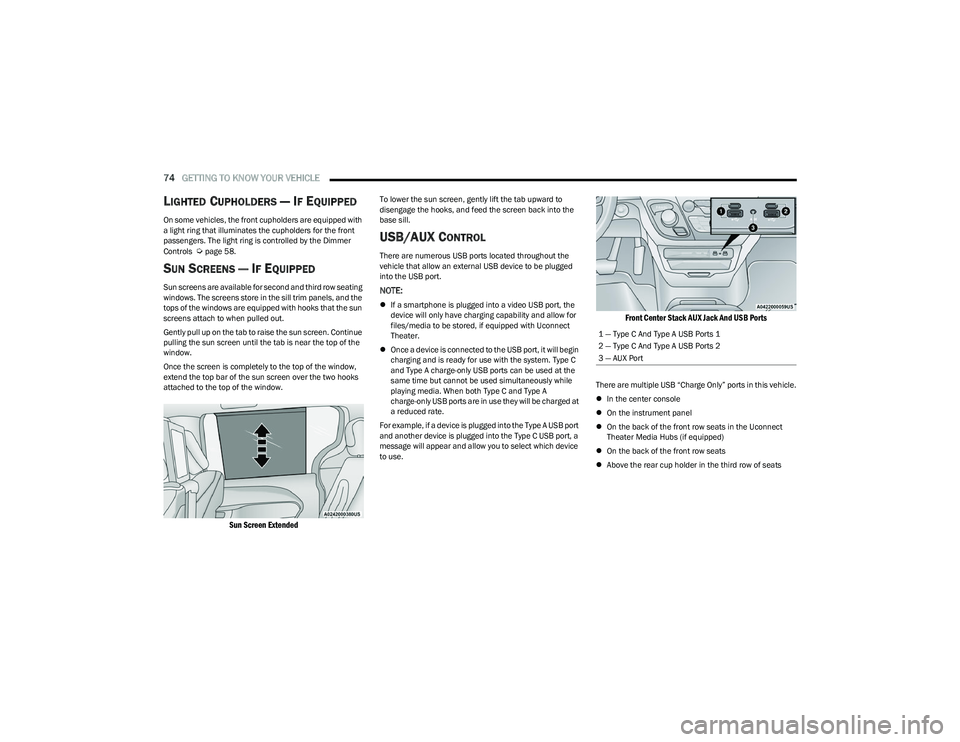
screens attach to when pulled out.
Gently pull up on the tab to raise the sun screen. Continue
pulling the sun screen until the tab is near the top of the
window.
Once the screen is completely to the top of the window,
extend the top bar of the sun screen over the two hooks
attached to the top of the window.
Sun Screen Extended
To lower the sun screen, gently lift the tab upward to
disengage the hooks, and feed the screen back into the
base sill.
USB/AUX CONTROL
There are numerous USB ports located throughout the
vehicle that allow an external USB device to be plugged
into the USB port.
NOTE:
If a smartphone is plugged into a video USB port, the
device will only have charging capability and allow for
files/media to be stored, if equipped with Uconnect
Theater.
Once a device is connected to the USB port, it will begin
charging and is ready for use with the system. Type C
and Type A charge-only USB ports can be used at the
same time but cannot be used simultaneously while
playing media. When both Type C and Type A
charge-only USB ports are in use they will be charged at
a reduced rate.
For example, if a device is plugged into the Type A USB port
and another device is plugged into the Type C USB port, a
message will appear and allow you to select which device
to use.
Front Center Stack AUX Jack And USB Ports
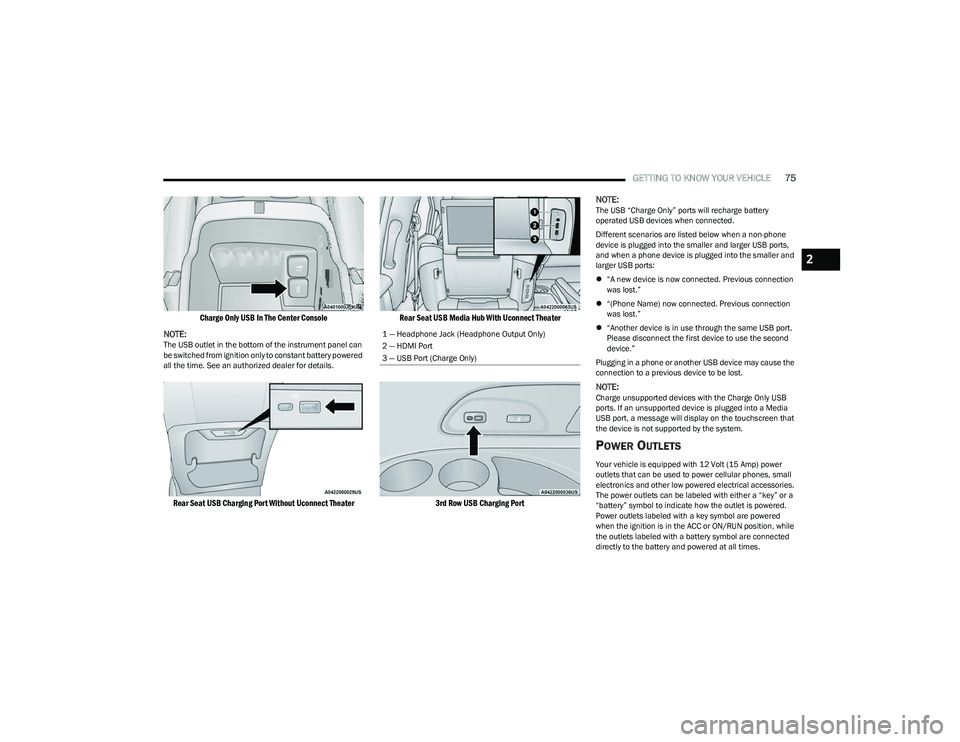
There are multiple USB “Charge Only” ports in this vehicle.
In the center console
On the instrument panel
On the back of the front row seats in the Uconnect
Theater Media Hubs (if equipped)
On the back of the front row seats
Above the rear cup holder in the third row of seats
1 — Type C And Type A USB Ports 1
2 — Type C And Type A USB Ports 2
3 — AUX Port
23_RUP_OM_EN_USC_t.book Page 74
Page 77 of 328
GETTING TO KNOW YOUR VEHICLE75
Charge Only USB In The Center Console
NOTE:
The USB outlet in the bottom of the instrument panel can
be switched from ignition only to constant battery powered
all the time. See an authorized dealer for details.
Rear Seat USB Charging Port Without Uconnect Theater Rear Seat USB Media Hub With Uconnect Theater
3rd Row USB Charging Port
NOTE:
The USB “Charge Only” ports will recharge battery
operated USB devices when connected.
Different scenarios are listed below when a non-phone
device is plugged into the smaller and larger USB ports,
and when a phone device is plugged into the smaller and
larger USB ports:
“A new device is now connected. Previous connection
was lost.”
“(Phone Name) now connected. Previous connection
was lost.”
“Another device is in use through the same USB port.
Please disconnect the first device to use the second
device.”
Plugging in a phone or another USB device may cause the
connection to a previous device to be lost.
NOTE:Charge unsupported devices with the Charge Only USB
ports. If an unsupported device is plugged into a Media
USB port, a message will display on the touchscreen that
the device is not supported by the system.
POWER OUTLETS
Your vehicle is equipped with 12 Volt (15 Amp) power
outlets that can be used to power cellular phones, small
electronics and other low powered electrical accessories.
The power outlets can be labeled with either a “key” or a
“battery” symbol to indicate how the outlet is powered.
Power outlets labeled with a key symbol are powered
when the ignition is in the ACC or ON/RUN position, while
the outlets labeled with a battery symbol are connected
directly to the battery and powered at all times.
1 — Headphone Jack (Headphone Output Only)
2 — HDMI Port
3 — USB Port (Charge Only)
2
23_RUP_OM_EN_USC_t.book Page 75
Page 80 of 328
78GETTING TO KNOW YOUR VEHICLE
LED Indicator Status:
No Light: Charging pad is idle or searching for a device.
Blue Light: Device is detected and is charging.
Red Light/Flashing: Internal error or foreign object is
detected.
Important Notes Regarding This Vehicle’s Wireless
Charging Pad:
The wireless charging pad will not work if any of the
four doors or the liftgate are open, even if the engine is
running.
Wireless charging is not as fast as when the phone is
connected to a wired charger.
The phone’s protective case must be removed when
placed on the wireless charging pad.
iPhone® 12 (including iPod®) is equipped with soft -
ware to protect the device from overheating. When the
software is active, the rate of charge is slowed down to
protect the device.
Phones must always be placed on the wireless
charging pad within the outline shown on the pad so
that its charging parts connect with the charging coils
of the system. Movement of the phone during charging
may prevent or slow the rate of charge.
Having multiple applications open on the phone while
charging will reduce the charging efficiency, and may
even shut down an application that is actively running
(i.e. Apple CarPlay®). This may also cause the phone to
overheat.
Wireless chargers may implement certain methods to
prevent the phone from overheating during charging
such as slowing down the rate of charge. In certain instances, the device may shut down for a brief period
of time (when the device reaches a certain tempera
-
ture). If this happens, it does not mean there is a fault
with the wireless charing pad. This may just be a
protective measure to prevent damage to the phone.
WINDOWS
POWER WINDOWS
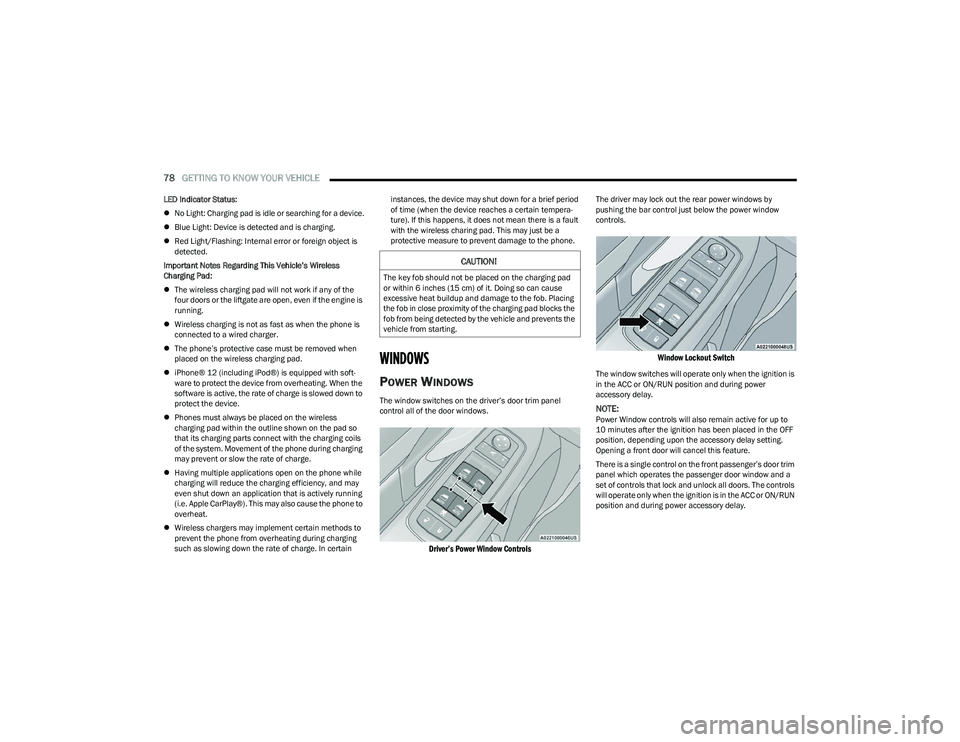
The window switches on the driver’s door trim panel
control all of the door windows.
Driver’s Power Window Controls
The driver may lock out the rear power windows by
pushing the bar control just below the power window
controls.
Window Lockout Switch
The window switches will operate only when the ignition is
in the ACC or ON/RUN position and during power
accessory delay.
NOTE:Power Window controls will also remain active for up to
10 minutes after the ignition has been placed in the OFF
position, depending upon the accessory delay setting.
Opening a front door will cancel this feature.
There is a single control on the front passenger’s door trim
panel which operates the passenger door window and a
set of controls that lock and unlock all doors. The controls
will operate only when the ignition is in the ACC or ON/RUN
position and during power accessory delay.
CAUTION!
The key fob should not be placed on the charging pad
or within 6 inches (15 cm) of it. Doing so can cause
excessive heat buildup and damage to the fob. Placing
the fob in close proximity of the charging pad blocks the
fob from being detected by the vehicle and prevents the
vehicle from starting.
23_RUP_OM_EN_USC_t.book Page 78
Page 88 of 328
86GETTING TO KNOW YOUR VEHICLE
(Continued)
CARGO AREA FEATURES
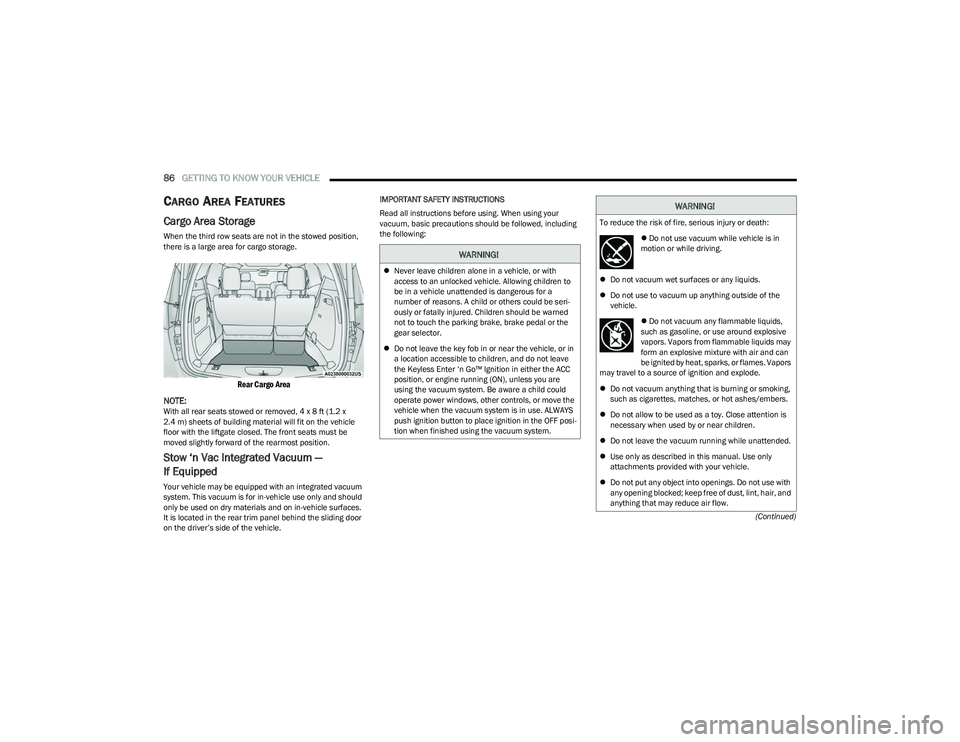
Cargo Area Storage
When the third row seats are not in the stowed position,
there is a large area for cargo storage.
Rear Cargo Area
NOTE:
With all rear seats stowed or removed, 4 x 8 ft (1.2 x
2.4 m) sheets of building material will fit on the vehicle
floor with the liftgate closed. The front seats must be
moved slightly forward of the rearmost position.
Stow ‘n Vac Integrated Vacuum —
If Equipped
Your vehicle may be equipped with an integrated vacuum
system. This vacuum is for in-vehicle use only and should
only be used on dry materials and on in-vehicle surfaces.
It is located in the rear trim panel behind the sliding door
on the driver’s side of the vehicle. IMPORTANT SAFETY INSTRUCTIONS
Read all instructions before using. When using your
vacuum, basic precautions should be followed, including
the following:
WARNING!
Never leave children alone in a vehicle, or with
access to an unlocked vehicle. Allowing children to
be in a vehicle unattended is dangerous for a
number of reasons. A child or others could be seri -
ously or fatally injured. Children should be warned
not to touch the parking brake, brake pedal or the
gear selector.
Do not leave the key fob in or near the vehicle, or in
a location accessible to children, and do not leave
the Keyless Enter ‘n Go™ Ignition in either the ACC
position, or engine running (ON), unless you are
using the vacuum system. Be aware a child could
operate power windows, other controls, or move the
vehicle when the vacuum system is in use. ALWAYS
push ignition button to place ignition in the OFF posi -
tion when finished using the vacuum system.
WARNING!
To reduce the risk of fire, serious injury or death:
Do not use vacuum while vehicle is in
motion or while driving.
Do not vacuum wet surfaces or any liquids.
Do not use to vacuum up anything outside of the
vehicle.
Do not vacuum any flammable liquids,
such as gasoline, or use around explosive
vapors. Vapors from flammable liquids may
form an explosive mixture with air and can
be ignited by heat, sparks, or flames. Vapors
may travel to a source of ignition and explode.
Do not vacuum anything that is burning or smoking,
such as cigarettes, matches, or hot ashes/embers.
Do not allow to be used as a toy. Close attention is
necessary when used by or near children.
Do not leave the vacuum running while unattended.
Use only as described in this manual. Use only
attachments provided with your vehicle.
Do not put any object into openings. Do not use with
any opening blocked; keep free of dust, lint, hair, and
anything that may reduce air flow.
23_RUP_OM_EN_USC_t.book Page 86