2023 CHEVROLET CORVETTE roof
[x] Cancel search: roofPage 7 of 351
Chevrolet Corvette Owner Manual (GMNA-Localizing-U.S./Canada/Mexico-
16287457) - 2023 - CRC - 3/10/22
6 Keys, Doors, and Windows
Keys, Doors, and
Windows
Keys and Locks
Keys . . . . . . . . . . . . . . . . . . . . . . . . . . . . . . . . . . . . . 6
Remote Key . . . . . . . . . . . . . . . . . . . . . . . . . . . . . 7
Remote Key Operation . . . . . . . . . . . . . . . . . . . 7
Remote Vehicle Start . . . . . . . . . . . . . . . . . . . 12
Door Locks . . . . . . . . . . . . . . . . . . . . . . . . . . . . . . 14
Delayed Locking . . . . . . . . . . . . . . . . . . . . . . . . 16
Automatic Door Locks . . . . . . . . . . . . . . . . . . 16
Lockout Protection . . . . . . . . . . . . . . . . . . . . . . 16
Doors
Hood . . . . . . . . . . . . . . . . . . . . . . . . . . . . . . . . . . . 17
Hatch (Trunk) . . . . . . . . . . . . . . . . . . . . . . . . . . . 19
Vehicle Security
Vehicle Security . . . . . . . . . . . . . . . . . . . . . . . . . 21
Vehicle Alarm System . . . . . . . . . . . . . . . . . . . 21
Immobilizer . . . . . . . . . . . . . . . . . . . . . . . . . . . . . 23
Immobilizer Operation . . . . . . . . . . . . . . . . . . 23
Exterior Mirrors
Convex Mirrors . . . . . . . . . . . . . . . . . . . . . . . . . 24
Power Mirrors . . . . . . . . . . . . . . . . . . . . . . . . . . 24
Folding Mirrors . . . . . . . . . . . . . . . . . . . . . . . . . 24
Heated Mirrors . . . . . . . . . . . . . . . . . . . . . . . . . 25
Automatic Dimming Mirror . . . . . . . . . . . . . 25
Reverse Tilt Mirrors . . . . . . . . . . . . . . . . . . . . . 25
Interior Mirrors
Interior Rearview Mirrors . . . . . . . . . . . . . . . 26
Manual Rearview Mirror . . . . . . . . . . . . . . . . 26
Automatic Dimming Rearview Mirror . . . 26
Rear Camera Mirror . . . . . . . . . . . . . . . . . . . . 26
Windows
Windows . . . . . . . . . . . . . . . . . . . . . . . . . . . . . . . 28
Power Windows . . . . . . . . . . . . . . . . . . . . . . . . 28
Rear Windows . . . . . . . . . . . . . . . . . . . . . . . . . . 30
Sun Visors . . . . . . . . . . . . . . . . . . . . . . . . . . . . . . 30
Roof
Roof Panel . . . . . . . . . . . . . . . . . . . . . . . . . . . . . 30
Convertible Top . . . . . . . . . . . . . . . . . . . . . . . . . 33
Keys and Locks
Keys
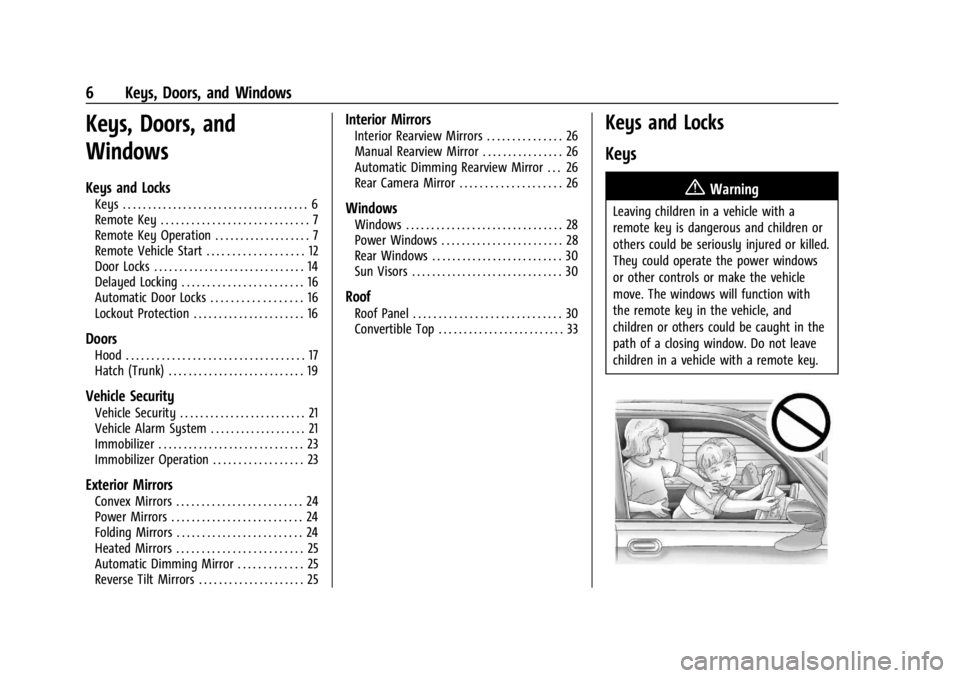
{Warning
Leaving children in a vehicle with a
remote key is dangerous and children or
others could be seriously injured or killed.
They could operate the power windows
or other controls or make the vehicle
move. The windows will function with
the remote key in the vehicle, and
children or others could be caught in the
path of a closing window. Do not leave
children in a vehicle with a remote key.
Page 24 of 351

Chevrolet Corvette Owner Manual (GMNA-Localizing-U.S./Canada/Mexico-
16287457) - 2023 - CRC - 3/10/22
Keys, Doors, and Windows 23
.Make sure there are no obstructions
blocking the sensors.
Intrusion and Inclination Sensors Disable
Switch
It is recommended that the intrusion and
inclination sensors be deactivated if pets are
left in the vehicle or if the vehicle is being
transported.
When the roof panel is off, or the
convertible top is down, the intrusion
system is turned off.
With the vehicle turned off, press
oon the
overhead console, next to OnStar. The
indicator light will display momentarily,
indicating that these sensors have been
disabled until the next time the alarm
system is armed.
Immobilizer
See Radio Frequency Statement 0327.
Immobilizer Operation
The vehicle has a passive theft-deterrent
system.
The security light comes on in the
instrument cluster if there is a problem with
arming or disarming the theft-deterrent
system. This light also comes on briefly
when the engine is started.
The system is automatically armed when
the ignition is turned off.
The immobilization system is disarmed
when the ignition is turned on or placed in
accessory mode and a valid remote key is
found in the vehicle.
You do not have to manually arm or disarm
the system.
The system has one or more remote keys
that are matched to an immobilizer control
unit in the vehicle. Only a correctly matched
remote key starts the vehicle. The vehicle
may not start if the remote key is damaged. If the engine does not start and the security
light comes on, there may be a problem
with the immobilizer system. Try starting
the vehicle again.
If the vehicle does not start and the remote
key appears to be undamaged, try another
remote key. Or, place the remote key in the
cupholder backup location. See
Remote Key
Operation 07. If the engine still does not
start with the other remote key, or with the
remote key in the cupholder backup
location, the vehicle needs service. If the
engine does start, the first remote key may
be faulty. See your dealer or have a new
remote key programmed to the vehicle.
The immobilizer system can learn new or
replacement remote keys. Up to eight
remote keys can be programmed for the
vehicle. To program additional remote keys,
see “Programming Remote Keys to the
Vehicle” underRemote Key Operation 07.
Do not leave the remote key or device that
disarms or deactivates the theft-deterrent
system in the vehicle.
Page 31 of 351
Chevrolet Corvette Owner Manual (GMNA-Localizing-U.S./Canada/Mexico-
16287457) - 2023 - CRC - 3/10/22
30 Keys, Doors, and Windows
Rear Windows
Midglass (Convertible Only)
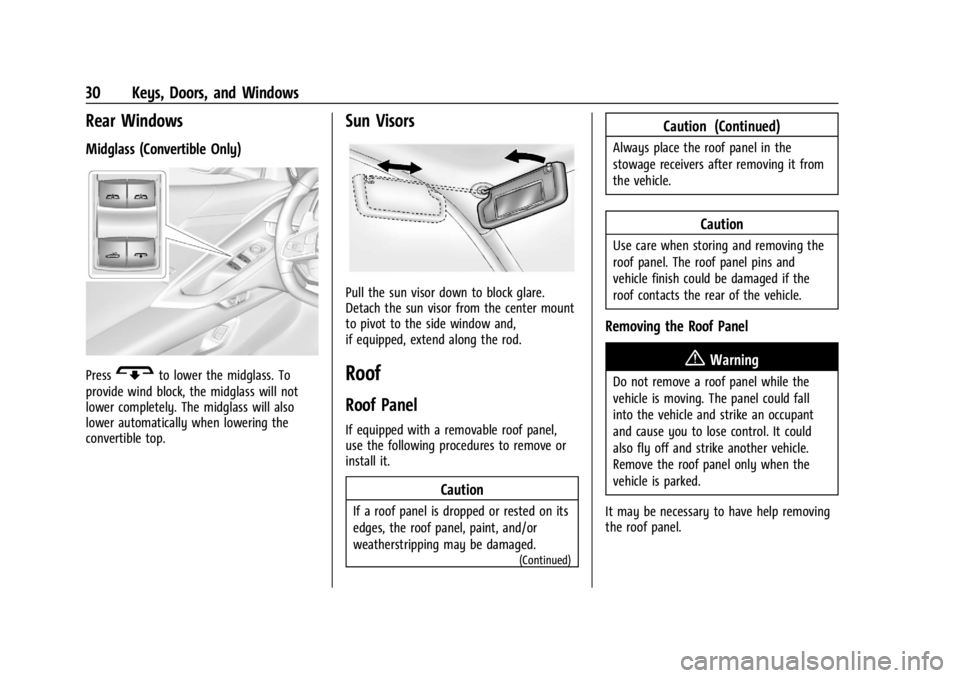
PressGto lower the midglass. To
provide wind block, the midglass will not
lower completely. The midglass will also
lower automatically when lowering the
convertible top.
Sun Visors
Pull the sun visor down to block glare.
Detach the sun visor from the center mount
to pivot to the side window and,
if equipped, extend along the rod.
Roof
Roof Panel
If equipped with a removable roof panel,
use the following procedures to remove or
install it.
Caution
If a roof panel is dropped or rested on its
edges, the roof panel, paint, and/or
weatherstripping may be damaged.
(Continued)
Caution (Continued)
Always place the roof panel in the
stowage receivers after removing it from
the vehicle.
Caution
Use care when storing and removing the
roof panel. The roof panel pins and
vehicle finish could be damaged if the
roof contacts the rear of the vehicle.
Removing the Roof Panel
{Warning
Do not remove a roof panel while the
vehicle is moving. The panel could fall
into the vehicle and strike an occupant
and cause you to lose control. It could
also fly off and strike another vehicle.
Remove the roof panel only when the
vehicle is parked.
It may be necessary to have help removing
the roof panel.
Page 32 of 351
Chevrolet Corvette Owner Manual (GMNA-Localizing-U.S./Canada/Mexico-
16287457) - 2023 - CRC - 3/10/22
Keys, Doors, and Windows 31
To remove:1. Shift transmission into P (Park).
2. Turn the ignition off and set the parking brake.
3. Lower both sun visors.
4. Open the rear hatch/trunk and remove any items that may interfere with proper
storage of the roof panel.
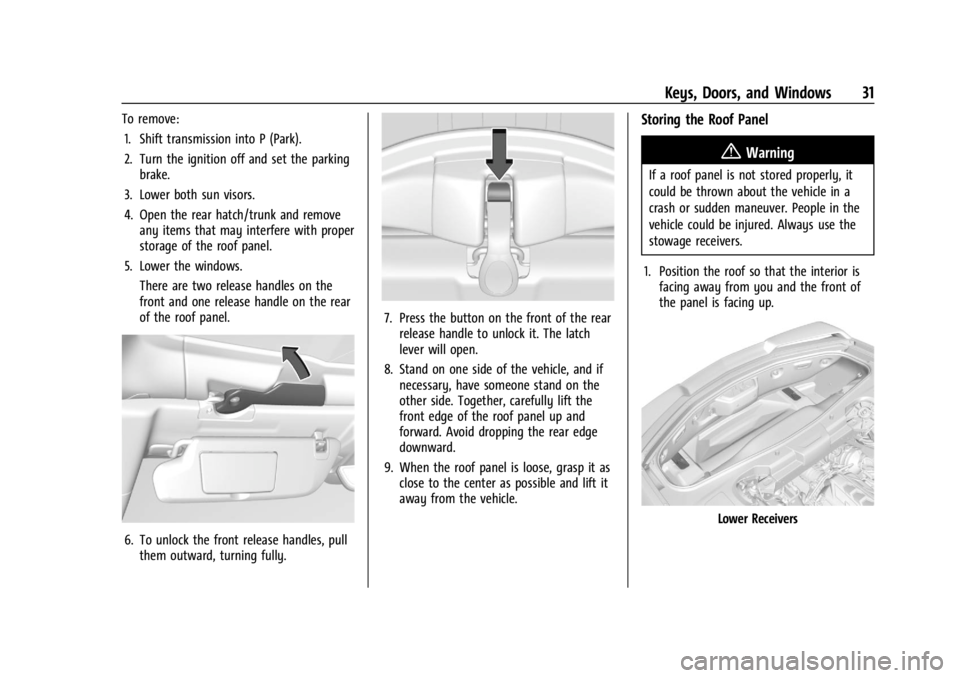
5. Lower the windows. There are two release handles on the
front and one release handle on the rear
of the roof panel.
6. To unlock the front release handles, pullthem outward, turning fully.
7. Press the button on the front of the rearrelease handle to unlock it. The latch
lever will open.
8. Stand on one side of the vehicle, and if necessary, have someone stand on the
other side. Together, carefully lift the
front edge of the roof panel up and
forward. Avoid dropping the rear edge
downward.
9. When the roof panel is loose, grasp it as close to the center as possible and lift it
away from the vehicle.
Storing the Roof Panel
{Warning
If a roof panel is not stored properly, it
could be thrown about the vehicle in a
crash or sudden maneuver. People in the
vehicle could be injured. Always use the
stowage receivers.
1. Position the roof so that the interior is facing away from you and the front of
the panel is facing up.
Lower Receivers
Page 33 of 351
Chevrolet Corvette Owner Manual (GMNA-Localizing-U.S./Canada/Mexico-
16287457) - 2023 - CRC - 3/10/22
32 Keys, Doors, and Windows
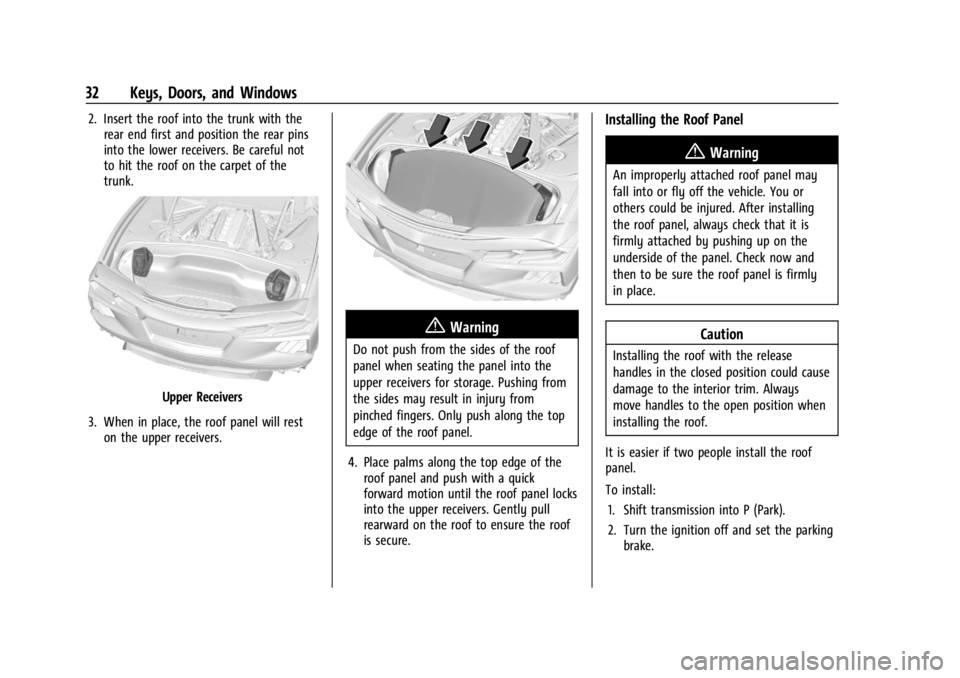
2. Insert the roof into the trunk with therear end first and position the rear pins
into the lower receivers. Be careful not
to hit the roof on the carpet of the
trunk.
Upper Receivers
3. When in place, the roof panel will rest on the upper receivers.
{Warning
Do not push from the sides of the roof
panel when seating the panel into the
upper receivers for storage. Pushing from
the sides may result in injury from
pinched fingers. Only push along the top
edge of the roof panel.
4. Place palms along the top edge of the roof panel and push with a quick
forward motion until the roof panel locks
into the upper receivers. Gently pull
rearward on the roof to ensure the roof
is secure.
Installing the Roof Panel
{Warning
An improperly attached roof panel may
fall into or fly off the vehicle. You or
others could be injured. After installing
the roof panel, always check that it is
firmly attached by pushing up on the
underside of the panel. Check now and
then to be sure the roof panel is firmly
in place.
Caution
Installing the roof with the release
handles in the closed position could cause
damage to the interior trim. Always
move handles to the open position when
installing the roof.
It is easier if two people install the roof
panel.
To install: 1. Shift transmission into P (Park).
2. Turn the ignition off and set the parking brake.
Page 34 of 351

Chevrolet Corvette Owner Manual (GMNA-Localizing-U.S./Canada/Mexico-
16287457) - 2023 - CRC - 3/10/22
Keys, Doors, and Windows 33
3. Grasp the roof panel and pull toward therear of the vehicle until it separates from
the upper receivers, being careful not to
hit the sides of the trunk. Carefully lift
the roof panel out of the trunk.
4. Carefully place the roof panel over the top of the vehicle.
5. Position the rear edge of the roof panelnext to the weatherstrip on the back of
the roof opening. Then align and fit the
pins at the rear of the roof panel inside
the openings in the rear overhead
weatherstrip. Gently lower the front
edge of the roof panel to the front of
the roof opening. 6. Check that the weatherstripping on each
side of the roof panel is under the panel.
7. Make sure the front release handles are in the fully open position.
8. Push the roof firmly downward to engage the pins.
9. Turn the front release handles inward so that they fully latch in the closed
position. It is critical that the handles
fully latch.
10. Push back and up on the rear release handle to insert the hook in the loop.
11. Push and pull the roof panel up and down and side to side to ensure the roof
panel is securely installed.
Maintaining the Roof Panel
Caution
Using glass cleaner on a painted roof
panel could damage the panel. The
repairs would not be covered by the
vehicle warranty. Do not use glass
cleaner on the painted roof panel.
When cleaning, removing, and/or storing the
roof panel:
.Flush with water to remove dust and dirt,
then dry the panel.
.Do not use abrasive cleaning materials on
the panel.
Convertible Top
If equipped with a convertible top, review
the following before operating:
{Warning
Components under the tonneau, close to
the engine, can get hot from running the
engine. To help avoid the risk of burning
unprotected skin, never touch these
components until they have cooled, and
always use a glove or towel to avoid
direct skin contact.
Page 35 of 351
Chevrolet Corvette Owner Manual (GMNA-Localizing-U.S./Canada/Mexico-
16287457) - 2023 - CRC - 3/10/22
34 Keys, Doors, and Windows
{Warning
While opening or closing the convertible
top, people can be injured by the moving
parts of the tonneau cover or convertible
top. Maintain visual contact with the top
while it is being operated.
Caution
Follow these guidelines when operating
the convertible top or damage can occur:
.Remove all items from the roof, trunk
lid, or tonneau cover before operating.
.Remove all objects that may contact
the convertible top when it is
operated.
.Do not leave the vehicle with the
convertible top open.
.Do not exceed 50 km/h (31 mph) until
the top has completely closed or
opened.
.Do not open or close the top while
driving in high wind conditions.
(Continued)
Caution (Continued)
.Do not operate the convertible top
multiple times in a short period of
time without starting the engine to
avoid draining the vehicle battery.
.Only store the vehicle with the top
fully closed.
Opening the Convertible Top —Driver Door
Switch
1. Ensure the roof and tonneau cover are clear of any objects.
2. The trunk must be closed.
3. Start the vehicle or place it in accessory mode.
4. When possible, operate the convertible top when the vehicle is stopped. The top
can be operated while driving below
50 km/h (31 mph) and will stop if that
speed is exceeded. The top operation will
take approximately 17 seconds. Make
sure the top operation can be completed
before that speed is reached.
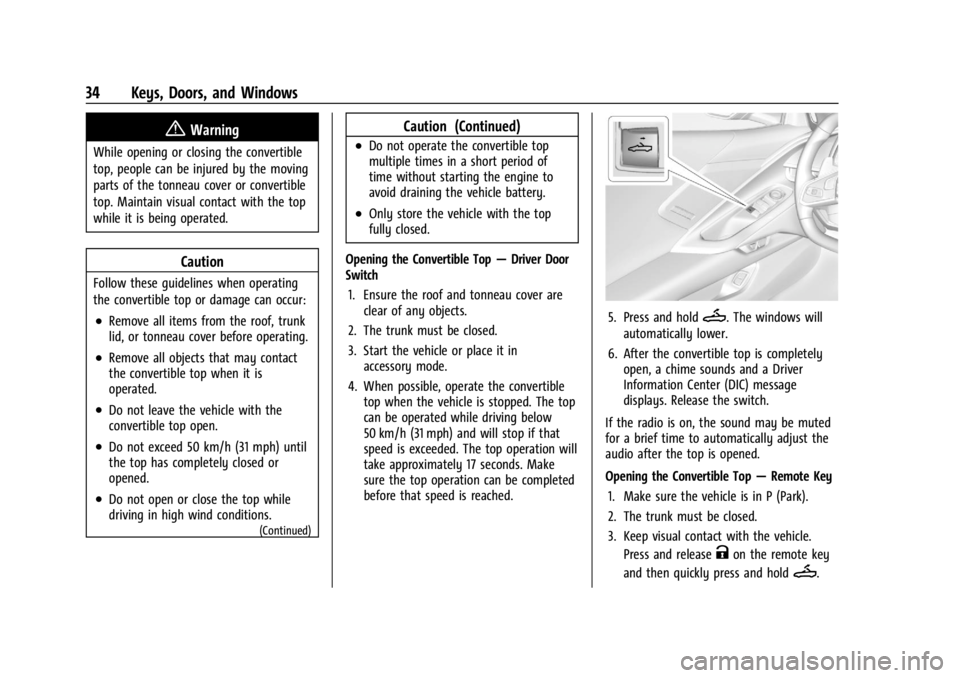
5. Press and holdM. The windows will
automatically lower.
6. After the convertible top is completely open, a chime sounds and a Driver
Information Center (DIC) message
displays. Release the switch.
If the radio is on, the sound may be muted
for a brief time to automatically adjust the
audio after the top is opened.
Opening the Convertible Top —Remote Key
1. Make sure the vehicle is in P (Park).
2. The trunk must be closed.
3. Keep visual contact with the vehicle. Press and release
Kon the remote key
and then quickly press and hold
M.
Page 36 of 351
Chevrolet Corvette Owner Manual (GMNA-Localizing-U.S./Canada/Mexico-
16287457) - 2023 - CRC - 3/10/22
Keys, Doors, and Windows 35
4. HoldMuntil the top is completely
opened and the exterior lamps flash.
A chime will sound.
If the top stops before it has completely
opened, press
Kand then pressMagain.
If the top still stops before it is
completely open:
.Move closer to the vehicle.
.HoldMuntil the operation is complete.
.PressKand thenMagain.
Interference from other remote keys or
devices may interrupt the operation.
If the top still does not open, use the
convertible top switch in the vehicle. The
convertible top cannot be closed using the
remote key.
See Remote Key Operation 07.
Closing the Convertible Top 1. Make sure the sun visor mirror covers are closed and the sun visors are stored
in the center mount position.
2. Ensure the roof and tonneau cover are clear of any objects.
3. The trunk must be closed.
4. Start the vehicle or place it in accessory mode. 5. When possible, operate the convertible
top when the vehicle is stopped. The top
can be operated while driving below
50 km/h (31 mph) and will stop if that
speed is exceeded. The top operation will
take approximately 17 seconds. Make
sure the top operation can be completed
before that speed is reached.
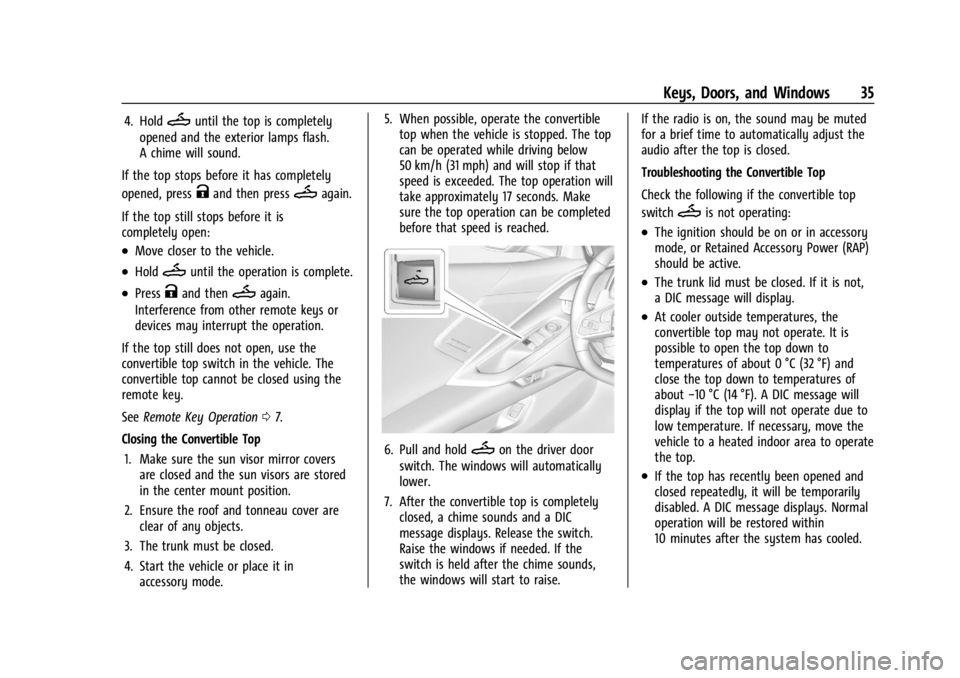
6. Pull and holdMon the driver door
switch. The windows will automatically
lower.
7. After the convertible top is completely closed, a chime sounds and a DIC
message displays. Release the switch.
Raise the windows if needed. If the
switch is held after the chime sounds,
the windows will start to raise. If the radio is on, the sound may be muted
for a brief time to automatically adjust the
audio after the top is closed.
Troubleshooting the Convertible Top
Check the following if the convertible top
switch
Mis not operating:
.The ignition should be on or in accessory
mode, or Retained Accessory Power (RAP)
should be active.
.The trunk lid must be closed. If it is not,
a DIC message will display.
.At cooler outside temperatures, the
convertible top may not operate. It is
possible to open the top down to
temperatures of about 0 °C (32 °F) and
close the top down to temperatures of
about
−10 °C (14 °F). A DIC message will
display if the top will not operate due to
low temperature. If necessary, move the
vehicle to a heated indoor area to operate
the top.
.If the top has recently been opened and
closed repeatedly, it will be temporarily
disabled. A DIC message displays. Normal
operation will be restored within
10 minutes after the system has cooled.