2023 CADILLAC XT6 center console
[x] Cancel search: center consolePage 123 of 507

Cadillac XT6 Owner Manual (GMNA-Localizing-U.S./Canada-16405819) -
2023 - CRC - 3/22/22
122 Instruments and Controls
If equipped, push the
windshield wiper lever forward
to spray washer fluid on the
rear camera lens. The lever
returns to its starting position
when released. See Rear
Camera Mirror039.
Activating the Rear Camera
Washer also cleans the rear
window and the Night Vision
Camera, if equipped. See Night
Vision System 0333.
Compass
The vehicle may have a
compass display on the Driver
Information Center (DIC). The
compass receives its heading
and other information from
the Global Positioning
System (GPS) antenna,
StabiliTrak/Electronic Stability
Control (ESC), and vehicle
speed information.
The compass system is
designed to operate for a
certain number of miles or
degrees of turn before
needing a signal from the GPS satellites. When the compass
display shows CAL, drive the
vehicle for a short distance in
an open area where it can
receive a GPS signal. The
compass system will
automatically determine when
a GPS signal is restored and
provide a heading again.
Clock
Set the time and date using
the infotainment system. See
"Time/Date" under Settings
0
210.
Power Outlets
Power Outlets 12-Volt Direct
Current
The vehicle has two 12-volt
outlets that can be used to
plug in electrical equipment,
such as a cell phone or MP3
player.
The power outlets are located:
.Under the front of the
center console.
.In the rear cargo area.
Lift the cover to access the
outlet and replace when not
in use.
{Warning
Power is always supplied to
the rear cargo power outlet.
Do not leave electrical
equipment plugged in when
the vehicle is not in use (Continued)
Page 134 of 507
Cadillac XT6 Owner Manual (GMNA-Localizing-U.S./Canada-16405819) -
2023 - CRC - 3/22/22
Instruments and Controls 133
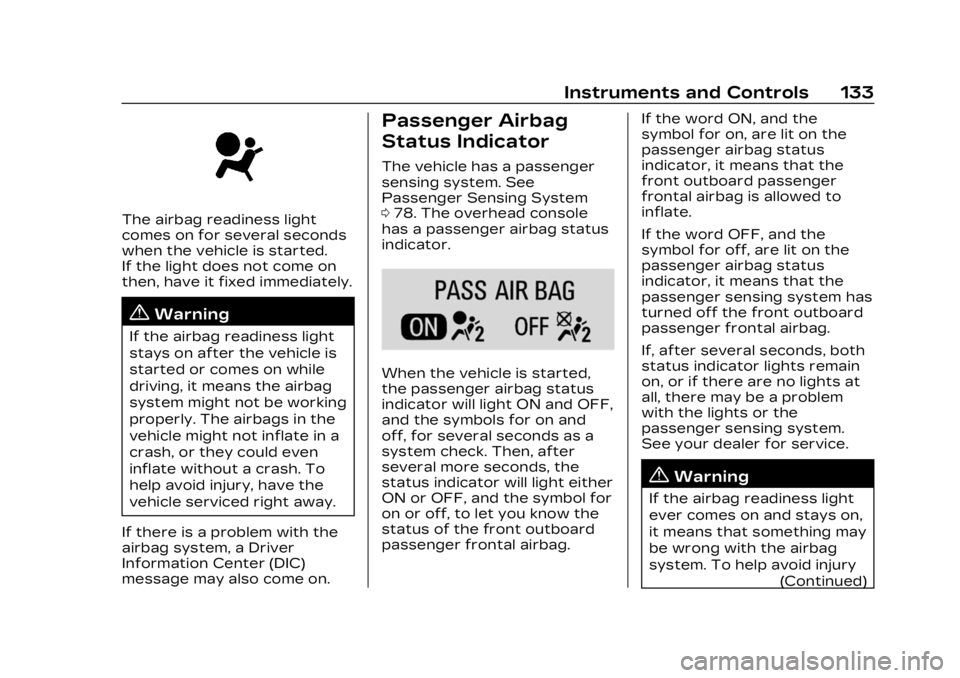
The airbag readiness light
comes on for several seconds
when the vehicle is started.
If the light does not come on
then, have it fixed immediately.
{Warning
If the airbag readiness light
stays on after the vehicle is
started or comes on while
driving, it means the airbag
system might not be working
properly. The airbags in the
vehicle might not inflate in a
crash, or they could even
inflate without a crash. To
help avoid injury, have the
vehicle serviced right away.
If there is a problem with the
airbag system, a Driver
Information Center (DIC)
message may also come on.
Passenger Airbag
Status Indicator
The vehicle has a passenger
sensing system. See
Passenger Sensing System
0 78. The overhead console
has a passenger airbag status
indicator.
When the vehicle is started,
the passenger airbag status
indicator will light ON and OFF,
and the symbols for on and
off, for several seconds as a
system check. Then, after
several more seconds, the
status indicator will light either
ON or OFF, and the symbol for
on or off, to let you know the
status of the front outboard
passenger frontal airbag. If the word ON, and the
symbol for on, are lit on the
passenger airbag status
indicator, it means that the
front outboard passenger
frontal airbag is allowed to
inflate.
If the word OFF, and the
symbol for off, are lit on the
passenger airbag status
indicator, it means that the
passenger sensing system has
turned off the front outboard
passenger frontal airbag.
If, after several seconds, both
status indicator lights remain
on, or if there are no lights at
all, there may be a problem
with the lights or the
passenger sensing system.
See your dealer for service.
{Warning
If the airbag readiness light
ever comes on and stays on,
it means that something may
be wrong with the airbag
system. To help avoid injury
(Continued)
Page 166 of 507

Cadillac XT6 Owner Manual (GMNA-Localizing-U.S./Canada-16405819) -
2023 - CRC - 3/22/22
Infotainment System 165
features are also available
through the instrument cluster
and steering wheel controls.
Before driving:
.Become familiar with the
operation, center stack
controls, steering wheel
controls, and infotainment
display.
.Set up the audio by
presetting favorite stations,
setting the tone, and
adjusting the speakers.
.Set up phone numbers in
advance so they can be
called easily by pressing a
single control or by using a
single voice command.
See Distracted Driving 0240.
Active Noise
Cancellation (ANC)
If equipped, ANC reduces
engine noise in the vehicle’s
interior. ANC requires the
factory-installed audio system,
radio, speakers, amplifier (if
equipped), induction system,
and exhaust system to work properly. Deactivation is
required by your dealer if
related aftermarket equipment
is installed.
Overview
Infotainment System
The infotainment system is
controlled by using the
infotainment display, controls
on the center console,
steering wheel controls, and
voice recognition.
1.>(Power and Mute)
.Press to turn the
power on.
.Press to mute/unmute
the system when on.
.Press and hold to
display the power off
screen or the option to
display the power off
screen.
2.{(Home Page)
.Press to go to the
Home Page. See
“Home
Page” later in this
section.
Press to exit Android
Auto or Apple CarPlay.
To enter back into
Android Auto or Apple
CarPlay, press and hold.
See Apple CarPlay and
Android Auto 0208.
Page 173 of 507
Cadillac XT6 Owner Manual (GMNA-Localizing-U.S./Canada-16405819) -
2023 - CRC - 3/22/22
172 Infotainment System
Equalizer :Touch to adjust
Bass, Midrange, Treble, and
Surround (if equipped) using
the options on the
infotainment display.
Fade/Balance : Touch to
adjust by using the controls on
the infotainment display or by
tapping/dragging the
crosshair.
Sound Mode (If Equipped)
.Bose Centerpoint surround
sound systems have four
sound modes:
‐ Normal: Adjusts the audio
to provide the best sound
for all seating positions.
‐ Driver: Adjusts the audio to
provide the best sound for
the driver.
‐ Rear: Adjusts the audio to
provide the best sound for
the rear seat occupants.
‐ Centerpoint: Turns on
Bose Centerpoint
surround technology. This
setting creates a surround
sound from nearly any audio source: existing
stereo and MP3 players.
For more information on
Bose Centerpoint
surround technology, see
www.boseautomotive.com.
.AKG surround sound
systems have two sound
modes:
‐
Normal: Adjusts the audio
to provide the best sound
for all seating positions.
‐ Rear: Adjusts the audio to
provide the best sound for
the rear seat occupants.
Finding a Station
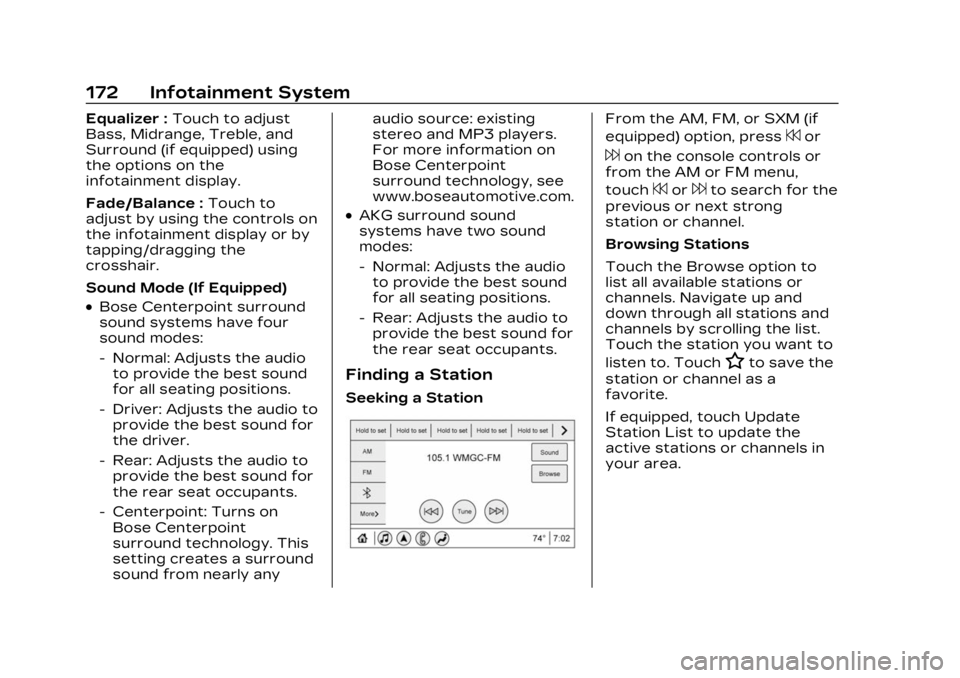
Seeking a Station
From the AM, FM, or SXM (if
equipped) option, press
7or
6on the console controls or
from the AM or FM menu,
touch
7or6to search for the
previous or next strong
station or channel.
Browsing Stations
Touch the Browse option to
list all available stations or
channels. Navigate up and
down through all stations and
channels by scrolling the list.
Touch the station you want to
listen to. Touch
Hto save the
station or channel as a
favorite.
If equipped, touch Update
Station List to update the
active stations or channels in
your area.
Page 177 of 507

Cadillac XT6 Owner Manual (GMNA-Localizing-U.S./Canada-16405819) -
2023 - CRC - 3/22/22
176 Infotainment System
reception. If the vehicle has a
sunroof, and it is open,
reception can also be affected.
Audio Players
Avoiding Untrusted
Media Devices
When using media devices
such as USB and mobile
devices, consider the source.
Untrusted media devices could
contain files that affect
system operation or
performance and should be
avoided.
USB Port
Audio stored on a USB device
may be listened to.
Depending on your vehicle, it
may be equipped with two
USB ports in the center
console under the armrest and
another two on the center
stack. These ports are for
data and charging. There may
also be two USB ports at therear of the center console and
a USB port on each side of the
third row seats for
charging only.
Caution
To avoid vehicle damage,
unplug all accessories and
disconnect all accessory
cables from the vehicle
when not in use. Accessory
cables left plugged into the
vehicle, unconnected to a
device, could be damaged or
cause an electrical short if
the unconnected end comes
in contact with liquids or
another power source such
as the accessory power
outlet.
Playing from a USB
A USB mass storage device
can be connected to the
USB port.
Audio extensions supported
by the USB may include:
.MP3
.AAC
.OGG
.3GP
My Media Library
MyMedia is only available
when more than one indexed
device is connected. It allows
access to content from all
indexed media sources.
MyMedia will show as an
available source in the
Source page.
USB MP3 Player and USB
Devices
The USB MP3 players and
USB devices connected must
comply with the USB Mass
Storage Class specification
(USB MSC).
To play a USB device: 1. Connect the USB.
2. Touch Audio from the Home Page.
3. Select USB device.
Use the following when
playing an active USB source:
Page 235 of 507

Cadillac XT6 Owner Manual (GMNA-Localizing-U.S./Canada-16405819) -
2023 - CRC - 3/22/22
234 Climate Controls
Afterblow Feature
If equipped, under certain
conditions, the fan may stay
on or may turn on and off
several times after you turn
off and lock the vehicle. This is
normal.
Rear Climate Control
System
If equipped, the rear climate
control system is on the rear
of the center console. The
settings can be adjusted with
the rear climate control
buttons on the rear of the
center console and on the rear
climate display.
Rear Climate Controls, Equipped with Heated Seats
1. Heated Rear Seat Controls
2. Air Delivery Mode Control
3. AUTO (Automatic Operation) 4. Fan Control
5. Rear Seat Passenger
Temperature Controls
Page 279 of 507

Cadillac XT6 Owner Manual (GMNA-Localizing-U.S./Canada-16405819) -
2023 - CRC - 3/22/22
278 Driving and Operating
Turning the Systems Off
and On
Caution
Do not repeatedly brake or
accelerate heavily when TCS
is off. The vehicle driveline
could be damaged.
To turn off only TCS, press
and release
g. The Traction
Off light
idisplays in the
instrument cluster and a DIC
message may display. To turn
TCS on again, press and
release
g. The Traction Off light
idisplayed in the
instrument cluster will turn off
and a DIC message may
display.
If TCS is limiting wheel spin
when
gis pressed, the system
will not turn off until the
wheels stop spinning.
To turn off both TCS and
StabiliTrak/ESC, press and
hold
guntil the Traction Off
light
iand StabiliTrak/ESC
Off light
gcome on and stay
on in the instrument cluster.
A DIC message may display.
To turn TCS and StabiliTrak/
ESC on again, press and
release
g. The Traction Off
light
iand StabiliTrak/ESC
Off light
gin the instrument
cluster turn off and a DIC
message may display.
StabiliTrak will automatically
turn on if the vehicle exceeds
56 km/h (35 mph). Traction
control will remain off. Adding accessories can affect
vehicle performance. See
Accessories and Modifications
0
363.
Driver Mode Control
Driver Mode Control allows
the driver to adjust the overall
driving experience by selecting
different modes. If equipped,
the Driver Mode Control has
the following modes: Tour,
Sport, All-Wheel Drive (AWD),
Snow/Ice (in Front-Wheel
Drive vehicles only), and
Off-Road (in AWD vehicles
only). Driver mode availability
and affected vehicle
subsystems are dependent
upon vehicle trim level, region,
and optional features.
Press MODE button on the
center console to make a
mode selection. When
pressed, the mode menu will
display in the instrument
cluster and activate the next
available mode.
Page 397 of 507

Cadillac XT6 Owner Manual (GMNA-Localizing-U.S./Canada-16405819) -
2023 - CRC - 3/22/22
396 Vehicle Care
Relays UsageK4 –
K5 Air Conditioning
K6 –
K7 Engine Control Module
K8 Folding Seats
K9 –
K10 Starter 2
Instrument Panel
Fuse Block
The instrument panel fuse
block is in the center console
between the driver and
passenger seats. To access
the fuses, open the fuse panel
door, or remove the panel
from the passenger side by
pulling it out, or see your
dealer.
To reinstall the door, push the
door back into its original
location.
The vehicle may not be
equipped with all of the fuses,
relays, and features shown.
Fuses Usage F1 Body Control Module 6