Page 28 of 417

tional sign in the head-up display and in the
instrument cluster.
Displays
In addition to speed limits and o
vertaking re-
strictions, Dynamic Road Sign Display also
detects the road sign which indicates that all
restrictions have been lifted on motorways
and main roads in Germany. In all other coun-
tries in which the system is operated, the
current speed limit is displayed instead.
The road signs detected by the Dynamic Road
Sign Display system are displayed on the in-
strument cluster. Road signs may also be dis-
played in the Infotainment system, depend-
ing on the system installed in the vehicle.
With some equipment levels, a display is also
shown on the Head-up Display.
The system is in the initial-
isation phase. OR: the camera has not
detected any regulatory or warning
signs.
System fault. Go to
a qualified workshop.
Fault in the Dy-
namic Road Sign Display system
speed warning. Go to a qualified
workshop.
The
windscreen is dirty in the area of the
camera or the camera view is im-
paired due to the weather conditions.
Clean the windscreen.
No data
transmission from the Infotainment
system. Check whether valid map da-
ta is loaded in the Infotainment sys-
tem. OR: the vehicle is located in an
area that is not covered by the map
stored in the Infotainment system.
Dynamic Road Sign Display is
not supported in the country in which
you are currently travelling.
No road signs available.
Error: Dynamic Road Sign Display
Speed warning currently not available.
Dynamic Road Sign Display: Clean the windscreen!
Dynamic Road Sign Display is currently restricted.
No data available.
Display of road signs Fig. 16
In the instrument cluster display: e
xam-
ple of recognised speed limits with generic addi-
tional sign.
After validation and evaluation of the infor-
mation from the camera, the Infotainment
system and the current vehicle data, the Dy-
namic Road Sign Display shows up to two
valid road signs and one generic additional
sign
Page 29 of 417
(0 mph), 5 km/h (3 mph) or 10 km/h (5 mph)
abo
ve the permitted speed.
Trailer mode
In vehicles with a factory-fitted towing
bracket and a trailer with an electrical con-
nection to the vehicle, the display of road
signs that may apply to the vehicle when
towing a trailer, e.g. applicable speed limits
and no-overtaking signs, can be activated or
deactivated in the vehicle settings in the In-
fotainment system
Page 32 of 417
Service interval display
Please refer to at the start of the chap-
ter on page 18.
Service e
vents are displayed on the instru-
ment cluster and in the Infotainment system.
Service notification
When an inspection is due, a service an-
nouncement will appear on the instrument
cluster display when the ignition is switched
on.
The number of kilometres or amount of time
shown correspond to the maximum number
of kilometres or maximum time that can still
be driven before the next inspection.
Service event
For a scheduled inspection, an acoustic signal
will be given when the ignition is switched on
and the spanner symbol will be displayed
f
or several seconds on the instrument cluster
display. One of the following displays will al-
so appear:
Page 69 of 417
9. Seek expert assistance if necessary.
When the hazard warning lights are switched
on, f
or example if you are being towed, you
can still indicate a change in direction or lane
change by operating the turn signal. The haz-
ard warning lights will be interrupted tempo-
rarily.
Comply with the important information on
towing
Page 75 of 417
Opening and closing
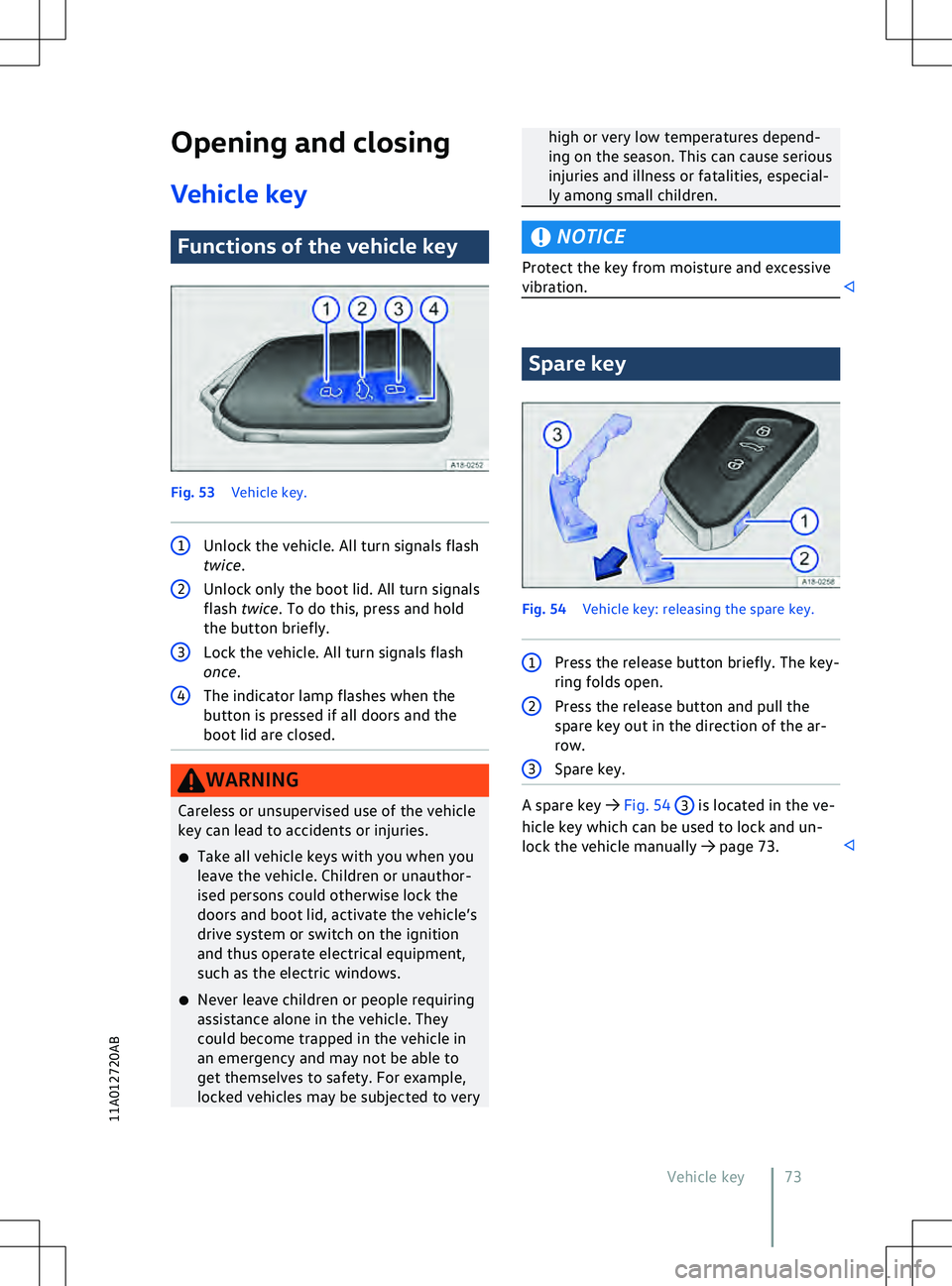
V ehicle key Functions of the vehicle key
Fig. 53
V
ehicle key. 1
Unlock the vehicle. All turn signals flash
twice. high or very low temperatures depend-
ing on the season. This can cause serious
injuries and illness or fatalities, especial-
ly among small children.
NOTICE
Protect the key from moisture and excessive
vibration. Spare key
Fig. 54
V
ehicle key: releasing the spare key. 1
Press the release button briefly. The key-
ring f
olds open. A spare key
Page 79 of 417
All turn signals flash four times
The v
ehicle key used last is still in the vehicle.
Page 89 of 417
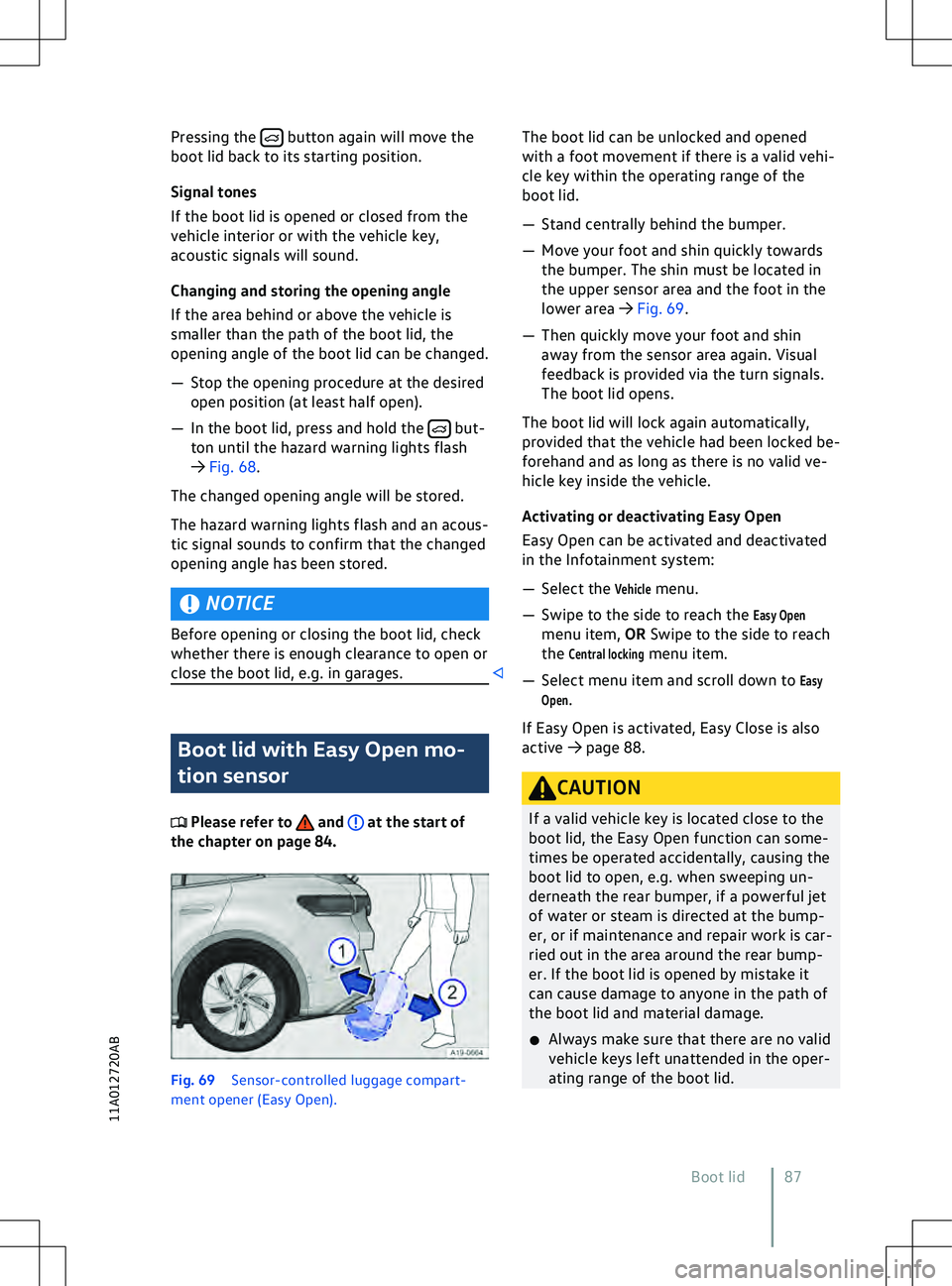
Pressing the button again will move the
boot lid back to its starting position.
Signal tones
If the boot lid is opened or closed from the
v
ehicle interior or with the vehicle key,
acoustic signals will sound.
Changing and storing the opening angle
If the area behind or above the vehicle is
smaller than the path of the boot lid, the
opening angle of the boot lid can be changed.
Page 105 of 417
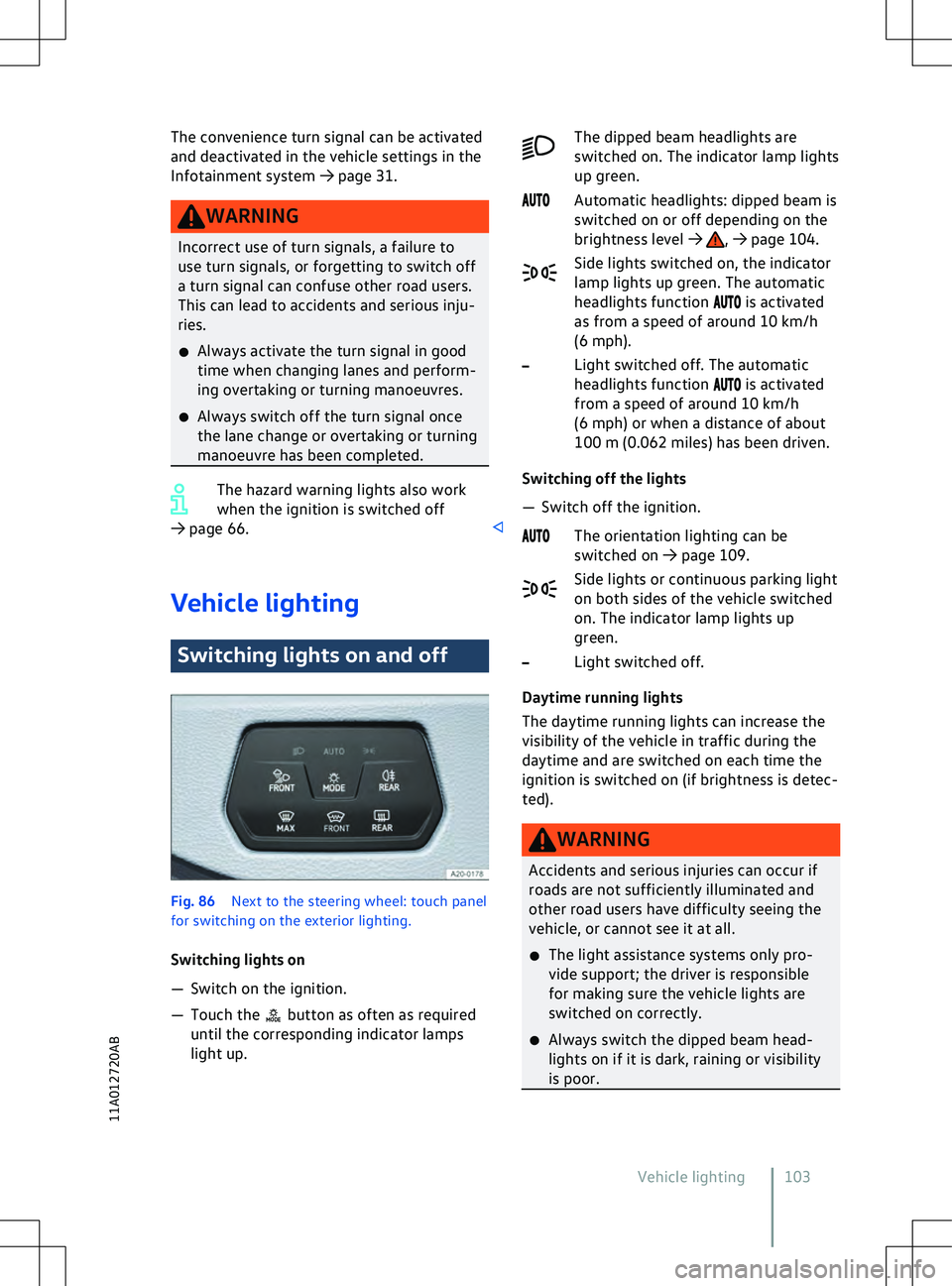
The convenience turn signal can be activated
and deactiv ated in the vehicle settings in the
Infotainment system