Page 89 of 548
892-1. Instrument cluster
2
Vehicle status information and indicators
The units used on the meter and display may differ depending on the target
region.
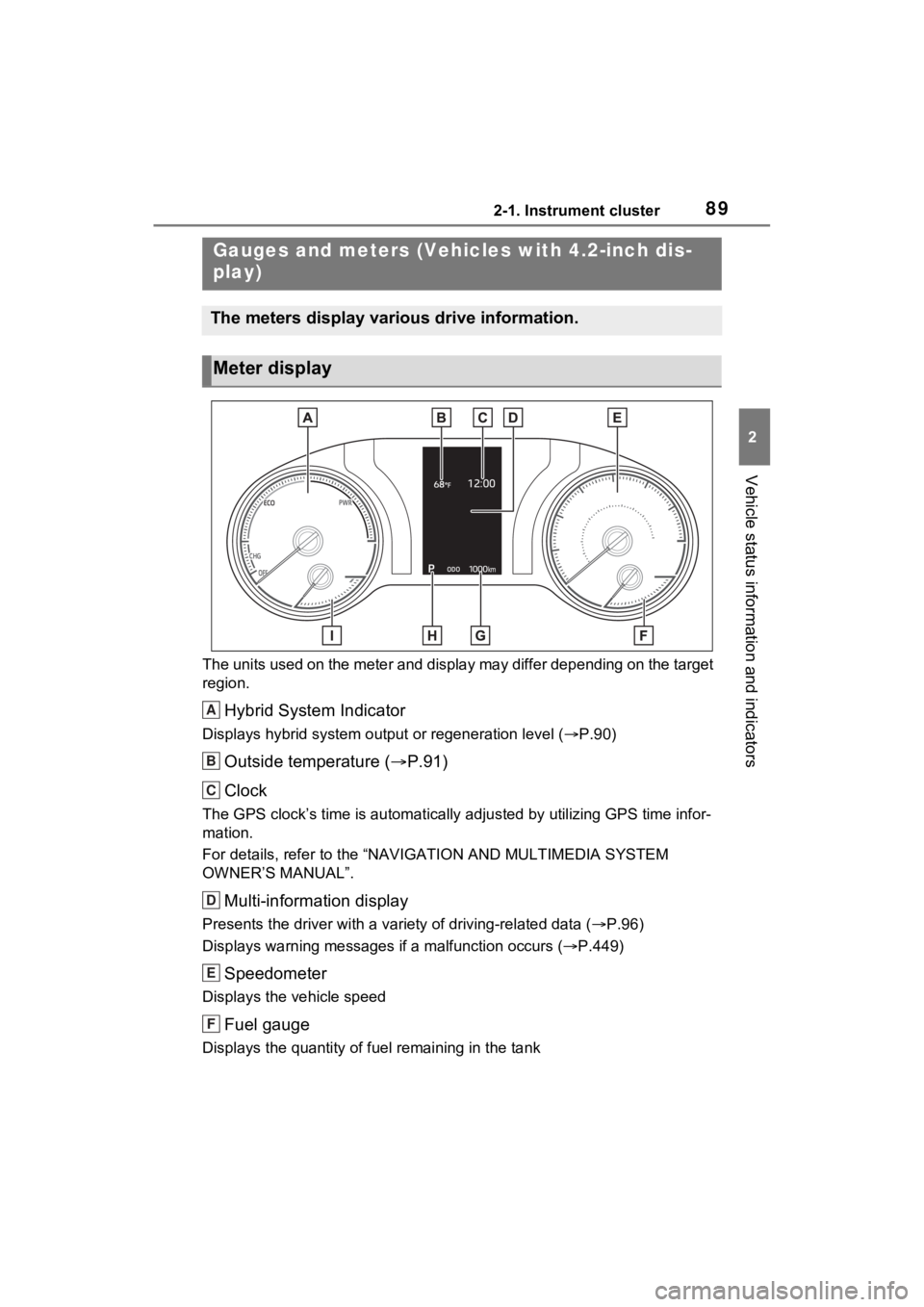
Hybrid System Indicator
Displays hybrid system output or regeneration level ( P.90)
Outside temperature ( P.91)
Clock
The GPS clock’s time is automatically adjus ted by utilizing GPS time infor-
mation.
For details, refer to the “NAV IGATION AND MULTIMEDIA SYSTEM
OWNER’S MANUAL”.
Multi-information display
Presents the driver with a variety of driving-related data ( P.96)
Displays warning messages if a malfunction occurs (P.449)
Speedometer
Displays the vehicle speed
Fuel gauge
Displays the quantity of fu el remaining in the tank
Gauges and meters (Vehicles with 4.2-inch dis-
play)
The meters display various drive information.
Meter display
A
B
C
D
E
F
Page 93 of 548
932-1. Instrument cluster
2
Vehicle status information and indicators
The units used on the meter and display may differ depending on the target
region.
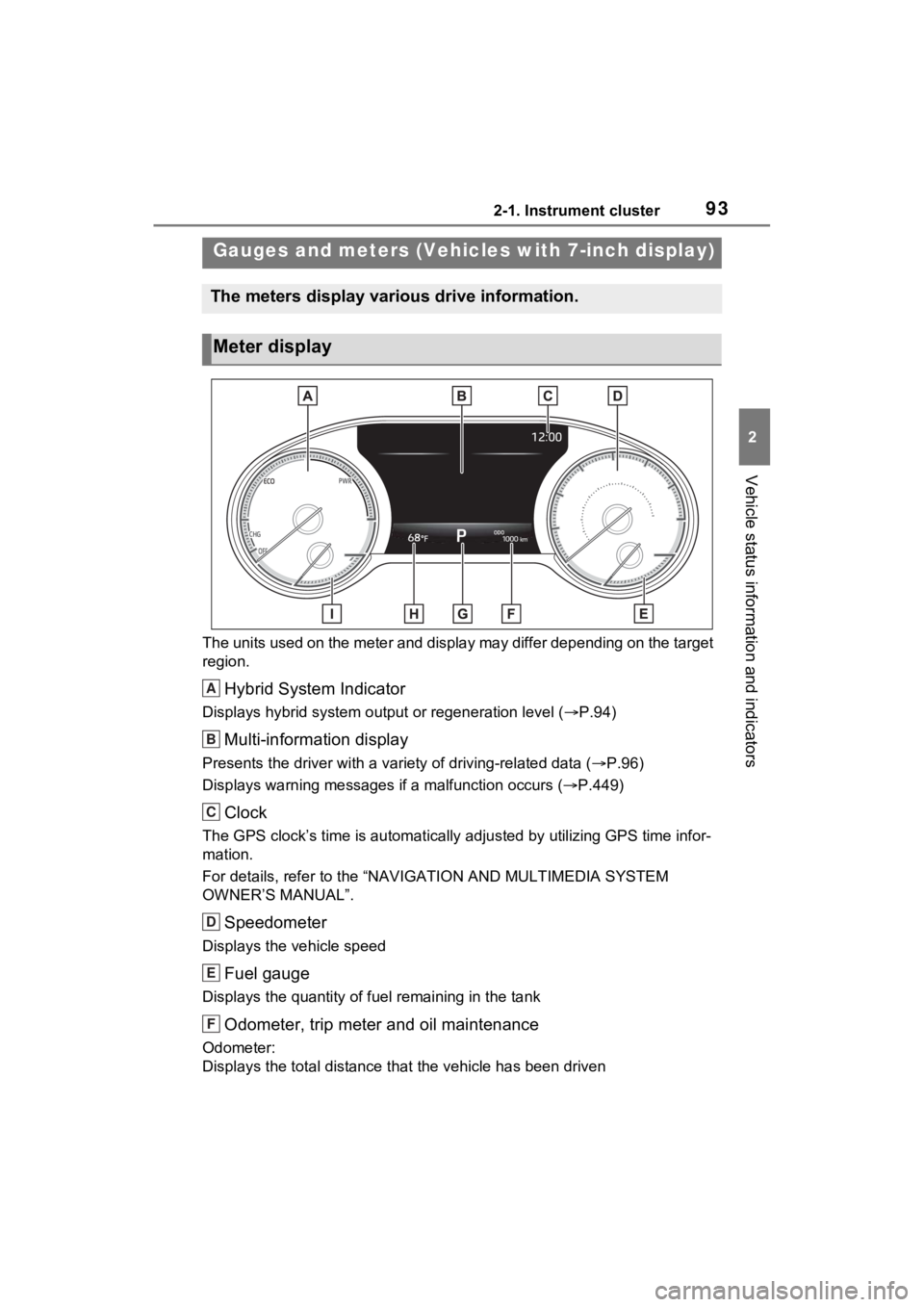
Hybrid System Indicator
Displays hybrid system output or regeneration level ( P.94)
Multi-information display
Presents the driver with a variety of driving-related data ( P.96)
Displays warning messages if a malfunction occurs (P.449)
Clock
The GPS clock’s time is automatically adjus ted by utilizing GPS time infor-
mation.
For details, refer to the “NAV IGATION AND MULTIMEDIA SYSTEM
OWNER’S MANUAL”.
Speedometer
Displays the vehicle speed
Fuel gauge
Displays the quantity of fu el remaining in the tank
Odometer, trip meter and oil maintenance
Odometer:
Displays the total distance th at the vehicle has been driven
Gauges and meters (Vehicles with 7-inch display)
The meters display various drive information.
Meter display
A
B
C
D
E
F
Page 312 of 548
3125-1. Using the air conditioning system and defogger
5-1.Using the air conditioning system and defogger
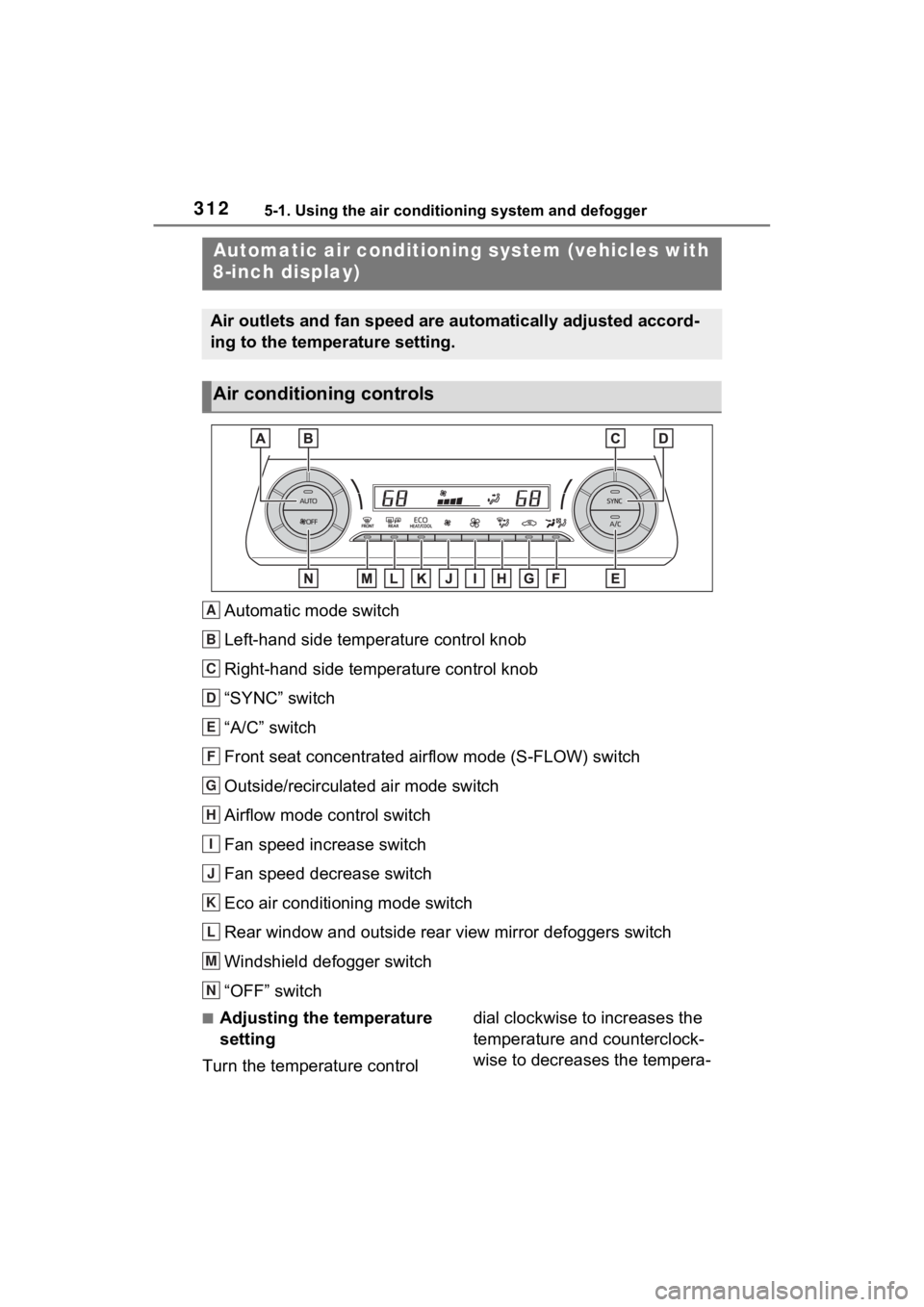
Automatic mode switch
Left-hand side temperature control knob
Right-hand side temperature control knob
“SYNC” switch
“A/C” switch
Front seat concentrated airflow mode (S-FLOW) switch
Outside/recirculated air mode switch
Airflow mode control switch
Fan speed increase switch
Fan speed decrease switch
Eco air conditioning mode switch
Rear window and outside rear view mirror defoggers switch
Windshield defogger switch
“OFF” switch
■Adjusting the temperature
setting
Turn the temperature control dial clockwise to increases the
temperature and counterclock-
wise to decreases the tempera-
Automatic air c
onditioning system (vehicles with
8-inch display)
Air outlets and fan speed are automatically adjusted accord-
ing to the temperature setting.
Air conditioning controls
A
B
C
D
E
F
G
H
I
J
K
L
M
N
Page 389 of 548
3896-3. Do-it-yourself maintenance
6
Maintenance and care
check the oil level on the dip-
stick.
■Checking the engine oil
1 Park the vehicle on level
ground. After warming up the
engine and turning off the
hybrid system, wait more
than 5 minutes for the oil to
drain back into the bottom of
the engine.
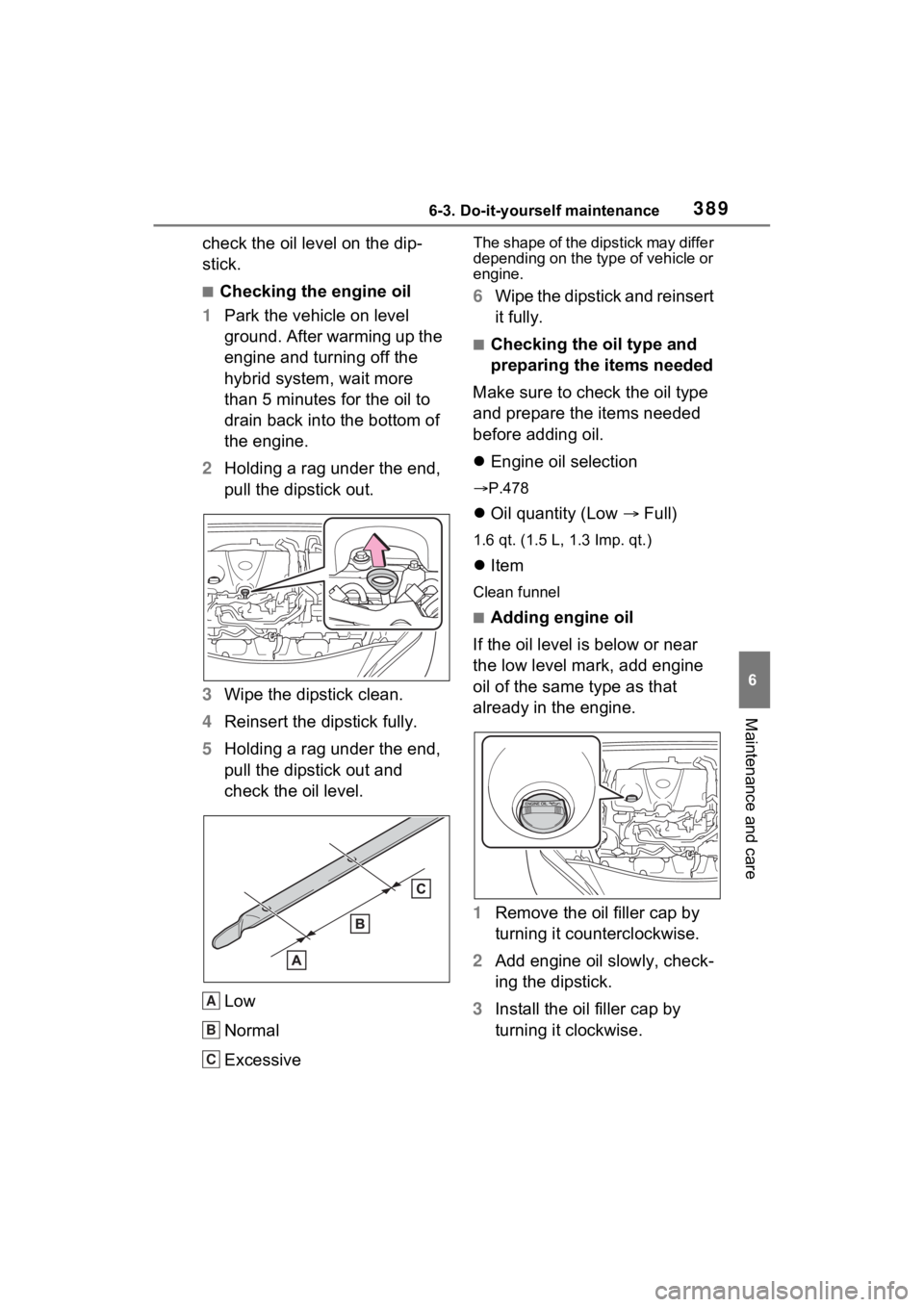
2 Holding a rag under the end,
pull the dipstick out.
3 Wipe the dipstick clean.
4 Reinsert the dipstick fully.
5 Holding a rag under the end,
pull the dipstick out and
check the oil level.
Low
Normal
Excessive
The shape of the dipstick may differ
depending on the type of vehicle or
engine.
6Wipe the dipstick and reinsert
it fully.
■Checking the oil type and
preparing the items needed
Make sure to check the oil type
and prepare the items needed
before adding oil.
Engine oil selection
P.478
Oil quantity (Low Full)
1.6 qt. (1.5 L, 1.3 Imp. qt.)
Item
Clean funnel
■Adding engine oil
If the oil level is below or near
the low level mark, add engine
oil of the same type as that
already in the engine.
1 Remove the oil filler cap by
turning it counterclockwise.
2 Add engine oil slowly, check-
ing the dipstick.
3 Install the oil filler cap by
turning it clockwise.
A
B
C