2022 TOYOTA VENZA HYBRID phone
[x] Cancel search: phonePage 153 of 548
1523-2. Opening, closing and locking the doors
mechanical key, to unlock the
doors.
■Turning an electronic key to
battery-saving mode
●When battery-saving mode is set,
battery depletion is minimized by
stopping the electronic key from
receiving radio waves.
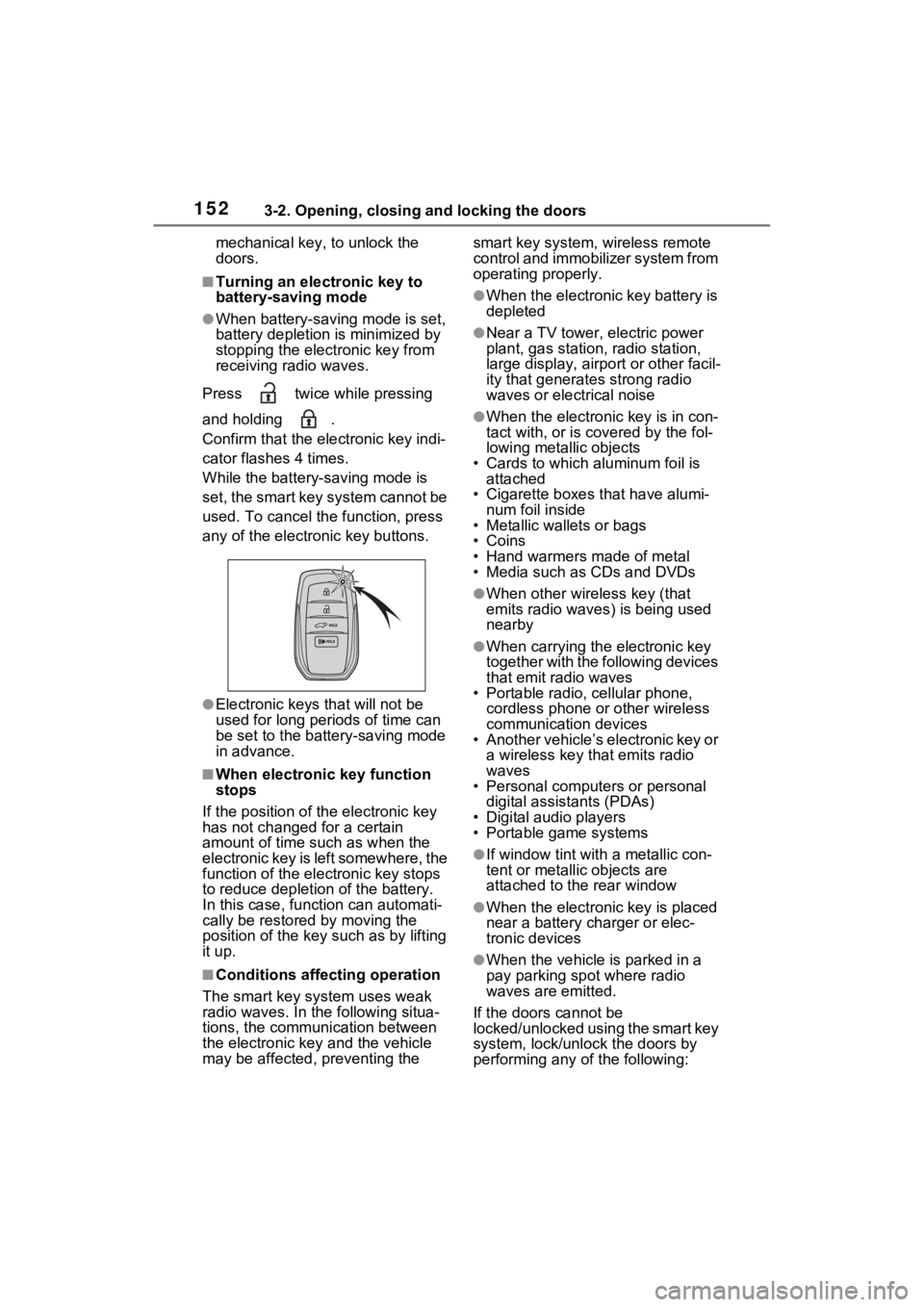
Press twice while pressing
and holding .
Confirm that the electronic key indi-
cator flashes 4 times.
While the battery-saving mode is
set, the smart key system cannot be
used. To cancel the function, press
any of the electronic key buttons.
●Electronic keys that will not be
used for long periods of time can
be set to the battery-saving mode
in advance.
■When electronic key function
stops
If the position of the electronic key
has not changed for a certain
amount of time such as when the
electronic key is left somewhere, the
function of the electronic key stops
to reduce depletio n of the battery.
In this case, function can automati-
cally be restored by moving the
position of the key such as by lifting
it up.
■Conditions affecting operation
The smart key system uses weak
radio waves. In the following situa-
tions, the communication between
the electronic key and the vehicle
may be affected, preventing the smart key system, wireless remote
control and immobilizer system from
operating properly.
●When the electronic key battery is
depleted
●Near a TV tower, electric power
plant, gas station, radio station,
large display, airpo
rt or other facil-
ity that generates strong radio
waves or electrical noise
●When the electronic key is in con-
tact with, or is c overed by the fol-
lowing metallic objects
• Cards to which aluminum foil is
attached
• Cigarette boxes that have alumi- num foil inside
• Metallic wallets or bags
•Coins
• Hand warmers made of metal
• Media such as CDs and DVDs
●When other wireless key (that
emits radio waves) is being used
nearby
●When carrying the electronic key
together with the following devices
that emit radio waves
• Portable radio, cellular phone,
cordless phone or other wireless
communication devices
• Another vehicle’s electronic key or
a wireless key that emits radio
waves
• Personal computers or personal
digital assistants (PDAs)
• Digital audio players
• Portable game systems
●If window tint wit h a metallic con-
tent or metallic objects are
attached to the rear window
●When the electronic key is placed
near a battery charger or elec-
tronic devices
●When the vehicle is parked in a
pay parking spot where radio
waves are emitted.
If the doors cannot be
locked/unlocked using the smart key
system, lock/unlock the doors by
performing any of the following:
Page 323 of 548

3235-1. Using the air conditioning system and defogger
5
Interior features
air conditioning mode switch.
■Notes on touch switch opera-
tion
●Operate using a finger (the pad of
the finger).
●If a coating, film, etc. is applied to
the surface of the air conditioning
control panel, non-response may
occur.
●If a pen, etc. is used to operate
the system, the system will not
respond.
●When performing a touch opera-
tion, make sure that other fingers,
etc. do not touch t he air condition-
ing control panel.
●When performing a series of touch
operations, withdraw the finger
completely before performing the
next operation.
●Do not forcefully press the air con-
ditioning control panel.
●If the air conditioning control panel
is dirty or has liquid attached to it,
incorrect operati on may occur.
Wipe the control panel clean
before performing any touch oper-
ations.
■Situations when non-response
may occur from normal touch
switch operation
●Gloves, etc. are worn.
●A coating, film, etc. is applied to
the surface of the air conditioning
control panel.
●The air conditioning control panel
is dirty or has liqui d attached to it.
●The vehicle is in an area where
strong electrical waves or noise
are emitted, such as near a televi-
sion tower, power plant, gasoline
station, broadcasting station, large
display, airport, etc.
●Wireless devices such as radios,
cell phones, etc. are carried.
●The air conditioning control panel
is in contact with, or covered by, a
metallic object su ch as the follow- ing:
• A card that has metal on it, such as aluminum foil, etc.
• A pack of cigaret tes that use alu-
minum foil
• A wallet or bag that is made of
metal
•Coins
• A heating pad
• CDs, DVDs or other media
●If your hand is near or touching
the air conditioning control panel
w h e n t h e p o w e r s w i t c h i s t u r n e d t o
ACC or ON, non-response may
occur. If so, withdraw your hand
from the air conditioning control
panel and wait approximately 10
seconds before touching the air
conditioning control panel again.
■When non-response from touch
switch operation
When the air conditioning control
panel is dirty, n on-response may
occur.
Clean the touch panel frequently.
■When cleaning the air condi-
tioning control panel
Touch switches may respond when
cleaning. Turn the power switch to
OFF before proceeding with clean-
ing.
■Ventilation and air conditioning
odors
●To let fresh air in, set the air condi-
tioning system to the outside air
mode.
●During use, various odors from
inside and outside the vehicle may
enter into and accumulate in the
air conditioning system. This may
then cause odor to be emitted
from the vents.
●In order to suppr ess odors that
occur when the air conditioning
system starts, the air flow mode
may change to blow air to the feet
or air may stop blowing for a short
period of time immediately after
the air conditioning system is
started in automatic mode.
Page 351 of 548
3515-4. Using the other interior features
5
Interior features
A portable device can be
charged by just placing Qi stan-
dard wireless charge compatible
portable devices according to
the Wireless Power Consortium,
such as smartphones and
mobile batteries, etc., on the
charge area.
This function cannot be used
with portable devices that are
larger than the charging area.
Also, depending on the portable
device, it may not operate as
normal. Please read the opera-
tion manual for portable devices
to be used.
■The “Qi” logo
The “Qi” logo is a trademark of
the Wireless Power Consortium.
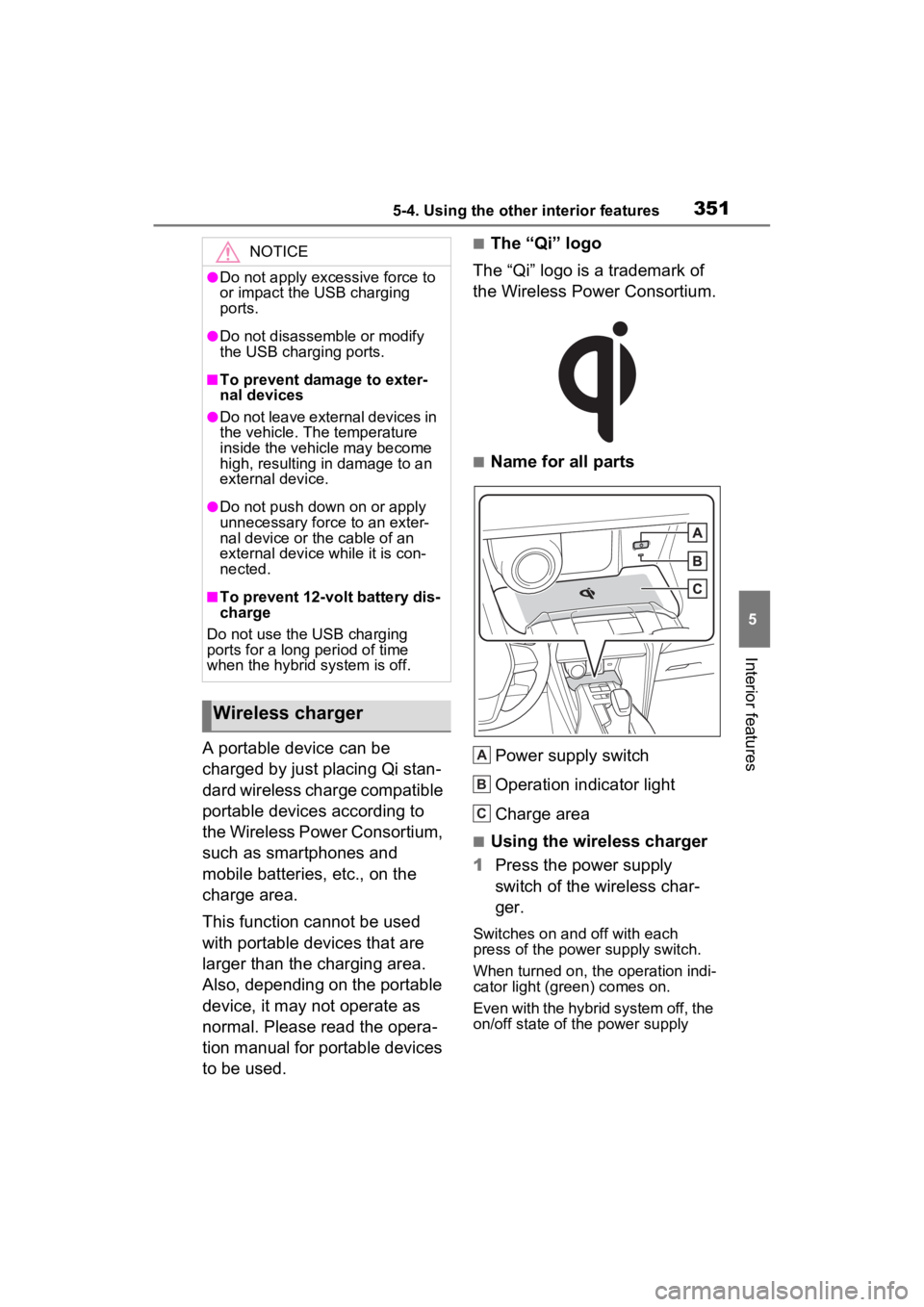
■Name for all parts
Power supply switch
Operation indicator light
Charge area
■Using the wireless charger
1 Press the power supply
switch of the wireless char-
ger.
Switches on and off with each
press of the power supply switch.
When turned on, the operation indi-
cator light (green) comes on.
Even with the hybrid system off, the
on/off state of the power supply
NOTICE
●Do not apply excessive force to
or impact the USB charging
ports.
●Do not disassemble or modify
the USB charging ports.
■To prevent damage to exter-
nal devices
●Do not leave external devices in
the vehicle. The temperature
inside the vehicle may become
high, resulting in damage to an
external device.
●Do not push down on or apply
unnecessary force to an exter-
nal device or the cable of an
external device while it is con-
nected.
■To prevent 12-volt battery dis-
charge
Do not use the USB charging
ports for a long period of time
when the hybrid system is off.
Wireless charger
A
B
C
Page 353 of 548
3535-4. Using the other interior features
5
Interior features
• Flashing repeatedly once every second (Orange)
• Repeatedly flashes 3 times continuously (Orange) • Repeatedly flashes 4 times
continuously (Orange)
■The wireless charger can be
operated when
The power switch is in ACC or ON.
■Portable devices that can be
charged
●Portable devices c ompatible with
the Qi wireless charging standard
can be charged by the wireless
charger. However, compatibility
with all devices which meet the Qi
wireless charging standard is not
guaranteed.
●The wireless char ger is designed
to supply low power electricity (5
W or less) to a cellular phone,
smartphone, or other portable
device.
■When covers and accessories
are attached to portable devices
Do not charge in situations where
cover and accessories not able to
handle Qi are attached to the porta-
ble device. Depending on the type
of cover and acce ssory, it may not
be possible to charge. When
charging is not performed even with
the portable devic e placed on the
charge area, remove the cover and
accessories.
■While charging, noise enters
the AM radio
Turn off the wireless charger and
confirm that the noise has
decreased. If the noise decreases,
continuously pushing the power
supply switch of the wireless char-
ger for 2 seconds, the frequency of
Suspected causesHandling method
Vehicle to char-
ger communica-
tion failure.
If the power
switch is in ACC:
Turn the power
switch to ON.
If the power
switch is in ON:
Turn the power
switch off and
then back to ON.
If the operation
indicator light still
blinks after per-
forming the
above proce-
dure, contact
your Toyota
dealer.
Suspected causesHandling method
A foreign sub-
stance is
between the por-
table device and
charge area.Remove the for-
eign substance
from between
portable device
and the charge
area.
The portable
device is out of
sync due to the
device being
shifted from the
center of the
charge area.
Place the porta-
ble device near
the center of the
charge area.
Suspected causesHandling method
Temperature ris-
ing within the
wireless charger.Stop charging at
once and start
charging again
after for a while.
Page 354 of 548
3545-4. Using the other interior features
the charger can be changed and the
noise can be reduced.Also, on that
occasion, the operation indicator
light will flash orange 2 times.
■Important points of the wireless
charger
●If the electronic key cannot be
detected within the vehicle inte-
rior, charging cannot be done.
When the door is opened and
closed, charging may be tempo-
rarily suspended.
●When charging, the wireless
charging device and portable
device will get war mer, however
this is not a malfunction.
When a portable device gets
warm while charging, charging
may stop due to the protection
function on the portable device
side. In this case, when the tem-
perature of the portable device
drops significantly, charge again.
●Depending on usage of the porta-
ble device, it may not be fully
charged. This is not a malfunction.
●When using a mobile phone near
a wireless charge r, the call sensi-
tivity and communication speed
may be reduced.
■Operation sounds
When the power supply is turned
on, while searching for the portable
device a sound will be produced,
however this is not a malfunction.
■Cleaning the wireless charger
P.374
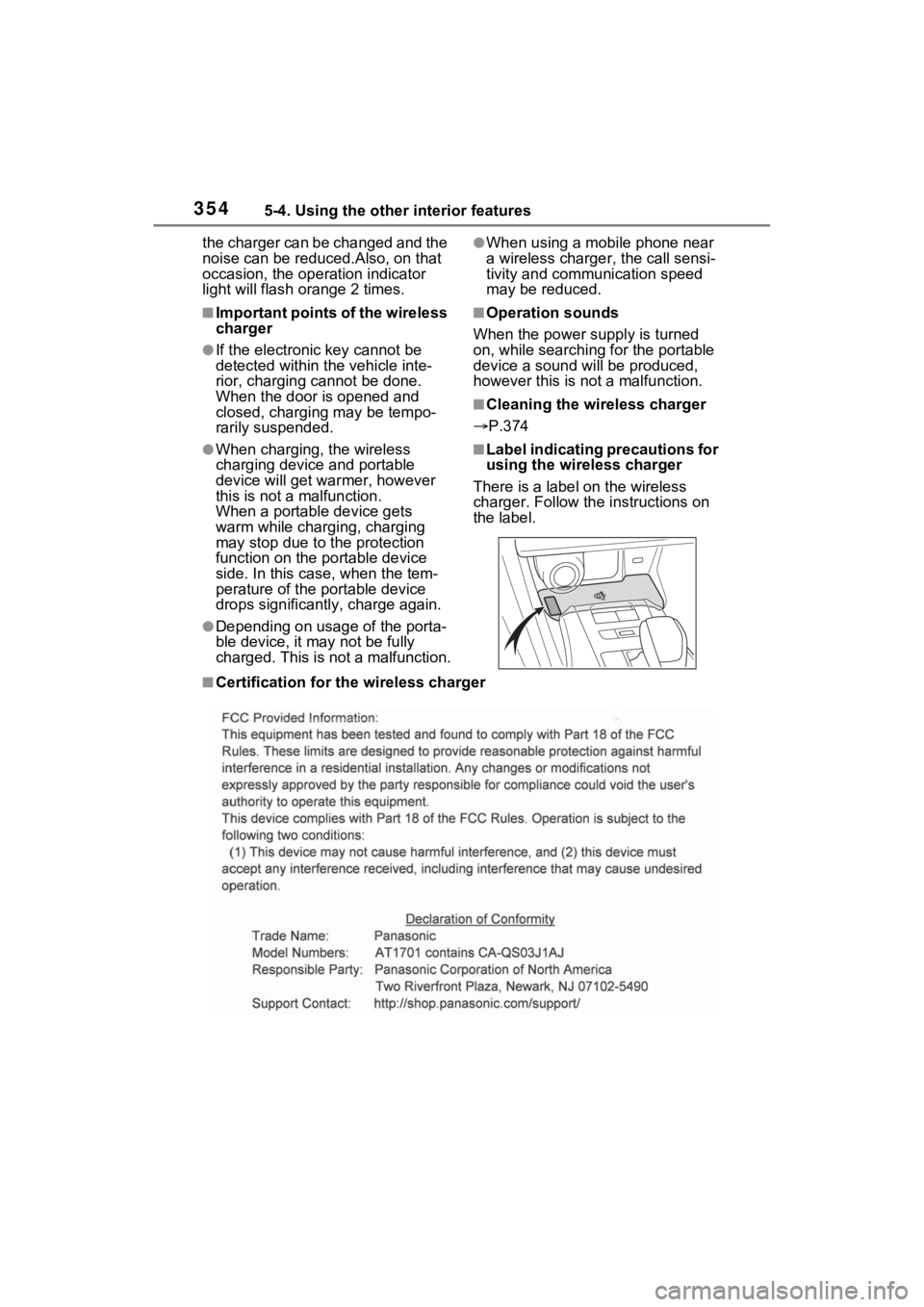
■Label indicating precautions for
using the wireless charger
There is a label on the wireless
charger. Follow the instructions on
the label.
■Certification for the wireless charger
Page 401 of 548

4016-3. Do-it-yourself maintenance
6
Maintenance and care
after the power switch is turned to
ON. It may also take a few min-
utes to display the tire inflation
pressure after inflation pressure
has been adjusted.
●Tire inflation pressure changes
with temperature.
The displayed values may also be
different from th e values mea-
sured using a tire pressure gauge.
■Situations in which the tire
pressure warning system may
not operate properly
●In the following cases, the tire
pressure warning system may not
operate properly.
• If non-genuine Toyota wheels are
used.
• A tire has been replaced with a tire that is not an OE (Original
Equipment) tire.
• A tire has been replaced with a tire that is not of the specified size.
• Tire chains, etc. are equipped.
• An auxiliary-supported run-flat tire is equipped.
• If a window tint that affects the radio wave signals is installed.
• If there is a lot of snow or ice on
the vehicle, particularly around the
wheels or wheel housings.
• If the tire inflation pressure is
extremely higher than the speci-
fied level.
• If wheels without tire pressure
warning valves a nd transmitters
are used.
• If the ID code on the tire pressure
warning valves and transmitters is
not registered in the tire pressure
warning computer.
●Performance may be affected in
the following situations.
• Near a TV tower, electric power plant, gas station , radio station,
large display, airpo rt or other facil-
ity that generates strong radio
waves or electrical noise
• When carrying a portable radio, cellular phone, cordless phone or
other wireless communication
device If tire position info
rmation is not cor-
rectly displayed due to the radio
wave conditions, the display may be
corrected by driving and changing
the radio wave conditions.
●When the vehicle is parked, the
time taken for the warning to start
or go off could be extended.
●When tire inflation pressure
declines rapidly for example when
a tire has burst, the warning may
not function.
■Warning performance of the tire
pressure warning system
The warning of the tire pressure
warning system w ill change in
accordance with the conditions
under which it was initialized. For
this reason, the system may give a
warning even if th e tire pressure
does not reach a low enough level,
or if the pressure is higher than the
pressure that was adjusted to when
the system was initialized.
Page 515 of 548
5159-1. For owners
9
For owners
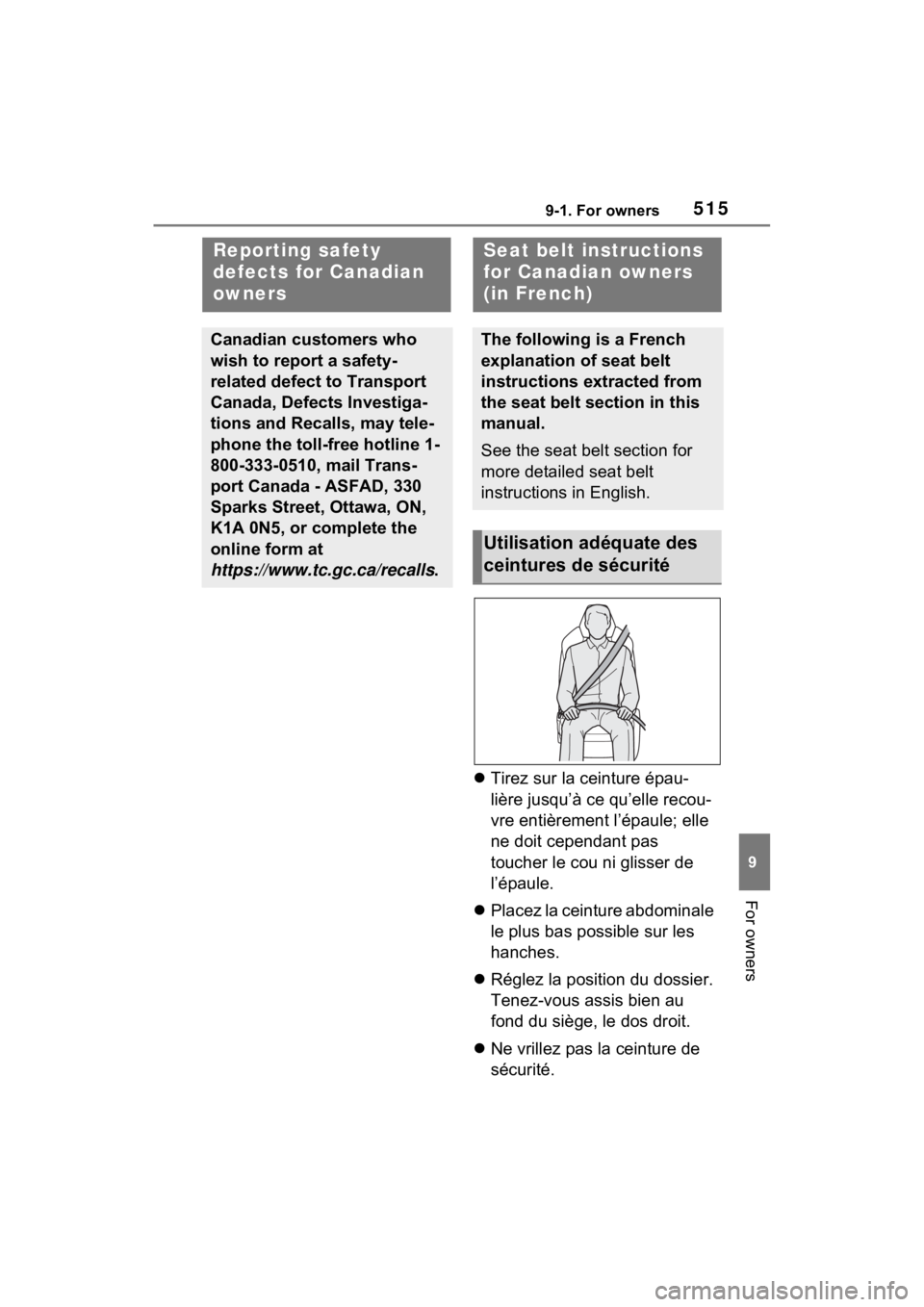
Tirez sur la ceinture épau-
lière jusqu’à ce qu’elle recou-
vre entièrement l’épaule; elle
ne doit cependant pas
toucher le cou ni glisser de
l’épaule.
Placez la ceinture abdominale
le plus bas possible sur les
hanches.
Réglez la position du dossier.
Tenez-vous assis bien au
fond du siège, le dos droit.
Ne vrillez pas la ceinture de
sécurité.
Reporting safety
defects for Canadian
owners
Canadian customers who
wish to report a safety-
related defect to Transport
Canada, Defects Investiga-
tions and Recalls, may tele-
phone the toll-free hotline 1-
800-333-0510, mail Trans-
port Canada - ASFAD, 330
Sparks Street, Ottawa, ON,
K1A 0N5, or complete the
online form at
https://www.tc.gc.ca/recalls .
Seat belt instructions
for Canadian owners
(in French)
The following is a French
explanation of seat belt
instructions extracted from
the seat belt section in this
manual.
See the seat belt section for
more detailed seat belt
instructions in English.
Utilisation adéquate des
ceintures de sécurité