2022 TOYOTA RAV4 HYBRID tire pressure
[x] Cancel search: tire pressurePage 1 of 752

RAV4 HEV_OM_OM0R058U_(U)
1
2
3
4
5
6
7
8
9
10
Pictorial indexSearch by illustration
For safety
and securityMake sure to read through them
(Main topics: Child seat, theft deterrent system)
Vehicle status
information and
indicatorsReading driving-related information
(Main topics: Meters, multi-information display)
Before driving
Opening and closing the doors and windows,
adjustment before driving
(Main topics: Keys, doors, seats)
Driving
Operations and advice which are necessary for
driving
(Main topics: Starting hybrid system, refueling)
AudioOperating the Audio
(Main topics: Audio/visual, phone, Connected Services)
Interior featuresUsage of the interior features
(Main topics: Air conditioner, storage features)
Maintenance
and careCaring for your vehicle and maintenance
procedures
(Main topics: Interior and exterior, light bulbs)
When trouble
arisesWhat to do in case of malfunction and emergency
(Main topics: 12-volt battery discharge, flat tire)
Vehicle
specificationsVehicle specifications, customizable features
(Main topics: Fuel, oil, tire inflation pressure)
For ownersReporting safety defects for U.S. owners, and seat
belt, SRS airbag and headlight aim instructions for
Canadian owners
IndexSearch by symptom
Search alphabetically
Page 5 of 752

5TABLE OF CONTENTS
1
2
3
4
5
6
7
8
9
10
5-15.Phone settingsSetup............................. 485
5-16.What to do if... (Bluetooth
®)
Troubleshooting ............ 495
5-17.Connected Services over- view
Connected Services ...... 499
Type A: Function achieved by using a smartphone or DCM.................................... 500
Type B: Function achieved by using DCM and the system
.................................... 502
Type C: Function achieved by using DCM.............. 503
Type D: Function achieved by using DCM and a smart-
phone .......................... 506
5-18.Connected Services opera- tion
Toyota Apps .................. 508
5-19.Setup Toyota Apps settings .... 512
6-1. Using the air conditioning
system and defogger
Automatic air conditioning
system ......................... 514
Heated steering wheel/seat heaters/seat ventilators 521
6-2. Using the interior lights Interior lights list ............ 524
6-3. Using the storage features List of storage features . 527Luggage compartment fea-
tures ............................ 531
6-4. Using the other interior fea- tures
Other interior features ... 536
Garage door opener ...... 546
7-1. Maintenance and care Cleaning and protecting the vehicle exterior ............ 554
Cleaning and protecting the vehicle interior ............. 557
7-2. Maintenance Maintenance requirements.................................... 560
General maintenance .... 561
Emission inspection and maintenance (I/M) programs.................................... 564
7-3. Do-it-yourself maintenance Do-it-yourself service precau-tions ............................. 565
Hood .............................. 567
Positioning a floor jack .. 568
Engine compartment ..... 570
12-volt battery................ 576
Tires .............................. 578
Tire inflation pressure .... 587
Wheels .......................... 589
Air conditioning filter ...... 591
Cleaning the hybrid battery (traction battery) air intake
vent and filter ............... 593
Wiper insert replacement .................................... 597
6Interior features
7Maintenance and care
Page 11 of 752
11
and no personal data (e.g.,
name, gender, age, and crash
location) are recorded. How-
ever, other parties, such as law
enforcement, could combine the
EDR data with the type of per-
sonally identifying data rou-
tinely acquired during a crash
investigation.
To read data recorded by an
EDR, special equipment is
required, and access to the
vehicle or the EDR is needed. In
addition to the vehicle manufac-
turer, other parties, such as law
enforcement, that have the spe-
cial equipment, can read the
information if they have access
to the vehicle or the EDR.
Disclosure of the EDR data
Toyota will not disclose the data
recorded in an EDR to a third party
except when:
• An agreement from the vehicle’s
owner (or the less ee for a leased
vehicle) is obtained
• In response to an official request by the police, a court of law or a
government agency
• For use by Toyota in a lawsuit
However, if necessary, Toyota
may:
• Use the data for research on vehicle safety performance
• Disclose the data to a third party for research purposes without
disclosing information about the
specific vehicle or vehicle owner
The SRS airbag and seat belt
pretensioner devices in your
Toyota contain ex plosive chemi-
cals. If the vehicle is scrapped
with the airbags and seat belt
pretensioners left as they are,
this may cause an accident such
as fire. Be sure to have the sys-
tems of the SRS airbag and seat
belt pretensioner removed and
disposed of by a qualified ser-
vice shop or by your Toyota
dealer before you scrap your
vehicle.
Special handling may apply,
See www.dtsc.ca.gov/
hazardouswaste/perchlorate.
Your vehicle has components
that may contain perchlorate.
These components may include
the airbags, seat belt preten-
sioners, wireless remote control
batteries, and the batteries in
the tire pressure warning valve
and transmitters.
The word “QR Code” is regis-
tered trademark of DENSO
WAVE INCORPORATED in
Japan and other countries.
Scrapping of your Toyota
Perchlorate Material
“QR Code”
Page 17 of 752

17Pictorial index
Precautions against winter season ......................................P.369
To prevent freezing (windshield wiper de-icer)
*...................P.519
Precautions against car wash
(Rain-sensing windshield wipers)
*.......................................P.555
Replacing the wiper insert .................................... ...............P.597
Fuel filler door ............................................... .....................P.236
Refueling method ............................................... ..................P.236
Fuel type/fuel tan k capacity .................................................P.667
Tires ....................................................................................P.578
Tire size/inflation pressure ................................... ................P.672
Winter tires/tire chain ........................................ ...................P.369
Checking/rotation/tire pressure warning system
*.................P.578
Coping with flat tires......................................... ....................P.640
Hood ....................................................................................P.567
Opening ........................................................ .......................P.567
Engine oil ..................................................... ........................P.668
Coping with overheat ........................................... ................P.659
Warning messages ..............................................................P.635
Headlights..................................................... ......................P.224
Turn signal lights ...............................................................P.217
Parking lights .....................................................................P.224
Daytime running lights .. ....................................................P.224
Side marker lights ............................................. .................P.224
Fog lights
*............................................................... ............P.231
LED accessory lights
*........................................................P.224
Stop lights/tail lights/turn s ignal lights ....................P.217, 224
Tail lights .................................................... ........................P.224
Light bulbs of the exterior lights for driving
(Replacing method: P.607, Watts: P.674)
E
F
G
H
I
J
K
L
M
N
O
P
Page 88 of 752

882-1. Instrument cluster
*1: These lights turn on when the
power switch is turned to ON to
indicate that a system check is
being performed. They will turn
(Yellow)
Brake system warn-
ing light
*1 ( P.624)
Charging system
warning light
*1
( P.624)
High coolant tempera-
ture warning light
*2
( P.625)
Hybrid system over-
heat warning light
*2
( P.625)
Low engine oil pres-
sure warning light
*2
( P.625)
(U.S.A.)
Malfunction indicator
lamp
*1 ( P.625)
(Canada)
Malfunction indicator
lamp
*1 ( P.625)
SRS warning light
*1
( P.626)
(U.S.A.)
ABS warning light*1
( P.626)
(Canada)
ABS warning light*1
( P.626)
(Red/yellow)
Electric power steer-
ing system warning
light
*1 ( P.626)
(Flashes or
illuminates)
PCS warning light*1
( P.627)
(Orange)
LTA indicator
( P.627)
(Flashes)
Intuitive parking assist
OFF indicator
*3 (if
equipped) ( P.628)
(Flashes)
PKSB OFF indica-
tor
*1 (if equipped)
( P.628)
(Flashes)
RCTA OFF indica-
tor
*1 (if equipped)
( P.629)
Slip indicator light
*1
( P.629)
Inappropriate pedal
operation warning
light
*2 ( P.629)
(Flashes)
Brake hold operated
indicator
*1 ( P.630)
(U.S.A.)
(Flashes)
Parking brake indica-
tor ( P.630)
(Canada)
(Flashes)
Parking brake indica-
tor ( P.630)
Tire pressure warning
light
*1 (if equipped)
( P.630)
Low fuel level warn-
ing light ( P.631)
Driver’s and front pas-
senger’s seat belt
reminder light
( P.631)
Rear passengers’ seat
belt reminder lights (if
equipped) ( P.631)
Page 109 of 752

1092-1. Instrument cluster
2
Vehicle status information and indicators
Select the open position when
power back door is fully open.
•“Volume”
Select to set the volume of the
buzzer which sounds when the
power back door system operates.
*: Vehicles with Hands Free Power Back Door
“TPWS” (Tire Pressure Warn-
ing System) (if equipped)
( P.581)
• “Set Pressure”
Select to initialize the tire pressure
warning system.
• “Change Wheel”
Select to register the ID codes of
the tire pressure s ensors to the tire
pressure warning system.
“Rear Seat Reminder”
( P.126)
Select to enable/disable the rear
seat reminder function.
“Scheduled Maintenance”
( P.561)
Select to reset the scheduled main-
tenance information (message indi-
cating maintenance is required and
distance until the next mainte-
nance) after all maintenance is per-
formed.
■ Settings
“Language”
Select to change the language on
the multi-inform ation display.
“Units”
Select to change t he units of mea-
sure displayed.
“Meter Type” (7-inch display)
Select to change the speedometer
display.
(EV indicator) ( P.73)
Select to enable/disable the EV
indicator.
(Driving information dis-
play settings)
Select to set up t he following items.
• “Hybrid System”
Select to enable/disable the ECO
Accelerator Guidance (P.103).
• “Fuel Economy”
Select to change the display on
Fuel Economy ( P.103).
(Audio settings) (if
equipped)
Select to enable/disable
screen.
(Vehicle information dis-
play settings)
• “Display Contents”
Select to set up t he following items.
“Energy monitor”:
Select to enable/disable the Energy
monitor ( P.111)
“AWD”:
Select to enable /disable the AWD
system display ( P.106).
• “Drive Info Type”
Select to change the drive informa-
tion type display between trip and
total. ( P.106).
• “Drive Info Items”
Select to set the items on the upper
Page 251 of 752

2514-5. Using the driving support systems
4
Driving
uniquely shaped bicycle (bicycle
with a child seat, tandem bicycle,
etc.)
• If a pedestrian/or t he riding height
of a bicyclist ahead is shorter than
approximately 3.2 ft. (1 m) or taller
than approximately 6.5 ft. (2 m)
• If a pedestrian/bicyclist is wearing oversized clothing (a rain coat,
long skirt, etc.), making their sil-
houette obscure
• If a pedestrian is bending forward
or squatting or bicyclist is bending
forward
• If a pedestrian/bicyclist is moving
fast
• If a pedestrian is pushing a stroller, wheelchair, bicycle or
other vehicle
• When driving in inclement weather such as heavy rain, fog, snow or a
sandstorm
• When driving through steam or smoke
• When the surrounding area is dim, such as at dawn or dusk, or while
at night or in a t unnel, making a
detectable object appear to be
nearly the same color as its sur-
roundings
• When driving in a place where the surrounding brightness changes
suddenly, such as at the entrance
or exit of a tunnel
• After the hybrid system has started the vehicle has not been
driven for a certain amount of time
• While making a left/right turn and for a few seconds after making a
left/right turn
• While driving on a curve and for a
few seconds after driving on a
curve
• If your vehicle is skidding
• If the front of the vehicle is raised or lowered • If the wheels are misaligned
• If a wiper blade is blocking the
front camera
• The vehicle is being driven at extremely high speeds
• When driving on a hill
• If the radar sensor or front camera
is misaligned
●In some situations such as the fol-
lowing, sufficient braking force
may not be obtained, preventing
the system from p erforming prop-
erly:
• If the braking functions cannot
operate to their full extent, such as
when the brake parts are
extremely cold, ext remely hot, or
wet
• If the vehicle is not properly main- tained (brakes or tires are exces-
sively worn, imprope r tire inflation
pressure, etc.)
• When the vehicle is being driven
on a gravel road or other slippery
surface
• When the road surface has deep
wheel tracks
• When driving on a hill road
• When driving on a road that has
inclines to the left or right
■If VSC is disabled
●If VSC is disabled ( P.362), the
pre-collision brak e assist and pre-
collision braking functions are also
disabled.
●The PCS warning light will turn on
and “VSC Turned Off Pre-Colli-
sion Brake System Unavailable”
will be displayed on the multi-
information display.
Page 253 of 752
2534-5. Using the driving support systems
4
Driving
WARNING
●Vehicle is driven in a construc-
tion zone.
●A spare tire, tire chains, etc. are
equipped.
●When the tires have been
excessively worn, or when the
tire inflation pressure is low.
●When your vehicle is towing a
trailer or during emergency tow-
ing
■Preventing LTA system mal-
functions and operations per-
formed by mistake
●Do not modify the headlights or
place stickers, etc. on the sur-
face of the lights.
●Do not modify the suspension
etc. If the suspension etc. needs
to be replaced, contact your
Toyota dealer.
●Do not install or place anything
on the hood or grille. Also, do
not install a grille guard (bull
bars, kangaroo bar, etc.).
●If your windshield needs
repairs, contact your Toyota
dealer.
■Conditions in which functions
may not operate properly
In the following situations, the
functions may not operate prop-
erly and the vehicle may depart
from its lane. Drive safely by
always paying careful attention to
your surroundings and operate
the steering wheel to correct the
path of the vehicle without relying
solely on the functions.
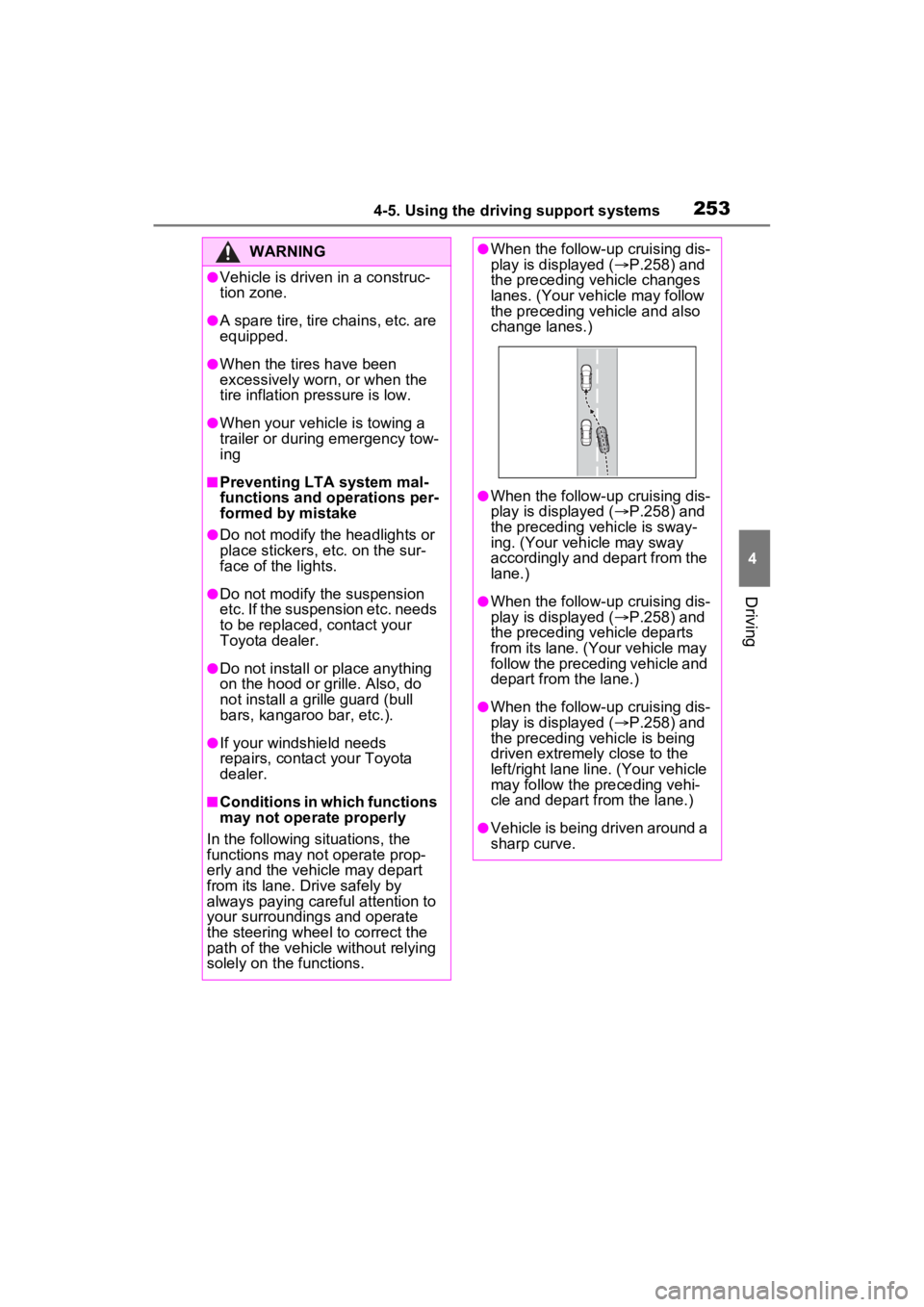
●When the follow-up cruising dis-
play is displayed ( P.258) and
the preceding vehicle changes
lanes. (Your veh icle may follow
the preceding vehicle and also
change lanes.)
●When the follow-up cruising dis-
play is displayed ( P.258) and
the preceding vehicle is sway-
ing. (Your vehicle may sway
accordingly and depart from the
lane.)
●When the follow-up cruising dis-
play is displayed ( P.258) and
the preceding vehicle departs
from its lane. (Your vehicle may
follow the preceding vehicle and
depart from the lane.)
●When the follow-up cruising dis-
play is displayed ( P.258) and
the preceding vehicle is being
driven extremely close to the
left/right lane line. (Your vehicle
may follow the preceding vehi-
cle and depart from the lane.)
●Vehicle is being driven around a
sharp curve.