2022 TOYOTA RAV4 HYBRID traction control
[x] Cancel search: traction controlPage 374 of 752

3744-6. Driving tips
WARNING
●When driving off-road or in rug-
ged terrain, do not drive at
excessive speeds, jump, make
sharp turns, strike objects, etc.
This may cause loss of control
or vehicle rollover causing
death or serious injury. You are
also risking expensive damage
to your vehicle’s suspension
and chassis.
NOTICE
■To prevent the water damage
Take all necessary safety mea-
sures to ensure that water dam-
age to the hybrid battery (traction
battery), hybrid s ystem or other
components does not occur.
●Water entering the engine com-
partment may cause severe
damage to the hybrid system.
Water entering the interior may
cause the hybrid battery (trac-
tion battery) stowed under the
rear seats to short circuit.
●Water entering t he hybrid trans-
mission will cause deterioration
in transmission quality. The
malfunction indicator may come
on, and the vehicle may not be
drivable.
●Water can wash the grease
from wheel bearings, causing
rusting and premature failure,
and may also enter the hybrid
transaxle case, reducing the
gear oil’s lubricating qualities.
■When you drive through
water
If driving through water, such as
when crossing shallow streams,
first check the depth of the water
and the bottom of the riverbed for
firmness. Drive slowly and avoid
deep water.
■Inspection after off-road driv-
ing
●Sand and mud that has accu-
mulated around brake discs
may affect braking efficiency
and may damage brake system
components.
●Always perform a maintenance
inspection after each day of off-
road driving that has taken you
through rough terrain, sand,
mud, or water. For scheduled
maintenance information, refer
to the “Scheduled Maintenance
Guide” or “Owner’s Manual
Supplement”.
Page 566 of 752
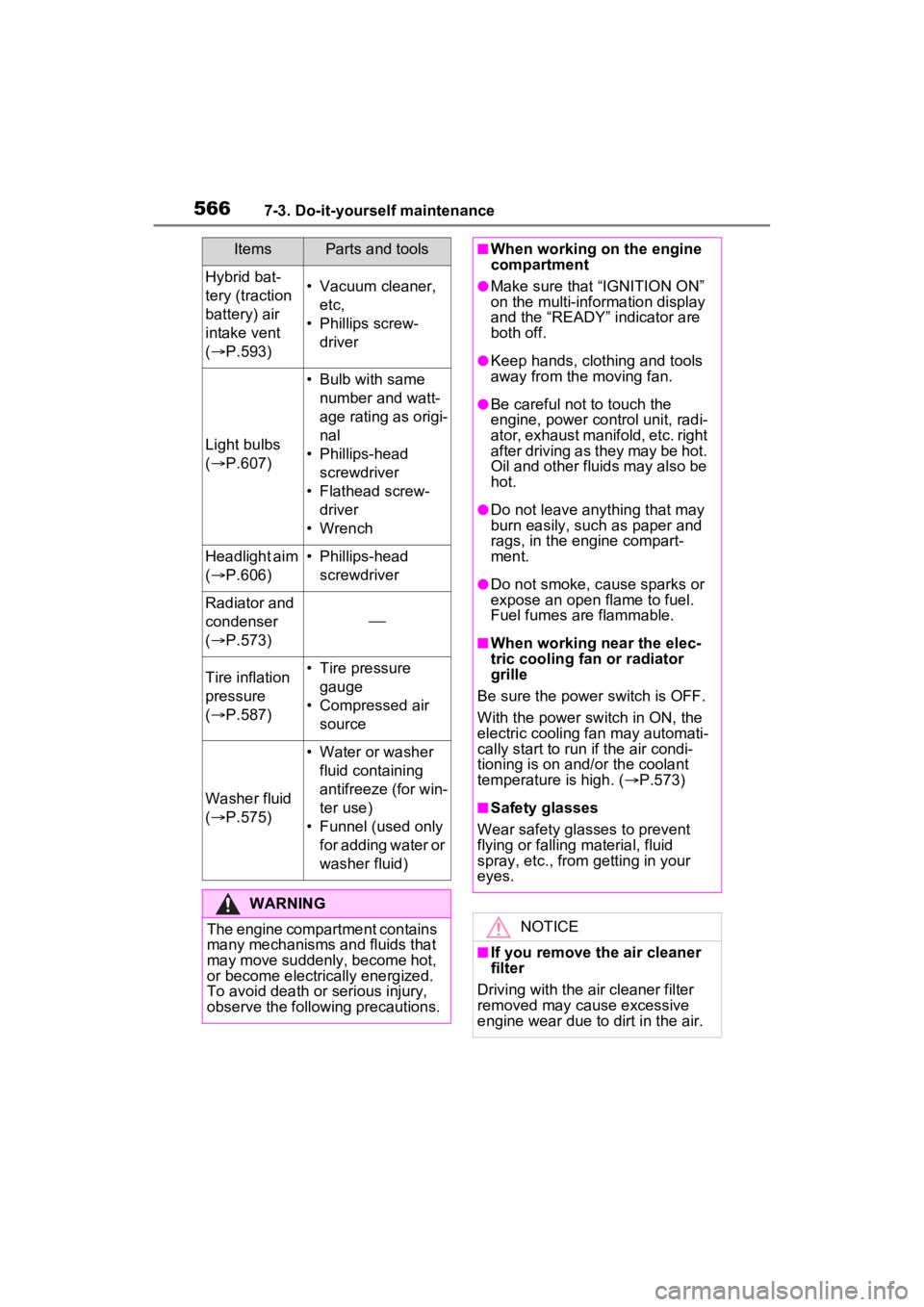
5667-3. Do-it-yourself maintenance
Hybrid bat-
tery (traction
battery) air
intake vent
( P.593)• Vacuum cleaner,
etc,
• Phillips screw- driver
Light bulbs
( P.607)
• Bulb with same
number and watt-
age rating as origi-
nal
• Phillips-head screwdriver
• Flathead screw- driver
• Wrench
Headlight aim
( P.606)• Phillips-head
screwdriver
Radiator and
condenser
( P.573)
Tire inflation
pressure
( P.587)• Tire pressure
gauge
• Compressed air source
Washer fluid
( P.575)
• Water or washer
fluid containing
antifreeze (for win-
ter use)
• Funnel (used only for adding water or
washer fluid)
WARNING
The engine compartment contains
many mechanisms and fluids that
may move suddenly, become hot,
or become electrically energized.
To avoid death or serious injury,
observe the following precautions.
ItemsParts and tools■When working on the engine
compartment
●Make sure that “IGNITION ON”
on the multi-information display
and the “READY” indicator are
both off.
●Keep hands, clothing and tools
away from the moving fan.
●Be careful not to touch the
engine, power control unit, radi-
ator, exhaust manifold, etc. right
after driving as they may be hot.
Oil and other fluids may also be
hot.
●Do not leave anything that may
burn easily, such as paper and
rags, in the engine compart-
ment.
●Do not smoke, cause sparks or
expose an open flame to fuel.
Fuel fumes are flammable.
■When working near the elec-
tric cooling fan or radiator
grille
Be sure the power switch is OFF.
With the power switch in ON, the
electric cooling fa n may automati-
cally start to run if the air condi-
tioning is on and/or the coolant
temperature is high. ( P.573)
■Safety glasses
Wear safety gla sses to prevent
flying or falling material, fluid
spray, etc., from getting in your
eyes.
NOTICE
■If you remove the air cleaner
filter
Driving with the air cleaner filter
removed may cause excessive
engine wear due to dirt in the air.
Page 636 of 752

6368-2. Steps to take in an emergency
port systems such as PCS (Pre-
Collision system) or the dynamic
radar cruise control with full-speed
range is operating. If a warning
message is shown, be sure to
decelerate the vehicle or follow an
instruction show n on the multi-
information display.
• A warning message is shown
when Brake Override System
operates. ( P.184)
• A warning message is shown
when Drive-Start Control or Park-
ing Support Brake (if equipped)
( P.189, 295) operates. Follow
the instructions o n the multi-infor-
mation display.
●If a message about an operation
of the power switch is shown (if
equipped)
An instruction for operation of the
power switch is shown when the
incorrect procedure for starting the
hybrid system is performed or the
power switch is operated incorrectly.
Follow the instructions shown on the
multi-information display to operate
the power switch again.
●If a message abou t a shift lever
operation is shown
To prevent the shift lever from being
operated incorrectly or the vehicle
from moving unexpectedly, a mes-
sage that requires shifting the shift
lever may be sho wn on the multi-
information display. In that case, fol-
low the instruction of the message
and shift the shift lever.
●If a message or image about an
open/close state of a part or
replenishment of a consumable is
shown
Confirm the part indicated by the
multi-information display or a warn-
ing light, and then perform the cop-
ing method such as closing the
open door or replenishing a con- sumable.
■If a message that indicates the
need for visiting your Toyota
dealer is displayed
The system or part shown on the
multi-information di splay is malfunc-
tioning. Have the vehicle inspected
by your Toyota dea ler immediately.
■If a message that indicates the
need for referring to Owner’s
Manual is displayed
●If “Engine Coolant Temp High” is
shown, follow the instructions
( P.659).
●If the following messages are
shown, there may be a malfunc-
tion.
Immediately have the vehicle
inspected by your Toyota dealer.
• “Hybrid System Malfunction”
• “Check Engine”
• “Hybrid Battery System Malfunc-
tion”
• “Accelerator System Malfunction”
• “Smart Key System Malfunction”
●If the following messages are
shown, there may be a malfunc-
tion.
Immediately stop the vehicle in a
safe place and contact your Toyota
dealer. Continuing to drive the vehi-
cle may be dangerous.
• “Oil Pressure Low”
• “Braking Power Low”
●If “Maintenance Required for Trac-
tion Battery Cooling Parts See
Owner’s Manual” is shown, the fil-
ter may be clogged, the air intake
vent may be blocked, or there may
be a gap in the duct. Therefore,
perform the follo wing correction
procedure.
• If the air intake vent or filter of the hybrid battery (traction battery)
are dirty, perform the procedures
on P.593 to clean them.
• If the warning message is shown when the air intake vent and filter
of the hybrid battery (traction bat-
Page 680 of 752
6809-1. Specifications
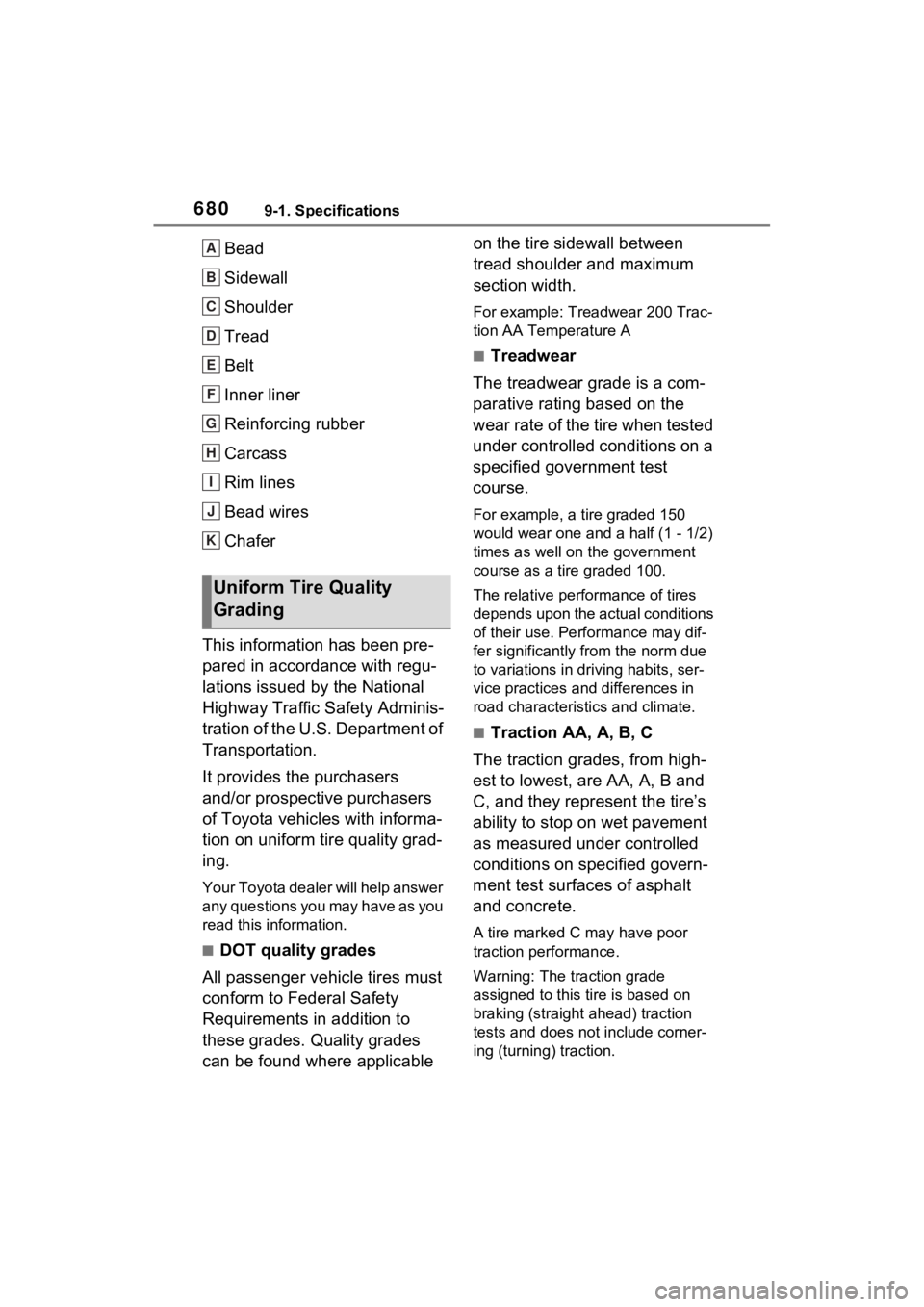
Bead
Sidewall
Shoulder
Tread
Belt
Inner liner
Reinforcing rubber
Carcass
Rim lines
Bead wires
Chafer
This information has been pre-
pared in accordance with regu-
lations issued by the National
Highway Traffic Safety Adminis-
tration of the U.S. Department of
Transportation.
It provides the purchasers
and/or prospective purchasers
of Toyota vehicles with informa-
tion on uniform tire quality grad-
ing.
Your Toyota dealer will help answer
any questions you may have as you
read this information.
■DOT quality grades
All passenger vehicle tires must
conform to Federal Safety
Requirements in addition to
these grades. Quality grades
can be found where applicable on the tire sidewall between
tread shoulder and maximum
section width.
For example: Treadwear 200 Trac-
tion AA Temperature A
■Treadwear
The treadwear grade is a com-
parative rating based on the
wear rate of the tire when tested
under controlled conditions on a
specified government test
course.
For example, a tire graded 150
would wear one and a half (1 - 1/2)
times as well on the government
course as a tire graded 100.
The relative performance of tires
depends upon the ac tual conditions
of their use. Performance may dif-
fer significantly from the norm due
to variations in dri ving habits, ser-
vice practices and differences in
road characteristics and climate.
■Traction AA, A, B, C
The traction grades, from high-
est to lowest, are AA, A, B and
C, and they represent the tire’s
ability to stop on wet pavement
as measured under controlled
conditions on specified govern-
ment test surfaces of asphalt
and concrete.
A tire marked C may have poor
traction performance.
Warning: The traction grade
assigned to this tire is based on
braking (straight ahead) traction
tests and does not include corner-
ing (turning) traction.
Uniform Tire Quality
Grading
A
B
C
D
E
F
G
H
I
J
K
Page 720 of 752

720Alphabetical Index
........................................... 423
Audio button (Menu screen).. 379
Audio button (Setup screen)382, 446
AUDIO button.......................... 377
Audio buttons overview......... 377
Audio settings ........................ 446
Automatic air conditioning sys- tem ......................................... 514Air conditioning filter ............. 591
Eco air conditioning mode .... 515
Automatic High Beam ............ 227
Automatic light control system ............................................... 225
Auxiliary boxes ....................... 529
Average fuel consumption .... 113
Average fuel economy ........... 103
Average vehicle speed .. 106, 113
B
Back door ................................ 129 Hands Free Power Back Door........................................... 134
Power back door .................. 133
Wireless remote control ....... 133
Back-up lights Replacing light bulbs ............ 607
Wattage ................................ 674
Battery (12-volt battery) ......... 576 If the 12-volt battery is dis-charged .............................. 654
Preparing and c hecking before
winter.................................. 369
Replacing ............................. 656
Warning light ........................ 624
Battery (traction battery) ......... 76
Blind Spot Monitor (BSM) ...... 276 Blind Spot Monitor function .. 280
Rear Cross Traffic Alert function........................................... 283
Bluetooth
® button (Setup screen) ...................................382
Bluetooth
® details settings ...396
Bluetooth
® setup screen.......397
Connecting a Bluetooth
® device
...........................................397
Deleting a Bluetooth
® device399
Detailed settings screen .......401
Displaying the Bluetooth
® setup
screen.................................396
Editing the Bluetooth
® device
information..........................400
Registering a Bluetooth
® device
...........................................399
Bluetooth
® device information
...............................................400
Bluetooth
® hands-free system
...............................................469
Bluetooth
® phone message func-
tion .........................................480 Calling the message sender .483
Checking received messages ...........................................481
Displaying the message screen ...........................................480
Receiving a mess age ...........481
Replying to a message (dictation reply) ..................................482
Replying to a message (quick reply) ..................................483
Bottle holders .........................529
Brake Brake Hold ............................221
Fluid......................................574
Parking brake .......................218
Regenerative braking .............73
Warning light ........................624
Brake assist ............................361
Brake Hold...............................221
Break-in tips ............................184
Brightness control
Page 733 of 752

Alphabetical Index733
Total load capacity ......... 190, 193
Touch screen .......................... 384
Touch screen gestures......... 384
Touch screen operation ....... 385
Towing Dinghy towing....................... 203
Emergency towing................ 621
Towing eyelet ............... 621, 641
Trailer sway control .............. 361
Trailer towing........................ 194
Toyota Apps ........................... 508 Entering keyword ................. 510
Toyota Apps button (Setup screen) .................................. 382
Toyota Apps settings ............. 512
Toyota parking assist monitor ............................................... 313Distance guide line display mode ........................................... 318
Driving precautions .............. 313
Estimated course line display mode .................................. 316
Parking assist gui de line display
mode .................................. 317
Screen display...................... 314
Things you should know....... 323
Toyota parking assist monitor precautions......................... 319
Using the system.................. 315
Toyota Safety Sen se 2.0 ........ 239
Automatic High Beam .......... 227
Dynamic radar cruise control with full-speed range .......... 265
LTA (Lane Tracing Assist).... 252
PCS (Pre-Collision System) . 244
RSA (Road Sign Assist) ....... 262
TRAC (Traction Control) ........ 361
Traction battery (Hybrid battery) ................................................. 76Hybrid battery (traction battery) air intake and discharge vents............................................. 79 Location ..................................76
Specification .........................668
Warning messages .................80
Traction Control (TRAC) ........361
Traction motor (electric motor)72
Trailer sway contro l................361
Trailer towing ..........................194
Trail Mode................................359
Transmission Driving mode select switch ...358
Hybrid transmission ..............213
Trip meters ..........................92, 96
Troubleshooting In other situations .................497
When making/receiving a call ...........................................496
When registering/connecting a cellular phone .....................495
When using the Bluetooth
® mes-
sage function ......................497
When using the hands-free sys-
tem with a Bluetooth
® device
...........................................495
When using the phonebook..496
Turn signal lights Replacing light bulbs ............607
Turn signal lever . ..................217
Wattage ................................674
U
USB charging ports ................537
USB memory ...........................434
USB port ..................................424
Utility vehicle pre cautions .....372
V
Vanity lights
Vanity lights ..........................536
Vanity mirrors .........................536
Vehicle button (Setup screen)