2022 TOYOTA PROACE VERSO Menu
[x] Cancel search: MenuPage 296 of 360

296
Vehicle
Activate, deactivate or configure certain vehicle functions.
Air conditioning
21,518,5
Manage various temperature and air flow settings.
Voice commands
Steering wheel-mounted
controls
Voice commands:Voice commands can be issued from any screen page after a short press on the "Voice commands" button located on the steering
wheel or at the end of the lighting control stalk (depending on equipment), as long as there is no telephone call in progress.
WARNI NG
To ensure that voice commands are always recognised by the system, please follow these recommendations: – use natural language in a normal tone without breaking up words or raising your voice.– always wait for the "beep" (audible signal) before speaking.– for best results, closing the windows and sunroof is recommended, to avoid extraneous interference (depending on version).– before issuing a voice command, ask any other passengers to refrain from speaking.
First steps
Example of a "voice command" for navigation:
"Navigate to address 11 regent street, London"Example of a "voice command" for the radio and media:"Play artist Madonna"Example of a "voice command" for the telephone:"Call David Miller"
WARNI NG
The voice commands, with a choice of 17 languages (Arabic, Brazilian, Czech, Danish, Dutch, English, Farsi, French, German, Italian, Norwegian, Polish, Portuguese, Russian, Spanish, Swedish, Turkish), are made using the language previously chosen and set in the system.For some voice commands, there are alternative synonyms.Example: Guide to / Navigate to / Go to / ...The voice commands in Arabic for: "Navigate to address" and "Display POI in the city", are not available.
Information - Using the
system
When voice commands are activated, by briefly pressing the button, help is displayed on the touch screen, offering various menus and enabling voice-based interaction with the system.
Page 297 of 360

297
TOYOTA Pro Touch with navigation system
12
A number of commands are available when a menu is selected.
Press the Push To Talk button and tell me what you'd like after the tone. Remember you can interrupt me at any time by pressing this button. If you press it again while I'm waiting for you to speak, it'll end the conversation. If you
need to start over, say "cancel". If you want to undo something, say "undo". And to get information and tips at any time, just say "help". If you ask to me do something and there's some information missing that I need, I'll give you
some examples or take you through it step by step. There's more information available in "novice" mode. You can set the dialogue mode to "expert" when you feel comfortable.
Global voice commands
Voice commands
Set dialogue mode as novice - expert
Select user 1 / Select profile JohnIncrease temperatureDecrease temperatureHelp messages
There are lots of topics I can help you with. You can say: "help with phone", "help with navigation", "help with media" or "help with radio". For an overview on how to use voice controls, you can say "help with voice controls".Say "yes" if I got that right. Otherwise, say "no" and we'll start that again.
"Navigation" voice
commands
Voice commands
Navigate homeNavigate to workNavigate to preferred address, Tennis clubNavigate to contact, John MillerNavigate to address 11 regent street, London
Help messages
To plan a route, say "navigate to" followed by the address, the contact name or an intersection. For example, "navigate to address 11 Regent Street, London", "navigate to contact, John Miller", or "navigate to intersection of Regent Street, London". You can specify if it's a preferred address, or a Point of Interest. For example, say
"navigate to preferred address, Tennis club", or "navigate to POI Heathrow Airport in London". Or, you can just say, "navigate home". To see Points of Interest on a map, you can say things like "show POI hotels in Banbury". For more information say "help with points of interest" or "help with route guidance".To choose a destination, say something like "navigate to line three" or "select line two". If you can't find the destination but the street's right, say for example "select the street in line three". To move around a displayed list, you can say "next page" or "previous page". You can undo your last action and start over by saying "undo", or say "cancel" to cancel the current action.Voice commands
Tell me the remaining distanceTell me the remaining timeTell me the arrival timeStop route guidanceHelp messages
Page 300 of 360

300
around a list shown on the display, you can say "go to start", "go to end", "next page" or "previous page". You can undo your last action and start over by saying "undo", or say "cancel" to cancel the current action.Voice commands
Listen to most recent message*Help messages
To hear your last message, you can say "listen to most recent message". When you want to send a text, there's a set of quick messages ready for you to use. Just use the quick message name and say something like "send quick message to Bill Carter, I'll be late". Check the phone menu for the names of the supported messages.
NOTIC E
The system only sends pre-recorded "Quick messages".
* This function is available only if the telephone connected to the system supports downloadi\
ng of contacts and recent calls and the corresponding download has been performed.
Navigation
Choice of a destination
To a new destination
Intuitive method:Press Navigation to display the main page.
Press "Search…".
Enter an address or the key words for the destination.Press "OK" to select the "Guidance criteria".OrGuided method:
N OTIC E
In order to be able to use the navigation, you must enter the "City", the "Street" (suggestions are displayed automatically when you begin typing), then enter the "Number" using the virtual keypad, or select an address from the "Contact" list or the address "History".
NOTIC E
If you do not confirm the number, the navigation system will show one end of the street.
Press the "MENU" button to access the secondary page.Select "Enter address".
ThenSelect the "Country".
Select the keyboard “language”.
Change the keyboard "type" according to the selected "language": ABCDE; AZERTY; QWERTY or QWERTZ.Enter the "City", the "Street" and the "Number", and confirm by pressing on the displayed suggestions.Press "OK" to select the "Guidance criteria".And/orSelect "See on map" to choose the "Guidance criteria".Press "OK" to start guided navigation.
Page 301 of 360

301
TOYOTA Pro Touch with navigation system
12
NOTIC E
Zoom in/out using the touch buttons or with two fingers on the screen.
To a recent destination
Press Navigation to display the main page.
Press the "MENU" button to access the secondary page.Select "My destinations".
Select the "Recent” tab.Select the address chosen in the list to display the "Guidance criteria”.Press "OK" to start guided navigation.
NOTIC E
Select "Position" to see the point of arrival on the map.
To "Home" or "My work"
Press Navigation to display the main page.Press the "MENU" button to access the
secondary page.Select "My destinations".
Select the "Preferred” tab.
Select "Home".
OrSelect "My work".
OrSelect a preset favourite destination.
To a contact
Press Navigation to display the main page.Press the "MENU" button to access the secondary page.Select "My destinations".
Select the "Contact” tab.Select a contact in the list to start guided navigation.
To points of interest (POI)
Guided method:Points of interest (POI) are listed in different categories.Press Navigation to display the main page.Press the "MENU" button to access the secondary page.Select "Points of interest".
Select the "Travel", "leisure", "Commercial", "Public" or "Geographic” tab.Or
Select "Search" to enter the name and address of a POI.Press "OK" to calculate the route.
OrIntuitive method:
NOTIC E
You can only select this method in order to use the service if a network connection is provided by the user via a smartphone.In that case, the system is automatically connected to the Internet, if network coverage permits.
Press Navigation to display the main page.Press the "MENU" button to access the secondary page.Select "Search".
Press on the mode shown in the bottom right of the screen (On-Board or Connected) to change "Database".Select the "Database" in "On-Board" mode (integrated into the map), or in "Connected" mode (connected to the Internet).Press the back arrow to confirm.
Enter an address or key words for your destination (POI).
Page 302 of 360

302
Press "OK" to start the search.
Select the "On the route", "Around the vehicle" or "At destination" tab to refine your search.Select the desired address to calculate the route.
To a point on the map
Press Navigation to display the main
page.Explore the map by sliding a finger on the screen.Select the destination by pressing on the map.Tap the screen to place a marker and display the sub-menu.Press this button to start guided navigation.OrPress this button to save the displayed address.
NOTIC E
A long press on a point opens a list of nearby POIs.
To GPS coordinates
Press Navigation to display the main page.Explore the map by sliding a finger on the screen.Touch the screen with a finger to go to the next image.Press this button to display the world map.
Using the grid, select the desired country or region by zooming.Press this button to display or enter the GPS coordinates.A marker is displayed in the middle of the screen, with the "Latitude" and "Longitude" coordinates.Choose the type of coordinates:DMS for: Degrees, Minutes, Seconds.DD for: Degrees, Decimals.Press this button to start guided navigation.OrPress this button to save the displayed address.ORPress this button to enter the "Latitude" value using the virtual keypad.AndPress this button to enter the "Longitude" value using the virtual keypad.
TMC (Traffic Message
Channel)
Available in some countries.TMC (Traffic Message Channel) messages are based on a European standard for traffic information broadcasting via the RDS system on FM radio, sending traffic information in real time. The TMC information is then displayed on a GPS
Navigation system map and taken into account straight away when routes are calculated, to avoid accidents, traffic jams and closed roads.
NOTIC E
Danger zone alerts may or may not be displayed, depending on the applicable legislation and subscription to the corresponding service.
Page 303 of 360
303
TOYOTA Pro Touch with navigation system
12
Connected navigation
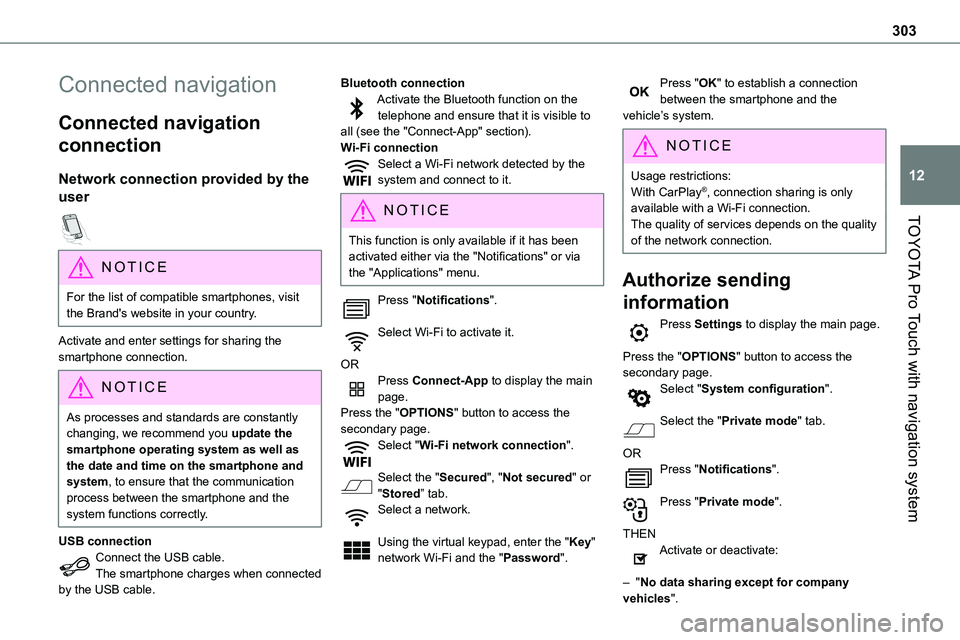
Connected navigation
connection
Network connection provided by the
user
NOTIC E
For the list of compatible smartphones, visit the Brand's website in your country.
Activate and enter settings for sharing the smartphone connection.
NOTIC E
As processes and standards are constantly changing, we recommend you update the smartphone operating system as well as the date and time on the smartphone and system, to ensure that the communication process between the smartphone and the system functions correctly.
USB connectionConnect the USB cable.The smartphone charges when connected
by the USB cable.
Bluetooth connectionActivate the Bluetooth function on the telephone and ensure that it is visible to all (see the "Connect-App" section).Wi-Fi connectionSelect a Wi-Fi network detected by the system and connect to it.
NOTIC E
This function is only available if it has been activated either via the "Notifications" or via the "Applications" menu.
Press "Notifications".
Select Wi-Fi to activate it.
ORPress Connect-App to display the main page.Press the "OPTIONS" button to access the secondary page.Select "Wi-Fi network connection".
Select the "Secured", "Not secured" or "Stored” tab.Select a network.
Using the virtual keypad, enter the "Key" network Wi-Fi and the "Password".
Press "OK" to establish a connection between the smartphone and the vehicle’s system.
NOTIC E
Usage restrictions:With CarPlay®, connection sharing is only available with a Wi-Fi connection.The quality of services depends on the quality of the network connection.
Authorize sending
information
Press Settings to display the main page.
Press the "OPTIONS" button to access the secondary page.Select "System configuration".
Select the "Private mode" tab.
ORPress "Notifications".
Press "Private mode".
THENActivate or deactivate:
– "No data sharing except for company vehicles".
Page 304 of 360

304
– "Only data sharing"– "Sharing data and vehicle position"
Settings specific to
connected navigation
Press Navigation to display the main page.Press the "MENU" button to access the secondary page.
Select "Settings".
Select the "Map” tab.
Activate or deactivate:– "Allow declaration of danger zones".– "Guidance to final destination on foot".These settings must be configured for each profile.Press “OK” to confirm your selection.
Select the "Alerts” tab.
Activate or deactivate:
– "Advise of car park nearby".– "Filling station alert".– “Risk areas alert" then press the warning icon (triangle) to configure the alerts.– "Give an audible warning".– "Advise proximity of POI 1".– "Advise proximity of POI 2".
Press “OK” to confirm your selection.
NOTIC E
The "Notifications", located in the upper bar, can be accessed at any time.
NOTIC E
Danger zone alerts may or may not be displayed, depending on the applicable legislation and subscription to the corresponding service.
When "TOMTOM TRAFFIC” appears, the services are available.
NOTIC E
The services offered with connected navigation are as follows.A Connected Services pack:– Weather,– Filling stations,– Car park,– Traffic,– POI local search.A Danger area pack (optional).
Declaration: "Risk areas
alert"
WARNI NG
To send information about danger zones, select the option:Allow declaration of danger zones
Press Navigation to display the main page.Press the "Declare a new danger zone" button located in the side bars or the upper bar of the touch screen (depending on equipment).Select the "Type” option to select the type of "Danger area".Select the ""Speed" option and enter it using the virtual keypad.Press "OK" to save and send the information.
Displaying fuel information
Press Navigation to display the main page.Press this button to display the list of services.Press "POI on map" to display the list
of points of interest.Press one of the buttons to search for "Stations".
Page 306 of 360

306
Connectivity
Press Applications to display the main page.Press "Connectivity" to access the CarPlay® or Android Auto functions.
CarPlay® smartphone
connection
Depending on country.
NOTIC E
On connecting the USB cable, the CarPlay® function deactivates the system's Bluetooth® mode.The "CarPlay" function requires the use of a compatible smartphone and compatible applications.
Connect the USB cable. The smartphone charges when connected by the USB cable.Press "Telephone" to display the CarPlay® interface.OrConnect the USB cable. The smartphone charges when connected by the USB cable.
From the system, press "Applications" to display the main page.Press "Connectivity" to access the "CarPlay®” function.
Press "CarPlay" to display the CarPlay® interface.
NOTIC E
When the USB cable is disconnected and the ignition is switched off then back on, the system will not automatically switch to Radio Media mode; the source must be changed manually.
Android Auto smartphone
connection
Depending on country.
NOTIC E
Install the "Android Auto" application on the smartphone via "Google Play".The "Android Auto" function requires the use of a compatible smartphone and compatible applications.
Connect the USB cable. The smartphone charges when connected by the USB cable.From the system, press "Applications" to display the main page.Press "Connectivity" to access the "Android Auto” function.Press "Android Auto" to start the
application in the system.
During the procedure, several screen pages relating to certain features are displayed.Accept to start and complete the connection.Access to the different audio sources remains available in the margin of the Android Auto display, using the touch buttons located in the upper bar.Access to the menus for the system is possible
at any time using the dedicated buttons.
NOTIC E
In Android Auto mode, the function that displays rolling menus by briefly pressing the screen with three fingers is disabled.
NOTIC E
There may be a pause before applications become available, depending on the quality of the network.
Car Apps
Press Applications to display the main page.Press "Car Apps" to display the applications home page.
Internet Browser
Press Applications to display the main page.