2022 TOYOTA PROACE VERSO Screen
[x] Cancel search: ScreenPage 20 of 360

20
AdBlue® range indicators
The Diesel engines are equipped with a system that associates the SCR (Selective Catalytic Reduction) emissions control system and the Diesel particle filter (DPF) for the treatment of exhaust gases. They cannot function without AdBlue®fluid.When the level of AdBlue® falls below the reserve level (between 2,400 and 0 km (1,500
miles and 0 miles)), a warning lamp lights up when the ignition is switched on and an estimate of the distance that can be travelled before engine starting is prevented is displayed in the instrument panel.
WARNI NG
The engine starting prevention system required by regulations is activated automatically once the AdBlue® tank is empty. It is then no longer possible to start the engine until the minimum level of AdBlue® has been topped up.
Manual display of the range
While the driving range is greater than 1,500 miles (2,400 km), it is not displayed automatically.
► Press this button to temporarily display the driving range. With touch screenYou can view the range information in the "Driving/Vehicle" menu.
Actions required related to a lack of
AdBlue®
The following warning lamps light up when the quantity of AdBlue® is lower than the reserve level corresponding to a range of 2,400 km (1,500 miles).Together with the warning lamps, messages regularly remind you of the need to top up to avoid engine starting being prevented. Refer to the Warning and indicator lamps section for details of the messages displayed.
NOTIC E
For more information on AdBlue® (Diesel engines), and in particular on topping up, refer to the corresponding section.
With Euro 6.3 engines
Warning/indicator lamps on
ActionRemaining range
Top up.Between 2,400 km and 800 km (1,500 miles and 500 miles)
Top up as soon as possible.
Between 800 km and 100 km (500 miles and 62 miles)
A top-up is essential, due to the risk that the engine will be prevented from starting.
Between 100 km and 0 km (62 miles and 0 miles)
To be able to restart the engine, add at least 5 litres of AdBlue® to its
tank.
0 miles (km)
Page 24 of 360
24
With touch screen
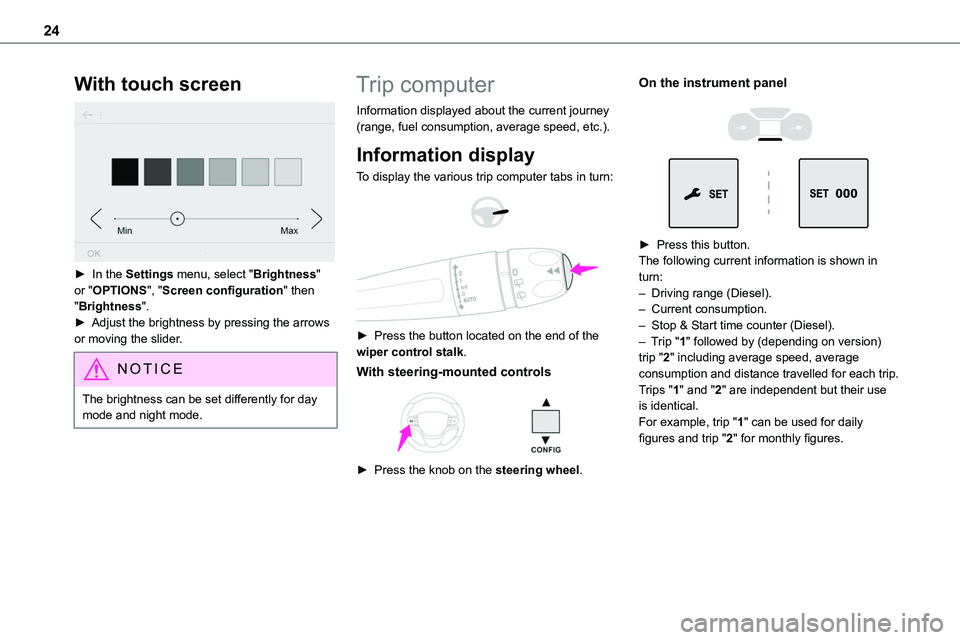
► In the Settings menu, select "Brightness" or "OPTIONS", "Screen configuration" then "Brightness".► Adjust the brightness by pressing the arrows or moving the slider.
NOTIC E
The brightness can be set differently for day mode and night mode.
Trip computer
Information displayed about the current journey (range, fuel consumption, average speed, etc.).
Information display
To display the various trip computer tabs in turn:
► Press the button located on the end of the wiper control stalk.
With steering-mounted controls
► Press the knob on the steering wheel.
On the instrument panel
► Press this button.The following current information is shown in turn:– Driving range (Diesel).– Current consumption.– Stop & Start time counter (Diesel).– Trip "1" followed by (depending on version) trip "2" including average speed, average consumption and distance travelled for each trip.Trips "1" and "2" are independent but their use is identical.For example, trip "1" can be used for daily figures and trip "2" for monthly figures.
Page 26 of 360

26
Touch screen
This system gives access to the following elements:– Permanent display of the time and outside temperature (a blue warning lamp appears if there is a risk of ice).– Vehicle functions and equipment setting menus.
– Audio system and telephone controls and display of related information.– Display of visual manoeuvring aid functions– Internet services and display of related information.– Navigation system controls and display of related information (depending on version).
WARNI NG
For safety reasons, always stop the vehicle before performing operations that require sustained attention.Some functions are not accessible while driving.
Recommendations
This screen is of the capacitive type.– Do not use pointed objects on the touch screen.– Do not touch the touch screen with wet hands.– Use a soft, clean cloth to clean the touch screen.
Principles
► Use the buttons on each side of the touch screen to access the menus, then press the buttons that appear on the touch screen.Some menus may display across two pages: press the "OPTIONS" button to access the second page.
NOTIC E
After a few moments with no action on the second page, the first page is displayed automatically.
To deactivate/activate a function, select "OFF" or "ON".Configuring a function
Access to additional information on the function
Confirm
Return to the previous page or confirm
Menus
NOTIC E
Press the touch screen with three fingers to show all of the menu buttons.
NOTIC E
For more information about the menus, refer to the sections describing the audio and telematics systems.
Radio/Media
Navigation (Depending on equipment)
Driving or Vehicle (Depending on equipment)Activation, deactivation and settings for certain functions.The functions are organised in 2 tabs: "Driving functions" and "Vehicle settings".Telephone
Applications
Page 27 of 360

27
Instruments
1
Display of available connected services.EnergyAccess the specific Electric functions (energy flow, consumption statistics, deferred charge) organised in the corresponding 3 tabs.orSettingsMain settings for the audio system and touch screen.
Audio system on/off.Volume adjustment/mute.
Upper bar
Certain information is displayed permanently in the upper bar of the touch screen:– Time and outside temperature (a blue warning lamp appears if there is a risk of ice).– Reminder of information from the Radio Media and Telephone menus and navigation instructions (depending on equipment).– Notifications.– Access to the Settings.
Energy menu
Depending on version, this is accessible either:– directly, by pressing the button near the touch screen.– via the Applications menu.
Flow
The page displays a real-time representation of
the electric drive train’s operation.
1.Active driving mode
2.Electric motor
3.Estimated traction battery charge level
4.Energy flows
The energy flows have a specific colour for each type of driving:
A.Blue: energy consumption
B.Green: energy recovery
Statistics
This page shows electrical energy consumption statistics.
– Blue bar chart: directly consumed energy supplied by the traction battery.– Green bar chart: energy recovered during deceleration and braking, used to recharge the battery.The average result for the current trip is stated in kWh/100 km.► You can change the displayed time scale by pressing the - or + buttons.
NOTIC E
A current trip is any trip of more than 20 minutes without switching off the ignition.
Charging
This page allows you to programme deferred charging.For more information on Charging the traction battery (Electric), refer to the corresponding section.
Page 29 of 360

29
Instruments
1
With Bluetooth® audio
system
► Press the MENU button for access to the main menu.► Press the "7" or "8" button to select the "Personalisation-configuration" menu, then confirm by pressing the OK button.► Press the "5" or "6" button to select the
Display configuration menu, then confirm by pressing the OKbutton.► Press the "5" or "6" and "7" or "8" buttons to adjust the date and time values, then confirm by pressing the OK button.
With TOYOTA Pro Touch
► Select the Settings menu in the upper banner of the touch screen.► Select "Configuration".► Select "Date and time".
► Select "Date" or "Time".► Choose the display formats.► Change the date and/or time using the numeric keypad.► Confirm with "OK".
With TOYOTA Pro Touch
with navigation system
Time and date settings are only available if GPS synchronisation is deactivated.► Select the Settings menu in the banner of the touch screen.► Press the "OPTIONS" button to access the secondary page.
► Select "Setting the time-date".
► Select the "Date:" or "Time" tab.► Set the date and/or time using the numeric keypad.► Confirm with "OK".
Additional settings
You can choose:– To change the time zone.– To change the display format of the date and time (12h/24h).– To activate or deactivate the summer time management function (+1 hour).– To activate or deactivate GPS synchronisation (UTC).
NOTIC E
The system does not automatically change
between winter and summer time (depending on the country of sale).
Page 34 of 360

34
With Smart Entry & Start on your
person
To unlock the vehicle, the remote control must be in recognition zone A.► To unlock the vehicle fully, pass your hand behind one of the door handles (front door(s), manual sliding side door(s) or left-hand side-hinged door) and then pull the handle to open the corresponding door.
With electric sliding side door(s)
► With the Smart Entry & Start on your person, pass your hand behind the handle to unlock the vehicle, then pull and release the handle. This action also causes the corresponding door to open.
With tailgate
► With the Smart Entry & Start on your person,
to unlock the vehicle, pull the tailgate handle and then lift it up to open it.
With an opening rear screen in the tailgate
► With the Smart Entry & Start on your person, to unlock the vehicle, press the tailgate opening rear screen unlocking control. The screen will open slightly; then, lift it up to open it.
Selective unlocking
NOTIC E
Unlocking is signalled by rapid flashing of the direction indicators for a few seconds.
Depending on version, the door mirrors unfold and the alarm is deactivated.
With the remote control
► To unlock the cabin doors alone, press this button once.► To unlock the side and rear doors of the loading area, press this button a second time.If the vehicle is fitted with this function:► Press this button to unlock the loading area only.
Using the remote control with electric
sliding side door(s)
► To unlock the loading area alone without opening the side door, press the relevant door button or keep the button pressed down to open the door.
Page 41 of 360
41
Access
2
NOTIC E
When locking/deadlocking from the outsideWhen the vehicle is locked or deadlocked from the outside, the indicator lamp flashes and the button is deactivated.► After normal locking, pull one of the interior door controls to unlock the vehicle.
► After deadlocking, you must use the remote control, the "Smart Entry & Start" system or the built-in key to unlock the vehicle.
WARNI NG
Driving with the doors locked makes access for the emergency services more difficult in an emergency.
NOTIC E
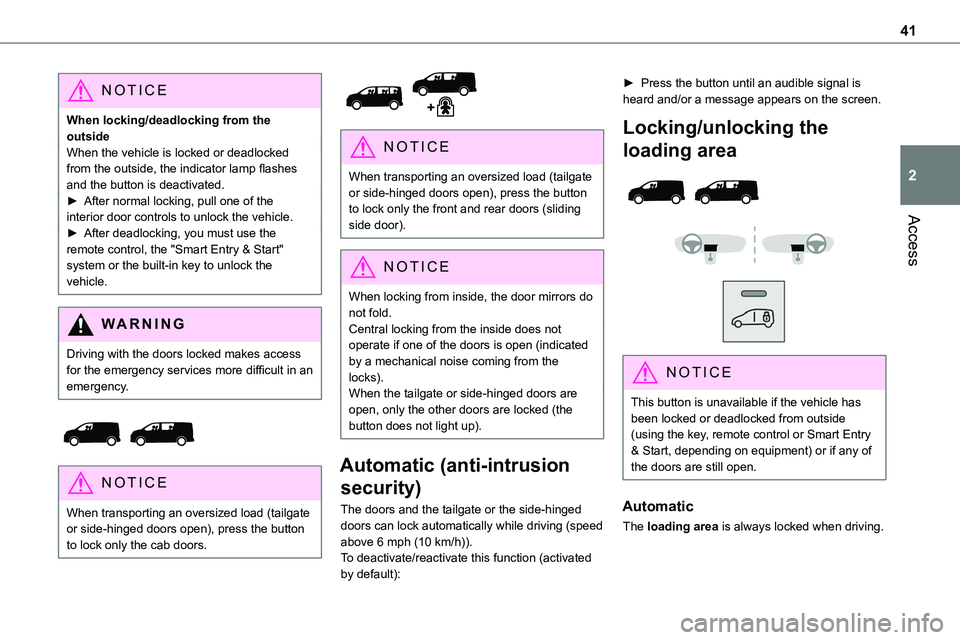
When transporting an oversized load (tailgate or side-hinged doors open), press the button to lock only the cab doors.
NOTIC E
When transporting an oversized load (tailgate or side-hinged doors open), press the button to lock only the front and rear doors (sliding side door).
NOTIC E
When locking from inside, the door mirrors do not fold.Central locking from the inside does not operate if one of the doors is open (indicated by a mechanical noise coming from the locks).When the tailgate or side-hinged doors are open, only the other doors are locked (the button does not light up).
Automatic (anti-intrusion
security)
The doors and the tailgate or the side-hinged doors can lock automatically while driving (speed
above 6 mph (10 km/h)).To deactivate/reactivate this function (activated by default):
► Press the button until an audible signal is heard and/or a message appears on the screen.
Locking/unlocking the
loading area
NOTIC E
This button is unavailable if the vehicle has been locked or deadlocked from outside (using the key, remote control or Smart Entry & Start, depending on equipment) or if any of the doors are still open.
Automatic
The loading area is always locked when driving.
Page 44 of 360

44
General
recommendations for the
sliding side doors
WARNI NG
Doors must only be operated when the vehicle is stationary.
For your safety and that of your passengers, as well as for correct operation of the doors, you are strongly advised not to drive with a door open.Always check that it is safe to operate the door and in particular, be sure not to leave children or animals near the door controls without supervision.The audible warning, the lighting of the "door open" warning lamp and the message on the screen are there to remind you. Contact any authorized Toyota retailer or Toyota authorized repairer, or any reliable repairer if you want to deactivate this warning.Lock the vehicle when you use an automatic car wash.
WARNI NG
Before opening or closing and while moving doors, ensure that no person, animal or object is in the door frame or any other position that
would block the desired movement, inside or outside the vehicle.If this advice is not followed, injuries or damage may occur if any part of a person or an object is trapped or caught.Electrical door opening is disabled at speeds above 2 mph (3 km/h):– However, if the vehicle started moving while the doors were open, the speed must
be reduced below 19 mph (30 km/h) before they can be closed.– Any attempt to open a door electrically using the interior handle while driving results in it only being possible to open the door manually.– This situation is accompanied by the audible warning, the lighting of the "door open" warning lamp and the message on the screen. To release the door and be able to operate it again, it is necessary to stop the vehicle.
WARNI NG
Take care not to block the guide space on the floor so that the door can slide correctly.For safety and functional reasons, do not drive with the sliding side door open.
NOTIC E
The electric controls are disabled in the event of an impact. Manual opening and closing remain possible.
NOTIC E
While starting the engine, door movements are paused, resuming when the engine is running.
NOTIC E
Depending on the engine fitted, if the door is closed and an opening request is issued in Stop mode of Stop & Start, the door will open slightly and then stop. In Start mode, the door will resume its movement when the engine re-starts.
NOTIC E
To hold the sliding side door in the open position, open the door fully to engage the latch (located at the bottom of the door).