2022 TOYOTA MIRAI battery
[x] Cancel search: batteryPage 83 of 556
832-1. Fuel cell vehicle
Owners Manual_USA_M62084_en
2
Fuel cell system
fuel cell vehicles have an electro-
magnetic shielding configuration,
and therefore emi t approximately
the same amount of electromag-
netic waves as conventional gaso-
line-powered vehicles or home
electronic appliances.
●Your vehicle may cause sound
interference in so me third party-
produced radio parts.
■Starting the fuel cell system in
an extremely col d environment
When the tracti on battery is
extremely cold (below approxi- mately -22˚F [-30˚C]) under the
influence of outsi
de temperature, it
may not be possible to start the fuel
cell system. In this case, try to start
the fuel cell system again after the
temperature of the traction battery
increases due to the outside tem-
perature increase etc.
■Traction battery
The traction battery has a limited
service life. The lifespan of the trac-
tion battery can change according to
driving style and driving conditions.
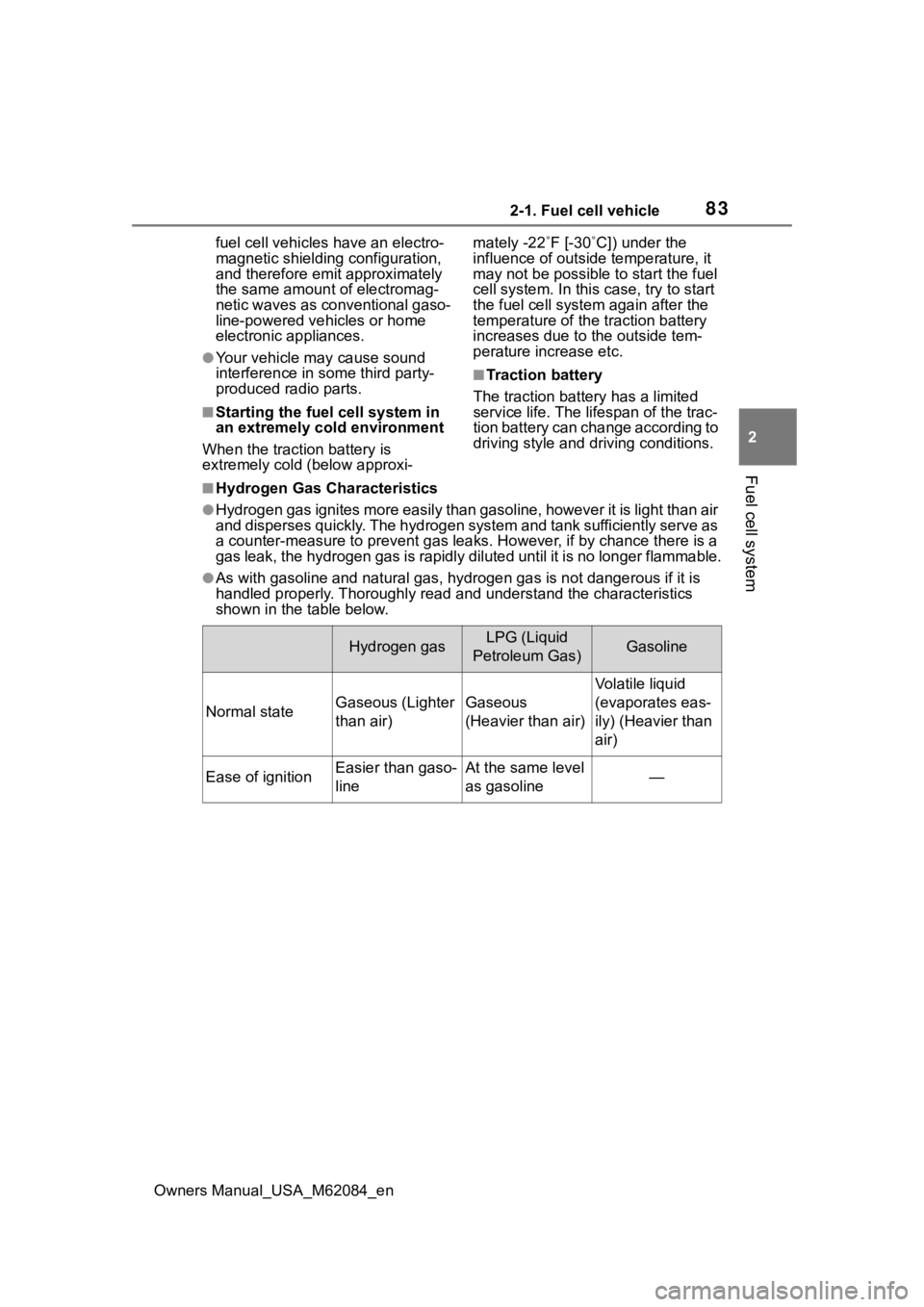
■Hydrogen Gas Characteristics
●Hydrogen gas ignites more easily than gasoline, however it is l ight than air
and disperses quickly. The hydrogen system and tank sufficientl y serve as
a counter-measure to prevent gas leaks. However, if by chance there is a
gas leak, the hydrogen gas is rapidly diluted until it is no lo nger flammable.
●As with gasoline and natural gas, hydrogen gas is not dangerous if it is
handled properly. Thoroughly rea d and understand the characteristics
shown in the table below.
Hydrogen gasLPG (Liquid
Petroleum Gas)Gasoline
Normal stateGaseous (Lighter
than air)Gaseous
(Heavier than air)
Volatile liquid
(evaporates eas-
ily) (Heavier than
air)
Ease of ignitionEasier than gaso-
lineAt the same level
as gasoline—
Page 85 of 556
852-1. Fuel cell vehicle
Owners Manual_USA_M62084_en
2
Fuel cell system
WARNING
●The hydrogen tanks, fuel cell
stack, hydrogen pipelines, and
connecting components are
filled with hydrogen gas. Do not
remove or disassemble these
parts. Doing so can cause a
hydrogen gas leak, resulting in
fire or explosion of the vehicle,
which may result in death or
serious injury.
■When hydrogen gas leak or
other malfunctio n is detected
●If a large amount of hydrogen
gas leaking is noticed, turn off
the power switch, exit the vehi-
cle, and stay far away from it.
Display warning signs and keep
sources of fire away from the
vehicle. If possible, get assis-
tance. When the above is done,
immediately contact your Toyota
dealer.
●If you notice gas leaking or any
other malfunction, immediately
stop the vehicle in a safe and
well-ventilated place, exit the
vehicle, and stay far away from
it.
●If a warning message is dis-
played in the multi-information
display, immediately stop the
vehicle in a safe, well-ventilated
outdoor place.
■Tailpipe
●Do not directly touch the water
or steam coming out of the tail-
pipe. Doing so may cause low-
temperature burns.
●The fuel cell vehicle generates
water during power generation.
The generated water dis-
charged from the tailpipe is not
suitable for drinking. Never
drink the water coming out of
the tailpipe.
●You may notice a strange odor
from the tailpipe for a while after
the purchase of a new vehicle
or after an extended period of
non-use, but this is not a mal-
function. Also, the odor is harm-
less but it may be unpleasant,
so do not breathe in the
exhaust.
■High-voltage and high-tem-
perature precautions
This vehicle is equipped with a
high-voltage system. Follow the
instructions below as high-volt-
ages can cause severe burns and
electric shock that may result in
death or serious injury.
●Never touch, disassemble,
remove, or replace the high-
voltage parts, cables (orange),
or connectors.
●The components inside the fuel
cell unit compartment will
become hot during operation.
Be careful of both the high-volt-
age and high-temperature, and
always obey the warning labels
on the vehicle.
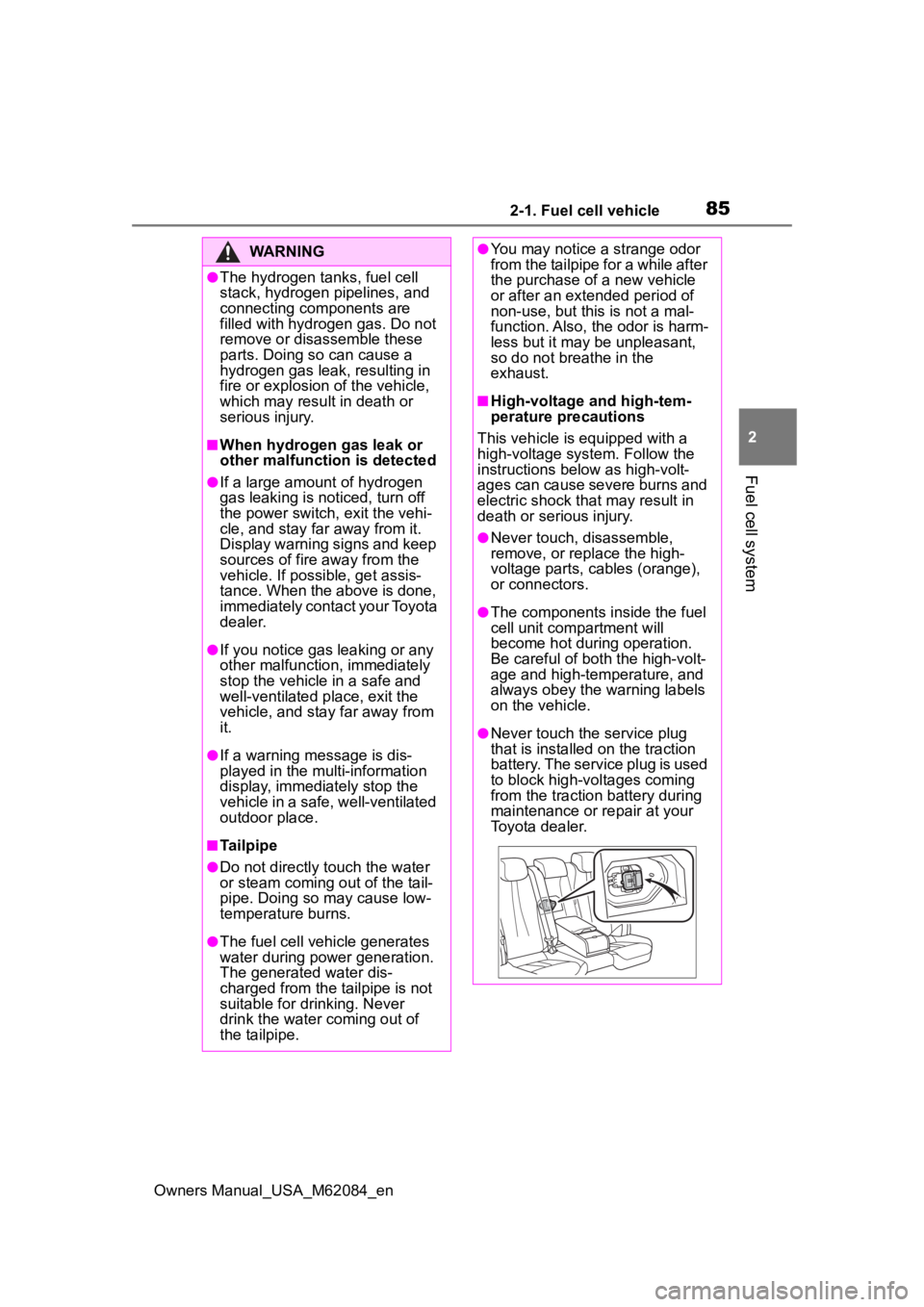
●Never touch the service plug
that is installed on the traction
battery. The service plug is used
to block high-voltages coming
from the traction battery during
maintenance or repair at your
Toyota dealer.
Page 86 of 556
862-1. Fuel cell vehicle
Owners Manual_USA_M62084_en
WARNING
■Precautions in case of an
accident
In the event of an accident,
observe the following precautions.
Failure to do so c an cause fire or
electric shocks, resulting in death
or serious injury.
●Stop the vehicle i n a safe place
to prevent subsequent acci-
dents. Shift the shift position to
P and apply the parking brake.
●Check for hydrogen gas leak-
age.
Hydrogen leaks will cause a
warning message to be shown
on the multi-information dis-
play. Larger leaks may also be
audible.
●If a large amount of hydrogen
gas leaking is noticed, turn off
the power switch, exit the vehi-
cle, and stay far away from it.
Display warning signs and keep
sources of fire away from the
vehicle. If possible, get assis-
tance. When the above is done,
immediately contact your Toyota
dealer.
●Do not touch the high-voltage
parts, cables (orange), or con-
nectors.
●If electric wires are exposed
inside or outside your vehicle,
an electric shock may occur.
Never touch exposed electric
wires.
●If a fluid leak occurs, do not
touch the fluid as it may be the
carbonate ester-based organic
electrolyte from t he traction bat-
tery. If it comes into contact with
your skin or eyes, wash it off
immediately with a large
amount of water, and seek
immediate medical attention.
●In case of a vehicle fire, the
hydrogen gas in the hydrogen
tanks is released angled down-
ward on both the right side of
the vehicle as well as the rear of
the vehicle, in order to reduce
damage to the hydrogen tanks.
Keep away from the vehicle and
do not stand on either the right
side or the rear of the vehicle.
●If a vehicle fire occurs, it can be
extinguished with a Class A, B,
or C fire extinguisher. If using
water, apply a large amount
from a hydrant.
●If your vehicle needs to be
towed, do so with the rear
wheels lifted. If the wheels are
touching the ground, the electric
motor (traction motor) may con-
tinue to generate electricity.
This may cause a fire.
■Traction battery
●Never resell, trans fer, or modify
the traction batte ry. To prevent
accidents, traction batteries that
have been removed from dis-
posed vehicle are collected
through Toyota dealers. Do not
dispose of the traction battery
yourself.
If the traction battery is not
properly collected, the following
may occur, resulting in death or
serious injury:
• The traction battery may be ille- gally disposed or dumped, and
it is hazardous to the environ-
ment. Additionally, someone
may touch a high-voltage part,
resulting in an electric shock.
Page 88 of 556
882-1. Fuel cell vehicle
Owners Manual_USA_M62084_en
■If a warning light comes on, a
warning message is displayed,
or the 12-volt battery connec-
tion is disconnected
The fuel cell system may not be
able to restart.
If the “READY” indicator does not
come on, even when the start pro-
cedure is repeated, contact your
Toyota dealer.
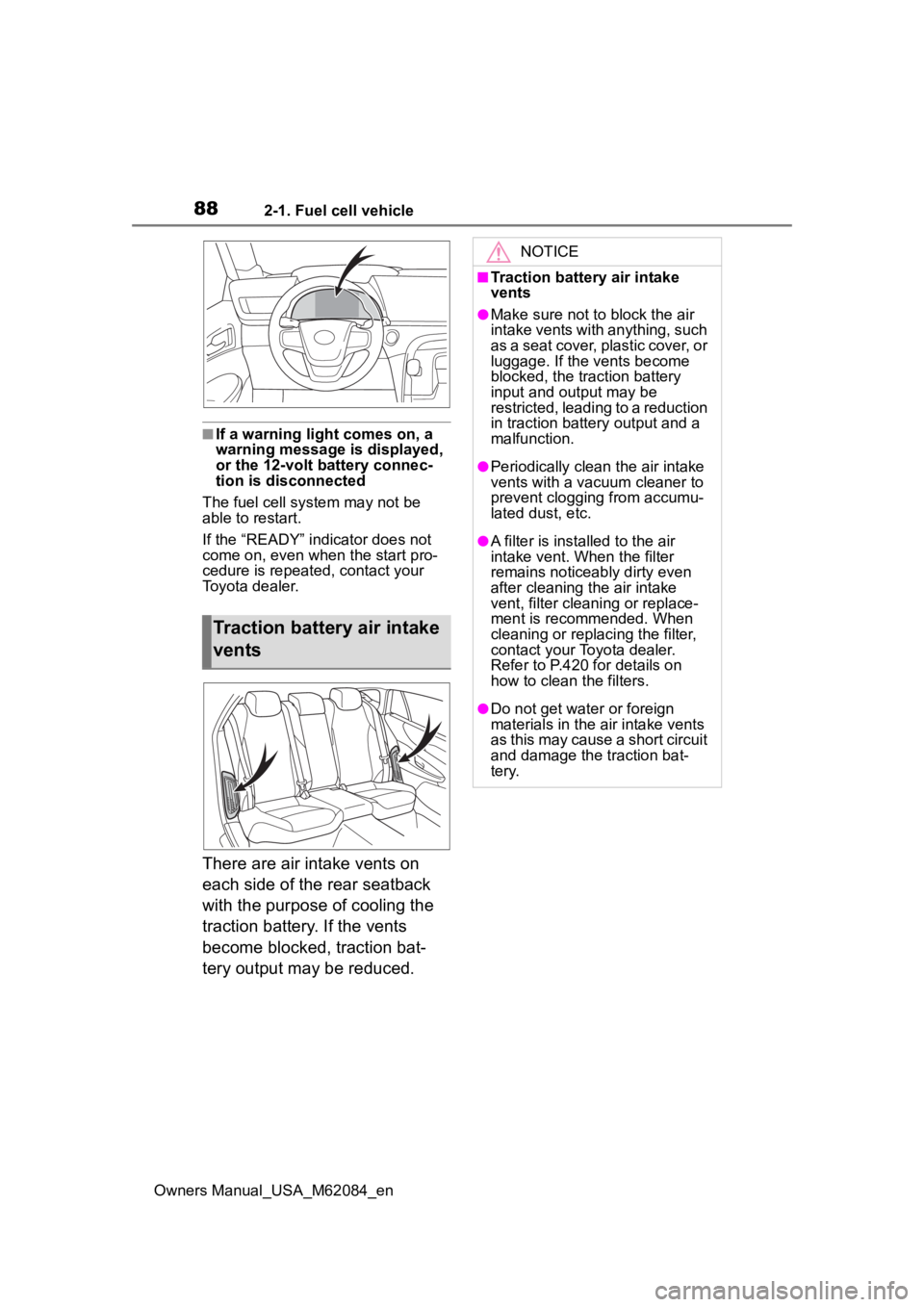
There are air intake vents on
each side of the rear seatback
with the purpose of cooling the
traction battery. If the vents
become blocked, traction bat-
tery output may be reduced.
Traction battery air intake
vents
NOTICE
■Traction battery air intake
vents
●Make sure not to block the air
intake vents with anything, such
as a seat cover, plastic cover, or
luggage. If the vents become
blocked, the traction battery
input and output may be
restricted, leading to a reduction
in traction batte ry output and a
malfunction.
●Periodically clean the air intake
vents with a vacuum cleaner to
prevent clogging from accumu-
lated dust, etc.
●A filter is installed to the air
intake vent. When the filter
remains noticeably dirty even
after cleaning the air intake
vent, filter cleaning or replace-
ment is recommended. When
cleaning or replacing the filter,
contact your Toyota dealer.
Refer to P.420 for details on
how to clean the filters.
●Do not get water or foreign
materials in the air intake vents
as this may cause a short circuit
and damage the traction bat-
tery.
Page 102 of 556
1023-1. Instrument cluster
Owners Manual_USA_M62084_enTo reset the average fuel economy
display, press and hold the
meter control switch.
The average fuel economy dis-
play can be changed in .
(
P.105)
Average fuel economy (after
start)
Displays the average fuel con-
sumption since fuel cell system
start.
Average fuel economy (after
refuel)
Displays the average fuel con-
sumption since the vehicle was
refueled.
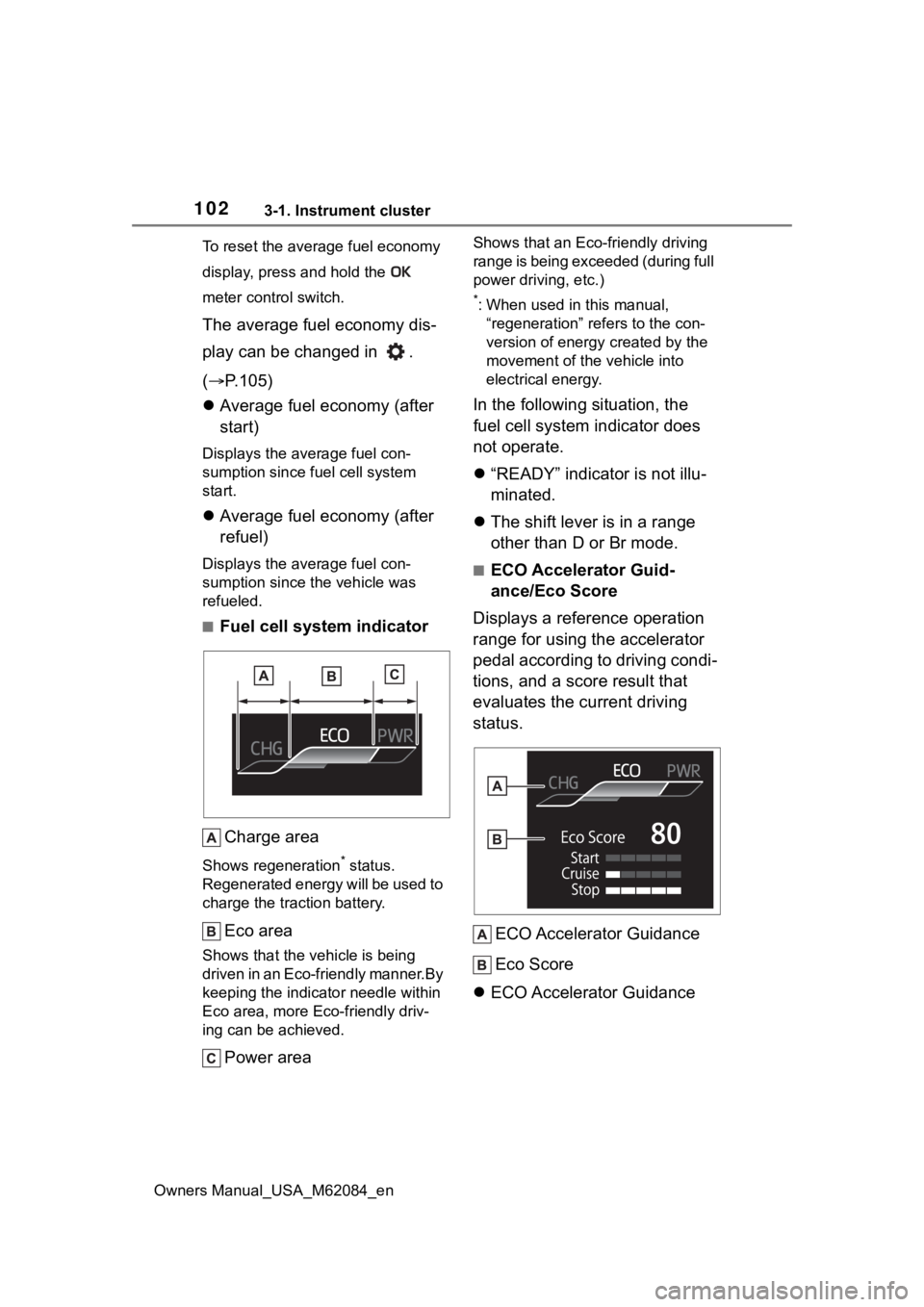
■Fuel cell system indicator
Charge area
Shows regeneration* status.
Regenerated energy will be used to
charge the traction battery.
Eco area
Shows that the vehicle is being
driven in an Eco-friendly manner.By
keeping the indicator needle within
Eco area, more Eco-friendly driv-
ing can be achieved.
Power area
Shows that an Eco-friendly driving
range is being exceeded (during full
power driving, etc.)
*: When used in this manual, “regeneration” refers to the con-
version of energy created by the
movement of the vehicle into
electrical energy.
In the following situation, the
fuel cell system indicator does
not operate.
“READY” indicator is not illu-
minated.
The shift lever is in a range
other than D or Br mode.
■ECO Accelerator Guid-
ance/Eco Score
Displays a reference operation
range for using the accelerator
pedal according to driving condi-
tions, and a score result that
evaluates the current driving
status.
ECO Accelerator Guidance
Eco Score
ECO Accelerator Guidance
Page 106 of 556
1063-1. Instrument cluster
Owners Manual_USA_M62084_enrelated settings for that function
are not selectable.
Select to display warning mes-
sages and measures to be
taken if a malfunction is
detected. (
P.451)
Displays suggestions to the
driver in the following situations.
To select a response to a dis-
played suggestion, use the
meter control switches.
■Suggestion to turn on the
headlights
If the headlight switch is in other
than or , and the vehicle
speed is 3 mph (5 km/h) or
higher for a certain amount of
time when the surroundings are
dark, a suggestion message will
be displayed.
■Suggestion to turn off the
headlights
If the headlights are left on for a
certain amount of time after the
power switch has been turned
off, a suggestion message will be displayed.
When the headlight switch is in
the AUTO position: The mes-
sage asking if you wish to turn
the headlights off is displayed.
To turn the headlights off, select
“Yes”.
If the driver’s door is opened after
the power switch is turned off, this
suggestion message will not be dis-
played.
■Customization
The suggestion fu nction can be
turned on/off. (Customizable fea-
tures: P.498)
NOTICE
■During setting up the display
To prevent 12-volt battery dis-
charge, ensure that the fuel cell
system is operating while setting
up the display features.
Warning message display
Suggestion function
Page 109 of 556
1093-1. Instrument cluster
Owners Manual_USA_M62084_en
3
Vehicle status information and indicators
■Enabling/disabling the
head-up display
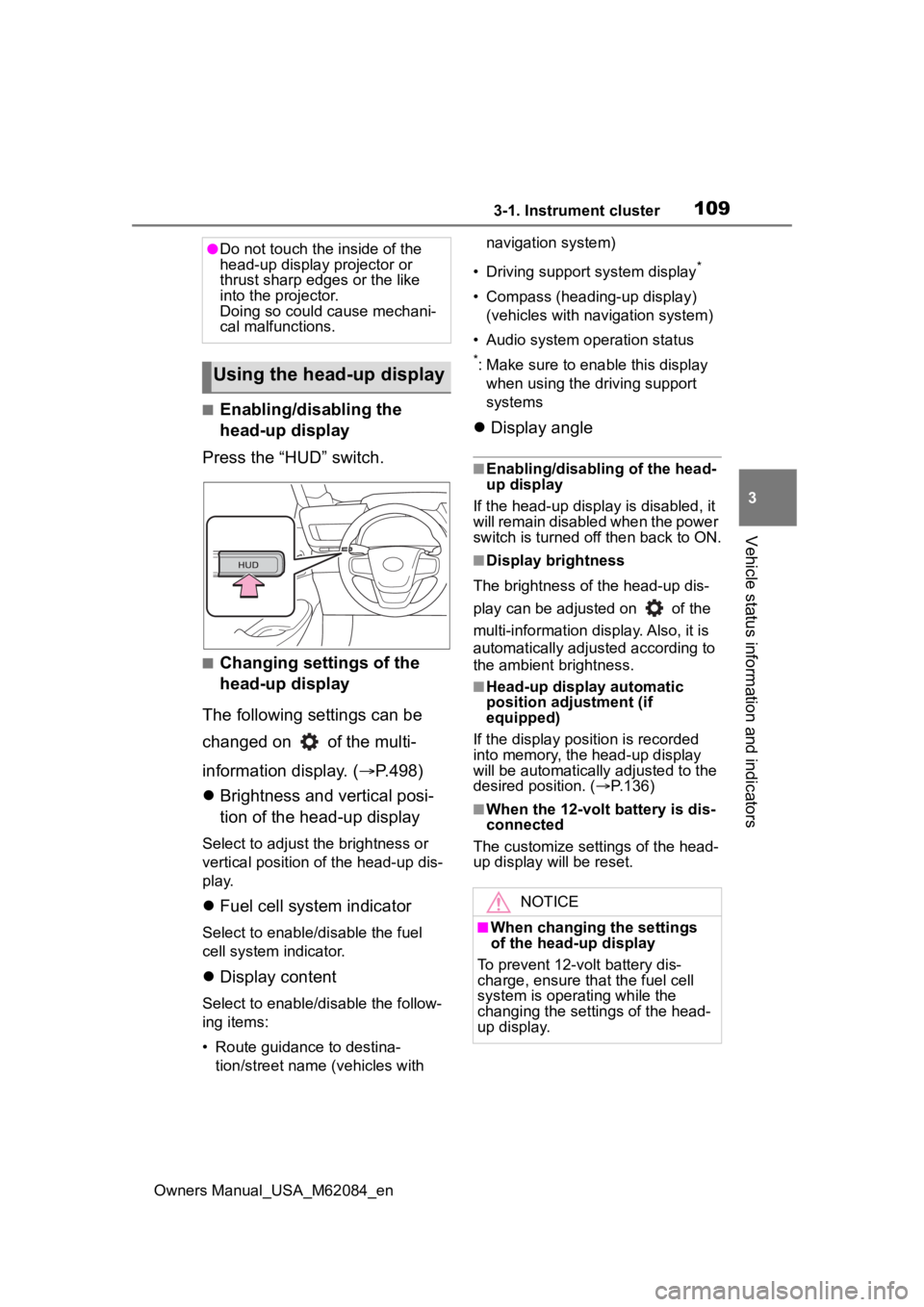
Press the “HUD” switch.
■Changing settings of the
head-up display
The following settings can be
changed on of the multi-
information display. ( P.498)
Brightness and vertical posi-
tion of the head-up display
Select to adjust t he brightness or
vertical position of the head-up dis-
play.
Fuel cell system indicator
Select to enable/d isable the fuel
cell system indicator.
Display content
Select to enable/d isable the follow-
ing items:
• Route guidance to destina- tion/street name (vehicles with navigation system)
• Driving support system display
*
• Compass (heading-up display) (vehicles with navigation system)
• Audio system operation status
*: Make sure to enable this display when using the driving support
systems
Display angle
■Enabling/disabling of the head-
up display
If the head-up display is disabled, it
will remain disabled when the power
switch is turned o ff then back to ON.
■Display brightness
The brightness of the head-up dis-
play can be adjusted on of the
multi-information di splay. Also, it is
automatically adjusted according to
the ambient brightness.
■Head-up display automatic
position adjustment (if
equipped)
If the display position is recorded
into memory, the head-up display
will be automatically adjusted to the
desired position. ( P.136)
■When the 12-volt battery is dis-
connected
The customize settings of the head-
up display will be reset.
●Do not touch the inside of the
head-up display projector or
thrust sharp edges or the like
into the projector.
Doing so could cause mechani-
cal malfunctions.
Using the head-up display
NOTICE
■When changing the settings
of the head-up display
To prevent 12-volt battery dis-
charge, ensure that the fuel cell
system is operating while the
changing the settings of the head-
up display.
Page 112 of 556
1123-1. Instrument cluster
Owners Manual_USA_M62084_en
control switches on the steering
wheel and select , press
or of the meter control
switches and select the energy
monitor.
Multimedia display (12.3-inch
display only)
1 Select on the Toyota
multi-operation touch
( P.353).
2 Select on the screen.
Displaying a screen in full screen
( P.354)
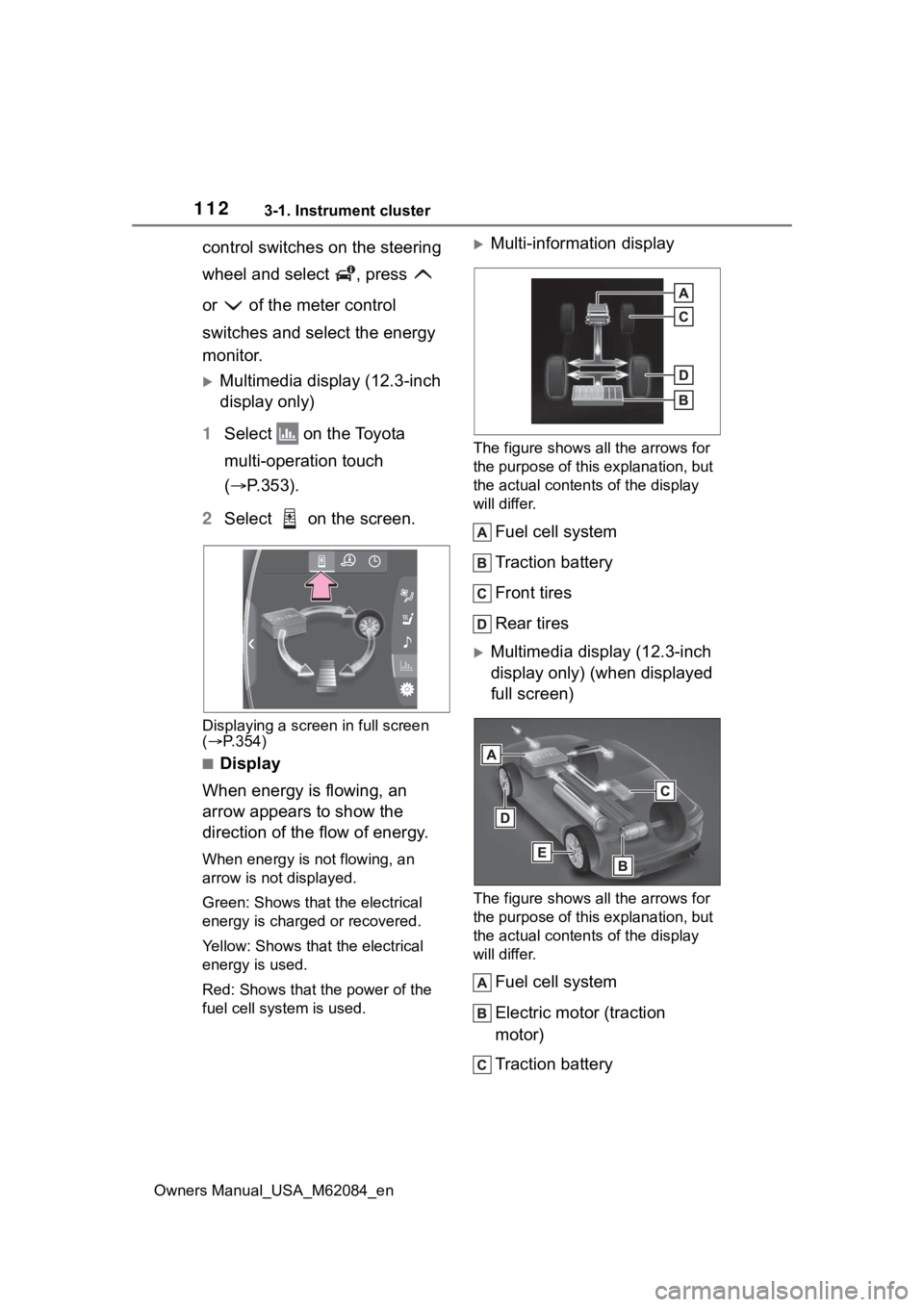
■Display
When energy is flowing, an
arrow appears to show the
direction of the flow of energy.
When energy is not flowing, an
arrow is not displayed.
Green: Shows that the electrical
energy is charged or recovered.
Yellow: Shows that the electrical
energy is used.
Red: Shows that the power of the
fuel cell system is used.
Multi-information display
The figure shows all the arrows for
the purpose of this explanation, but
the actual contents of the display
will differ.
Fuel cell system
Traction battery
Front tires
Rear tires
Multimedia display (12.3-inch
display only) (when displayed
full screen)
The figure shows all the arrows for
the purpose of this explanation, but
the actual contents of the display
will differ.
Fuel cell system
Electric motor (traction
motor)
Traction battery