Page 106 of 568
1062-1. Instrument cluster
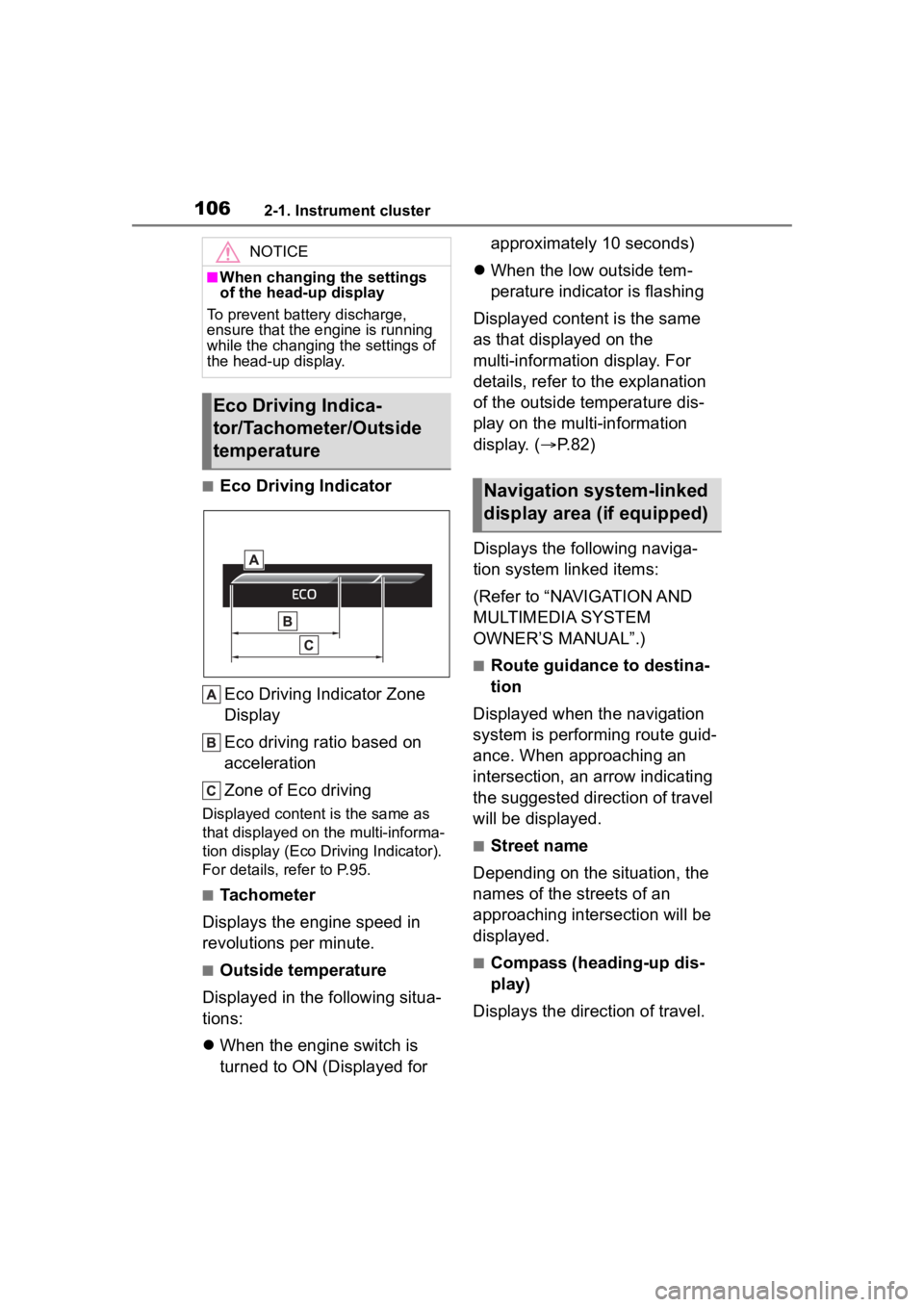
■Eco Driving IndicatorEco Driving Indicator Zone
Display
Eco driving ratio based on
acceleration
Zone of Eco driving
Displayed content is the same as
that displayed on the multi-informa-
tion display (Eco Driving Indicator).
For details, refer to P.95.
■Tachometer
Displays the engine speed in
revolutions per minute.
■Outside temperature
Displayed in the following situa-
tions:
When the engine switch is
turned to ON (Displayed for approximately 10 seconds)
When the low outside tem-
perature indicator is flashing
Displayed content is the same
as that displayed on the
multi-information display. For
details, refer to the explanation
of the outside temperature dis-
play on the multi-information
display. ( P.82)
Displays the following naviga-
tion system linked items:
(Refer to “NAVIGATION AND
MULTIMEDIA SYSTEM
OWNER’S MANUAL”.)
■Route guidance to destina-
tion
Displayed when the navigation
system is performing route guid-
ance. When approaching an
intersection, an arrow indicating
the suggested direction of travel
will be displayed.
■Street name
Depending on the situation, the
names of the streets of an
approaching intersection will be
displayed.
■Compass (heading-up dis-
play)
Displays the direction of travel.
NOTICE
■When changing the settings
of the head-up display
To prevent battery discharge,
ensure that the engine is running
while the changing the settings of
the head-up display.
Eco Driving Indica-
tor/Tachometer/Outside
temperature
Navigation system-linked
display area (if equipped)
Page 107 of 568

1072-1. Instrument cluster
2
Vehicle status information and indicators
■Street name display (vehicles
with a navigation system)
Depending on the situation, such as
when no information is available in
map data, etc., the street names of
an intersection may not be dis-
played.
Displays the operational status
of the following systems:
LTA (Lane Tracing Assist)
( P.246)
Dynamic radar cruise control
with full-speed range
( P.257)
PCS (Pre-Collision System)
( P.235)
Parking Support Brake func-
tion (for static objects) (if
equipped) ( P.307)
Intuitive parking assist (if
equipped) ( P.284)
Drive-Start Control ( P.180)
Brake Override System
( P.180)
Displayed content is the same as
that displayed on the multi-informa-
tion display. For details, refer to the
explanations of each system.
Displays the following
multi-information display linked
icons and a message: : Master warning icon
Displayed when a warning mes-
sage is displayed on
the multi-infor-
mation display. ( P.467)
: Information icon
Displayed when a sugges-
tion/advice pop-up display is dis-
played on the multi-information
display. ( P.92, 102)
Depending on the situation, the
following will be displayed:
■Warning/Message
Depending on the situation, a
warning message or other mes-
sage will be displayed.
Warning messages
Certain warning messages can be
displayed.
Pop-up displays
When the driving assist system
operates, some of the information
displayed on the multi-information
display will be displayed on the
head-up display as a pop-up dis-
play.
■Hands-free system status
Displayed when the hands-free
system is operated.
(Refer to “NAVIGATION AND
MULTIMEDIA SYSTEM
OWNER’S MANUAL”.)
■Audio system operation
status
Displayed when the audio sys-
Driving assist system sta-
tus display area
/ icons
Message display area
Page 108 of 568
1082-1. Instrument cluster
tem is operated.
(Refer to “NAVIGATION AND
MULTIMEDIA SYSTEM
OWNER’S MANUAL”.)
■Pop-up displays
Depending on the pop-up display,
the currently disp layed item in the
message display area may be tem-
porarily not displayed. The item will
be displayed after the pop-up dis-
play is no longer displayed.
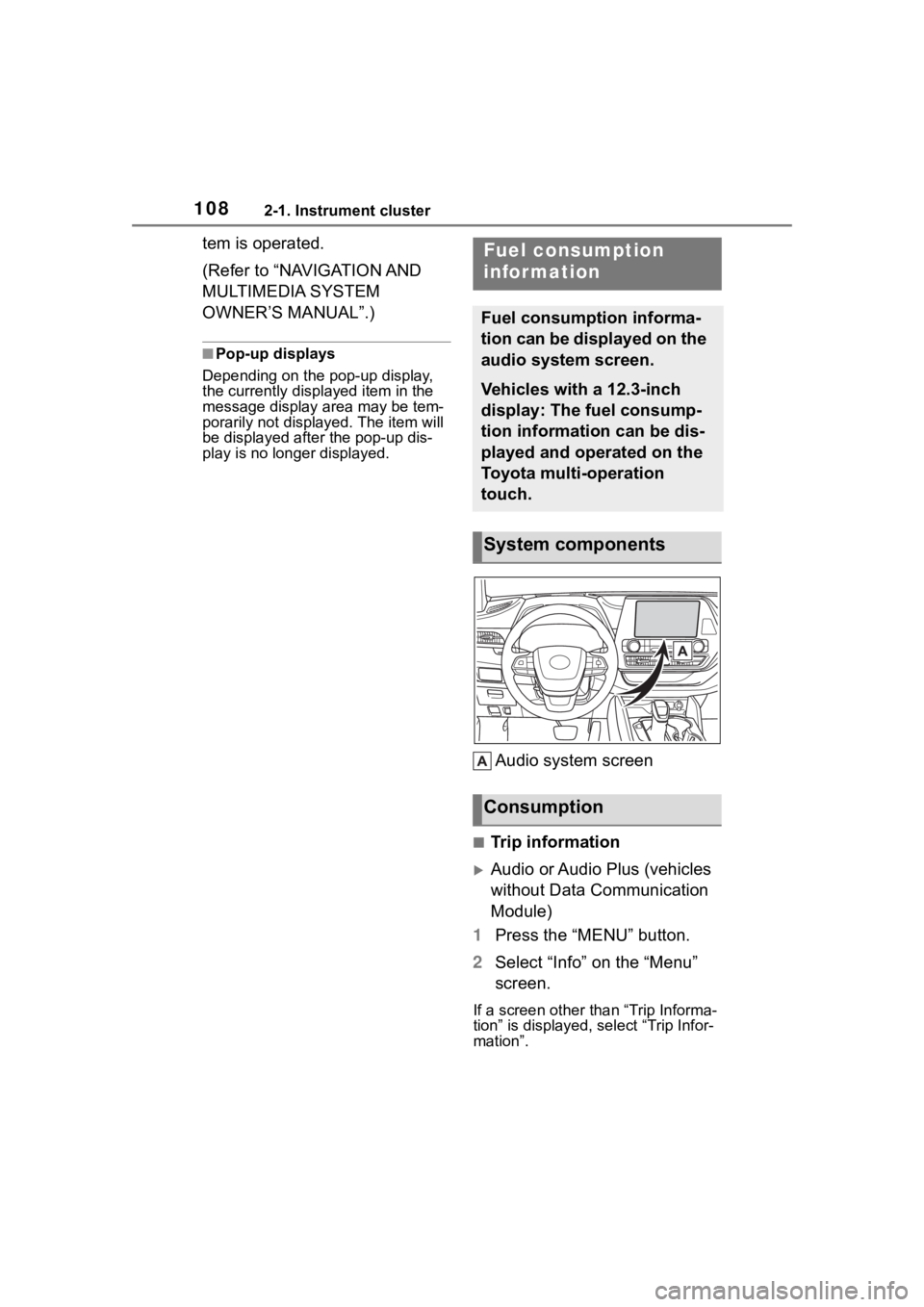
Audio system screen
■Trip information
Audio or Audio Plus (vehicles
without Data Communication
Module)
1 Press the “MENU” button.
2 Select “Info” on the “Menu”
screen.
If a screen other than “Trip Informa-
tion” is displayed, select “Trip Infor-
mation”.
Fuel consumption
information
Fuel consumption informa-
tion can be displayed on the
audio system screen.
Vehicles with a 12.3-inch
display: The fuel consump-
tion information can be dis-
played and operated on the
Toyota multi-operation
touch.
System components
Consumption
Page 109 of 568
1092-1. Instrument cluster
2
Vehicle status information and indicators
Audio Plus (vehicles with
Data Communication Mod-
ule) or Premium Audio
1 Press the “MENU” button.
2 Select “Info” on the “Menu”
screen.
3 Select “ECO” on the “Infor-
mation” screen.
If a screen other than “Trip Informa-
tion” is displayed, select “Trip Infor-
mation”.
12.3-inch display
1 Select Toyota multi-oper-
ation touch ( P.332).
2 Select “TripInfo.”.
The screen position can also be
changed by select a desired infor-
mation in full screen.
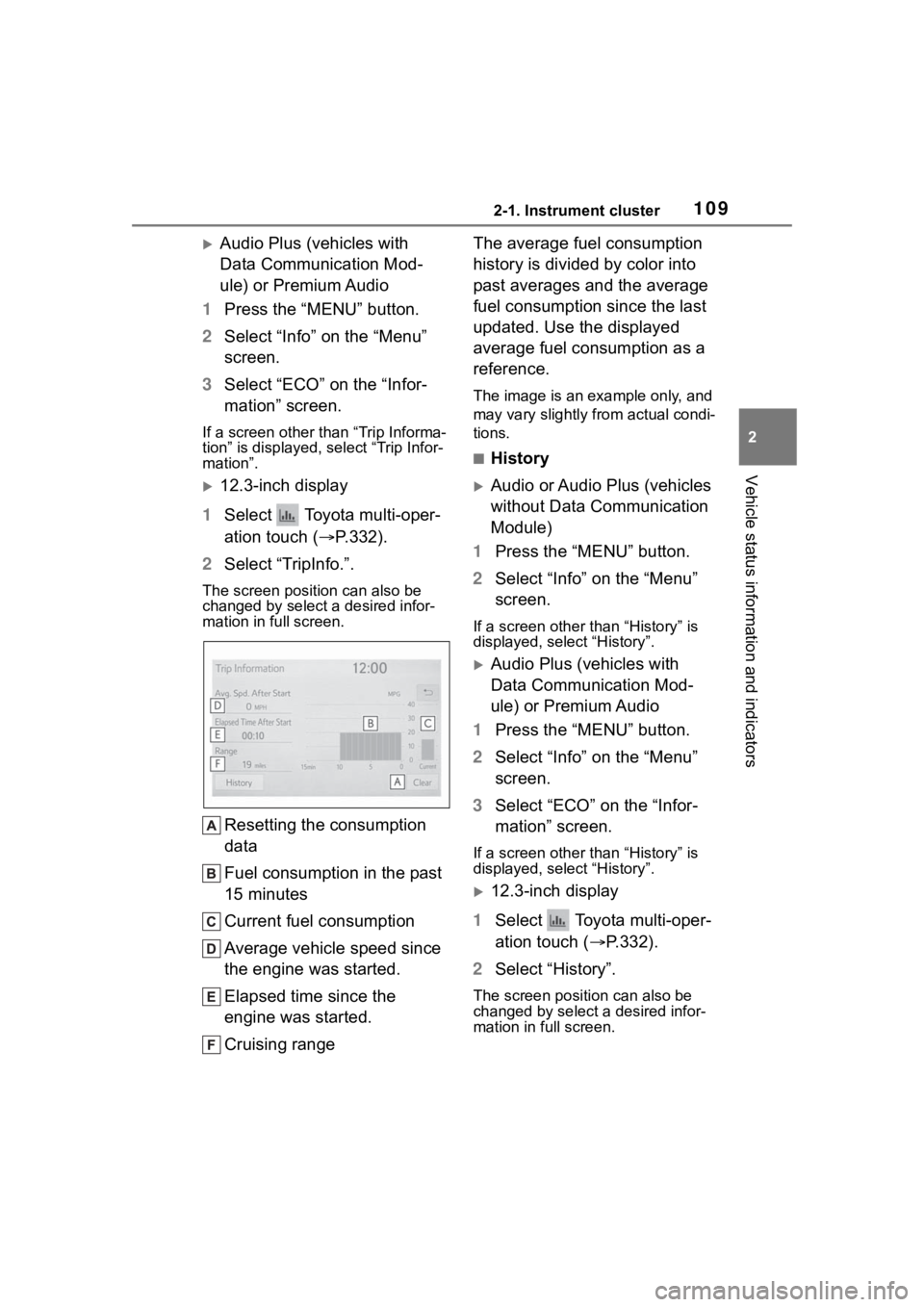
Resetting the consumption
data
Fuel consumption in the past
15 minutes
Current fuel consumption
Average vehicle speed since
the engine was started.
Elapsed time since the
engine was started.
Cruising range The average fuel consumption
history is divided by color into
past averages and the average
fuel consumption since the last
updated. Use the displayed
average fuel consumption as a
reference.
The image is an example only, and
may vary slightly from actual condi-
tions.
■History
Audio or Audio Plus (vehicles
without Data Communication
Module)
1 Press the “MENU” button.
2 Select “Info” on the “Menu”
screen.
If a screen other than “History” is
displayed, select “History”.
Audio Plus (vehicles with
Data Communication Mod-
ule) or Premium Audio
1 Press the “MENU” button.
2 Select “Info” on the “Menu”
screen.
3 Select “ECO” on the “Infor-
mation” screen.
If a screen other than “History” is
displayed, select “History”.
12.3-inch display
1 Select Toyota multi-oper-
ation touch ( P.332).
2 Select “History”.
The screen posit ion can also be
changed by select a desired infor-
mation in full screen.
Page 110 of 568
1102-1. Instrument cluster
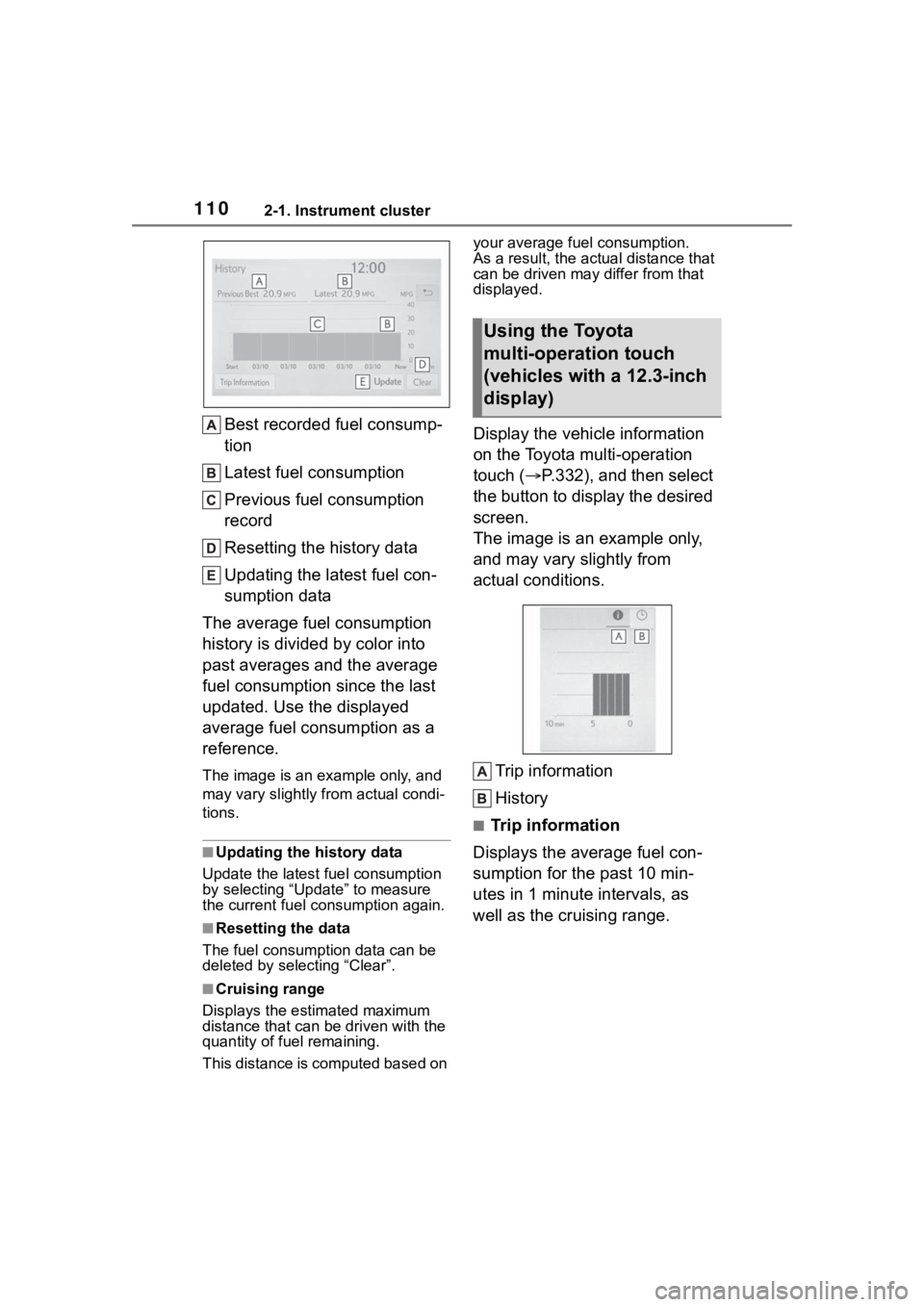
Best recorded fuel consump-
tion
Latest fuel consumption
Previous fuel consumption
record
Resetting the history data
Updating the latest fuel con-
sumption data
The average fuel consumption
history is divided by color into
past averages and the average
fuel consumption since the last
updated. Use the displayed
average fuel consumption as a
reference.
The image is an example only, and
may vary slightly f rom actual condi-
tions.
■Updating the history data
Update the latest fuel consumption
by selecting “Upda te” to measure
the current fuel consumption again.
■Resetting the data
The fuel consumption data can be
deleted by selecting “Clear”.
■Cruising range
Displays the estimated maximum
distance that can be driven with the
quantity of fuel remaining.
This distance is computed based on your average fuel consumption.
As a result, the actual distance that
can be driven may differ from that
displayed.
Display the vehicle information
on the Toyota multi-operation
touch (
P.332), and then select
the button to display the desired
screen.
The image is an example only,
and may vary slightly from
actual conditions.
Trip information
History
■Trip information
Displays the average fuel con-
sumption for the past 10 min-
utes in 1 minute intervals, as
well as the cruising range.
Using the Toyota
multi-operation touch
(vehicles with a 12.3-inch
display)
Page 111 of 568
1112-1. Instrument cluster
2
Vehicle status information and indicators
Use the displayed average fuel
consumption as a reference.
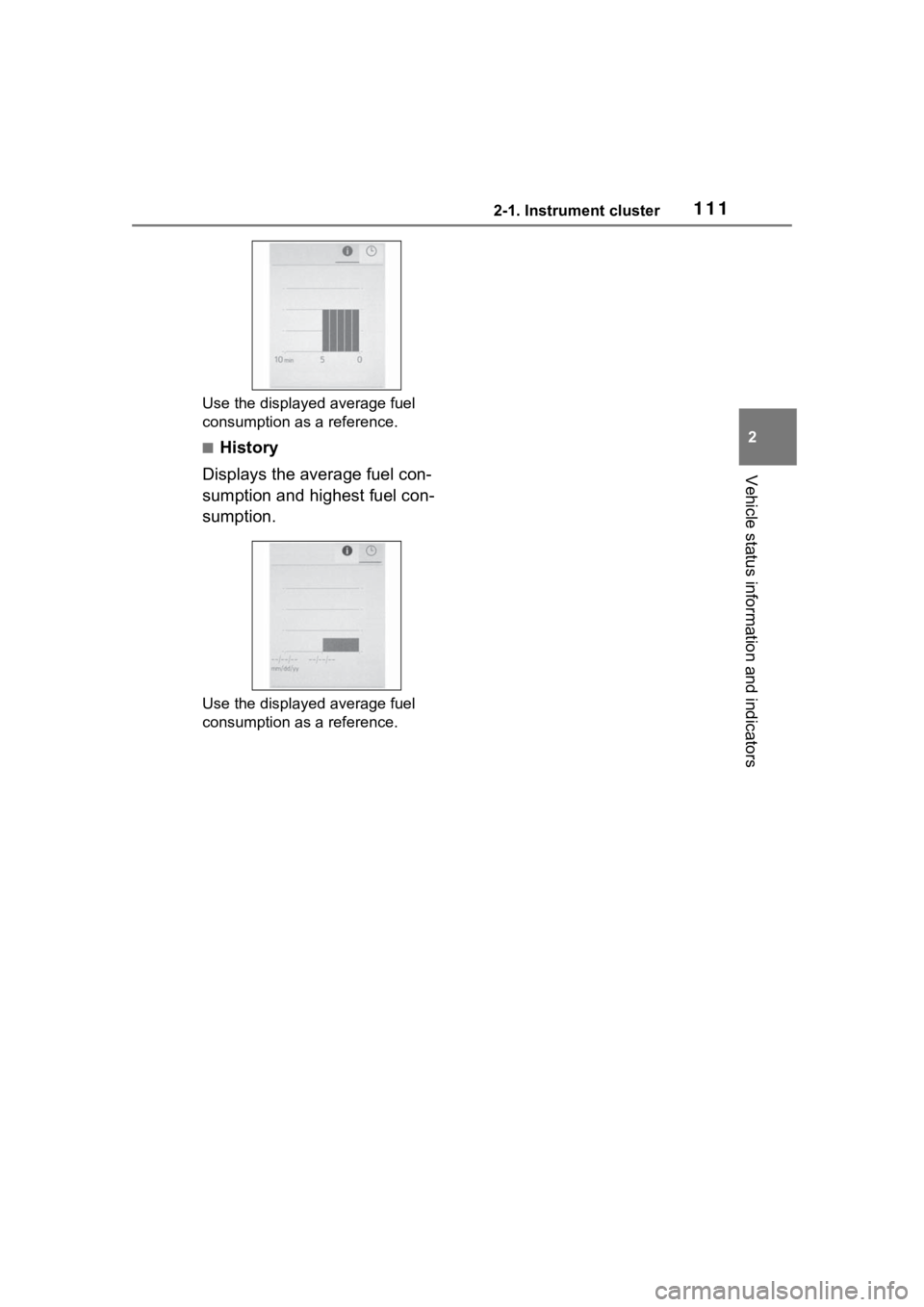
■History
Displays the average fuel con-
sumption and highest fuel con-
sumption.
Use the displayed average fuel
consumption as a reference.
Page 112 of 568
1122-1. Instrument cluster
Page 510 of 568
5108-1. Specifications
adversely affected.
The malfunction indicator lamp on
the instrument cluster may come on.
If this happens, contact your Toyota
dealer for service.
■If your engine knocks
●Consult your Toyota dealer.
●You may occasionally notice light
knocking for a short time while
accelerating or driving uphill. This
is normal and there is no need for
concern.
NOTICE
■Notice on fuel quality
●Do not use impro per fuels. If
improper fuels are used, the
engine will be damaged.
●Do not use leaded gasoline.
Leaded gasoline can cause
damage to your vehicle’s
three-way catalytic converters
causing the emission control
system to malfunction.
●Do not use gasohol other than
the type previously stated.
Other gasohol may cause fuel
system damage or vehicle per-
formance problems.
●Using unleaded gasoline with
an octane number or rating
lower than the l evel previously
stated will cause persistent
heavy knocking.
At worst, this will lead to engine
damage.
■When refueling with gasohol
Take care not to spill gasohol. It
can damage your vehicle’s paint.
■Fuel-related poor driveability
If poor driveability (poor hot start-
ing, vaporization, engine knock-
ing, etc.) is encountered after
using a different type of fuel, dis-
continue the use of that type of
fuel.