2022 TOYOTA COROLLA cruise control
[x] Cancel search: cruise controlPage 240 of 678
2384-5. Using the driving support systems
accelerates by depressing the accel-
erator pedal
*: If equipped
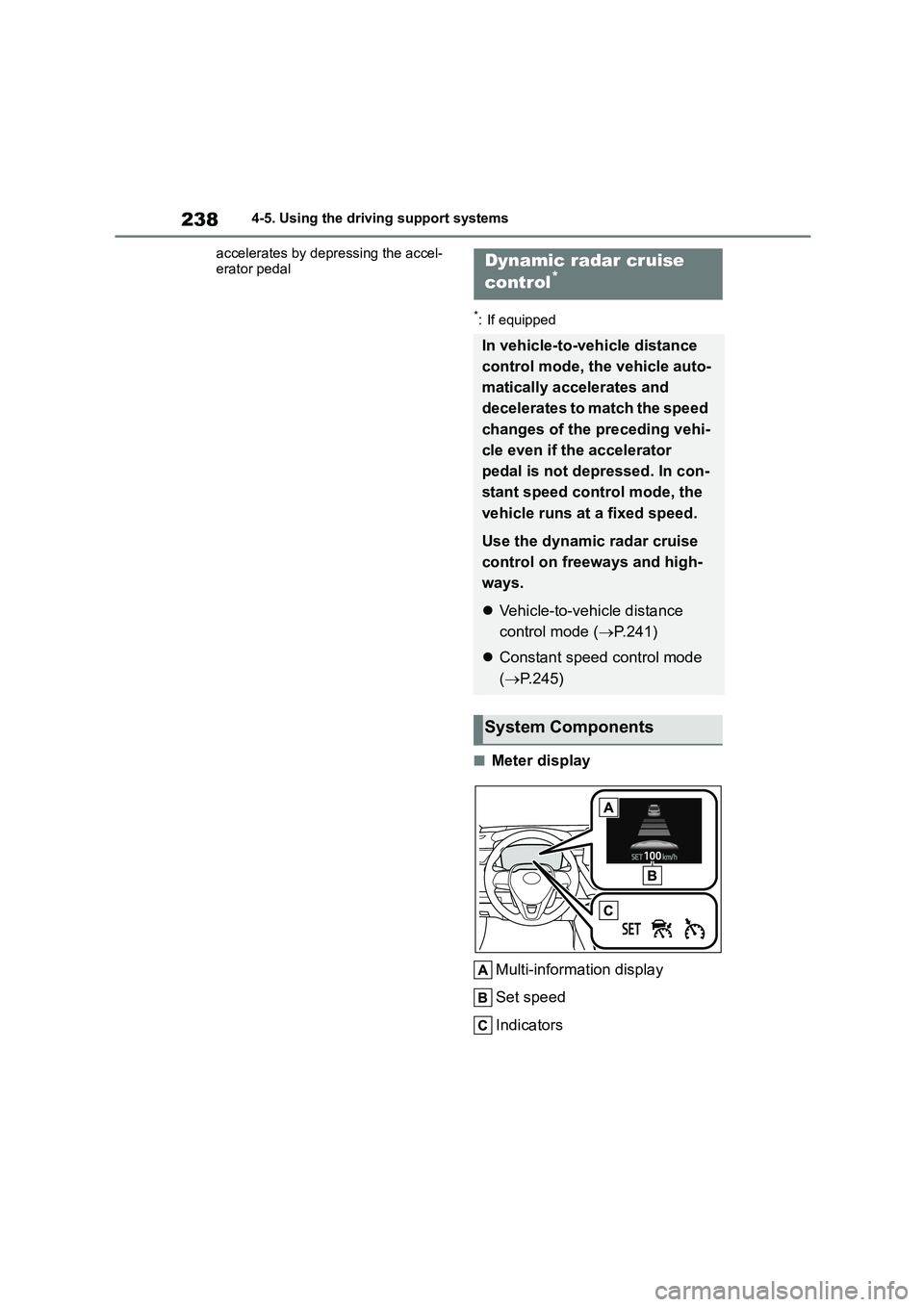
■Meter display
Multi-information display
Set speed
Indicators
Dynamic radar cruise
control*
In vehicle-to-vehicle distance
control mode, the vehicle auto-
matically accelerates and
decelerates to match the speed
changes of the preceding vehi-
cle even if the accelerator
pedal is not depressed. In con-
stant speed control mode, the
vehicle runs at a fixed speed.
Use the dynamic radar cruise
control on freeways and high-
ways.
Vehicle-to-vehicle distance
control mode ( P.241)
Constant speed control mode
( P.245)
System Components
Page 241 of 678

239
4
4-5. Using the driving support systems
Driving
■Operation switches
Vehicle-to-vehicle distance
switch
“+RES” switch
Cruise control main switch
Cancel switch
“-SET” switch
WA R N I N G
■Before using dynamic radar cruise control
●Driving safely is the sole responsi-
bility of the driver. Do not rely solely on the system, and drive safely by
always paying careful attention to
your surroundings.
●The dynamic radar cruise control
provides driving assistance to reduce the driver’s burden. How-
ever, there are limitations to the
assistance provided.
Read the following conditions care-
fully. Do not overly rely on this system
and always drive carefully.
• When the sensor may not be cor-
rectly detecting the vehicle ahead:
P. 2 4 7
• Conditions under which the vehi-
cle-to-vehicle distance control mode may not function correctly:
P. 2 4 8
●Set the speed appropriately depending on the speed limit, traffic
flow, road conditions, weather con-
ditions, etc. The driver is responsi- ble for checking the set speed.
●Even when the system is function-ing normally, the condition of the
preceding vehicle as detected by
the system may differ from the con- dition observed by the driver.
Therefore, the driver must always
remain alert, assess the danger of each situation and drive safely.
Relying solely on this system or
assuming the system ensures safety while driving can lead to an
accident, resulting in death or seri-
ous injury.
●Switch the dynamic radar cruise
control setting to off, using the cruise control main switch when not
in use.
■Cautions regarding the driving
assist systems
Observe the following precautions, as there are limitations to the assistance
provided by the system. Failure to do
so may cause an accident resulting in death or serious injury.
●Assisting the driver to measure fol-lowing distance
The dynamic radar cruise control is
only intended to help the driver in determining the following distance
between the driver’s own vehicle and
a designated vehicle traveling ahead. It is not a mechanism that allows
careless or inattentive driving, and it
is not a system that can assist the
driver in low-visibility conditions.
It is still necessary for driver to pay
close attention to the vehicle’s
surroundings.
Page 242 of 678

2404-5. Using the driving support systems
WA R N I N G
●Assisting the driver to judge proper
following distance
The dynamic radar cruise control determines whether the following dis-
tance between the driver’s own vehi-
cle and a designated vehicle traveling ahead is within a set range. It is not
capable of making any other type of
judgement. Therefore, it is absolutely
necessary for the driver to remain vig- ilant and to determine whether or not
there is a possibility of danger in any
given situation.
●Assisting the driver to operate the
vehicle
The dynamic radar cruise control
does not include functions which will
prevent or avoid collisions with vehi- cles ahead of your vehicle. Therefore,
if there is ever any possibility of dan-
ger, the driver must take immediate and direct control of the vehicle and
act appropriately in order to ensure
the safety of all involved.
■Situations unsuitable for
dynamic radar cruise control
Do not use dynamic radar cruise con-
trol in any of the following situations.
Doing so may result in inappropriate speed control and could cause an
accident resulting in death or serious
injury.
●Roads where there are pedestrians,
cyclists, etc.
●In heavy traffic
●On roads with sharp bends
●On winding roads
●On slippery roads, such as those
covered with rain, ice or snow
●On steep downhills, or where there are sudden changes between sharp
up and down gradients
Vehicle speed may exceed the set speed when driving down a steep hill.
●At entrances to freeways and high-ways
●When weather conditions are bad enough that they may prevent the
sensors from detecting correctly
(fog, snow, sandstorm, heavy rain, etc.)
●When there is rain, snow, etc. on the front surface of the radar or
front camera
●In traffic conditions that require fre-
quent repeated acceleration and
deceleration
●When your vehicle is towing a
trailer or during emergency towing
●When an approach warning buzzer
is heard often
Page 244 of 678
2424-5. Using the driving support systems
taking lane is on a different side from wher e the vehicle is normally driven, the vehi-
cle may accelerate when the turn signal lever is operated in the opposite direction to
the overtaking lane (e.g., if the driver normally operates the vehicle in a region
where the overtaking lane is to the right but then drives to a region where the over-
taking lane is to the left, the vehicle may accelerate when the right turn signal is acti-
vated).
Example of acceleration
When there are no longer any precedi ng vehicles driving slower than the
set speed
The system accelerates until the set speed is reached. The system then returns to
constant speed cruising.
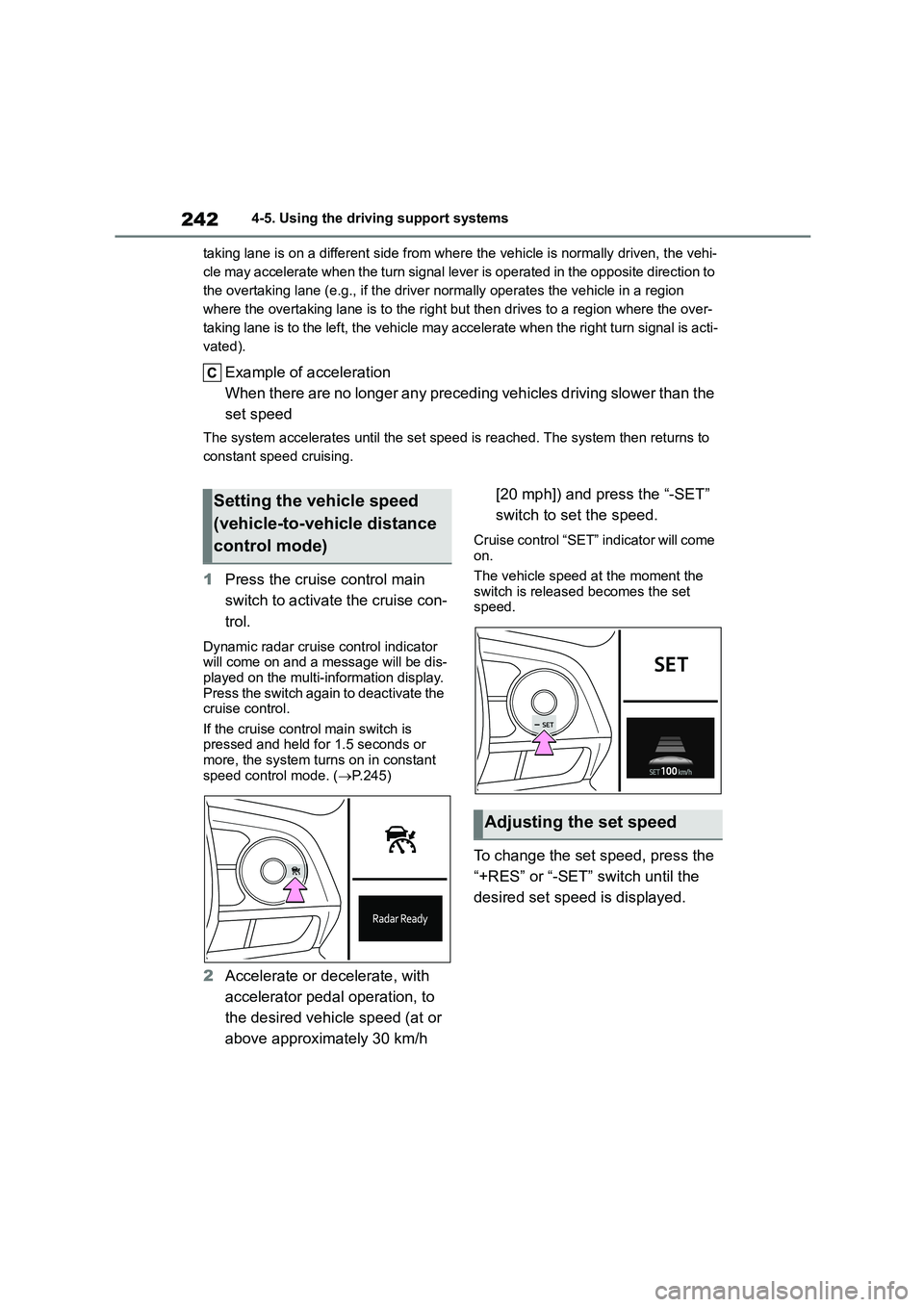
1 Press the cruise control main
switch to activate the cruise con-
trol.
Dynamic radar cruise control indicator
will come on and a message will be dis-
played on the multi-information display. Press the switch again to deactivate the
cruise control.
If the cruise control main switch is pressed and held for 1.5 seconds or
more, the system turns on in constant
speed control mode. ( P.245)
2Accelerate or decelerate, with
accelerator pedal operation, to
the desired vehicle speed (at or
above approximately 30 km/h
[20 mph]) and press the “-SET”
switch to set the speed.
Cruise control “SET” indicator will come on.
The vehicle speed at the moment the
switch is released becomes the set speed.
To change the set speed, press the
“+RES” or “-SET” switch until the
desired set speed is displayed.
Setting the vehicle speed
(vehicle-to-vehicle distance
control mode)
Adjusting the set speed
Page 246 of 678
2444-5. Using the driving support systems
Select a distance from the table
below. Note that the distances
shown correspond to a vehicle
speed of 80 km/h (50 mph). Vehi-
cle-to-vehicle distance
increases/decrea ses in accord-
ance with vehicle speed.
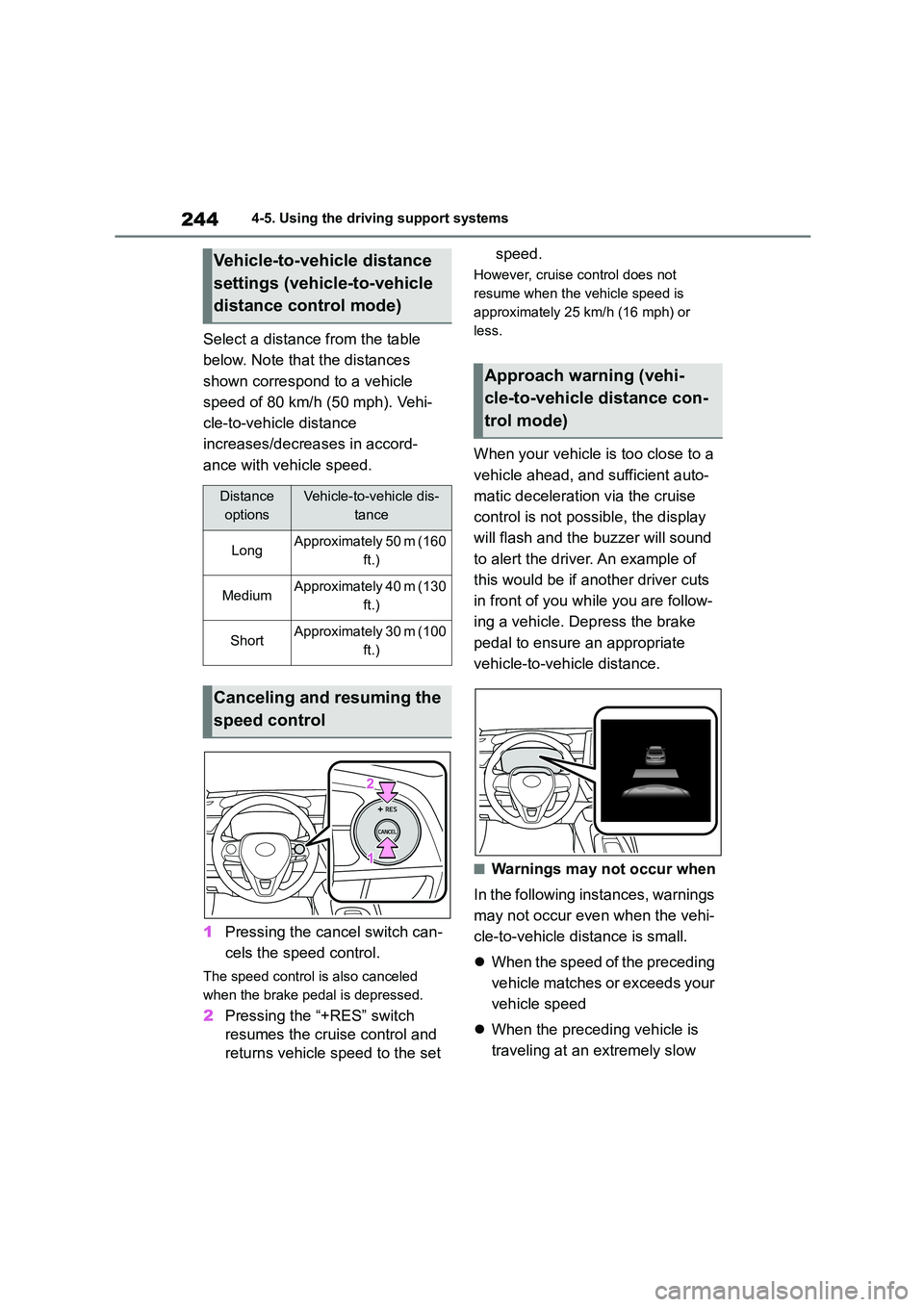
1 Pressing the cancel switch can-
cels the speed control.
The speed control is also canceled
when the brake pedal is depressed.
2 Pressing the “+RES” switch
resumes the cruise control and
returns vehicle speed to the set
speed.
However, cruise control does not
resume when the vehicle speed is
approximately 25 km/h (16 mph) or
less.
When your vehicle is too close to a
vehicle ahead, and sufficient auto-
matic deceleration via the cruise
control is not poss ible, the display
will flash and the buzzer will sound
to alert the driver. An example of
this would be if another driver cuts
in front of you wh ile you are follow-
ing a vehicle. Depress the brake
pedal to ensure an appropriate
vehicle-to-vehicle distance.
■Warnings may not occur when
In the following in stances, warnings
may not occur even when the vehi-
cle-to-vehicle distance is small.
When the speed of the preceding
vehicle matches or exceeds your
vehicle speed
When the preceding vehicle is
traveling at an extremely slow
Vehicle-to-vehicle distance
settings (vehicle-to-vehicle
distance control mode)
Distance
options
Vehicle-to-vehicle dis-
tance
LongApproximately 50 m (160
ft.)
MediumApproximately 40 m (130
ft.)
ShortApproximately 30 m (100
ft.)
Canceling and resuming the
speed control
Approach warning (vehi-
cle-to-vehicle distance con-
trol mode)
Page 247 of 678
245
4
4-5. Using the driving support systems
Driving
speed
Immediately after the cruise con-
trol speed was set
When depressing the accelerator
pedal
When constant speed control mode
is selected, your vehicle will main-
tain a set speed without controlling
the vehicle-to-vehicle distance.
Select this mode only when vehi-
cle-to-vehicle distance control
mode does not function correctly
due to a dirty radar, etc.
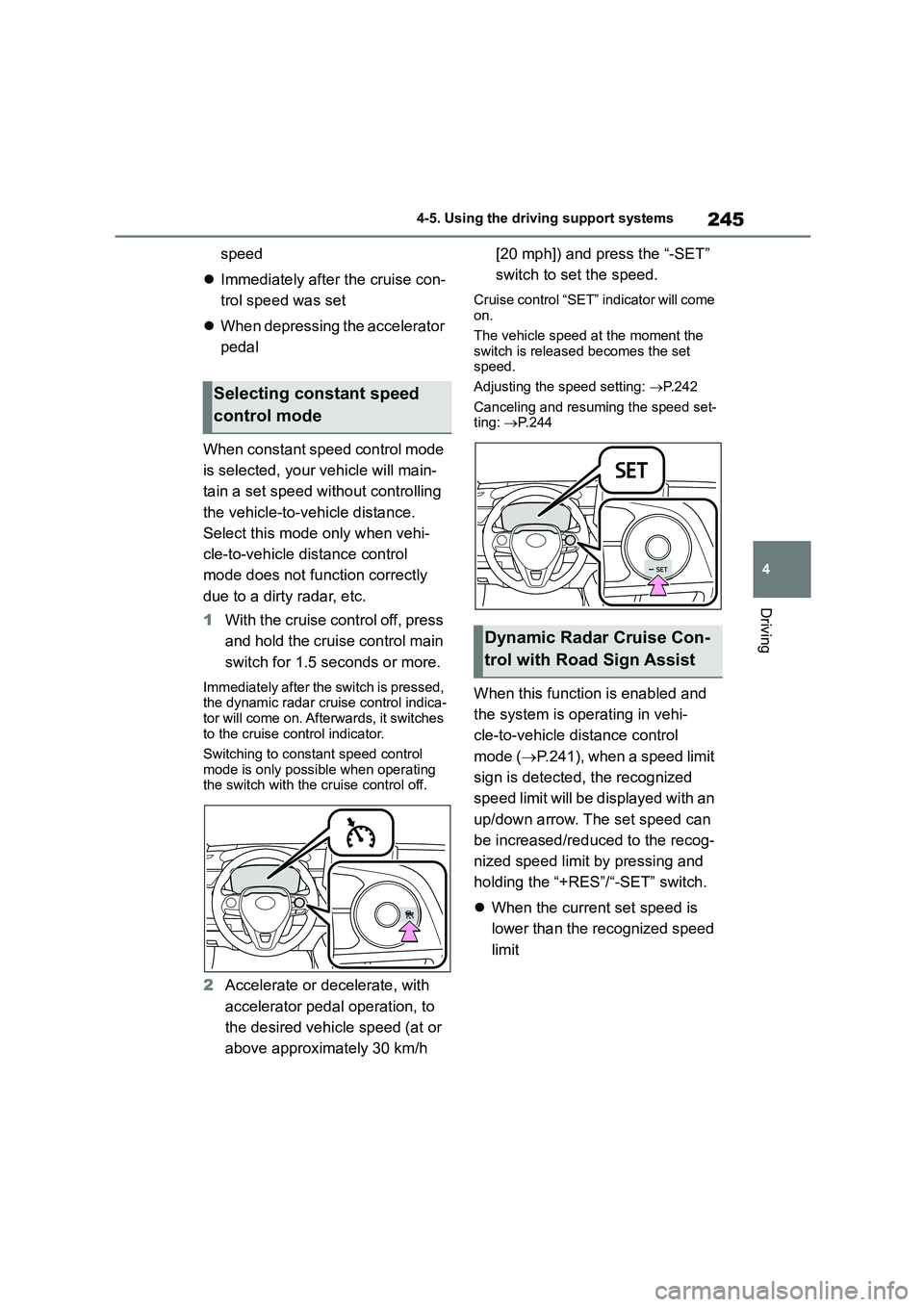
1 With the cruise control off, press
and hold the cruise control main
switch for 1.5 seconds or more.
Immediately after the switch is pressed,
the dynamic radar cruise control indica-
tor will come on. Afte rwards, it switches to the cruise control indicator.
Switching to constant speed control
mode is only possible when operating the switch with the cruise control off.
2Accelerate or decelerate, with
accelerator pedal operation, to
the desired vehicle speed (at or
above approximately 30 km/h
[20 mph]) and press the “-SET”
switch to set the speed.
Cruise control “SET” indicator will come
on.
The vehicle speed at the moment the
switch is released becomes the set
speed.
Adjusting the speed setting: P. 2 4 2
Canceling and resuming the speed set-
ting: P.244
When this function is enabled and
the system is operating in vehi-
cle-to-vehicle distance control
mode ( P.241), when a speed limit
sign is detected, the recognized
speed limit will be displayed with an
up/down arrow. The set speed can
be increased/reduced to the recog-
nized speed limit by pressing and
holding the “+RES”/“-SET” switch.
When the current set speed is
lower than the recognized speed
limit
Selecting constant speed
control mode
Dynamic Radar Cruise Con-
trol with Road Sign Assist
Page 248 of 678

2464-5. Using the driving support systems
Press and hold the “+RES” switch.
When the current set speed is
higher than the recognized
speed limit
Press and hold the “-SET” switch.
Dynamic Radar Cruise Control with
Road Sign Assist can be ena-
bled/disabled in on the
multi-information display. ( P. 9 3 )
■Dynamic radar cruise control can be set when
●Vehicles with a Multidrive: The shift lever is in D.
●Vehicles with a manual transmission:
The shift lever is in range 2nd or higher.
●Depending on the control mode, this
item can be set at the following speeds.
• Vehicle-to-vehicle distance control
mode: Approximately 30 km/h (20 mph) or more
• Constant speed control mode:
Approximately 30 km/h (20 mph) or more
■Accelerating after setting the vehi-
cle speed
The vehicle can accelerate by operating the accelerator pedal. After accelerat-
ing, the set speed resumes. However,
during vehicle-to-vehicle distance con- trol mode, the vehicle speed may
decrease below the set speed in order
to maintain the distance to the preceding vehicle.
■Shift position selection
Select a shift positi on according to the
vehicle speed. If the engine speed is too high or too low, control may be automat-
ically canceled.
■Automatic cancelation of vehi-
cle-to-vehicle distance control mode
Vehicle-to-vehicle distance control mode
is automatically canceled in the follow- ing situations.
●Actual vehicle speed falls below approximately 25 km/h (16 mph).
●VSC is activated.
●TRC is activated for a period of time.
●When the VSC or TRC system is
turned off.
●The sensor cannot detect correctly
because it is covered in some way.
●Pre-collision braking is activated.
●When the shift lever is in N or the
clutch pedal is depressed for a certain amount of time or more.
If vehicle-to-vehicle distance control
mode is automatically canceled for any reasons other than the above, there
may be a malfunction in the system.
Contact any authorized Toyota retailer
Enabling/Disabling the
Dynamic Radar Cruise Con-
trol with Road Sign Assist
Page 249 of 678

247
4
4-5. Using the driving support systems
Driving
or Toyota authorized repairer, or any reli-
able repairer.
■Automatic cancelation of constant speed control mode
Constant speed control mode is auto-
matically canceled in the following situa- tions:
●Actual vehicle speed is more than approximately 16 km/h (10 mph)
below the set vehicle speed.
●Actual vehicle speed falls below
approximately 30 km/h (20 mph).
●VSC is activated.
●TRC is activated for a period of time.
●When the VSC or TRC system is
turned off.
●Pre-collision braking is activated.
●When the shift lever is in N or the
clutch pedal is depressed for a certain
amount of time or more.
If constant speed control mode is auto-
matically canceled for any reasons other
than the above, there may be a malfunc- tion in the system. Contact any author-
ized Toyota retailer or Toyota authorized
repairer, or any reliable repairer.
■The Dynamic Radar Cruise Control with Road Sign Assist may not
operate properly when
As the Dynamic Radar Cruise Control with Road Sign Assist may not operate
properly in conditions in which RSA may
not operate or detect correctly ( P.257), when using this function,
make sure to check the speed limit sign
displayed.
In the following situations, the set speed
may not be changed to the recognized
speed limit by pressing and holding the
“+RES”/“-SET” switch.
●If speed limit information is not availa-
ble
●When the recognized speed limit is
the same as the set speed
●When the recognized speed limit is
outside of the speed range that the
dynamic radar cruise control system
can operate
■Brake operation
A brake operation sound may be heard
and the brake pedal response may
change, but these are not malfunctions.
■Warning messages and buzzers for dynamic radar cruise control
Warning messages and buzzers are
used to indicate a system malfunction or to inform the driver of the need for cau-
tion while driving. If a warning message
is shown on the multi-information dis- play, read the message and follow the
instructions. ( P.200, 480)
■When the sensor may not be cor-
rectly detecting the vehicle ahead
In the case of the following and depend-
ing on the conditions, operate the brake
pedal when deceleration of the system is insufficient or operate the accelerator
pedal when acceleration is required.
As the sensor may not be able to cor- rectly detect these types of vehicles, the
approach warning ( P.244) may not be
activated.
●Vehicles that cut in suddenly
●Vehicles traveling at low speeds
●Vehicles that are not moving in the same lane
●Vehicles with small rear ends (trailers with no load on board, etc.)
●Motorcycles traveling in the same lane
●When water or snow thrown up by the
surrounding vehicles hinders the
detecting of the sensor
●When your vehicle is pointing
upwards (caused by a heavy load in