2022 TOYOTA CAMRY API SN
[x] Cancel search: API SNPage 434 of 664
4345-4. Other interior features
CAMRY_U■
Programming the HomeLink®
Steps through must be perfo
rmed within 60 seconds, other-
wise the indicator light will st op flashing and programming wil l not
be able to be completed.
Press and release the HomeLink
® button you want to program
and check that the HomeLink® indicator light flashes orange.
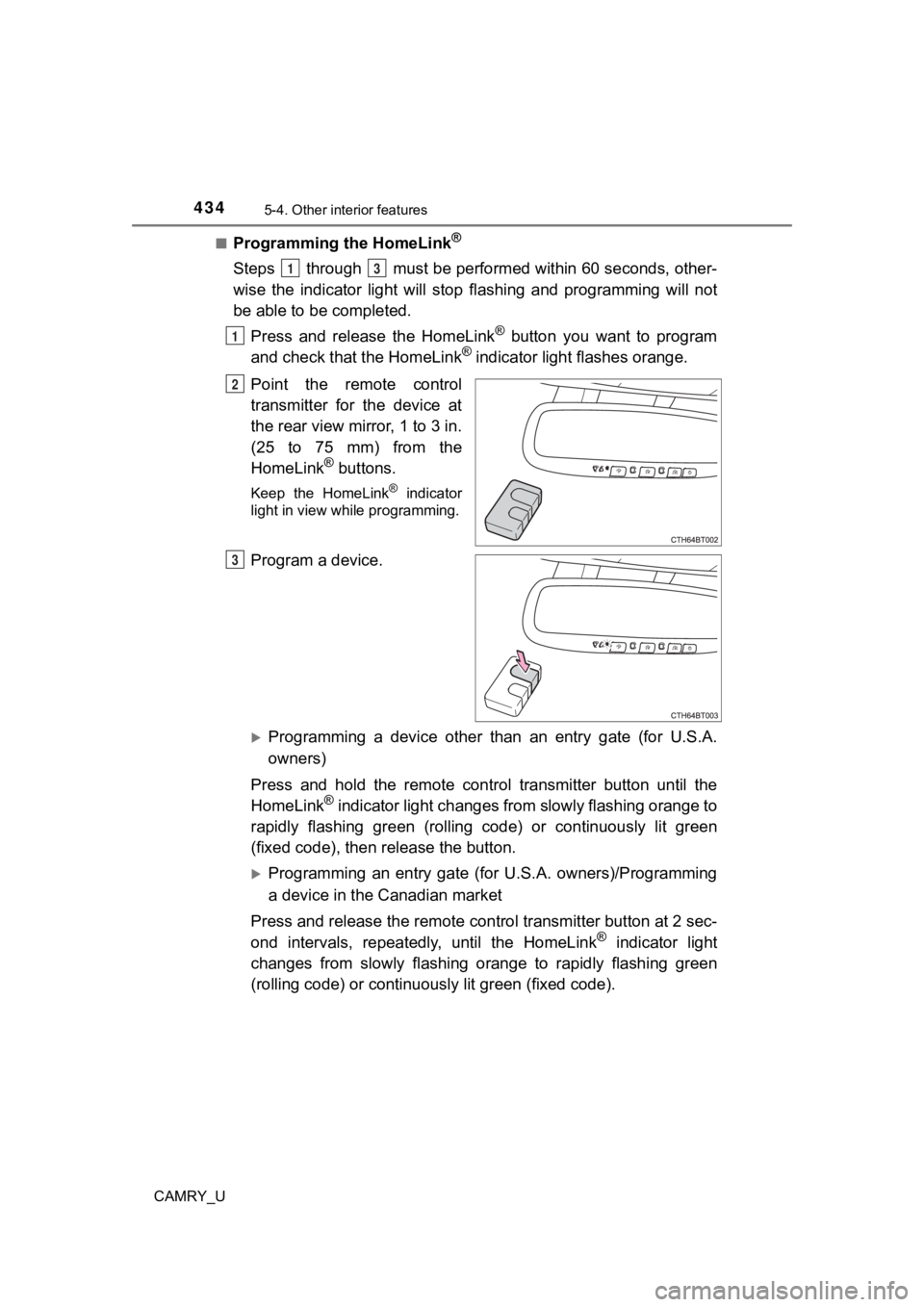
Point the remote control
transmitter for the device at
the rear view mirror, 1 to 3 in.
(25 to 75 mm) from the
HomeLink
® buttons.
Keep the HomeLink® indicator
light in view while programming.
Program a device.
Programming a device other than an entry gate (for U.S.A.
owners)
Press and hold the remote control transmitter button until the
HomeLink
® indicator light changes from slowly flashing orange to
rapidly flashing gre en (rolling code) or continuously lit green
(fixed code), then release the button.
Programming an entry gate (for U.S.A. owners)/Programming
a device in the Canadian market
Press and release the remote con trol transmitter button at 2 sec-
ond intervals, repeatedly, until the HomeLink
® indicator light
changes from slowly flashing orange to rapidly flashing green
(rolling code) or continuous ly lit green (fixed code).
13
1
2
3
Page 435 of 664
4355-4. Other interior features
CAMRY_U
5
Interior features
Test the HomeLink® operation by pressing the newly pro-
grammed button and observi ng the indicator light:
● Indicator light illuminates: Progr amming of a fixed code device
has completed. The garage door or other device should operate
when a HomeLink
® button is pressed and released.
● Indicator light flashes rapidly: The garage door opener motor o r
other device is equipped with a rolling code. To complete pro-
gramming, firmly press and hold the HomeLink
® button for 2 sec-
onds then release it.
● If the garage door or other device does not operate, proceed to
“Programming a rol ling code system”.
Repeat the steps above to program another device for any of the
remaining HomeLink
® buttons.
■Programming a rolling code system
2 or more people may be necessary to complete rolling code pro-
gramming.
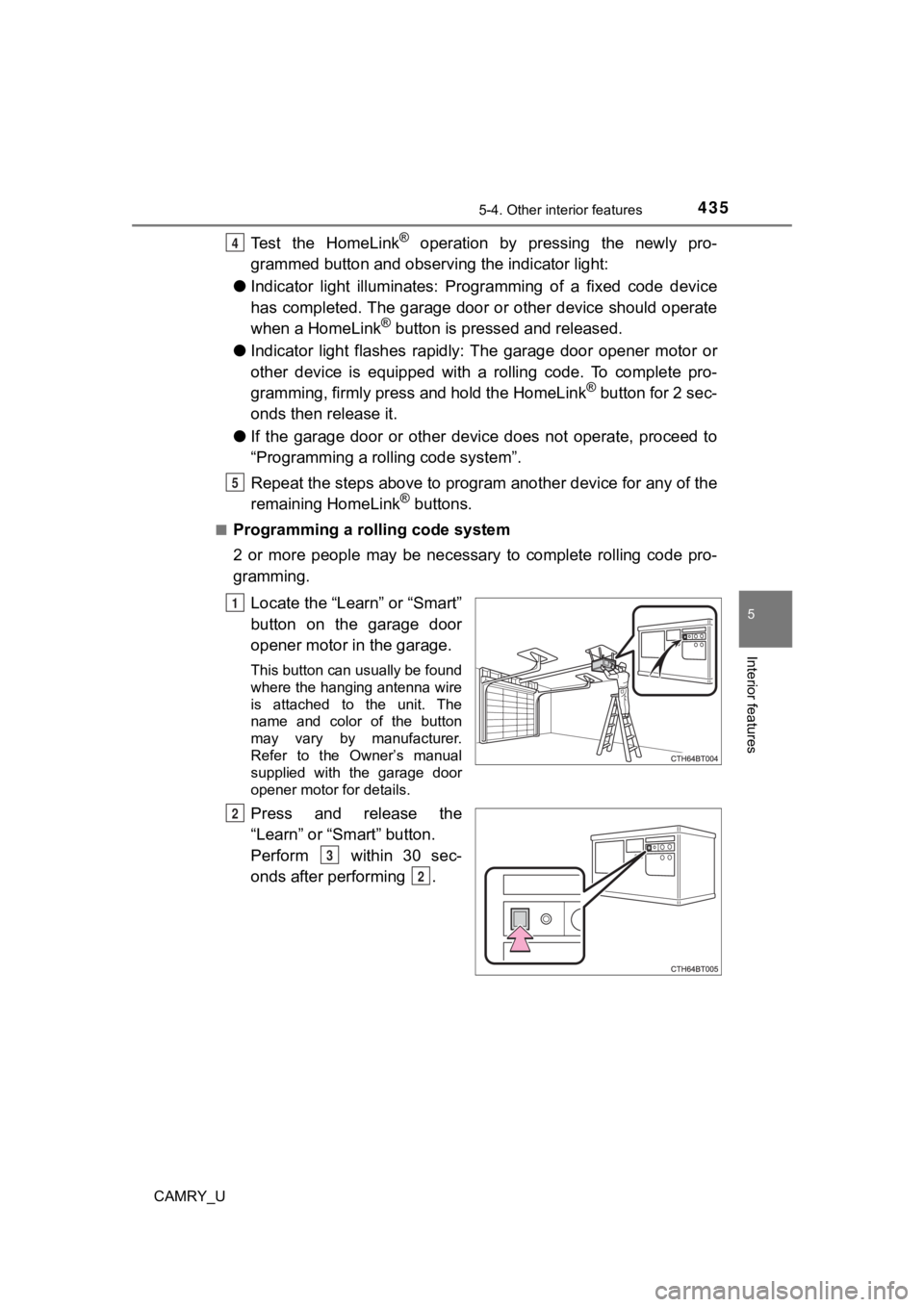
Locate the “Learn” or “Smart”
button on the garage door
opener motor in the garage.
This button can usually be found
where the hanging antenna wire
is attached to the unit. The
name and color of the button
may vary by manufacturer.
Refer to the Owner’s manual
supplied with the garage door
opener motor for details.
Press and release the
“Learn” or “Smart” button.
Perform within 30 sec-
onds after performing .
4
5
1
2
3
2
Page 436 of 664
4365-4. Other interior features
CAMRY_U
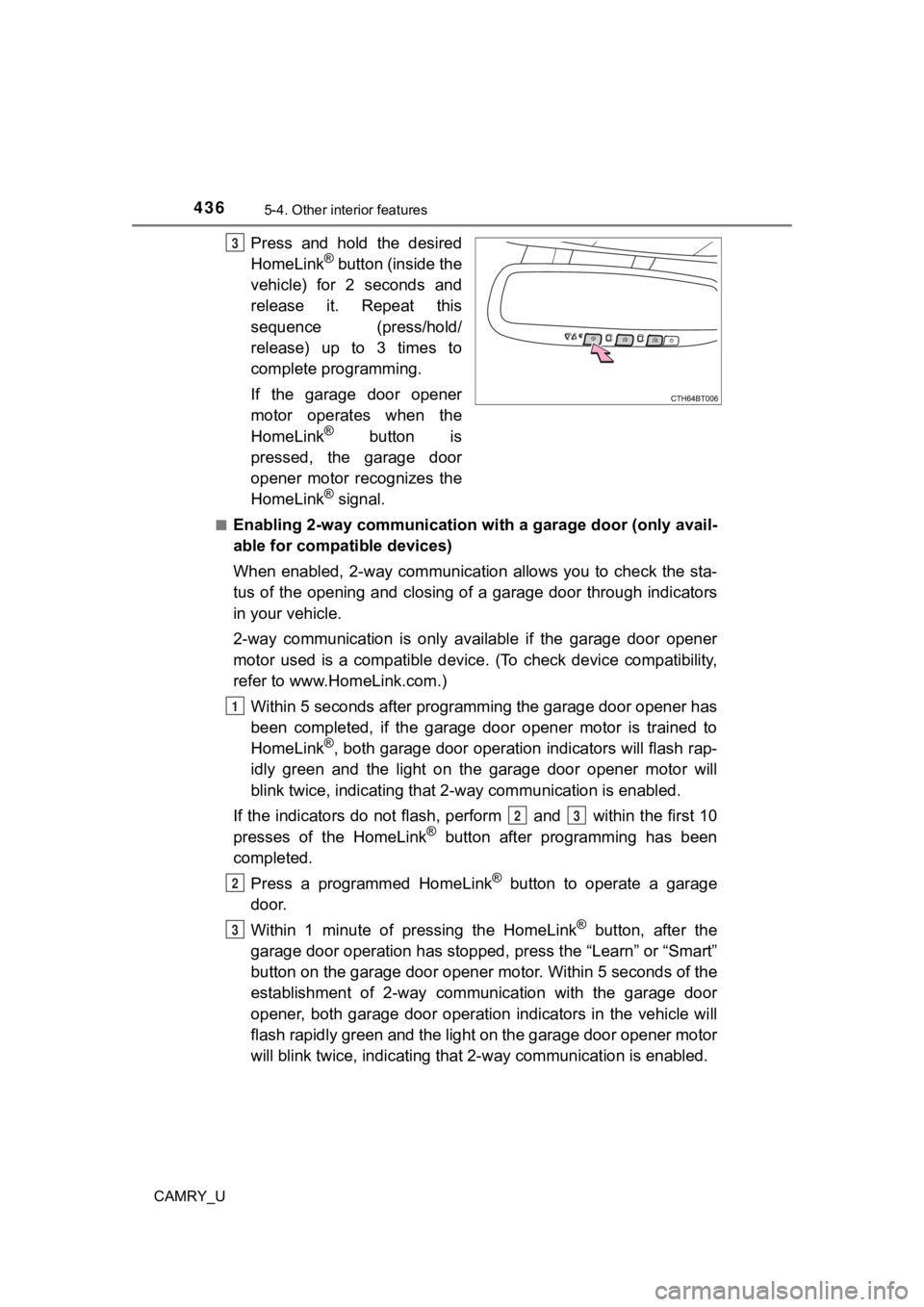
Press and hold the desired
HomeLink® button (inside the
vehicle) for 2 seconds and
release it. Repeat this
sequence (press/hold/
release) up to 3 times to
complete programming.
If the garage door opener
motor operates when the
HomeLink
® button is
pressed, the garage door
opener motor recognizes the
HomeLink
® signal.
■Enabling 2-way communication with a garage door (only avail-
able for compatible devices)
When enabled, 2-way communication allows you to check the sta-
tus of the opening and closing of a garage door through indicat ors
in your vehicle.
2-way communication is only available if the garage door opener
motor used is a compatible device. (To check device compatibility,
refer to www.HomeLink.com.)
Within 5 seconds after programming the garage door opener has
been completed, if the garage door opener motor is trained to
HomeLink
®, both garage door operation indicators will flash rap-
idly green and the light on the garage door opener motor will
blink twice, indicating that 2 -way communication is enabled.
If the indicators do not flash, perform and within the first 10
presses of the HomeLink
® button after programming has been
completed.
Press a programmed HomeLink
® button to operate a garage
door.
Within 1 minute of pressing the HomeLink
® button, after the
garage door operation has stopped, press the “Learn” or “Smart”
button on the garage door opener motor. Within 5 seconds of the
establishment of 2-way commu nication with the garage door
opener, both garage door operation indicators in the vehicle wi ll
flash rapidly green and the light on the garage door opener mot or
will blink twice, indicating that 2- way communication is enabled.
3
1
23
2
3
Page 438 of 664
4385-4. Other interior features
CAMRY_U
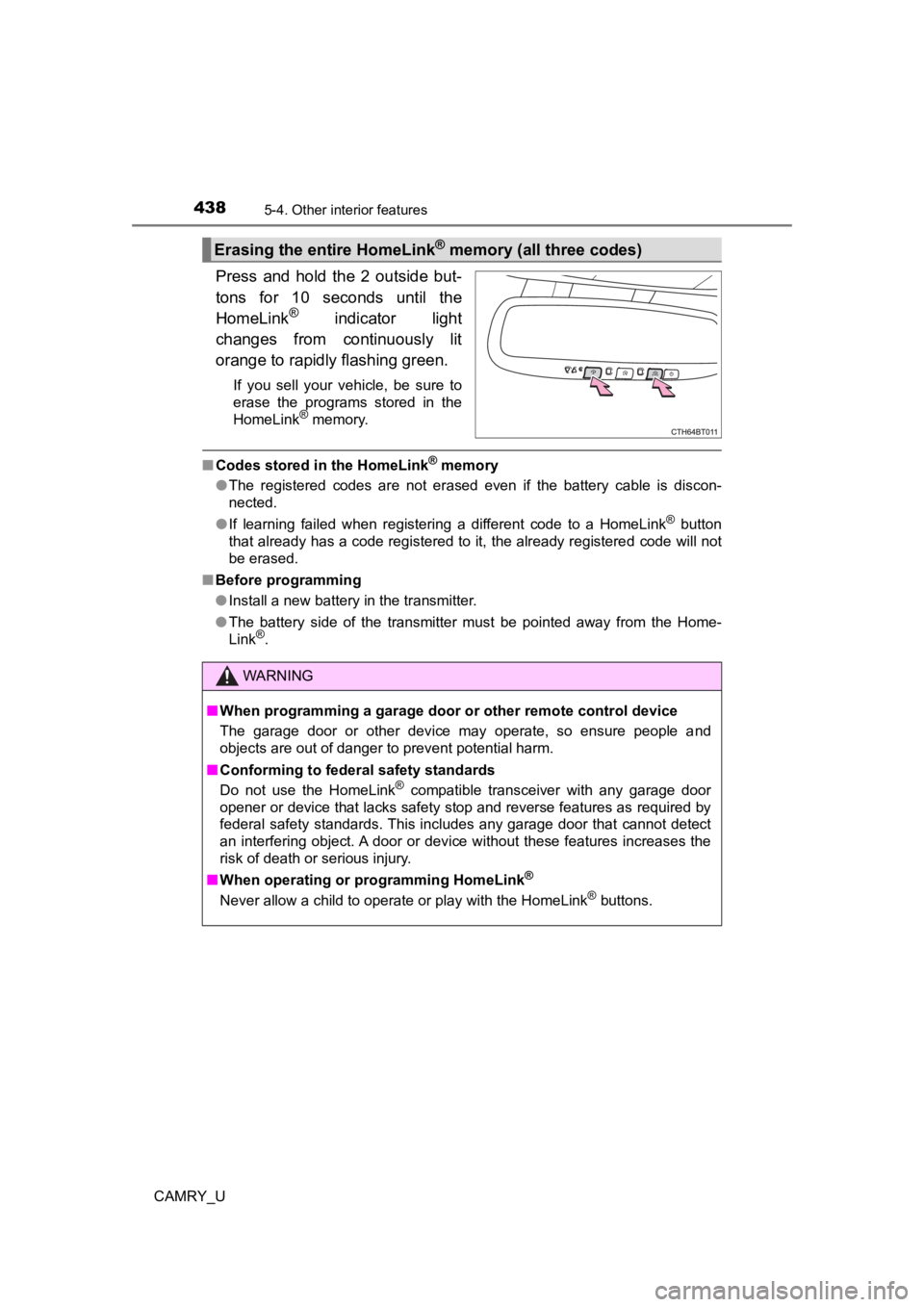
Press and hold the 2 outside but-
tons for 10 seconds until the
HomeLink
® indicator light
changes from continuously lit
orange to rapidly flashing green.
If you sell your vehicle, be sure to
erase the programs stored in the
HomeLink
® memory.
■ Codes stored in the HomeLink® memory
● The registered codes are not erased even if the battery cable is discon-
nected.
● If learning failed when registering a different code to a HomeLink
® button
that already has a code registered to it, the already registere d code will not
be erased.
■ Before programming
●Install a new battery in the transmitter.
● The battery side of the transmitter must be pointed away from the Home-
Link
®.
Erasing the entire HomeLink® memory (all three codes)
WARNING
■When programming a garage door or other remote control device
The garage door or other device may operate, so ensure people a nd
objects are out of danger to prevent potential harm.
■ Conforming to federal safety standards
Do not use the HomeLink
® compatible transceiver with any garage door
opener or device that lacks safety stop and reverse features as required by
federal safety standards. This includes any garage door that cannot detect
an interfering object. A door or device without these features increases the
risk of death or serious injury.
■ When operating or programming HomeLink
®
Never allow a child to operate or play with the HomeLink® buttons.
Page 479 of 664
4796-3. Do-it-yourself maintenance
CAMRY_U
6
Maintenance and care
■When to replace your vehicle’s tires
Tires should be replaced if:
●The treadwear indicators are showing on a tire.
●You have tire damage such as cuts, splits, cracks deep enough t o
expose the fabric, and bulges indicating internal damage
●A tire goes flat repeatedly or c annot be properly repaired due to the size
or location of a cut or other damage
If you are not sure, consult with your Toyota dealer.
■Replacing tires and wheels
If the ID codes of the tire pressure warning valve and transmit ters are not
registered, the tire pressure warning system will not work properly. In this
case, after driving for about 20 minutes, the tire pressure warning light will
blink for approximately 1 minute and then illuminate to indicat e a system
malfunction.
■Tire life
Any tire over 6 years old must be checked by a qualified techni cian even
if it has seldom or never been u sed or damage is not obvious.
■Routine tire inflation pressure checks
The tire pressure warning system does not replace routine tire inflation
pressure checks. Make sure to chec k tire inflation pressure as part of
your routine of daily vehicle checks.
■Low profile tires (vehicles with 18 or 19-inch wheels)
Generally, low profile tires will wear more rapidly and tire gr ip perfor-
mance will be reduced on snowy and /or icy roads when compared to
standard tires. Be sure to use snow tires on snowy and/or icy r oads and
drive carefully at a speed approp riate for road and weather conditions.
■Maximum load of tire
Check that the maximum load of t he replacement tire is greater than 1/2
of the Gross Axle Weight Ratings (GAWR) of either the front axl e or the
rear axle, whichever is greater.
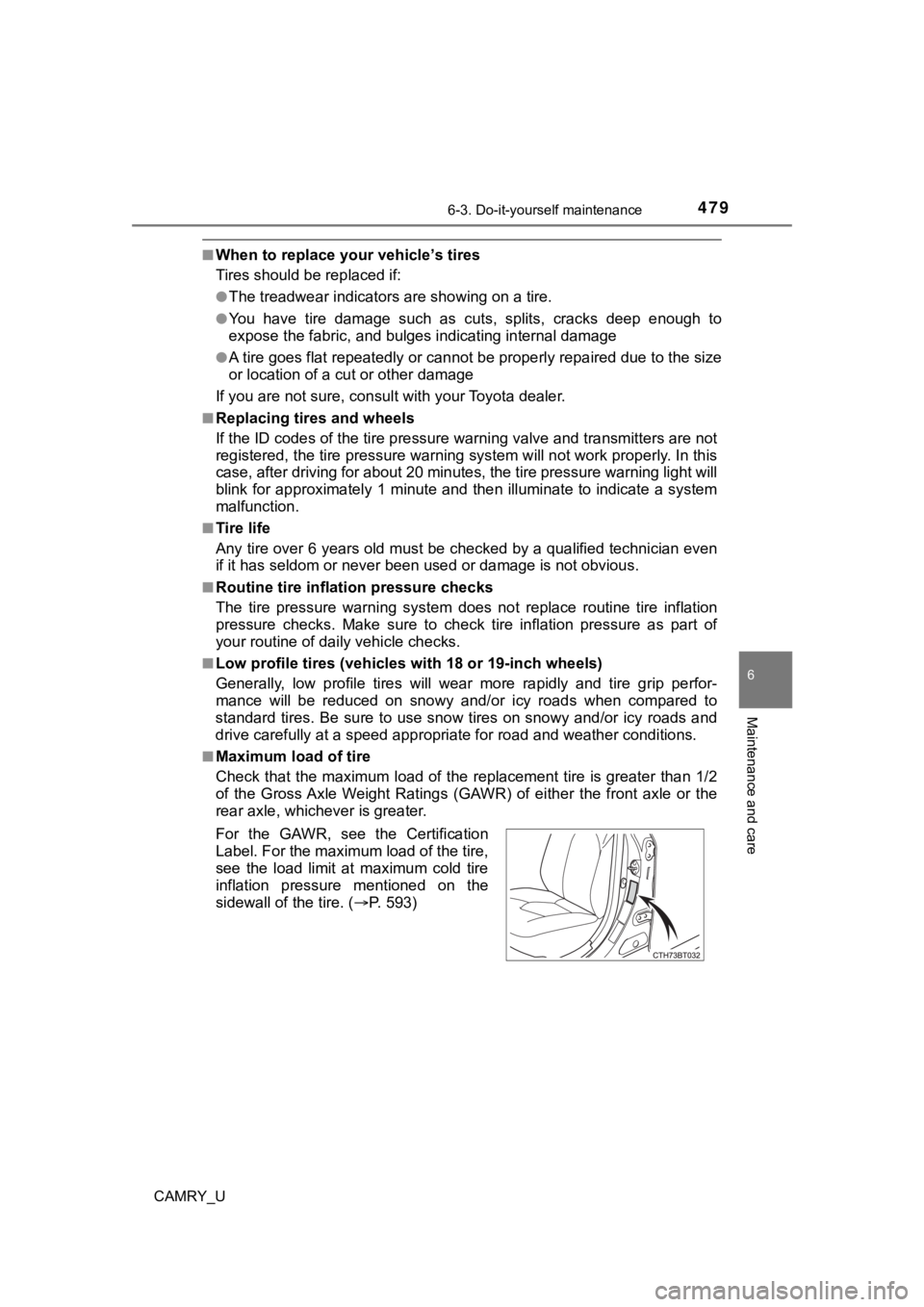
For the GAWR, see the Certification
Label. For the maximum load of the tire,
see the load limit at maximum cold tire
inflation pressure mentioned on the
sidewall of the tire. ( P. 5 9 3 )
Page 481 of 664

4816-3. Do-it-yourself maintenance
CAMRY_U
6
Maintenance and care
●Performance may be affected in the following situations.
• When driving near a TV tower, electric power plant, gas station, radio
station, large display, airport or other facilit y that generates strong
radio waves or electrical noise
• When carrying a portable radio, cellular phone, cordless phone or
other wireless communication device
Vehicles with a tire inflation pressure display function: If ti re position
information is not correctly displayed due to the radio wave co nditions,
the display may be corrected by changing the location of the ve hicle as
the radio wave conditions may change.
●When the vehicle is stopped, the time taken for the warning to start or
turn off may be longer.
●When the inflation pressure of a tire drops rapidly, for exampl e when a
tire has burst, the warning may not operate.
■Initialization procedure
●Make sure to perform the initialization procedure after adjusti ng the tire
inflation pressure.
Also, make sure the tires are cold before performing the initia lization
procedure or adjusting the tire inflation pressure.
●If the engine switch is turned t o the “LOCK” position (vehicles without a
smart key system) or off (vehicles with a smart key system) dur ing ini-
tialization, it is not necessary to restart the initialization procedure from
the beginning as it will begin aut omatically when the engine switch is
turned back to the “ON” position (vehicles without a smart key system)
or IGNITION ON mode (vehicles with a smart key system).
●If initialization has accidentally been started when it is not necessary,
adjust the tire inflation pressu re to the specified level when the tires are
cold and then perform the ini tialization procedure again.
●Vehicles with a tire inflation p ressure display function: While the position
of each tire is being determined and the inflation pressures are not being
displayed on the multi-information display, if the inflation pr essure of a
tire drops, the tire pressure warning light will come on.
■Warning performance of the tire pressure warning system
The warning of the tire pressu re warning system will change in accor-
dance with the conditions under which it was initialized. For t his reason,
the system may give a warning even if the tire pressure does no t reach a
low enough level, or if the pressure is higher than the pressur e that was
adjusted to when the sys tem was initialized.
Page 571 of 664
5717-2. Steps to take in an emergency
CAMRY_U
7
When trouble arises
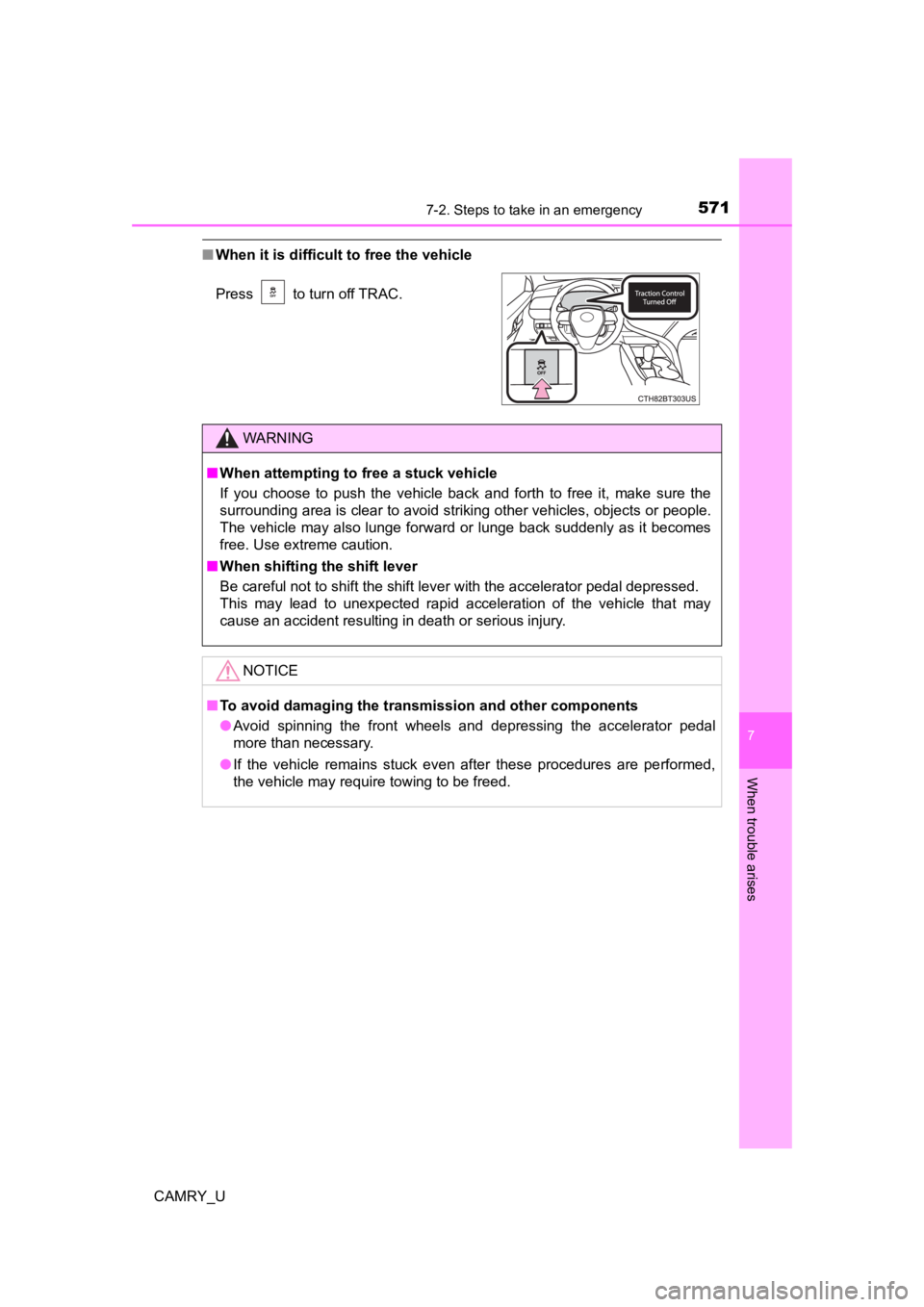
■When it is difficult to free the vehicle
Press to turn off TRAC.
WARNING
■When attempting to f ree a stuck vehicle
If you choose to push the vehicle back and forth to free it, make sure the
surrounding area is clear to avoid striking other vehicles, obj ects or people.
The vehicle may also lunge forward or lunge back suddenly as it becomes
free. Use extreme caution.
■ When shifting the shift lever
Be careful not to shift the shift lever with the accelerator pedal depressed.
This may lead to unexpected rapid acceleration of the vehicle t hat may
cause an accident resulting in death or serious injury.
NOTICE
■ To avoid damaging the transmission and other components
● Avoid spinning the front wheels and depressing the accelerator pedal
more than necessary.
● If the vehicle remains stuck even after these procedures are pe rformed,
the vehicle may require towing to be freed.
Page 579 of 664
5798-1. Specifications
8
Vehicle specifications
CAMRY_U
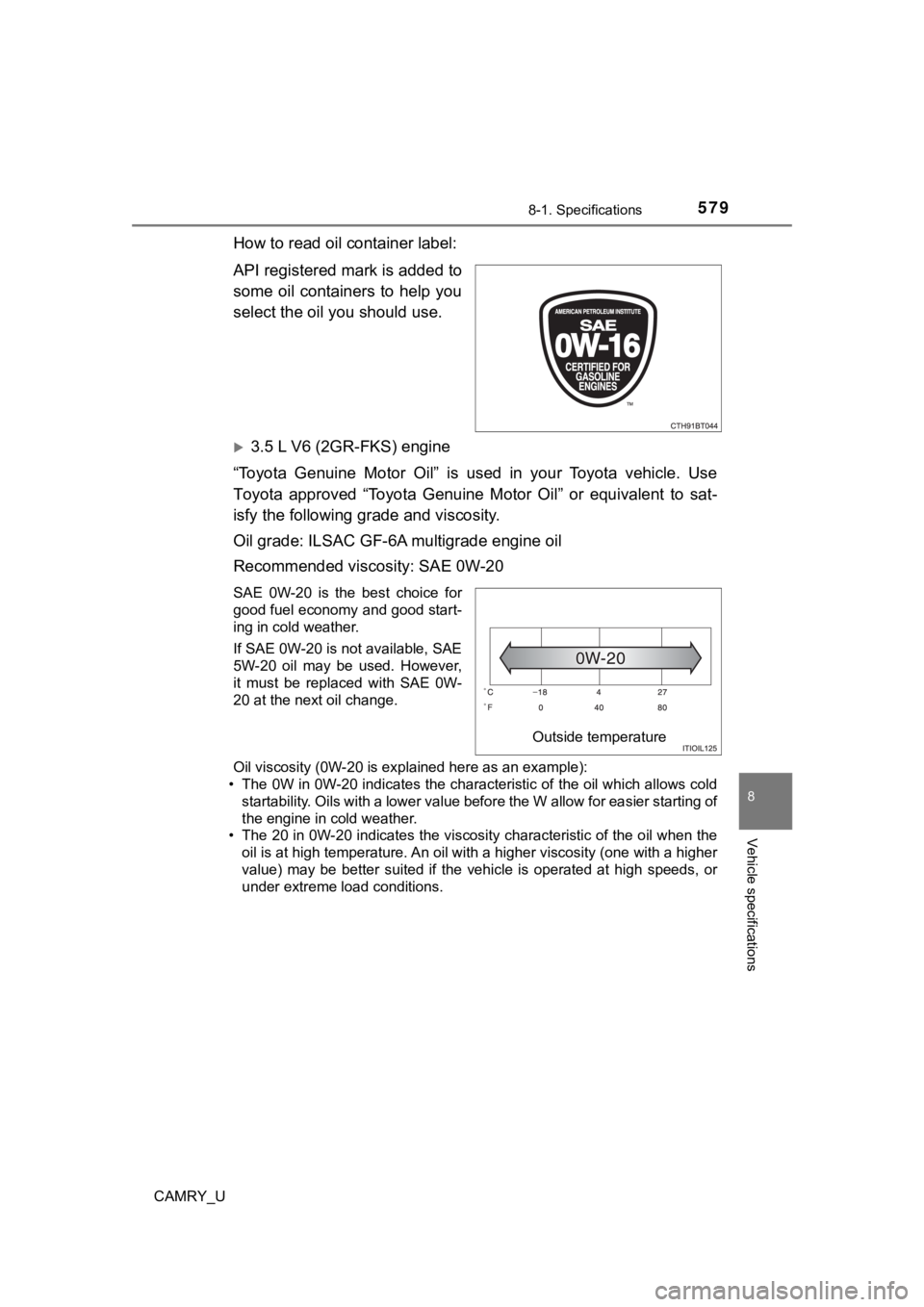
How to read oil container label:
API registered mark is added to
some oil containers to help you
select the oil you should use.
3.5 L V6 (2GR-FKS) engine
“Toyota Genuine Motor Oil” is used in your Toyota vehicle. Use
Toyota approved “Toyota Genuine Motor Oil” or equivalent to sat -
isfy the following grade and viscosity.
Oil grade: ILSAC GF-6A multigrade engine oil
Recommended viscosity: SAE 0W-20
SAE 0W-20 is the best choice for
good fuel economy and good start-
ing in cold weather.
If SAE 0W-20 is not available, SAE
5W-20 oil may be used. However,
it must be replaced with SAE 0W-
20 at the next oil change.
Oil viscosity (0W-20 is explained here as an example):
• The 0W in 0W-20 indicates the characteristic of the oil which allows cold
startability. Oils with a lower value before the W allow for ea sier starting of
the engine in cold weather.
• The 20 in 0W-20 indicates the viscosity characteristic of the oil when the
oil is at high temperature. An oil with a higher viscosity (one with a higher
value) may be better suited if the vehicle is operated at high speeds, or
under extreme load conditions.
Outside temperature