2022 TOYOTA 4RUNNER warning
[x] Cancel search: warningPage 292 of 616
2924-5. Using the driving support systems
4RUNNER (U)
■Intuitive parking assist can be operated when
●Front corner sensors:
• The engine switch is in the “ON” position (without a smart key system) or
the engine switch is in IGNITION ON mode (with a smart key syst em).
• The shift lever is in a position other than P.
• The vehicle speed is less than approximately 6 mph (10 km/h).
● Rear corner and rear center sensors:
• The engine switch is in the “ON” position (without a smart key system) or
the engine switch is in IGNITION ON mode (with a smart key syst em).
• The shift lever is in R.
■ Intuitive parking assist display
When an obstacle is detected while the Toyota parking assist mo nitor is in
use, the warning indicator will appear in the upper part of the screen even if
the display setting has been set to off.
■ Sensor detection information
●The sensor’s detection areas are limited to the areas around th e vehicle’s
front corner and rear bumpers.
● The following situations may occur during use.
• Depending on the shape of the obstacle and other factors, the detection
distance may shorten, or detection may be impossible.
• Obstacles may not be detected if they are too close to the sen sor.
• There will be a short delay between obstacle detection and dis play. Even
at slow speeds, there is a possibility that the obstacle will c ome within the
sensor’s detection areas before the display is shown and the wa rning
beep sounds.
• Thin posts or objects lower than the sensor may not be detected for colli-
sion when approached, even if they have been detected once.
• It might be difficult to hear beeps due to the volume of audio system or air
flow noise of air conditioning system.
■ Objects which the system may not be properly detected
●Wires, fences, ropes, etc.
● Cotton, snow and other materials that absorb sound waves
● Sharply-angled objects
● Low obstacles
● Tall obstacles with upper sections projecting outwards in the d irection of
your vehicle
Page 296 of 616
2964-5. Using the driving support systems
4RUNNER (U)
WARNING
■Cautions regarding the use of the system
There is a limit to the degree of recognition accuracy and cont rol perfor-
mance that this system can provide, do not overly rely on this system. The
driver is always responsible for paying attention to the vehicl e’ surroundings
and driving safely.
■ To ensure the system can operate properly
Observe the following precautions.
Failing to do so may result in the vehicle being unable to be driven safely
and possibly cause an accident.
● Do not damage the sensors, and always keep them clean.
● Do not attach a sticker or install an electronic component, such as a backlit
license plate (especially fluorescent type), fog lights, fender pole or wire-
less antenna near a radar sensor.
● Do not subject the surrounding area of the sensor to a strong impact. If
subjected to an impact, have the vehicle inspected by your Toyota dealer.
If the front or rear bumper needs to be removed/installed or replaced, con-
tact your Toyota dealer.
● Do not modify, disassemble or paint the sensors.
● Do not attach a license plate cover.
● Keep your tires properly inflated.
■ When to disable the function
In the following situations, disable the function as it may operate even
though there is no possibility of a collision.
● Failing to observe the warnings above.
● A non-genuine Toyota suspension (lowered suspension, etc.) is installed.
■ Notes when washing the vehicle
Do not apply intensive bursts of water or steam to the sensor a rea.
Doing so may result in the sensor malfunctioning.
● When using a high pressure washer to wash the vehicle, do not spray the
sensors directly, as doing so may cause a sensor to malfunction .
● When using steam to clean the vehicle, do not direct steam too close to
the sensors as doing so may cause a sensor to malfunction.
Page 300 of 616
3004-5. Using the driving support systems
4RUNNER (U)■
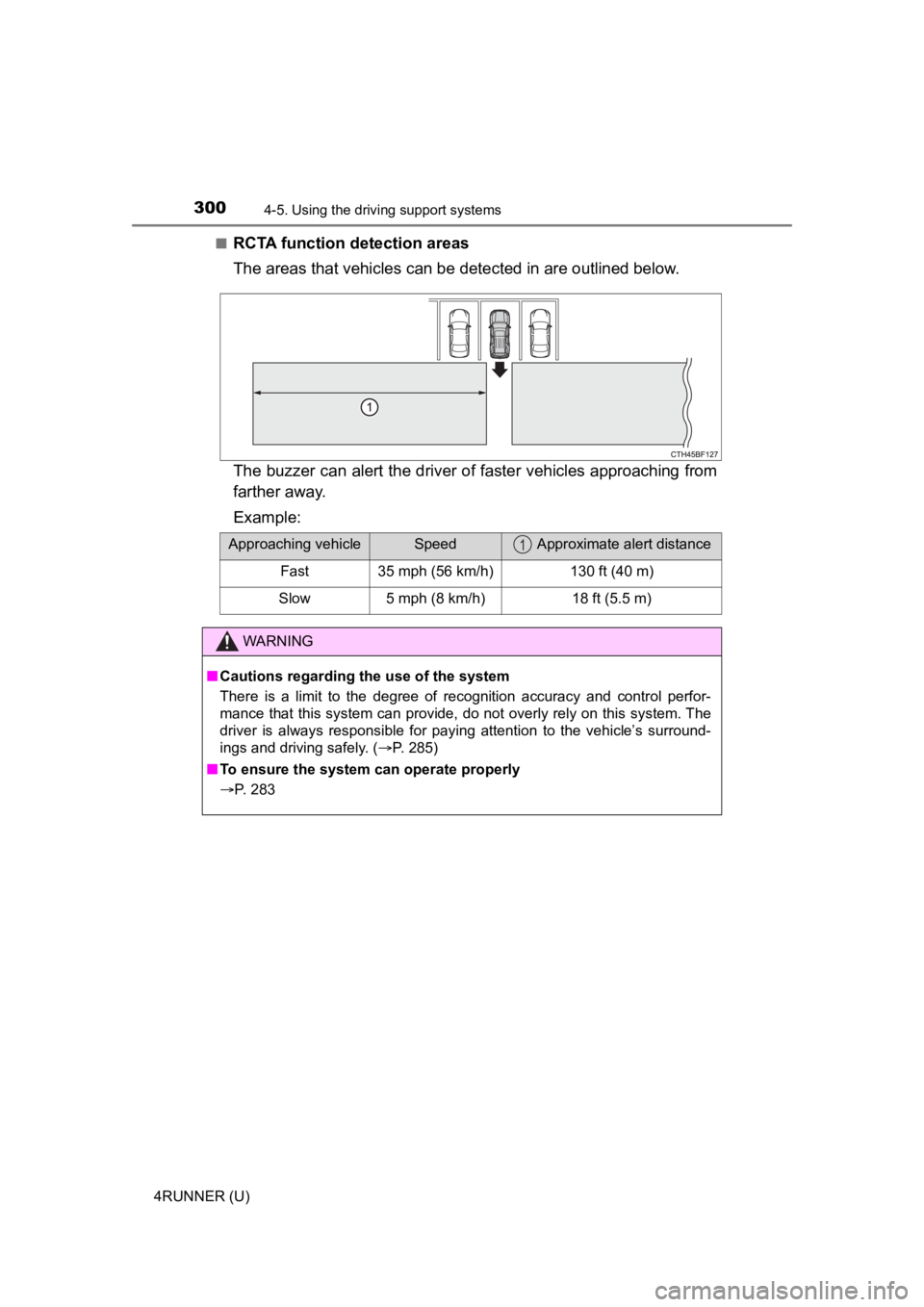
RCTA function detection areas
The areas that vehicles can be detected in are outlined below.
The buzzer can alert the driver of faster vehicles approaching from
farther away.
Example:
Approaching vehicleSpeed Approximate alert distance
Fast35 mph (56 km/h)130 ft (40 m)
Slow5 mph (8 km/h)18 ft (5.5 m)
WARNING
■ Cautions regarding the use of the system
There is a limit to the degree of recognition accuracy and cont rol perfor-
mance that this system can provide, do not overly rely on this system. The
driver is always responsible for paying attention to the vehicl e’s surround-
ings and driving safely. ( P. 285)
■ To ensure the system can operate properly
P. 283
1
Page 308 of 616

3084-5. Using the driving support systems
4RUNNER (U)■
Shifting from L4 to H4
Stop the vehicle completely and continue to depress the brake
pedal.
Shift the shift lever to N.
Ty p e A
Shift the front-wheel drive control lever to H4.
Ty p e B
Push the “UNLOCK” button and turn the front-wheel drive control
switch to H4.
The low speed four-wheel drive indicator will go off.
■When the front-wheel drive control lever or switch is shifted t o L4
VSC and TRAC are automatically turned off.
■ If the four-wheel drive indicator flashes
The transfer mode may not successfully change. Drive straight ahead while
accelerating or decelerating, or drive in reverse.
■ If the low speed four-wheel drive indicator continues to flash
The transfer mode may not successfully change. Operate the four-wheel
drive control switch again.
■ If the low speed four-wheel drive indicator continues to flash and a
buzzer sounds
The shift lever is not in N and/or the vehicle is moving. Stop the vehicle com-
pletely, shift the shift lever to N and make sure that the indi cator stops flash-
ing.
■ If the four-wheel drive or low speed four-wheel drive indicator flashes
rapidly
There may be a malfunction in the four-wheel drive system. Have the vehicle
inspected by your Toyota dealer immediately.
■ Four-wheel drive usage frequency
You should drive in four-wheel drive for at least 10 miles (16 km) each month.
This will assure that the front drive components are lubricated .
WARNING
■Shifting the front-wheel drive co ntrol lever or switch from H2 to H4
while driving
Never operate the front-wheel drive control lever or switch if the wheels are
slipping.
Stop the slipping or spinning before shifting.
1
2
3
3
Page 312 of 616
3124-5. Using the driving support systems
4RUNNER (U)■
If the low speed four-wheel drive indicator continues to flash and a
buzzer sounds
The shift lever is not in N and/or the vehicle is moving. Stop the vehicle com-
pletely, shift the shift lever to N and make sure that the indi cator stops flash-
ing.
■ If the low speed four-wheel drive indicator or the center differential lock
indicator flashes rapidly
There may be a malfunction in the four-wheel drive system. Have the vehicle
inspected by your Toyota dealer immediately.
WARNING
■ Operating the four-wh eel drive control switch
Never operate the four-wheel drive control switch if the wheels have lost
traction. Doing so may cause an accident resulting in death or serious
injury.
Stop the wheels from slipping or spinning before operating the switch.
NOTICE
■ To prevent damage to the center differential
● For normal driving on dry and hard surface roads, unlock the center differ-
ential.
● Unlock the center differential after the wheels are out of the ditch or off the
slippery or bumpy surface.
● Do not lock or unlock the center differential when the vehicle is turning or
when its wheels are spinning freely off the ground.
Page 314 of 616
3144-5. Using the driving support systems
4RUNNER (U)
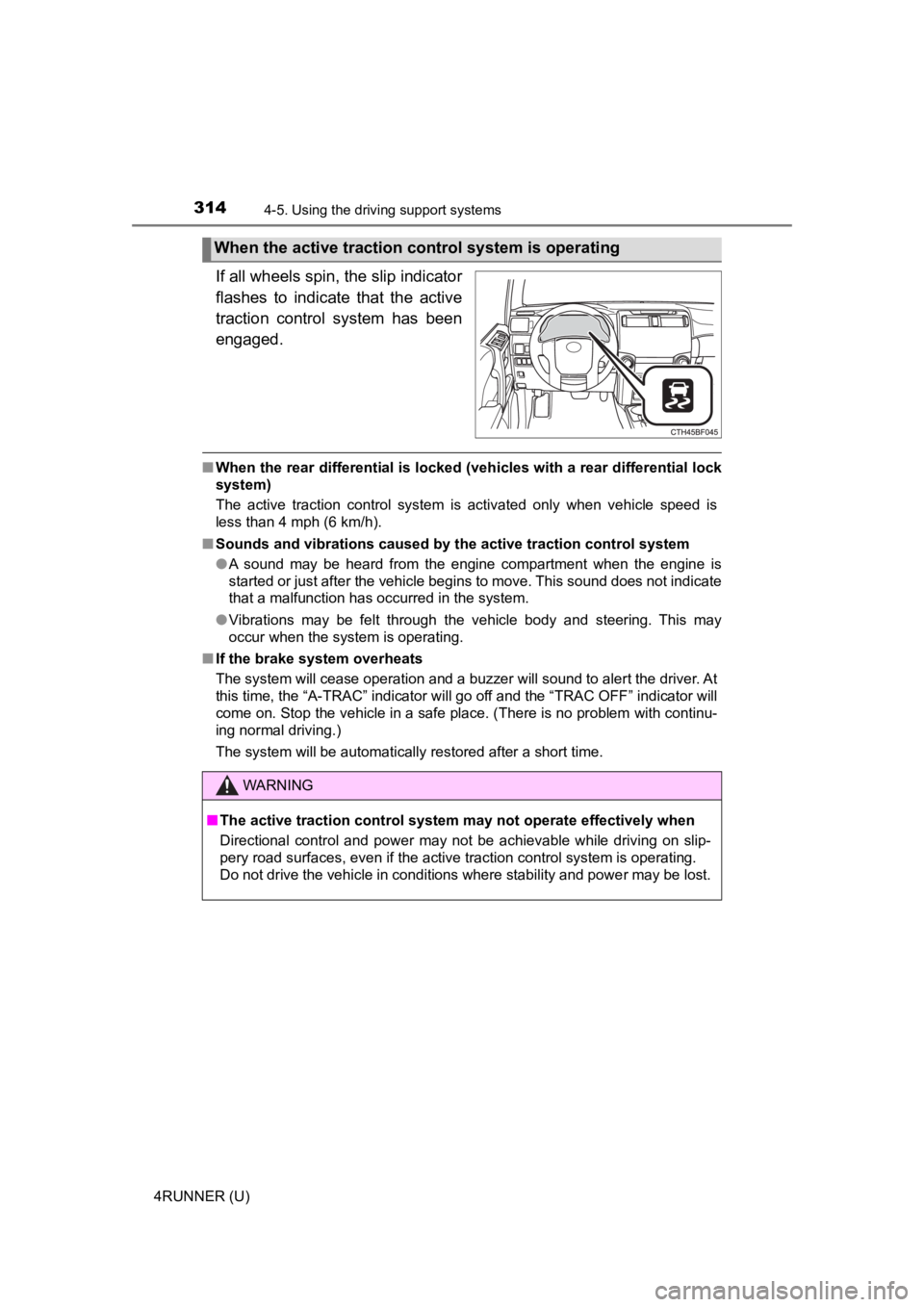
If all wheels spin, the slip indicator
flashes to indicate that the active
traction control system has been
engaged.
■When the rear differential is locked (vehicles with a rear differential lock
system)
The active traction control system is activated only when vehicle speed is
less than 4 mph (6 km/h).
■ Sounds and vibrations caused by the active traction control sys tem
● A sound may be heard from the engine compartment when the engine is
started or just after the vehicle begins to move. This sound do es not indicate
that a malfunction has occurred in the system.
● Vibrations may be felt through the vehicle body and steering. T his may
occur when the system is operating.
■ If the brake system overheats
The system will cease operation and a buzzer will sound to alert the driver. At
this time, the “A-TRAC” indicator will go off and the “TRAC OFF ” indicator will
come on. Stop the vehicle in a safe place. (There is no problem with continu-
ing normal driving.)
The system will be automatically restored after a short time.
When the active traction co ntrol system is operating
WARNING
■The active traction control system may not operate effectively when
Directional control and power may not be achievable while driving on slip-
pery road surfaces, even if the active traction control system is operating.
Do not drive the vehicle in conditions where stability and powe r may be lost.
Page 316 of 616
3164-5. Using the driving support systems
4RUNNER (U)
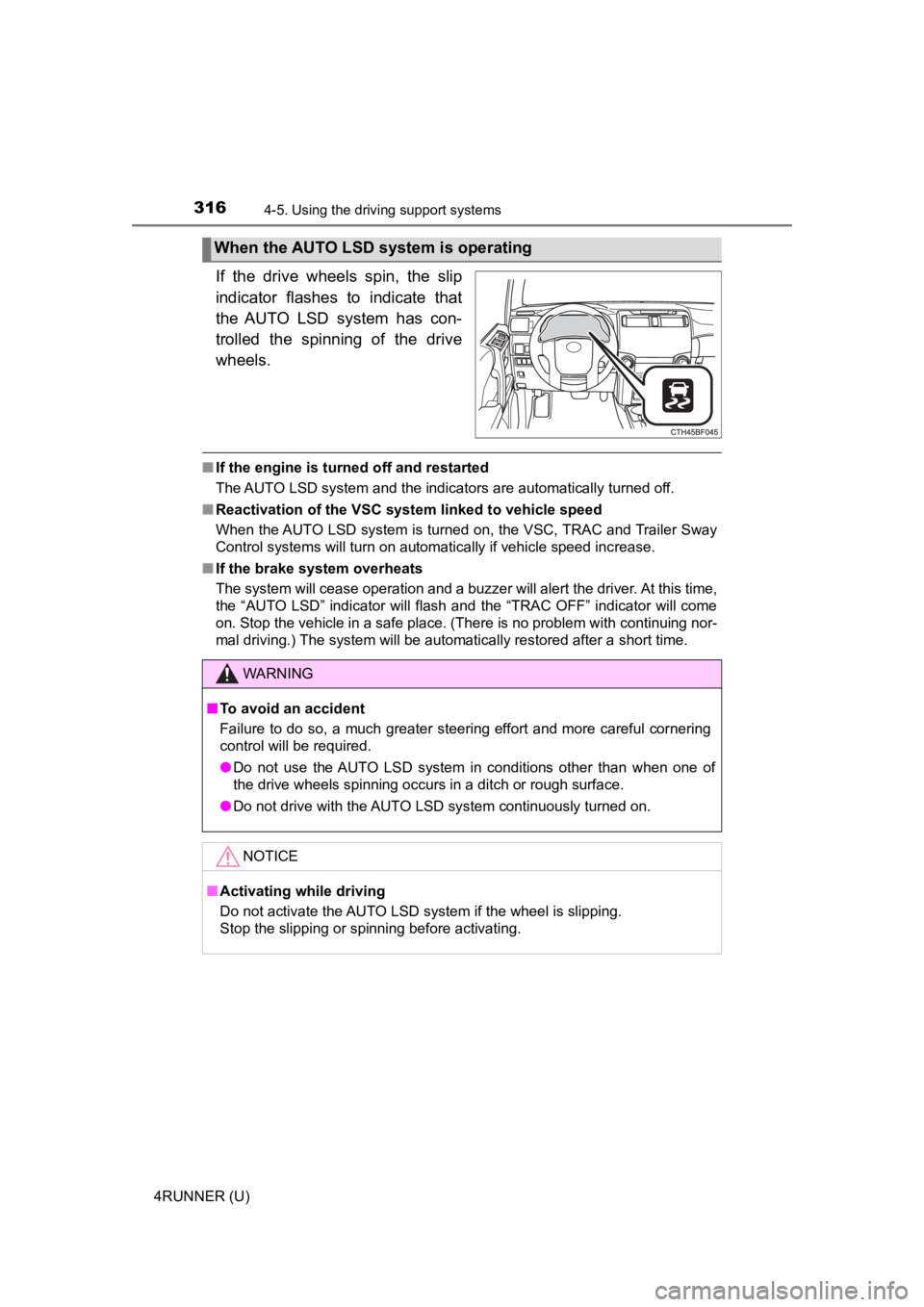
If the drive wheels spin, the slip
indicator flashes to indicate that
the AUTO LSD system has con-
trolled the spinning of the drive
wheels.
■If the engine is turned off and restarted
The AUTO LSD system and the indicators are automatically turned off.
■ Reactivation of the VSC system linked to vehicle speed
When the AUTO LSD system is turned on, the VSC, TRAC and Traile r Sway
Control systems will turn on automatically if vehicle speed inc rease.
■ If the brake system overheats
The system will cease operation and a buzzer will alert the driver. At this time,
the “AUTO LSD” indicator will flash and the “TRAC OFF” indicator will come
on. Stop the vehicle in a safe place. (There is no problem with continuing nor-
mal driving.) The system will be automatically restored after a short time.
When the AUTO LSD system is operating
WARNING
■To avoid an accident
Failure to do so, a much greater steering effort and more careful cornering
control will be required.
● Do not use the AUTO LSD system in conditions other than when on e of
the drive wheels spinning occurs in a ditch or rough surface.
● Do not drive with the AUTO LSD system continuously turned on.
NOTICE
■Activating while driving
Do not activate the AUTO LSD system if the wheel is slipping.
Stop the slipping or spinning before activating.
Page 318 of 616
3184-5. Using the driving support systems
4RUNNER (U)
Before using the rear differential lock system:
Stop the vehicle, shift the shift lever to N and shift the front-wheel
drive control lever into L4 to see if this is sufficient. If th is has no
effect, additionally use the re ar differential lock system.
Be sure the wheels have stopped spinning.
Press the rear differential lock switch.
Gently depress the accelerator pedal.
After the rear differential is locked, the indicator will come on.
Unlock the rear differential as soon as the vehicle moves.
To unlock the rear different ial, press the switch again.
■Locking the rear differential
The following systems do not operate when the rear differential is locked. It is
normal operation for the ABS warning light and VSC OFF indicato r to be on at
this time.
•ABS
• Multi Terrain ABS
• Brake assist system
•VSC
• Hill-start assist control
■ The rear differential lock is disengaged when
The front-wheel drive control lever or switch is shifted to H2 or H4.
Never forget to turn off the switch after using this feature.
■ After unlocking the rear differential
Check that the indicator goes off.
■ If the rear differential lo ck indicator flashes rapidly
There may be a malfunction in the rear differential lock system . Have the
vehicle inspected by your Toyota dealer immediately.
Using the rear diffe rential lock system
1
2
3
4