2022 NISSAN TITAN interior lights
[x] Cancel search: interior lightsPage 13 of 635
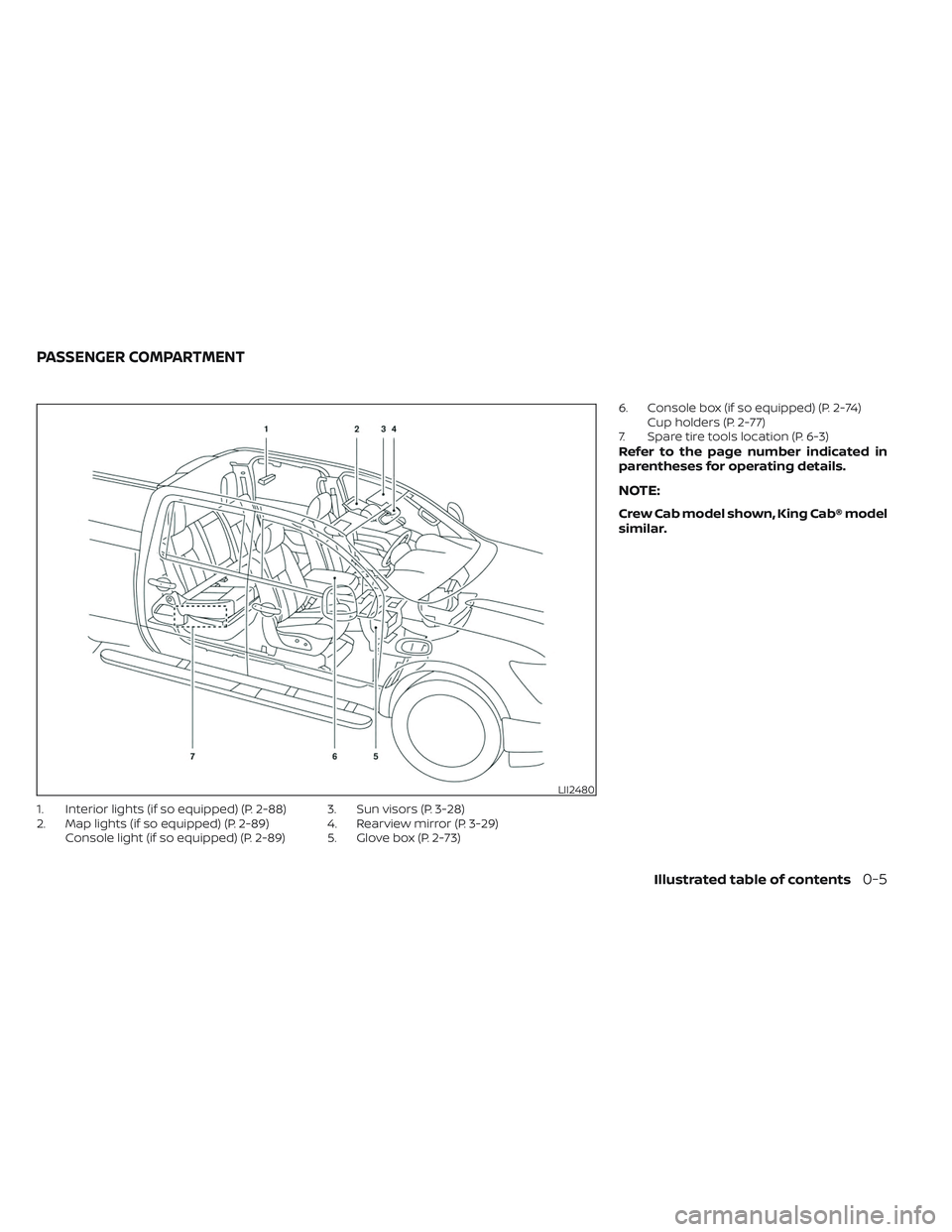
1. Interior lights (if so equipped) (P. 2-88)
2. Map lights (if so equipped) (P. 2-89)Console light (if so equipped) (P. 2-89) 3. Sun visors (P. 3-28)
4. Rearview mirror (P. 3-29)
5. Glove box (P. 2-73) 6. Console box (if so equipped) (P. 2-74)
Cup holders (P. 2-77)
7. Spare tire tools location (P. 6-3)
Refer to the page number indicated in
parentheses for operating details.
NOTE:
Crew Cab model shown, King Cab® model
similar.
LII2480
PASSENGER COMPARTMENT
Illustrated table of contents0-5
Page 108 of 635
Hill descent control switch (if so equipped).....2-59
Electronic locking rear differential (E-Lock)
system switch (if so equipped) .................2-60
Power inverter switch (if so equipped) ..........2-61
Parking Aids system switch ....................2-62
Tow mode switch .............................. 2-63
Emergency call (SOS) button (if so equipped) . . . 2-63
Trailer Brake Controller Unit (TBCU)
(if so equipped) ................................. 2-63
Rear Door Alert ................................. 2-64
Power outlets .................................. 2-65
12v Outlets .................................. 2-65
120v outlets (if so equipped) .................2-66
USB/iPod® charging ports (if so equipped) ......2-68
Extended storage switch .......................2-69
Storage ........................................ 2-70
Front-door pockets ......................... 2-70
Rear-door pockets .......................... 2-70
Console side pockets (if so equipped) .......2-70
Seatback pockets ........................... 2-71
Under-seat storage (if so equipped) .........2-71
Console box storage trays
(if so equipped) .............................. 2-73
Cell phone storage tray (if so equipped) .....2-73
Glovebox ................................... 2-73Console box (if so equipped)
................2-74
Center armrest storage (if so equipped) .....2-75
Under front seat storage bin
(if so equipped) .............................. 2-76
Overhead sunglasses storage
(if so equipped) .............................. 2-76
Cup holders ................................. 2-77
Grocery hooks (if so equipped) ..............2-80
Bed liner storage bins (if so equipped) .......2-80
Cargo hooks (if so equipped) ................2-81
C-Channel cargo hooks (if so equipped) .....2-81
Windows ....................................... 2-82
Power windows ............................. 2-82
Rear power window switch
(if so equipped) .............................. 2-84
Rear sliding window (if so equipped) .........2-85
Moonroof (if so equipped) ......................2-86
P
ower moonroof ............................ 2-86
Interior lights ................................... 2-88
Console light (if so equipped) ................2-89
Map lights (if so equipped) ...................2-89
Personal Lights (if so equipped) .............2-90
HomeLink® Universal Transceiver
(if so equipped) ................................. 2-90
Programming HomeLink® ...................2-91
Page 156 of 635
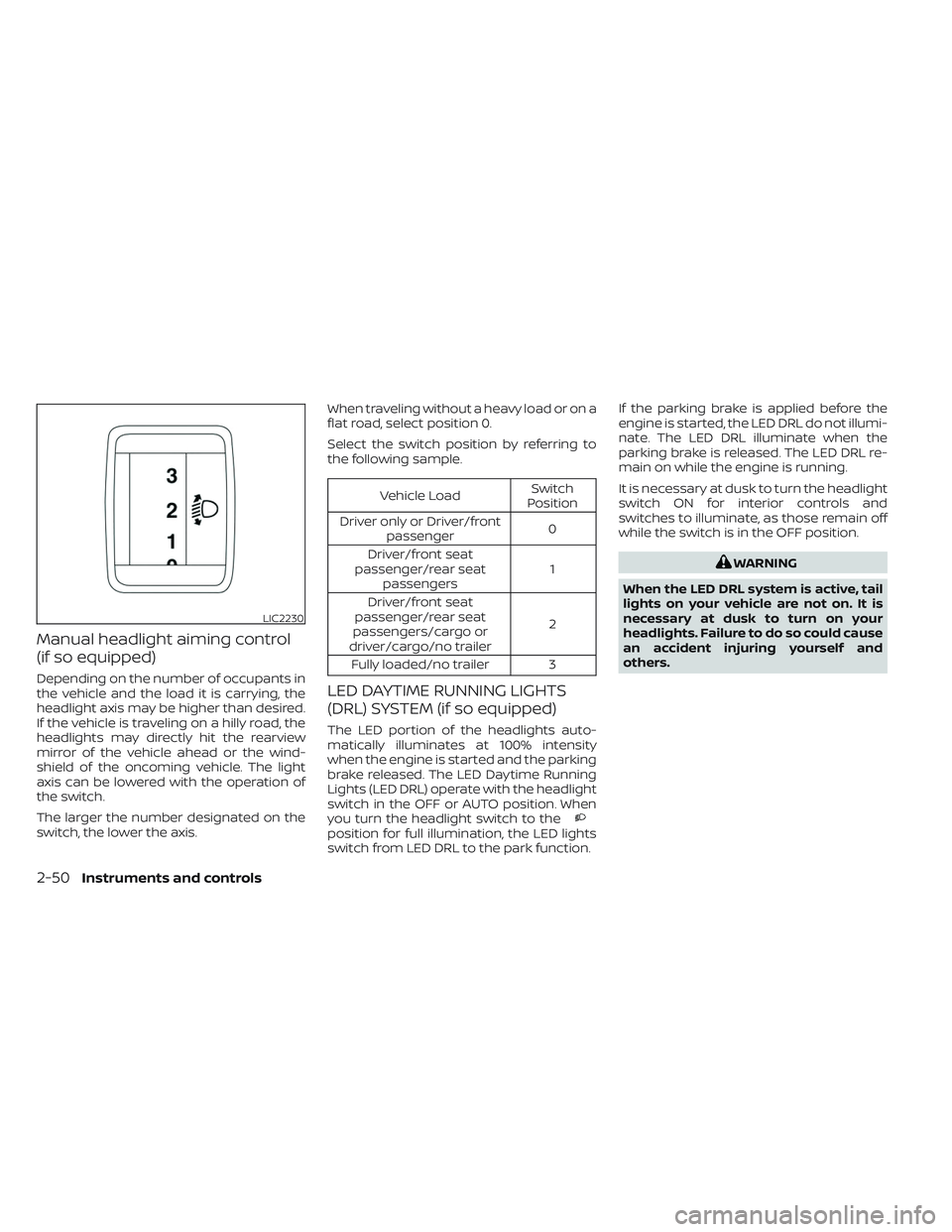
Manual headlight aiming control
(if so equipped)
Depending on the number of occupants in
the vehicle and the load it is carrying, the
headlight axis may be higher than desired.
If the vehicle is traveling on a hilly road, the
headlights may directly hit the rearview
mirror of the vehicle ahead or the wind-
shield of the oncoming vehicle. The light
axis can be lowered with the operation of
the switch.
The larger the number designated on the
switch, the lower the axis.When traveling without a heavy load or on a
flat road, select position 0.
Select the switch position by referring to
the following sample.
Vehicle Load
Switch
Position
Driver only or Driver/front passenger 0
Driver/front seat
passenger/rear seat passengers 1
Driver/front seat
passenger/rear seat
passengers/cargo or
driver/cargo/no trailer 2
Fully loaded/no trailer 3
LED DAYTIME RUNNING LIGHTS
(DRL) SYSTEM (if so equipped)
The LED portion of the headlights auto-
matically illuminates at 100% intensity
when the engine is started and the parking
brake released. The LED Daytime Running
Lights (LED DRL) operate with the headlight
switch in the OFF or AUTO position. When
you turn the headlight switch to the
position for full illumination, the LED lights
switch from LED DRL to the park function. If the parking brake is applied before the
engine is started, the LED DRL do not illumi-
nate. The LED DRL illuminate when the
parking brake is released. The LED DRL re-
main on while the engine is running.
It is necessary at dusk to turn the headlight
switch ON for interior controls and
switches to illuminate, as those remain off
while the switch is in the OFF position.
WARNING
When the LED DRL system is active, tail
lights on your vehicle are not on. It is
necessary at dusk to turn on your
headlights. Failure to do so could cause
an accident injuring yourself and
others.
LIC2230
2-50Instruments and controls
Page 194 of 635
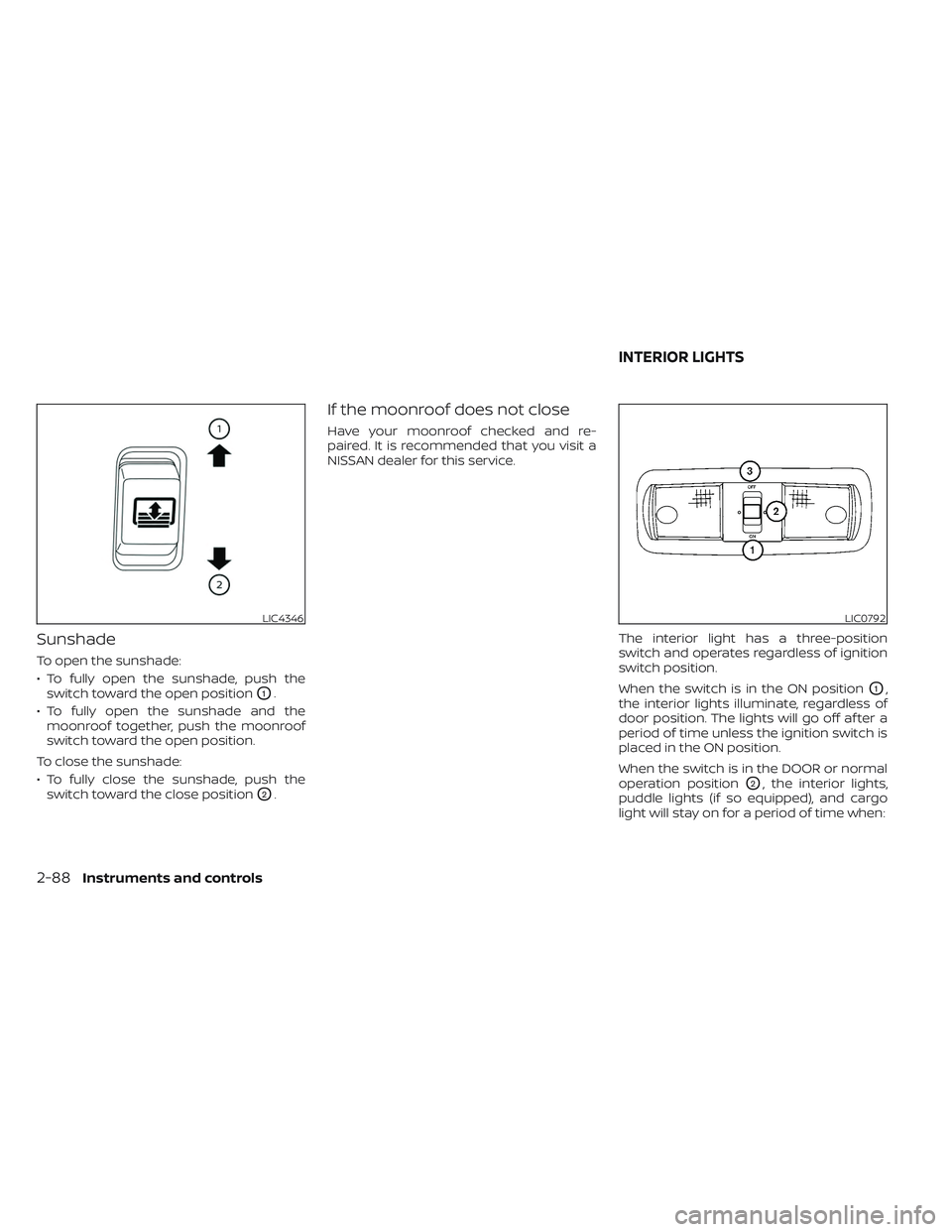
Sunshade
To open the sunshade:
• To fully open the sunshade, push theswitch toward the open position
O1.
• To fully open the sunshade and the moonroof together, push the moonroof
switch toward the open position.
To close the sunshade:
• To fully close the sunshade, push the switch toward the close position
O2.
If the moonroof does not close
Have your moonroof checked and re-
paired. It is recommended that you visit a
NISSAN dealer for this service.
The interior light has a three-position
switch and operates regardless of ignition
switch position.
When the switch is in the ON position
O1,
the interior lights illuminate, regardless of
door position. The lights will go off af ter a
period of time unless the ignition switch is
placed in the ON position.
When the switch is in the DOOR or normal
operation position
O2, the interior lights,
puddle lights (if so equipped), and cargo
light will stay on for a period of time when:
LIC4346LIC0792
INTERIOR LIGHTS
2-88Instruments and controls
Page 195 of 635
• The doors are unlocked by the key fob, akey or the power door lock switch while
all doors are closed and the ignition
switch is in the OFF position.
• The driver’s door is opened and then closed while the ignition switch is placed
in the OFF position.
• The ignition switch is placed in the OFF position while all doors are closed.
The lights will turn off while the timer is
activated when:
• The driver’s door is locked by the key fob, a key, or the power door lock switch.
• The ignition switch is turned ON.
When the switch is in the OFF position
O3,
the interior lights do not illuminate, regard-
less of door position. The puddle lights (if so
equipped) and cargo light come on when
any front or rear passenger door is opened.
The lights will turn off automatically af ter a
period of time while doors are open to pre-
vent the battery from becoming
discharged.
CAUTION
Do not use for extended periods of time
with the engine stopped. This could re-
sult in a discharged battery.
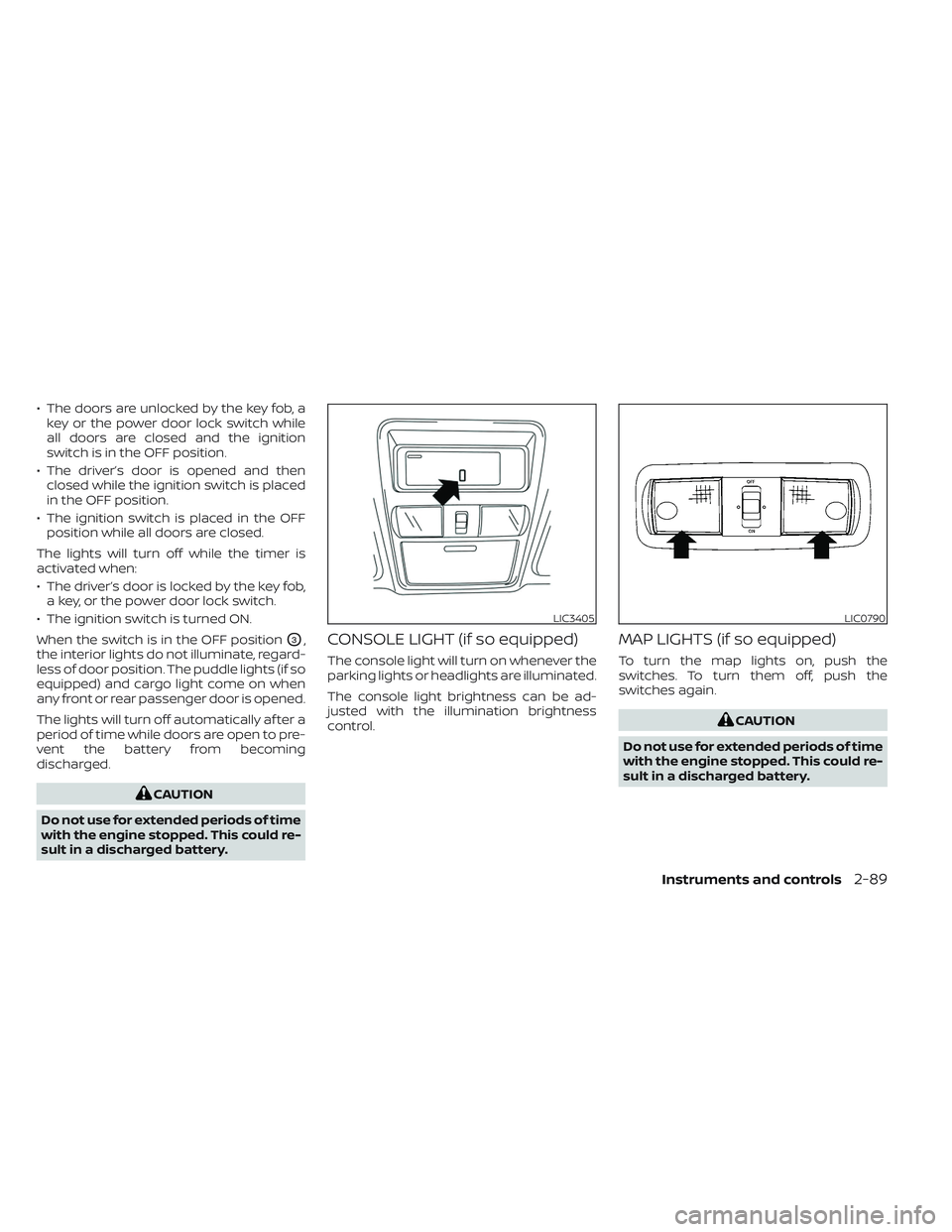
CONSOLE LIGHT (if so equipped)
The console light will turn on whenever the
parking lights or headlights are illuminated.
The console light brightness can be ad-
justed with the illumination brightness
control.
MAP LIGHTS (if so equipped)
To turn the map lights on, push the
switches. To turn them off, push the
switches again.
CAUTION
Do not use for extended periods of time
with the engine stopped. This could re-
sult in a discharged battery.
LIC3405LIC0790
Instruments and controls2-89
Page 214 of 635
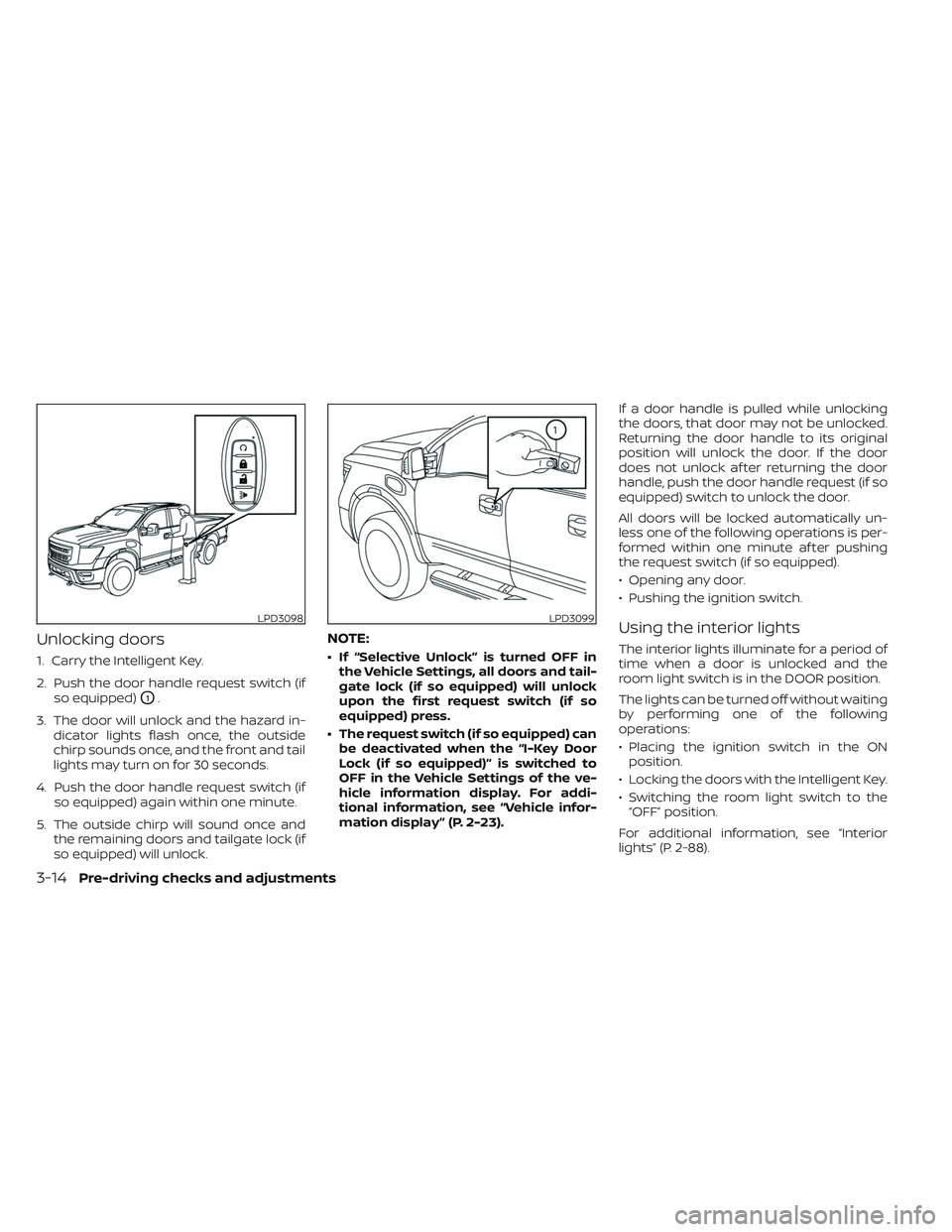
Unlocking doors
1. Carry the Intelligent Key.
2. Push the door handle request switch (ifso equipped)
O1.
3. The door will unlock and the hazard in- dicator lights flash once, the outside
chirp sounds once, and the front and tail
lights may turn on for 30 seconds.
4. Push the door handle request switch (if so equipped) again within one minute.
5. The outside chirp will sound once and the remaining doors and tailgate lock (if
so equipped) will unlock.
NOTE:
• If “Selective Unlock” is turned OFF inthe Vehicle Settings, all doors and tail-
gate lock (if so equipped) will unlock
upon the first request switch (if so
equipped) press.
• The request switch (if so equipped) can be deactivated when the “I-Key Door
Lock (if so equipped)” is switched to
OFF in the Vehicle Settings of the ve-
hicle information display. For addi-
tional information, see “Vehicle infor-
mation display ” (P. 2-23). If a door handle is pulled while unlocking
the doors, that door may not be unlocked.
Returning the door handle to its original
position will unlock the door. If the door
does not unlock af ter returning the door
handle, push the door handle request (if so
equipped) switch to unlock the door.
All doors will be locked automatically un-
less one of the following operations is per-
formed within one minute af ter pushing
the request switch (if so equipped).
• Opening any door.
• Pushing the ignition switch.
Using the interior lights
The interior lights illuminate for a period of
time when a door is unlocked and the
room light switch is in the DOOR position.
The lights can be turned off without waiting
by performing one of the following
operations:
• Placing the ignition switch in the ON
position.
• Locking the doors with the Intelligent Key.
• Switching the room light switch to the “OFF” position.
For additional information, see “Interior
lights” (P. 2-88).
LPD3098LPD3099
3-14Pre-driving checks and adjustments
Page 216 of 635
4. The hazard warning lights flash twiceand the horn beeps once.
5. All doors and the tailgate (if so equipped) will be locked.
WARNING
Af ter locking the doors using the Intel-
ligent Key, be sure that the doors have
been securely locked by operating the
door handles. Failure to follow these in-
structions may result in inadvertently
unlocking the doors, which may de-
crease the safety and security of your
vehicle.
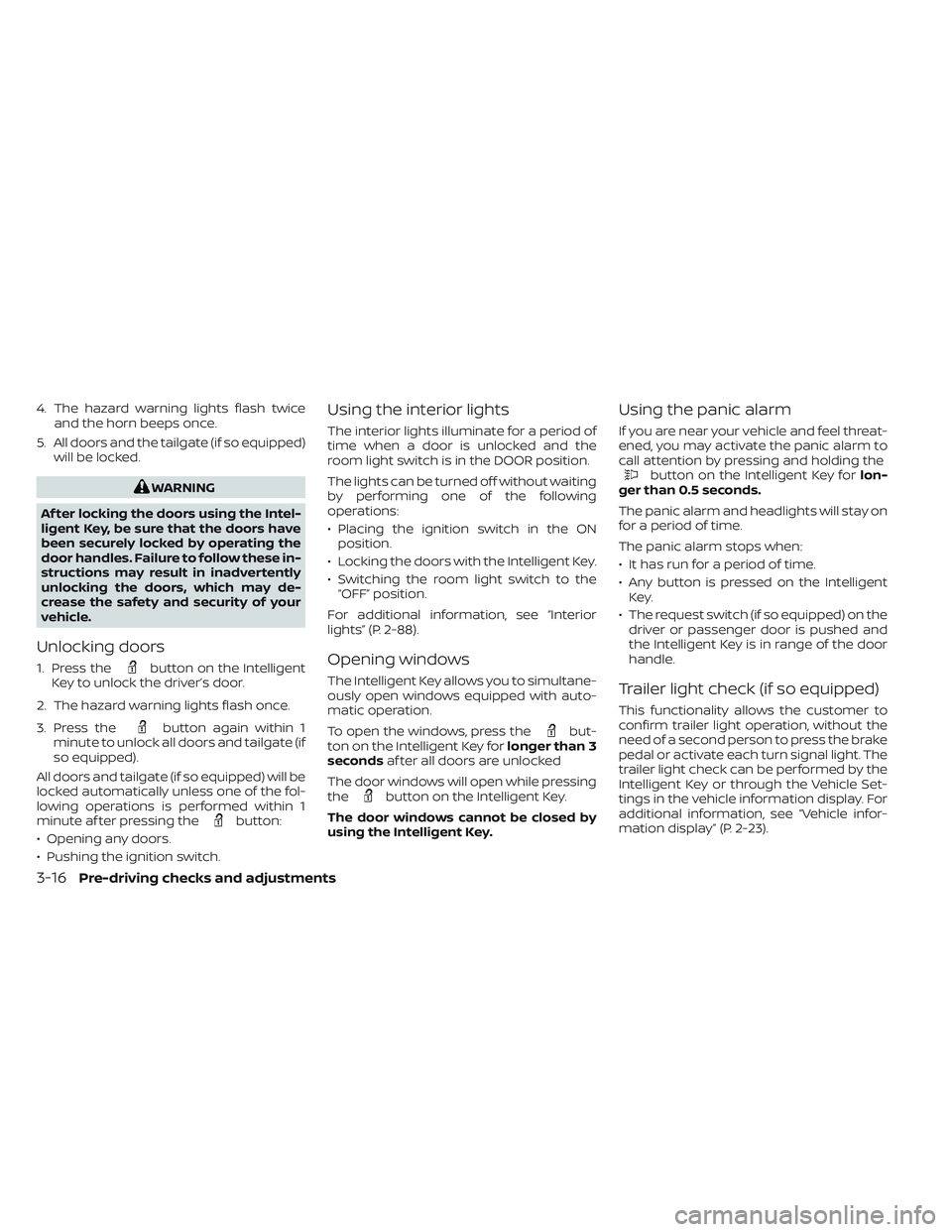
Unlocking doors
1. Press thebutton on the Intelligent
Key to unlock the driver’s door.
2. The hazard warning lights flash once.
3. Press the
button again within 1
minute to unlock all doors and tailgate (if
so equipped).
All doors and tailgate (if so equipped) will be
locked automatically unless one of the fol-
lowing operations is performed within 1
minute af ter pressing the
button:
• Opening any doors.
• Pushing the ignition switch.
Using the interior lights
The interior lights illuminate for a period of
time when a door is unlocked and the
room light switch is in the DOOR position.
The lights can be turned off without waiting
by performing one of the following
operations:
• Placing the ignition switch in the ON position.
• Locking the doors with the Intelligent Key.
• Switching the room light switch to the “OFF” position.
For additional information, see “Interior
lights” (P. 2-88).
Opening windows
The Intelligent Key allows you to simultane-
ously open windows equipped with auto-
matic operation.
To open the windows, press the
but-
ton on the Intelligent Key for longer than 3
seconds af ter all doors are unlocked
The door windows will open while pressing
the
button on the Intelligent Key.
The door windows cannot be closed by
using the Intelligent Key.
Using the panic alarm
If you are near your vehicle and feel threat-
ened, you may activate the panic alarm to
call attention by pressing and holding the
button on the Intelligent Key for lon-
ger than 0.5 seconds.
The panic alarm and headlights will stay on
for a period of time.
The panic alarm stops when:
• It has run for a period of time.
• Any button is pressed on the Intelligent Key.
• The request switch (if so equipped) on the driver or passenger door is pushed and
the Intelligent Key is in range of the door
handle.
Trailer light check (if so equipped)
This functionality allows the customer to
confirm trailer light operation, without the
need of a second person to press the brake
pedal or activate each turn signal light. The
trailer light check can be performed by the
Intelligent Key or through the Vehicle Set-
tings in the vehicle information display. For
additional information, see “Vehicle infor-
mation display” (P. 2-23).
3-16Pre-driving checks and adjustments
Page 481 of 635

8 Do-it-yourself
Maintenance precautions.......................8-2
Engine compartment check locations ...........8-3
Engine cooling system ..........................8-5
Checking engine coolant level ................8-6
Changing engine coolant ....................8-6
Engine oil .......................................8-7
Checking engine oil level .....................8-7
Changing engine oil and oil filter ..............8-7
Automatic Transmission Fluid (ATF) .............8-13
Power Steering Fluid (PSF) ......................8-13
Brake fluid ...................................... 8-14
Windshield-washer fluid ........................8-15
Windshield-washer fluid reservoir ...........8-15
Battery......................................... 8-16
Jump starting ............................... 8-19
Variable voltage control system (if so
equipped) ...................................... 8-19
Drive belt ....................................... 8-20
Spark plugs .................................... 8-20
Replacing spark plugs .......................8-20Air cleaner
..................................... 8-21
In-cabin microfilter .......................... 8-21
Windshield wiper blades ........................8-22
Cleaning .................................... 8-22
Replacing ................................... 8-22
Brakes ......................................... 8-23
Fuses .......................................... 8-24
Engine compartment .......................8-24
Passenger compartment ...................8-26
Battery replacement ........................... 8-27
NISSAN Intelligent Key® ......................8-27
Lights .......................................... 8-29
Headlights .................................. 8-29
Fog lights (if so equipped) ...................8-29
Exterior and interior lights ...................8-30
Wheels and tires ............................... 8-33
Tire pressure ................................ 8-33
Tire labeling .................................
8-37
T
ypes of tires ................................ 8-41
Tire chains .................................. 8-42
Changing wheels and tires ..................8-43