Page 157 of 500
• The doors are unlocked while the ignitionswitch is placed in the OFF position and
all doors are closed.
• The driver's door is opened and then closed while the ignition switch is placed
in the OFF position.
• The ignition switch is placed in the OFF position while all doors are closed.
The personal light will turn off while the 15
second timer is activated when:
• The driver's door is locked by the key fob, a key or the lock-unlock switch.
• The ignition switch is placed in the ON position.
When the switch is in the OFF position
O3,
the light does not illuminate, regardless of
door position.
Some vehicles are equipped with a battery
saver feature that will automatically turn
off the interior lights af ter approximately 10
minutes if:
• doors are open, or
• the interior light switch is in the ON posi- tion.
NOTE:
If the interior lights are turned off auto-
matically by the battery saver feature,
the ignition switch must be placed in the
ON position before the interior lights will
illuminate again.
For information regarding the interior light
bulb replacement, refer to “Exterior and in-
terior lights” in the “Do-it-yourself ” section
of this manual.
Page 165 of 500
WARNING
• Radio waves could adversely affect
electric medical equipment. Those
who use a pacemaker should contact
the electric medical equipment
manufacturer for the possible influ-
ences before use.
• The Intelligent Key transmits radio
waves when the buttons are pressed.
The FAA advises the radio waves may
affect aircraf t navigation and com-
munication systems. Do not operate
the Intelligent Key while on an air-
plane. Make sure the buttons are not
operated unintentionally when the
unit is stored for a flight.
• Never leave the Intelligent Key in the
vehicle when you leave the vehicle.
The Intelligent Key system can operate all
the door and lif tgate locks using the re-
mote control function or pushing the re-
quest switch (if so equipped) on the vehicle
without taking the key out from a pocket or
purse. The operating environment and/or
conditions may affect the Intelligent Key
system operation.
Be sure to read the following before using
the Intelligent Key system.
Page 168 of 500
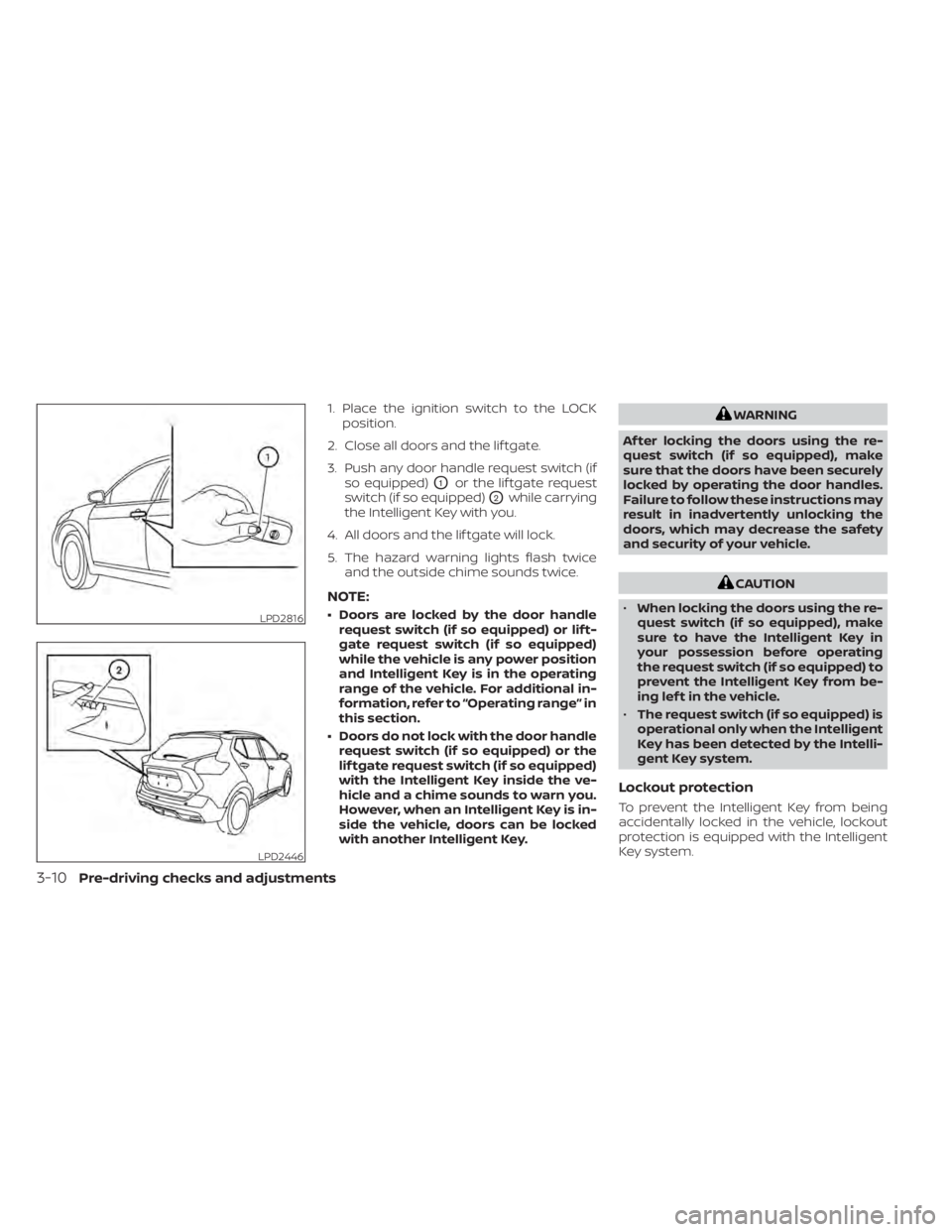
1. Place the ignition switch to the LOCKposition.
2. Close all doors and the lif tgate.
3. Push any door handle request switch (if so equipped)
O1or the lif tgate request
switch (if so equipped)
O2while carrying
the Intelligent Key with you.
4. All doors and the lif tgate will lock.
5. The hazard warning lights flash twice and the outside chime sounds twice.
NOTE:
• Doors are locked by the door handlerequest switch (if so equipped) or lif t-
gate request switch (if so equipped)
while the vehicle is any power position
and Intelligent Key is in the operating
range of the vehicle. For additional in-
formation, refer to “Operating range” in
this section.
• Doors do not lock with the door handle request switch (if so equipped) or the
lif tgate request switch (if so equipped)
with the Intelligent Key inside the ve-
hicle and a chime sounds to warn you.
However, when an Intelligent Key is in-
side the vehicle, doors can be locked
with another Intelligent Key.
WARNING
Af ter locking the doors using the re-
quest switch (if so equipped), make
sure that the doors have been securely
locked by operating the door handles.
Failure to follow these instructions may
result in inadvertently unlocking the
doors, which may decrease the safety
and security of your vehicle.
CAUTION
• When locking the doors using the re-
quest switch (if so equipped), make
sure to have the Intelligent Key in
your possession before operating
the request switch (if so equipped) to
prevent the Intelligent Key from be-
ing lef t in the vehicle.
• The request switch (if so equipped) is
operational only when the Intelligent
Key has been detected by the Intelli-
gent Key system.
Lockout protection
To prevent the Intelligent Key from being
accidentally locked in the vehicle, lockout
protection is equipped with the Intelligent
Key system.
LPD2816
LPD2446
3-10Pre-driving checks and adjustments
Page 169 of 500
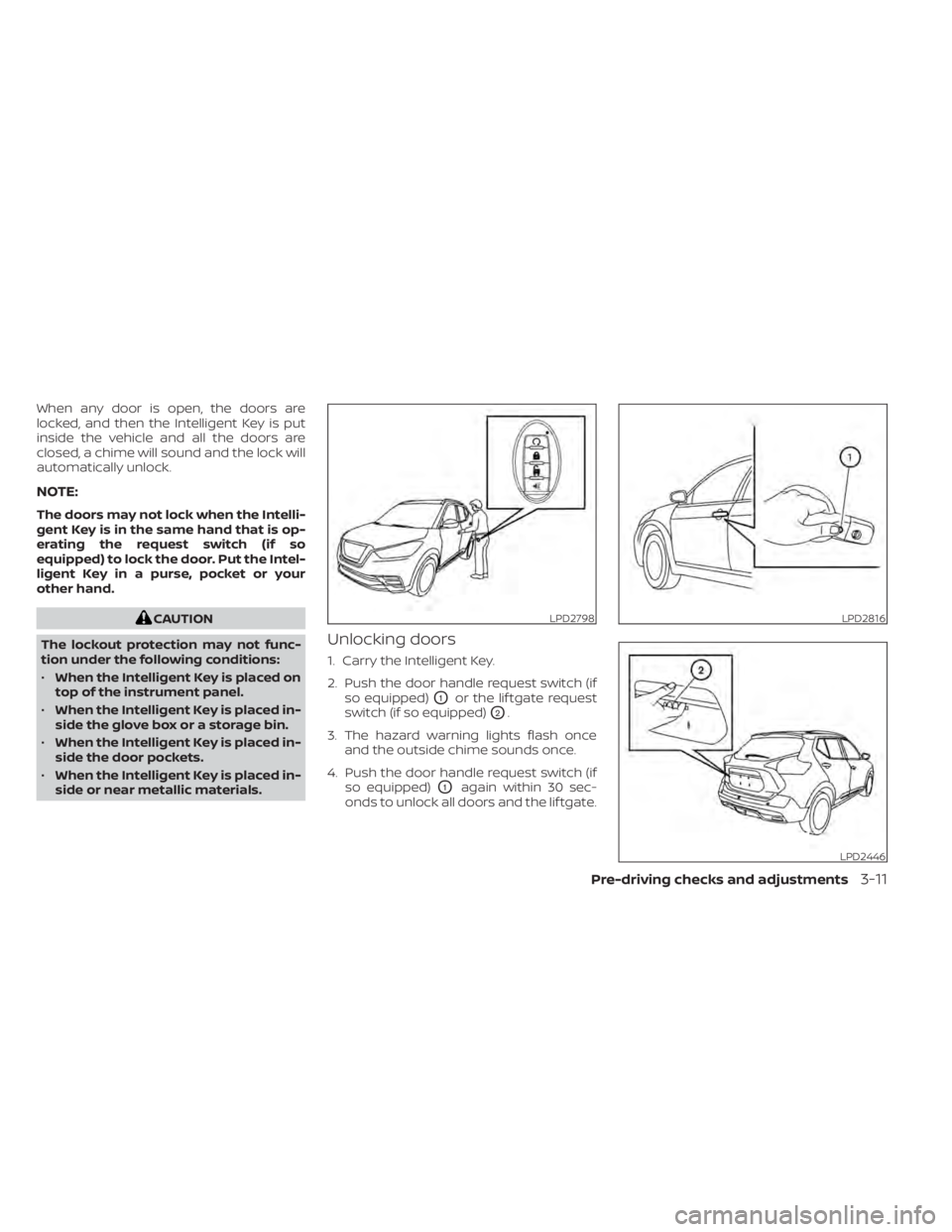
When any door is open, the doors are
locked, and then the Intelligent Key is put
inside the vehicle and all the doors are
closed, a chime will sound and the lock will
automatically unlock.
NOTE:
The doors may not lock when the Intelli-
gent Key is in the same hand that is op-
erating the request switch (if so
equipped) to lock the door. Put the Intel-
ligent Key in a purse, pocket or your
other hand.
CAUTION
The lockout protection may not func-
tion under the following conditions:
• When the Intelligent Key is placed on
top of the instrument panel.
• When the Intelligent Key is placed in-
side the glove box or a storage bin.
• When the Intelligent Key is placed in-
side the door pockets.
• When the Intelligent Key is placed in-
side or near metallic materials.
Unlocking doors
1. Carry the Intelligent Key.
2. Push the door handle request switch (if so equipped)
O1or the lif tgate request
switch (if so equipped)
O2.
3. The hazard warning lights flash once and the outside chime sounds once.
4. Push the door handle request switch (if so equipped)
O1again within 30 sec-
onds to unlock all doors and the lif tgate.
LPD2798LPD2816
LPD2446
Page 170 of 500
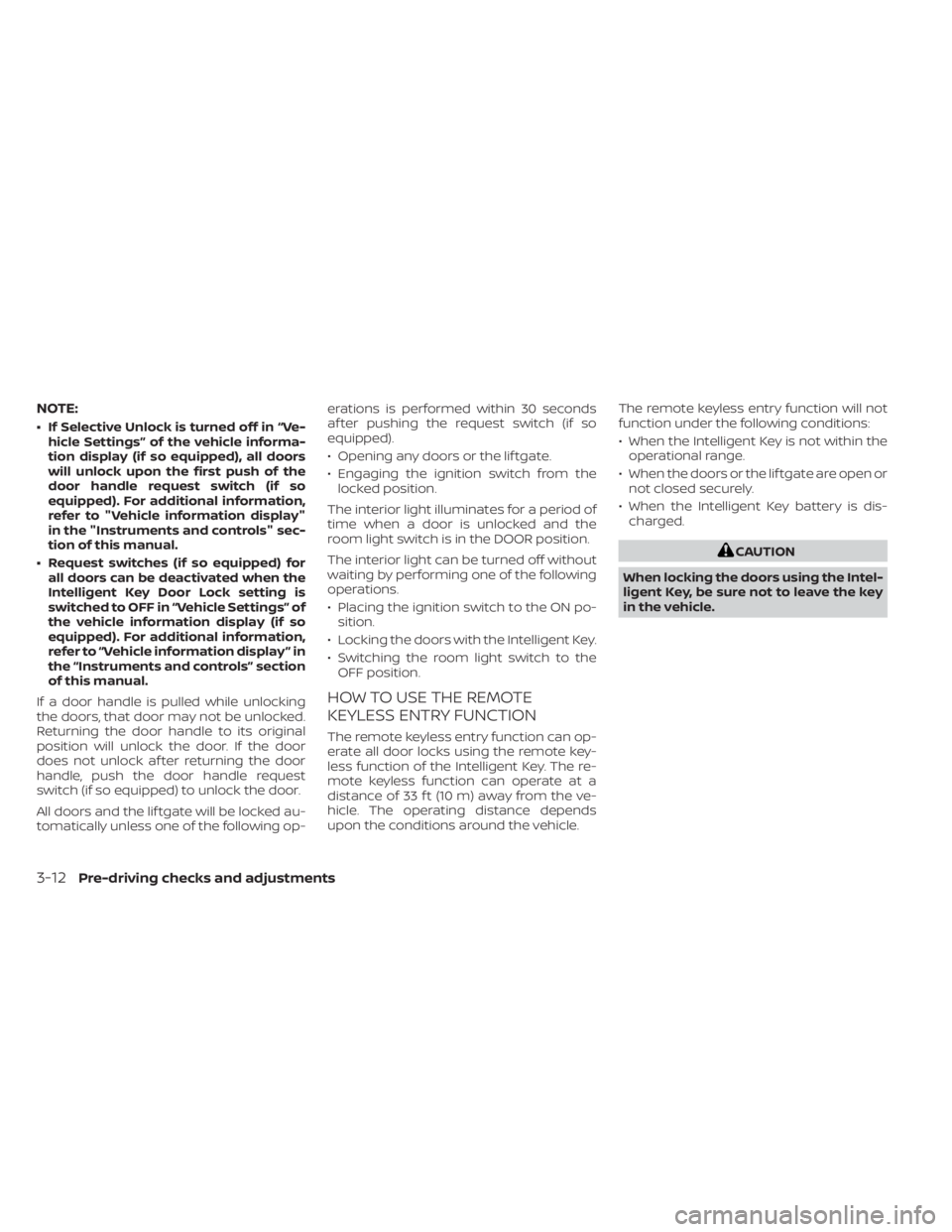
NOTE:
• If Selective Unlock is turned off in “Ve-hicle Settings” of the vehicle informa-
tion display (if so equipped), all doors
will unlock upon the first push of the
door handle request switch (if so
equipped). For additional information,
refer to "Vehicle information display"
in the "Instruments and controls" sec-
tion of this manual.
• Request switches (if so equipped) for all doors can be deactivated when the
Intelligent Key Door Lock setting is
switched to OFF in “Vehicle Settings” of
the vehicle information display (if so
equipped). For additional information,
refer to “Vehicle information display ” in
the “Instruments and controls” section
of this manual.
If a door handle is pulled while unlocking
the doors, that door may not be unlocked.
Returning the door handle to its original
position will unlock the door. If the door
does not unlock af ter returning the door
handle, push the door handle request
switch (if so equipped) to unlock the door.
All doors and the lif tgate will be locked au-
tomatically unless one of the following op- erations is performed within 30 seconds
af ter pushing the request switch (if so
equipped).
• Opening any doors or the lif tgate.
• Engaging the ignition switch from the
locked position.
The interior light illuminates for a period of
time when a door is unlocked and the
room light switch is in the DOOR position.
The interior light can be turned off without
waiting by performing one of the following
operations.
• Placing the ignition switch to the ON po- sition.
• Locking the doors with the Intelligent Key.
• Switching the room light switch to the OFF position.
HOW TO USE THE REMOTE
KEYLESS ENTRY FUNCTION
The remote keyless entry function can op-
erate all door locks using the remote key-
less function of the Intelligent Key. The re-
mote keyless function can operate at a
distance of 33 f t (10 m) away from the ve-
hicle. The operating distance depends
upon the conditions around the vehicle. The remote keyless entry function will not
function under the following conditions:
• When the Intelligent Key is not within the
operational range.
• When the doors or the lif tgate are open or not closed securely.
• When the Intelligent Key battery is dis- charged.
Page 171 of 500
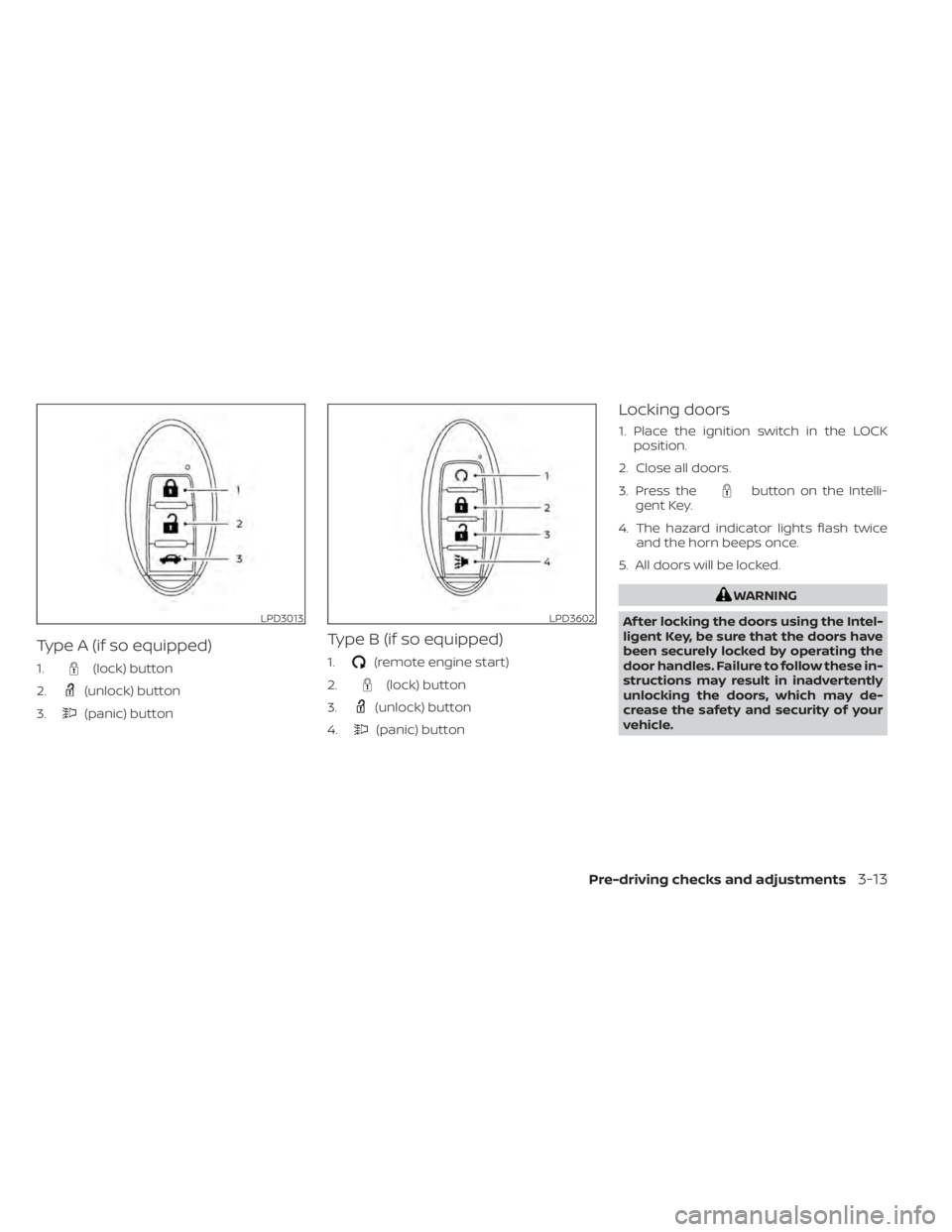
Type A (if so equipped)
1.(lock) button
2.
(unlock) button
3.
(panic) button
Type B (if so equipped)
1.(remote engine start)
2.
(lock) button
3.
(unlock) button
4.
(panic) button
Locking doors
1. Place the ignition switch in the LOCK position.
2. Close all doors.
3. Press the
button on the Intelli-
gent Key.
4. The hazard indicator lights flash twice and the horn beeps once.
5. All doors will be locked.
LPD3602
Page 172 of 500
Unlocking doors
1. Press thebutton on the Intelligent
Key.
2. The hazard warning lights flash once.
3. Press the
button again within 30
seconds to unlock all doors and the
lif tgate.
NOTE:
If Selective Unlock is turned off in “Ve-
hicle Settings” of the vehicle informa-
tion display (if so equipped), all doors
will unlock upon the first
press of
the key fob. For additional informa-
tion, refer to "Vehicle information dis-
play" in the "Instruments and con-
trols" section of this manual.
All doors and the lif tgate will be locked au-
tomatically unless one of the following op-
erations is performed within 30 seconds
af ter pressing the
button.
• Opening any doors or the lif tgate.
• Engaging the ignition switch from the lock position.
The interior light illuminates for a period of
time when a door is unlocked and the
room light switch is in the DOOR position. The light can be turned off without waiting
by performing one of the following opera-
tions.
• Placing the ignition switch in the ON po-
sition.
• Locking the doors with the remote con- trol.
• Switching the room light switch in the OFF position.
Using the panic alarm
If you are near your vehicle and feel threat-
ened, you may activate the panic alarm to
call attention by pressing and holding the
button on the Intelligent Key for lon-
ger than 0.5 seconds.
The panic alarm and headlights will stay on
for a period of time.
The panic alarm stops when:
• It has run for a period of time, or
• Any button is pressed on the Intelligent Key.
• The request switch on the driver or pas- senger door is pushed and the Intelligent
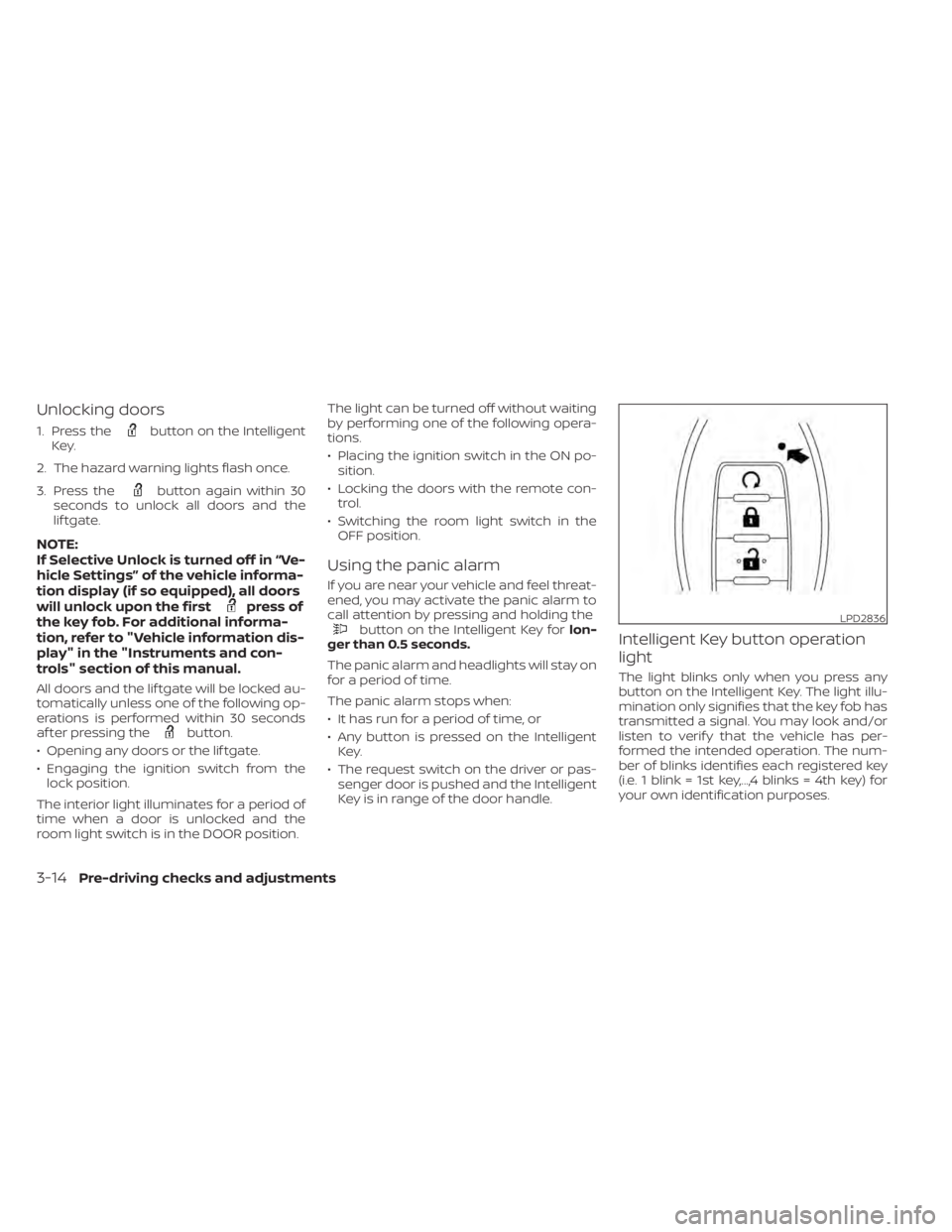
Key is in range of the door handle.Intelligent Key button operation
light
The light blinks only when you press any
button on the Intelligent Key. The light illu-
mination only signifies that the key fob has
transmitted a signal. You may look and/or
listen to verif y that the vehicle has per-
formed the intended operation. The num-
ber of blinks identifies each registered key
(i.e. 1 blink = 1st key,...,4 blinks = 4th key) for
your own identification purposes.
LPD2836
3-14Pre-driving checks and adjustments
Page 173 of 500
If the light does not blink, your battery may
be too weak to communicate to the ve-
hicle. If this occurs, the battery may need to
be replaced. For additional information re-
garding the replacement of a battery, refer
to “Battery replacement” in the “Do-it-
yourself ” section of this manual.WARNING SIGNALS
To help prevent the vehicle from moving
unexpectedly by erroneous operation of
the Intelligent Key or to help prevent the
vehicle from being stolen, a chime or
buzzer sounds from inside and outside the
vehicle and a warning is displayed in the
instrument panel.
When a chime or beep sounds or a warning
is displayed, be sure to check the vehicle
and the Intelligent Key.
For additional information, refer to
“Troubleshooting guide” in this section and
“Vehicle information display (if so
equipped)” in the “Instruments and con-
trols” section of this manual.
Pre-driving checks and adjustments3-15