2022 LEXUS RX350 lane
[x] Cancel search: lanePage 5 of 508

3TABLE OF CONTENTS
1
2
3
4
5
6
7
8
9
Trailer towing (vehicles with towing package) ........................................ 159
Dinghy towing ................................ 169
4-2. Driving procedures Engine (ignition) switch .............. 170
Automatic transmission.............. 174
Turn signal lever............................. 178
Parking brake ................................. 179
Brake Hold....................................... 182
4-3. Operating the lights and wipers Headlight switch ............................ 184
AHB (Automatic High Beam) ............................................................ 187
Fog light switch .............................. 190
Windshield wipers and washer ............................................................ 190
Rear window wiper and washer ............................................................ 194
4-4. Refueling Opening the fuel tank cap......... 195
4-5. Using the driving support systems Lexus Safety System + 2.0 ........ 198
PCS (Pre-Collision System).... 204
LTA (Lane Tracing Assist).......... 211
RSA (Road Sign Assist) ............. 220
Dynamic radar crui se control with
full-speed range ......................... 222
BSM (Blind Spot Monitor) ....... 232
PKSA (Parking Support Alert) ........................................................... 236
Intuitive parking assist ................ 238
RCTA (Rear cross traffic alert) function .......................................... 245
PKSB (Parking Support Brake) ............................................................ 251Parking Support Brake function
(static objects) ............................ 257
Parking Support Brake function (rear-crossing vehicles) ......... 260
Driving mode select switch ...... 262
All-wheel drive lock switch......264
Driving assist systems ................ 265
4-6. Driving tips Winter driving tips ......................... 271
Utility vehicle precautions........ 273
5-1. Remote Touch/Display Remote Touch............................... 278
Center Display.............................. 280
5-2. Lexus Climate Concierge Lexus Climate Concierge........ 283
5-3. Using the air conditioning system and defogger
Front automatic air conditioning system ............................................ 284
Rear automatic air conditioning system ............................................ 294
Heated steering wheel/seat heat- ers/seat ventilators................... 297
5-4. Using the interior lights Interior lights list ........................... 300
5-5. Using the storage features List of storag e features .............. 303
Luggage compartment features .......................................................... 309
5-6. Using the other interior features Other interior features ................ 314
Garage door opener ................. 326
Compass .......................................... 331
5Interior features
Page 19 of 508

17Pictorial index
Driving position memory switches*................................................................... P.129
Outside rear view mirror switches .................................................................... P.137
Door lock switches ...................................................................................................P.99
Power window switches ........................................................................................P.140
Window lock switch ............................................................................................... P.142
*:If equipped
Audio remote control switches
*
Paddle shift switches ......................................... ..................................................... P.176
Meter control switches .......................................................................................... P.80
Vehicle-to-vehicle distance switch .................................................................. P.227
Cruise control switch............................................................................................P.222
LTA (Lane Tracing Assist) switch ....................................................................... P.215
Talk switch
*
Phone switch*
*
: Refer to “NAVIGATION AND MULTIMEDIA SYSTEM OWNER’S MANUAL”.
A
B
C
D
E
A
B
C
D
E
F
G
H
Page 85 of 508

832-1. Instrument cluster
2
Vehicle status information and indicators
tire inflation pressure after the engine
switch is turned to IGNITION ON mode.
It may also take a few minutes to display
the tire inflation pressure after inflation
pressure has been adjusted.
• “---” may be displayed if the tire position information cannot be determined due to
unfavorable radio wave conditions.
• Tire inflation pressu re changes with tem-
perature. The displayed values may also
be different from the values measured
using a tire pressure gauge.
Select to display the following naviga-
tion system-linked information.
Route guidance
Compass display (heading-up dis-
play)
Select to enable selection of an audio
source or track on the meter using the
meter control switches.
Select to display the operational status
of the following systems:
LTA (Lane Tracing Assist) ( P.211)
RSA (Road Sign Assist) (if
equipped) ( P.220)
Dynamic radar cruise control with
full-speed range ( P.222)
■Meter display settings that can be
changed
Clock
Select to switch between 12-hour display
and 24-hour display.
Language
Select to change t he language displayed.
Units
Select to change the units of measure dis-
played.
Eco Driving Indicator Light
( P.81)
Select to enable/dis able the Eco Driving
Indicator Light.
Switch settings
Select to display how to change the top
screen.
Drive information 1/Drive informa-
tion 2/Drive information 3
Select to select up to 2 items ( P.80) that
will be displayed on each Drive information
screen (Drive information 1 screen, Drive
information 2 screen, and Drive informa-
tion 3 screen) respectively.
Pop-up display
Select to enable/dis able the pop-up dis-
play.
• Intersection guidance (if equipped)
• Incoming calls
• Brightness adjustment
Color (except F SPORT models)
Select to set the color of the cursor on the
multi-information display.
Needle (F SPORT models)
Navigation system-linked dis-
play (if equipped)
Audio system-linked display
Driving assist system information
Settings display
Page 88 of 508

862-1. Instrument cluster
*:If equipped
Illustrations used in this text are intended as examples, and may differ from the image that is
actually displayed by the head-up display.
Navigation system-linked display area (if equipped) ( P.89)
Message display area ( P.89)
Displays the following items:
• Warning/Message (if equipped)
• Audio system operation status
• Outside temperature
Displays the following item, which ar e linked to the navigation system:
•Street name
/ icon ( P.88)
Driving assist system status display area (if equipped)
Displays the operational stat us of the following systems:
• Dynamic radar cruise cont rol with full-speed range (P.222)
• LTA (Lane Tracing Assist) ( P.211)
• Intuitive parking assist ( P.238)
• Parking Support Brake functi on (for static objects) (P.257)
Head-up display*
The head-up display is linked to the mete rs and navigation system (if equipped)
and projects a variety of information in front of the driver, such as the current
vehicle speed and route guidance to a set destination.
System components
A
B
C
D
Page 151 of 508
149
4
4
Driving
Driving
.4-1. Before drivingDriving the vehicle ..................... 150
Cargo and luggage ................... 155
Vehicle load limits ...................... 158
Trailer towing (vehicles without towing package) ...................... 159
Trailer towing (vehicles with tow- ing package).............................. 159
Dinghy towing ............................. 169
4-2. Driving procedures Engine (ignition) switch ........... 170
Automatic transmission........... 174
Turn signal lever.......................... 178
Parking brake .............................. 179
Brake Hold.................................... 182
4-3. Operating the lights and wipers Headlight switch ......................... 184
AHB (Automatic High Beam) ......................................................... 187
Fog light switch ........................... 190
Windshield wipers and washer ......................................................... 190
Rear window wiper and washer ......................................................... 194
4-4. Refueling Opening the fuel tank cap...... 195
4-5. Using the driving support sys- tems
Lexus Safety System + 2.0 ..... 198
PCS (Pre-Collision System) ........................................................ 204LTA (Lane Tracing Assist) .......
211
RSA (Road Sign Assist).......... 220
Dynamic radar cruise control with full-speed range....................... 222
BSM (Blind Spot Monitor) .... 232
PKSA (Parking Support Alert) ....................................................... 236
Intuitive parking assist ............. 238
RCTA (Rear cross traffic alert) function....................................... 245
PKSB (Parking Support Brake) ........................................................ 251
Parking Support Brake function (static objects) ......................... 257
Parking Support Brake function (rear-crossing vehicles) ...... 260
Driving mode select switch .. 262
All-wheel drive lock switch ... 264
Driving assist systems.............. 265
4-6. Driving tips Winter driving tips ...................... 271
Utility vehicle precautions..... 273
Page 163 of 508

1614-1. Before driving
4
Driving
Control can also help to stabilize the vehicle
and trailer.)
●After the trailer swaying has stopped:
• Stop in a safe place. Get all occupants out of the vehicle.
• Check the tires of the vehicle and the trailer.
• Check the load in the trailer.
Make sure the load has not shifted.
Make sure the tongue weight is appropri-
ate, if possible.
• Check the load in the vehicle. Make sure the vehicle is not overloaded
after occupants get in.
If you cannot find any problems, the speed
at which trailer swaying occurred is beyond
the limit of your particular vehicle-trailer
combination. Drive at a lower speed to pre-
vent instability. Remember that swaying of
the towing vehicle-trailer increases as
speed increases.
WARNING
■Trailer towing precautions
To tow a trailer safely, use extreme care
and drive the vehicle in accordance with
the trailer’s characteristics and operating
conditions. Failure to do so could cause
an accident resulting in death or serious
injury. Vehicle stability and braking per-
formance are affected by trailer stability,
brake setting and performance, and the
hitch. Your vehicle will handle differently
when towing a trailer.
■To avoid accident or injury
●Do not exceed the TWR, unbraked
TWR, GCWR, GVWR or GAWR.
●If the gross trailer weight is over 2000
lb. (907 kg), a sway control device with
sufficient capacity is required.
●Adjust the tongue weight within the
appropriate range. Place heavier loads
as close to the trailer axle as possible.
●Do not exceed 65 mph (104 km/h),
the posted towing speed limit or the
speed limit for your trailer as set forth
in your trailer owner’s manual, which-
ever is lowest. Slow down sufficiently
before making a turn, in cross winds,
on wet or slippery surface, etc. to help
avoid an accident. If you experience a
vehicle-trailer inst ability from reduc-
ing a certain speed, slow down and
make sure you keep your vehicle
speed under the speed of which you
experience the instability.
●Do not make jerky, abrupt or sharp
turns.
●Do not apply the brakes suddenly as
you may skid, resulting in jackknifing
and loss of vehicle control. This is
especially true on wet or slippery sur-
faces.
●Do not exceed the trailer hitch assem-
bly weight, gross vehicle weight, gross
axle weight and tra iler tongue weight
capacities.
●Do not use the following systems when
trailer towing.
• Dynamic radar cruise control with full-speed range
• LTA (Lane Tracing Assist)
• PCS (Pre-Collision System)
• BSM (Blind Spot Monitor) (if equipped)
●Slow down and downshift before
descending steep or long downhill
grades. Do not make sudden down-
shifts while descending steep or long
downhill grades.
Page 164 of 508
1624-1. Before driving
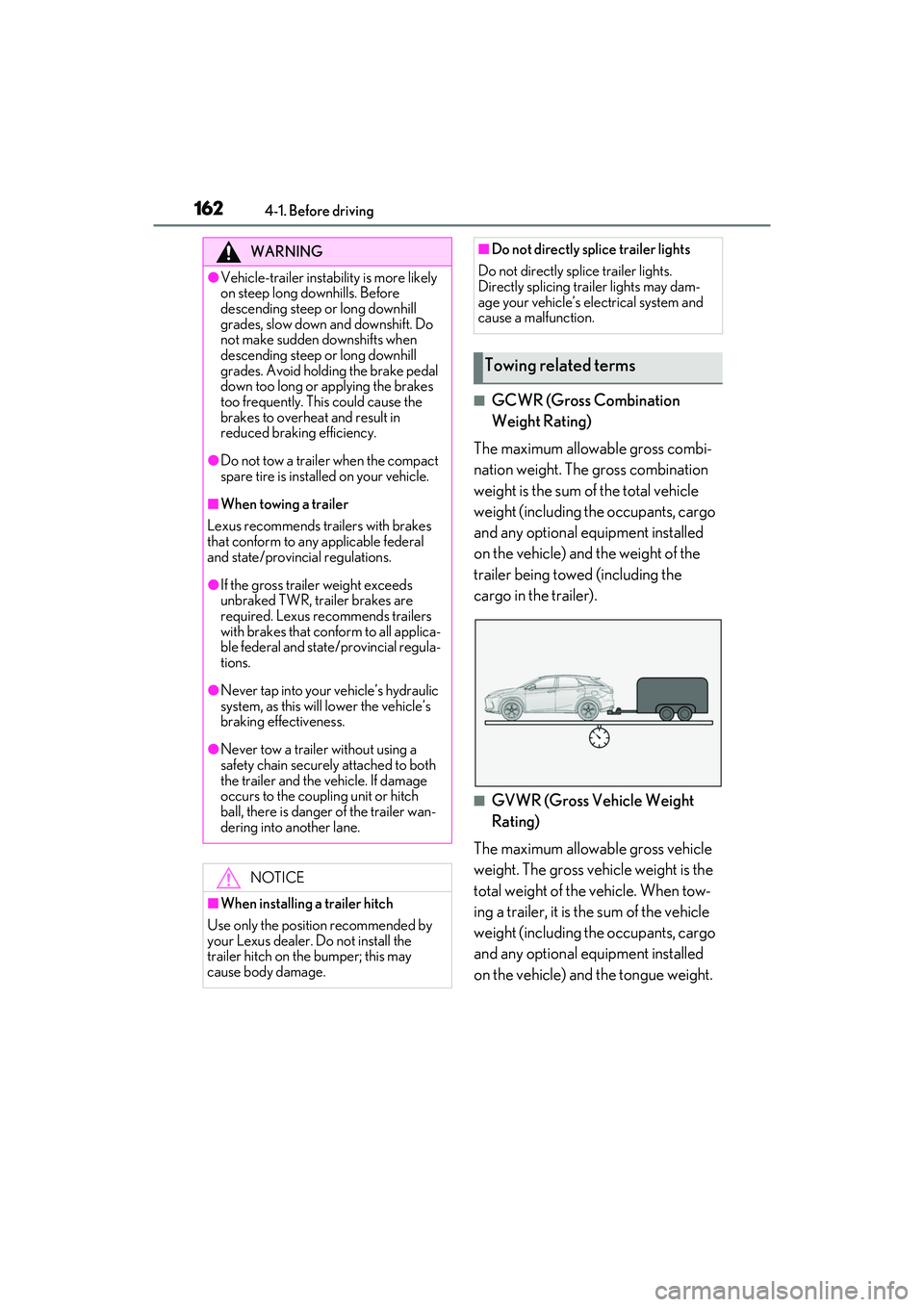
■GCWR (Gross Combination
Weight Rating)
The maximum allowable gross combi-
nation weight. The gross combination
weight is the sum of the total vehicle
weight (including the occupants, cargo
and any optional equipment installed
on the vehicle) and the weight of the
trailer being towed (including the
cargo in the trailer).
■GVWR (Gross Vehicle Weight
Rating)
The maximum allowable gross vehicle
weight. The gross vehicle weight is the
total weight of the vehicle. When tow-
ing a trailer, it is the sum of the vehicle
weight (including the occupants, cargo
and any optional equipment installed
on the vehicle) and the tongue weight.
WARNING
●Vehicle-trailer instabil ity is more likely
on steep long downhills. Before
descending steep or long downhill
grades, slow down and downshift. Do
not make sudden downshifts when
descending steep or long downhill
grades. Avoid holding the brake pedal
down too long or applying the brakes
too frequently. This could cause the
brakes to overheat and result in
reduced braking efficiency.
●Do not tow a trailer when the compact
spare tire is installed on your vehicle.
■When towing a trailer
Lexus recommends trailers with brakes
that conform to any applicable federal
and state/provincial regulations.
●If the gross trailer weight exceeds
unbraked TWR, trailer brakes are
required. Lexus recommends trailers
with brakes that conform to all applica-
ble federal and state/provincial regula-
tions.
●Never tap into your vehicle’s hydraulic
system, as this will lower the vehicle’s
braking effectiveness.
●Never tow a trailer without using a
safety chain securely attached to both
the trailer and the vehicle. If damage
occurs to the coupling unit or hitch
ball, there is danger of the trailer wan-
dering into another lane.
NOTICE
■When installing a trailer hitch
Use only the position recommended by
your Lexus dealer. Do not install the
trailer hitch on the bumper; this may
cause body damage.
■Do not directly splice trailer lights
Do not directly splice trailer lights.
Directly splicing trailer lights may dam-
age your vehicle’s electrical system and
cause a malfunction.
Towing related terms
Page 169 of 508
1674-1. Before driving
4
Driving
the vehicle inspected by your Lexus dealer.
Your vehicle will handle differently
when towing a trailer. Help to avoid an
accident, death or serious injury, keep
the following in mind when towing:
Speed limits for towing a trailer vary
by state or provin ce. Do not exceed
the posted towing speed limit.
Lexus recommends that the vehi-
cle-trailer speed limit is 65 mph
(104 km/h) on a flat, straight, dry
road. Do not exceed this limit, the
posted towing speed limit or the
speed limit for your trailer as set
forth in your trailer owner’s manual,
whichever is lowest. Instability of the
towing vehicle-trailer combination
(trailer sway) increases as speed
increases. Exceeding speed limits
may cause loss of control.
Before starting out, check the trailer
lights, tires and the vehicle-trailer
connections. Recheck after driving
a short distance.
Practice turning, stopping and
reversing with the trailer attached in
an area away from traffic until you
become accustomed to the feel of
the vehicle-trailer combination.
Reversing with a tr ailer attached is
difficult and requires practice. Grip
the bottom of the steering wheel
and move your hand to the left to
move the trailer to the left. Move
your hand to the right to move the
trailer to right. (This is generally opposite to reversing without a
trailer attached.) Avoid sharp or
prolonged turning. Have someone
guide you when reversing to reduce
the risk of an accident.
As stopping distance is increased
when towing a trailer, vehicle-to
vehicle distance should be
increased. For each 10 mph (16
km/h) of speed, allow at least one
vehicle and trailer length.
Avoid sudden braking as you may
skid, resulting in the trailer jackknif-
ing and a loss of vehicle control. This
is especially true on wet or slippery
surfaces.
Avoid jerky starts or sudden accel-
eration.
Avoid jerky steering and sharp
turns, and slow down before making
turn.
Note that when making a turn, the
trailer wheels will be closer than the
vehicle wheels to the inside of the
turn. Compensate by making a
wider than normal turning radius.
Slow down before making a turn, in
cross winds, on wet or slippery sur-
faces, etc. Increasing vehicle speed
can destabilize the trailer.
Take care when passing other vehi-
cles. Passing requires considerable
distance. After pass ing a vehicle, do
not forget the length of your trailer,
and be sure you have plenty of room
before changing lanes.
To maintain engine braking effi-
ciency and charging system perfor-
Trailer towing tips