2022 LEXUS RX350 tow
[x] Cancel search: towPage 243 of 508

2414-5. Using the driving support systems
4
Driving
●Wires, fences, ropes, etc.
●Cotton, snow and other materials that
absorb sound waves
●Sharply-angled objects
●Low objects
●Tall objects with upper sections project-
ing outwards in the direction of your vehi-
cle
People may not be detected if they are
wearing certain types of clothing.
■Situations in which the system may not
operate properly
Certain vehicle conditions and the sur-
rounding environment may affect the ability
of a sensor to correctly detect objects. Par-
ticular instances where this may occur are
listed below.
●There is dirt, snow or ice on a sensor.
(Cleaning the sensors will resolve this
problem.)
●A sensor is frozen. (Thawing the area will
resolve this problem.)
In especially cold weather, if a sensor is
frozen the sensor display may be dis-
played abnormally, or objects, such as a
wall, may not be detected.
●When a sensor or the area around a sen-
sor is extremely hot or cold.
●On an extremely bumpy road, on an
incline, on gravel, or on grass.
●When vehicle horns, vehicle detectors,
motorcycle engines, air brakes of large
vehicles, the clearance sonar of other
vehicles or other devices which produce
ultrasonic waves are near the vehicle
●A sensor is coated with a sheet of spray
or heavy rain.
●If objects draw too close to the sensor.
●When a pedestrian is wearing clothing that does not reflect ultrasonic waves (ex.
skirts with gathers or frills).
●When objects that are not perpendicular
to the ground, not perpendicular to the
vehicle traveling direction, uneven, or
waving are in the detection range.
●Strong wind is blowing
●When driving in inclement weather such
as fog, snow or a sandstorm
●When an object that
cannot be detected
is between the vehicle and a detected
object
●If an object such as a vehicle, motorcycle,
bicycle or pedestrian cuts in front of the
vehicle or runs out from the side of the
vehicle
●If the orientation of a sensor has been
changed due to a collision or other
impact
●When equipment that may obstruct a
sensor is installed, such as a towing eye-
let, bumper protector (an additional trim
strip, etc.), bicycle carrier, or snow plow
●If the front of the vehicle is raised or low-
ered due to the carried load
●If the vehicle cannot be driven in a stable
manner, such as when the vehicle has
been in an accident or is malfunctioning
●When a tire chains, compact spare tire or
an emergency tire punc ture repair kit is
used
■Situations in which the system may
operate even if there is no possibility of a
collision
In some situations, such as the following, the
system may operate even though there is no
possibility of a collision.
●When driving on a narrow road
●When driving toward a banner, flag,
Page 251 of 508
2494-5. Using the driving support systems
4
Driving
on the position above the rear bumper
●When driving on a road surface that is
wet with standing water during bad
weather, such as heavy rain, snow, or fog
●When multiple vehicles are approaching
with only a small gap between each vehi-
cle
●When a vehicle is approaching at high
speed
●When equipment that may obstruct a
sensor is installed, such as a towing eye-
let, bumper protector (an additional trim
strip, etc.), bicycle carrier, or snow plow
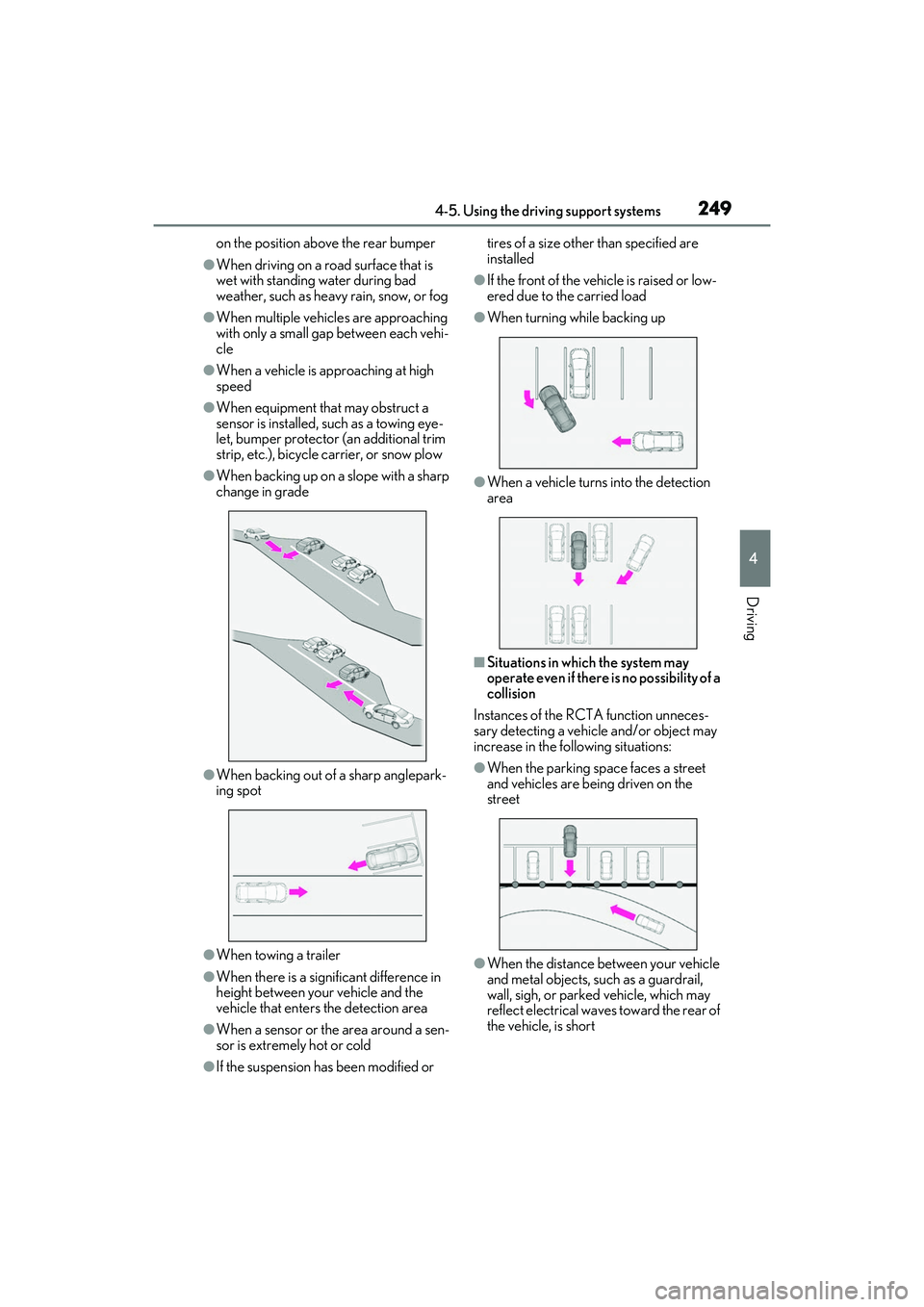
●When backing up on a slope with a sharp
change in grade
●When backing out of a sharp anglepark-
ing spot
●When towing a trailer
●When there is a significant difference in
height between your vehicle and the
vehicle that enters the detection area
●When a sensor or the area around a sen-
sor is extremely hot or cold
●If the suspension has been modified or tires of a size othe
r than specified are
installed
●If the front of the vehicle is raised or low-
ered due to the carried load
●When turning while backing up
●When a vehicle turns into the detection
area
■Situations in which the system may
operate even if there is no possibility of a
collision
Instances of the RCTA function unneces-
sary detecting a vehicl e and/or object may
increase in the following situations:
●When the parking sp ace faces a street
and vehicles are being driven on the
street
●When the distance between your vehicle
and metal objects, such as a guardrail,
wall, sigh, or parked vehicle, which may
reflect electrical waves toward the rear of
the vehicle, is short
Page 252 of 508

2504-5. Using the driving support systems
●When equipment that may obstruct a
sensor is installed, such as a towing eye-
let, bumper protector (an additional trim
strip, etc.), bicycle carrier, or snow plow
●When a vehicle passes by the side of your
vehicle
●When a detected vehicle turns while
approaching the vehicle
●When there are spinning objects near
your vehicle such as the fan of an air con-
ditioning unit
●When water is splashed or sprayed
toward the rear bumper, such as from a
sprinkler
●Moving objects (flags, exhaust fumes,
large rain droplets or snowflakes, rain
water on the road surface, etc.)
●When the distance between your vehicle
and a guardrail, wall, etc., that enters the
detection area is short
●Gratings and gutters
●When a sensor or the area around a sen-
sor is extremely hot or cold
●If the suspension has been modified or
tires of a size othe r than specified are
installed
●If the front of the vehicle is raised or low-
ered due to the carried load
Page 253 of 508
2514-5. Using the driving support systems
4
Driving
*:If equipped
■Parking Support Brake function
(static objects) (if equipped)
Ultrasonic sensors are used to detect
static objects, such as a wall, in the
detection area when driving at a low
speed or backing up. ( P.257)
■Parking Support Brake function
(rear-crossing vehicles) (if
equipped)
Rear radar sensors are used to detect
approaching vehicles in the detection
area behind the vehicle when backing
up. ( P.260)
PKSB (Parking Support
Brake)
*
The Parking Support Brake system
consists of the following functions
that operate when driving at a low
speed or backing up, such as when
parking. When the system deter-
mines that the possibility of a colli-
sion with a detected object is high, a
warning operates to urge the driver
to take evasive action. If the system
determines that the possibility of a
collision with a detected object is
extremely high, the brakes are
automatically applie d to help avoid
the collision or help reduce the
impact of the collision.
PKSB (Parking Support Brake)
system
WARNING
■Cautions regarding the use of the sys-
tem
Do not overly rely on the system, as
doing so may lead to an accident.
●The driver is solely responsible for safe
driving. Always drive carefully, taking
care to observe your surroundings.
The Parking Support Brake system is
designed to provide support to lessen
the severity of collisions. However, it
may not operate in some situations.
●The Parking Support Brake system is
not designed to stop the vehicle com-
pletely. Additionally, even if the system
has stopped the vehicl e, it is necessary
to depress the brake pedal immedi-
ately as brake control will be canceled
after approximately 2 seconds.
●It is extremely dangerous to check the
system operations by intentionally
driving the vehicle into the direction of
a wall, etc. Never attempt such actions.
■When to disable the Parking Support
Brake
In the following situations, disable the
Parking Support Brake as the system
may operate even though there is no
possibility of a collision.
●When inspecting the vehicle using a
chassis roller, chassis dynamo or free
roller
●When loading the vehicle onto a boat,
truck or other transport vessel
●If the suspension has been modified or
tires of a size othe r than specified are
installed
●If the front of the vehicle is raised or
lowered due to the carried load
●When equipment that may obstruct a
sensor is installed, such as a towing
eyelet, bumper protector (an addi-
tional trim strip, etc.), bicycle carrier, or
snow plow
Page 271 of 508

2694-5. Using the driving support systems
4
Driving
WARNING
●When driving with tire chains
●When driving over bumps in the road
●When driving over roads with potholes
or uneven surfaces
■TRAC/VSC may not operate effec-
tively when
Directional control and power may not
be achievable while driving on slippery
road surfaces, even if the TRAC/VSC
system is operating. Drive the vehicle
carefully in conditions where stability and
power may be lost.
■Active Cornering Assist does not
operate effectively when
●Do not overly rely on Active Corner-
ing Assist. Active Cornering Assist
may not operate effectively when
accelerating down slopes or driving on
slippery road surfaces.
●When Active Cornering Assist fre-
quently operates, Active Cornering
Assist may temporarily stop operating
to ensure proper operation of the
brakes, TRAC and VSC.
■Hill-start assist control does not oper-
ate effectively when
●Do not overly rely on hill-start assist
control. Hill-start assist control may
not operate effectively on steep
inclines and roads covered with ice.
●Unlike the parking brake, hill-start
assist control is not intended to hold
the vehicle stationary for an extended
period of time. Do not attempt to use
hill-start assist control to hold the vehi-
cle on an incline, as doing so may lead
to an accident.
■When the TRAC/VSC/Trailer Sway
Control is activated
The slip indicator light flashes. Always
drive carefully. Re ckless driving may
cause an accident. Exercise particular
care when the indicator light flashes.
■When the TRAC/VSC/Trailer Sway
Control systems are turned off
●Be especially careful and drive at a
speed appropriate to the road condi-
tions. As these are the systems to help
ensure vehicle stability and driving
force, do not turn the
TRAC/VSC/Trailer Sway Control sys-
tems off unless necessary.
●Trailer Sway Control is part of the VSC
system and will not operate if VSC is
turned off or expe riences a malfunc-
tion.
■Replacing tires
Make sure that all ti res are of the speci-
fied size, brand, tread pattern and total
load capacity. In addition, make sure that
the tires are inflated to the recom-
mended tire inflat ion pressure level.
The ABS, TRAC, Trailer Sway Control
and VSC systems will not function cor-
rectly if different tires are installed on the
vehicle.
Contact your Lexus dealer for further
information when replacing tires or
wheels.
■Handling of tires and the suspension
Using tires with any kind of problem or
modifying the suspensi on will affect the
driving assist systems, and may cause a
system to malfunction.
■Trailer Sway Control precaution
The Trailer Sway Control system is not
able to reduce trailer sway in all situa-
tions. Depending on many factors such
as the conditions of the vehicle, trailer,
road surface and driving environment,
the Trailer Sway Control system may not
be effective. Refer to your trailer owner’s
manual for information on how to tow
your trailer properly.
Page 281 of 508
2795-1. Remote Touch/Display
5
Interior features
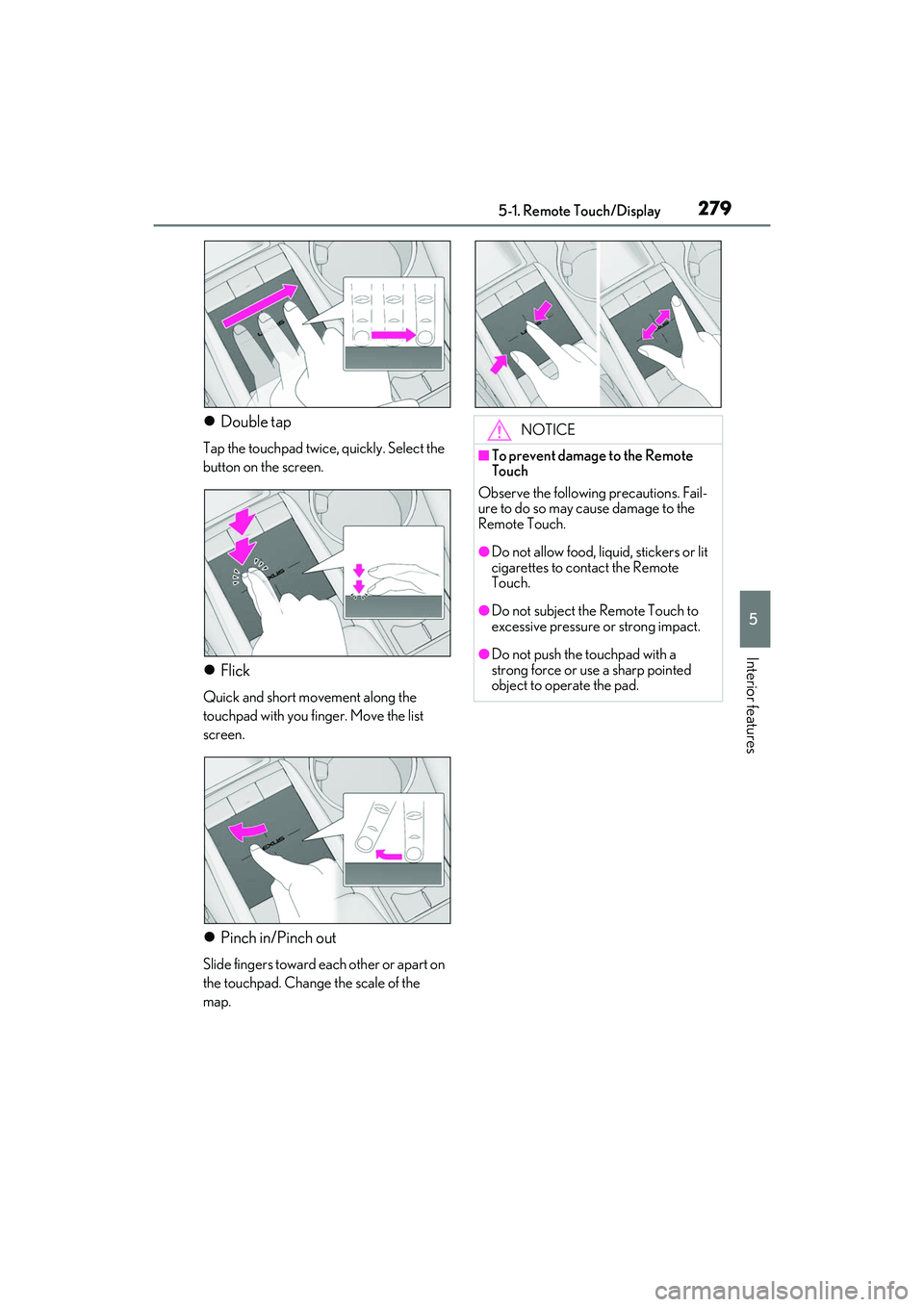
Double tap
Tap the touchpad twice, quickly. Select the
button on the screen.
Flick
Quick and short movement along the
touchpad with you finger. Move the list
screen.
Pinch in/Pinch out
Slide fingers toward each other or apart on
the touchpad. Change the scale of the
map.
NOTICE
■To prevent damage to the Remote
Touch
Observe the following precautions. Fail-
ure to do so may cause damage to the
Remote Touch.
●Do not allow food, liqu id, stickers or lit
cigarettes to contact the Remote
Touch.
●Do not subject the Remote Touch to
excessive pressure or strong impact.
●Do not push the touchpad with a
strong force or use a sharp pointed
object to operate the pad.
Page 309 of 508
3075-5. Using the storage features
5
Interior features
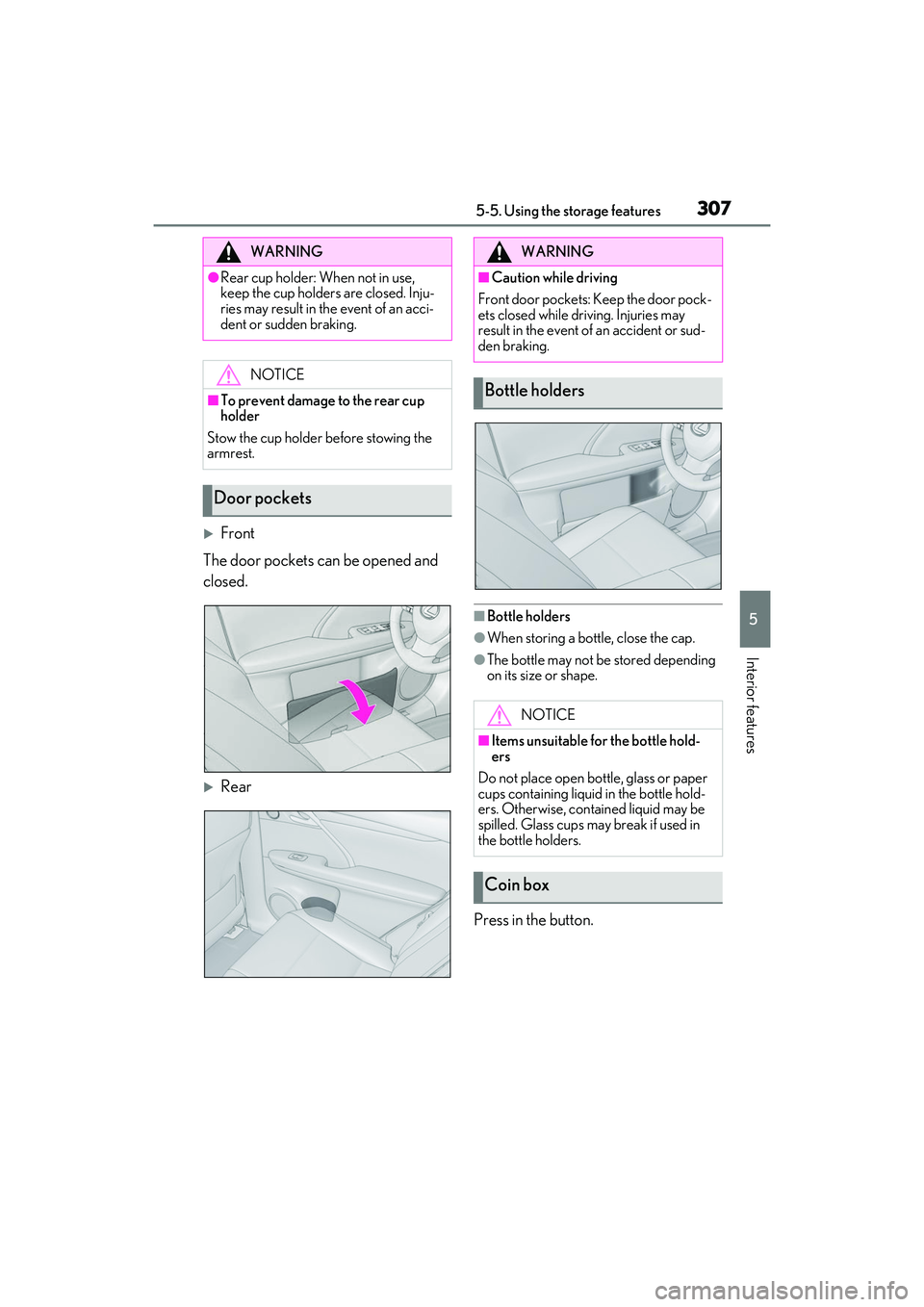
Front
The door pockets can be opened and
closed.
Rear
■Bottle holders
●When storing a bottle, close the cap.
●The bottle may not be stored depending
on its size or shape.
Press in the button.
WARNING
●Rear cup holder: When not in use,
keep the cup holders are closed. Inju-
ries may result in th e event of an acci-
dent or sudden braking.
NOTICE
■To prevent damage to the rear cup
holder
Stow the cup holder before stowing the
armrest.
Door pockets
WARNING
■Caution while driving
Front door pockets: Keep the door pock-
ets closed while driving. Injuries may
result in the event of an accident or sud-
den braking.
Bottle holders
NOTICE
■Items unsuitable for the bottle hold-
ers
Do not place open bottle, glass or paper
cups containing liquid in the bottle hold-
ers. Otherwise, contained liquid may be
spilled. Glass cups ma y break if used in
the bottle holders.
Coin box
Page 311 of 508
3095-5. Using the storage features
5
Interior features
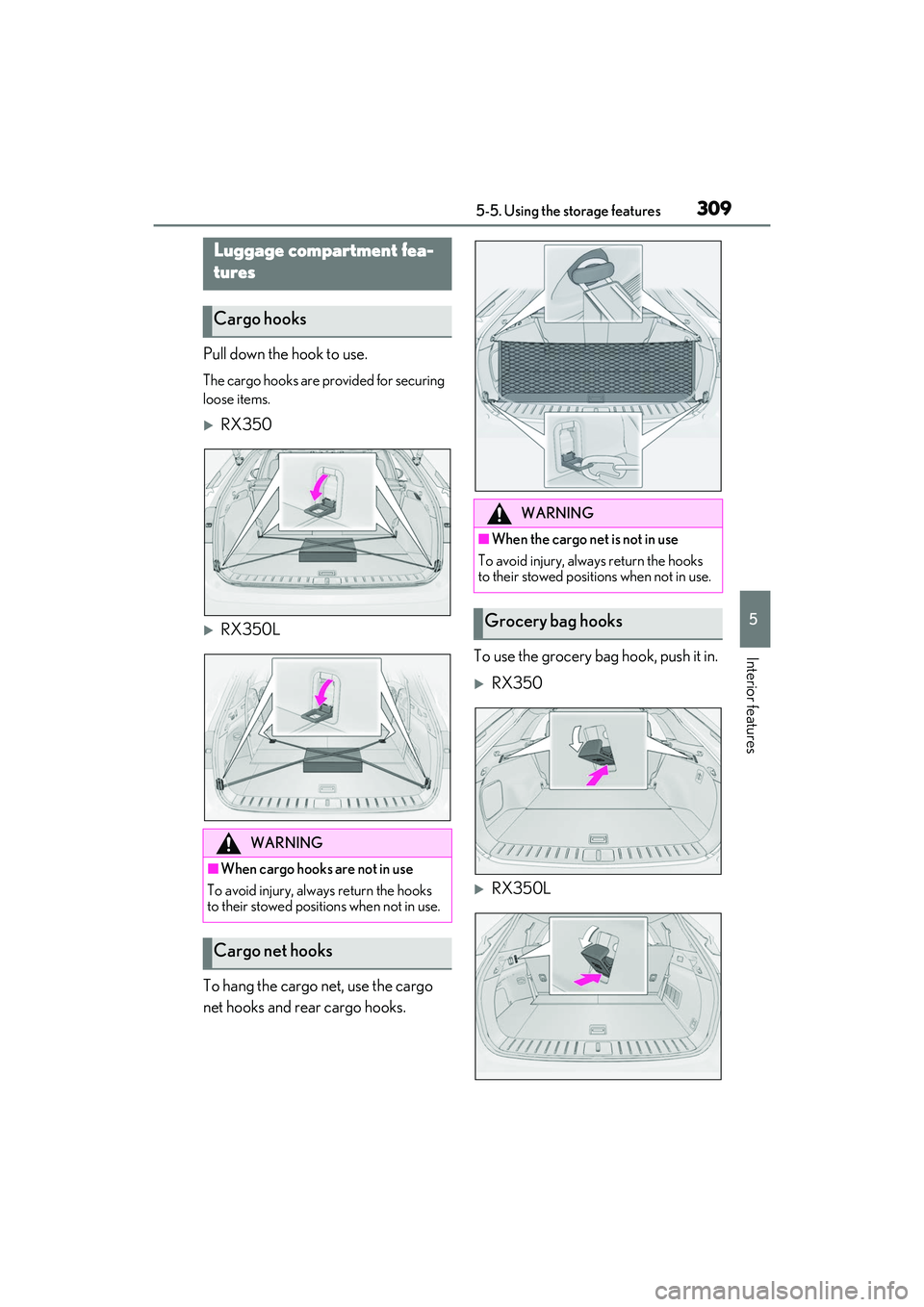
Pull down the hook to use.
The cargo hooks are provided for securing
loose items.
RX350
RX350L
To hang the cargo net, use the cargo
net hooks and rear cargo hooks. To use the grocery bag hook, push it in.
RX350
RX350L
Luggage compartment fea-
tures
Cargo hooks
WARNING
■When cargo hooks are not in use
To avoid injury, always return the hooks
to their stowed positions when not in use.
Cargo net hooks
WARNING
■When the cargo net is not in use
To avoid injury, always return the hooks
to their stowed positions when not in use.
Grocery bag hooks